


 Home
HomePower Platform AI: Developing Reusable Architecture Solutions
In today's fast-paced digital world, Artificial Intelligence (AI) is increasingly essential for business operations. Microsoft's Power Platform provides a powerful environment for incorporating AI into diverse applications. This article details how to build reusable AI architectures within the Power Platform, emphasizing efficiency, scalability, and long-term maintenance. By using an architectural design strategy, we can unlock substantial value and streamline AI deployment across various initiatives.
Key Points
Design an AI framework for a reusable architecture using the Power Platform.
Concentrate on architecture design and review to build resilient AI solutions.
Develop reusable services and UI patterns to reduce duplication.
Optimize Power Automate flows for efficient business process automation.
Log AI transactions to simplify troubleshooting and track performance.
Designing a Reusable AI Framework
The Importance of Architectural Design
Before exploring the details of AI implementation in the Power Platform, understanding the value of a well-defined architecture is vital. A robust architectural design makes your AI solutions not just operational, but also reusable, scalable, and maintainable. Without it, companies frequently encounter problems like redundant code, growing complexity, and challenges adapting to changing business requirements. This section outlines a structured method for creating a successful blueprint when developing reusable AI frameworks.
We will discuss essential design principles such as modularity, abstraction, and separation of concerns. By considering the broader vision from the start, your AI initiatives will establish a foundation for simpler integration of AI into key business workflows and reduce the difficulty of deploying AI solutions company-wide.
First-Time Build vs. Reusable Services
When starting AI projects on the Power Platform, recognizing the distinction between building a one-off solution and creating reusable components is fundamental. Initial efforts often require constructing specific services from the ground up.

These first builds form the foundational pieces needed for future reuse. The objective is to create a well-structured microservice or modular component with loose coupling. These elements can then be utilized in various applications, boosting efficiency and cutting development time. Reusable services speed up development and encourage consistency and standardization in your AI-powered solutions.
Identifying the Starting Point
To develop a highly effective and valuable AI solution, begin by pinpointing core business requirements and opportunities. This typically involves identifying areas missing an AI service layer or a microservices architecture for AI implementation on the Power Platform.

This is a critical step because this is the initial layer that can be shared across multiple departments. For instance, it might be the absence of AI integration to address a specific business process or use case. By addressing these gaps, you can prioritize building reusable AI components that deliver quick, measurable value to the organization. After selecting a suitable project, use its requirements as the basis for creating reusable services. Data is the first area to examine. What information is necessary to meet the business objective?
Use Case: A Project Dashboard with Meeting Integration
To demonstrate how to apply a reusable AI framework, consider the example of a project dashboard with integrated meeting features.

The dashboard acts as a central location for all project-related data, including projects, meetings, teams, and requirements. In the project section, users can access a meeting tab to review past meetings and create new meeting records. This scenario offers a practical example for showing the design and execution of reusable AI components in the Power Platform.
The main aim for numerous projects and use cases is to decrease the number of steps and effort a person must take to handle the information they receive. Using the meeting integration example, a person must attend the meeting, listen to the discussion, and manually process the information to share across their company. By implementing AI services, we can condense all these steps into a single "Save" action.
Building the AI Service Layer
Phase 1: Inputting the Meeting Transcript
The first stage in constructing the AI service layer is enabling users to enter meeting transcripts into the Power Platform.
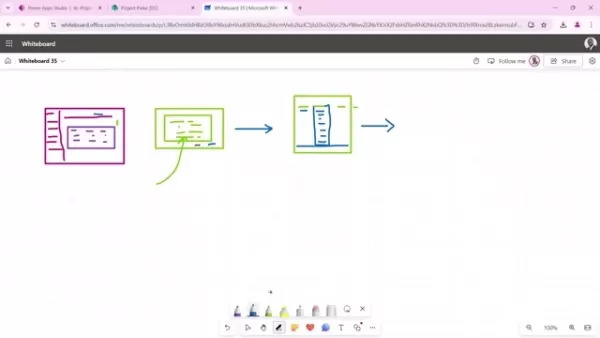
This can be done using an intuitive dialog box that lets users copy and paste the transcript. This dialog includes a text input field and save/cancel buttons to manage the process. This straightforward design guarantees that users can promptly and easily supply the data needed to start the AI processing workflow. The aim is to simplify the initial upload process so the AI can perform its tasks, even when humans initiate it.
Storing Meeting Transcripts in SharePoint
After users input the meeting transcript, the next step is to save the data in a SharePoint list.
This SharePoint list will act as a central storage for all meeting transcripts, enabling easy access, management, and further analysis. Each meeting entry will be stored as a new row in the list, with dedicated columns for metadata like meeting title, category, key decisions, tasks, follow-up items, and processing status. This organized method ensures all pertinent information is accessible for AI analysis and reporting. The crucial point is that we must make this data available for our AI to utilize.
Power Automate and the AI Business Layer
To automate the AI processing workflow, Power Automate is employed.
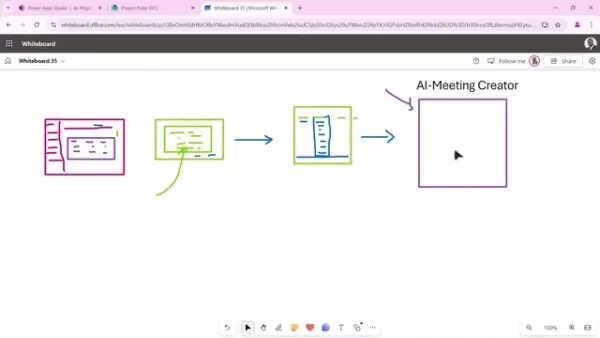
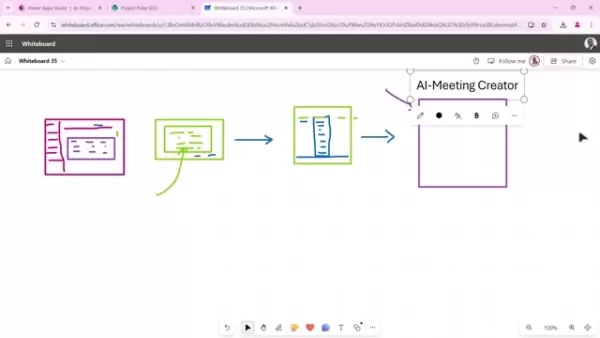
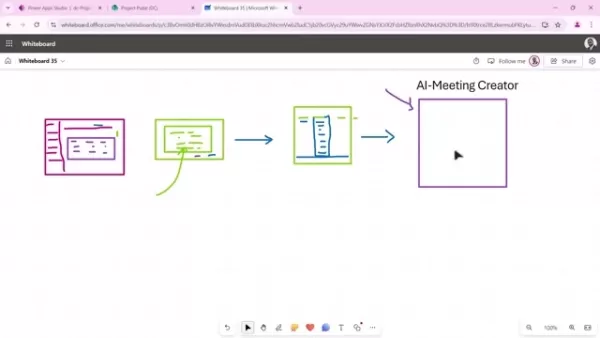
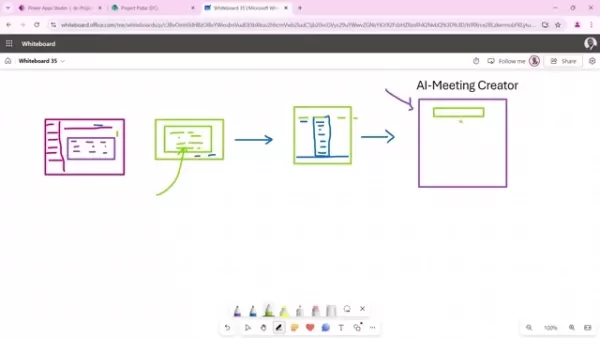
Power Automate functions as the business layer, linking the SharePoint list to AI services. In this scenario, it's named the "AI Meeting Creator" and manages the AI functions to optimize user effort. By using Power Automate, companies can automatically derive insights from meeting transcripts, assign tasks, and produce follow-up items. Power Automate reduces the manual work needed.
Interacting with Large Language Models (LLMs)
To successfully integrate AI into the Power Platform, knowing how to interact with Large Language Models (LLMs) is important.
You need to know how to formulate effective prompts that can extract data, ask relevant questions, and summarize information efficiently. You must pass all of this data into AI models like GPT-3.5 or GPT-4. The fundamental component for delivering AI in our projects is prompting, which we will explore further here.
The prompt contains the instructions directing the AI model on how to process the information. This helps guarantee all AI operations function as intended in your projects. In the following step, we will establish a method for these projects to Scale by storing the prompt in a centralized SharePoint list.
Creating the Service Layer for AI Models
The final objective is to establish a reusable pattern for the prompt sent to our AI models. A key technique is to separate the AI model instructions from the data in our Power Platform use case. To achieve this effectively, design a Prompt template that isolates the business logic from the input data. We require both the data for the AI to process and specific instructions so it understands its task. Table 1 demonstrates how to construct the service layer that accomplishes this.
Table 1: AI Service Layer
Column Description Prompt Key A unique identifier for the prompt, allowing Power Automate to fetch it. Message Array The data that the AI will process using the prompt. Token Count The number of tokens required by the AI model.
This ensures that despite using different systems, you can preserve business rules for each unique use case while also retaining all your important data.
AI Integration Considerations
As AI models constantly advance, it's crucial to design the business layer to be independent of the particular AI models and versions you use. By establishing this separation, you empower your team to enhance your specific application. Below are other vital considerations for AI implementation:
- Maintain a central repository of templates.
- Implement a logging mechanism to track processed data.
- Completely decouple data and templates to enable project scaling.
- Set up a feedback system to allow the AI model to learn from provided data, fostering ongoing improvement.
Step-by-Step Tutorial: Implementing the AI Meeting Creator
Step 1: Setting Up the Project Dashboard
First, establish a dashboard featuring a meeting tab. This dashboard should serve as a central hub for all project-related information. Ensure it is designed for use across various departments and user groups.
Step 2: Creating the AI Prompt Template List
We must create a separate SharePoint list to manage our AI Prompts. This method increases system flexibility, permitting numerous updates and modifications while interacting with the table data. Verify this service list includes a prompt key, a message array, and a token count.
Step 3: Adding the Meeting Transcript Input
Provide users with an interface to copy and paste meeting notes from applications like Teams. Afterwards, ensure the data is correctly uploaded to the appropriate column.
Step 4: Sending to the AI Prompt
Now it's time to delegate the workload to our AI service. Create the Power Automate flow to ingest all the data along with the template and generate the meeting results.
AI Service Layer Benefits and Risks
Pros
Enhanced Reusability. Build a shared ecosystem across your organization.
Improved AI Models. Allow your team to concentrate on AI, resulting in better processing capabilities.
Greater Agility. Ensure your AI implementation is flexible enough to distribute across your team.
Cons
Initial Complexity. This approach might be more complicated for a first build compared to ad-hoc methods.
Upfront Investment. Potential expenses might deter your team. Conducting a cost-benefit analysis can help justify the investment.
FAQ
What are the primary benefits of using a reusable AI architecture?
A reusable AI architecture reduces redundancy, improves scalability, and simplifies maintenance, resulting in long-term time and cost savings.
How do I determine which parts of my AI solutions should be made reusable?
Focus on core AI functions such as data processing, sentiment analysis, or summarization that can be utilized in different projects.
What is the most efficient way to handle prompts in the Power Platform?
Using an AI prompt template list separates the prompts from specific use cases, making them easier to modify and update without widespread impact.
What are the key elements of a well-designed AI logging strategy?
Monitor data inputs, outputs, and token consumption to effectively track and enhance your solutions.
Related Questions
How can AI be used to automate business processes within the Power Platform?
AI can automate various business processes in the Power Platform. Chatbots are highly effective for customer service, data analysis, automated reporting, and content creation. With AI's extensive presence in the Power Platform, numerous tools are available for integrating AI into your workflows.
What security and compliance measures should I consider when implementing AI on the Power Platform?
Data privacy and security are critical. It's recommended to apply data loss prevention (DLP) policies to safeguard sensitive information. Additionally, ensure your solutions adhere to international and local regulations. Always encrypt confidential data.
What are the skills required for Power Platform developers to effectively implement AI solutions?
Power Platform developers need a solid grasp of data modeling, workflow automation, and AI principles. Bridging the gap between these two domains is crucial for successful implementation.
Can AI improve the efficiency and accuracy of data entry processes within the Power Platform?
Yes, AI can scan documents, extract relevant details, and automatically input them into your application, minimizing manual entry and human error over time.
Related article
 DeepMind CEO Hassabis: I sleep six hours a day, usually feel energetic around 1 a.m.
Fortune recently featured an interview with Demis Hassabis, CEO of Google DeepMind, revealing his unconventional approach to rest and productivity. Hassabis disclosed that he sleeps very little, structuring his waking hours into two distinct work blo
OpenAI, Anthropic Vie for Market Share Despite Revenue Shortfalls
Despite recent reports suggesting OpenAI missed revenue targets, creating pressure on tech stocks this Tuesday, private AI lab investors remain resilient. Seasoned backers have confirmed they will not reduce investment despite negative media coverage
California AV Compliance: A New Era of Tickets, Geofences, and 1M Miles
Guident operates an AuveTech shuttle in South Florida, managing a four-mile route in West Palm Beach and a one-mile route in Boca Raton using its remote monitoring technology. | Credit: GuidentCalifornia is redefining the regulatory landscape for dri
Related Special Topic Recommendations
Video creation
DeepMind CEO Hassabis: I sleep six hours a day, usually feel energetic around 1 a.m.
Fortune recently featured an interview with Demis Hassabis, CEO of Google DeepMind, revealing his unconventional approach to rest and productivity. Hassabis disclosed that he sleeps very little, structuring his waking hours into two distinct work blo
OpenAI, Anthropic Vie for Market Share Despite Revenue Shortfalls
Despite recent reports suggesting OpenAI missed revenue targets, creating pressure on tech stocks this Tuesday, private AI lab investors remain resilient. Seasoned backers have confirmed they will not reduce investment despite negative media coverage
California AV Compliance: A New Era of Tickets, Geofences, and 1M Miles
Guident operates an AuveTech shuttle in South Florida, managing a four-mile route in West Palm Beach and a one-mile route in Boca Raton using its remote monitoring technology. | Credit: GuidentCalifornia is redefining the regulatory landscape for dri
Related Special Topic Recommendations
Video creation
 AI Short-Form Video Hook Generators for Reels, Shorts, and Product Launch Campaigns
2026 Latest Best AI Short-Form Video Hook Generators for Reels Shorts and Product Launch Campaigns! XIX.AI curates top-rated powerful game-changing tools that deliver must-try results through real-world tests. This weekly updated page offers free vs paid comparison rankings to help you find the perfect solution for boosting content creativity and productivity. Explore now to Unlock your AI edge!
 11 tools
 xix.ai
writing
AI Article Outline Tools for Long Form Writing
xix.ai
writing
AI Article Outline Tools for Long Form Writing
2026 Latest Best Top-Rated AI Article Outline Tools for Long Form Writing! This curated collection features powerful, game-changing tools that deliver accurate, structured outlines with real-world tests to boost writing efficiency significantly. XIX.AI is part of this elite selection. Get a free vs paid comparison to help you choose the perfect tool. Explore now and Unlock your AI edge!
9 tools
xix.ai
chatbot
Best AI Roleplay Chat Apps for Language Practice, Interview Prep, and Daily Fluency
2026 Latest Best Top-rated AI Roleplay Chat Apps for Language Practice, Interview Prep, and Daily Fluency! XIX.AI curates a powerful game-changing collection that offers free vs paid comparison, real-world tests, and updated rankings weekly. These must-try tools help you boost writing skills, overcome fluency challenges, and improve communication efficiency across all daily scenarios. Explore now to discover your perfect tool for language growth!
10 tools
xix.ai
Music composition
AI Stem Separation Tools for Remix Production, Sampling Prep, and Karaoke Masters
2026 Latest Best Top-rated AI Stem Separation Tools Curated for Remix Production, Sampling Prep, and Karaoke Masters. These powerful game-changing tools offer real-world tests to deliver precise audio isolation, boosting productivity significantly. XIX.AI provides a weekly updated free vs paid comparison guide to help you find the must-try solution that suits your needs. Explore now to unlock your AI edge.
8 tools
xix.ai
Data Analysis
AI SQL Copilots for Revenue Dashboards, Funnel Analysis, and Product Metrics
2026 Latest Best AI SQL Copilots Ranked Top-Rated! XIX.AI curates a powerful game-changing collection for weekly updated real-world tests. These must-try tools help you generate accurate revenue dashboards, analyze sales funnels, and track product metrics swiftly, boosting productivity massively. Explore now to Discover your perfect tool for data-driven decision making! 238 characters
9 tools
xix.ai
Music composition
Best AI Melody Writing Tools for Song Drafts
2026 Latest Best Top-Rated AI Melody Writing Tools for Song Drafts! XIX.AI has curated a highly powerful game-changing collection that goes through rigorous real-world tests to deliver the best writing experience. You can find detailed free vs paid comparisons, accurate rankings, and must-try options designed to help you create stunning song drafts effortlessly and boost your creative productivity significantly. Explore now to discover your perfect tool!
8 tools
xix.ai

 Comments (2)
0/500
Comments (2)
0/500
![WillLopez]()
Power Platform을 처음 접했는데, AI 통합이 생각보다 간단하네요. 회사에서 자동화 솔루션 도입을 검토 중인데, 이 아키텍처 패턴이 실용적으로 보여요. 다만 이런 플랫폼에 의존하게 되면 향후 기술 변경 시 마이그레이션 비용이 클까 조금 걱정됩니당 🤔 재사용 가능한 모듈이라니, 개발 시간을 확 줄일 수 있을 것 같아요! 한편으로는 표준화된 솔루션이 업무 다양성을 떨어뜨릴 수도 있다는 생각이 살짝 드네요.
![KennethRoberts]()
Interessanter Einblick in die Architektur von Power Platform! 🤓 Ich frage mich, wie weit solche wiederverwendbaren Lösungen die Entwicklungskosten tatsächlich senken können. Habe schon Erfahrung mit anderen Low-Code-Tools gemacht – manchmal stößt man bei komplexen Anforderungen doch an Grenzen. Vielleicht könnte der Artikel mehr auf konkrete Fallstricke eingehen?
In today's fast-paced digital world, Artificial Intelligence (AI) is increasingly essential for business operations. Microsoft's Power Platform provides a powerful environment for incorporating AI into diverse applications. This article details how to build reusable AI architectures within the Power Platform, emphasizing efficiency, scalability, and long-term maintenance. By using an architectural design strategy, we can unlock substantial value and streamline AI deployment across various initiatives.
Key Points
Design an AI framework for a reusable architecture using the Power Platform.
Concentrate on architecture design and review to build resilient AI solutions.
Develop reusable services and UI patterns to reduce duplication.
Optimize Power Automate flows for efficient business process automation.
Log AI transactions to simplify troubleshooting and track performance.
Designing a Reusable AI Framework
The Importance of Architectural Design
Before exploring the details of AI implementation in the Power Platform, understanding the value of a well-defined architecture is vital. A robust architectural design makes your AI solutions not just operational, but also reusable, scalable, and maintainable. Without it, companies frequently encounter problems like redundant code, growing complexity, and challenges adapting to changing business requirements. This section outlines a structured method for creating a successful blueprint when developing reusable AI frameworks.
We will discuss essential design principles such as modularity, abstraction, and separation of concerns. By considering the broader vision from the start, your AI initiatives will establish a foundation for simpler integration of AI into key business workflows and reduce the difficulty of deploying AI solutions company-wide.
First-Time Build vs. Reusable Services
When starting AI projects on the Power Platform, recognizing the distinction between building a one-off solution and creating reusable components is fundamental. Initial efforts often require constructing specific services from the ground up.
These first builds form the foundational pieces needed for future reuse. The objective is to create a well-structured microservice or modular component with loose coupling. These elements can then be utilized in various applications, boosting efficiency and cutting development time. Reusable services speed up development and encourage consistency and standardization in your AI-powered solutions.
Identifying the Starting Point
To develop a highly effective and valuable AI solution, begin by pinpointing core business requirements and opportunities. This typically involves identifying areas missing an AI service layer or a microservices architecture for AI implementation on the Power Platform.
This is a critical step because this is the initial layer that can be shared across multiple departments. For instance, it might be the absence of AI integration to address a specific business process or use case. By addressing these gaps, you can prioritize building reusable AI components that deliver quick, measurable value to the organization. After selecting a suitable project, use its requirements as the basis for creating reusable services. Data is the first area to examine. What information is necessary to meet the business objective?
Use Case: A Project Dashboard with Meeting Integration
To demonstrate how to apply a reusable AI framework, consider the example of a project dashboard with integrated meeting features.
The dashboard acts as a central location for all project-related data, including projects, meetings, teams, and requirements. In the project section, users can access a meeting tab to review past meetings and create new meeting records. This scenario offers a practical example for showing the design and execution of reusable AI components in the Power Platform.
The main aim for numerous projects and use cases is to decrease the number of steps and effort a person must take to handle the information they receive. Using the meeting integration example, a person must attend the meeting, listen to the discussion, and manually process the information to share across their company. By implementing AI services, we can condense all these steps into a single "Save" action.
Building the AI Service Layer
Phase 1: Inputting the Meeting Transcript
The first stage in constructing the AI service layer is enabling users to enter meeting transcripts into the Power Platform.
This can be done using an intuitive dialog box that lets users copy and paste the transcript. This dialog includes a text input field and save/cancel buttons to manage the process. This straightforward design guarantees that users can promptly and easily supply the data needed to start the AI processing workflow. The aim is to simplify the initial upload process so the AI can perform its tasks, even when humans initiate it.
Storing Meeting Transcripts in SharePoint
After users input the meeting transcript, the next step is to save the data in a SharePoint list.
This SharePoint list will act as a central storage for all meeting transcripts, enabling easy access, management, and further analysis. Each meeting entry will be stored as a new row in the list, with dedicated columns for metadata like meeting title, category, key decisions, tasks, follow-up items, and processing status. This organized method ensures all pertinent information is accessible for AI analysis and reporting. The crucial point is that we must make this data available for our AI to utilize.
Power Automate and the AI Business Layer
To automate the AI processing workflow, Power Automate is employed.
Power Automate functions as the business layer, linking the SharePoint list to AI services. In this scenario, it's named the "AI Meeting Creator" and manages the AI functions to optimize user effort. By using Power Automate, companies can automatically derive insights from meeting transcripts, assign tasks, and produce follow-up items. Power Automate reduces the manual work needed.
Interacting with Large Language Models (LLMs)
To successfully integrate AI into the Power Platform, knowing how to interact with Large Language Models (LLMs) is important.
You need to know how to formulate effective prompts that can extract data, ask relevant questions, and summarize information efficiently. You must pass all of this data into AI models like GPT-3.5 or GPT-4. The fundamental component for delivering AI in our projects is prompting, which we will explore further here.
The prompt contains the instructions directing the AI model on how to process the information. This helps guarantee all AI operations function as intended in your projects. In the following step, we will establish a method for these projects to Scale by storing the prompt in a centralized SharePoint list.
Creating the Service Layer for AI Models
The final objective is to establish a reusable pattern for the prompt sent to our AI models. A key technique is to separate the AI model instructions from the data in our Power Platform use case. To achieve this effectively, design a Prompt template that isolates the business logic from the input data. We require both the data for the AI to process and specific instructions so it understands its task. Table 1 demonstrates how to construct the service layer that accomplishes this.
Table 1: AI Service Layer
| Column | Description |
|---|---|
| Prompt Key | A unique identifier for the prompt, allowing Power Automate to fetch it. |
| Message Array | The data that the AI will process using the prompt. |
| Token Count | The number of tokens required by the AI model. |
This ensures that despite using different systems, you can preserve business rules for each unique use case while also retaining all your important data.
AI Integration Considerations
As AI models constantly advance, it's crucial to design the business layer to be independent of the particular AI models and versions you use. By establishing this separation, you empower your team to enhance your specific application. Below are other vital considerations for AI implementation:
- Maintain a central repository of templates.
- Implement a logging mechanism to track processed data.
- Completely decouple data and templates to enable project scaling.
- Set up a feedback system to allow the AI model to learn from provided data, fostering ongoing improvement.
Step-by-Step Tutorial: Implementing the AI Meeting Creator
Step 1: Setting Up the Project Dashboard
First, establish a dashboard featuring a meeting tab. This dashboard should serve as a central hub for all project-related information. Ensure it is designed for use across various departments and user groups.
Step 2: Creating the AI Prompt Template List
We must create a separate SharePoint list to manage our AI Prompts. This method increases system flexibility, permitting numerous updates and modifications while interacting with the table data. Verify this service list includes a prompt key, a message array, and a token count.
Step 3: Adding the Meeting Transcript Input
Provide users with an interface to copy and paste meeting notes from applications like Teams. Afterwards, ensure the data is correctly uploaded to the appropriate column.
Step 4: Sending to the AI Prompt
Now it's time to delegate the workload to our AI service. Create the Power Automate flow to ingest all the data along with the template and generate the meeting results.
AI Service Layer Benefits and Risks
Pros
Enhanced Reusability. Build a shared ecosystem across your organization.
Improved AI Models. Allow your team to concentrate on AI, resulting in better processing capabilities.
Greater Agility. Ensure your AI implementation is flexible enough to distribute across your team.
Cons
Initial Complexity. This approach might be more complicated for a first build compared to ad-hoc methods.
Upfront Investment. Potential expenses might deter your team. Conducting a cost-benefit analysis can help justify the investment.
FAQ
What are the primary benefits of using a reusable AI architecture?
A reusable AI architecture reduces redundancy, improves scalability, and simplifies maintenance, resulting in long-term time and cost savings.
How do I determine which parts of my AI solutions should be made reusable?
Focus on core AI functions such as data processing, sentiment analysis, or summarization that can be utilized in different projects.
What is the most efficient way to handle prompts in the Power Platform?
Using an AI prompt template list separates the prompts from specific use cases, making them easier to modify and update without widespread impact.
What are the key elements of a well-designed AI logging strategy?
Monitor data inputs, outputs, and token consumption to effectively track and enhance your solutions.
Related Questions
How can AI be used to automate business processes within the Power Platform?
AI can automate various business processes in the Power Platform. Chatbots are highly effective for customer service, data analysis, automated reporting, and content creation. With AI's extensive presence in the Power Platform, numerous tools are available for integrating AI into your workflows.
What security and compliance measures should I consider when implementing AI on the Power Platform?
Data privacy and security are critical. It's recommended to apply data loss prevention (DLP) policies to safeguard sensitive information. Additionally, ensure your solutions adhere to international and local regulations. Always encrypt confidential data.
What are the skills required for Power Platform developers to effectively implement AI solutions?
Power Platform developers need a solid grasp of data modeling, workflow automation, and AI principles. Bridging the gap between these two domains is crucial for successful implementation.
Can AI improve the efficiency and accuracy of data entry processes within the Power Platform?
Yes, AI can scan documents, extract relevant details, and automatically input them into your application, minimizing manual entry and human error over time.








 DeepMind CEO Hassabis: I sleep six hours a day, usually feel energetic around 1 a.m.
Fortune recently featured an interview with Demis Hassabis, CEO of Google DeepMind, revealing his unconventional approach to rest and productivity. Hassabis disclosed that he sleeps very little, structuring his waking hours into two distinct work blo
DeepMind CEO Hassabis: I sleep six hours a day, usually feel energetic around 1 a.m.
Fortune recently featured an interview with Demis Hassabis, CEO of Google DeepMind, revealing his unconventional approach to rest and productivity. Hassabis disclosed that he sleeps very little, structuring his waking hours into two distinct work blo
 OpenAI, Anthropic Vie for Market Share Despite Revenue Shortfalls
Despite recent reports suggesting OpenAI missed revenue targets, creating pressure on tech stocks this Tuesday, private AI lab investors remain resilient. Seasoned backers have confirmed they will not reduce investment despite negative media coverage
California AV Compliance: A New Era of Tickets, Geofences, and 1M Miles
Guident operates an AuveTech shuttle in South Florida, managing a four-mile route in West Palm Beach and a one-mile route in Boca Raton using its remote monitoring technology. | Credit: GuidentCalifornia is redefining the regulatory landscape for dri
OpenAI, Anthropic Vie for Market Share Despite Revenue Shortfalls
Despite recent reports suggesting OpenAI missed revenue targets, creating pressure on tech stocks this Tuesday, private AI lab investors remain resilient. Seasoned backers have confirmed they will not reduce investment despite negative media coverage
California AV Compliance: A New Era of Tickets, Geofences, and 1M Miles
Guident operates an AuveTech shuttle in South Florida, managing a four-mile route in West Palm Beach and a one-mile route in Boca Raton using its remote monitoring technology. | Credit: GuidentCalifornia is redefining the regulatory landscape for dri

2026 Latest Best AI Short-Form Video Hook Generators for Reels Shorts and Product Launch Campaigns! XIX.AI curates top-rated powerful game-changing tools that deliver must-try results through real-world tests. This weekly updated page offers free vs paid comparison rankings to help you find the perfect solution for boosting content creativity and productivity. Explore now to Unlock your AI edge!
11 tools
xix.ai

2026 Latest Best Top-Rated AI Article Outline Tools for Long Form Writing! This curated collection features powerful, game-changing tools that deliver accurate, structured outlines with real-world tests to boost writing efficiency significantly. XIX.AI is part of this elite selection. Get a free vs paid comparison to help you choose the perfect tool. Explore now and Unlock your AI edge!
9 tools
xix.ai

2026 Latest Best Top-rated AI Roleplay Chat Apps for Language Practice, Interview Prep, and Daily Fluency! XIX.AI curates a powerful game-changing collection that offers free vs paid comparison, real-world tests, and updated rankings weekly. These must-try tools help you boost writing skills, overcome fluency challenges, and improve communication efficiency across all daily scenarios. Explore now to discover your perfect tool for language growth!
10 tools
xix.ai

2026 Latest Best Top-rated AI Stem Separation Tools Curated for Remix Production, Sampling Prep, and Karaoke Masters. These powerful game-changing tools offer real-world tests to deliver precise audio isolation, boosting productivity significantly. XIX.AI provides a weekly updated free vs paid comparison guide to help you find the must-try solution that suits your needs. Explore now to unlock your AI edge.
8 tools
xix.ai

2026 Latest Best AI SQL Copilots Ranked Top-Rated! XIX.AI curates a powerful game-changing collection for weekly updated real-world tests. These must-try tools help you generate accurate revenue dashboards, analyze sales funnels, and track product metrics swiftly, boosting productivity massively. Explore now to Discover your perfect tool for data-driven decision making! 238 characters
9 tools
xix.ai

2026 Latest Best Top-Rated AI Melody Writing Tools for Song Drafts! XIX.AI has curated a highly powerful game-changing collection that goes through rigorous real-world tests to deliver the best writing experience. You can find detailed free vs paid comparisons, accurate rankings, and must-try options designed to help you create stunning song drafts effortlessly and boost your creative productivity significantly. Explore now to discover your perfect tool!
8 tools
xix.ai

Power Platform을 처음 접했는데, AI 통합이 생각보다 간단하네요. 회사에서 자동화 솔루션 도입을 검토 중인데, 이 아키텍처 패턴이 실용적으로 보여요. 다만 이런 플랫폼에 의존하게 되면 향후 기술 변경 시 마이그레이션 비용이 클까 조금 걱정됩니당 🤔 재사용 가능한 모듈이라니, 개발 시간을 확 줄일 수 있을 것 같아요! 한편으로는 표준화된 솔루션이 업무 다양성을 떨어뜨릴 수도 있다는 생각이 살짝 드네요.
Interessanter Einblick in die Architektur von Power Platform! 🤓 Ich frage mich, wie weit solche wiederverwendbaren Lösungen die Entwicklungskosten tatsächlich senken können. Habe schon Erfahrung mit anderen Low-Code-Tools gemacht – manchmal stößt man bei komplexen Anforderungen doch an Grenzen. Vielleicht könnte der Artikel mehr auf konkrete Fallstricke eingehen?












