


 Home
HomeVisionati: AI Image Toolkit for Marketers to Analyze and Optimize Visual Content
Visionati is an AI-powered image toolkit that analyzes, captions, and describes images in seconds. It aims to enhance content creation by delivering detailed image descriptions and tags. This in-depth review examines Visionati's features, pricing, and practical applications to help marketers and content creators decide if it fits their workflow. We also incorporate user feedback and discuss alternative tools to provide a well-rounded perspective.
Key Points
Visionati is an AI-powered image analysis toolkit built for marketing and content creation.
The platform offers image analysis, automated captioning, tagging, and content filtering.
It integrates with several AI services, including ChatGPT, Google Gemini, and Amazon Rekognition.
Visionati provides lifetime access with tiered pricing plans based on monthly credit allowances.
Practical applications include generating captions for e-commerce, social media, and AI art prompts.
A 60-day money-back guarantee allows for risk-free evaluation.
API access enables developers to integrate Visionati's capabilities into other applications.
Understanding Visionati: An AI Image Analysis Overview
What is Visionati?
Visionati
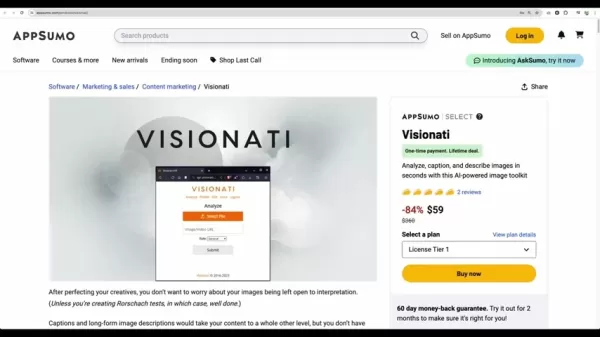
is an AI-driven image analysis toolkit that helps users quickly and efficiently analyze, caption, and describe images. It provides features like image tagging, content filtering, and integration with various AI services. The toolkit is designed to simplify and enhance content creation, making it a valuable asset for marketers, developers, and content creators. It interprets images to craft compelling descriptions, effectively bridging visual content with engaging text. The primary goal is to save time while ensuring content is both SEO-friendly and audience-appealing. Its features help users maximize the value of their images by improving searchability and shareability.
Core Functionalities of Visionati
Visionati offers several core functionalities that significantly enhance image handling and content strategy:
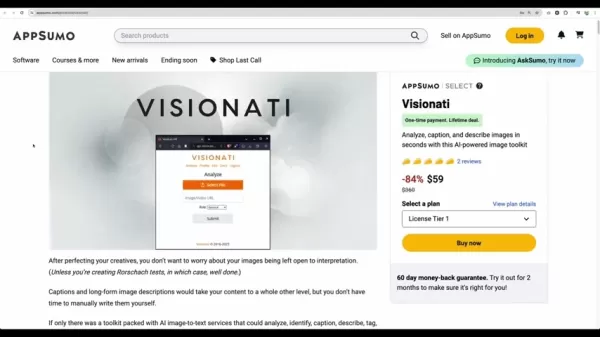
- Image Analysis: Visionati utilizes multiple AI engines to identify objects, environments, and landmarks within images. This helps users understand the composition and context of their visuals.
- Captioning and Description: The toolkit generates relevant captions and descriptions for various uses, such as e-commerce, social media, and AI art prompts, eliminating the need for manual writing.
- Image Tagging: Visionati automatically assigns tags to images, improving their searchability and organization. Effective tagging enhances overall content management.
- Content Filtering: This feature automatically detects offensive content, ensuring images adhere to community standards and brand safety guidelines. It helps prevent inappropriate content from being published, maintaining a safe online environment. This is particularly useful for businesses requiring a professional and secure online presence.
- AI Integrations: The platform connects to nine different AI services, including ChatGPT, Google Gemini, and Amazon Rekognition. These integrations expand analysis capabilities and ensure high accuracy.
Visionati Integrations: Enhancing AI Capabilities
Visionati distinguishes itself by seamlessly integrating with nine major AI services, offering a wide range of analytical tools and perspectives. This multi-engine approach allows Visionati to effectively address diverse image analysis needs. Here's a brief overview of the key integrations:
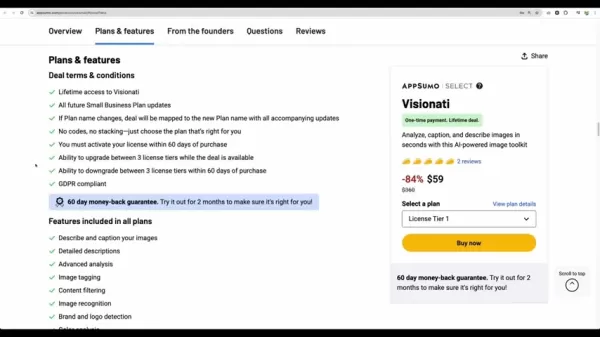
- ChatGPT: Generates creative and engaging captions and descriptions.
- Google Gemini: Provides advanced image recognition and contextual analysis.
- Amazon Rekognition: Delivers robust object and scene detection for accurate image categorization.
- Clarifai: Specializes in detecting and filtering inappropriate content to ensure brand safety.
- OpenAI: Offers access to a broad spectrum of AI functionalities, expanding Visionati's capabilities.
- Immagga: Facilitates detailed image analysis tailored for e-commerce, improving product categorization.
- Replicate: Provides a platform for running machine learning models in the cloud, enhancing scalability.
- Jina AI: Enables the creation of AI-powered search systems to improve image searchability.
These integrations allow Visionati to deliver a multifaceted approach to image analysis, making it a versatile tool for various content creation and marketing tasks. Leveraging multiple AI engines is a significant advantage.
Deep Dive: Exploring Visionati's Functionality
Analyzing Images with Visionati
Visionati simplifies image analysis, providing users with detailed insights into their visual content. The process involves:
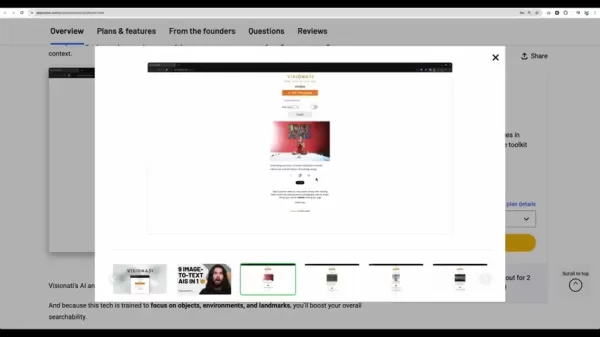
- Uploading or Pasting Image URL: Users can upload an image file or paste an image/video URL into the platform.
- Selecting a Role: Users define a 'Role' parameter, which influences how the AI interprets and describes the image. This tailors captions and descriptions to specific contexts like realtor, artist, or e-commerce. Selecting the appropriate role is crucial for customizing the output.
- Submitting for Analysis: After uploading the image and selecting the role, users submit it for AI analysis. Visionati processes the image and generates relevant captions, tags, and descriptions.
A Real-World Example
For instance, if a user uploads a photo of a modern house and selects the 'Realtor' role, Visionati will analyze the image and produce a description emphasizing key selling points like the number of bedrooms, garage presence, and architectural style. Tags might include terms like 'modern house,' 'family home,' and 'suburban living.' These outputs can be directly used in property listings, social media posts, and marketing materials. This targeted approach increases content effectiveness in attracting the right audience.
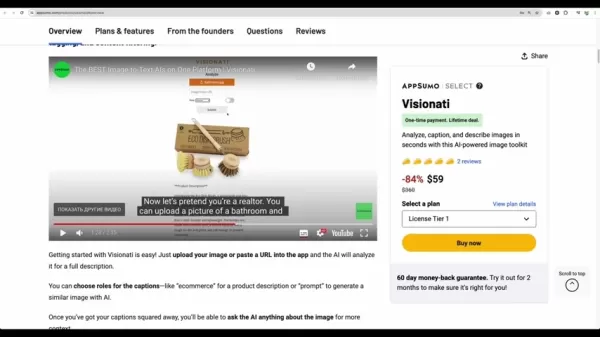
Choosing the correct role ensures the analysis is tailored to the user's specific needs. The realtor role is just one example; Visionati can adapt to various professional contexts with customizable descriptions.
Generating Captions and Descriptions for Different Roles
Visionati's strength is its ability to generate contextually appropriate captions and descriptions by allowing users to select specific roles. This ensures the content aligns with the image's intended purpose, whether for marketing, social media, or creative projects. Tailoring content to specific scenarios enhances its utility. Let's examine a few examples:
- E-commerce: When the 'E-commerce' role is selected, Visionati focuses on creating product descriptions that highlight key features, benefits, and selling points. Descriptions are SEO-optimized to improve online discoverability. For example, an image of a designer handbag might generate a description detailing its material, size, and unique design elements, with tags like 'designer handbag,' 'luxury accessory,' and 'fashionable purse.'
- Social Media (Tweet): For social media, particularly 'Tweet,' Visionati creates concise and engaging captions suitable for platforms like X (formerly Twitter). These are designed to capture attention quickly and encourage interaction. An image of a scenic landscape might yield a caption like 'Escape to paradise! Breathtaking views and serene atmosphere. #TravelGoals #NatureLover,' with tags such as 'landscape,' 'scenic view,' and 'travel photography.'
- Artist: Selecting the 'Artist' role prompts Visionati to analyze artistic elements like composition, color palette, and style. This is useful for artists describing their work or art enthusiasts seeking deeper insights. An abstract painting might generate a description focusing on its use of color, texture, and form, with tags like 'abstract art,' 'modern painting,' and 'contemporary artwork.'
Using Visionati for Content Filtering and Brand Safety
Visionati includes robust content filtering features to ensure brand safety and compliance with community standards. This is crucial for businesses and content creators maintaining a positive online presence. By automatically detecting offensive or inappropriate content, Visionati reduces the risk of posting harmful material. The filtering process includes:
- Automated Detection: Visionati automatically scans uploaded images for nudity, violence, and other offensive content.
- Customizable Standards: Users can adjust filtering sensitivity to match their specific needs and guidelines.
- Alerts and Removal: When offensive content is detected, Visionati alerts the user and offers options for removal or modification. These capabilities are invaluable for maintaining a safe and professional online environment, saving time and reducing human error.
For example, a social media manager can use Visionati to pre-screen images before posting, ensuring compliance with platform guidelines and brand values. This feature provides a critical layer of protection in an era of intense online scrutiny. With customizable standards and automated detection, Visionati helps users manage their visual content confidently.
Visionati Tutorial: Step-by-Step Guide to Image Analysis and Content Creation
Step 1: Accessing Visionati and Setting Up Your Account
To start using Visionati, access the platform via the AppSumo website. After purchase, you'll receive login details to enter Visionati's interface. Once logged in, familiarize yourself with the layout.
Key Areas to Note:
- Dashboard: Provides an account overview, including credit usage and recent activity.
- Analyze Tab: This is where you upload or paste image URLs for analysis.
- Profile Tab: Manage account settings, API keys, and billing information.
- Documentation: Access detailed guides on using Visionati's features.
Understanding the layout ensures smoother navigation and usage.
Step 2: Analyzing an Image and Selecting a Role
The core functionality of Visionati is image analysis and content generation. Here's how to use it:
Navigate to the Analyze Tab: Click on the 'Analyze' tab in the navigation menu.
Upload or Paste Image URL: You have two options:
- Upload: Click 'Select File' to upload an image from your computer.
- Paste URL: Paste the URL of a web image into the 'Image/Video URL' field.
Select a Role: Choose an appropriate role from the dropdown menu. Options include 'Artist,' 'Caption,' 'Comedian,' 'Critic,' 'E-commerce,' 'Inspector,' 'Promoter,' 'Prompt,' 'Realtor,' and 'Tweet.' The role determines the AI's perspective for generating content.
Submit for Analysis: Click 'Submit' to begin analysis. Visionati processes the image and generates captions, tags, and descriptions based on the selected role.
Step 3: Reviewing and Using the Generated Content
After submission, Visionati displays results typically including:
Image Display: The uploaded image for reference.

Description: An AI-generated description tailored to the selected role.
Tags: Keywords for categorizing and making the image searchable.
NSFW (Not Safe For Work) Rating: Indicates if the image contains offensive content.
Using the Content:
- Copy and Paste: Copy generated descriptions and tags for e-commerce listings, social media posts, or marketing materials.
- Edit and Customize: Modify the content to better suit specific needs. The AI provides a solid foundation, but personalization is key.
- Integrate via API: Developers can use the API to automate content generation in applications. Ensure you replace `{YOUR_API_KEY}` with your actual API key.
By following these steps, users can efficiently analyze images and generate high-quality content, streamlining their workflow.
Visionati Pricing: Flexible Options for Every User
Visionati Lifetime Deal Pricing Plans
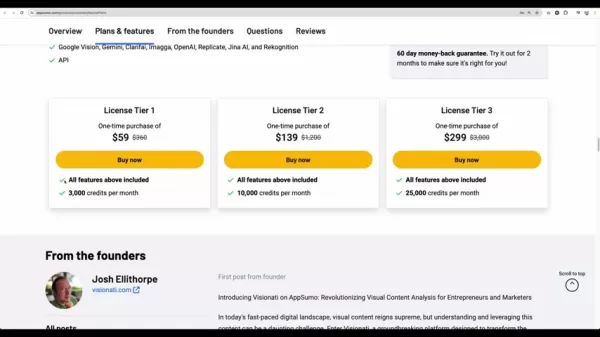
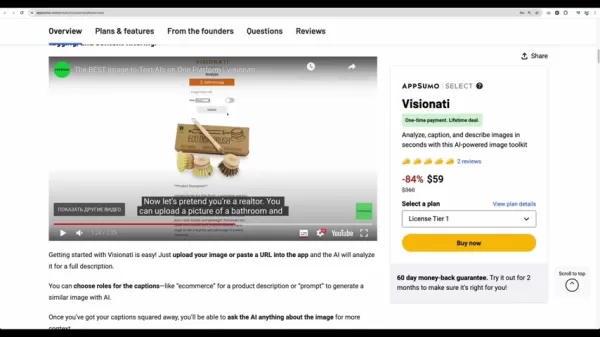
Visionati offers a lifetime deal with tiered pricing plans, providing long-term access to its AI-powered toolkit. These plans cater to different usage needs, from individuals to larger teams. Here's the pricing breakdown:
- License Tier 1: $59 (one-time purchase)
- Includes all features.
- 3,000 credits per month.
- License Tier 2: $139 (one-time purchase)
- Includes all features.
- 10,000 credits per month.
- License Tier 3: $299 (one-time purchase)
- Includes all features.
- 25,000 credits per month.
The tiered structure allows users to select a plan matching their monthly credit needs. All plans include the same core features, ensuring full toolkit access at every level.
Visionati uses a credit-based system for its AI services. The credits required per task depend on complexity and the number of AI services used per API call. For example, the default frontend uses 4 credits per call and leverages 5 AI engines.
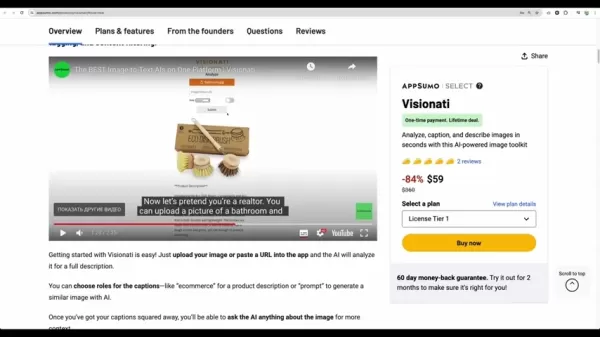
Using the API and streamlining services can reduce costs to as low as 1 credit per call.
Visionati: Weighing the Pros and Cons of AI-Powered Image Analysis
Pros
AI-powered image analysis for rapid content creation
Integration with multiple AI services for enhanced analysis
Lifetime deal pricing for long-term access
Content filtering for brand safety
API access for developers
Cons
Credit-based system requires careful management
Generated content quality depends on underlying AI engines
Potential learning curve for maximizing API usage
Visionati Core Features: AI-Driven Image Toolkit
Key Features of Visionati and Their Benefits
Visionati provides a comprehensive suite of AI-powered features designed to streamline image analysis and content creation. Here's a detailed look at its core functionalities:
- Describe and Caption Images: Automatically generates descriptions and captions, saving time. Ideal for quick content creation for social media or e-commerce.
- Detailed Descriptions: Provides in-depth image analyses, identifying key elements and characteristics for informative and engaging content.
- Advanced Analysis: Utilizes multiple AI engines for a comprehensive understanding of each image, delivering deeper insights and improved accuracy.
- Image Tagging: Automatically tags images to enhance searchability and organization, simplifying content management.
- Content Filtering: Automatically detects offensive content, ensuring brand safety and compliance with community standards.
- Image Recognition: Identifies objects, scenes, and landmarks within images, enhancing contextual understanding.
- Brand and Logo Detection: Automatically detects brands and logos, useful for marketing and compliance monitoring.
- Color Analysis: Provides detailed color analysis, identifying dominant colors and palettes for creating visually appealing content.
- Text Recognition (OCR): Extracts text from images, making it searchable and editable—useful for digitizing documents.
These combined features offer a robust toolkit for managing and optimizing visual content, making it invaluable for marketers, developers, and content creators.
Visionati Use Cases: Real-World Applications and Benefits
Practical Use Cases for Visionati Across Industries
Visionati is a versatile tool with applications across various industries. Key use cases include:
- E-commerce Product Descriptions: Generates detailed, SEO-friendly product descriptions for online listings. An image of a watch
, for instance, might produce a description highlighting its features, material, and design, aiding customer discovery and understanding.
- Social Media Content Creation: Helps content creators quickly generate engaging captions and hashtags for social media posts, saving time and boosting engagement.
- AI Art Prompt Generation: Analyzes images to generate prompts for AI art tools, inspiring creativity and new artistic projects.
- Real Estate Property Listings: Enables realtors to create compelling property descriptions highlighting features like bedroom count, lot size, and architectural style.
- Content Filtering and Brand Safety: Allows businesses to automatically detect and filter offensive image content, aligning online presence with brand values.
- SEO Optimization: Improves image searchability online through effective tagging and description generation, boosting SEO performance.
- API Integration: Developers can integrate Visionati's features into their applications, automating image analysis and content creation tasks for scalability.
Frequently Asked Questions About Visionati
What is Visionati?
Visionati is an AI-powered image analysis toolkit that analyzes, captions, tags, and filters images. It uses multiple AI engines to provide detailed descriptions, tags, and content filtering, serving as a valuable tool for marketers, developers, and content creators.
How does the credit system work?
Visionati operates on a credit-based system. Each image analysis task consumes credits based on complexity and the number of AI engines used. Tiered pricing plans offer different monthly credit allowances. The default frontend uses 4 credits per call across 5 AI engines. Using the API and streamlining services can reduce costs to as little as 1 credit per call.
What AI services does Visionati integrate with?
Visionati integrates with nine major AI services, including ChatGPT, Google Gemini, Amazon Rekognition, Clarifai, OpenAI, Immagga, Replicate, and Jina AI. These integrations provide diverse analytical tools, ensuring Visionati can handle various image analysis needs effectively.
Can I use Visionati for content filtering?
Yes, Vision
Related article
 DeepMind CEO Hassabis: I sleep six hours a day, usually feel energetic around 1 a.m.
Fortune recently featured an interview with Demis Hassabis, CEO of Google DeepMind, revealing his unconventional approach to rest and productivity. Hassabis disclosed that he sleeps very little, structuring his waking hours into two distinct work blo
OpenAI, Anthropic Vie for Market Share Despite Revenue Shortfalls
Despite recent reports suggesting OpenAI missed revenue targets, creating pressure on tech stocks this Tuesday, private AI lab investors remain resilient. Seasoned backers have confirmed they will not reduce investment despite negative media coverage
California AV Compliance: A New Era of Tickets, Geofences, and 1M Miles
Guident operates an AuveTech shuttle in South Florida, managing a four-mile route in West Palm Beach and a one-mile route in Boca Raton using its remote monitoring technology. | Credit: GuidentCalifornia is redefining the regulatory landscape for dri
Related Special Topic Recommendations
chatbot
DeepMind CEO Hassabis: I sleep six hours a day, usually feel energetic around 1 a.m.
Fortune recently featured an interview with Demis Hassabis, CEO of Google DeepMind, revealing his unconventional approach to rest and productivity. Hassabis disclosed that he sleeps very little, structuring his waking hours into two distinct work blo
OpenAI, Anthropic Vie for Market Share Despite Revenue Shortfalls
Despite recent reports suggesting OpenAI missed revenue targets, creating pressure on tech stocks this Tuesday, private AI lab investors remain resilient. Seasoned backers have confirmed they will not reduce investment despite negative media coverage
California AV Compliance: A New Era of Tickets, Geofences, and 1M Miles
Guident operates an AuveTech shuttle in South Florida, managing a four-mile route in West Palm Beach and a one-mile route in Boca Raton using its remote monitoring technology. | Credit: GuidentCalifornia is redefining the regulatory landscape for dri
Related Special Topic Recommendations
chatbot
 Best AI Roleplay Chat Apps for Language Practice, Interview Prep, and Daily Fluency
2026 Latest Best Top-rated AI Roleplay Chat Apps for Language Practice, Interview Prep, and Daily Fluency! XIX.AI curates a powerful game-changing collection that offers free vs paid comparison, real-world tests, and updated rankings weekly. These must-try tools help you boost writing skills, overcome fluency challenges, and improve communication efficiency across all daily scenarios. Explore now to discover your perfect tool for language growth!
 10 tools
 xix.ai
Music composition
AI Stem Separation Tools for Remix Production, Sampling Prep, and Karaoke Masters
xix.ai
Music composition
AI Stem Separation Tools for Remix Production, Sampling Prep, and Karaoke Masters
2026 Latest Best Top-rated AI Stem Separation Tools Curated for Remix Production, Sampling Prep, and Karaoke Masters. These powerful game-changing tools offer real-world tests to deliver precise audio isolation, boosting productivity significantly. XIX.AI provides a weekly updated free vs paid comparison guide to help you find the must-try solution that suits your needs. Explore now to unlock your AI edge.
8 tools
xix.ai
Data Analysis
AI SQL Copilots for Revenue Dashboards, Funnel Analysis, and Product Metrics
2026 Latest Best AI SQL Copilots Ranked Top-Rated! XIX.AI curates a powerful game-changing collection for weekly updated real-world tests. These must-try tools help you generate accurate revenue dashboards, analyze sales funnels, and track product metrics swiftly, boosting productivity massively. Explore now to Discover your perfect tool for data-driven decision making! 238 characters
9 tools
xix.ai
Music composition
Best AI Melody Writing Tools for Song Drafts
2026 Latest Best Top-Rated AI Melody Writing Tools for Song Drafts! XIX.AI has curated a highly powerful game-changing collection that goes through rigorous real-world tests to deliver the best writing experience. You can find detailed free vs paid comparisons, accurate rankings, and must-try options designed to help you create stunning song drafts effortlessly and boost your creative productivity significantly. Explore now to discover your perfect tool!
8 tools
xix.ai
chatbot
Best AI Conversation Trainer Tools for Interview Practice
2026 Latest Best Top-rated AI Conversation Trainer Tools for Interview Practice are here on XIX.AI! This curated collection features powerful, game-changing tools that go through rigorous real-world tests to deliver accurate feedback. You’ll find a free vs paid comparison and detailed rankings to help you choose the must-try option that boosts your confidence and skills. Explore now to Discover your perfect tool for interview success!
12 tools
xix.ai
Design & Art
Best AI Style Transfer Tools for Creative Experiments
2026 Latest Best Top-rated AI Style Transfer Tools for Creative Experiments! XIX.AI has curated a powerful, game-changing collection of must-try tools that deliver exceptional results through real-world tests and rigorous rankings. These top solutions help creatives boost productivity significantly by accelerating content creation and unlocking endless creative possibilities. Explore now to discover your perfect tool and start creating today!
9 tools
xix.ai

 Comments (2)
0/500
Comments (2)
0/500
![KennethMartin]()
Интересный инструмент, но как он справляется с культурными различиями в изображениях? Например, символы, которые по-разному воспринимаются в разных странах... Мне кажется, для глобального маркетинга это может быть проблемой 🤔
![GeorgeMiller]()
¡Vaya, esto parece muy útil para quienes trabajan en marketing digital! Siempre tengo problemas para describir imágenes de forma rápida y precisa. Si realmente analiza y genera etiquetas en segundos, podría ahorrar muchísimo tiempo. Pero me pregunto, ¿cómo de bueno será con imágenes más artísticas o abstractas? 🤔
Visionati is an AI-powered image toolkit that analyzes, captions, and describes images in seconds. It aims to enhance content creation by delivering detailed image descriptions and tags. This in-depth review examines Visionati's features, pricing, and practical applications to help marketers and content creators decide if it fits their workflow. We also incorporate user feedback and discuss alternative tools to provide a well-rounded perspective.
Key Points
Visionati is an AI-powered image analysis toolkit built for marketing and content creation.
The platform offers image analysis, automated captioning, tagging, and content filtering.
It integrates with several AI services, including ChatGPT, Google Gemini, and Amazon Rekognition.
Visionati provides lifetime access with tiered pricing plans based on monthly credit allowances.
Practical applications include generating captions for e-commerce, social media, and AI art prompts.
A 60-day money-back guarantee allows for risk-free evaluation.
API access enables developers to integrate Visionati's capabilities into other applications.
Understanding Visionati: An AI Image Analysis Overview
What is Visionati?
Visionati
is an AI-driven image analysis toolkit that helps users quickly and efficiently analyze, caption, and describe images. It provides features like image tagging, content filtering, and integration with various AI services. The toolkit is designed to simplify and enhance content creation, making it a valuable asset for marketers, developers, and content creators. It interprets images to craft compelling descriptions, effectively bridging visual content with engaging text. The primary goal is to save time while ensuring content is both SEO-friendly and audience-appealing. Its features help users maximize the value of their images by improving searchability and shareability.
Core Functionalities of Visionati
Visionati offers several core functionalities that significantly enhance image handling and content strategy:
- Image Analysis: Visionati utilizes multiple AI engines to identify objects, environments, and landmarks within images. This helps users understand the composition and context of their visuals.
- Captioning and Description: The toolkit generates relevant captions and descriptions for various uses, such as e-commerce, social media, and AI art prompts, eliminating the need for manual writing.
- Image Tagging: Visionati automatically assigns tags to images, improving their searchability and organization. Effective tagging enhances overall content management.
- Content Filtering: This feature automatically detects offensive content, ensuring images adhere to community standards and brand safety guidelines. It helps prevent inappropriate content from being published, maintaining a safe online environment. This is particularly useful for businesses requiring a professional and secure online presence.
- AI Integrations: The platform connects to nine different AI services, including ChatGPT, Google Gemini, and Amazon Rekognition. These integrations expand analysis capabilities and ensure high accuracy.
Visionati Integrations: Enhancing AI Capabilities
Visionati distinguishes itself by seamlessly integrating with nine major AI services, offering a wide range of analytical tools and perspectives. This multi-engine approach allows Visionati to effectively address diverse image analysis needs. Here's a brief overview of the key integrations:
- ChatGPT: Generates creative and engaging captions and descriptions.
- Google Gemini: Provides advanced image recognition and contextual analysis.
- Amazon Rekognition: Delivers robust object and scene detection for accurate image categorization.
- Clarifai: Specializes in detecting and filtering inappropriate content to ensure brand safety.
- OpenAI: Offers access to a broad spectrum of AI functionalities, expanding Visionati's capabilities.
- Immagga: Facilitates detailed image analysis tailored for e-commerce, improving product categorization.
- Replicate: Provides a platform for running machine learning models in the cloud, enhancing scalability.
- Jina AI: Enables the creation of AI-powered search systems to improve image searchability.
These integrations allow Visionati to deliver a multifaceted approach to image analysis, making it a versatile tool for various content creation and marketing tasks. Leveraging multiple AI engines is a significant advantage.
Deep Dive: Exploring Visionati's Functionality
Analyzing Images with Visionati
Visionati simplifies image analysis, providing users with detailed insights into their visual content. The process involves:
- Uploading or Pasting Image URL: Users can upload an image file or paste an image/video URL into the platform.
- Selecting a Role: Users define a 'Role' parameter, which influences how the AI interprets and describes the image. This tailors captions and descriptions to specific contexts like realtor, artist, or e-commerce. Selecting the appropriate role is crucial for customizing the output.
- Submitting for Analysis: After uploading the image and selecting the role, users submit it for AI analysis. Visionati processes the image and generates relevant captions, tags, and descriptions.
A Real-World Example
For instance, if a user uploads a photo of a modern house and selects the 'Realtor' role, Visionati will analyze the image and produce a description emphasizing key selling points like the number of bedrooms, garage presence, and architectural style. Tags might include terms like 'modern house,' 'family home,' and 'suburban living.' These outputs can be directly used in property listings, social media posts, and marketing materials. This targeted approach increases content effectiveness in attracting the right audience.
Choosing the correct role ensures the analysis is tailored to the user's specific needs. The realtor role is just one example; Visionati can adapt to various professional contexts with customizable descriptions.
Generating Captions and Descriptions for Different Roles
Visionati's strength is its ability to generate contextually appropriate captions and descriptions by allowing users to select specific roles. This ensures the content aligns with the image's intended purpose, whether for marketing, social media, or creative projects. Tailoring content to specific scenarios enhances its utility. Let's examine a few examples:
- E-commerce: When the 'E-commerce' role is selected, Visionati focuses on creating product descriptions that highlight key features, benefits, and selling points. Descriptions are SEO-optimized to improve online discoverability. For example, an image of a designer handbag might generate a description detailing its material, size, and unique design elements, with tags like 'designer handbag,' 'luxury accessory,' and 'fashionable purse.'
- Social Media (Tweet): For social media, particularly 'Tweet,' Visionati creates concise and engaging captions suitable for platforms like X (formerly Twitter). These are designed to capture attention quickly and encourage interaction. An image of a scenic landscape might yield a caption like 'Escape to paradise! Breathtaking views and serene atmosphere. #TravelGoals #NatureLover,' with tags such as 'landscape,' 'scenic view,' and 'travel photography.'
- Artist: Selecting the 'Artist' role prompts Visionati to analyze artistic elements like composition, color palette, and style. This is useful for artists describing their work or art enthusiasts seeking deeper insights. An abstract painting might generate a description focusing on its use of color, texture, and form, with tags like 'abstract art,' 'modern painting,' and 'contemporary artwork.'
Using Visionati for Content Filtering and Brand Safety
Visionati includes robust content filtering features to ensure brand safety and compliance with community standards. This is crucial for businesses and content creators maintaining a positive online presence. By automatically detecting offensive or inappropriate content, Visionati reduces the risk of posting harmful material. The filtering process includes:
- Automated Detection: Visionati automatically scans uploaded images for nudity, violence, and other offensive content.
- Customizable Standards: Users can adjust filtering sensitivity to match their specific needs and guidelines.
- Alerts and Removal: When offensive content is detected, Visionati alerts the user and offers options for removal or modification. These capabilities are invaluable for maintaining a safe and professional online environment, saving time and reducing human error.
For example, a social media manager can use Visionati to pre-screen images before posting, ensuring compliance with platform guidelines and brand values. This feature provides a critical layer of protection in an era of intense online scrutiny. With customizable standards and automated detection, Visionati helps users manage their visual content confidently.
Visionati Tutorial: Step-by-Step Guide to Image Analysis and Content Creation
Step 1: Accessing Visionati and Setting Up Your Account
To start using Visionati, access the platform via the AppSumo website. After purchase, you'll receive login details to enter Visionati's interface. Once logged in, familiarize yourself with the layout.
Key Areas to Note:
- Dashboard: Provides an account overview, including credit usage and recent activity.
- Analyze Tab: This is where you upload or paste image URLs for analysis.
- Profile Tab: Manage account settings, API keys, and billing information.
- Documentation: Access detailed guides on using Visionati's features.
Understanding the layout ensures smoother navigation and usage.
Step 2: Analyzing an Image and Selecting a Role
The core functionality of Visionati is image analysis and content generation. Here's how to use it:
Navigate to the Analyze Tab: Click on the 'Analyze' tab in the navigation menu.
Upload or Paste Image URL: You have two options:
- Upload: Click 'Select File' to upload an image from your computer.
- Paste URL: Paste the URL of a web image into the 'Image/Video URL' field.
Select a Role: Choose an appropriate role from the dropdown menu. Options include 'Artist,' 'Caption,' 'Comedian,' 'Critic,' 'E-commerce,' 'Inspector,' 'Promoter,' 'Prompt,' 'Realtor,' and 'Tweet.' The role determines the AI's perspective for generating content.
Submit for Analysis: Click 'Submit' to begin analysis. Visionati processes the image and generates captions, tags, and descriptions based on the selected role.
Step 3: Reviewing and Using the Generated Content
After submission, Visionati displays results typically including:
Image Display: The uploaded image for reference.
Description: An AI-generated description tailored to the selected role.
Tags: Keywords for categorizing and making the image searchable.
NSFW (Not Safe For Work) Rating: Indicates if the image contains offensive content.
Using the Content:
- Copy and Paste: Copy generated descriptions and tags for e-commerce listings, social media posts, or marketing materials.
- Edit and Customize: Modify the content to better suit specific needs. The AI provides a solid foundation, but personalization is key.
- Integrate via API: Developers can use the API to automate content generation in applications. Ensure you replace `{YOUR_API_KEY}` with your actual API key.
By following these steps, users can efficiently analyze images and generate high-quality content, streamlining their workflow.
Visionati Pricing: Flexible Options for Every User
Visionati Lifetime Deal Pricing Plans
Visionati offers a lifetime deal with tiered pricing plans, providing long-term access to its AI-powered toolkit. These plans cater to different usage needs, from individuals to larger teams. Here's the pricing breakdown:
- License Tier 1: $59 (one-time purchase)
- Includes all features.
- 3,000 credits per month.
- License Tier 2: $139 (one-time purchase)
- Includes all features.
- 10,000 credits per month.
- License Tier 3: $299 (one-time purchase)
- Includes all features.
- 25,000 credits per month.
The tiered structure allows users to select a plan matching their monthly credit needs. All plans include the same core features, ensuring full toolkit access at every level.
Visionati uses a credit-based system for its AI services. The credits required per task depend on complexity and the number of AI services used per API call. For example, the default frontend uses 4 credits per call and leverages 5 AI engines.
Using the API and streamlining services can reduce costs to as low as 1 credit per call.
Visionati: Weighing the Pros and Cons of AI-Powered Image Analysis
Pros
AI-powered image analysis for rapid content creation
Integration with multiple AI services for enhanced analysis
Lifetime deal pricing for long-term access
Content filtering for brand safety
API access for developers
Cons
Credit-based system requires careful management
Generated content quality depends on underlying AI engines
Potential learning curve for maximizing API usage
Visionati Core Features: AI-Driven Image Toolkit
Key Features of Visionati and Their Benefits
Visionati provides a comprehensive suite of AI-powered features designed to streamline image analysis and content creation. Here's a detailed look at its core functionalities:
- Describe and Caption Images: Automatically generates descriptions and captions, saving time. Ideal for quick content creation for social media or e-commerce.
- Detailed Descriptions: Provides in-depth image analyses, identifying key elements and characteristics for informative and engaging content.
- Advanced Analysis: Utilizes multiple AI engines for a comprehensive understanding of each image, delivering deeper insights and improved accuracy.
- Image Tagging: Automatically tags images to enhance searchability and organization, simplifying content management.
- Content Filtering: Automatically detects offensive content, ensuring brand safety and compliance with community standards.
- Image Recognition: Identifies objects, scenes, and landmarks within images, enhancing contextual understanding.
- Brand and Logo Detection: Automatically detects brands and logos, useful for marketing and compliance monitoring.
- Color Analysis: Provides detailed color analysis, identifying dominant colors and palettes for creating visually appealing content.
- Text Recognition (OCR): Extracts text from images, making it searchable and editable—useful for digitizing documents.
These combined features offer a robust toolkit for managing and optimizing visual content, making it invaluable for marketers, developers, and content creators.
Visionati Use Cases: Real-World Applications and Benefits
Practical Use Cases for Visionati Across Industries
Visionati is a versatile tool with applications across various industries. Key use cases include:
- E-commerce Product Descriptions: Generates detailed, SEO-friendly product descriptions for online listings. An image of a watch
, for instance, might produce a description highlighting its features, material, and design, aiding customer discovery and understanding.
- Social Media Content Creation: Helps content creators quickly generate engaging captions and hashtags for social media posts, saving time and boosting engagement.
- AI Art Prompt Generation: Analyzes images to generate prompts for AI art tools, inspiring creativity and new artistic projects.
- Real Estate Property Listings: Enables realtors to create compelling property descriptions highlighting features like bedroom count, lot size, and architectural style.
- Content Filtering and Brand Safety: Allows businesses to automatically detect and filter offensive image content, aligning online presence with brand values.
- SEO Optimization: Improves image searchability online through effective tagging and description generation, boosting SEO performance.
- API Integration: Developers can integrate Visionati's features into their applications, automating image analysis and content creation tasks for scalability.
Frequently Asked Questions About Visionati
What is Visionati?
Visionati is an AI-powered image analysis toolkit that analyzes, captions, tags, and filters images. It uses multiple AI engines to provide detailed descriptions, tags, and content filtering, serving as a valuable tool for marketers, developers, and content creators.
How does the credit system work?
Visionati operates on a credit-based system. Each image analysis task consumes credits based on complexity and the number of AI engines used. Tiered pricing plans offer different monthly credit allowances. The default frontend uses 4 credits per call across 5 AI engines. Using the API and streamlining services can reduce costs to as little as 1 credit per call.
What AI services does Visionati integrate with?
Visionati integrates with nine major AI services, including ChatGPT, Google Gemini, Amazon Rekognition, Clarifai, OpenAI, Immagga, Replicate, and Jina AI. These integrations provide diverse analytical tools, ensuring Visionati can handle various image analysis needs effectively.
Can I use Visionati for content filtering?
Yes, Vision








 DeepMind CEO Hassabis: I sleep six hours a day, usually feel energetic around 1 a.m.
Fortune recently featured an interview with Demis Hassabis, CEO of Google DeepMind, revealing his unconventional approach to rest and productivity. Hassabis disclosed that he sleeps very little, structuring his waking hours into two distinct work blo
DeepMind CEO Hassabis: I sleep six hours a day, usually feel energetic around 1 a.m.
Fortune recently featured an interview with Demis Hassabis, CEO of Google DeepMind, revealing his unconventional approach to rest and productivity. Hassabis disclosed that he sleeps very little, structuring his waking hours into two distinct work blo
 OpenAI, Anthropic Vie for Market Share Despite Revenue Shortfalls
Despite recent reports suggesting OpenAI missed revenue targets, creating pressure on tech stocks this Tuesday, private AI lab investors remain resilient. Seasoned backers have confirmed they will not reduce investment despite negative media coverage
California AV Compliance: A New Era of Tickets, Geofences, and 1M Miles
Guident operates an AuveTech shuttle in South Florida, managing a four-mile route in West Palm Beach and a one-mile route in Boca Raton using its remote monitoring technology. | Credit: GuidentCalifornia is redefining the regulatory landscape for dri
OpenAI, Anthropic Vie for Market Share Despite Revenue Shortfalls
Despite recent reports suggesting OpenAI missed revenue targets, creating pressure on tech stocks this Tuesday, private AI lab investors remain resilient. Seasoned backers have confirmed they will not reduce investment despite negative media coverage
California AV Compliance: A New Era of Tickets, Geofences, and 1M Miles
Guident operates an AuveTech shuttle in South Florida, managing a four-mile route in West Palm Beach and a one-mile route in Boca Raton using its remote monitoring technology. | Credit: GuidentCalifornia is redefining the regulatory landscape for dri

2026 Latest Best Top-rated AI Roleplay Chat Apps for Language Practice, Interview Prep, and Daily Fluency! XIX.AI curates a powerful game-changing collection that offers free vs paid comparison, real-world tests, and updated rankings weekly. These must-try tools help you boost writing skills, overcome fluency challenges, and improve communication efficiency across all daily scenarios. Explore now to discover your perfect tool for language growth!
10 tools
xix.ai

2026 Latest Best Top-rated AI Stem Separation Tools Curated for Remix Production, Sampling Prep, and Karaoke Masters. These powerful game-changing tools offer real-world tests to deliver precise audio isolation, boosting productivity significantly. XIX.AI provides a weekly updated free vs paid comparison guide to help you find the must-try solution that suits your needs. Explore now to unlock your AI edge.
8 tools
xix.ai

2026 Latest Best AI SQL Copilots Ranked Top-Rated! XIX.AI curates a powerful game-changing collection for weekly updated real-world tests. These must-try tools help you generate accurate revenue dashboards, analyze sales funnels, and track product metrics swiftly, boosting productivity massively. Explore now to Discover your perfect tool for data-driven decision making! 238 characters
9 tools
xix.ai

2026 Latest Best Top-Rated AI Melody Writing Tools for Song Drafts! XIX.AI has curated a highly powerful game-changing collection that goes through rigorous real-world tests to deliver the best writing experience. You can find detailed free vs paid comparisons, accurate rankings, and must-try options designed to help you create stunning song drafts effortlessly and boost your creative productivity significantly. Explore now to discover your perfect tool!
8 tools
xix.ai

2026 Latest Best Top-rated AI Conversation Trainer Tools for Interview Practice are here on XIX.AI! This curated collection features powerful, game-changing tools that go through rigorous real-world tests to deliver accurate feedback. You’ll find a free vs paid comparison and detailed rankings to help you choose the must-try option that boosts your confidence and skills. Explore now to Discover your perfect tool for interview success!
12 tools
xix.ai

2026 Latest Best Top-rated AI Style Transfer Tools for Creative Experiments! XIX.AI has curated a powerful, game-changing collection of must-try tools that deliver exceptional results through real-world tests and rigorous rankings. These top solutions help creatives boost productivity significantly by accelerating content creation and unlocking endless creative possibilities. Explore now to discover your perfect tool and start creating today!
9 tools
xix.ai

Интересный инструмент, но как он справляется с культурными различиями в изображениях? Например, символы, которые по-разному воспринимаются в разных странах... Мне кажется, для глобального маркетинга это может быть проблемой 🤔
¡Vaya, esto parece muy útil para quienes trabajan en marketing digital! Siempre tengo problemas para describir imágenes de forma rápida y precisa. Si realmente analiza y genera etiquetas en segundos, podría ahorrar muchísimo tiempo. Pero me pregunto, ¿cómo de bueno será con imágenes más artísticas o abstractas? 🤔












