


 Home
HomeMaster Editing with PixVerse AI: A Complete Guide to Photo Transformation
PixVerse AI redefines digital creativity, turning everyday photos into captivating visuals with the power of artificial intelligence. This intuitive platform makes sophisticated photo enhancement accessible to everyone, from professional designers to social media users. Discover how to unlock your photos' true potential and create stunning imagery that stands out.
Key Points
Learn how to access and use the PixVerse AI platform effectively.
Explore the core features for transforming and improving your photos.
Gain practical tips for creating visuals that resonate with current trends.
Understand the benefits and considerations of integrating PixVerse AI into your workflow.
Getting Started with PixVerse AI
Accessing PixVerse AI
Your creative journey begins by accessing PixVerse AI. For the best experience, visit the platform using a web browser on your PC. Open your browser and search for 'PixVerse AI' on Google
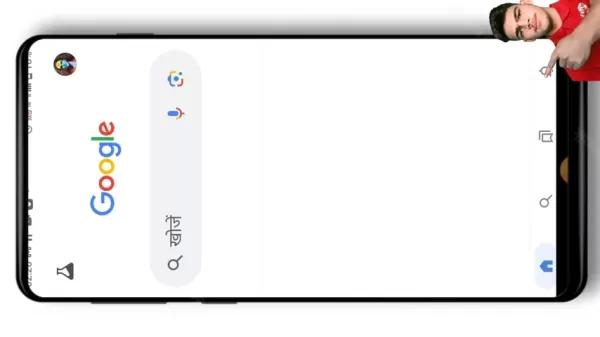
to find the official website. This ensures you're on the right platform to start transforming your images. This first step is crucial for leveraging AI to bring your creative ideas to life on this popular platform for generating impressive AI visuals.
PixVerse AI empowers users to create striking visuals through advanced AI technology. The platform provides a smooth and user-friendly process for enhancing photos, utilizing sophisticated algorithms to analyze and transform standard pictures into artistic creations suitable for various uses.
By focusing on maximizing your photographic assets, PixVerse AI serves a diverse audience. Whether you need professional-grade enhancements for work or simply want to add flair to your social media posts, this tool offers an efficient solution. Join the community of creators and photographers who are already using the platform to turn imagination into reality.
Navigating the PixVerse AI Interface
After arriving at the PixVerse AI website, take some time to get comfortable with the interface
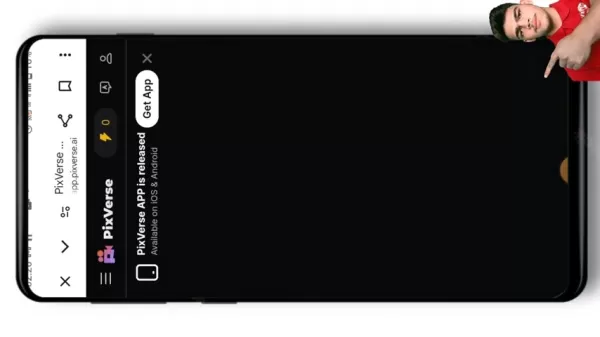
. The layout is user-friendly, with clear options for uploading images, choosing enhancement styles, and previewing your edits. Locate the prominent 'Create' button to start a new project. Exploring the various sections and tools will help you navigate efficiently and fully utilize what PixVerse AI has to offer, ensuring a smooth creative process.
The PixVerse AI interface is designed for clarity and ease of use. You'll find a clean, organized layout where all functions—from uploading to styling and previewing—are logically presented. The central 'Create' button allows you to initiate projects effortlessly. Investing time to familiarize yourself with the entire toolkit will enable you to work seamlessly and unlock the platform's full creative potential.
Tips and Tricks for Trending Visuals with PixVerse AI
Utilizing Trending Styles
PixVerse AI regularly incorporates the latest visual trends, helping you create attention-grabbing content that feels current
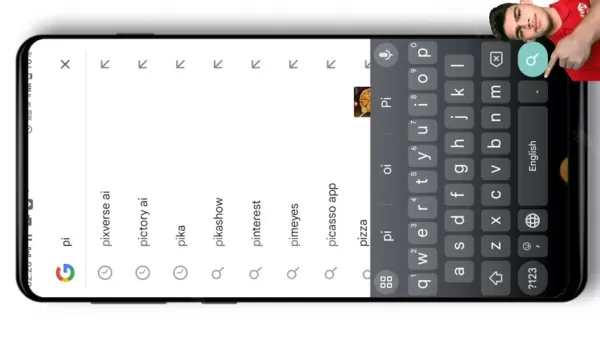
. Keep an eye on these trends and experiment with different styles to see what connects with your audience. The AI assists in discovering and applying popular aesthetics to your photos, keeping your content dynamic and engaging. This approach is key to developing visuals with strong social media appeal.
In the fast-moving world of social media, staying relevant means adapting to visual trends. PixVerse AI addresses this by highlighting popular styles that capture public interest. Test various options to determine what attracts the most viewers and refine your approach. With AI continuously introducing new aesthetic possibilities, your work can remain fresh and compelling—a vital factor for achieving wide reach and engagement.
Leveraging the AI for Creative Exploration
Beyond applying preset filters, PixVerse AI is a powerful partner for creative experimentation. Use its capabilities to play with effects, textures, and color schemes. Feel free to explore unconventional combinations to produce truly unique artwork. The AI adapts to your choices, offering personalized recommendations and inspiring new forms of artistic expression
. Embrace this freedom to innovate and craft visuals that distinguish themselves.
Push the limits of your creativity by embracing an experimental mindset with AI tools. Go beyond standard styles and delve into the platform's deeper capabilities—adjust textures, modify color palettes, and blend effects. Venturing beyond the ordinary often leads to more distinctive and shareable content. The AI not only tailors suggestions to your preferences but also learns from each interaction, opening doors to novel artistic directions and unexpected results.
Step-by-Step Guide to Enhancing Photos with PixVerse AI
Step 1: Upload Your Photo
Start by uploading the photo you want to enhance. PixVerse AI supports multiple image formats, allowing easy import from your computer or mobile device. For optimal outcomes, begin with a high-quality source image.
Here is a helpful table summarizing the supported image formats:
Image Format Description JPEG Commonly used for photographs and web images. PNG Ideal for graphics with transparency. GIF Suitable for animated images. TIFF Used for professional Photography and archiving.
Step 2: Select an Enhancement Style
After uploading, browse the library of enhancement styles. PixVerse AI offers a broad selection, from subtle refinements to complete transformations. Select a style that complements your creative goal and the desired tone of your image.
Step 3: Customize the Settings
Once you've chosen a style, fine-tune the settings to get the exact look you want. Adjust parameters like brightness, contrast, saturation, and sharpness. Experiment with these controls to perfect your photo's appearance.
Step 4: Preview and Download
Always preview your enhanced photo before finalizing. If you're happy with the result, download the image in your preferred resolution and format. Then, share your newly crafted visual with your audience.
Pros and Cons of Using PixVerse AI
Pros
User-friendly interface
Rapid processing and results
Wide array of styles and effects
Affordable pricing options
Cons
Outcomes depend on AI interpretation
Some advanced manual controls may be limited
Requires a stable internet connection
Frequently Asked Questions about PixVerse AI
Is PixVerse AI free to use?
PixVerse AI provides both free and premium subscription plans. The free tier includes basic features, while the premium plan offers advanced tools and lifts usage limits. Upgrading is recommended for users seeking full creative flexibility.
What image formats does PixVerse AI support?
The platform supports common formats such as JPEG, PNG, GIF, and TIFF. Make sure your photos are in one of these compatible formats for smooth uploads and processing.
Can I use PixVerse AI on my mobile device?
Yes, you can access PixVerse AI via a mobile web browser. For the best performance, ensure your device meets the basic system requirements, though a computer is often recommended for a fuller experience.
Related Questions and Advanced Tips
How can I optimize my photos for social media using PixVerse AI?
Use PixVerse AI to enhance your photos' visual impact while adhering to each social platform's recommended dimensions and file sizes. Try different styles and adjustments to create compelling visuals that capture attention in busy feeds. Simply uploading a photo isn't enough; you need imagery that makes an instant impact. PixVerse AI can assist by:Resizing Images: Adapt your photo to the specific size guidelines of each platform to prevent unwanted cropping or quality loss.Managing File Size: Optimize image file size for faster loading, which improves user experience and platform performance.Enhancing Visual Pop: Adjust color balance, contrast, and saturation to make your images more vibrant and engaging.Adding Creative Flair: Apply filters or effects that suit the platform and your brand's aesthetic. Following these steps with PixVerse AI helps ensure your social media visuals are optimized, engaging, and professionally presented.
What are the best practices for using AI in photo enhancement?
To get the best results from AI photo enhancement, adhere to these guidelines: begin with high-resolution source images, test various AI styles and settings, personalize the AI's output to align with your vision, and thoroughly review the final image. AI is a powerful assistant, but your creative oversight is essential for producing exceptional work. A practical approach includes:Starting with Quality: AI enhances existing detail, so use the clearest, highest-quality original photos you have.Exploring Options: Don't hesitate to experiment with the full range of styles and sliders available.Personalizing Results: Use the customization tools to fine-tune the AI's suggestions and achieve your desired look.Conducting Final Reviews: Always inspect the enhanced image closely to ensure it meets all your criteria.Balancing Tools and Taste: Use AI to augment your creativity, not replace it. The best outcomes come from combining technological power with artistic judgment.
Related article
 DeepMind CEO Hassabis: I sleep six hours a day, usually feel energetic around 1 a.m.
Fortune recently featured an interview with Demis Hassabis, CEO of Google DeepMind, revealing his unconventional approach to rest and productivity. Hassabis disclosed that he sleeps very little, structuring his waking hours into two distinct work blo
OpenAI, Anthropic Vie for Market Share Despite Revenue Shortfalls
Despite recent reports suggesting OpenAI missed revenue targets, creating pressure on tech stocks this Tuesday, private AI lab investors remain resilient. Seasoned backers have confirmed they will not reduce investment despite negative media coverage
California AV Compliance: A New Era of Tickets, Geofences, and 1M Miles
Guident operates an AuveTech shuttle in South Florida, managing a four-mile route in West Palm Beach and a one-mile route in Boca Raton using its remote monitoring technology. | Credit: GuidentCalifornia is redefining the regulatory landscape for dri
Related Special Topic Recommendations
chatbot
DeepMind CEO Hassabis: I sleep six hours a day, usually feel energetic around 1 a.m.
Fortune recently featured an interview with Demis Hassabis, CEO of Google DeepMind, revealing his unconventional approach to rest and productivity. Hassabis disclosed that he sleeps very little, structuring his waking hours into two distinct work blo
OpenAI, Anthropic Vie for Market Share Despite Revenue Shortfalls
Despite recent reports suggesting OpenAI missed revenue targets, creating pressure on tech stocks this Tuesday, private AI lab investors remain resilient. Seasoned backers have confirmed they will not reduce investment despite negative media coverage
California AV Compliance: A New Era of Tickets, Geofences, and 1M Miles
Guident operates an AuveTech shuttle in South Florida, managing a four-mile route in West Palm Beach and a one-mile route in Boca Raton using its remote monitoring technology. | Credit: GuidentCalifornia is redefining the regulatory landscape for dri
Related Special Topic Recommendations
chatbot
 Best AI Roleplay Chat Apps for Language Practice, Interview Prep, and Daily Fluency
2026 Latest Best Top-rated AI Roleplay Chat Apps for Language Practice, Interview Prep, and Daily Fluency! XIX.AI curates a powerful game-changing collection that offers free vs paid comparison, real-world tests, and updated rankings weekly. These must-try tools help you boost writing skills, overcome fluency challenges, and improve communication efficiency across all daily scenarios. Explore now to discover your perfect tool for language growth!
 10 tools
 xix.ai
Music composition
AI Stem Separation Tools for Remix Production, Sampling Prep, and Karaoke Masters
xix.ai
Music composition
AI Stem Separation Tools for Remix Production, Sampling Prep, and Karaoke Masters
2026 Latest Best Top-rated AI Stem Separation Tools Curated for Remix Production, Sampling Prep, and Karaoke Masters. These powerful game-changing tools offer real-world tests to deliver precise audio isolation, boosting productivity significantly. XIX.AI provides a weekly updated free vs paid comparison guide to help you find the must-try solution that suits your needs. Explore now to unlock your AI edge.
8 tools
xix.ai
Data Analysis
AI SQL Copilots for Revenue Dashboards, Funnel Analysis, and Product Metrics
2026 Latest Best AI SQL Copilots Ranked Top-Rated! XIX.AI curates a powerful game-changing collection for weekly updated real-world tests. These must-try tools help you generate accurate revenue dashboards, analyze sales funnels, and track product metrics swiftly, boosting productivity massively. Explore now to Discover your perfect tool for data-driven decision making! 238 characters
9 tools
xix.ai
Music composition
Best AI Melody Writing Tools for Song Drafts
2026 Latest Best Top-Rated AI Melody Writing Tools for Song Drafts! XIX.AI has curated a highly powerful game-changing collection that goes through rigorous real-world tests to deliver the best writing experience. You can find detailed free vs paid comparisons, accurate rankings, and must-try options designed to help you create stunning song drafts effortlessly and boost your creative productivity significantly. Explore now to discover your perfect tool!
8 tools
xix.ai
chatbot
Best AI Conversation Trainer Tools for Interview Practice
2026 Latest Best Top-rated AI Conversation Trainer Tools for Interview Practice are here on XIX.AI! This curated collection features powerful, game-changing tools that go through rigorous real-world tests to deliver accurate feedback. You’ll find a free vs paid comparison and detailed rankings to help you choose the must-try option that boosts your confidence and skills. Explore now to Discover your perfect tool for interview success!
12 tools
xix.ai
Design & Art
Best AI Style Transfer Tools for Creative Experiments
2026 Latest Best Top-rated AI Style Transfer Tools for Creative Experiments! XIX.AI has curated a powerful, game-changing collection of must-try tools that deliver exceptional results through real-world tests and rigorous rankings. These top solutions help creatives boost productivity significantly by accelerating content creation and unlocking endless creative possibilities. Explore now to discover your perfect tool and start creating today!
9 tools
xix.ai

 Comments (1)
0/500
Comments (1)
0/500
![LarryWilliams]()
Sympa ce guide de montage photo par IA, mais franchement, est-ce que ce genre de facilité ne va pas tuer le vrai talent des photographes à la longue ? Je trouve ça un peu flippant que tout le monde puisse tricher avec la réalité si facilement 😅. En même temps, c'est très marrant à utiliser pour jouer sur des selfies !
PixVerse AI redefines digital creativity, turning everyday photos into captivating visuals with the power of artificial intelligence. This intuitive platform makes sophisticated photo enhancement accessible to everyone, from professional designers to social media users. Discover how to unlock your photos' true potential and create stunning imagery that stands out.
Key Points
Learn how to access and use the PixVerse AI platform effectively.
Explore the core features for transforming and improving your photos.
Gain practical tips for creating visuals that resonate with current trends.
Understand the benefits and considerations of integrating PixVerse AI into your workflow.
Getting Started with PixVerse AI
Accessing PixVerse AI
Your creative journey begins by accessing PixVerse AI. For the best experience, visit the platform using a web browser on your PC. Open your browser and search for 'PixVerse AI' on Google
to find the official website. This ensures you're on the right platform to start transforming your images. This first step is crucial for leveraging AI to bring your creative ideas to life on this popular platform for generating impressive AI visuals.
PixVerse AI empowers users to create striking visuals through advanced AI technology. The platform provides a smooth and user-friendly process for enhancing photos, utilizing sophisticated algorithms to analyze and transform standard pictures into artistic creations suitable for various uses.
By focusing on maximizing your photographic assets, PixVerse AI serves a diverse audience. Whether you need professional-grade enhancements for work or simply want to add flair to your social media posts, this tool offers an efficient solution. Join the community of creators and photographers who are already using the platform to turn imagination into reality.
Navigating the PixVerse AI Interface
After arriving at the PixVerse AI website, take some time to get comfortable with the interface
. The layout is user-friendly, with clear options for uploading images, choosing enhancement styles, and previewing your edits. Locate the prominent 'Create' button to start a new project. Exploring the various sections and tools will help you navigate efficiently and fully utilize what PixVerse AI has to offer, ensuring a smooth creative process.
The PixVerse AI interface is designed for clarity and ease of use. You'll find a clean, organized layout where all functions—from uploading to styling and previewing—are logically presented. The central 'Create' button allows you to initiate projects effortlessly. Investing time to familiarize yourself with the entire toolkit will enable you to work seamlessly and unlock the platform's full creative potential.
Tips and Tricks for Trending Visuals with PixVerse AI
Utilizing Trending Styles
PixVerse AI regularly incorporates the latest visual trends, helping you create attention-grabbing content that feels current
. Keep an eye on these trends and experiment with different styles to see what connects with your audience. The AI assists in discovering and applying popular aesthetics to your photos, keeping your content dynamic and engaging. This approach is key to developing visuals with strong social media appeal.
In the fast-moving world of social media, staying relevant means adapting to visual trends. PixVerse AI addresses this by highlighting popular styles that capture public interest. Test various options to determine what attracts the most viewers and refine your approach. With AI continuously introducing new aesthetic possibilities, your work can remain fresh and compelling—a vital factor for achieving wide reach and engagement.
Leveraging the AI for Creative Exploration
Beyond applying preset filters, PixVerse AI is a powerful partner for creative experimentation. Use its capabilities to play with effects, textures, and color schemes. Feel free to explore unconventional combinations to produce truly unique artwork. The AI adapts to your choices, offering personalized recommendations and inspiring new forms of artistic expression
. Embrace this freedom to innovate and craft visuals that distinguish themselves.
Push the limits of your creativity by embracing an experimental mindset with AI tools. Go beyond standard styles and delve into the platform's deeper capabilities—adjust textures, modify color palettes, and blend effects. Venturing beyond the ordinary often leads to more distinctive and shareable content. The AI not only tailors suggestions to your preferences but also learns from each interaction, opening doors to novel artistic directions and unexpected results.
Step-by-Step Guide to Enhancing Photos with PixVerse AI
Step 1: Upload Your Photo
Start by uploading the photo you want to enhance. PixVerse AI supports multiple image formats, allowing easy import from your computer or mobile device. For optimal outcomes, begin with a high-quality source image.
Here is a helpful table summarizing the supported image formats:
| Image Format | Description |
|---|---|
| JPEG | Commonly used for photographs and web images. |
| PNG | Ideal for graphics with transparency. |
| GIF | Suitable for animated images. |
| TIFF | Used for professional Photography and archiving. |
Step 2: Select an Enhancement Style
After uploading, browse the library of enhancement styles. PixVerse AI offers a broad selection, from subtle refinements to complete transformations. Select a style that complements your creative goal and the desired tone of your image.
Step 3: Customize the Settings
Once you've chosen a style, fine-tune the settings to get the exact look you want. Adjust parameters like brightness, contrast, saturation, and sharpness. Experiment with these controls to perfect your photo's appearance.
Step 4: Preview and Download
Always preview your enhanced photo before finalizing. If you're happy with the result, download the image in your preferred resolution and format. Then, share your newly crafted visual with your audience.
Pros and Cons of Using PixVerse AI
Pros
User-friendly interface
Rapid processing and results
Wide array of styles and effects
Affordable pricing options
Cons
Outcomes depend on AI interpretation
Some advanced manual controls may be limited
Requires a stable internet connection
Frequently Asked Questions about PixVerse AI
Is PixVerse AI free to use?
PixVerse AI provides both free and premium subscription plans. The free tier includes basic features, while the premium plan offers advanced tools and lifts usage limits. Upgrading is recommended for users seeking full creative flexibility.
What image formats does PixVerse AI support?
The platform supports common formats such as JPEG, PNG, GIF, and TIFF. Make sure your photos are in one of these compatible formats for smooth uploads and processing.
Can I use PixVerse AI on my mobile device?
Yes, you can access PixVerse AI via a mobile web browser. For the best performance, ensure your device meets the basic system requirements, though a computer is often recommended for a fuller experience.
Related Questions and Advanced Tips
How can I optimize my photos for social media using PixVerse AI?
Use PixVerse AI to enhance your photos' visual impact while adhering to each social platform's recommended dimensions and file sizes. Try different styles and adjustments to create compelling visuals that capture attention in busy feeds. Simply uploading a photo isn't enough; you need imagery that makes an instant impact. PixVerse AI can assist by:Resizing Images: Adapt your photo to the specific size guidelines of each platform to prevent unwanted cropping or quality loss.Managing File Size: Optimize image file size for faster loading, which improves user experience and platform performance.Enhancing Visual Pop: Adjust color balance, contrast, and saturation to make your images more vibrant and engaging.Adding Creative Flair: Apply filters or effects that suit the platform and your brand's aesthetic. Following these steps with PixVerse AI helps ensure your social media visuals are optimized, engaging, and professionally presented.
What are the best practices for using AI in photo enhancement?
To get the best results from AI photo enhancement, adhere to these guidelines: begin with high-resolution source images, test various AI styles and settings, personalize the AI's output to align with your vision, and thoroughly review the final image. AI is a powerful assistant, but your creative oversight is essential for producing exceptional work. A practical approach includes:Starting with Quality: AI enhances existing detail, so use the clearest, highest-quality original photos you have.Exploring Options: Don't hesitate to experiment with the full range of styles and sliders available.Personalizing Results: Use the customization tools to fine-tune the AI's suggestions and achieve your desired look.Conducting Final Reviews: Always inspect the enhanced image closely to ensure it meets all your criteria.Balancing Tools and Taste: Use AI to augment your creativity, not replace it. The best outcomes come from combining technological power with artistic judgment.








 DeepMind CEO Hassabis: I sleep six hours a day, usually feel energetic around 1 a.m.
Fortune recently featured an interview with Demis Hassabis, CEO of Google DeepMind, revealing his unconventional approach to rest and productivity. Hassabis disclosed that he sleeps very little, structuring his waking hours into two distinct work blo
DeepMind CEO Hassabis: I sleep six hours a day, usually feel energetic around 1 a.m.
Fortune recently featured an interview with Demis Hassabis, CEO of Google DeepMind, revealing his unconventional approach to rest and productivity. Hassabis disclosed that he sleeps very little, structuring his waking hours into two distinct work blo
 OpenAI, Anthropic Vie for Market Share Despite Revenue Shortfalls
Despite recent reports suggesting OpenAI missed revenue targets, creating pressure on tech stocks this Tuesday, private AI lab investors remain resilient. Seasoned backers have confirmed they will not reduce investment despite negative media coverage
California AV Compliance: A New Era of Tickets, Geofences, and 1M Miles
Guident operates an AuveTech shuttle in South Florida, managing a four-mile route in West Palm Beach and a one-mile route in Boca Raton using its remote monitoring technology. | Credit: GuidentCalifornia is redefining the regulatory landscape for dri
OpenAI, Anthropic Vie for Market Share Despite Revenue Shortfalls
Despite recent reports suggesting OpenAI missed revenue targets, creating pressure on tech stocks this Tuesday, private AI lab investors remain resilient. Seasoned backers have confirmed they will not reduce investment despite negative media coverage
California AV Compliance: A New Era of Tickets, Geofences, and 1M Miles
Guident operates an AuveTech shuttle in South Florida, managing a four-mile route in West Palm Beach and a one-mile route in Boca Raton using its remote monitoring technology. | Credit: GuidentCalifornia is redefining the regulatory landscape for dri

2026 Latest Best Top-rated AI Roleplay Chat Apps for Language Practice, Interview Prep, and Daily Fluency! XIX.AI curates a powerful game-changing collection that offers free vs paid comparison, real-world tests, and updated rankings weekly. These must-try tools help you boost writing skills, overcome fluency challenges, and improve communication efficiency across all daily scenarios. Explore now to discover your perfect tool for language growth!
10 tools
xix.ai

2026 Latest Best Top-rated AI Stem Separation Tools Curated for Remix Production, Sampling Prep, and Karaoke Masters. These powerful game-changing tools offer real-world tests to deliver precise audio isolation, boosting productivity significantly. XIX.AI provides a weekly updated free vs paid comparison guide to help you find the must-try solution that suits your needs. Explore now to unlock your AI edge.
8 tools
xix.ai

2026 Latest Best AI SQL Copilots Ranked Top-Rated! XIX.AI curates a powerful game-changing collection for weekly updated real-world tests. These must-try tools help you generate accurate revenue dashboards, analyze sales funnels, and track product metrics swiftly, boosting productivity massively. Explore now to Discover your perfect tool for data-driven decision making! 238 characters
9 tools
xix.ai

2026 Latest Best Top-Rated AI Melody Writing Tools for Song Drafts! XIX.AI has curated a highly powerful game-changing collection that goes through rigorous real-world tests to deliver the best writing experience. You can find detailed free vs paid comparisons, accurate rankings, and must-try options designed to help you create stunning song drafts effortlessly and boost your creative productivity significantly. Explore now to discover your perfect tool!
8 tools
xix.ai

2026 Latest Best Top-rated AI Conversation Trainer Tools for Interview Practice are here on XIX.AI! This curated collection features powerful, game-changing tools that go through rigorous real-world tests to deliver accurate feedback. You’ll find a free vs paid comparison and detailed rankings to help you choose the must-try option that boosts your confidence and skills. Explore now to Discover your perfect tool for interview success!
12 tools
xix.ai

2026 Latest Best Top-rated AI Style Transfer Tools for Creative Experiments! XIX.AI has curated a powerful, game-changing collection of must-try tools that deliver exceptional results through real-world tests and rigorous rankings. These top solutions help creatives boost productivity significantly by accelerating content creation and unlocking endless creative possibilities. Explore now to discover your perfect tool and start creating today!
9 tools
xix.ai

Sympa ce guide de montage photo par IA, mais franchement, est-ce que ce genre de facilité ne va pas tuer le vrai talent des photographes à la longue ? Je trouve ça un peu flippant que tout le monde puisse tricher avec la réalité si facilement 😅. En même temps, c'est très marrant à utiliser pour jouer sur des selfies !












