


 Home
HomeTopaz DeNoise AI: Best Noise Reduction Tool in 2025 – Full Guide
In the competitive world of digital photography, image clarity remains paramount. Photographers at all skill levels contend with digital noise that compromises otherwise excellent shots. Topaz DeNoise AI emerges as a cutting-edge solution, harnessing artificial intelligence to tackle noise reduction while preserving critical details. This in-depth review explores how this innovative software can transform your photographic workflow in 2025, examining its key capabilities, practical applications, and workflow integration.
Key Points
Topaz DeNoise AI leverages artificial intelligence to eliminate image noise effectively
Ideal solution for challenging photography conditions including wildlife, weddings, and low-light scenarios
Available as both standalone software and Photoshop plugin for flexible workflow integration
Features specialized AI models tailored to different noise conditions
Maintains image sharpness and finer details during noise reduction
Continuous updates improve processing algorithms and performance
Significantly reduces post-processing time while enhancing overall image quality
Understanding Topaz DeNoise AI
The AI-Powered Solution for Cleaner Images
Professional photographers frequently encounter challenging lighting conditions that demand high ISO settings, often resulting in undesirable image noise that compromises quality.
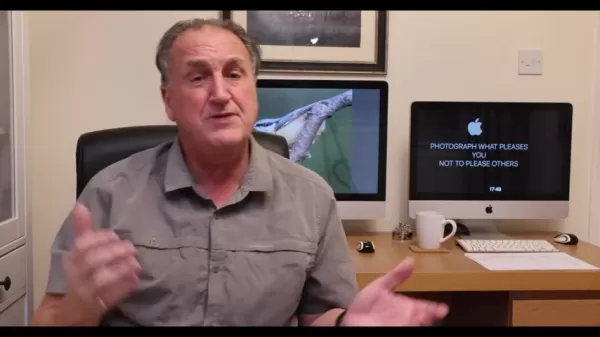
Topaz DeNoise AI addresses this universal challenge through advanced machine learning algorithms that intelligently distinguish between actual image data and digital noise. The software excels particularly in processing RAW files, offering photographers greater flexibility during post-production while dramatically reducing editing time.
Industry expert Ken Hatfield highlights its effectiveness in salvaging "90% shots" - those nearly perfect images that traditional editing struggles to optimize.
The Critical Role of Noise Reduction
Effective noise reduction serves multiple essential functions in modern photography workflows:
- Enhances overall image clarity and professional presentation
- Reveals subtle textures and details obscured by digital artifacts
- Particularly valuable for specialized genres like wildlife and astrophotography
- Provides cleaner starting points for creative editing processes
User Experiences and Reviews
Professional Photographer Testimonials
Professional shooters consistently praise Topaz DeNoise AI's ability to rescue previously unusable images:
- Wedding photographers appreciate its performance in dimly lit venues
- Wildlife specialists commend its high ISO noise handling
- Product photographers value its detail preservation capabilities
Comparative Advantage Over Alternatives
While numerous noise reduction solutions exist, Topaz DeNoise AI distinguishes itself through:
- Superior detail preservation compared to traditional blur-based methods
- AI-powered distinction between noise and genuine image information
- More natural final results requiring less manual correction
How to Use Topaz DeNoise AI: A Quick Start Guide
System Setup and Installation
- Download the software from Topaz Labs' official website
- Complete installation following on-screen instructions
- For Photoshop integration, ensure Photoshop exists before installation
Image Processing Workflow
- Launch application and import images via drag-and-drop or browser
- Select appropriate AI model based on image characteristics
- Adjust noise reduction and sharpness parameters using preview tools
- Apply changes and export processed files in preferred format
Pricing and Purchasing Options
License Structure and Updates
Topaz DeNoise AI typically employs a perpetual license model with:
- Full software ownership upon purchase
- One year of included updates
- Optional renewal for continued updates
- Current pricing and promotions available on official website
Pros and Cons of Using Topaz DeNoise AI
Advantages
Advanced AI-based noise reduction algorithms
Exceptional detail preservation capabilities
Comprehensive RAW file support
Flexible standalone and plugin operation
Efficient batch processing functionality
Intuitive user interface design
Limitations
Higher system requirements for optimal performance
Software updates require additional purchase
Specialized focus on noise reduction rather than comprehensive editing
Key Features of Topaz DeNoise AI
AI-Driven Intelligent Processing
The software's proprietary algorithms have been trained on extensive image datasets, enabling intelligent discrimination between noise and genuine visual information.
Dual Operation Modes
Topaz DeNoise AI offers photographers flexible workflow integration options:
- As standalone software for quick processing
- As Photoshop plugin for integrated editing
Specialized Processing Models
The software provides tailored solutions for various photographic conditions:
- Standard model for typical noise reduction
- Clear model for overall clarity enhancement
- Low Light model for challenging illumination
- Severe Noise model for extreme conditions
Batch Processing Capabilities
Photographers can process multiple images simultaneously, maintaining consistent results across large projects.
Visual Comparison Tools
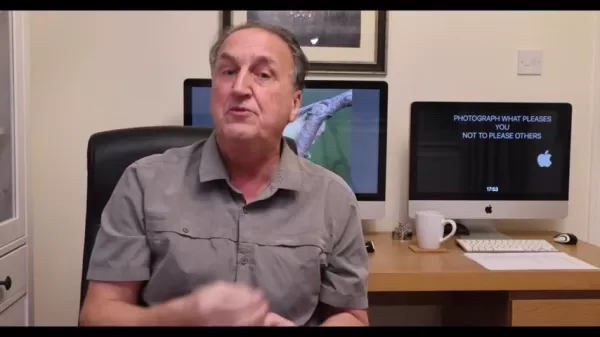
Interactive comparison views enable precise evaluation of noise reduction effects, supporting optimal adjustment decisions.
Frequently Asked Questions
Does Topaz DeNoise AI operate independently of Photoshop?
Yes, the software functions effectively as a standalone application or as Photoshop plugin.
Can it process RAW image files?
Yes, it fully supports RAW formats from all major camera manufacturers.
Does it support batch processing?
Yes, photographers can apply consistent noise reduction across multiple files simultaneously.
Is video processing supported?
No, Topaz offers separate video enhancement solutions.
Related Questions
What comparable noise reduction options exist?
Alternative solutions include Adobe Photoshop's noise reduction, Luminar AI, and DxO PhotoLab, each offering different advantages.
How frequently does Topaz update DeNoise AI?
The company releases periodic performance improvements and feature updates, typically bundled in annual upgrades.
Related article
 DeepMind CEO Hassabis: I sleep six hours a day, usually feel energetic around 1 a.m.
Fortune recently featured an interview with Demis Hassabis, CEO of Google DeepMind, revealing his unconventional approach to rest and productivity. Hassabis disclosed that he sleeps very little, structuring his waking hours into two distinct work blo
OpenAI, Anthropic Vie for Market Share Despite Revenue Shortfalls
Despite recent reports suggesting OpenAI missed revenue targets, creating pressure on tech stocks this Tuesday, private AI lab investors remain resilient. Seasoned backers have confirmed they will not reduce investment despite negative media coverage
California AV Compliance: A New Era of Tickets, Geofences, and 1M Miles
Guident operates an AuveTech shuttle in South Florida, managing a four-mile route in West Palm Beach and a one-mile route in Boca Raton using its remote monitoring technology. | Credit: GuidentCalifornia is redefining the regulatory landscape for dri
Related Special Topic Recommendations
Video creation
DeepMind CEO Hassabis: I sleep six hours a day, usually feel energetic around 1 a.m.
Fortune recently featured an interview with Demis Hassabis, CEO of Google DeepMind, revealing his unconventional approach to rest and productivity. Hassabis disclosed that he sleeps very little, structuring his waking hours into two distinct work blo
OpenAI, Anthropic Vie for Market Share Despite Revenue Shortfalls
Despite recent reports suggesting OpenAI missed revenue targets, creating pressure on tech stocks this Tuesday, private AI lab investors remain resilient. Seasoned backers have confirmed they will not reduce investment despite negative media coverage
California AV Compliance: A New Era of Tickets, Geofences, and 1M Miles
Guident operates an AuveTech shuttle in South Florida, managing a four-mile route in West Palm Beach and a one-mile route in Boca Raton using its remote monitoring technology. | Credit: GuidentCalifornia is redefining the regulatory landscape for dri
Related Special Topic Recommendations
Video creation
 AI Short-Form Video Hook Generators for Reels, Shorts, and Product Launch Campaigns
2026 Latest Best AI Short-Form Video Hook Generators for Reels Shorts and Product Launch Campaigns! XIX.AI curates top-rated powerful game-changing tools that deliver must-try results through real-world tests. This weekly updated page offers free vs paid comparison rankings to help you find the perfect solution for boosting content creativity and productivity. Explore now to Unlock your AI edge!
 11 tools
 xix.ai
writing
AI Article Outline Tools for Long Form Writing
xix.ai
writing
AI Article Outline Tools for Long Form Writing
2026 Latest Best Top-Rated AI Article Outline Tools for Long Form Writing! This curated collection features powerful, game-changing tools that deliver accurate, structured outlines with real-world tests to boost writing efficiency significantly. XIX.AI is part of this elite selection. Get a free vs paid comparison to help you choose the perfect tool. Explore now and Unlock your AI edge!
9 tools
xix.ai
chatbot
Best AI Roleplay Chat Apps for Language Practice, Interview Prep, and Daily Fluency
2026 Latest Best Top-rated AI Roleplay Chat Apps for Language Practice, Interview Prep, and Daily Fluency! XIX.AI curates a powerful game-changing collection that offers free vs paid comparison, real-world tests, and updated rankings weekly. These must-try tools help you boost writing skills, overcome fluency challenges, and improve communication efficiency across all daily scenarios. Explore now to discover your perfect tool for language growth!
10 tools
xix.ai
Music composition
AI Stem Separation Tools for Remix Production, Sampling Prep, and Karaoke Masters
2026 Latest Best Top-rated AI Stem Separation Tools Curated for Remix Production, Sampling Prep, and Karaoke Masters. These powerful game-changing tools offer real-world tests to deliver precise audio isolation, boosting productivity significantly. XIX.AI provides a weekly updated free vs paid comparison guide to help you find the must-try solution that suits your needs. Explore now to unlock your AI edge.
8 tools
xix.ai
Data Analysis
AI SQL Copilots for Revenue Dashboards, Funnel Analysis, and Product Metrics
2026 Latest Best AI SQL Copilots Ranked Top-Rated! XIX.AI curates a powerful game-changing collection for weekly updated real-world tests. These must-try tools help you generate accurate revenue dashboards, analyze sales funnels, and track product metrics swiftly, boosting productivity massively. Explore now to Discover your perfect tool for data-driven decision making! 238 characters
9 tools
xix.ai
Music composition
Best AI Melody Writing Tools for Song Drafts
2026 Latest Best Top-Rated AI Melody Writing Tools for Song Drafts! XIX.AI has curated a highly powerful game-changing collection that goes through rigorous real-world tests to deliver the best writing experience. You can find detailed free vs paid comparisons, accurate rankings, and must-try options designed to help you create stunning song drafts effortlessly and boost your creative productivity significantly. Explore now to discover your perfect tool!
8 tools
xix.ai

 Comments (1)
0/500
Comments (1)
0/500
![GaryWalker]()
うーん…ノイズ削除ツールって本当にこれだけの違いが出るんだね。古い一眼レフで撮った夜の写真がまた使えそう!でもAIでここまでできると、撮影時の技術って意味なくなるのかな…ちょっと複雑な気持ち😅
In the competitive world of digital photography, image clarity remains paramount. Photographers at all skill levels contend with digital noise that compromises otherwise excellent shots. Topaz DeNoise AI emerges as a cutting-edge solution, harnessing artificial intelligence to tackle noise reduction while preserving critical details. This in-depth review explores how this innovative software can transform your photographic workflow in 2025, examining its key capabilities, practical applications, and workflow integration.
Key Points
Topaz DeNoise AI leverages artificial intelligence to eliminate image noise effectively
Ideal solution for challenging photography conditions including wildlife, weddings, and low-light scenarios
Available as both standalone software and Photoshop plugin for flexible workflow integration
Features specialized AI models tailored to different noise conditions
Maintains image sharpness and finer details during noise reduction
Continuous updates improve processing algorithms and performance
Significantly reduces post-processing time while enhancing overall image quality
Understanding Topaz DeNoise AI
The AI-Powered Solution for Cleaner Images
Professional photographers frequently encounter challenging lighting conditions that demand high ISO settings, often resulting in undesirable image noise that compromises quality.
Topaz DeNoise AI addresses this universal challenge through advanced machine learning algorithms that intelligently distinguish between actual image data and digital noise. The software excels particularly in processing RAW files, offering photographers greater flexibility during post-production while dramatically reducing editing time.
Industry expert Ken Hatfield highlights its effectiveness in salvaging "90% shots" - those nearly perfect images that traditional editing struggles to optimize.
The Critical Role of Noise Reduction
Effective noise reduction serves multiple essential functions in modern photography workflows:
- Enhances overall image clarity and professional presentation
- Reveals subtle textures and details obscured by digital artifacts
- Particularly valuable for specialized genres like wildlife and astrophotography
- Provides cleaner starting points for creative editing processes
User Experiences and Reviews
Professional Photographer Testimonials
Professional shooters consistently praise Topaz DeNoise AI's ability to rescue previously unusable images:
- Wedding photographers appreciate its performance in dimly lit venues
- Wildlife specialists commend its high ISO noise handling
- Product photographers value its detail preservation capabilities
Comparative Advantage Over Alternatives
While numerous noise reduction solutions exist, Topaz DeNoise AI distinguishes itself through:
- Superior detail preservation compared to traditional blur-based methods
- AI-powered distinction between noise and genuine image information
- More natural final results requiring less manual correction
How to Use Topaz DeNoise AI: A Quick Start Guide
System Setup and Installation
- Download the software from Topaz Labs' official website
- Complete installation following on-screen instructions
- For Photoshop integration, ensure Photoshop exists before installation
Image Processing Workflow
- Launch application and import images via drag-and-drop or browser
- Select appropriate AI model based on image characteristics
- Adjust noise reduction and sharpness parameters using preview tools
- Apply changes and export processed files in preferred format
Pricing and Purchasing Options
License Structure and Updates
Topaz DeNoise AI typically employs a perpetual license model with:
- Full software ownership upon purchase
- One year of included updates
- Optional renewal for continued updates
- Current pricing and promotions available on official website
Pros and Cons of Using Topaz DeNoise AI
Advantages
Advanced AI-based noise reduction algorithms
Exceptional detail preservation capabilities
Comprehensive RAW file support
Flexible standalone and plugin operation
Efficient batch processing functionality
Intuitive user interface design
Limitations
Higher system requirements for optimal performance
Software updates require additional purchase
Specialized focus on noise reduction rather than comprehensive editing
Key Features of Topaz DeNoise AI
AI-Driven Intelligent Processing
The software's proprietary algorithms have been trained on extensive image datasets, enabling intelligent discrimination between noise and genuine visual information.
Dual Operation Modes
Topaz DeNoise AI offers photographers flexible workflow integration options:
- As standalone software for quick processing
- As Photoshop plugin for integrated editing
Specialized Processing Models
The software provides tailored solutions for various photographic conditions:
- Standard model for typical noise reduction
- Clear model for overall clarity enhancement
- Low Light model for challenging illumination
- Severe Noise model for extreme conditions
Batch Processing Capabilities
Photographers can process multiple images simultaneously, maintaining consistent results across large projects.
Visual Comparison Tools
Interactive comparison views enable precise evaluation of noise reduction effects, supporting optimal adjustment decisions.
Frequently Asked Questions
Does Topaz DeNoise AI operate independently of Photoshop?
Yes, the software functions effectively as a standalone application or as Photoshop plugin.
Can it process RAW image files?
Yes, it fully supports RAW formats from all major camera manufacturers.
Does it support batch processing?
Yes, photographers can apply consistent noise reduction across multiple files simultaneously.
Is video processing supported?
No, Topaz offers separate video enhancement solutions.
Related Questions
What comparable noise reduction options exist?
Alternative solutions include Adobe Photoshop's noise reduction, Luminar AI, and DxO PhotoLab, each offering different advantages.
How frequently does Topaz update DeNoise AI?
The company releases periodic performance improvements and feature updates, typically bundled in annual upgrades.








 DeepMind CEO Hassabis: I sleep six hours a day, usually feel energetic around 1 a.m.
Fortune recently featured an interview with Demis Hassabis, CEO of Google DeepMind, revealing his unconventional approach to rest and productivity. Hassabis disclosed that he sleeps very little, structuring his waking hours into two distinct work blo
DeepMind CEO Hassabis: I sleep six hours a day, usually feel energetic around 1 a.m.
Fortune recently featured an interview with Demis Hassabis, CEO of Google DeepMind, revealing his unconventional approach to rest and productivity. Hassabis disclosed that he sleeps very little, structuring his waking hours into two distinct work blo
 OpenAI, Anthropic Vie for Market Share Despite Revenue Shortfalls
Despite recent reports suggesting OpenAI missed revenue targets, creating pressure on tech stocks this Tuesday, private AI lab investors remain resilient. Seasoned backers have confirmed they will not reduce investment despite negative media coverage
California AV Compliance: A New Era of Tickets, Geofences, and 1M Miles
Guident operates an AuveTech shuttle in South Florida, managing a four-mile route in West Palm Beach and a one-mile route in Boca Raton using its remote monitoring technology. | Credit: GuidentCalifornia is redefining the regulatory landscape for dri
OpenAI, Anthropic Vie for Market Share Despite Revenue Shortfalls
Despite recent reports suggesting OpenAI missed revenue targets, creating pressure on tech stocks this Tuesday, private AI lab investors remain resilient. Seasoned backers have confirmed they will not reduce investment despite negative media coverage
California AV Compliance: A New Era of Tickets, Geofences, and 1M Miles
Guident operates an AuveTech shuttle in South Florida, managing a four-mile route in West Palm Beach and a one-mile route in Boca Raton using its remote monitoring technology. | Credit: GuidentCalifornia is redefining the regulatory landscape for dri

2026 Latest Best AI Short-Form Video Hook Generators for Reels Shorts and Product Launch Campaigns! XIX.AI curates top-rated powerful game-changing tools that deliver must-try results through real-world tests. This weekly updated page offers free vs paid comparison rankings to help you find the perfect solution for boosting content creativity and productivity. Explore now to Unlock your AI edge!
11 tools
xix.ai

2026 Latest Best Top-Rated AI Article Outline Tools for Long Form Writing! This curated collection features powerful, game-changing tools that deliver accurate, structured outlines with real-world tests to boost writing efficiency significantly. XIX.AI is part of this elite selection. Get a free vs paid comparison to help you choose the perfect tool. Explore now and Unlock your AI edge!
9 tools
xix.ai

2026 Latest Best Top-rated AI Roleplay Chat Apps for Language Practice, Interview Prep, and Daily Fluency! XIX.AI curates a powerful game-changing collection that offers free vs paid comparison, real-world tests, and updated rankings weekly. These must-try tools help you boost writing skills, overcome fluency challenges, and improve communication efficiency across all daily scenarios. Explore now to discover your perfect tool for language growth!
10 tools
xix.ai

2026 Latest Best Top-rated AI Stem Separation Tools Curated for Remix Production, Sampling Prep, and Karaoke Masters. These powerful game-changing tools offer real-world tests to deliver precise audio isolation, boosting productivity significantly. XIX.AI provides a weekly updated free vs paid comparison guide to help you find the must-try solution that suits your needs. Explore now to unlock your AI edge.
8 tools
xix.ai

2026 Latest Best AI SQL Copilots Ranked Top-Rated! XIX.AI curates a powerful game-changing collection for weekly updated real-world tests. These must-try tools help you generate accurate revenue dashboards, analyze sales funnels, and track product metrics swiftly, boosting productivity massively. Explore now to Discover your perfect tool for data-driven decision making! 238 characters
9 tools
xix.ai

2026 Latest Best Top-Rated AI Melody Writing Tools for Song Drafts! XIX.AI has curated a highly powerful game-changing collection that goes through rigorous real-world tests to deliver the best writing experience. You can find detailed free vs paid comparisons, accurate rankings, and must-try options designed to help you create stunning song drafts effortlessly and boost your creative productivity significantly. Explore now to discover your perfect tool!
8 tools
xix.ai

うーん…ノイズ削除ツールって本当にこれだけの違いが出るんだね。古い一眼レフで撮った夜の写真がまた使えそう!でもAIでここまでできると、撮影時の技術って意味なくなるのかな…ちょっと複雑な気持ち😅












