


 Home
HomeTop 5 Trusted Tools for Private and Anonymous Online Conversations
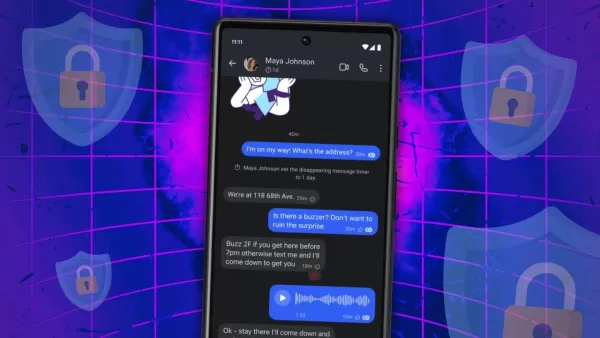
Privacy has become more than just a trendy term; it's deeply ingrained in the fabric of our society. But the big question remains: Are consumers ready to ditch their current tools for more private alternatives?
The market is flooded with apps and services all promising privacy, security, and sometimes even anonymity for your communication needs. It's like throwing a stone into a pond and hitting a privacy-focused option every time.
Also: 9 ways to delete yourself from the internet (and hide your identity online)
With so many choices out there, figuring out which ones best suit your needs can feel overwhelming. It's a personal decision, but having a more curated list would definitely help narrow things down.
Let me help you with that by highlighting a few options that I think are the cream of the crop. Does that sound good to you?
Also: The best secure browsers for privacy
Let's take this conversation to a more private channel.
Privacy and Security Tips
Before we dive into the list, here are some tips to boost your privacy and security when using communication apps:
- Use pseudonyms or anonymous usernames
- Use a VPN
- Stick to apps or services with end-to-end encryption
- Employ random and secure email address generators
- Avoid public Wi-Fi when communicating
- Limit device usage for prolonged periods
- Regularly back up data in secure locations
- Steer clear of unfamiliar communication apps with few or no reviews
- Use multi-factor authentication
- Never leave your devices unattended in public
- Always use strong passwords generated by password managers like Bitwarden
- Use a passkey when available
- Regularly clear the cache of your chosen app
- Never open links from unknown sources
Also: The best VPN services: Expert tested
The Most Private Ways to Communicate
1. Signal
Yes, I'm talking about that Signal, the one that found itself in a bit of a sticky situation recently. But don't worry, that incident isn't going to shut down the service or make it any less viable.
Also: What is Signal? 7 features that make it a go-to app for private, secure messaging
Signal remains a top choice for private, secure communication thanks to its world-class end-to-end encryption, ensuring that only the intended recipient can read your messages. As a nonprofit, Signal doesn't have a corporation behind it looking to exploit your data. It's free, with apps available for all major operating systems. Just remember, you'll need a phone number to sign up, and syncing your account to a desktop or laptop requires a QR code from the app.
2. Session
I've tried Session, and it's my go-to for both privacy and anonymity. What sets Session apart is that it doesn't collect any recognizable user information. Instead, you get a long, random string of characters as your account ID. Share this ID with someone, and they can connect with you.
Also: This new fully encrypted messenger app is serious about privacy
Once connected, they'll only see your ID, not your name or email. There's no personal information required to sign up, no metadata attached to messages, and it uses end-to-end encryption for added security. As an open-source app available on all major platforms, Session is my choice for anonymous communication. Plus, you can lock the app with a password for extra security.
3. WhatsApp
If you're only using WhatsApp for one thing, let it be for its self-destructing messages and images. Every conversation is protected by end-to-end encryption, except those linked to business accounts.
Also: WhatsApp releases new security features to protect users' IP addresses
Like Signal, WhatsApp requires a phone number for sign-up. Some might be wary of WhatsApp because of its association with Meta, but with its massive user base, chances are your private communication partner is already using it.
4. Encrypted Email
Email isn't going anywhere, and it's as vital as ever for communication. You've probably heard the phrase, "That could have been an email," after a meeting, highlighting how simple and widespread email is. However, standard email clients don't encrypt your messages by default.
Also: How to encrypt your email (and why you should)
Even Gmail's encryption is limited to Transport Layer Security, meaning Google can still read your emails. Paid Google Workspace users have access to S/MIME for better encryption, but free account users are out of luck. If you use Thunderbird, consider adding encryption so only the recipient can read your messages. The downside is it can be complex, and you'll need the public keys of your contacts. Check if your email service or app offers encryption, and switch if it doesn't.
5. Bitwarden Send
Bitwarden Send might not be as well-known, and it's not the most convenient way to communicate. But if you need to send encrypted, self-destructing messages, Bitwarden's password manager has you covered with its Send feature.
Also: 5 Bitwarden features that make it my favorite password manager
With Send, you can transmit text messages or files. You could write a long message, attach it to a Send, set a password and self-destruct date, then share the link with the intended recipient. Send is available for both free and paid Bitwarden accounts (though free accounts are limited to text only) and works on all major platforms.
*Get the morning's top stories in your inbox each day with our Tech Today newsletter.*
Related article
 Anthropic Expands Claude AI Coding Tools to Japan in Push for Overseas Growth
Anthropic, a prominent U.S. artificial intelligence firm, is intensifying its global outreach. On Wednesday, the company hosted a major developer gathering, "Code with Claude," in Tokyo, drawing close to 500 software engineers. This initiative seeks
India’s Software Giant Cuts Hiring, Promises No Layoffs as AI Agents Scale Up
As artificial intelligence reshapes traditional labor-intensive business models, Tata Consultancy Services (TCS), a premier Indian software outsourcing firm, has unveiled its strategic response. During Tuesday’s annual general meeting, the chairman o
China Locks AI Models During Gaokam to Block Instant Homework Help
With the 2026 Gaokao fast approaching, rumors regarding the suspension of AI tools during the exam period have ignited intense online debate. In response to public concern, major AI platforms and educational apps have clarified their stance: rather t
Related Special Topic Recommendations
Design & Art
Anthropic Expands Claude AI Coding Tools to Japan in Push for Overseas Growth
Anthropic, a prominent U.S. artificial intelligence firm, is intensifying its global outreach. On Wednesday, the company hosted a major developer gathering, "Code with Claude," in Tokyo, drawing close to 500 software engineers. This initiative seeks
India’s Software Giant Cuts Hiring, Promises No Layoffs as AI Agents Scale Up
As artificial intelligence reshapes traditional labor-intensive business models, Tata Consultancy Services (TCS), a premier Indian software outsourcing firm, has unveiled its strategic response. During Tuesday’s annual general meeting, the chairman o
China Locks AI Models During Gaokam to Block Instant Homework Help
With the 2026 Gaokao fast approaching, rumors regarding the suspension of AI tools during the exam period have ignited intense online debate. In response to public concern, major AI platforms and educational apps have clarified their stance: rather t
Related Special Topic Recommendations
Design & Art
 Best AI Style Transfer Tools for Creative Experiments
2026 Latest Best Top-rated AI Style Transfer Tools for Creative Experiments! XIX.AI has curated a powerful, game-changing collection of must-try tools that deliver exceptional results through real-world tests and rigorous rankings. These top solutions help creatives boost productivity significantly by accelerating content creation and unlocking endless creative possibilities. Explore now to discover your perfect tool and start creating today!
 9 tools
 xix.ai
Comic Creation
Best AI Dialogue Bubble Tools for Visual Storytelling
xix.ai
Comic Creation
Best AI Dialogue Bubble Tools for Visual Storytelling
2026 Latest Best Top-Rated AI Dialogue Bubble Tools for Visual Storytelling are here on XIX.AI! This curated collection features powerful, game-changing tools that help creators boost productivity and overcome creative bottlenecks. Get a free vs paid comparison, see real-world tests, and check the latest rankings to find the must-try solutions perfect for crafting engaging visual narratives. Explore now to discover your ideal tool!
10 tools
xix.ai
Meeting Assistant
Top AI Meeting Summary Tools: Track Decisions and Follow-Ups Clearly
2026 Latest Top-Rated Best AI Meeting Summary Tools for Clear Decision Tracking and Effortless Follow-Ups. This curated list showcases powerful, game-changing solutions that boost productivity dramatically by automating meeting notes, identifying key action items, and streamlining team coordination across all projects. Get a free vs paid comparison along with real-world tests and weekly updated rankings to help you find the perfect tool. Explore now to unlock your AI edge!
9 tools
xix.ai
Data Analysis
Best AI Data Cleaning Tools: Fix Missing Values and Duplicates Fast
2026 Latest Best Top-rated AI Data Cleaning Tools for quick fixing of missing values and duplicates. This curated list showcases powerful, game-changing solutions that boost productivity significantly. Each option has undergone rigorous real-world tests to ensure reliability. Get a free vs paid comparison and discover the must-try tool that fits your needs best. Explore now at XIX.AI to Unlock your AI edge.
11 tools
xix.ai
Design & Art
Best AI Creative Ideation Tools for Artists: Break Through Visual Blocks
2026 Latest Best Top-Rated AI Creative Ideation Tools for Artists are curated by XIX.AI to help creators break through visual blocks and boost creativity instantly. These powerful game-changing tools offer real-world tests, detailed free vs paid comparison, and weekly updated rankings. Discover your perfect tool to accelerate content creation and unlock your AI edge today. Explore now!
14 tools
xix.ai
Music composition
AI Beat Makers for TikTok Background Tracks, Reels Audio, and Creator Promo Music
2026 Latest Best AI Beat Makers for TikTok Background Tracks, Reels Audio, and Creator Promo Music! XIX.AI has curated a top-rated list of powerful game-changing tools that go through real-world tests to deliver flawless music for every content need. You’ll find detailed free vs paid comparison data, weekly updated rankings, and must-try options to help you boost creativity and productivity. Explore now to discover your perfect tool!
11 tools
xix.ai

 Comments (3)
0/500
Comments (3)
0/500
![TerryAdams]()
Intéressant, mais ça manque d'un comparatif concret entre ces outils. Perso, j'utilise Signal depuis 2 ans et c'est top pour les discussions pros ! Les autres valent vraiment le coup ? 🤷♀️
![JoseAdams]()
Finalement un article qui parle des vrais enjeux de la vie privée ! 😌 Mais soyons honnêtes, est-ce qu'on est vraiment prêts à abandonner WhatsApp pour des applis moins pratiques ? Perso je doute...
![DouglasMitchell]()
¡Qué interesante! Nunca había pensado en cuántas apps prometen privacidad pero no cumplen. Me hace querer probar esas herramientas anónimas. ¿Alguien las ha usado ya? 😎
Privacy has become more than just a trendy term; it's deeply ingrained in the fabric of our society. But the big question remains: Are consumers ready to ditch their current tools for more private alternatives?
The market is flooded with apps and services all promising privacy, security, and sometimes even anonymity for your communication needs. It's like throwing a stone into a pond and hitting a privacy-focused option every time.
Also: 9 ways to delete yourself from the internet (and hide your identity online)
With so many choices out there, figuring out which ones best suit your needs can feel overwhelming. It's a personal decision, but having a more curated list would definitely help narrow things down.
Let me help you with that by highlighting a few options that I think are the cream of the crop. Does that sound good to you?
Also: The best secure browsers for privacy
Let's take this conversation to a more private channel.
Privacy and Security Tips
Before we dive into the list, here are some tips to boost your privacy and security when using communication apps:
- Use pseudonyms or anonymous usernames
- Use a VPN
- Stick to apps or services with end-to-end encryption
- Employ random and secure email address generators
- Avoid public Wi-Fi when communicating
- Limit device usage for prolonged periods
- Regularly back up data in secure locations
- Steer clear of unfamiliar communication apps with few or no reviews
- Use multi-factor authentication
- Never leave your devices unattended in public
- Always use strong passwords generated by password managers like Bitwarden
- Use a passkey when available
- Regularly clear the cache of your chosen app
- Never open links from unknown sources
Also: The best VPN services: Expert tested
The Most Private Ways to Communicate
1. Signal
Yes, I'm talking about that Signal, the one that found itself in a bit of a sticky situation recently. But don't worry, that incident isn't going to shut down the service or make it any less viable.
Also: What is Signal? 7 features that make it a go-to app for private, secure messaging
Signal remains a top choice for private, secure communication thanks to its world-class end-to-end encryption, ensuring that only the intended recipient can read your messages. As a nonprofit, Signal doesn't have a corporation behind it looking to exploit your data. It's free, with apps available for all major operating systems. Just remember, you'll need a phone number to sign up, and syncing your account to a desktop or laptop requires a QR code from the app.
2. Session
I've tried Session, and it's my go-to for both privacy and anonymity. What sets Session apart is that it doesn't collect any recognizable user information. Instead, you get a long, random string of characters as your account ID. Share this ID with someone, and they can connect with you.
Also: This new fully encrypted messenger app is serious about privacy
Once connected, they'll only see your ID, not your name or email. There's no personal information required to sign up, no metadata attached to messages, and it uses end-to-end encryption for added security. As an open-source app available on all major platforms, Session is my choice for anonymous communication. Plus, you can lock the app with a password for extra security.
3. WhatsApp
If you're only using WhatsApp for one thing, let it be for its self-destructing messages and images. Every conversation is protected by end-to-end encryption, except those linked to business accounts.
Also: WhatsApp releases new security features to protect users' IP addresses
Like Signal, WhatsApp requires a phone number for sign-up. Some might be wary of WhatsApp because of its association with Meta, but with its massive user base, chances are your private communication partner is already using it.
4. Encrypted Email
Email isn't going anywhere, and it's as vital as ever for communication. You've probably heard the phrase, "That could have been an email," after a meeting, highlighting how simple and widespread email is. However, standard email clients don't encrypt your messages by default.
Also: How to encrypt your email (and why you should)
Even Gmail's encryption is limited to Transport Layer Security, meaning Google can still read your emails. Paid Google Workspace users have access to S/MIME for better encryption, but free account users are out of luck. If you use Thunderbird, consider adding encryption so only the recipient can read your messages. The downside is it can be complex, and you'll need the public keys of your contacts. Check if your email service or app offers encryption, and switch if it doesn't.
5. Bitwarden Send
Bitwarden Send might not be as well-known, and it's not the most convenient way to communicate. But if you need to send encrypted, self-destructing messages, Bitwarden's password manager has you covered with its Send feature.
Also: 5 Bitwarden features that make it my favorite password manager
With Send, you can transmit text messages or files. You could write a long message, attach it to a Send, set a password and self-destruct date, then share the link with the intended recipient. Send is available for both free and paid Bitwarden accounts (though free accounts are limited to text only) and works on all major platforms.
*Get the morning's top stories in your inbox each day with our Tech Today newsletter.*








 Anthropic Expands Claude AI Coding Tools to Japan in Push for Overseas Growth
Anthropic, a prominent U.S. artificial intelligence firm, is intensifying its global outreach. On Wednesday, the company hosted a major developer gathering, "Code with Claude," in Tokyo, drawing close to 500 software engineers. This initiative seeks
Anthropic Expands Claude AI Coding Tools to Japan in Push for Overseas Growth
Anthropic, a prominent U.S. artificial intelligence firm, is intensifying its global outreach. On Wednesday, the company hosted a major developer gathering, "Code with Claude," in Tokyo, drawing close to 500 software engineers. This initiative seeks
 India’s Software Giant Cuts Hiring, Promises No Layoffs as AI Agents Scale Up
As artificial intelligence reshapes traditional labor-intensive business models, Tata Consultancy Services (TCS), a premier Indian software outsourcing firm, has unveiled its strategic response. During Tuesday’s annual general meeting, the chairman o
India’s Software Giant Cuts Hiring, Promises No Layoffs as AI Agents Scale Up
As artificial intelligence reshapes traditional labor-intensive business models, Tata Consultancy Services (TCS), a premier Indian software outsourcing firm, has unveiled its strategic response. During Tuesday’s annual general meeting, the chairman o
 China Locks AI Models During Gaokam to Block Instant Homework Help
With the 2026 Gaokao fast approaching, rumors regarding the suspension of AI tools during the exam period have ignited intense online debate. In response to public concern, major AI platforms and educational apps have clarified their stance: rather t
China Locks AI Models During Gaokam to Block Instant Homework Help
With the 2026 Gaokao fast approaching, rumors regarding the suspension of AI tools during the exam period have ignited intense online debate. In response to public concern, major AI platforms and educational apps have clarified their stance: rather t

2026 Latest Best Top-rated AI Style Transfer Tools for Creative Experiments! XIX.AI has curated a powerful, game-changing collection of must-try tools that deliver exceptional results through real-world tests and rigorous rankings. These top solutions help creatives boost productivity significantly by accelerating content creation and unlocking endless creative possibilities. Explore now to discover your perfect tool and start creating today!
9 tools
xix.ai

2026 Latest Best Top-Rated AI Dialogue Bubble Tools for Visual Storytelling are here on XIX.AI! This curated collection features powerful, game-changing tools that help creators boost productivity and overcome creative bottlenecks. Get a free vs paid comparison, see real-world tests, and check the latest rankings to find the must-try solutions perfect for crafting engaging visual narratives. Explore now to discover your ideal tool!
10 tools
xix.ai

2026 Latest Top-Rated Best AI Meeting Summary Tools for Clear Decision Tracking and Effortless Follow-Ups. This curated list showcases powerful, game-changing solutions that boost productivity dramatically by automating meeting notes, identifying key action items, and streamlining team coordination across all projects. Get a free vs paid comparison along with real-world tests and weekly updated rankings to help you find the perfect tool. Explore now to unlock your AI edge!
9 tools
xix.ai

2026 Latest Best Top-rated AI Data Cleaning Tools for quick fixing of missing values and duplicates. This curated list showcases powerful, game-changing solutions that boost productivity significantly. Each option has undergone rigorous real-world tests to ensure reliability. Get a free vs paid comparison and discover the must-try tool that fits your needs best. Explore now at XIX.AI to Unlock your AI edge.
11 tools
xix.ai

2026 Latest Best Top-Rated AI Creative Ideation Tools for Artists are curated by XIX.AI to help creators break through visual blocks and boost creativity instantly. These powerful game-changing tools offer real-world tests, detailed free vs paid comparison, and weekly updated rankings. Discover your perfect tool to accelerate content creation and unlock your AI edge today. Explore now!
14 tools
xix.ai

2026 Latest Best AI Beat Makers for TikTok Background Tracks, Reels Audio, and Creator Promo Music! XIX.AI has curated a top-rated list of powerful game-changing tools that go through real-world tests to deliver flawless music for every content need. You’ll find detailed free vs paid comparison data, weekly updated rankings, and must-try options to help you boost creativity and productivity. Explore now to discover your perfect tool!
11 tools
xix.ai

Intéressant, mais ça manque d'un comparatif concret entre ces outils. Perso, j'utilise Signal depuis 2 ans et c'est top pour les discussions pros ! Les autres valent vraiment le coup ? 🤷♀️
Finalement un article qui parle des vrais enjeux de la vie privée ! 😌 Mais soyons honnêtes, est-ce qu'on est vraiment prêts à abandonner WhatsApp pour des applis moins pratiques ? Perso je doute...
¡Qué interesante! Nunca había pensado en cuántas apps prometen privacidad pero no cumplen. Me hace querer probar esas herramientas anónimas. ¿Alguien las ha usado ya? 😎












