


 Home
HomeStreamline Email Replies with AI: A Step-by-Step Make.com Tutorial
In today's fast-paced digital landscape, efficient communication is essential for both businesses and individuals. Responding quickly to inquiries is vital for maintaining engagement and building strong relationships. However, managing and replying to every email manually can be incredibly time-consuming. The good news is that with automation platforms like Make.com and the capabilities of Artificial Intelligence (AI), you can create a smart email response system that saves time and improves the customer experience. Here’s how to build it.
Key Points
Learn how to construct an automated email response system using Make.com integrated with AI.
Understand how AI can personalize email interactions and improve customer retention.
Discover strategies for creating concise, effective 'spartan' responses using AI.
Explore how to use Make.com webhooks to connect various platforms and applications.
Learn how to select the right GPT models to generate tailored and impactful responses.
Building an Automated Email Response System with Make.com
The Importance of Prompt Email Responses
Speed is critical in professional communication. Whether it's a sales query, a support request, or a general question, a quick reply demonstrates professionalism and care. Here are the key advantages of timely email responses:
- Greater Customer Satisfaction: Fast replies show customers their time and needs are valued.
- Improved Customer Retention: Prompt follow-up can significantly boost retention rates by making customers feel heard and supported.
- Stronger Brand Reputation: Being known for responsiveness builds a positive brand image.
- Competitive Edge: In a busy market, quick communication can set you apart from slower competitors.
Maintaining this level of speed manually is often unsustainable, especially as a business grows. AI-powered automation provides a scalable and efficient alternative. An automated system can send instant acknowledgments, provide initial information, and direct inquiries to the right team member—all without manual effort.
Laying the Groundwork: Understanding Make.com and AI Integration
Make.com is a powerful platform for connecting apps and automating workflows through an intuitive visual interface, making it accessible regardless of technical skill. By integrating AI into your Make.com scenarios, you can add intelligence and personalization to your processes.
The goal is to build a system that
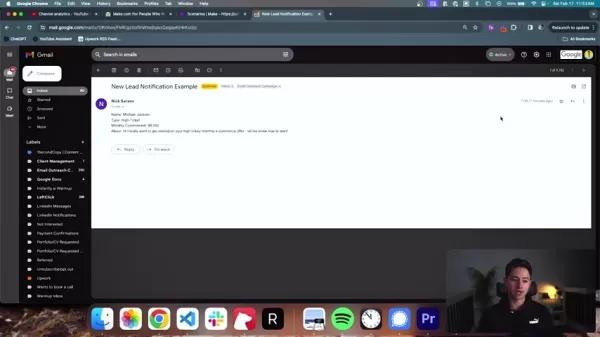
monitors for new emails, analyzes their content, and uses AI to generate an appropriate reply automatically. This response is then sent back, providing an immediate and helpful answer. The main components of this system are:
- Email Module: Monitors the incoming mailbox and triggers the workflow.
- AI Module: Analyzes the email content and generates a personalized reply using GPT models.
- Tools Module: Adds capabilities like delays and further processing steps.
- Send Email Module: Delivers the AI-crafted response back to the sender.
Step-by-Step Guide: Creating the Email Automation Scenario
Let's walk through the process of building this system step by step.
Step 1: Setting Up the Email Module
- Log into your Make.com account and create a new Scenario.
- Add an Email module by clicking the '+' button and searching for 'Email'.
- Select the 'Watch Emails' trigger to activate the scenario upon receiving a new email.
- Configure your Email Connection: Link your Gmail or other email service by granting Make.com the necessary permissions.
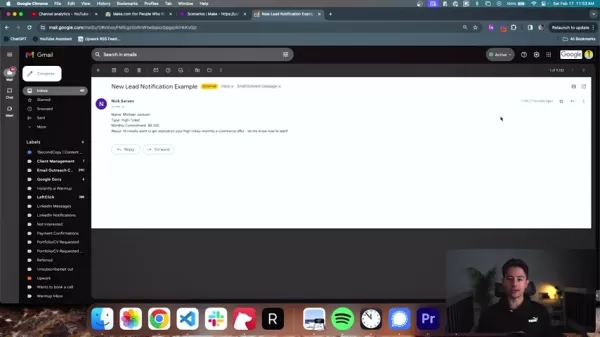
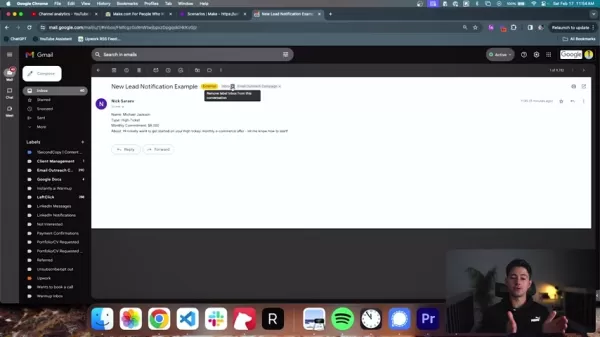
- Define your trigger criteria. You can filter emails by folder (e.g., Inbox), sender, recipient, subject, or specific keywords. For example, you can label new lead emails for easier identification.
Step 2: Adding the AI Module
- Add an AI module by clicking '+' and searching for 'OpenAI'.
- Select the appropriate module.
- Configure the user prompt, which instructs the AI on how to generate the reply.
- Establish your Make.com connection to link it with ChatGPT's API.
- Structure the data flow to pass the necessary email content to the AI.
Step 3: Adding the 'Tool' Module
- To make the process seem more natural and avoid being flagged as spam, add a 'Tool' module. Click '+' and select 'Sleep'.
- Configure a delay of a few seconds before sending the email. This helps prevent Google's algorithms from identifying the activity as bot-like.
Step 4: Adding the 'Send an Email' Module
- Now, set up the module to send the final response.
- Connect all the previous modules to ensure data flows correctly from trigger to AI to final send.
- Test the scenario thoroughly to ensure it produces the desired results.
Tips and Considerations for Your Email Automation System
Prompt Engineering Best Practices
Writing effective prompts for the AI is key to success. Keep these tips in mind:
- Be Specific: Clearly define the response's tone—whether it should be professional, friendly, or informative.
- Provide Context: Give the AI sufficient background from the original email to understand the inquiry.
- Set Boundaries: Specify the desired length and format to avoid overly long or complex replies.
- Use Examples: Providing sample responses helps the AI grasp your expectations better.
- Iterate and Refine: Continuously test and adjust your prompts based on the AI's output to improve quality.
Following these practices will help ensure your AI generates high-quality, on-brand responses. It's advisable to test and refine your templates over several weeks.
Optimizing for Deliverability
Automated emails carry a higher spam risk. Use these strategies to improve inbox placement:
- Personalize: Include the recipient's name and reference specific details from their inquiry.
- Avoid Overt Sales Language: Steer clear of aggressive promotional phrasing.
- Use Plain Text: Keep the email body simple and readable, minimizing images and rich media.
- Implement SPF and DKIM: Set up these email authentication protocols to verify your sender identity and prevent spoofing.
- Monitor Sender Reputation: Keep an eye on your reputation scores to catch and resolve deliverability issues early.
How to Use
Advanced Tips and Customization
Once your basic system is running, consider these advanced customizations to boost its capabilities:
Sentiment Analysis: Integrate tools to detect the sender's emotional tone and tailor the response accordingly.
Multi-Language Support: Add translation services to handle inquiries in various languages.
Dynamic Routing: Automatically route emails to specific teams or individuals based on sender details or content.
Integration with Other Apps: Connect your email system to CRM, project management, or support software for unified workflows.
A/B Testing: Experiment with different prompts and message variations to maximize engagement and effectiveness.
Pricing
Understanding the Pricing Models
Make.com and OpenAI offer various pricing plans to fit different needs and budgets. Understanding these models is important for cost management.
- Make.com: Uses a tiered subscription model based on the number of operations (scenario executions), active connections, and premium features. Review their pricing page before you begin.
- OpenAI: GPT model costs are based on the specific model used and the volume of tokens processed. Monitor your usage and adjust prompts to control expenses.
Pros and Cons
Pros
Drastically reduces customer response times and increases operational efficiency.
Provides 24/7 availability to respond to inquiries.
Scales easily to handle growing volumes and improve overall customer experience.
Offers valuable insights and data that can inform further automation efforts.
Cons
Costs can escalate with high email volume, depending on platform and AI usage.
AI may not perfectly understand nuanced or complex customer requests.
There is a risk of emails being flagged as spam if not configured carefully.
Core Features
Key Features
- Email Monitoring: Automatically watches designated inboxes and folders for new messages.
- AI-Powered Content Analysis: Uses GPT models to comprehend email intent and content.
- Customizable Responses: Crafts personalized, concise replies in a 'spartan' style.
- Webhooks and API Connectivity: Easily integrates with other platforms like CRM systems or Monday.com.
- Scheduled Tasks: Can leverage GPT to help manage and prioritize follow-up actions.
Use Cases
Who Can Benefit From the High-ROI System
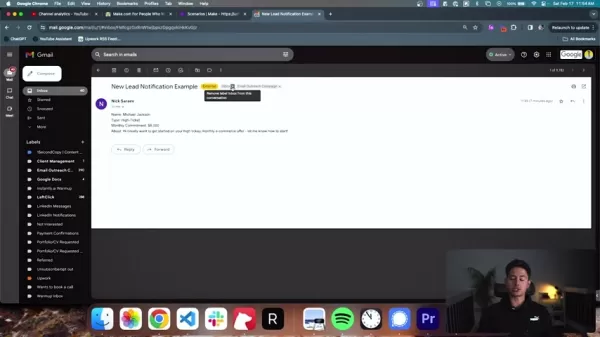
This high-ROI system is ideal for agencies, coaching firms, or any business relying on lead notifications via email. Prompt responses to new inquiries can significantly boost retention rates. Effective implementations include:
:
- Coaching Companies
- Marketing or Service Agencies that receive lead notifications by email
- Businesses that process form submissions or contact requests
FAQ
What are the components of setting up a lead system with Make.com?
The core components are the email module, the AI module, and the tools module.
How will a lead system improve a customer experience?
Customers receive a helpful reply within minutes of making an inquiry.
Related Questions
What are the benefits of an AI system?
Integrating AI is a strategic move, not just a trend. It allows organizations to scale operations and provide round-the-clock support. By automating routine tasks, an AI system frees up your team to focus on higher-value work, boosting overall productivity. Key benefits include: Enhanced Efficiency through rapid response to notifications, improving turnaround times and customer satisfaction. 24/7 Availability ensures support is always accessible. Personalization capabilities allow for high-quality, tailored interactions. Improved Data Management provides actionable insights for further streamlining operations. By embedding AI into your workflows, you can optimize processes, elevate the client experience, and empower your team.
Related article
 DeepMind CEO Hassabis: I sleep six hours a day, usually feel energetic around 1 a.m.
Fortune recently featured an interview with Demis Hassabis, CEO of Google DeepMind, revealing his unconventional approach to rest and productivity. Hassabis disclosed that he sleeps very little, structuring his waking hours into two distinct work blo
OpenAI, Anthropic Vie for Market Share Despite Revenue Shortfalls
Despite recent reports suggesting OpenAI missed revenue targets, creating pressure on tech stocks this Tuesday, private AI lab investors remain resilient. Seasoned backers have confirmed they will not reduce investment despite negative media coverage
California AV Compliance: A New Era of Tickets, Geofences, and 1M Miles
Guident operates an AuveTech shuttle in South Florida, managing a four-mile route in West Palm Beach and a one-mile route in Boca Raton using its remote monitoring technology. | Credit: GuidentCalifornia is redefining the regulatory landscape for dri
Related Special Topic Recommendations
writing
DeepMind CEO Hassabis: I sleep six hours a day, usually feel energetic around 1 a.m.
Fortune recently featured an interview with Demis Hassabis, CEO of Google DeepMind, revealing his unconventional approach to rest and productivity. Hassabis disclosed that he sleeps very little, structuring his waking hours into two distinct work blo
OpenAI, Anthropic Vie for Market Share Despite Revenue Shortfalls
Despite recent reports suggesting OpenAI missed revenue targets, creating pressure on tech stocks this Tuesday, private AI lab investors remain resilient. Seasoned backers have confirmed they will not reduce investment despite negative media coverage
California AV Compliance: A New Era of Tickets, Geofences, and 1M Miles
Guident operates an AuveTech shuttle in South Florida, managing a four-mile route in West Palm Beach and a one-mile route in Boca Raton using its remote monitoring technology. | Credit: GuidentCalifornia is redefining the regulatory landscape for dri
Related Special Topic Recommendations
writing
 AI Article Outline Tools for Long Form Writing
2026 Latest Best Top-Rated AI Article Outline Tools for Long Form Writing! This curated collection features powerful, game-changing tools that deliver accurate, structured outlines with real-world tests to boost writing efficiency significantly. XIX.AI is part of this elite selection. Get a free vs paid comparison to help you choose the perfect tool. Explore now and Unlock your AI edge!
 9 tools
 xix.ai
chatbot
Best AI Roleplay Chat Apps for Language Practice, Interview Prep, and Daily Fluency
xix.ai
chatbot
Best AI Roleplay Chat Apps for Language Practice, Interview Prep, and Daily Fluency
2026 Latest Best Top-rated AI Roleplay Chat Apps for Language Practice, Interview Prep, and Daily Fluency! XIX.AI curates a powerful game-changing collection that offers free vs paid comparison, real-world tests, and updated rankings weekly. These must-try tools help you boost writing skills, overcome fluency challenges, and improve communication efficiency across all daily scenarios. Explore now to discover your perfect tool for language growth!
10 tools
xix.ai
Music composition
AI Stem Separation Tools for Remix Production, Sampling Prep, and Karaoke Masters
2026 Latest Best Top-rated AI Stem Separation Tools Curated for Remix Production, Sampling Prep, and Karaoke Masters. These powerful game-changing tools offer real-world tests to deliver precise audio isolation, boosting productivity significantly. XIX.AI provides a weekly updated free vs paid comparison guide to help you find the must-try solution that suits your needs. Explore now to unlock your AI edge.
8 tools
xix.ai
Data Analysis
AI SQL Copilots for Revenue Dashboards, Funnel Analysis, and Product Metrics
2026 Latest Best AI SQL Copilots Ranked Top-Rated! XIX.AI curates a powerful game-changing collection for weekly updated real-world tests. These must-try tools help you generate accurate revenue dashboards, analyze sales funnels, and track product metrics swiftly, boosting productivity massively. Explore now to Discover your perfect tool for data-driven decision making! 238 characters
9 tools
xix.ai
Music composition
Best AI Melody Writing Tools for Song Drafts
2026 Latest Best Top-Rated AI Melody Writing Tools for Song Drafts! XIX.AI has curated a highly powerful game-changing collection that goes through rigorous real-world tests to deliver the best writing experience. You can find detailed free vs paid comparisons, accurate rankings, and must-try options designed to help you create stunning song drafts effortlessly and boost your creative productivity significantly. Explore now to discover your perfect tool!
8 tools
xix.ai
chatbot
Best AI Conversation Trainer Tools for Interview Practice
2026 Latest Best Top-rated AI Conversation Trainer Tools for Interview Practice are here on XIX.AI! This curated collection features powerful, game-changing tools that go through rigorous real-world tests to deliver accurate feedback. You’ll find a free vs paid comparison and detailed rankings to help you choose the must-try option that boosts your confidence and skills. Explore now to Discover your perfect tool for interview success!
12 tools
xix.ai

 Comments (1)
0/500
Comments (1)
0/500
![DanielWalker]()
用Make.com搞AI自动回邮件?这功能确实能省不少时间,不过得小心别把客服变成机器人,毕竟人情味还是重要的。😅
In today's fast-paced digital landscape, efficient communication is essential for both businesses and individuals. Responding quickly to inquiries is vital for maintaining engagement and building strong relationships. However, managing and replying to every email manually can be incredibly time-consuming. The good news is that with automation platforms like Make.com and the capabilities of Artificial Intelligence (AI), you can create a smart email response system that saves time and improves the customer experience. Here’s how to build it.
Key Points
Learn how to construct an automated email response system using Make.com integrated with AI.
Understand how AI can personalize email interactions and improve customer retention.
Discover strategies for creating concise, effective 'spartan' responses using AI.
Explore how to use Make.com webhooks to connect various platforms and applications.
Learn how to select the right GPT models to generate tailored and impactful responses.
Building an Automated Email Response System with Make.com
The Importance of Prompt Email Responses
Speed is critical in professional communication. Whether it's a sales query, a support request, or a general question, a quick reply demonstrates professionalism and care. Here are the key advantages of timely email responses:
- Greater Customer Satisfaction: Fast replies show customers their time and needs are valued.
- Improved Customer Retention: Prompt follow-up can significantly boost retention rates by making customers feel heard and supported.
- Stronger Brand Reputation: Being known for responsiveness builds a positive brand image.
- Competitive Edge: In a busy market, quick communication can set you apart from slower competitors.
Maintaining this level of speed manually is often unsustainable, especially as a business grows. AI-powered automation provides a scalable and efficient alternative. An automated system can send instant acknowledgments, provide initial information, and direct inquiries to the right team member—all without manual effort.
Laying the Groundwork: Understanding Make.com and AI Integration
Make.com is a powerful platform for connecting apps and automating workflows through an intuitive visual interface, making it accessible regardless of technical skill. By integrating AI into your Make.com scenarios, you can add intelligence and personalization to your processes.
The goal is to build a system that
monitors for new emails, analyzes their content, and uses AI to generate an appropriate reply automatically. This response is then sent back, providing an immediate and helpful answer. The main components of this system are:
- Email Module: Monitors the incoming mailbox and triggers the workflow.
- AI Module: Analyzes the email content and generates a personalized reply using GPT models.
- Tools Module: Adds capabilities like delays and further processing steps.
- Send Email Module: Delivers the AI-crafted response back to the sender.
Step-by-Step Guide: Creating the Email Automation Scenario
Let's walk through the process of building this system step by step.
Step 1: Setting Up the Email Module
- Log into your Make.com account and create a new Scenario.
- Add an Email module by clicking the '+' button and searching for 'Email'.
- Select the 'Watch Emails' trigger to activate the scenario upon receiving a new email.
- Configure your Email Connection: Link your Gmail or other email service by granting Make.com the necessary permissions.
- Define your trigger criteria. You can filter emails by folder (e.g., Inbox), sender, recipient, subject, or specific keywords. For example, you can label new lead emails for easier identification.
Step 2: Adding the AI Module
- Add an AI module by clicking '+' and searching for 'OpenAI'.
- Select the appropriate module.
- Configure the user prompt, which instructs the AI on how to generate the reply.
- Establish your Make.com connection to link it with ChatGPT's API.
- Structure the data flow to pass the necessary email content to the AI.
Step 3: Adding the 'Tool' Module
- To make the process seem more natural and avoid being flagged as spam, add a 'Tool' module. Click '+' and select 'Sleep'.
- Configure a delay of a few seconds before sending the email. This helps prevent Google's algorithms from identifying the activity as bot-like.
Step 4: Adding the 'Send an Email' Module
- Now, set up the module to send the final response.
- Connect all the previous modules to ensure data flows correctly from trigger to AI to final send.
- Test the scenario thoroughly to ensure it produces the desired results.
Tips and Considerations for Your Email Automation System
Prompt Engineering Best Practices
Writing effective prompts for the AI is key to success. Keep these tips in mind:
- Be Specific: Clearly define the response's tone—whether it should be professional, friendly, or informative.
- Provide Context: Give the AI sufficient background from the original email to understand the inquiry.
- Set Boundaries: Specify the desired length and format to avoid overly long or complex replies.
- Use Examples: Providing sample responses helps the AI grasp your expectations better.
- Iterate and Refine: Continuously test and adjust your prompts based on the AI's output to improve quality.
Following these practices will help ensure your AI generates high-quality, on-brand responses. It's advisable to test and refine your templates over several weeks.
Optimizing for Deliverability
Automated emails carry a higher spam risk. Use these strategies to improve inbox placement:
- Personalize: Include the recipient's name and reference specific details from their inquiry.
- Avoid Overt Sales Language: Steer clear of aggressive promotional phrasing.
- Use Plain Text: Keep the email body simple and readable, minimizing images and rich media.
- Implement SPF and DKIM: Set up these email authentication protocols to verify your sender identity and prevent spoofing.
- Monitor Sender Reputation: Keep an eye on your reputation scores to catch and resolve deliverability issues early.
How to Use
Advanced Tips and Customization
Once your basic system is running, consider these advanced customizations to boost its capabilities:
Sentiment Analysis: Integrate tools to detect the sender's emotional tone and tailor the response accordingly.
Multi-Language Support: Add translation services to handle inquiries in various languages.
Dynamic Routing: Automatically route emails to specific teams or individuals based on sender details or content.
Integration with Other Apps: Connect your email system to CRM, project management, or support software for unified workflows.
A/B Testing: Experiment with different prompts and message variations to maximize engagement and effectiveness.
Pricing
Understanding the Pricing Models
Make.com and OpenAI offer various pricing plans to fit different needs and budgets. Understanding these models is important for cost management.
- Make.com: Uses a tiered subscription model based on the number of operations (scenario executions), active connections, and premium features. Review their pricing page before you begin.
- OpenAI: GPT model costs are based on the specific model used and the volume of tokens processed. Monitor your usage and adjust prompts to control expenses.
Pros and Cons
Pros
Drastically reduces customer response times and increases operational efficiency.
Provides 24/7 availability to respond to inquiries.
Scales easily to handle growing volumes and improve overall customer experience.
Offers valuable insights and data that can inform further automation efforts.
Cons
Costs can escalate with high email volume, depending on platform and AI usage.
AI may not perfectly understand nuanced or complex customer requests.
There is a risk of emails being flagged as spam if not configured carefully.
Core Features
Key Features
- Email Monitoring: Automatically watches designated inboxes and folders for new messages.
- AI-Powered Content Analysis: Uses GPT models to comprehend email intent and content.
- Customizable Responses: Crafts personalized, concise replies in a 'spartan' style.
- Webhooks and API Connectivity: Easily integrates with other platforms like CRM systems or Monday.com.
- Scheduled Tasks: Can leverage GPT to help manage and prioritize follow-up actions.
Use Cases
Who Can Benefit From the High-ROI System
This high-ROI system is ideal for agencies, coaching firms, or any business relying on lead notifications via email. Prompt responses to new inquiries can significantly boost retention rates. Effective implementations include:
:
- Coaching Companies
- Marketing or Service Agencies that receive lead notifications by email
- Businesses that process form submissions or contact requests
FAQ
What are the components of setting up a lead system with Make.com?
The core components are the email module, the AI module, and the tools module.
How will a lead system improve a customer experience?
Customers receive a helpful reply within minutes of making an inquiry.
Related Questions
What are the benefits of an AI system?
Integrating AI is a strategic move, not just a trend. It allows organizations to scale operations and provide round-the-clock support. By automating routine tasks, an AI system frees up your team to focus on higher-value work, boosting overall productivity. Key benefits include: Enhanced Efficiency through rapid response to notifications, improving turnaround times and customer satisfaction. 24/7 Availability ensures support is always accessible. Personalization capabilities allow for high-quality, tailored interactions. Improved Data Management provides actionable insights for further streamlining operations. By embedding AI into your workflows, you can optimize processes, elevate the client experience, and empower your team.








 DeepMind CEO Hassabis: I sleep six hours a day, usually feel energetic around 1 a.m.
Fortune recently featured an interview with Demis Hassabis, CEO of Google DeepMind, revealing his unconventional approach to rest and productivity. Hassabis disclosed that he sleeps very little, structuring his waking hours into two distinct work blo
DeepMind CEO Hassabis: I sleep six hours a day, usually feel energetic around 1 a.m.
Fortune recently featured an interview with Demis Hassabis, CEO of Google DeepMind, revealing his unconventional approach to rest and productivity. Hassabis disclosed that he sleeps very little, structuring his waking hours into two distinct work blo
 OpenAI, Anthropic Vie for Market Share Despite Revenue Shortfalls
Despite recent reports suggesting OpenAI missed revenue targets, creating pressure on tech stocks this Tuesday, private AI lab investors remain resilient. Seasoned backers have confirmed they will not reduce investment despite negative media coverage
California AV Compliance: A New Era of Tickets, Geofences, and 1M Miles
Guident operates an AuveTech shuttle in South Florida, managing a four-mile route in West Palm Beach and a one-mile route in Boca Raton using its remote monitoring technology. | Credit: GuidentCalifornia is redefining the regulatory landscape for dri
OpenAI, Anthropic Vie for Market Share Despite Revenue Shortfalls
Despite recent reports suggesting OpenAI missed revenue targets, creating pressure on tech stocks this Tuesday, private AI lab investors remain resilient. Seasoned backers have confirmed they will not reduce investment despite negative media coverage
California AV Compliance: A New Era of Tickets, Geofences, and 1M Miles
Guident operates an AuveTech shuttle in South Florida, managing a four-mile route in West Palm Beach and a one-mile route in Boca Raton using its remote monitoring technology. | Credit: GuidentCalifornia is redefining the regulatory landscape for dri

2026 Latest Best Top-Rated AI Article Outline Tools for Long Form Writing! This curated collection features powerful, game-changing tools that deliver accurate, structured outlines with real-world tests to boost writing efficiency significantly. XIX.AI is part of this elite selection. Get a free vs paid comparison to help you choose the perfect tool. Explore now and Unlock your AI edge!
9 tools
xix.ai

2026 Latest Best Top-rated AI Roleplay Chat Apps for Language Practice, Interview Prep, and Daily Fluency! XIX.AI curates a powerful game-changing collection that offers free vs paid comparison, real-world tests, and updated rankings weekly. These must-try tools help you boost writing skills, overcome fluency challenges, and improve communication efficiency across all daily scenarios. Explore now to discover your perfect tool for language growth!
10 tools
xix.ai

2026 Latest Best Top-rated AI Stem Separation Tools Curated for Remix Production, Sampling Prep, and Karaoke Masters. These powerful game-changing tools offer real-world tests to deliver precise audio isolation, boosting productivity significantly. XIX.AI provides a weekly updated free vs paid comparison guide to help you find the must-try solution that suits your needs. Explore now to unlock your AI edge.
8 tools
xix.ai

2026 Latest Best AI SQL Copilots Ranked Top-Rated! XIX.AI curates a powerful game-changing collection for weekly updated real-world tests. These must-try tools help you generate accurate revenue dashboards, analyze sales funnels, and track product metrics swiftly, boosting productivity massively. Explore now to Discover your perfect tool for data-driven decision making! 238 characters
9 tools
xix.ai

2026 Latest Best Top-Rated AI Melody Writing Tools for Song Drafts! XIX.AI has curated a highly powerful game-changing collection that goes through rigorous real-world tests to deliver the best writing experience. You can find detailed free vs paid comparisons, accurate rankings, and must-try options designed to help you create stunning song drafts effortlessly and boost your creative productivity significantly. Explore now to discover your perfect tool!
8 tools
xix.ai

2026 Latest Best Top-rated AI Conversation Trainer Tools for Interview Practice are here on XIX.AI! This curated collection features powerful, game-changing tools that go through rigorous real-world tests to deliver accurate feedback. You’ll find a free vs paid comparison and detailed rankings to help you choose the must-try option that boosts your confidence and skills. Explore now to Discover your perfect tool for interview success!
12 tools
xix.ai

用Make.com搞AI自动回邮件?这功能确实能省不少时间,不过得小心别把客服变成机器人,毕竟人情味还是重要的。😅












