


 Home
HomePapermerge DMS
Open Source Document Management with OCR



Helps TikTok sellers, brands, MCNs, and TAPs discover winning products and find creators.

HelpLook is an AI-powered all-in-one knowledge base tool that helps businesses quickly build knowledge bases, help centers, and...

Your AI Workspace

302.AI is an enterprise-grade AI resource platform with pay-as-you-go pricing, API access to a full range of AI models, and ready-to-use online applications.

剧火AI — AI Screenwriter + Director, a One-Person Short Drama Studio In one sentence, what is it?
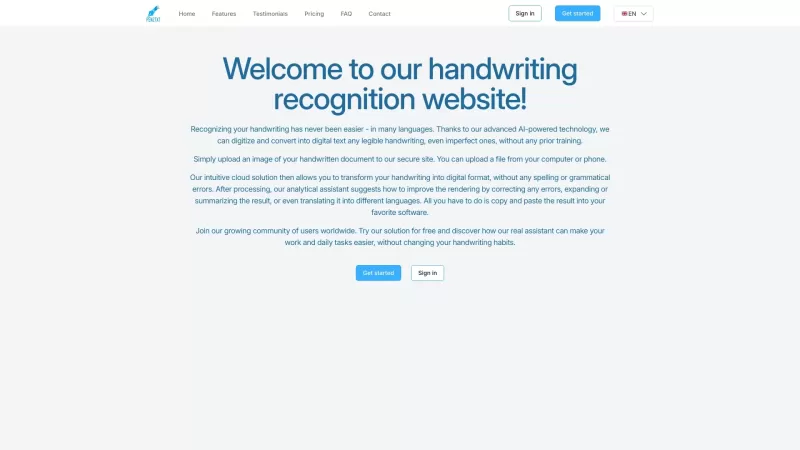
Ever wished you could magically turn your scribbled notes into neat, digital text? That's where Pen2txt comes in—a handy tool that transforms your handwritten notes into editable digital format using cutting-edge Handwritten Text Recognition (HTR) technology. How to Use Pen2txt? Getting started wit
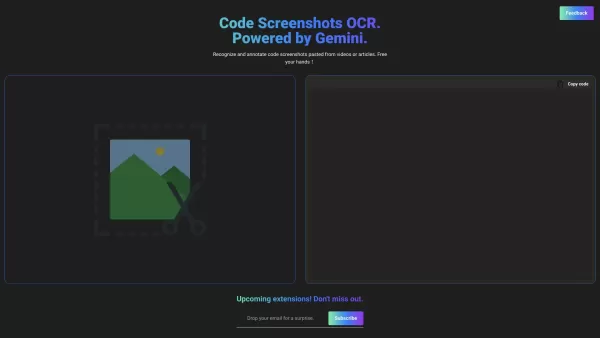
Pic2Code is a revolutionary tool that transforms the way developers interact with code visuals, making it easier to extract and annotate code directly from images. It's like having a magic wand that turns static code screenshots into editable, annota
What is OCR Markdown? OCR Markdown is a powerful tool that transforms scanned images and PDF documents into editable Markdown text. It provides a free, client-side OCR solution for basic conversions and a Premium upgrade featuring AI-enhanced recogni
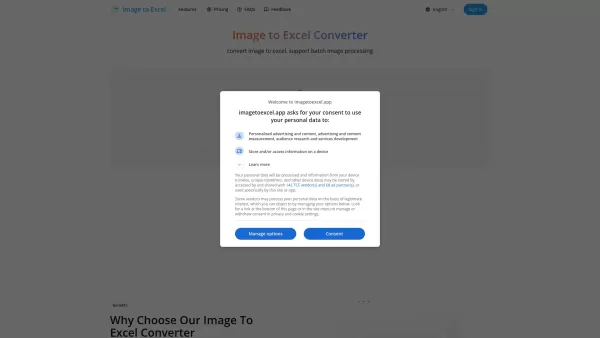
What is Image to Excel? imagetoexcel.app is a free online tool that transforms images with table data into editable Excel spreadsheets. It works with a range of image formats, including JPG, PNG, PDF, GIF, JFIF (JPEG), and HEIC. Powered by advanced A

Ever found yourself drowning in a sea of documents, emails, and PDFs, wishing there was a way to effortlessly pull out the data you need? Enter Parseur, the AI-powered data extraction software that's here to save the day. This nifty tool automates text ex
Papermerge DMS Product Information
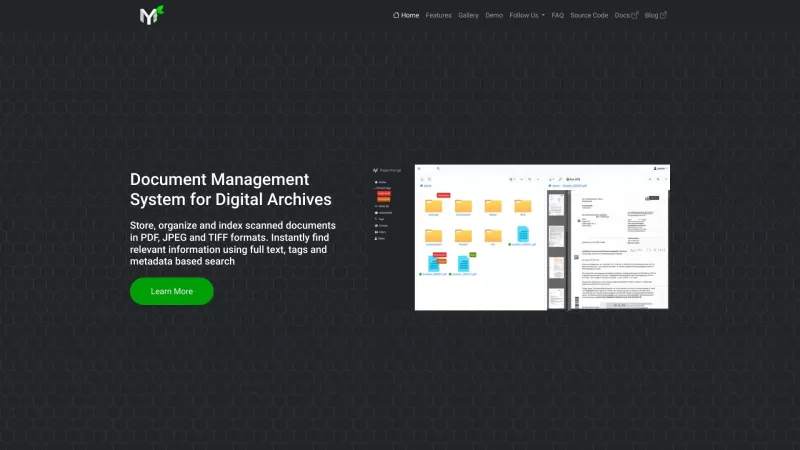
If you're diving into the world of digital organization, you might have stumbled upon Papermerge DMS. This nifty tool isn't just another piece of software; it's a free, open-source document management system that comes packed with OCR capabilities. Imagine having a digital assistant that not only stores your documents but also makes them searchable by extracting and indexing their text content. That's Papermerge DMS for you!
How to Dive into Papermerge DMS?
Getting started with Papermerge DMS is like setting up your own digital library. First, you'll need to install it on a server or a cloud platform. It might sound a bit technical, but trust me, it's worth the effort. Once you've got it up and running, you can start uploading your scanned documents, digital archives, PDFs, TIFFs, JPEGs—you name it! The beauty of Papermerge DMS is that it automatically uses OCR to extract, analyze, and index the text from your documents. So, whether you're sorting through last year's tax receipts or archiving your favorite recipes, Papermerge DMS turns your chaos into order.
The Heart of Papermerge DMS: Core Features
OCR FunctionalityThe OCR feature in Papermerge DMS is like having a superpower. It transforms your scanned documents into searchable text, making it a breeze to find what you need without flipping through endless pages.
Document Management
Managing your documents has never been easier. Papermerge DMS keeps everything neatly organized, so you can focus on what's important rather than wrestling with paperwork.
Text Indexing and Search
With text indexing and search, Papermerge DMS ensures that you can quickly locate any piece of information within your documents. It's like having a personal search engine for your files.
Papermerge DMS in Action: Use Cases
Organize Scanned DocumentsWhether it's old family photos or crucial business documents, Papermerge DMS helps you keep your scanned documents in perfect order.
Archive Digital Documents
Need to store digital documents for the long haul? Papermerge DMS makes archiving a cinch, ensuring your files are safe and accessible.
Search and Retrieve Information from Documents
Ever needed to find that one line in a 50-page report? With Papermerge DMS, a quick search is all it takes to retrieve the information you need.
Frequently Asked Questions about Papermerge DMS
- Is Papermerge DMS free to use?
- Yes, Papermerge DMS is free and open-source, so you can use it without any cost.
- Can I use Papermerge DMS for personal use?
- Absolutely! Whether it's for your home office or personal projects, Papermerge DMS is perfect for personal use.
- Does Papermerge DMS support multiple file formats?
- Yes, it supports a variety of formats including PDF, TIFF, and JPEG, making it versatile for all your document needs.
Papermerge DMS Support Email & Customer Service Contact & Refund Contact etc.
Need help with Papermerge DMS? Drop an email to [email protected].
Papermerge DMS Company
The brains behind Papermerge DMS are located at Eugen Ciur, Löwenberger Straße 4, 10315 Berlin, Germany. If you're ever in the area, why not stop by?
Papermerge DMS Youtube
For visual learners, check out Papermerge DMS on YouTube at https://www.youtube.com/channel/UC8KjEsDexEERBw_-VyDbWDg.
Papermerge DMS Twitter
Stay updated with the latest from Papermerge DMS by following them on Twitter at https://twitter.com/papermerge.
Papermerge DMS Github
For the tech-savvy, dive into the world of Papermerge DMS on GitHub at http://github.com/papermerge.
Papermerge DMS Screenshot

2026 Latest Best Top-rated AI Content Calendar Tools for Short Video Planning are here on XIX.AI! This curated collection features powerful, game-changing solutions that help creators boost writing efficiency, streamline content planning, and save valuable time. We conduct real-world tests and provide a free vs paid comparison along with weekly updated rankings to show you the must-try options. Explore now to discover your perfect tool and unlock your AI edge!
 11 tools
 xix.ai

2026 Latest Best Top-rated AI Research Tools for Literature Review are featured on this curated page, offering powerful game-changing solutions to streamline your research process. You’ll find detailed free vs paid comparison insights, real-world tests, and expert rankings to help you choose the most efficient option. XIX.AI supports this comprehensive guide to help you unlock your AI edge. Explore now to discover your perfect tool!
16 tools
xix.ai

2026 Latest Best Top-rated AI Design System Assistants for UI Consistency across Web, Mobile, and Docs. This curated list features powerful game-changing tools that help teams create uniform designs effortlessly, saving time and boosting productivity. Get a free vs paid comparison along with real-world tests and detailed rankings to find the must-try solution that fits your needs. Explore now at XIX.AI to Unlock your AI edge.
10 tools
xix.ai
2026 Latest Top-Rated Best AI Paper Reading Tools for Researchers! This curated list offers powerful game-changing solutions to quickly extract key methods, results, and limitations from complex academic papers. XIX.AI provides weekly updated free vs paid comparison data along with real-world tests across diverse research fields. Discover your perfect tool to boost productivity and unlock your AI edge today. Explore now!
8 tools
xix.ai
2026 Latest Best Top-rated AI Vocal Demo Tools for Track Prototypes are here on XIX.AI! This curated list features powerful, game-changing tools that go through real-world tests to ensure top performance. You’ll find a free vs paid comparison, detailed rankings, and must-try options perfect for boosting creative efficiency and helping you unlock your AI edge. Explore now to discover your perfect tool!
10 tools
xix.ai
2026 Latest Best Top-rated AI API Mocking Tools for Frontend-Backend Collaboration are here on XIX.AI! This curated list features powerful, game-changing solutions that help teams streamline workflows, boost productivity, and create high-quality apps faster through real-world tests and strict rankings. Get a free vs paid comparison to find the must-try option that suits your needs. Explore now to unlock your AI edge!
12 tools
xix.ai


Gut, dass es mal ein Open-Source DMS mit OCR gibt! Papermerge ist kostenlos und für private Nutzung super, aber ich frage mich, wie gut es im Vergleich zu proprietären Lösungen im Unternehmenseinsatz skaliert. Die UI sieht auf den ersten Blick etwas altbacken aus - hoffe, das wird noch moderner. 🧐 Nützlich für Rechnungen und Dokumente, aber die Cloud-Sync fehlt mir noch.
Papermerge DMS ha transformado mi caos de documentos en orden. El OCR es preciso, pero la interfaz podría ser más amigable. Es gratuito y de código abierto, así que no hay quejas. Solo necesita un poco más de pulido. 👍
Papermerge DMSは私のドキュメントの混乱を整理してくれました!OCRの精度は素晴らしいですが、インターフェースがもう少しユーザーフレンドリーだといいですね。無料でオープンソースなので不満はありません。もう少し磨きが必要です。👍
Papermerge DMS has transformed my document chaos into order! The OCR is spot on, but the interface could be more user-friendly. It's free and open-source, so no complaints there. Just needs a bit more polish. 👍
Papermerge DMS transformou meu caos de documentos em ordem! O OCR é preciso, mas a interface poderia ser mais amigável. É gratuito e de código aberto, então não há reclamações. Só precisa de um pouco mais de polimento. 👍


