


 Home
HomeAI Transforms Movie Recaps into Profitable Content
Do you want to earn money online and love movies? Launching a YouTube movie recap channel might be your perfect opportunity. These channels distill films into compelling summaries, drawing in viewers who enjoy narratives but can't spare the time for full features. This guide explores how to launch and monetize your own movie recap channel with AI, while steering clear of common copyright issues.
Key Points
Movie recap channels present a significant income opportunity on YouTube.
AI tools can dramatically speed up the content creation process.
Navigating copyright law is a primary challenge that requires a proactive strategy.
Strategic video editing is essential for channel monetization.
Compelling storytelling and presentation are crucial for audience growth.
The Lucrative World of Movie Recap Channels
Why Movie Recaps are Trending
With everyone's busy schedules, few people can set aside multiple hours to watch a film. Movie recap channels deliver condensed summaries, enabling audiences to enjoy stories and stay current without a major time investment. This growing demand has made movie recaps a popular and profitable YouTube category.
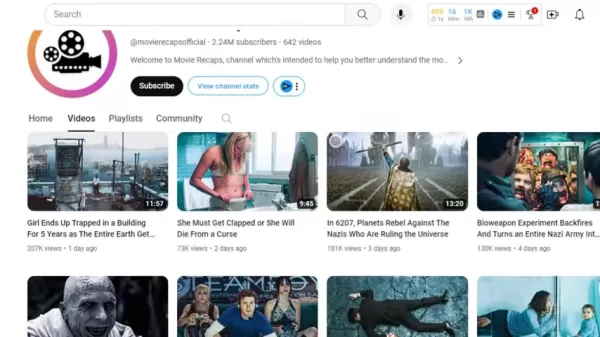
Channels amassing millions of views prove the substantial revenue potential in this niche.
Revenue Generation: Top-performing channels earn considerable income through YouTube's Partner Program and potential brand sponsorships, establishing a solid source of passive earnings.
Examples of Successful Channels
Numerous YouTube channels highlight the income potential of movie recaps. The channel "Movie Recaps," for instance, is a prime example of how to build a successful business in this space.
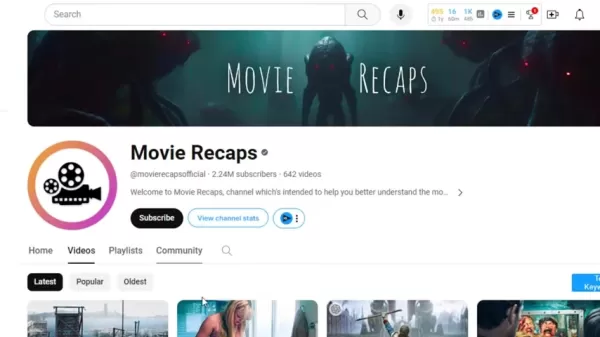
Data from Viewstats.com indicates that successful movie recap channels can generate annual revenues reaching into the millions.
Prominent movie recap channels include:
- Movie Recap
- Clock Recap
- Mystery Recap
- Storyflix
- Fox Recap
- Movie Club US
Avoiding Copyright Strikes: The Key to Monetization
Understanding Copyright Risks
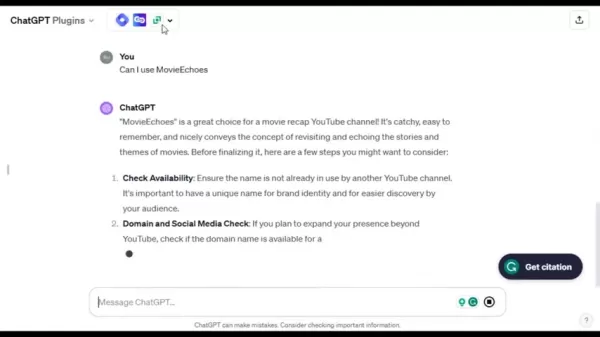
Copyright claims and strikes are a serious risk for movie recap channels. Utilizing copyrighted footage or music without a license can result in video removal or demonetization, directly harming your income. Proactively managing copyright risk is therefore critical. To reduce this risk, creators often employ techniques like flipping the video and making cuts every few seconds.
Frequent Challenges:
- Using movie clips without proper authorization.
- Incorporating copyrighted music without a license.
- Not adding enough original narration or transformative commentary.
Strategic Video Editing: Creative Transformation
Applying clever video editing techniques is fundamental to avoiding copyright filters.
- Flipping the video: This method changes the footage's orientation, making it harder for automated systems to recognize.
- Trimming clips: Using very brief clips and avoiding long, continuous segments helps prevent direct content matching.
- Providing unique narration: Adding your own script and voiceover is essential to establishing the video as a new, original work.
- Using freezes and on-screen text: Pausing frames and overlaying text further transforms the content.
Using these approaches significantly improves your channel's safety.
Step-by-Step Guide to Creating a Monetizable Movie Recap Channel
Step 1: Channel Creation
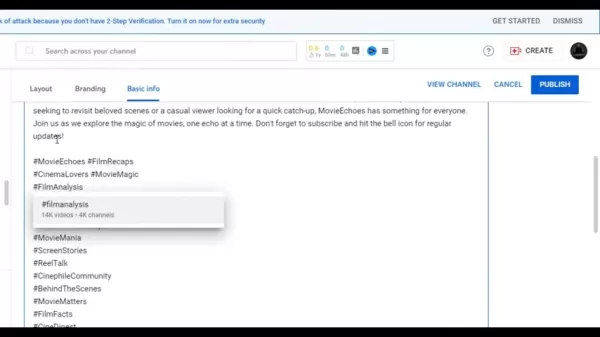
Establish a polished YouTube channel with a clear focus, an engaging description, a distinct logo, and a professional banner. Leverage AI tools such as ChatGPT for generating channel name ideas and crafting compelling descriptions.
Setup process:
- Go to YouTube and sign up for an account.
- Develop a memorable and relevant channel name.
- Use ChatGPT to draft a persuasive channel description.
- Design a logo and banner using a text-to-image AI generator.
- Upload your branding assets and description to your YouTube channel.
Step 2: Content Generation Using AI
Harness AI, including language models like ChatGPT, to write recap scripts and plan narration. This approach cuts down the time and energy needed for content development significantly.

Instead of viewing the entire movie, you can source plot details from online summaries to build your video script. The process is straightforward:
- Instruct an AI to write a summary script based on a movie's plot.
- Alternatively, research a movie's plot online and ask ChatGPT to rewrite it into a fresh script.
- Apply edits to each video segment to guarantee uniqueness.
Step 3: Creating a Voice-Over Script
Producing an AI-generated voiceover for your script is an efficient method to create engaging videos rapidly. AI streamlines the scriptwriting phase, and numerous online services can convert your text into speech.
- Visit 11labs.io and register for an account.
- Select a voice that matches your channel's style, filtering by gender, age, and accent.
- Paste your completed script into the AI tool.
- Refine the script for natural flow and clarity.
- Generate the audio file and download it for your project.
Step 4: Video Editing and Copyright Protection
Assemble your video using editing software like CapCut. Flip the video, make cuts every 3-4 seconds, use frozen frames, and incorporate text to produce transformative content. You can make these adjustments after importing your movie file into the video timeline. Locate the option to flip the video visually.
Essential steps for editing and copyright safety:
- Edit movie clips to be very short, cutting every few seconds.
- Incorporate frozen frames.
- Apply various transitions between clips.
- Modify the visual style using different filters.
- Flip the video horizontally or vertically.
Step 5: Upload and Optimize Your Video
Craft attention-grabbing titles and descriptions that include relevant search keywords and tags to improve your video's visibility. Analyzing descriptions from similar successful videos can provide useful insights.
- Avoid using any copyrighted audio or music tracks.
- Design a custom, eye-catching thumbnail.
- Generate an optimized video description using ChatGPT.
Tools Mentioned and Price
Price and Details
Here is a list of the software, tools, and websites referenced, along with their pricing models:
- Viewstats.com provides several subscription tiers with varying capabilities.
- Social Blade has a free version with basic features and paid subscriptions for advanced analytics.
- ChatGPT is available for free with usage limitations and a paid plan for heavier usage.
- CapCut is completely free to use.
- 11labs.io offers a free starter plan and subscription options for more features.
Pros and Cons of Starting a Movie Recap Channel
Pros
Significant income potential
Minimal initial investment
Freedom to set your own hours
A creative outlet for storytelling
Potential to build a source of passive income
Cons
Constant threat of copyright claims and strikes
Substantial time required to produce quality content
Requires learning video editing techniques
Income can be unpredictable
High level of competition from other creators
Related Questions
Are movie recap channels profitable?
Absolutely. When executed well, movie recap channels can be highly profitable. Creators earn money through ads, sponsorships, and affiliate links. The most important factor is producing high-quality, engaging summaries that build a loyal audience.
What kind of editing software is best for movie recap videos?
CapCut is an excellent, free choice for creating recaps. For best results, consistently use filters, transitions, audio balancing, and other visual modifications to ensure your videos are truly transformative.
Related article
 Microsoft Bars Staff From Top AI Model to Stop Data Leaks
Amid growing concerns over data privacy and information security, Microsoft has introduced internal usage restrictions. According to tech media reports, the company has prohibited employees from accessing Claude 5, the latest flagship large language
Amazon Alexa and Free Login Fire TV AI Assistant Now Support More Television Devices
Amazon is rolling out Alexa+ to all compatible Fire TV devices in the US at no cost, eliminating the previous Prime membership requirement. This update introduces conversational search, smart home management, and AI-driven content recommendations, ma
When Rack and Pinion Beats Ball Screws and Linear Motors for Long-Travel Axes
A gearbox, pinion, and rack system provide the 7th axis, or lateral movement, for an articulated robot. (Image: GAM.)Pull a tape measure out a few inches and the blade is rigid. Keep pulling and at some point it starts to flex and wobble, then eventu
Related Special Topic Recommendations
Design & Art
Microsoft Bars Staff From Top AI Model to Stop Data Leaks
Amid growing concerns over data privacy and information security, Microsoft has introduced internal usage restrictions. According to tech media reports, the company has prohibited employees from accessing Claude 5, the latest flagship large language
Amazon Alexa and Free Login Fire TV AI Assistant Now Support More Television Devices
Amazon is rolling out Alexa+ to all compatible Fire TV devices in the US at no cost, eliminating the previous Prime membership requirement. This update introduces conversational search, smart home management, and AI-driven content recommendations, ma
When Rack and Pinion Beats Ball Screws and Linear Motors for Long-Travel Axes
A gearbox, pinion, and rack system provide the 7th axis, or lateral movement, for an articulated robot. (Image: GAM.)Pull a tape measure out a few inches and the blade is rigid. Keep pulling and at some point it starts to flex and wobble, then eventu
Related Special Topic Recommendations
Design & Art
 Top AI Illustration Tools: Create Editorial Scenes and Cover Art Faster
2026 Latest Top-rated AI Illustration Tools: Our curated list features the best powerfully designed tools for creating stunning editorial scenes and eye-catching cover art quickly. Each option has gone through rigorous real-world tests, offering a free vs paid comparison to help you find the perfect match for your workflow. Try these must-try solutions today to unlock your AI edge and boost your creative productivity. Explore now at XIX.AI.
 10 tools
 xix.ai
Education and Learning
Top AI Tutors for Exam Prep: Practice Math, Science, and English
xix.ai
Education and Learning
Top AI Tutors for Exam Prep: Practice Math, Science, and English
2026 Latest Top-Rated Best AI Tutors for Exam Prep are here on XIX.AI! Our curated list features powerful game-changing tools that offer free vs paid comparison, real-world tests, and weekly updated rankings. They help boost your writing efficiency, simplify complex topic learning, and unlock your academic potential. Explore now to Discover your perfect exam prep tool and Start creating today to Unlock your AI edge!
10 tools
xix.ai
Finance
AI Budget Planning Tools for Personal Money Management
2026 Latest Best Top-Rated AI Budget Planning Tools for Personal Money Management are here on XIX.AI! This curated collection features powerful, game-changing solutions that help you conduct real-world tests, understand spending habits, and create personalized plans to boost productivity. Enjoy a free vs paid comparison along with detailed rankings. Must-try tools designed to simplify money management and unlock your AI edge. Explore now!
11 tools
xix.ai
Health & Wellness
AI Sleep Tracking Assistants: Improve Recovery with Better Bedtime Habits
2026 Latest Best Top-Rated AI Sleep Tracking Assistants curated for ultimate recovery. This fully updated weekly guide features powerful tools that deliver real-world tests, free vs paid comparison, and detailed rankings to help you find the must-try solution that boosts sleep quality and supports better bedtime habits. Explore now at XIX.AI to Unlock your AI edge.
10 tools
xix.ai
Data Analysis
AI SQL Copilots for Product and Revenue Analytics
2026 Latest Best Top-Rated AI SQL Copilots for Product and Revenue Analytics! XIX.AI has curated a powerful, game-changing collection of must-try tools that undergo real-world tests through weekly updated rankings. These tools help users boost productivity significantly by accelerating data analysis, streamlining complex queries, and generating accurate insights to drive smarter business decisions. Explore now to Discover your perfect tool for unlocking your AI edge!
14 tools
xix.ai
Education and Learning
Best AI Homework Helpers That Teach: Learn Concepts, Not Just Answers
2026 Latest Best Top-Rated AI Homework Helpers That Teach Core Concepts Not Just Answers Powerful Tools for Students Must-Try Curated List Weekly Updated Free vs Paid Comparison Real-World Tests Accurate Rankings to Help You Unlock Your Full Learning Potential Explore now to Discover your perfect tool for smarter studying.
10 tools
xix.ai

 Comments (1)
0/500
Comments (1)
0/500
![AndrewWilson]()
Achei essa ideia de resumos gerados por IA bem prática, mas fico pensando... Será que isso não desvaloriza o trabalho dos críticos de cinema? 🤔 Por outro lado, se a intenção é só ganhar dinheiro rápido, faz sentido. Mas e a alma do filme, será que fica de fora?
Do you want to earn money online and love movies? Launching a YouTube movie recap channel might be your perfect opportunity. These channels distill films into compelling summaries, drawing in viewers who enjoy narratives but can't spare the time for full features. This guide explores how to launch and monetize your own movie recap channel with AI, while steering clear of common copyright issues.
Key Points
Movie recap channels present a significant income opportunity on YouTube.
AI tools can dramatically speed up the content creation process.
Navigating copyright law is a primary challenge that requires a proactive strategy.
Strategic video editing is essential for channel monetization.
Compelling storytelling and presentation are crucial for audience growth.
The Lucrative World of Movie Recap Channels
Why Movie Recaps are Trending
With everyone's busy schedules, few people can set aside multiple hours to watch a film. Movie recap channels deliver condensed summaries, enabling audiences to enjoy stories and stay current without a major time investment. This growing demand has made movie recaps a popular and profitable YouTube category.
Channels amassing millions of views prove the substantial revenue potential in this niche.
Revenue Generation: Top-performing channels earn considerable income through YouTube's Partner Program and potential brand sponsorships, establishing a solid source of passive earnings.
Examples of Successful Channels
Numerous YouTube channels highlight the income potential of movie recaps. The channel "Movie Recaps," for instance, is a prime example of how to build a successful business in this space.
Data from Viewstats.com indicates that successful movie recap channels can generate annual revenues reaching into the millions.
Prominent movie recap channels include:
- Movie Recap
- Clock Recap
- Mystery Recap
- Storyflix
- Fox Recap
- Movie Club US
Avoiding Copyright Strikes: The Key to Monetization
Understanding Copyright Risks
Copyright claims and strikes are a serious risk for movie recap channels. Utilizing copyrighted footage or music without a license can result in video removal or demonetization, directly harming your income. Proactively managing copyright risk is therefore critical. To reduce this risk, creators often employ techniques like flipping the video and making cuts every few seconds.
Frequent Challenges:
- Using movie clips without proper authorization.
- Incorporating copyrighted music without a license.
- Not adding enough original narration or transformative commentary.
Strategic Video Editing: Creative Transformation
Applying clever video editing techniques is fundamental to avoiding copyright filters.
- Flipping the video: This method changes the footage's orientation, making it harder for automated systems to recognize.
- Trimming clips: Using very brief clips and avoiding long, continuous segments helps prevent direct content matching.
- Providing unique narration: Adding your own script and voiceover is essential to establishing the video as a new, original work.
- Using freezes and on-screen text: Pausing frames and overlaying text further transforms the content.
Using these approaches significantly improves your channel's safety.
Step-by-Step Guide to Creating a Monetizable Movie Recap Channel
Step 1: Channel Creation
Establish a polished YouTube channel with a clear focus, an engaging description, a distinct logo, and a professional banner. Leverage AI tools such as ChatGPT for generating channel name ideas and crafting compelling descriptions.
Setup process:
- Go to YouTube and sign up for an account.
- Develop a memorable and relevant channel name.
- Use ChatGPT to draft a persuasive channel description.
- Design a logo and banner using a text-to-image AI generator.
- Upload your branding assets and description to your YouTube channel.
Step 2: Content Generation Using AI
Harness AI, including language models like ChatGPT, to write recap scripts and plan narration. This approach cuts down the time and energy needed for content development significantly.
Instead of viewing the entire movie, you can source plot details from online summaries to build your video script. The process is straightforward:
- Instruct an AI to write a summary script based on a movie's plot.
- Alternatively, research a movie's plot online and ask ChatGPT to rewrite it into a fresh script.
- Apply edits to each video segment to guarantee uniqueness.
Step 3: Creating a Voice-Over Script
Producing an AI-generated voiceover for your script is an efficient method to create engaging videos rapidly. AI streamlines the scriptwriting phase, and numerous online services can convert your text into speech.
- Visit 11labs.io and register for an account.
- Select a voice that matches your channel's style, filtering by gender, age, and accent.
- Paste your completed script into the AI tool.
- Refine the script for natural flow and clarity.
- Generate the audio file and download it for your project.
Step 4: Video Editing and Copyright Protection
Assemble your video using editing software like CapCut. Flip the video, make cuts every 3-4 seconds, use frozen frames, and incorporate text to produce transformative content. You can make these adjustments after importing your movie file into the video timeline. Locate the option to flip the video visually.
Essential steps for editing and copyright safety:
- Edit movie clips to be very short, cutting every few seconds.
- Incorporate frozen frames.
- Apply various transitions between clips.
- Modify the visual style using different filters.
- Flip the video horizontally or vertically.
Step 5: Upload and Optimize Your Video
Craft attention-grabbing titles and descriptions that include relevant search keywords and tags to improve your video's visibility. Analyzing descriptions from similar successful videos can provide useful insights.
- Avoid using any copyrighted audio or music tracks.
- Design a custom, eye-catching thumbnail.
- Generate an optimized video description using ChatGPT.
Tools Mentioned and Price
Price and Details
Here is a list of the software, tools, and websites referenced, along with their pricing models:
- Viewstats.com provides several subscription tiers with varying capabilities.
- Social Blade has a free version with basic features and paid subscriptions for advanced analytics.
- ChatGPT is available for free with usage limitations and a paid plan for heavier usage.
- CapCut is completely free to use.
- 11labs.io offers a free starter plan and subscription options for more features.
Pros and Cons of Starting a Movie Recap Channel
Pros
Significant income potential
Minimal initial investment
Freedom to set your own hours
A creative outlet for storytelling
Potential to build a source of passive income
Cons
Constant threat of copyright claims and strikes
Substantial time required to produce quality content
Requires learning video editing techniques
Income can be unpredictable
High level of competition from other creators
Related Questions
Are movie recap channels profitable?
Absolutely. When executed well, movie recap channels can be highly profitable. Creators earn money through ads, sponsorships, and affiliate links. The most important factor is producing high-quality, engaging summaries that build a loyal audience.
What kind of editing software is best for movie recap videos?
CapCut is an excellent, free choice for creating recaps. For best results, consistently use filters, transitions, audio balancing, and other visual modifications to ensure your videos are truly transformative.








 Microsoft Bars Staff From Top AI Model to Stop Data Leaks
Amid growing concerns over data privacy and information security, Microsoft has introduced internal usage restrictions. According to tech media reports, the company has prohibited employees from accessing Claude 5, the latest flagship large language
Microsoft Bars Staff From Top AI Model to Stop Data Leaks
Amid growing concerns over data privacy and information security, Microsoft has introduced internal usage restrictions. According to tech media reports, the company has prohibited employees from accessing Claude 5, the latest flagship large language
 Amazon Alexa and Free Login Fire TV AI Assistant Now Support More Television Devices
Amazon is rolling out Alexa+ to all compatible Fire TV devices in the US at no cost, eliminating the previous Prime membership requirement. This update introduces conversational search, smart home management, and AI-driven content recommendations, ma
Amazon Alexa and Free Login Fire TV AI Assistant Now Support More Television Devices
Amazon is rolling out Alexa+ to all compatible Fire TV devices in the US at no cost, eliminating the previous Prime membership requirement. This update introduces conversational search, smart home management, and AI-driven content recommendations, ma
 When Rack and Pinion Beats Ball Screws and Linear Motors for Long-Travel Axes
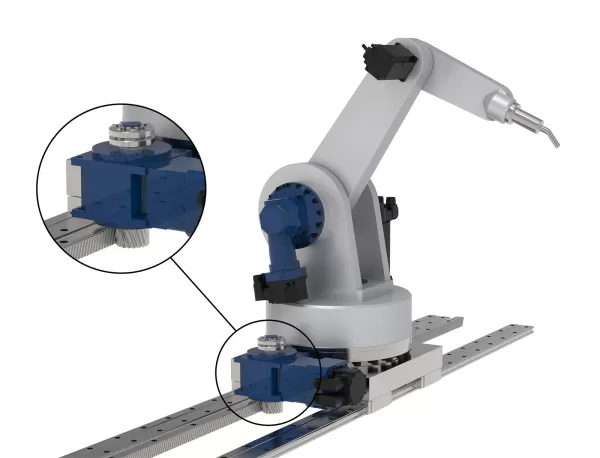
A gearbox, pinion, and rack system provide the 7th axis, or lateral movement, for an articulated robot. (Image: GAM.)Pull a tape measure out a few inches and the blade is rigid. Keep pulling and at some point it starts to flex and wobble, then eventu
When Rack and Pinion Beats Ball Screws and Linear Motors for Long-Travel Axes
A gearbox, pinion, and rack system provide the 7th axis, or lateral movement, for an articulated robot. (Image: GAM.)Pull a tape measure out a few inches and the blade is rigid. Keep pulling and at some point it starts to flex and wobble, then eventu

2026 Latest Top-rated AI Illustration Tools: Our curated list features the best powerfully designed tools for creating stunning editorial scenes and eye-catching cover art quickly. Each option has gone through rigorous real-world tests, offering a free vs paid comparison to help you find the perfect match for your workflow. Try these must-try solutions today to unlock your AI edge and boost your creative productivity. Explore now at XIX.AI.
10 tools
xix.ai

2026 Latest Top-Rated Best AI Tutors for Exam Prep are here on XIX.AI! Our curated list features powerful game-changing tools that offer free vs paid comparison, real-world tests, and weekly updated rankings. They help boost your writing efficiency, simplify complex topic learning, and unlock your academic potential. Explore now to Discover your perfect exam prep tool and Start creating today to Unlock your AI edge!
10 tools
xix.ai

2026 Latest Best Top-Rated AI Budget Planning Tools for Personal Money Management are here on XIX.AI! This curated collection features powerful, game-changing solutions that help you conduct real-world tests, understand spending habits, and create personalized plans to boost productivity. Enjoy a free vs paid comparison along with detailed rankings. Must-try tools designed to simplify money management and unlock your AI edge. Explore now!
11 tools
xix.ai

2026 Latest Best Top-Rated AI Sleep Tracking Assistants curated for ultimate recovery. This fully updated weekly guide features powerful tools that deliver real-world tests, free vs paid comparison, and detailed rankings to help you find the must-try solution that boosts sleep quality and supports better bedtime habits. Explore now at XIX.AI to Unlock your AI edge.
10 tools
xix.ai

2026 Latest Best Top-Rated AI SQL Copilots for Product and Revenue Analytics! XIX.AI has curated a powerful, game-changing collection of must-try tools that undergo real-world tests through weekly updated rankings. These tools help users boost productivity significantly by accelerating data analysis, streamlining complex queries, and generating accurate insights to drive smarter business decisions. Explore now to Discover your perfect tool for unlocking your AI edge!
14 tools
xix.ai

2026 Latest Best Top-Rated AI Homework Helpers That Teach Core Concepts Not Just Answers Powerful Tools for Students Must-Try Curated List Weekly Updated Free vs Paid Comparison Real-World Tests Accurate Rankings to Help You Unlock Your Full Learning Potential Explore now to Discover your perfect tool for smarter studying.
10 tools
xix.ai

Achei essa ideia de resumos gerados por IA bem prática, mas fico pensando... Será que isso não desvaloriza o trabalho dos críticos de cinema? 🤔 Por outro lado, se a intenção é só ganhar dinheiro rápido, faz sentido. Mas e a alma do filme, será que fica de fora?












