


 Home
HomeWhat is HubMeta? Free AI platform for meta-analysis in 2026?
In today's fast-paced research environment, having efficient tools is crucial. HubMeta is an innovative, AI-powered platform built to simplify systematic reviews and meta-analyses. It's particularly valuable for researchers aiming to save time and resources. This guide provides an introduction to HubMeta, illustrating how it can enhance your research projects by making them more accessible and easier to manage.
Key Points
HubMeta is an AI-driven platform for conducting systematic reviews and meta-analyses.
It seeks to simplify the meta-analysis workflow, potentially minimizing reliance on extensive external support.
The platform is offered as a free resource, broadening access for researchers.
HubMeta includes tools for screening, coding, and analyzing research data.
A follow-up video using real-world data is planned to showcase HubMeta's features.
Introduction to HubMeta
What is HubMeta?
HubMeta is an AI-powered platform designed to simplify and streamline systematic reviews and meta-analyses. Given the complexity and time-consuming nature of meta-analysis, HubMeta serves as a resource that enables researchers to perform these analyses with minimal outside assistance.
HubMeta aims to improve the efficiency and accuracy of meta-analysis. Its interface and AI-driven tools are tailored for researchers looking to refine their analytical methods, applicable across a wide range of uses. It's a platform designed to assist with your systematic review and simplify the process.
Accessing the HubMeta Platform
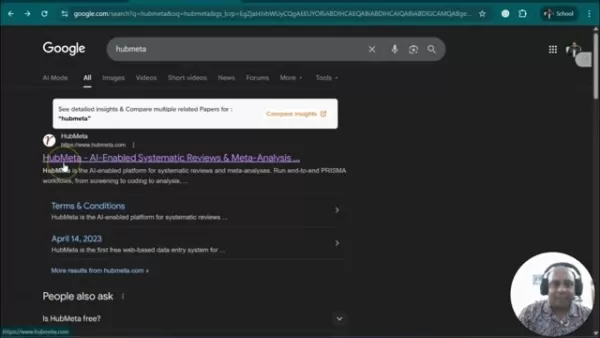
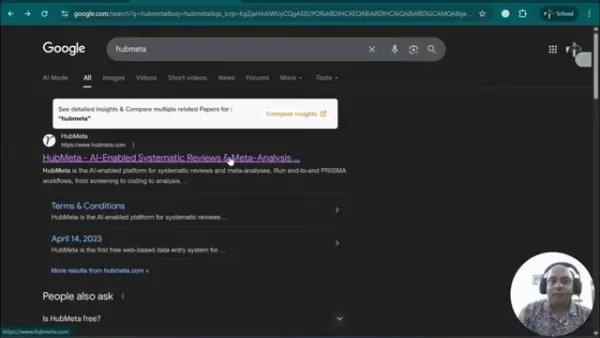
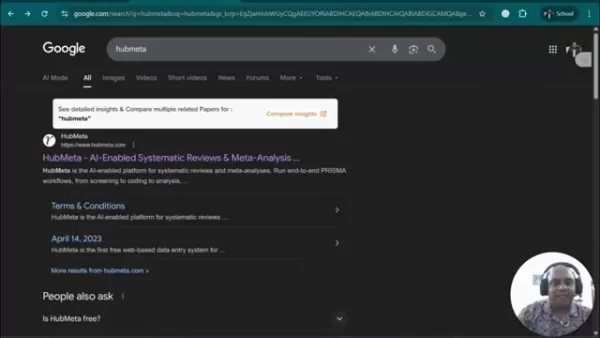
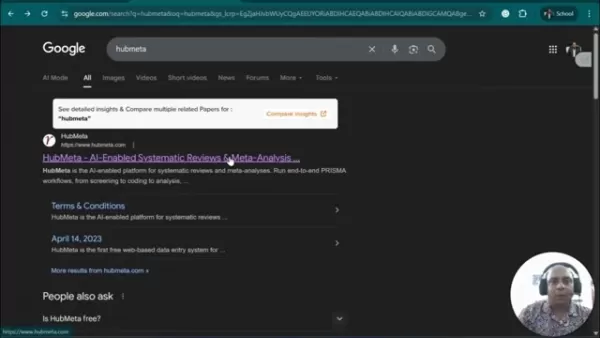
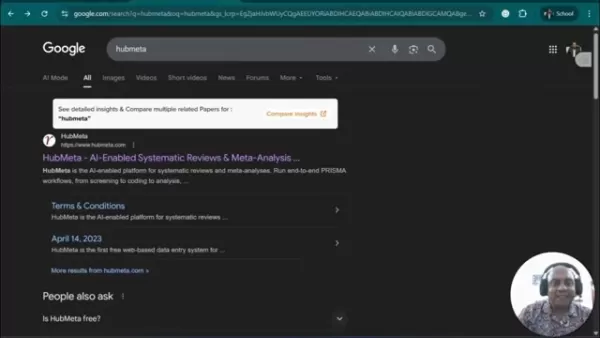
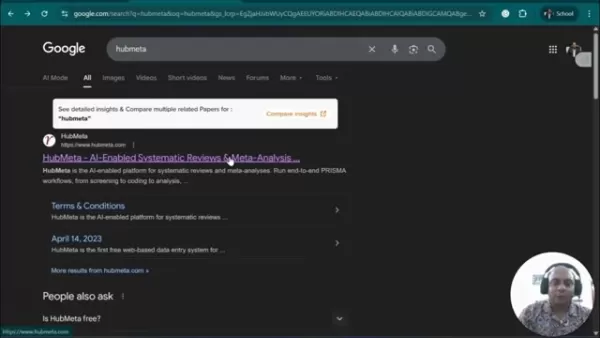
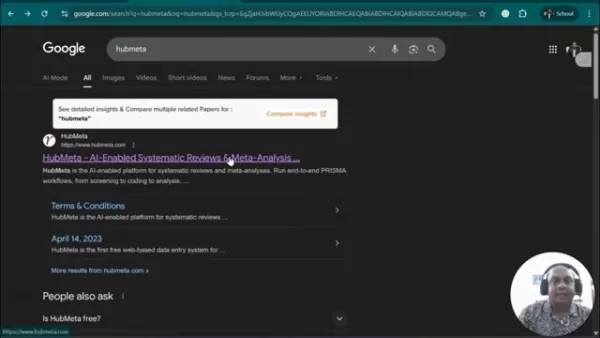
Getting started with HubMeta is simple. You can locate the platform through a basic Google search. Searching for "HubMeta" will direct you straight to their website. Upon arriving at the HubMeta homepage, you'll encounter a user-friendly interface with clear instructions on how to begin using their tools.
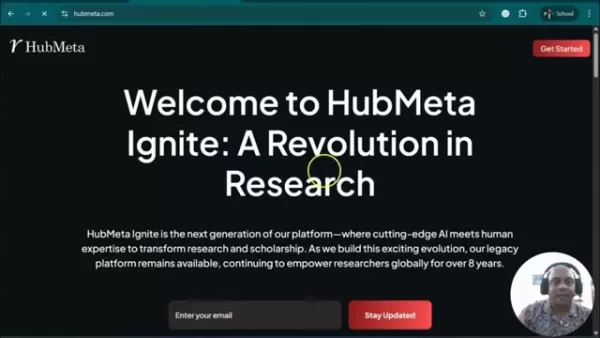
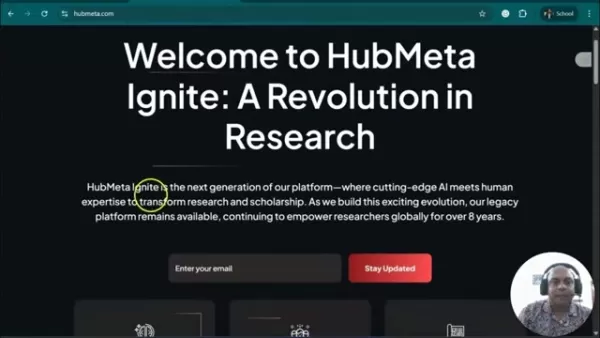
The initial screen prompts users to enter their email or subscribe for updates, indicating options for immediate engagement or newsletter subscription. After accessing the site, a welcome message introduces HubMeta Ignite, emphasizing its role as an AI-driven, next-generation platform revolutionizing research.
HubMeta's Key Vision for Research
HubMeta Ignite is positioned as the next evolution in research platforms. It combines advanced AI with human knowledge to transform research and scholarship. The objective is to support researchers worldwide, drawing on eight years of platform development.
The website also highlights key statistics, including:
- Years of Innovation: 8+
- Researchers: 6500+
- Publications: 50+
- Research Projects: 2000+
These figures highlight HubMeta's extensive reach and influence within research communities, positioning it as a compelling tool to utilize.
Logging into HubMeta
HubMeta provides a smooth login experience with Google integration.
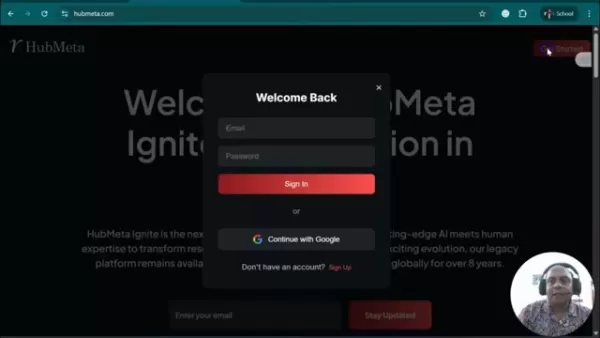
Clicking the 'Get Started' button presents users with choices to sign in using their email or to continue with Google.
Google integration simplifies account setup and access. Choosing 'Continue with Google' allows users to authenticate with their Google account, making the login process efficient and enabling quick entry into HubMeta's system.
The HubMeta Project Dashboard
After logging in, users are taken to their project dashboard, a central area that shows all active and finished projects. This dashboard facilitates easy navigation and project management, helping users organize their ongoing analyses clearly and effectively.
The dashboard features a clean design with essential functions: Options to start a new project and search through existing ones are included. The interface is user-friendly, catering to both beginners and experienced users. The layout allows for quick access to project details and customization features.
Creating a New Meta-Analysis Project
Starting a new project in HubMeta is straightforward.
The platform asks users to input a project name and description, which helps in organizing and identifying the study.
Once the basic details are provided, creating the project sets up a dedicated workspace for the meta-analysis within HubMeta. This space is then used to import data, screen articles, and carry out analyses, promoting effective organization.
Exploring Project-Specific Tools
Within a created project, users can access a set of tools designed to handle various aspects of a meta-analysis:
- Data Upload and Organization: Aims to simplify data entry.
- Screening and Exclusion Tracking: For efficient data review.
- AI-Powered Analysis: Helps accelerate the analytical workload.
Each tool is intended to make individual processes more manageable. The tools and stages include:
- Total Articles
- Unscreened Articles
- Included Articles
- Extracted Articles
All of these assist in managing the workflow process.
Importing Data into HubMeta
A central feature of HubMeta is its ability to import data directly into the platform. The 'Pull' function allows users to import files, organize data, search for studies, and incorporate new sources.
The import feature is vital for starting the meta-analysis workflow. The platform directs users to upload their downloaded data (particularly articles) into the system, where it is then structured for analysis.
Data Extraction and Analysis
Data extraction and analysis are made more efficient through HubMeta's design.
The platform offers clear options for:
- Title Screening
- Fetching Data
- Deep Scanning
HubMeta employs AI to automatically extract pertinent data. These features improve the accuracy and speed of analysis, allowing researchers to concentrate on interpretation rather than data collection.
AI-Driven Features and Navigation
To improve navigation, HubMeta integrates AI to assist with various meta-analysis components. Users can access functions to import, organize, search, and incorporate data with AI support. By combining these features, HubMeta aims to reduce analytical complexities and aid researchers.
Data Analytics for Meta-Analysis
How HubMeta Simplifies Complex Data Analytics
HubMeta makes intricate analytics more straightforward and efficient. By automating data collection and analysis, it reduces the time needed for meta-analysis, increasing accessibility for researchers with limited resources.
As a tool for complex analysis, HubMeta:
- Improves accessibility.
- Supports more effective data-driven decisions.
- Enhances the quality of academic publications.
HubMeta is a robust tool for handling complex data. It assists researchers in tracking every stage of the research process, from initial search to final reporting.
How to Use HubMeta for Effective Meta-Analysis
Step 1: Account Creation and Initial Setup
Start by visiting the HubMeta website and creating your account.
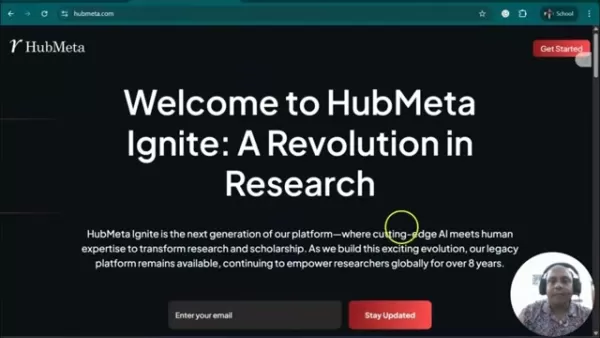
This step involves using your email or linking your Google account for a seamless experience. Once logged in, get acquainted with the dashboard, your central hub for accessing and managing research projects. You're now ready to set up your first meta-analysis project in HubMeta.
Step 2: Creating a New Meta-Analysis Project
After logging in, creating a new meta-analysis project is simple. Click the 'New Project' button on the dashboard. A window will appear requesting a project name. Enter a descriptive title and a brief description to outline your meta-analysis's scope and goals. This helps ensure your project is easily recognizable.
Step 3: Importing Relevant Data
With your new project set up, the next step is to import your data into HubMeta. Select the 'Pull' option in the project menu. This gives you choices to import files from your storage, organize data from sources, search for specific research, or add new data. Import articles to prepare for analysis.
Step 4: Screening with HubMeta
Screening your imported data is essential for refining your analysis. From the project dashboard, use the 'Pick' option to access screening tools, which include:
- Title Scan
- Data Fetching
- Deep Scanning
HubMeta helps streamline these processes.
Step 5: Using the AI Feature
HubMeta uses AI to simplify the extraction of key information. Review the 'Preparation' settings to ensure the AI can effectively gather relevant data. Once configured, you can activate the AI and make adjustments to target the specific data you need. The AI is designed to work with a variety of academic sources.
Step 6: Final Export
HubMeta enables you to perform your final export. First, initiate your analysis, then proceed to export. This can be done by selecting the 'push' feature.
HubMeta Pricing
Current Free Access
HubMeta is currently available as a free platform. As of this guide, the platform is completely free to use. The presenter recommends viewers take advantage of this accessibility to explore the platform and conduct meta-analyses. It's an excellent opportunity to utilize the system.
Evaluating HubMeta: A Balanced Perspective
Pros
AI-powered processing aids in conducting meta-analysis. The AI allows for quick processing of information and data.
Conducting academic research in a centralized location is a significant advantage for researchers.
The integrated AI extraction feature helps pull necessary information.
Its user-friendly design is easy to navigate. The intuitive design helps even those new to AI feel comfortable.
Cons
A stable internet connection may be required, which could pose challenges in rural or remote areas.
The free version might have limitations, potentially necessitating a paid subscription.
Some AI algorithms might occasionally make extraction errors. It's important to double-check AI-extracted data.
Core Features of HubMeta
AI-Enabled Systematic Reviews and Meta-Analysis
HubMeta uses advanced AI algorithms to streamline systematic reviews and meta-analyses. By automating data extraction and synthesis from various research articles, HubMeta can greatly reduce the time and effort typically involved in these tasks.
The platform's AI also helps identify relevant studies. It evaluates abstracts and titles to determine relevance, ensuring only suitable data is included in the analysis.
Free and Accessible Platform
A key feature of HubMeta is its accessibility. The platform's availability makes advanced analytical tools accessible to a wider research community. This helps democratize meta-analysis and increases its usability.
Streamlined Meta-Analysis Process
HubMeta simplifies each stage of the meta-analysis. The AI automatically gathers information to complete various tasks within the phases, including:
- Data Upload
- Data Screening
- Data AI Processing
HubMeta aims to reduce complexities and increase the efficiency of meta-analysis for academic projects.
Direct Google Account Integration
Integration with Google streamlines the login process. By selecting the 'Continue with Google' option, users can authenticate with their existing Google accounts, removing the need for new credentials and simplifying platform access.
Use Cases for HubMeta
Academic Research
HubMeta is built to support all academic efforts, making it a powerful tool for researchers conducting systematic reviews and meta-analyses efficiently. With AI, you can streamline various aspects of academic journal preparation.
By enhancing academic journals and research, HubMeta contributes to progress across all studies.
Medical Research
Meta-analysis is fundamental for analyzing diverse data. HubMeta makes medical research more accessible. You can leverage AI to analyze larger patient datasets and improve medical data insights.
Policy Making
Well-executed meta-analyses supply policymakers with evidence for effective policy decisions. HubMeta provides quick access to accurate information. You can use AI to analyze more data and enhance medical research findings.
FAQ
What is HubMeta?
HubMeta is an AI-enabled platform designed to streamline systematic reviews and meta-analyses. It offers tools and resources that help researchers conduct meta-analyses more efficiently, reducing the need for external assistance. It uses AI for a streamlined approach and supports various types of academic research.
Is HubMeta a free platform?
As of this tutorial, HubMeta is available as a free platform. This allows researchers with limited funding to access high-quality data for their systematic reviews.
How can I access HubMeta?
You can access HubMeta by searching for the platform on Google. A search for 'HubMeta' will lead you to the platform. Once you find the website, you can set up an account.
How does HubMeta integrate with Google?
HubMeta integrates with Google for account login. This simplifies account setup, allowing you to sign in with a single click.
Can HubMeta assist in data extraction?
Yes, HubMeta provides AI-driven features that automate data extraction, enabling you to quickly obtain normal distribution, standard deviation, and other key data points.
Related Questions
What are the benefits of using AI in meta-analysis?
Using AI in meta-analysis boosts efficiency and accuracy. AI algorithms automate many time-intensive tasks related to data extraction, quality assessment, and synthesis. It lowers the risk of human error and improves data interpretation.
How do I create a PRISMA flowchart using HubMeta?
HubMeta is designed to support the creation of PRISMA flowcharts. By carefully reviewing titles and research, then importing them into HubMeta, the AI can help generate a flowchart. This streamlines the process for your reports.
Is HubMeta suitable for thematic analysis?
Yes, HubMeta can assist with thematic analysis. You can use the system's AI to examine thematic elements and build your analysis based on coding.
How often is HubMeta updated, and what support resources are available?
Update frequency can vary, so it's advisable to subscribe to their newsletter. Subscribers receive updates directly via email, keeping you informed about platform changes. Newsletters also include information on available support resources.
Related article
 Ctrip Business Travel Unveils AI Ecosystem with 7 Industry Agents and 17 Core Capabilities
Ctrip Business Travel has officially unveiled the "Ctrip Business Travel AI Ecosystem," leveraging large language models to fundamentally restructure corporate travel management. This comprehensive ecosystem addresses four core scenarios: travel arra
Stripe to Acquire OpenRouter as AI Model Routing Gains Momentum
Stripe has agreed to acquire OpenRouter, an AI model-routing platform that gives developers access to hundreds of models through a single interface. The deal adds model selection and routing to Stripe’s existing work around AI usage and token-based b
Former OpenAI Researcher Barrett Zoph Returns to Google to Support Gemini Development
Barret Zoph, who previously abruptly left and joined OpenAI due to a disagreement with Thinking Machines Lab CEO Miriam Mularati, has once again changed employers. Alphabet's Google announced that Zoph will return as Vice President of Research, bring
Related Special Topic Recommendations
Design & Art
Ctrip Business Travel Unveils AI Ecosystem with 7 Industry Agents and 17 Core Capabilities
Ctrip Business Travel has officially unveiled the "Ctrip Business Travel AI Ecosystem," leveraging large language models to fundamentally restructure corporate travel management. This comprehensive ecosystem addresses four core scenarios: travel arra
Stripe to Acquire OpenRouter as AI Model Routing Gains Momentum
Stripe has agreed to acquire OpenRouter, an AI model-routing platform that gives developers access to hundreds of models through a single interface. The deal adds model selection and routing to Stripe’s existing work around AI usage and token-based b
Former OpenAI Researcher Barrett Zoph Returns to Google to Support Gemini Development
Barret Zoph, who previously abruptly left and joined OpenAI due to a disagreement with Thinking Machines Lab CEO Miriam Mularati, has once again changed employers. Alphabet's Google announced that Zoph will return as Vice President of Research, bring
Related Special Topic Recommendations
Design & Art
 Top AI Illustration Tools: Create Editorial Scenes and Cover Art Faster
2026 Latest Top-rated AI Illustration Tools: Our curated list features the best powerfully designed tools for creating stunning editorial scenes and eye-catching cover art quickly. Each option has gone through rigorous real-world tests, offering a free vs paid comparison to help you find the perfect match for your workflow. Try these must-try solutions today to unlock your AI edge and boost your creative productivity. Explore now at XIX.AI.
 10 tools
 xix.ai
Education and Learning
Top AI Tutors for Exam Prep: Practice Math, Science, and English
xix.ai
Education and Learning
Top AI Tutors for Exam Prep: Practice Math, Science, and English
2026 Latest Top-Rated Best AI Tutors for Exam Prep are here on XIX.AI! Our curated list features powerful game-changing tools that offer free vs paid comparison, real-world tests, and weekly updated rankings. They help boost your writing efficiency, simplify complex topic learning, and unlock your academic potential. Explore now to Discover your perfect exam prep tool and Start creating today to Unlock your AI edge!
10 tools
xix.ai
Finance
AI Budget Planning Tools for Personal Money Management
2026 Latest Best Top-Rated AI Budget Planning Tools for Personal Money Management are here on XIX.AI! This curated collection features powerful, game-changing solutions that help you conduct real-world tests, understand spending habits, and create personalized plans to boost productivity. Enjoy a free vs paid comparison along with detailed rankings. Must-try tools designed to simplify money management and unlock your AI edge. Explore now!
11 tools
xix.ai
Health & Wellness
AI Sleep Tracking Assistants: Improve Recovery with Better Bedtime Habits
2026 Latest Best Top-Rated AI Sleep Tracking Assistants curated for ultimate recovery. This fully updated weekly guide features powerful tools that deliver real-world tests, free vs paid comparison, and detailed rankings to help you find the must-try solution that boosts sleep quality and supports better bedtime habits. Explore now at XIX.AI to Unlock your AI edge.
10 tools
xix.ai
Data Analysis
AI SQL Copilots for Product and Revenue Analytics
2026 Latest Best Top-Rated AI SQL Copilots for Product and Revenue Analytics! XIX.AI has curated a powerful, game-changing collection of must-try tools that undergo real-world tests through weekly updated rankings. These tools help users boost productivity significantly by accelerating data analysis, streamlining complex queries, and generating accurate insights to drive smarter business decisions. Explore now to Discover your perfect tool for unlocking your AI edge!
14 tools
xix.ai
Education and Learning
Best AI Homework Helpers That Teach: Learn Concepts, Not Just Answers
2026 Latest Best Top-Rated AI Homework Helpers That Teach Core Concepts Not Just Answers Powerful Tools for Students Must-Try Curated List Weekly Updated Free vs Paid Comparison Real-World Tests Accurate Rankings to Help You Unlock Your Full Learning Potential Explore now to Discover your perfect tool for smarter studying.
10 tools
xix.ai

 Comments (0)
0/500
Comments (0)
0/500
In today's fast-paced research environment, having efficient tools is crucial. HubMeta is an innovative, AI-powered platform built to simplify systematic reviews and meta-analyses. It's particularly valuable for researchers aiming to save time and resources. This guide provides an introduction to HubMeta, illustrating how it can enhance your research projects by making them more accessible and easier to manage.
Key Points
HubMeta is an AI-driven platform for conducting systematic reviews and meta-analyses.
It seeks to simplify the meta-analysis workflow, potentially minimizing reliance on extensive external support.
The platform is offered as a free resource, broadening access for researchers.
HubMeta includes tools for screening, coding, and analyzing research data.
A follow-up video using real-world data is planned to showcase HubMeta's features.
Introduction to HubMeta
What is HubMeta?
HubMeta is an AI-powered platform designed to simplify and streamline systematic reviews and meta-analyses. Given the complexity and time-consuming nature of meta-analysis, HubMeta serves as a resource that enables researchers to perform these analyses with minimal outside assistance.
HubMeta aims to improve the efficiency and accuracy of meta-analysis. Its interface and AI-driven tools are tailored for researchers looking to refine their analytical methods, applicable across a wide range of uses. It's a platform designed to assist with your systematic review and simplify the process.
Accessing the HubMeta Platform
Getting started with HubMeta is simple. You can locate the platform through a basic Google search. Searching for "HubMeta" will direct you straight to their website. Upon arriving at the HubMeta homepage, you'll encounter a user-friendly interface with clear instructions on how to begin using their tools.
The initial screen prompts users to enter their email or subscribe for updates, indicating options for immediate engagement or newsletter subscription. After accessing the site, a welcome message introduces HubMeta Ignite, emphasizing its role as an AI-driven, next-generation platform revolutionizing research.
HubMeta's Key Vision for Research
HubMeta Ignite is positioned as the next evolution in research platforms. It combines advanced AI with human knowledge to transform research and scholarship. The objective is to support researchers worldwide, drawing on eight years of platform development.
The website also highlights key statistics, including:
- Years of Innovation: 8+
- Researchers: 6500+
- Publications: 50+
- Research Projects: 2000+
These figures highlight HubMeta's extensive reach and influence within research communities, positioning it as a compelling tool to utilize.
Logging into HubMeta
HubMeta provides a smooth login experience with Google integration.
Clicking the 'Get Started' button presents users with choices to sign in using their email or to continue with Google.
Google integration simplifies account setup and access. Choosing 'Continue with Google' allows users to authenticate with their Google account, making the login process efficient and enabling quick entry into HubMeta's system.
The HubMeta Project Dashboard
After logging in, users are taken to their project dashboard, a central area that shows all active and finished projects. This dashboard facilitates easy navigation and project management, helping users organize their ongoing analyses clearly and effectively.
The dashboard features a clean design with essential functions: Options to start a new project and search through existing ones are included. The interface is user-friendly, catering to both beginners and experienced users. The layout allows for quick access to project details and customization features.
Creating a New Meta-Analysis Project
Starting a new project in HubMeta is straightforward.
The platform asks users to input a project name and description, which helps in organizing and identifying the study.
Once the basic details are provided, creating the project sets up a dedicated workspace for the meta-analysis within HubMeta. This space is then used to import data, screen articles, and carry out analyses, promoting effective organization.
Exploring Project-Specific Tools
Within a created project, users can access a set of tools designed to handle various aspects of a meta-analysis:
- Data Upload and Organization: Aims to simplify data entry.
- Screening and Exclusion Tracking: For efficient data review.
- AI-Powered Analysis: Helps accelerate the analytical workload.
Each tool is intended to make individual processes more manageable. The tools and stages include:
- Total Articles
- Unscreened Articles
- Included Articles
- Extracted Articles
All of these assist in managing the workflow process.
Importing Data into HubMeta
A central feature of HubMeta is its ability to import data directly into the platform. The 'Pull' function allows users to import files, organize data, search for studies, and incorporate new sources.
The import feature is vital for starting the meta-analysis workflow. The platform directs users to upload their downloaded data (particularly articles) into the system, where it is then structured for analysis.
Data Extraction and Analysis
Data extraction and analysis are made more efficient through HubMeta's design.
The platform offers clear options for:
- Title Screening
- Fetching Data
- Deep Scanning
HubMeta employs AI to automatically extract pertinent data. These features improve the accuracy and speed of analysis, allowing researchers to concentrate on interpretation rather than data collection.
AI-Driven Features and Navigation
To improve navigation, HubMeta integrates AI to assist with various meta-analysis components. Users can access functions to import, organize, search, and incorporate data with AI support. By combining these features, HubMeta aims to reduce analytical complexities and aid researchers.
Data Analytics for Meta-Analysis
How HubMeta Simplifies Complex Data Analytics
HubMeta makes intricate analytics more straightforward and efficient. By automating data collection and analysis, it reduces the time needed for meta-analysis, increasing accessibility for researchers with limited resources.
As a tool for complex analysis, HubMeta:
- Improves accessibility.
- Supports more effective data-driven decisions.
- Enhances the quality of academic publications.
HubMeta is a robust tool for handling complex data. It assists researchers in tracking every stage of the research process, from initial search to final reporting.
How to Use HubMeta for Effective Meta-Analysis
Step 1: Account Creation and Initial Setup
Start by visiting the HubMeta website and creating your account.
This step involves using your email or linking your Google account for a seamless experience. Once logged in, get acquainted with the dashboard, your central hub for accessing and managing research projects. You're now ready to set up your first meta-analysis project in HubMeta.
Step 2: Creating a New Meta-Analysis Project
After logging in, creating a new meta-analysis project is simple. Click the 'New Project' button on the dashboard. A window will appear requesting a project name. Enter a descriptive title and a brief description to outline your meta-analysis's scope and goals. This helps ensure your project is easily recognizable.
Step 3: Importing Relevant Data
With your new project set up, the next step is to import your data into HubMeta. Select the 'Pull' option in the project menu. This gives you choices to import files from your storage, organize data from sources, search for specific research, or add new data. Import articles to prepare for analysis.
Step 4: Screening with HubMeta
Screening your imported data is essential for refining your analysis. From the project dashboard, use the 'Pick' option to access screening tools, which include:
- Title Scan
- Data Fetching
- Deep Scanning
HubMeta helps streamline these processes.
Step 5: Using the AI Feature
HubMeta uses AI to simplify the extraction of key information. Review the 'Preparation' settings to ensure the AI can effectively gather relevant data. Once configured, you can activate the AI and make adjustments to target the specific data you need. The AI is designed to work with a variety of academic sources.
Step 6: Final Export
HubMeta enables you to perform your final export. First, initiate your analysis, then proceed to export. This can be done by selecting the 'push' feature.
HubMeta Pricing
Current Free Access
HubMeta is currently available as a free platform. As of this guide, the platform is completely free to use. The presenter recommends viewers take advantage of this accessibility to explore the platform and conduct meta-analyses. It's an excellent opportunity to utilize the system.
Evaluating HubMeta: A Balanced Perspective
Pros
AI-powered processing aids in conducting meta-analysis. The AI allows for quick processing of information and data.
Conducting academic research in a centralized location is a significant advantage for researchers.
The integrated AI extraction feature helps pull necessary information.
Its user-friendly design is easy to navigate. The intuitive design helps even those new to AI feel comfortable.
Cons
A stable internet connection may be required, which could pose challenges in rural or remote areas.
The free version might have limitations, potentially necessitating a paid subscription.
Some AI algorithms might occasionally make extraction errors. It's important to double-check AI-extracted data.
Core Features of HubMeta
AI-Enabled Systematic Reviews and Meta-Analysis
HubMeta uses advanced AI algorithms to streamline systematic reviews and meta-analyses. By automating data extraction and synthesis from various research articles, HubMeta can greatly reduce the time and effort typically involved in these tasks.
The platform's AI also helps identify relevant studies. It evaluates abstracts and titles to determine relevance, ensuring only suitable data is included in the analysis.
Free and Accessible Platform
A key feature of HubMeta is its accessibility. The platform's availability makes advanced analytical tools accessible to a wider research community. This helps democratize meta-analysis and increases its usability.
Streamlined Meta-Analysis Process
HubMeta simplifies each stage of the meta-analysis. The AI automatically gathers information to complete various tasks within the phases, including:
- Data Upload
- Data Screening
- Data AI Processing
HubMeta aims to reduce complexities and increase the efficiency of meta-analysis for academic projects.
Direct Google Account Integration
Integration with Google streamlines the login process. By selecting the 'Continue with Google' option, users can authenticate with their existing Google accounts, removing the need for new credentials and simplifying platform access.
Use Cases for HubMeta
Academic Research
HubMeta is built to support all academic efforts, making it a powerful tool for researchers conducting systematic reviews and meta-analyses efficiently. With AI, you can streamline various aspects of academic journal preparation.
By enhancing academic journals and research, HubMeta contributes to progress across all studies.
Medical Research
Meta-analysis is fundamental for analyzing diverse data. HubMeta makes medical research more accessible. You can leverage AI to analyze larger patient datasets and improve medical data insights.
Policy Making
Well-executed meta-analyses supply policymakers with evidence for effective policy decisions. HubMeta provides quick access to accurate information. You can use AI to analyze more data and enhance medical research findings.
FAQ
What is HubMeta?
HubMeta is an AI-enabled platform designed to streamline systematic reviews and meta-analyses. It offers tools and resources that help researchers conduct meta-analyses more efficiently, reducing the need for external assistance. It uses AI for a streamlined approach and supports various types of academic research.
Is HubMeta a free platform?
As of this tutorial, HubMeta is available as a free platform. This allows researchers with limited funding to access high-quality data for their systematic reviews.
How can I access HubMeta?
You can access HubMeta by searching for the platform on Google. A search for 'HubMeta' will lead you to the platform. Once you find the website, you can set up an account.
How does HubMeta integrate with Google?
HubMeta integrates with Google for account login. This simplifies account setup, allowing you to sign in with a single click.
Can HubMeta assist in data extraction?
Yes, HubMeta provides AI-driven features that automate data extraction, enabling you to quickly obtain normal distribution, standard deviation, and other key data points.
Related Questions
What are the benefits of using AI in meta-analysis?
Using AI in meta-analysis boosts efficiency and accuracy. AI algorithms automate many time-intensive tasks related to data extraction, quality assessment, and synthesis. It lowers the risk of human error and improves data interpretation.
How do I create a PRISMA flowchart using HubMeta?
HubMeta is designed to support the creation of PRISMA flowcharts. By carefully reviewing titles and research, then importing them into HubMeta, the AI can help generate a flowchart. This streamlines the process for your reports.
Is HubMeta suitable for thematic analysis?
Yes, HubMeta can assist with thematic analysis. You can use the system's AI to examine thematic elements and build your analysis based on coding.
How often is HubMeta updated, and what support resources are available?
Update frequency can vary, so it's advisable to subscribe to their newsletter. Subscribers receive updates directly via email, keeping you informed about platform changes. Newsletters also include information on available support resources.








 Ctrip Business Travel Unveils AI Ecosystem with 7 Industry Agents and 17 Core Capabilities
Ctrip Business Travel has officially unveiled the "Ctrip Business Travel AI Ecosystem," leveraging large language models to fundamentally restructure corporate travel management. This comprehensive ecosystem addresses four core scenarios: travel arra
Ctrip Business Travel Unveils AI Ecosystem with 7 Industry Agents and 17 Core Capabilities
Ctrip Business Travel has officially unveiled the "Ctrip Business Travel AI Ecosystem," leveraging large language models to fundamentally restructure corporate travel management. This comprehensive ecosystem addresses four core scenarios: travel arra
 Stripe to Acquire OpenRouter as AI Model Routing Gains Momentum
Stripe has agreed to acquire OpenRouter, an AI model-routing platform that gives developers access to hundreds of models through a single interface. The deal adds model selection and routing to Stripe’s existing work around AI usage and token-based b
Stripe to Acquire OpenRouter as AI Model Routing Gains Momentum
Stripe has agreed to acquire OpenRouter, an AI model-routing platform that gives developers access to hundreds of models through a single interface. The deal adds model selection and routing to Stripe’s existing work around AI usage and token-based b
 Former OpenAI Researcher Barrett Zoph Returns to Google to Support Gemini Development
Barret Zoph, who previously abruptly left and joined OpenAI due to a disagreement with Thinking Machines Lab CEO Miriam Mularati, has once again changed employers. Alphabet's Google announced that Zoph will return as Vice President of Research, bring
Former OpenAI Researcher Barrett Zoph Returns to Google to Support Gemini Development
Barret Zoph, who previously abruptly left and joined OpenAI due to a disagreement with Thinking Machines Lab CEO Miriam Mularati, has once again changed employers. Alphabet's Google announced that Zoph will return as Vice President of Research, bring

2026 Latest Top-rated AI Illustration Tools: Our curated list features the best powerfully designed tools for creating stunning editorial scenes and eye-catching cover art quickly. Each option has gone through rigorous real-world tests, offering a free vs paid comparison to help you find the perfect match for your workflow. Try these must-try solutions today to unlock your AI edge and boost your creative productivity. Explore now at XIX.AI.
10 tools
xix.ai

2026 Latest Top-Rated Best AI Tutors for Exam Prep are here on XIX.AI! Our curated list features powerful game-changing tools that offer free vs paid comparison, real-world tests, and weekly updated rankings. They help boost your writing efficiency, simplify complex topic learning, and unlock your academic potential. Explore now to Discover your perfect exam prep tool and Start creating today to Unlock your AI edge!
10 tools
xix.ai

2026 Latest Best Top-Rated AI Budget Planning Tools for Personal Money Management are here on XIX.AI! This curated collection features powerful, game-changing solutions that help you conduct real-world tests, understand spending habits, and create personalized plans to boost productivity. Enjoy a free vs paid comparison along with detailed rankings. Must-try tools designed to simplify money management and unlock your AI edge. Explore now!
11 tools
xix.ai

2026 Latest Best Top-Rated AI Sleep Tracking Assistants curated for ultimate recovery. This fully updated weekly guide features powerful tools that deliver real-world tests, free vs paid comparison, and detailed rankings to help you find the must-try solution that boosts sleep quality and supports better bedtime habits. Explore now at XIX.AI to Unlock your AI edge.
10 tools
xix.ai

2026 Latest Best Top-Rated AI SQL Copilots for Product and Revenue Analytics! XIX.AI has curated a powerful, game-changing collection of must-try tools that undergo real-world tests through weekly updated rankings. These tools help users boost productivity significantly by accelerating data analysis, streamlining complex queries, and generating accurate insights to drive smarter business decisions. Explore now to Discover your perfect tool for unlocking your AI edge!
14 tools
xix.ai

2026 Latest Best Top-Rated AI Homework Helpers That Teach Core Concepts Not Just Answers Powerful Tools for Students Must-Try Curated List Weekly Updated Free vs Paid Comparison Real-World Tests Accurate Rankings to Help You Unlock Your Full Learning Potential Explore now to Discover your perfect tool for smarter studying.
10 tools
xix.ai












