


 Home
HomeHow to create effortless email signatures with AI in 2026? Complete guide.
Crafting a professional and visually appealing email signature can often be time-consuming and technically demanding. Email Signature Pro provides a solution: an AI-driven tool that effortlessly generates beautiful HTML email signatures. Whether you're aiming to promote affiliate links, increase website traffic, or simply enhance your brand's professional appearance, this tool streamlines the entire process, saving you both time and effort. Through a guided, step-by-step approach powered by artificial intelligence, you can create a signature that accurately reflects your brand and effectively encourages audience interaction.
Key Points
Email Signature Pro is an AI-powered tool for creating professional HTML email signatures.
It simplifies what is often a tedious and frustrating process.
The tool provides users with a step-by-step guide, beginning with profile image integration.
You can add social media links to your signature to boost engagement.
Users have the ability to customize their displayed name and preferred sign-off style.
The AI generates ready-to-use HTML code compatible with various email platforms.
LeadsLeap is recommended for hosting profile images and managing multiple links efficiently.
The tool is completely free, making professional email signatures accessible to everyone.
Transform Your Email Presence with AI-Driven Signatures
The Challenge of Creating Effective Email Signatures
In today's digital world, a professional email signature is a vital component of your brand identity. It serves as more than just contact information; it's a digital business card that leaves a lasting impression. However, designing a signature that is both visually attractive and technically reliable can be difficult. Many people find the process tedious and frustrating, often requiring coding skills or costly design software.
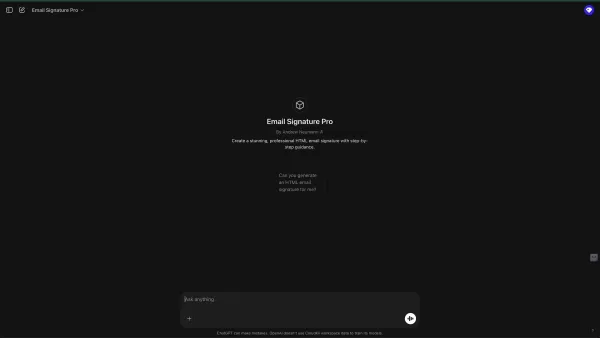
The aim is to eliminate the traditional obstacles associated with HTML email signatures and empower users to make necessary adjustments. Digital marketers and professionals commonly face the following challenges:
- Technical Complexity: Creating HTML email signatures demands coding knowledge to ensure proper formatting and display across different email clients.
- Time
Cons
umption: Designing a signature from scratch or manually editing HTML code consumes significant time and energy. - Design Limitations: Achieving a visually appealing, brand-aligned signature can be challenging without advanced design skills.
- Maintaining
Cons
istency: Ensuring all team members use uniform and updated signatures across an organization requires a simplified, centralized process. - LeadsLeap platform for image URLThis is where Email Signature Pro comes in, designed to resolve the issues mentioned above. It offers a flexible solution for making any desired adjustments to your signature.
Introducing Email Signature Pro: Your AI Signature Solution
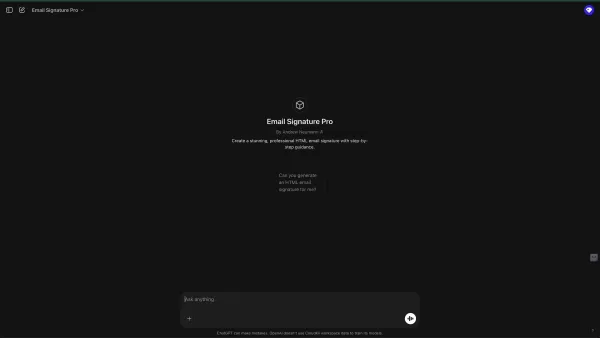
Email Signature Pro offers a revolutionary solution to the complexities of email signature creation. This AI-powered tool is built to produce stunning HTML email signatures quickly and easily, even for users without coding or design experience.
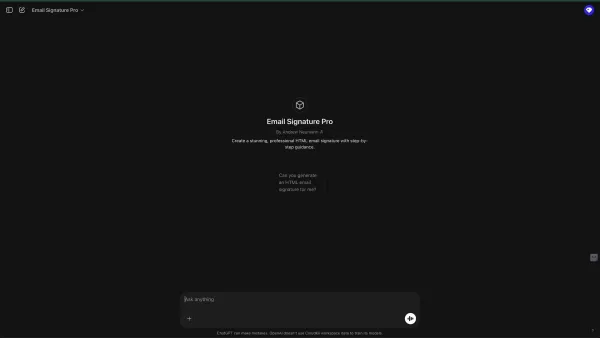
By harnessing artificial intelligence, Email Signature Pro streamlines the entire process, letting you focus on your primary business goals.
Key Benefits of Email Signature Pro:
- Simplified Creation: The AI-driven interface walks you through a straightforward, step-by-step process, making signature creation intuitive and user-friendly.
- Customization Options: Personalize your signature with your profile picture, social media links, name, and preferred sign-off style.
- Professional Design: Select from various font styles and color schemes to create a signature that matches your brand's visual identity.
- Cross-Platform Compatibility: The generated HTML code ensures your signature appears correctly in all major email clients.
- Time Savings: Produce a polished, professional email signature in minutes, freeing up time for other important activities.
- Free Access: Email Signature Pro is entirely free, offering professional email signatures to all users at no cost.
While creating email signatures can often be tedious and frustrating, AI now handles the task for you. Email Signature Pro offers a free GPT-based tool to manage this process effortlessly.
Step-by-Step Guide to Creating Your Perfect Signature
Step 1: Integrate Your Profile Image
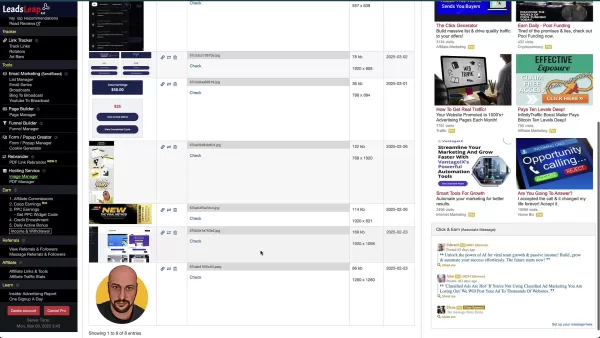
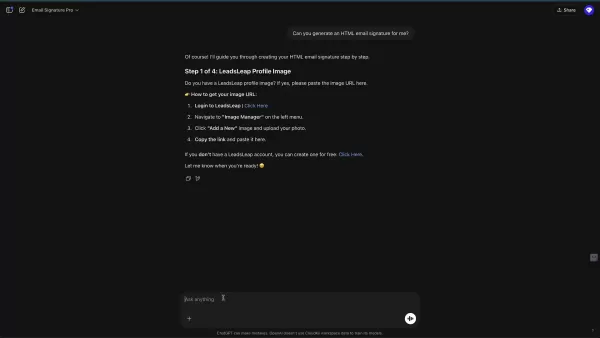
The first step in creating your email signature is adding your profile image. Email Signature Pro recommends using LeadsLeap, a platform that simplifies image hosting and management.
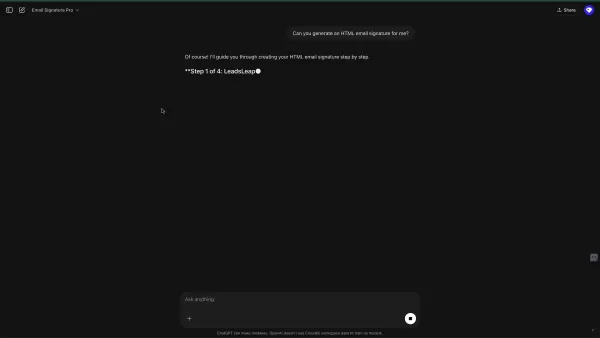
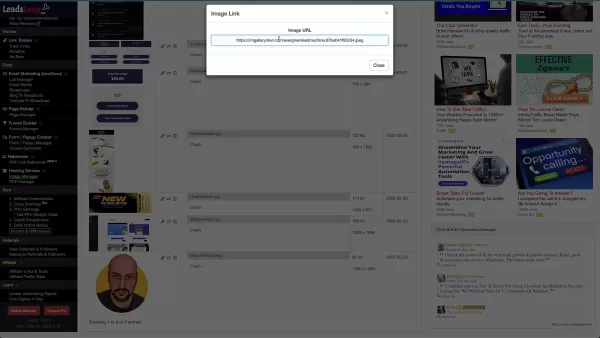
LeadsLeap will supply the URL for your image.
How to Get Your Image URL from LeadsLeap:
- Log in to LeadsLeap: Access your LeadsLeap account.
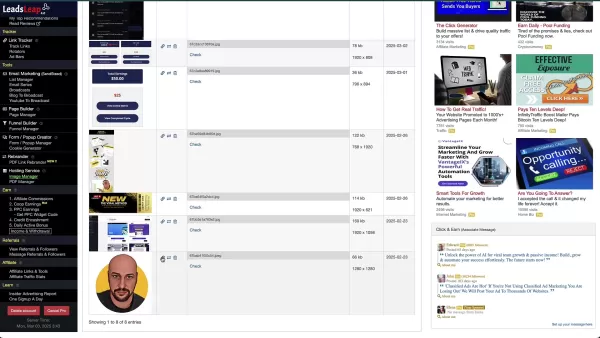
- Navigate to Image Manager: On the left-hand menu, find and click 'Image Manager'.
- Add a New Image: Upload your photo to the Image Manager.
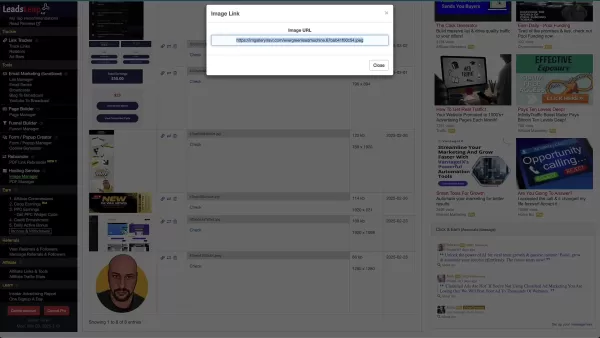
- Copy the Link: After uploading, copy the direct URL of your image. This URL will be used in Email Signature Pro.
If you don't have a LeadsLeap account, you can sign up for free. LeadsLeap makes it simple to obtain an image URL.
Once you have your image URL, paste it into the appropriate field in Email Signature Pro and allow the AI to proceed.
Step 2: Adding Your Social Media Links
After integrating your profile image, the next step is to add your social media links. These links will promote your various platforms, such as Facebook, Twitter, LinkedIn, Instagram, and YouTube.
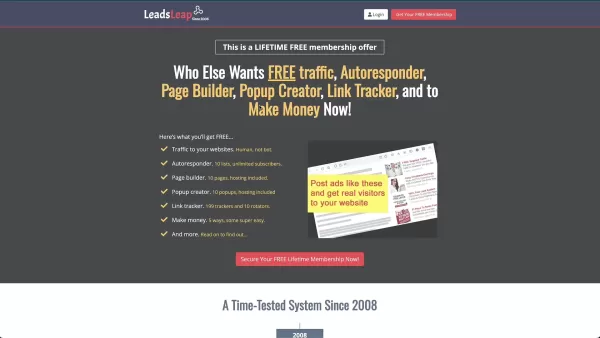
Including these links is an excellent way to boost your social media presence and direct traffic to your profiles.
Email Signature Pro suggests creating a single LeadsLeap page to organize all your multiple links. This lets you manage and update your links from one central location.
Simply copy and paste the URLs of your social media profiles into the designated fields in Email Signature Pro. The AI will automatically format and integrate them into your signature.
Step 3: Name and Sign-Off Customization
Personalize your email signature by specifying the name you wish to display and your preferred sign-off style. Email Signature Pro lets you customize both elements to reflect your brand identity.
Name Display:
Enter the name you want to appear in your signature, such as your full name, nickname, or professional title.
Sign-Off Style:
Choose your preferred closing phrase, like 'Best regards,' 'Sincerely,' or 'Thank you.'
You can tailor this to your personal or professional email preferences.
Step 4: Signature Styling and Extras
The final step involves styling your signature.
Email Signature Pro enables you to customize the look of your signature with various font styles and color choices. If you wish to apply specific color palettes, this is the stage to do so.
Email signature and extras:
- Font style
- Color pallets
Email Signature Pro includes a clickable call to action, which can direct recipients to a link. For instance, 'Follow me on Facebook!' This feature helps generate more leads and engagement from your emails.
Implementing Your New Email Signature
Step 1: Generating the HTML Code
Once you have customized your email signature in Email Signature Pro, the AI will generate the corresponding HTML code for you.
This code contains all the design and formatting elements of your signature. Select it and copy it to your clipboard.
Step 2: Implementing in MyLeadGenSecret
If you use MyLeadGenSecret, follow these steps to add your new signature:
- Access the Emailer: In your MyLeadGenSecret account, go to the emailer section.
- Open Source Tab: Navigate to the Source tab and paste your new HTML code there.
Your signature will then be implemented in MyLeadGenSecret.
Step 3: Implementing in LeadsLeap
If you're using LeadsLeap, follow these steps:
Navigate to List Manager: In your LeadsLeap account, go to the List Manager and create a new list.
Select Signature Design In the List Manager section, locate the signature design area and paste your HTML code there.
Refresh and your new signature will appear at the bottom.
Cost Savings with Email Signature Pro
Zero Cost for High-Quality Signatures
Email Signature Pro stands out by being completely free. This removes the need to budget for professional design services or software subscriptions, offering substantial savings for small businesses, solo entrepreneurs, and marketers.
By using Email Signature Pro, you gain access to a powerful tool that improves your brand image without affecting your finances. Why not take advantage of this excellent free tool?
Email Signature Pro: Weighing the Pros
and Cons
Pros
Streamlined creation process.
Extensive customization options.
Professional design output.
Cross-platform compatibility.
Significant time savings.
Completely free of charge.
Cons
Relies on LeadsLeap for image hosting (though other options are available).
Limited advanced design features compared to specialized design software.
Dependence on AI, which may not always align perfectly with individual aesthetic preferences.
Key Features and Benefits of AI Email Signature Generator
Unlocking Email Signature Potential with AI
The most important and notable features of Email Signature Pro include:
AI-Powered Design: The tool uses artificial intelligence to create visually appealing and professional email signatures.
HTML Compatibility: The generated signatures are HTML-based, ensuring they work across various email clients and devices.
Step-by-Step Guidance: The tool offers a clear, step-by-step process, making it accessible for users of all technical skill levels.
Customization Options: Users can personalize their signatures with profile images, social media links, names, and sign-off styles.
Font and Color Selection: The tool provides a range of font styles and color options to match branding preferences.
Call-to-Action Integration: It supports clickable calls to action, such as links to social media profiles or websites, to increase engagement.
LeadsLeap Integration: The tool works seamlessly with LeadsLeap, a platform for hosting profile images and organizing links.
Free Accessibility: Email Signature Pro is entirely free, democratizing access to professional email signatures for all users. LeadsLeap has been the preferred platform, and for good reason. It allows you to consolidate links from various email brands in one convenient location!
Maximizing the Impact of Your Email Signature: Real-World Applications
Professional Branding for Businesses
Email Signature Pro enables businesses to create uniform and professional email signatures for all staff members, strengthening brand identity and recognition in every email communication. A strong visual presentation can positively impact business outcomes!
This consistent branding helps build trust and credibility with clients and partners.
Marketing and Lead Generation
Marketers can use Email Signature Pro to include clickable social media links and calls to action in their signatures, driving traffic to their profiles and websites, and generating leads through email outreach. Ensure you use the correct URL links to avoid missed opportunities!
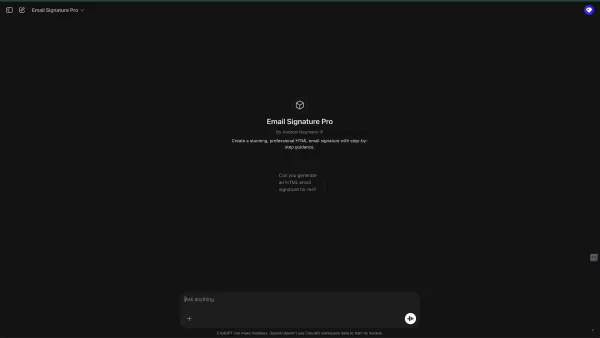
This transforms every email into a potential marketing tool.
Affiliate Marketing Promotion
Affiliate marketers can utilize Email Signature Pro to promote affiliate links in their signatures, earning commissions on sales generated via their email communications. Email Signature Pro provides the foundational elements to maximize the effectiveness of affiliate links.
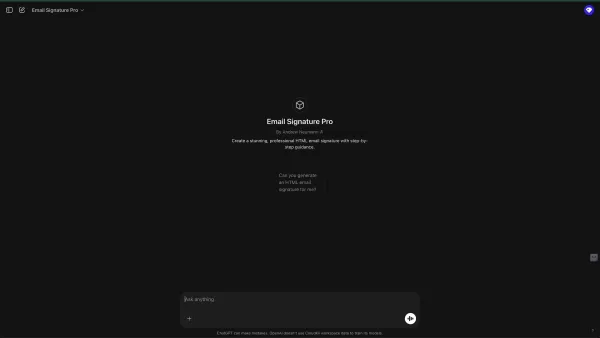
The AI tool automatically formats and integrates URLs to promote links within your signatures.
Driving Website Traffic
By including a website link in your email signature, you can drive traffic to your site from every email you send, boosting brand visibility and attracting potential customers. Driving traffic is a major advantage of using Email Signature Pro.
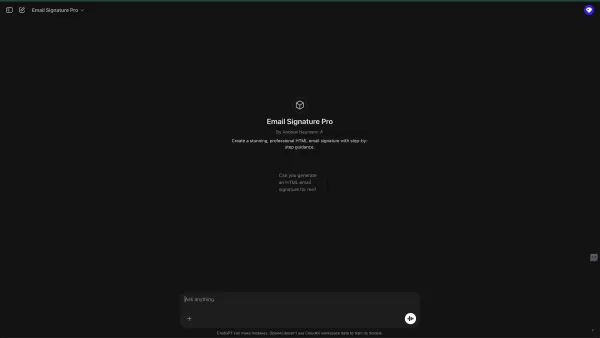
Make sure to use the most relevant links to maximize sales and awareness.
Enhancing Personal Branding
Professionals and entrepreneurs can use Email Signature Pro to build a personal brand image that highlights their skills, expertise, and contact information, improving their credibility and networking potential. Email Signature Pro will enhance your visual identity and name recognition.
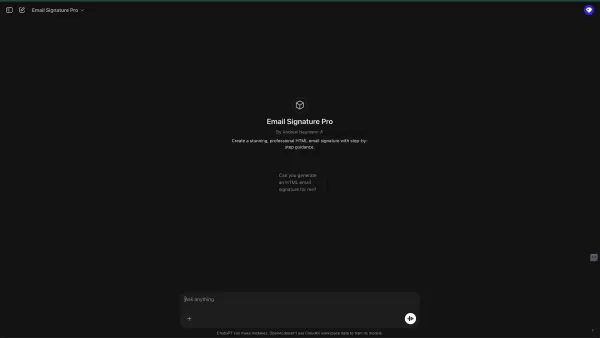
This tool will assist you in reaching your goals for 2025.
Frequently Asked Questions
Is Email Signature Pro really free?
Yes, Email Signature Pro is completely free. There are no hidden charges or subscription fees. All you need is a free platform like LeadsLeap to host and manage various email elements in one place!
Do I need coding skills to use Email Signature Pro?
No, Email Signature Pro is designed for users of all technical backgrounds. The AI-driven interface guides you through each step, eliminating the need for coding knowledge. If you do have coding skills, you can also apply them to further customize your email signature.
Can I use my email signature on different email platforms?
Yes, the HTML code generated by Email Signature Pro is compatible with all major email clients, including Gmail, Outlook, Yahoo Mail, and others. MyLeadGenSecret is also a compatible platform.
What if I don't have a LeadsLeap account?
You can easily create a free account on LeadsLeap. Alternatively, there are other methods to obtain image URLs, so not having a LeadsLeap account won't prevent you from completing the task.
Can I add more than one social media link to my signature?
Yes, Email Signature Pro allows you to include multiple social media links in your signature, helping to expand your online presence. Start today to increase your visibility.
Can I use my own color scheme, or do I need to use their color scheme?
Absolutely, if you have a specific color scheme, you can apply it. You are free to make any adjustments as needed. You are not limited to the default email presentation.
Related Questions
What are the best practices for creating an effective email signature?
Creating an effective email signature involves balancing professionalism, branding, and functionality. It's important to keep your signature concise; an overly long signature can appear cluttered. A well-designed signature should include: Include Essential Information: Provide your name, title, company, website, and contact details. Use a Professional Image: Add a high-quality headshot or company logo to boost credibility. Keep it Concise: Avoid overwhelming recipients with excessive information; focus on key elements. Optimize for Mobile: Ensure your signature displays properly on mobile devices by using responsive design. Test Across Platforms: Check how your signature looks on different email clients and devices to guarantee consistency. Use Professional Colors: The signature should be easy to read and avoid overly bright colors.
How can I track the effectiveness of my email signature?
You can measure the effectiveness of your email signature by using URL shorteners, tracking pixels, and analyzing website traffic. To track email signature performance: URL Shorteners: Use shortened URLs with tracking features to monitor click-through rates on signature links. Tracking Pixels: Implement tracking pixels to count how many times your signature is viewed. Website Analytics: Review website traffic to identify visitors who clicked the link in your signature. A/B Testing: Test different signature designs and calls to action to optimize results. Email Signature Pro, combined with these methods, will supply the high-quality data needed for refining your email signature. Now that you have these foundational tools, go ahead and achieve success online!
Related article
 Former OpenAI Chief Scientist Ilya’s SSI Unveils First Model
AI has achieved another major milestone. Following his departure from OpenAI, former chief scientist Ilya Sutskever established Safe Superintelligence Inc. (SSI), which has recently unveiled details regarding its inaugural model. Reports from oversea
Lovable Leads Atech's Seed Round as AI Ambient Coding Officially Enters the Hardware Field
On May 14, 2026, AI application development platform Lovable announced its participation in the $800,000 seed funding round for Danish hardware startup Atech. Led by Lovable, the round attracted top-tier venture capital firms including the a16z Scout
Anthropic Expands Claude AI Coding Tools to Japan in Push for Overseas Growth
Anthropic, a prominent U.S. artificial intelligence firm, is intensifying its global outreach. On Wednesday, the company hosted a major developer gathering, "Code with Claude," in Tokyo, drawing close to 500 software engineers. This initiative seeks
Related Special Topic Recommendations
chatbot
Former OpenAI Chief Scientist Ilya’s SSI Unveils First Model
AI has achieved another major milestone. Following his departure from OpenAI, former chief scientist Ilya Sutskever established Safe Superintelligence Inc. (SSI), which has recently unveiled details regarding its inaugural model. Reports from oversea
Lovable Leads Atech's Seed Round as AI Ambient Coding Officially Enters the Hardware Field
On May 14, 2026, AI application development platform Lovable announced its participation in the $800,000 seed funding round for Danish hardware startup Atech. Led by Lovable, the round attracted top-tier venture capital firms including the a16z Scout
Anthropic Expands Claude AI Coding Tools to Japan in Push for Overseas Growth
Anthropic, a prominent U.S. artificial intelligence firm, is intensifying its global outreach. On Wednesday, the company hosted a major developer gathering, "Code with Claude," in Tokyo, drawing close to 500 software engineers. This initiative seeks
Related Special Topic Recommendations
chatbot
 Best AI Conversation Trainer Tools for Interview Practice
2026 Latest Best Top-rated AI Conversation Trainer Tools for Interview Practice are here on XIX.AI! This curated collection features powerful, game-changing tools that go through rigorous real-world tests to deliver accurate feedback. You’ll find a free vs paid comparison and detailed rankings to help you choose the must-try option that boosts your confidence and skills. Explore now to Discover your perfect tool for interview success!
 12 tools
 xix.ai
Design & Art
Best AI Style Transfer Tools for Creative Experiments
xix.ai
Design & Art
Best AI Style Transfer Tools for Creative Experiments
2026 Latest Best Top-rated AI Style Transfer Tools for Creative Experiments! XIX.AI has curated a powerful, game-changing collection of must-try tools that deliver exceptional results through real-world tests and rigorous rankings. These top solutions help creatives boost productivity significantly by accelerating content creation and unlocking endless creative possibilities. Explore now to discover your perfect tool and start creating today!
9 tools
xix.ai
Comic Creation
Best AI Dialogue Bubble Tools for Visual Storytelling
2026 Latest Best Top-Rated AI Dialogue Bubble Tools for Visual Storytelling are here on XIX.AI! This curated collection features powerful, game-changing tools that help creators boost productivity and overcome creative bottlenecks. Get a free vs paid comparison, see real-world tests, and check the latest rankings to find the must-try solutions perfect for crafting engaging visual narratives. Explore now to discover your ideal tool!
10 tools
xix.ai
Meeting Assistant
Top AI Meeting Summary Tools: Track Decisions and Follow-Ups Clearly
2026 Latest Top-Rated Best AI Meeting Summary Tools for Clear Decision Tracking and Effortless Follow-Ups. This curated list showcases powerful, game-changing solutions that boost productivity dramatically by automating meeting notes, identifying key action items, and streamlining team coordination across all projects. Get a free vs paid comparison along with real-world tests and weekly updated rankings to help you find the perfect tool. Explore now to unlock your AI edge!
9 tools
xix.ai
Data Analysis
Best AI Data Cleaning Tools: Fix Missing Values and Duplicates Fast
2026 Latest Best Top-rated AI Data Cleaning Tools for quick fixing of missing values and duplicates. This curated list showcases powerful, game-changing solutions that boost productivity significantly. Each option has undergone rigorous real-world tests to ensure reliability. Get a free vs paid comparison and discover the must-try tool that fits your needs best. Explore now at XIX.AI to Unlock your AI edge.
11 tools
xix.ai
Design & Art
Best AI Creative Ideation Tools for Artists: Break Through Visual Blocks
2026 Latest Best Top-Rated AI Creative Ideation Tools for Artists are curated by XIX.AI to help creators break through visual blocks and boost creativity instantly. These powerful game-changing tools offer real-world tests, detailed free vs paid comparison, and weekly updated rankings. Discover your perfect tool to accelerate content creation and unlock your AI edge today. Explore now!
14 tools
xix.ai

 Comments (0)
0/500
Comments (0)
0/500
Crafting a professional and visually appealing email signature can often be time-consuming and technically demanding. Email Signature Pro provides a solution: an AI-driven tool that effortlessly generates beautiful HTML email signatures. Whether you're aiming to promote affiliate links, increase website traffic, or simply enhance your brand's professional appearance, this tool streamlines the entire process, saving you both time and effort. Through a guided, step-by-step approach powered by artificial intelligence, you can create a signature that accurately reflects your brand and effectively encourages audience interaction.
Key Points
Email Signature Pro is an AI-powered tool for creating professional HTML email signatures.
It simplifies what is often a tedious and frustrating process.
The tool provides users with a step-by-step guide, beginning with profile image integration.
You can add social media links to your signature to boost engagement.
Users have the ability to customize their displayed name and preferred sign-off style.
The AI generates ready-to-use HTML code compatible with various email platforms.
LeadsLeap is recommended for hosting profile images and managing multiple links efficiently.
The tool is completely free, making professional email signatures accessible to everyone.
Transform Your Email Presence with AI-Driven Signatures
The Challenge of Creating Effective Email Signatures
In today's digital world, a professional email signature is a vital component of your brand identity. It serves as more than just contact information; it's a digital business card that leaves a lasting impression. However, designing a signature that is both visually attractive and technically reliable can be difficult. Many people find the process tedious and frustrating, often requiring coding skills or costly design software.
The aim is to eliminate the traditional obstacles associated with HTML email signatures and empower users to make necessary adjustments. Digital marketers and professionals commonly face the following challenges:
- Technical Complexity: Creating HTML email signatures demands coding knowledge to ensure proper formatting and display across different email clients.
- Time
Cons
umption: Designing a signature from scratch or manually editing HTML code consumes significant time and energy. - Design Limitations: Achieving a visually appealing, brand-aligned signature can be challenging without advanced design skills.
- Maintaining
Cons
istency: Ensuring all team members use uniform and updated signatures across an organization requires a simplified, centralized process. - LeadsLeap platform for image URLThis is where Email Signature Pro comes in, designed to resolve the issues mentioned above. It offers a flexible solution for making any desired adjustments to your signature.
Introducing Email Signature Pro: Your AI Signature Solution
Email Signature Pro offers a revolutionary solution to the complexities of email signature creation. This AI-powered tool is built to produce stunning HTML email signatures quickly and easily, even for users without coding or design experience.
By harnessing artificial intelligence, Email Signature Pro streamlines the entire process, letting you focus on your primary business goals.
Key Benefits of Email Signature Pro:
- Simplified Creation: The AI-driven interface walks you through a straightforward, step-by-step process, making signature creation intuitive and user-friendly.
- Customization Options: Personalize your signature with your profile picture, social media links, name, and preferred sign-off style.
- Professional Design: Select from various font styles and color schemes to create a signature that matches your brand's visual identity.
- Cross-Platform Compatibility: The generated HTML code ensures your signature appears correctly in all major email clients.
- Time Savings: Produce a polished, professional email signature in minutes, freeing up time for other important activities.
- Free Access: Email Signature Pro is entirely free, offering professional email signatures to all users at no cost.
While creating email signatures can often be tedious and frustrating, AI now handles the task for you. Email Signature Pro offers a free GPT-based tool to manage this process effortlessly.
Step-by-Step Guide to Creating Your Perfect Signature
Step 1: Integrate Your Profile Image
The first step in creating your email signature is adding your profile image. Email Signature Pro recommends using LeadsLeap, a platform that simplifies image hosting and management.
LeadsLeap will supply the URL for your image.
How to Get Your Image URL from LeadsLeap:
- Log in to LeadsLeap: Access your LeadsLeap account.
- Navigate to Image Manager: On the left-hand menu, find and click 'Image Manager'.
- Add a New Image: Upload your photo to the Image Manager.
- Copy the Link: After uploading, copy the direct URL of your image. This URL will be used in Email Signature Pro.
If you don't have a LeadsLeap account, you can sign up for free. LeadsLeap makes it simple to obtain an image URL.
Once you have your image URL, paste it into the appropriate field in Email Signature Pro and allow the AI to proceed.
Step 2: Adding Your Social Media Links
After integrating your profile image, the next step is to add your social media links. These links will promote your various platforms, such as Facebook, Twitter, LinkedIn, Instagram, and YouTube.
Including these links is an excellent way to boost your social media presence and direct traffic to your profiles.
Email Signature Pro suggests creating a single LeadsLeap page to organize all your multiple links. This lets you manage and update your links from one central location.
Simply copy and paste the URLs of your social media profiles into the designated fields in Email Signature Pro. The AI will automatically format and integrate them into your signature.
Step 3: Name and Sign-Off Customization
Personalize your email signature by specifying the name you wish to display and your preferred sign-off style. Email Signature Pro lets you customize both elements to reflect your brand identity.
Name Display:
Enter the name you want to appear in your signature, such as your full name, nickname, or professional title.
Sign-Off Style:
Choose your preferred closing phrase, like 'Best regards,' 'Sincerely,' or 'Thank you.'
You can tailor this to your personal or professional email preferences.
Step 4: Signature Styling and Extras
The final step involves styling your signature.
Email Signature Pro enables you to customize the look of your signature with various font styles and color choices. If you wish to apply specific color palettes, this is the stage to do so.
Email signature and extras:
- Font style
- Color pallets
Email Signature Pro includes a clickable call to action, which can direct recipients to a link. For instance, 'Follow me on Facebook!' This feature helps generate more leads and engagement from your emails.
Implementing Your New Email Signature
Step 1: Generating the HTML Code
Once you have customized your email signature in Email Signature Pro, the AI will generate the corresponding HTML code for you.
This code contains all the design and formatting elements of your signature. Select it and copy it to your clipboard.
Step 2: Implementing in MyLeadGenSecret
If you use MyLeadGenSecret, follow these steps to add your new signature:
- Access the Emailer: In your MyLeadGenSecret account, go to the emailer section.
- Open Source Tab: Navigate to the Source tab and paste your new HTML code there.
Your signature will then be implemented in MyLeadGenSecret.
Step 3: Implementing in LeadsLeap
If you're using LeadsLeap, follow these steps:
Navigate to List Manager: In your LeadsLeap account, go to the List Manager and create a new list.
Select Signature Design In the List Manager section, locate the signature design area and paste your HTML code there.
Refresh and your new signature will appear at the bottom.
Cost Savings with Email Signature Pro
Zero Cost for High-Quality Signatures
Email Signature Pro stands out by being completely free. This removes the need to budget for professional design services or software subscriptions, offering substantial savings for small businesses, solo entrepreneurs, and marketers.
By using Email Signature Pro, you gain access to a powerful tool that improves your brand image without affecting your finances. Why not take advantage of this excellent free tool?
Email Signature Pro: Weighing the Pros
and Cons
Pros
Streamlined creation process.
Extensive customization options.
Professional design output.
Cross-platform compatibility.
Significant time savings.
Completely free of charge.
Cons
Relies on LeadsLeap for image hosting (though other options are available).
Limited advanced design features compared to specialized design software.
Dependence on AI, which may not always align perfectly with individual aesthetic preferences.
Key Features and Benefits of AI Email Signature Generator
Unlocking Email Signature Potential with AI
The most important and notable features of Email Signature Pro include:
AI-Powered Design: The tool uses artificial intelligence to create visually appealing and professional email signatures.
HTML Compatibility: The generated signatures are HTML-based, ensuring they work across various email clients and devices.
Step-by-Step Guidance: The tool offers a clear, step-by-step process, making it accessible for users of all technical skill levels.
Customization Options: Users can personalize their signatures with profile images, social media links, names, and sign-off styles.
Font and Color Selection: The tool provides a range of font styles and color options to match branding preferences.
Call-to-Action Integration: It supports clickable calls to action, such as links to social media profiles or websites, to increase engagement.
LeadsLeap Integration: The tool works seamlessly with LeadsLeap, a platform for hosting profile images and organizing links.
Free Accessibility: Email Signature Pro is entirely free, democratizing access to professional email signatures for all users. LeadsLeap has been the preferred platform, and for good reason. It allows you to consolidate links from various email brands in one convenient location!
Maximizing the Impact of Your Email Signature: Real-World Applications
Professional Branding for Businesses
Email Signature Pro enables businesses to create uniform and professional email signatures for all staff members, strengthening brand identity and recognition in every email communication. A strong visual presentation can positively impact business outcomes!
This consistent branding helps build trust and credibility with clients and partners.
Marketing and Lead Generation
Marketers can use Email Signature Pro to include clickable social media links and calls to action in their signatures, driving traffic to their profiles and websites, and generating leads through email outreach. Ensure you use the correct URL links to avoid missed opportunities!
This transforms every email into a potential marketing tool.
Affiliate Marketing Promotion
Affiliate marketers can utilize Email Signature Pro to promote affiliate links in their signatures, earning commissions on sales generated via their email communications. Email Signature Pro provides the foundational elements to maximize the effectiveness of affiliate links.
The AI tool automatically formats and integrates URLs to promote links within your signatures.
Driving Website Traffic
By including a website link in your email signature, you can drive traffic to your site from every email you send, boosting brand visibility and attracting potential customers. Driving traffic is a major advantage of using Email Signature Pro.
Make sure to use the most relevant links to maximize sales and awareness.
Enhancing Personal Branding
Professionals and entrepreneurs can use Email Signature Pro to build a personal brand image that highlights their skills, expertise, and contact information, improving their credibility and networking potential. Email Signature Pro will enhance your visual identity and name recognition.
This tool will assist you in reaching your goals for 2025.
Frequently Asked Questions
Is Email Signature Pro really free?
Yes, Email Signature Pro is completely free. There are no hidden charges or subscription fees. All you need is a free platform like LeadsLeap to host and manage various email elements in one place!
Do I need coding skills to use Email Signature Pro?
No, Email Signature Pro is designed for users of all technical backgrounds. The AI-driven interface guides you through each step, eliminating the need for coding knowledge. If you do have coding skills, you can also apply them to further customize your email signature.
Can I use my email signature on different email platforms?
Yes, the HTML code generated by Email Signature Pro is compatible with all major email clients, including Gmail, Outlook, Yahoo Mail, and others. MyLeadGenSecret is also a compatible platform.
What if I don't have a LeadsLeap account?
You can easily create a free account on LeadsLeap. Alternatively, there are other methods to obtain image URLs, so not having a LeadsLeap account won't prevent you from completing the task.
Can I add more than one social media link to my signature?
Yes, Email Signature Pro allows you to include multiple social media links in your signature, helping to expand your online presence. Start today to increase your visibility.
Can I use my own color scheme, or do I need to use their color scheme?
Absolutely, if you have a specific color scheme, you can apply it. You are free to make any adjustments as needed. You are not limited to the default email presentation.
Related Questions
What are the best practices for creating an effective email signature?
Creating an effective email signature involves balancing professionalism, branding, and functionality. It's important to keep your signature concise; an overly long signature can appear cluttered. A well-designed signature should include: Include Essential Information: Provide your name, title, company, website, and contact details. Use a Professional Image: Add a high-quality headshot or company logo to boost credibility. Keep it Concise: Avoid overwhelming recipients with excessive information; focus on key elements. Optimize for Mobile: Ensure your signature displays properly on mobile devices by using responsive design. Test Across Platforms: Check how your signature looks on different email clients and devices to guarantee consistency. Use Professional Colors: The signature should be easy to read and avoid overly bright colors.
How can I track the effectiveness of my email signature?
You can measure the effectiveness of your email signature by using URL shorteners, tracking pixels, and analyzing website traffic. To track email signature performance: URL Shorteners: Use shortened URLs with tracking features to monitor click-through rates on signature links. Tracking Pixels: Implement tracking pixels to count how many times your signature is viewed. Website Analytics: Review website traffic to identify visitors who clicked the link in your signature. A/B Testing: Test different signature designs and calls to action to optimize results. Email Signature Pro, combined with these methods, will supply the high-quality data needed for refining your email signature. Now that you have these foundational tools, go ahead and achieve success online!








 Former OpenAI Chief Scientist Ilya’s SSI Unveils First Model
AI has achieved another major milestone. Following his departure from OpenAI, former chief scientist Ilya Sutskever established Safe Superintelligence Inc. (SSI), which has recently unveiled details regarding its inaugural model. Reports from oversea
Former OpenAI Chief Scientist Ilya’s SSI Unveils First Model
AI has achieved another major milestone. Following his departure from OpenAI, former chief scientist Ilya Sutskever established Safe Superintelligence Inc. (SSI), which has recently unveiled details regarding its inaugural model. Reports from oversea
 Lovable Leads Atech's Seed Round as AI Ambient Coding Officially Enters the Hardware Field
On May 14, 2026, AI application development platform Lovable announced its participation in the $800,000 seed funding round for Danish hardware startup Atech. Led by Lovable, the round attracted top-tier venture capital firms including the a16z Scout
Lovable Leads Atech's Seed Round as AI Ambient Coding Officially Enters the Hardware Field
On May 14, 2026, AI application development platform Lovable announced its participation in the $800,000 seed funding round for Danish hardware startup Atech. Led by Lovable, the round attracted top-tier venture capital firms including the a16z Scout
 Anthropic Expands Claude AI Coding Tools to Japan in Push for Overseas Growth
Anthropic, a prominent U.S. artificial intelligence firm, is intensifying its global outreach. On Wednesday, the company hosted a major developer gathering, "Code with Claude," in Tokyo, drawing close to 500 software engineers. This initiative seeks
Anthropic Expands Claude AI Coding Tools to Japan in Push for Overseas Growth
Anthropic, a prominent U.S. artificial intelligence firm, is intensifying its global outreach. On Wednesday, the company hosted a major developer gathering, "Code with Claude," in Tokyo, drawing close to 500 software engineers. This initiative seeks

2026 Latest Best Top-rated AI Conversation Trainer Tools for Interview Practice are here on XIX.AI! This curated collection features powerful, game-changing tools that go through rigorous real-world tests to deliver accurate feedback. You’ll find a free vs paid comparison and detailed rankings to help you choose the must-try option that boosts your confidence and skills. Explore now to Discover your perfect tool for interview success!
12 tools
xix.ai

2026 Latest Best Top-rated AI Style Transfer Tools for Creative Experiments! XIX.AI has curated a powerful, game-changing collection of must-try tools that deliver exceptional results through real-world tests and rigorous rankings. These top solutions help creatives boost productivity significantly by accelerating content creation and unlocking endless creative possibilities. Explore now to discover your perfect tool and start creating today!
9 tools
xix.ai

2026 Latest Best Top-Rated AI Dialogue Bubble Tools for Visual Storytelling are here on XIX.AI! This curated collection features powerful, game-changing tools that help creators boost productivity and overcome creative bottlenecks. Get a free vs paid comparison, see real-world tests, and check the latest rankings to find the must-try solutions perfect for crafting engaging visual narratives. Explore now to discover your ideal tool!
10 tools
xix.ai

2026 Latest Top-Rated Best AI Meeting Summary Tools for Clear Decision Tracking and Effortless Follow-Ups. This curated list showcases powerful, game-changing solutions that boost productivity dramatically by automating meeting notes, identifying key action items, and streamlining team coordination across all projects. Get a free vs paid comparison along with real-world tests and weekly updated rankings to help you find the perfect tool. Explore now to unlock your AI edge!
9 tools
xix.ai

2026 Latest Best Top-rated AI Data Cleaning Tools for quick fixing of missing values and duplicates. This curated list showcases powerful, game-changing solutions that boost productivity significantly. Each option has undergone rigorous real-world tests to ensure reliability. Get a free vs paid comparison and discover the must-try tool that fits your needs best. Explore now at XIX.AI to Unlock your AI edge.
11 tools
xix.ai

2026 Latest Best Top-Rated AI Creative Ideation Tools for Artists are curated by XIX.AI to help creators break through visual blocks and boost creativity instantly. These powerful game-changing tools offer real-world tests, detailed free vs paid comparison, and weekly updated rankings. Discover your perfect tool to accelerate content creation and unlock your AI edge today. Explore now!
14 tools
xix.ai












