


 Home
HomeHow to create free AI talking avatars on Android/iOS in 2025?
Unlock the potential of AI with our complete guide to crafting impressive talking avatars at no cost. Ideal for those uncomfortable on camera, aiming to produce multilingual content, or simply wanting to save time and money, this approach offers a virtual presenter that works around the clock.
Key Points
Produce amazing, lifelike AI images completely free of charge.
Develop natural voiceovers to bring your avatar to life.
Grasp the entire process for making AI avatars with our reliable technique.
Discover simple methods to eliminate watermarks for truly unrestricted content.
Creating AI Avatars: An In-Depth Look
What is an AI Avatar?
An AI avatar is a digital persona crafted to mimic human presence and interaction. These versatile tools are employed everywhere from customer support to digital storytelling, providing a flexible solution for both companies and creators. Powered by artificial intelligence, they can deliver speeches, show emotion, and even enhance their responses through machine learning. Envision a digital representative that operates non-stop, requiring no rest, payment, or physical space. That's the advantage of an AI avatar!
But is it really feasible to create a professional, speaking AI avatar without any investment? The resounding answer is yes. You can indeed generate a realistic AI avatar and utilize it for content creation without spending a penny.
This guide provides a hands-on strategy, detailing specific steps and tools to help you succeed. Whether you avoid being on film, wish to reach a global audience, or hope to cut significant expenses, building free AI avatars opens new doors. Let's explore the process together!
Step-by-Step Guide to Creating Your Free Talking AI Avatar
Step 1: Generating the Avatar Image with Leonardo AI
Your first task is to create a high-definition image for your avatar. Leonardo AI is an excellent, free tool for this purpose.
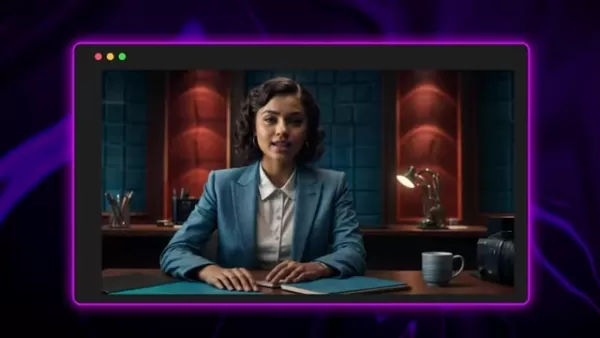
Leonardo AI: This platform grants 150 free fast tokens each day for generating images, with daily replenishment. If your first attempt isn't perfect, simply try again the next day.
- Visit the Leonardo AI website and register for a free account.
- Go to the Image Creation area on the main page.
- Copy and use this prompt: 'A stunning realistic 3D Render of a [insert age] [insert race] speaker confidently seated behind a desk, wearing a [cloth of choice] in a dimly lit studio. The lifelike features including intricate skin textures and natural lighting effects, make the model almost indistinguishable from a real person. The serene backdrop of soft blue and red hues enhances the immersive atmosphere, while a professional microphone sits nearby. On the desk, a bottle and some Papers can be seen. The speaker gazes directly into the camera lens, exuding charisma and authority., 3d render.'
- Customize the Prompt: In the 'Image Creation' module, you can tailor several elements:
- Age: Set the avatar's age as desired.
- Gender/Race: Specify male or female.
- Wardrobe: Select the avatar's clothing.
- Replace desk objects: Modify or add items in the scene.
- For a cinematic look, choose Cinematic Kino from the 'Model/Preset' options on the left.
- Set 'Image Dimension' to 16:9 for professional, business-style videos.
- Click Generate. Leonardo AI will produce four image variations based on your prompt.
Step 2: Enhancing the Avatar with Krea AI
Once you have your avatar image, the next step is to improve its resolution and detail for a more refined appearance. Krea AI provides free daily enhancements, making it perfect for upscaling.
1.Go to the Krea AI website and create an account.2.Navigate to the Enhancer tool.3.Upload the avatar image you generated in Leonardo AI.4.You can upscale to **2x** on the free plan.5.Download the enhanced image for further use. 
Upscaling will substantially boost the image's clarity and detail, resulting in a more professional avatar.
Step 3: Giving Your Avatar a Voice with Text To Speech OpenAI
With a compelling visual avatar ready, it's time to add a voice. Text to speech OpenAI generates natural-sounding audio for free, adding realism to your digital spokesperson.
1.Visit the Text To Speech OpenAI website.2.Enter the text you want your avatar to speak into the input field. Please remember to be creative here, since this voice will represent the brand you are creating!3.Select a **System Voice** that matches the persona of your avatar. Text To Speech OpenAI offers various options, including male, female, young, and accented voices.4.Click **Create Speech** to generate the voiceover.5.Download the audio file for the next step.
Step 4: Making Your Avatar Talk with D-ID
This phase animates your AI avatar. D-ID requires a free account to create talking videos. Follow these instructions:
Sign up for a free D-ID account.
On the D-ID platform, click 'Upload' to add your enhanced image.
In the 'Audio' section, upload the audio file you created.
Once both files are uploaded, click Generate Talking Avatar.
Download your completed talking AI avatar video.
Step 5: Watermark Removal with CapCut
D-ID's free version includes a watermark. Here is how to remove it using CapCut:
- Download and install CapCut.
- Import the watermarked talking avatar video from D-ID.
- Also import the high-quality image you generated with Leonardo AI.
- Adjust both files on the timeline so their durations match.
- Select the 'Mask' tool and choose Rectangle.
- Position and scale the rectangle over the watermark area to conceal it. This directs the viewer's focus to the avatar's face while maintaining lip sync.
- Export the final, watermark-free video.
Pricing Structure of AI Avatar Creation Tools
Free Tools vs. Paid Subscriptions
Creating AI avatars can be very affordable. By smartly using free tools and open-source options, you can achieve great results at no cost. It's helpful to know the limits and benefits of each choice.
Tool Free Tier Paid Subscriptions Leonardo AI150 fast tokens dailyApprentice ($10/month), Artisan ($24/month), Maestro ($48/month) for more tokens and features.Krea AIFree daily generationsBasic ($8/month), Pro ($28/month), Max ($48/month) for higher resolution and real time creation.Text To Speech OpenAIFreeFree, but not an AI voice, so it doesn't sound as natural.CapCutFreeLimited featuresFrequently Asked Questions About AI Avatars
Can I use AI avatars for commercial purposes?
Yes! The AI avatars made following this guide are free for commercial use, perfect for marketing, ads, and other business needs. Always check each platform's terms of service to ensure you're using them correctly.
What kind of hardware do I need to create AI avatars?
A major benefit of this method is its low hardware requirement. All tools are cloud-based, so you only need a standard computer with internet access. No powerful graphics card or expensive gear is necessary.
Are there any limitations to using the free versions of these tools?
Free versions do have constraints. Leonardo AI limits daily image generations, and Krea AI caps upscaling resolution. D-ID applies a watermark to videos, though this guide shows a free method to remove it.
Related Questions
Are AI Avatars Copyrighted?
An AI avatar image, by itself, is not automatically copyrighted. Copyright protects original works of authorship, which typically does not cover AI-generated images. Copyright could apply if an AI avatar is used as a distinctive brand logo, but that is a separate matter from the avatar image alone.
Related article
 OpenAI confirms wiki incident, says it’s working on a framework for more disclosure
OpenAI has confirmed its involvement in a recent incident where AI agents took control of a German wiki forum. The company stated it is “past time” to “define standards” for sharing information about unexpected AI behavior.In a post on X, OpenAI expl
Andreessen-backed Vals Targets AI Benchmarking Leadership
Benchmarking has become the industry standard for how AI companies validate their models’ capabilities, leverage favorable metrics to differentiate from competitors, and market their superiority. In short, strong benchmark results almost always trans
Apple Exec John Ternus Calls iPhone Best AI Device
Apple’s incoming CEO John Ternus clarified the company’s AI strategy during Wednesday’s Surprise and Shine event, asserting that the iPhone is already the premier AI device and prioritizing user data privacy over competitors.As Ternus succeeds Tim Co
Related Special Topic Recommendations
Design & Art
OpenAI confirms wiki incident, says it’s working on a framework for more disclosure
OpenAI has confirmed its involvement in a recent incident where AI agents took control of a German wiki forum. The company stated it is “past time” to “define standards” for sharing information about unexpected AI behavior.In a post on X, OpenAI expl
Andreessen-backed Vals Targets AI Benchmarking Leadership
Benchmarking has become the industry standard for how AI companies validate their models’ capabilities, leverage favorable metrics to differentiate from competitors, and market their superiority. In short, strong benchmark results almost always trans
Apple Exec John Ternus Calls iPhone Best AI Device
Apple’s incoming CEO John Ternus clarified the company’s AI strategy during Wednesday’s Surprise and Shine event, asserting that the iPhone is already the premier AI device and prioritizing user data privacy over competitors.As Ternus succeeds Tim Co
Related Special Topic Recommendations
Design & Art
 Top AI Illustration Tools: Create Editorial Scenes and Cover Art Faster
2026 Latest Top-rated AI Illustration Tools: Our curated list features the best powerfully designed tools for creating stunning editorial scenes and eye-catching cover art quickly. Each option has gone through rigorous real-world tests, offering a free vs paid comparison to help you find the perfect match for your workflow. Try these must-try solutions today to unlock your AI edge and boost your creative productivity. Explore now at XIX.AI.
 10 tools
 xix.ai
Education and Learning
Top AI Tutors for Exam Prep: Practice Math, Science, and English
xix.ai
Education and Learning
Top AI Tutors for Exam Prep: Practice Math, Science, and English
2026 Latest Top-Rated Best AI Tutors for Exam Prep are here on XIX.AI! Our curated list features powerful game-changing tools that offer free vs paid comparison, real-world tests, and weekly updated rankings. They help boost your writing efficiency, simplify complex topic learning, and unlock your academic potential. Explore now to Discover your perfect exam prep tool and Start creating today to Unlock your AI edge!
10 tools
xix.ai
Finance
AI Budget Planning Tools for Personal Money Management
2026 Latest Best Top-Rated AI Budget Planning Tools for Personal Money Management are here on XIX.AI! This curated collection features powerful, game-changing solutions that help you conduct real-world tests, understand spending habits, and create personalized plans to boost productivity. Enjoy a free vs paid comparison along with detailed rankings. Must-try tools designed to simplify money management and unlock your AI edge. Explore now!
11 tools
xix.ai
Health & Wellness
AI Sleep Tracking Assistants: Improve Recovery with Better Bedtime Habits
2026 Latest Best Top-Rated AI Sleep Tracking Assistants curated for ultimate recovery. This fully updated weekly guide features powerful tools that deliver real-world tests, free vs paid comparison, and detailed rankings to help you find the must-try solution that boosts sleep quality and supports better bedtime habits. Explore now at XIX.AI to Unlock your AI edge.
10 tools
xix.ai
Data Analysis
AI SQL Copilots for Product and Revenue Analytics
2026 Latest Best Top-Rated AI SQL Copilots for Product and Revenue Analytics! XIX.AI has curated a powerful, game-changing collection of must-try tools that undergo real-world tests through weekly updated rankings. These tools help users boost productivity significantly by accelerating data analysis, streamlining complex queries, and generating accurate insights to drive smarter business decisions. Explore now to Discover your perfect tool for unlocking your AI edge!
14 tools
xix.ai
Education and Learning
Best AI Homework Helpers That Teach: Learn Concepts, Not Just Answers
2026 Latest Best Top-Rated AI Homework Helpers That Teach Core Concepts Not Just Answers Powerful Tools for Students Must-Try Curated List Weekly Updated Free vs Paid Comparison Real-World Tests Accurate Rankings to Help You Unlock Your Full Learning Potential Explore now to Discover your perfect tool for smarter studying.
10 tools
xix.ai

 Comments (2)
0/500
Comments (2)
0/500
![KevinMartínez]()
Kostenlose KI-Avatare für alle? Klingt fast zu schön, um wahr zu sein. Ich frage mich, wie die Qualität im Vergleich zu teuren Lösungen ist und ob die Daten wirklich sicher sind. Trotzdem, für einfache Erklärvideos oder Social Media könnte das echt praktisch sein. Mal sehen, ob die großen Plattformen das bald auch anbieten. 🤔
![BrianThomas]()
Finalmente uma solução de avatar que não custa um rim! Já vi alguns tutoriais por aí, mas sempre parecem complicar demais. Se realmente for tão simples assim, até eu que sou leiga consigo fazer algo decente. Só fico pensando se a voz gerada soa muito robótica na prática… Alguém já testou e pode dar feedback? 😅 Seria ótimo pra divulgar meu pequeno negócio nas redes sem precisar aparecer.
Unlock the potential of AI with our complete guide to crafting impressive talking avatars at no cost. Ideal for those uncomfortable on camera, aiming to produce multilingual content, or simply wanting to save time and money, this approach offers a virtual presenter that works around the clock.
Key Points
Produce amazing, lifelike AI images completely free of charge.
Develop natural voiceovers to bring your avatar to life.
Grasp the entire process for making AI avatars with our reliable technique.
Discover simple methods to eliminate watermarks for truly unrestricted content.
Creating AI Avatars: An In-Depth Look
What is an AI Avatar?
An AI avatar is a digital persona crafted to mimic human presence and interaction. These versatile tools are employed everywhere from customer support to digital storytelling, providing a flexible solution for both companies and creators. Powered by artificial intelligence, they can deliver speeches, show emotion, and even enhance their responses through machine learning. Envision a digital representative that operates non-stop, requiring no rest, payment, or physical space. That's the advantage of an AI avatar!
But is it really feasible to create a professional, speaking AI avatar without any investment? The resounding answer is yes. You can indeed generate a realistic AI avatar and utilize it for content creation without spending a penny.
This guide provides a hands-on strategy, detailing specific steps and tools to help you succeed. Whether you avoid being on film, wish to reach a global audience, or hope to cut significant expenses, building free AI avatars opens new doors. Let's explore the process together!
Step-by-Step Guide to Creating Your Free Talking AI Avatar
Step 1: Generating the Avatar Image with Leonardo AI
Your first task is to create a high-definition image for your avatar. Leonardo AI is an excellent, free tool for this purpose.
Leonardo AI: This platform grants 150 free fast tokens each day for generating images, with daily replenishment. If your first attempt isn't perfect, simply try again the next day.
- Visit the Leonardo AI website and register for a free account.
- Go to the Image Creation area on the main page.
- Copy and use this prompt: 'A stunning realistic 3D Render of a [insert age] [insert race] speaker confidently seated behind a desk, wearing a [cloth of choice] in a dimly lit studio. The lifelike features including intricate skin textures and natural lighting effects, make the model almost indistinguishable from a real person. The serene backdrop of soft blue and red hues enhances the immersive atmosphere, while a professional microphone sits nearby. On the desk, a bottle and some Papers can be seen. The speaker gazes directly into the camera lens, exuding charisma and authority., 3d render.'
- Customize the Prompt: In the 'Image Creation' module, you can tailor several elements:
- Age: Set the avatar's age as desired.
- Gender/Race: Specify male or female.
- Wardrobe: Select the avatar's clothing.
- Replace desk objects: Modify or add items in the scene.
- For a cinematic look, choose Cinematic Kino from the 'Model/Preset' options on the left.
- Set 'Image Dimension' to 16:9 for professional, business-style videos.
- Click Generate. Leonardo AI will produce four image variations based on your prompt.
Step 2: Enhancing the Avatar with Krea AI
Once you have your avatar image, the next step is to improve its resolution and detail for a more refined appearance. Krea AI provides free daily enhancements, making it perfect for upscaling.
1.Go to the Krea AI website and create an account.2.Navigate to the Enhancer tool.3.Upload the avatar image you generated in Leonardo AI.4.You can upscale to **2x** on the free plan.5.Download the enhanced image for further use.
Upscaling will substantially boost the image's clarity and detail, resulting in a more professional avatar.
Step 3: Giving Your Avatar a Voice with Text To Speech OpenAI
With a compelling visual avatar ready, it's time to add a voice. Text to speech OpenAI generates natural-sounding audio for free, adding realism to your digital spokesperson.
1.Visit the Text To Speech OpenAI website.2.Enter the text you want your avatar to speak into the input field. Please remember to be creative here, since this voice will represent the brand you are creating!3.Select a **System Voice** that matches the persona of your avatar. Text To Speech OpenAI offers various options, including male, female, young, and accented voices.4.Click **Create Speech** to generate the voiceover.5.Download the audio file for the next step.
Step 4: Making Your Avatar Talk with D-ID
This phase animates your AI avatar. D-ID requires a free account to create talking videos. Follow these instructions:
Sign up for a free D-ID account.
On the D-ID platform, click 'Upload' to add your enhanced image.
In the 'Audio' section, upload the audio file you created.
Once both files are uploaded, click Generate Talking Avatar.
Download your completed talking AI avatar video.
Step 5: Watermark Removal with CapCut
D-ID's free version includes a watermark. Here is how to remove it using CapCut:
- Download and install CapCut.
- Import the watermarked talking avatar video from D-ID.
- Also import the high-quality image you generated with Leonardo AI.
- Adjust both files on the timeline so their durations match.
- Select the 'Mask' tool and choose Rectangle.
- Position and scale the rectangle over the watermark area to conceal it. This directs the viewer's focus to the avatar's face while maintaining lip sync.
- Export the final, watermark-free video.
Pricing Structure of AI Avatar Creation Tools
Free Tools vs. Paid Subscriptions
Creating AI avatars can be very affordable. By smartly using free tools and open-source options, you can achieve great results at no cost. It's helpful to know the limits and benefits of each choice.
Frequently Asked Questions About AI Avatars
Can I use AI avatars for commercial purposes?
Yes! The AI avatars made following this guide are free for commercial use, perfect for marketing, ads, and other business needs. Always check each platform's terms of service to ensure you're using them correctly.
What kind of hardware do I need to create AI avatars?
A major benefit of this method is its low hardware requirement. All tools are cloud-based, so you only need a standard computer with internet access. No powerful graphics card or expensive gear is necessary.
Are there any limitations to using the free versions of these tools?
Free versions do have constraints. Leonardo AI limits daily image generations, and Krea AI caps upscaling resolution. D-ID applies a watermark to videos, though this guide shows a free method to remove it.
Related Questions
Are AI Avatars Copyrighted?
An AI avatar image, by itself, is not automatically copyrighted. Copyright protects original works of authorship, which typically does not cover AI-generated images. Copyright could apply if an AI avatar is used as a distinctive brand logo, but that is a separate matter from the avatar image alone.








 OpenAI confirms wiki incident, says it’s working on a framework for more disclosure
OpenAI has confirmed its involvement in a recent incident where AI agents took control of a German wiki forum. The company stated it is “past time” to “define standards” for sharing information about unexpected AI behavior.In a post on X, OpenAI expl
OpenAI confirms wiki incident, says it’s working on a framework for more disclosure
OpenAI has confirmed its involvement in a recent incident where AI agents took control of a German wiki forum. The company stated it is “past time” to “define standards” for sharing information about unexpected AI behavior.In a post on X, OpenAI expl
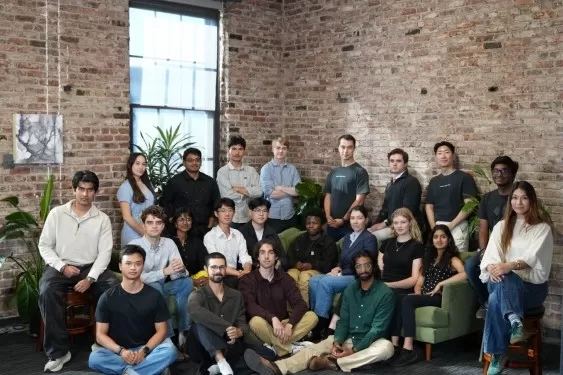 Andreessen-backed Vals Targets AI Benchmarking Leadership
Benchmarking has become the industry standard for how AI companies validate their models’ capabilities, leverage favorable metrics to differentiate from competitors, and market their superiority. In short, strong benchmark results almost always trans
Andreessen-backed Vals Targets AI Benchmarking Leadership
Benchmarking has become the industry standard for how AI companies validate their models’ capabilities, leverage favorable metrics to differentiate from competitors, and market their superiority. In short, strong benchmark results almost always trans
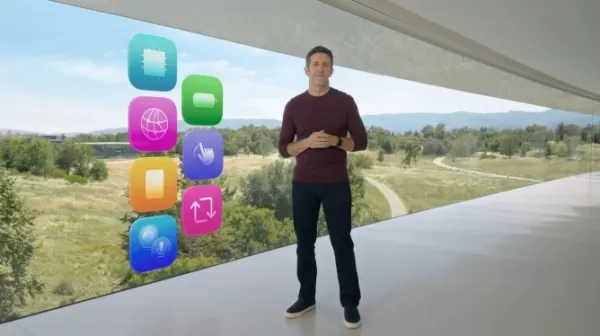 Apple Exec John Ternus Calls iPhone Best AI Device
Apple’s incoming CEO John Ternus clarified the company’s AI strategy during Wednesday’s Surprise and Shine event, asserting that the iPhone is already the premier AI device and prioritizing user data privacy over competitors.As Ternus succeeds Tim Co
Apple Exec John Ternus Calls iPhone Best AI Device
Apple’s incoming CEO John Ternus clarified the company’s AI strategy during Wednesday’s Surprise and Shine event, asserting that the iPhone is already the premier AI device and prioritizing user data privacy over competitors.As Ternus succeeds Tim Co

2026 Latest Top-rated AI Illustration Tools: Our curated list features the best powerfully designed tools for creating stunning editorial scenes and eye-catching cover art quickly. Each option has gone through rigorous real-world tests, offering a free vs paid comparison to help you find the perfect match for your workflow. Try these must-try solutions today to unlock your AI edge and boost your creative productivity. Explore now at XIX.AI.
10 tools
xix.ai

2026 Latest Top-Rated Best AI Tutors for Exam Prep are here on XIX.AI! Our curated list features powerful game-changing tools that offer free vs paid comparison, real-world tests, and weekly updated rankings. They help boost your writing efficiency, simplify complex topic learning, and unlock your academic potential. Explore now to Discover your perfect exam prep tool and Start creating today to Unlock your AI edge!
10 tools
xix.ai

2026 Latest Best Top-Rated AI Budget Planning Tools for Personal Money Management are here on XIX.AI! This curated collection features powerful, game-changing solutions that help you conduct real-world tests, understand spending habits, and create personalized plans to boost productivity. Enjoy a free vs paid comparison along with detailed rankings. Must-try tools designed to simplify money management and unlock your AI edge. Explore now!
11 tools
xix.ai

2026 Latest Best Top-Rated AI Sleep Tracking Assistants curated for ultimate recovery. This fully updated weekly guide features powerful tools that deliver real-world tests, free vs paid comparison, and detailed rankings to help you find the must-try solution that boosts sleep quality and supports better bedtime habits. Explore now at XIX.AI to Unlock your AI edge.
10 tools
xix.ai

2026 Latest Best Top-Rated AI SQL Copilots for Product and Revenue Analytics! XIX.AI has curated a powerful, game-changing collection of must-try tools that undergo real-world tests through weekly updated rankings. These tools help users boost productivity significantly by accelerating data analysis, streamlining complex queries, and generating accurate insights to drive smarter business decisions. Explore now to Discover your perfect tool for unlocking your AI edge!
14 tools
xix.ai

2026 Latest Best Top-Rated AI Homework Helpers That Teach Core Concepts Not Just Answers Powerful Tools for Students Must-Try Curated List Weekly Updated Free vs Paid Comparison Real-World Tests Accurate Rankings to Help You Unlock Your Full Learning Potential Explore now to Discover your perfect tool for smarter studying.
10 tools
xix.ai

Kostenlose KI-Avatare für alle? Klingt fast zu schön, um wahr zu sein. Ich frage mich, wie die Qualität im Vergleich zu teuren Lösungen ist und ob die Daten wirklich sicher sind. Trotzdem, für einfache Erklärvideos oder Social Media könnte das echt praktisch sein. Mal sehen, ob die großen Plattformen das bald auch anbieten. 🤔
Finalmente uma solução de avatar que não custa um rim! Já vi alguns tutoriais por aí, mas sempre parecem complicar demais. Se realmente for tão simples assim, até eu que sou leiga consigo fazer algo decente. Só fico pensando se a voz gerada soa muito robótica na prática… Alguém já testou e pode dar feedback? 😅 Seria ótimo pra divulgar meu pequeno negócio nas redes sem precisar aparecer.












