


 Home
HomeFree AI Tools to Chat with and Summarize PDFs
In today's world, where we're constantly bombarded with information, the ability to quickly pull key insights from lengthy documents is more crucial than ever. Thankfully, artificial intelligence (AI) is transforming the way we handle Portable Document Format (PDF) files. This article highlights several outstanding, free AI-powered PDF summarizers that can dramatically cut down your reading time while boosting your understanding. They are incredibly useful for students, researchers, and businesspeople, enabling them to efficiently summarize textbooks, academic articles, and other vital PDFs. Beyond basic summarization, many of these tools offer interactive features, such as the ability to chat with your document for instant answers and easier navigation. Interested in discovering more about AI-powered PDF summarization?
Key Points
AI-driven PDF summarizers can rapidly extract essential information from long documents.
Many of these tools include chat features, enabling users to ask questions and receive immediate answers directly from their PDFs.
Free versions are widely available, making AI summarization accessible to a broad audience.
These resources are invaluable for students, academics, and professionals who regularly work with multiple PDFs.
Microsoft Copilot offers powerful PDF summarization capabilities, available when using the Microsoft Edge browser.
Revolutionizing PDF Interactions with AI
The Power of AI in Document Summarization
The emergence of AI has led to major breakthroughs in document processing, with PDF summarization being a prime example. AI systems can analyze large volumes of text, pinpoint main ideas, and generate succinct summaries in a matter of seconds. This efficiency, nearly unthinkable just a few years back, is fundamentally changing our approach to reading and research. By leveraging AI for quick PDF summaries, tedious activities like manual data extraction and note-taking can be minimized. The capabilities of AI offer a distinct advantage in both educational and professional spheres, where keeping up-to-date is essential.
Who Benefits from AI PDF Summarization?
AI PDF summarization tools provide significant advantages, particularly for individuals in academic research and dynamic business settings. The following groups find AI-based PDF summarization especially helpful:

- Students: Grasping fundamental concepts from textbooks and research papers quickly aids in more effective learning and better performance on assignments and exams.
- Researchers: These tools streamline the literature review process, assisting researchers in pulling crucial data from a multitude of scientific papers and publications.
- Professionals: Business experts can swiftly summarize reports, contracts, and financial statements, leading to quicker, more informed decision-making.
Comparison Table of AI PDF Summarizers
AI Summarizer
Here is a brief comparison of how these PDF summarizers differ:
Feature ChatPDF Google Gemini Microsoft COPILOT PDF Upload Yes No (requires Google Drive link) No Chat Function Yes Yes Yes Languages Supported Many Many Many Free Tier Yes (with limitations) Yes (with limitations) Yes (with limitations) Key Advantage Ease of use Internet Connectivity Integration with Microsoft Edge Ideal Use Case Quick summaries, specific question-answering General queries, multi-document interactions Contextual insights within Edge environment
How to Use AI PDF Summarization Tools
Getting Started with ChatPDF
Follow this simple step-by-step process to use ChatPDF, a top-tier AI PDF summarization tool:
Access ChatPDF: Go to the ChatPDF website using your preferred web browser.

Upload Your PDF: You can either upload a PDF file directly from your device or provide a web link to a PDF.
Interact with the AI: After the PDF is uploaded, ChatPDF will generate an initial summary and suggest some questions. You can then type your own queries to get precise answers from the document.
Explore and Extract: Utilize the AI to summarize content, clarify points, and quickly pull out the information you need.
Leveraging Google Gemini for PDF Insights
Google Gemini, the successor to Google Bard, provides a robust method for engaging with your PDFs. Although direct PDF uploads aren't supported, here’s an effective workaround:
Upload to Google Drive: First, upload your PDF file to your Google Drive account.
Access Gemini: Launch Google Gemini in your browser.
Provide Context: Get a shareable link for your PDF from Google Drive and provide this URL to Gemini along with your question.
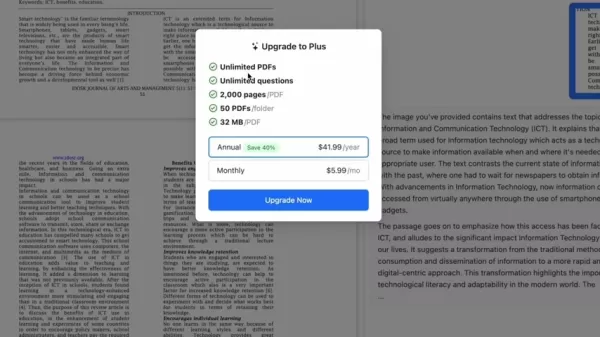
Get Summaries and Insights: Gemini will then access the document via the link and supply summaries or answer your specific questions about its contents.
Using Microsoft Copilot with Edge
Microsoft Copilot delivers advanced PDF summarization features that are integrated into the Microsoft Edge browser. To use it:
- Use Microsoft Edge: You must be using the Microsoft Edge browser for Copilot to function with PDFs.
- Open the PDF: Load your PDF file directly within the Edge browser.
- Access Copilot: Click the Copilot icon on the right-hand side to open the Copilot panel.
- Summarize: Copilot will automatically offer key points. You can generate a full document summary using the prompt provided or choose which specific sections to view.
Understanding Pricing Models
Free vs. Paid AI PDF Summarizers
Numerous AI PDF summarization tools provide a free tier, which usually comes with certain restrictions. These free plans often cap the number of PDFs you can process daily or provide only basic features. For example, ChatPDF's free version restricts the number of documents and questions per day. Paid plans, on the other hand, remove these caps, grant unlimited access, and include premium functionalities. Free trials of AI PDF Summarizers are ideal for occasional use or summarizing a small number of files. A subscription becomes cost-effective if you frequently need to summarize many lengthy documents and engage in extensive PDF interactions.
Evaluate ChatPDF, Google Gemini, and Microsoft Copilot
Pros
Simple and intuitive interface
Accepts direct PDF uploads
Rapid summarization
Cons
Free version has restricted features
May not be perfectly accurate with extremely complex material
Features and Functionality
AI PDF Summarizer Functions
Here are some of the primary features you can expect from AI PDF Summarizers:
- Quick Summarization: AI generates brief summaries almost instantly.
- Interactive Chat: Integrated chatbots let you ask questions and receive immediate responses.
- Multi-Language Support: The majority of tools support numerous languages, increasing their versatility.
- Cited Sources: The tools supply citations, allowing you to verify information in the original document.
Use Cases for AI PDF Summarization Tools
How AI helps across industries
These tools prove beneficial in a variety of situations:
- Academic Research: Students and researchers utilize them for accelerating literature reviews.
- Legal and Contractual Documents: Professionals employ them to summarize legal agreements.
- Financial Analysis: Finance specialists use them for analyzing reports.
- Technical Documentation: Quickly identifying key details enhances the efficiency of reviewing technical manuals.
Frequently Asked Questions (FAQ)
Are these AI PDF summarizers really free?
Yes, all the tools mentioned offer free tiers. These typically have constraints, such as a limit on processed documents and available features. Paid subscriptions provide unlimited access and full functionality.
Can these tools handle different languages?
Yes, AI PDF summarizers generally support a wide range of languages. This enables them to process PDFs written in various languages effectively.
Are the summaries accurate?
While summaries are typically quite accurate, this can vary based on the document's complexity and clarity. It's always a good practice to review summaries for precision, especially with highly technical or complex content.
Additional Reading
What other AI tools are available for improving productivity?
AI presents numerous possibilities for boosting productivity in many areas. From writing aids to project management applications, AI is reshaping how we work and study. AI writing assistants can speed up the creation of reports or emails, saving valuable time and ensuring consistency. AI-enhanced project management platforms assist teams in organizing tasks, tracking deadlines, and monitoring progress efficiently. Data analysis software can detect trends and insights that might be missed otherwise, supporting data-driven choices. Automation tools for routine jobs free up time for more strategic and creative endeavors. By integrating AI into everyday routines, both professionals and students can reach new levels of productivity and achieve superior results.
Related article
 Google Gemini Upgrades Floating Bubbles to Promote Lightweight AI Assistants
Starting September 6, Google initiated a phased rollout of the updated "minimized" quick action button featuring the Gemini interface for Android users. This update enables users to collapse the expansive Gemini overlay into a compact floating bubble
Google Unveils Dreambeans, Its Most Eccentric AI Tool Yet, to Transform Your Life Into a Cartoon
Google Labs, the division responsible for experimental product design, has released a new AI-powered application for iOS and Android that brings your daily life to life.Introducing Dreambeans. The reasoning behind the name will be explained shortly.W
Ultraman’s College Critique Sparks Debate on Redefining Growth and Careers in the AI Era
In an era defined by rapid AI advancement, traditional education and career planning face unprecedented challenges. OpenAI CEO Sam Altman recently delivered a provocative address at the Internapalooza tech intern event, arguing that a four-year colle
Related Special Topic Recommendations
Design & Art
Google Gemini Upgrades Floating Bubbles to Promote Lightweight AI Assistants
Starting September 6, Google initiated a phased rollout of the updated "minimized" quick action button featuring the Gemini interface for Android users. This update enables users to collapse the expansive Gemini overlay into a compact floating bubble
Google Unveils Dreambeans, Its Most Eccentric AI Tool Yet, to Transform Your Life Into a Cartoon
Google Labs, the division responsible for experimental product design, has released a new AI-powered application for iOS and Android that brings your daily life to life.Introducing Dreambeans. The reasoning behind the name will be explained shortly.W
Ultraman’s College Critique Sparks Debate on Redefining Growth and Careers in the AI Era
In an era defined by rapid AI advancement, traditional education and career planning face unprecedented challenges. OpenAI CEO Sam Altman recently delivered a provocative address at the Internapalooza tech intern event, arguing that a four-year colle
Related Special Topic Recommendations
Design & Art
 Top AI Illustration Tools: Create Editorial Scenes and Cover Art Faster
2026 Latest Top-rated AI Illustration Tools: Our curated list features the best powerfully designed tools for creating stunning editorial scenes and eye-catching cover art quickly. Each option has gone through rigorous real-world tests, offering a free vs paid comparison to help you find the perfect match for your workflow. Try these must-try solutions today to unlock your AI edge and boost your creative productivity. Explore now at XIX.AI.
 10 tools
 xix.ai
Education and Learning
Top AI Tutors for Exam Prep: Practice Math, Science, and English
xix.ai
Education and Learning
Top AI Tutors for Exam Prep: Practice Math, Science, and English
2026 Latest Top-Rated Best AI Tutors for Exam Prep are here on XIX.AI! Our curated list features powerful game-changing tools that offer free vs paid comparison, real-world tests, and weekly updated rankings. They help boost your writing efficiency, simplify complex topic learning, and unlock your academic potential. Explore now to Discover your perfect exam prep tool and Start creating today to Unlock your AI edge!
10 tools
xix.ai
Finance
AI Budget Planning Tools for Personal Money Management
2026 Latest Best Top-Rated AI Budget Planning Tools for Personal Money Management are here on XIX.AI! This curated collection features powerful, game-changing solutions that help you conduct real-world tests, understand spending habits, and create personalized plans to boost productivity. Enjoy a free vs paid comparison along with detailed rankings. Must-try tools designed to simplify money management and unlock your AI edge. Explore now!
11 tools
xix.ai
Health & Wellness
AI Sleep Tracking Assistants: Improve Recovery with Better Bedtime Habits
2026 Latest Best Top-Rated AI Sleep Tracking Assistants curated for ultimate recovery. This fully updated weekly guide features powerful tools that deliver real-world tests, free vs paid comparison, and detailed rankings to help you find the must-try solution that boosts sleep quality and supports better bedtime habits. Explore now at XIX.AI to Unlock your AI edge.
10 tools
xix.ai
Data Analysis
AI SQL Copilots for Product and Revenue Analytics
2026 Latest Best Top-Rated AI SQL Copilots for Product and Revenue Analytics! XIX.AI has curated a powerful, game-changing collection of must-try tools that undergo real-world tests through weekly updated rankings. These tools help users boost productivity significantly by accelerating data analysis, streamlining complex queries, and generating accurate insights to drive smarter business decisions. Explore now to Discover your perfect tool for unlocking your AI edge!
14 tools
xix.ai
Education and Learning
Best AI Homework Helpers That Teach: Learn Concepts, Not Just Answers
2026 Latest Best Top-Rated AI Homework Helpers That Teach Core Concepts Not Just Answers Powerful Tools for Students Must-Try Curated List Weekly Updated Free vs Paid Comparison Real-World Tests Accurate Rankings to Help You Unlock Your Full Learning Potential Explore now to Discover your perfect tool for smarter studying.
10 tools
xix.ai

 Comments (14)
0/500
Comments (14)
0/500
![PatrickEvans]()
Ferramenta útil para quem tem muito texto para ler. 📚
![PaulTaylor]()
¡Increíble para resumir PDFs gratis! 🎉
![BillyAnderson]()
Endlich Zeit sparen bei langen Dokumenten. 👏
![WillBaker]()
PDF 요약 무료 도구? 바로 써봐야지! 📝
![MatthewWilliams]()
Отлично, но боюсь ошибок в переводе. ⚠️
![EricAllen]()
Génial pour gagner du temps sur les longs documents ! 🚀
In today's world, where we're constantly bombarded with information, the ability to quickly pull key insights from lengthy documents is more crucial than ever. Thankfully, artificial intelligence (AI) is transforming the way we handle Portable Document Format (PDF) files. This article highlights several outstanding, free AI-powered PDF summarizers that can dramatically cut down your reading time while boosting your understanding. They are incredibly useful for students, researchers, and businesspeople, enabling them to efficiently summarize textbooks, academic articles, and other vital PDFs. Beyond basic summarization, many of these tools offer interactive features, such as the ability to chat with your document for instant answers and easier navigation. Interested in discovering more about AI-powered PDF summarization?
Key Points
AI-driven PDF summarizers can rapidly extract essential information from long documents.
Many of these tools include chat features, enabling users to ask questions and receive immediate answers directly from their PDFs.
Free versions are widely available, making AI summarization accessible to a broad audience.
These resources are invaluable for students, academics, and professionals who regularly work with multiple PDFs.
Microsoft Copilot offers powerful PDF summarization capabilities, available when using the Microsoft Edge browser.
Revolutionizing PDF Interactions with AI
The Power of AI in Document Summarization
The emergence of AI has led to major breakthroughs in document processing, with PDF summarization being a prime example. AI systems can analyze large volumes of text, pinpoint main ideas, and generate succinct summaries in a matter of seconds. This efficiency, nearly unthinkable just a few years back, is fundamentally changing our approach to reading and research. By leveraging AI for quick PDF summaries, tedious activities like manual data extraction and note-taking can be minimized. The capabilities of AI offer a distinct advantage in both educational and professional spheres, where keeping up-to-date is essential.
Who Benefits from AI PDF Summarization?
AI PDF summarization tools provide significant advantages, particularly for individuals in academic research and dynamic business settings. The following groups find AI-based PDF summarization especially helpful:
- Students: Grasping fundamental concepts from textbooks and research papers quickly aids in more effective learning and better performance on assignments and exams.
- Researchers: These tools streamline the literature review process, assisting researchers in pulling crucial data from a multitude of scientific papers and publications.
- Professionals: Business experts can swiftly summarize reports, contracts, and financial statements, leading to quicker, more informed decision-making.
Comparison Table of AI PDF Summarizers
AI Summarizer
Here is a brief comparison of how these PDF summarizers differ:
| Feature | ChatPDF | Google Gemini | Microsoft COPILOT |
|---|---|---|---|
| PDF Upload | Yes | No (requires Google Drive link) | No |
| Chat Function | Yes | Yes | Yes |
| Languages Supported | Many | Many | Many |
| Free Tier | Yes (with limitations) | Yes (with limitations) | Yes (with limitations) |
| Key Advantage | Ease of use | Internet Connectivity | Integration with Microsoft Edge |
| Ideal Use Case | Quick summaries, specific question-answering | General queries, multi-document interactions | Contextual insights within Edge environment |
How to Use AI PDF Summarization Tools
Getting Started with ChatPDF
Follow this simple step-by-step process to use ChatPDF, a top-tier AI PDF summarization tool:
Access ChatPDF: Go to the ChatPDF website using your preferred web browser.
Upload Your PDF: You can either upload a PDF file directly from your device or provide a web link to a PDF.
Interact with the AI: After the PDF is uploaded, ChatPDF will generate an initial summary and suggest some questions. You can then type your own queries to get precise answers from the document.
Explore and Extract: Utilize the AI to summarize content, clarify points, and quickly pull out the information you need.
Leveraging Google Gemini for PDF Insights
Google Gemini, the successor to Google Bard, provides a robust method for engaging with your PDFs. Although direct PDF uploads aren't supported, here’s an effective workaround:
Upload to Google Drive: First, upload your PDF file to your Google Drive account.
Access Gemini: Launch Google Gemini in your browser.
Provide Context: Get a shareable link for your PDF from Google Drive and provide this URL to Gemini along with your question.
Get Summaries and Insights: Gemini will then access the document via the link and supply summaries or answer your specific questions about its contents.
Using Microsoft Copilot with Edge
Microsoft Copilot delivers advanced PDF summarization features that are integrated into the Microsoft Edge browser. To use it:
- Use Microsoft Edge: You must be using the Microsoft Edge browser for Copilot to function with PDFs.
- Open the PDF: Load your PDF file directly within the Edge browser.
- Access Copilot: Click the Copilot icon on the right-hand side to open the Copilot panel.
- Summarize: Copilot will automatically offer key points. You can generate a full document summary using the prompt provided or choose which specific sections to view.
Understanding Pricing Models
Free vs. Paid AI PDF Summarizers
Numerous AI PDF summarization tools provide a free tier, which usually comes with certain restrictions. These free plans often cap the number of PDFs you can process daily or provide only basic features. For example, ChatPDF's free version restricts the number of documents and questions per day. Paid plans, on the other hand, remove these caps, grant unlimited access, and include premium functionalities. Free trials of AI PDF Summarizers are ideal for occasional use or summarizing a small number of files. A subscription becomes cost-effective if you frequently need to summarize many lengthy documents and engage in extensive PDF interactions.
Evaluate ChatPDF, Google Gemini, and Microsoft Copilot
Pros
Simple and intuitive interface
Accepts direct PDF uploads
Rapid summarization
Cons
Free version has restricted features
May not be perfectly accurate with extremely complex material
Features and Functionality
AI PDF Summarizer Functions
Here are some of the primary features you can expect from AI PDF Summarizers:
- Quick Summarization: AI generates brief summaries almost instantly.
- Interactive Chat: Integrated chatbots let you ask questions and receive immediate responses.
- Multi-Language Support: The majority of tools support numerous languages, increasing their versatility.
- Cited Sources: The tools supply citations, allowing you to verify information in the original document.
Use Cases for AI PDF Summarization Tools
How AI helps across industries
These tools prove beneficial in a variety of situations:
- Academic Research: Students and researchers utilize them for accelerating literature reviews.
- Legal and Contractual Documents: Professionals employ them to summarize legal agreements.
- Financial Analysis: Finance specialists use them for analyzing reports.
- Technical Documentation: Quickly identifying key details enhances the efficiency of reviewing technical manuals.
Frequently Asked Questions (FAQ)
Are these AI PDF summarizers really free?
Yes, all the tools mentioned offer free tiers. These typically have constraints, such as a limit on processed documents and available features. Paid subscriptions provide unlimited access and full functionality.
Can these tools handle different languages?
Yes, AI PDF summarizers generally support a wide range of languages. This enables them to process PDFs written in various languages effectively.
Are the summaries accurate?
While summaries are typically quite accurate, this can vary based on the document's complexity and clarity. It's always a good practice to review summaries for precision, especially with highly technical or complex content.
Additional Reading
What other AI tools are available for improving productivity?
AI presents numerous possibilities for boosting productivity in many areas. From writing aids to project management applications, AI is reshaping how we work and study. AI writing assistants can speed up the creation of reports or emails, saving valuable time and ensuring consistency. AI-enhanced project management platforms assist teams in organizing tasks, tracking deadlines, and monitoring progress efficiently. Data analysis software can detect trends and insights that might be missed otherwise, supporting data-driven choices. Automation tools for routine jobs free up time for more strategic and creative endeavors. By integrating AI into everyday routines, both professionals and students can reach new levels of productivity and achieve superior results.








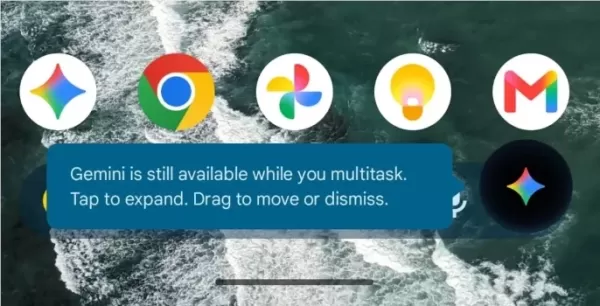 Google Gemini Upgrades Floating Bubbles to Promote Lightweight AI Assistants
Starting September 6, Google initiated a phased rollout of the updated "minimized" quick action button featuring the Gemini interface for Android users. This update enables users to collapse the expansive Gemini overlay into a compact floating bubble
Google Gemini Upgrades Floating Bubbles to Promote Lightweight AI Assistants
Starting September 6, Google initiated a phased rollout of the updated "minimized" quick action button featuring the Gemini interface for Android users. This update enables users to collapse the expansive Gemini overlay into a compact floating bubble
 Google Unveils Dreambeans, Its Most Eccentric AI Tool Yet, to Transform Your Life Into a Cartoon
Google Labs, the division responsible for experimental product design, has released a new AI-powered application for iOS and Android that brings your daily life to life.Introducing Dreambeans. The reasoning behind the name will be explained shortly.W
Google Unveils Dreambeans, Its Most Eccentric AI Tool Yet, to Transform Your Life Into a Cartoon
Google Labs, the division responsible for experimental product design, has released a new AI-powered application for iOS and Android that brings your daily life to life.Introducing Dreambeans. The reasoning behind the name will be explained shortly.W
 Ultraman’s College Critique Sparks Debate on Redefining Growth and Careers in the AI Era
In an era defined by rapid AI advancement, traditional education and career planning face unprecedented challenges. OpenAI CEO Sam Altman recently delivered a provocative address at the Internapalooza tech intern event, arguing that a four-year colle
Ultraman’s College Critique Sparks Debate on Redefining Growth and Careers in the AI Era
In an era defined by rapid AI advancement, traditional education and career planning face unprecedented challenges. OpenAI CEO Sam Altman recently delivered a provocative address at the Internapalooza tech intern event, arguing that a four-year colle

2026 Latest Top-rated AI Illustration Tools: Our curated list features the best powerfully designed tools for creating stunning editorial scenes and eye-catching cover art quickly. Each option has gone through rigorous real-world tests, offering a free vs paid comparison to help you find the perfect match for your workflow. Try these must-try solutions today to unlock your AI edge and boost your creative productivity. Explore now at XIX.AI.
10 tools
xix.ai

2026 Latest Top-Rated Best AI Tutors for Exam Prep are here on XIX.AI! Our curated list features powerful game-changing tools that offer free vs paid comparison, real-world tests, and weekly updated rankings. They help boost your writing efficiency, simplify complex topic learning, and unlock your academic potential. Explore now to Discover your perfect exam prep tool and Start creating today to Unlock your AI edge!
10 tools
xix.ai

2026 Latest Best Top-Rated AI Budget Planning Tools for Personal Money Management are here on XIX.AI! This curated collection features powerful, game-changing solutions that help you conduct real-world tests, understand spending habits, and create personalized plans to boost productivity. Enjoy a free vs paid comparison along with detailed rankings. Must-try tools designed to simplify money management and unlock your AI edge. Explore now!
11 tools
xix.ai

2026 Latest Best Top-Rated AI Sleep Tracking Assistants curated for ultimate recovery. This fully updated weekly guide features powerful tools that deliver real-world tests, free vs paid comparison, and detailed rankings to help you find the must-try solution that boosts sleep quality and supports better bedtime habits. Explore now at XIX.AI to Unlock your AI edge.
10 tools
xix.ai

2026 Latest Best Top-Rated AI SQL Copilots for Product and Revenue Analytics! XIX.AI has curated a powerful, game-changing collection of must-try tools that undergo real-world tests through weekly updated rankings. These tools help users boost productivity significantly by accelerating data analysis, streamlining complex queries, and generating accurate insights to drive smarter business decisions. Explore now to Discover your perfect tool for unlocking your AI edge!
14 tools
xix.ai

2026 Latest Best Top-Rated AI Homework Helpers That Teach Core Concepts Not Just Answers Powerful Tools for Students Must-Try Curated List Weekly Updated Free vs Paid Comparison Real-World Tests Accurate Rankings to Help You Unlock Your Full Learning Potential Explore now to Discover your perfect tool for smarter studying.
10 tools
xix.ai

Ferramenta útil para quem tem muito texto para ler. 📚
¡Increíble para resumir PDFs gratis! 🎉
Endlich Zeit sparen bei langen Dokumenten. 👏
PDF 요약 무료 도구? 바로 써봐야지! 📝
Отлично, но боюсь ошибок в переводе. ⚠️
Génial pour gagner du temps sur les longs documents ! 🚀












