


 Home
HomeVoiceboost - Chrome Extension
Voice-Controlled ChatGPT Chrome Extension



Helps TikTok sellers, brands, MCNs, and TAPs discover winning products and find creators.

HelpLook is an AI-powered all-in-one knowledge base tool that helps businesses quickly build knowledge bases, help centers, and...

Your AI Workspace

302.AI is an enterprise-grade AI resource platform with pay-as-you-go pricing, API access to a full range of AI models, and ready-to-use online applications.

剧火AI — AI Screenwriter + Director, a One-Person Short Drama Studio In one sentence, what is it?
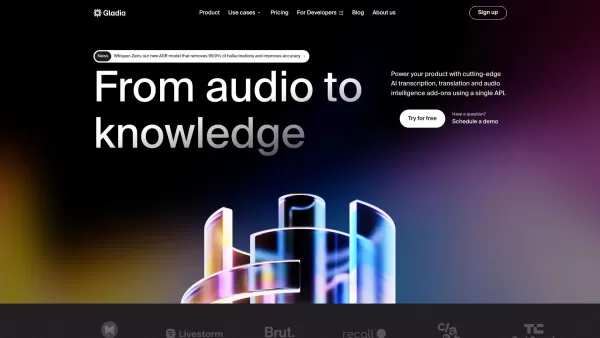
What is Gladia? Gladia offers an AI-driven Speech-to-Text API that delivers transcription, translation, and audio intelligence capabilities. It leverages an enhanced version of OpenAI's Whisper model for fast, precise, and scalable conversion of audi
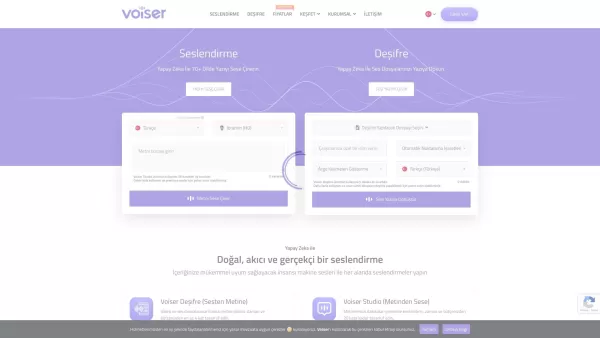
What is Voiser? Voiser is an advanced AI-powered tool that transforms written text into lifelike speech and converts audio files into accurate text. With over 550 voice options across 75+ languages, i
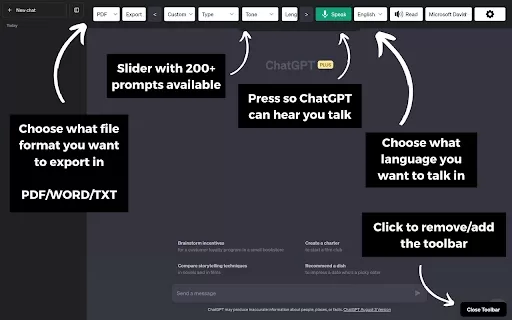
What is the ChatGPT Toolbar Companion Chrome Extension? The ChatGPT Toolbar Companion is a Chrome extension that elevates your ChatGPT interactions. It provides numerous features such as powerful prompts, text-to-speech, speech-to-text, auto-continue
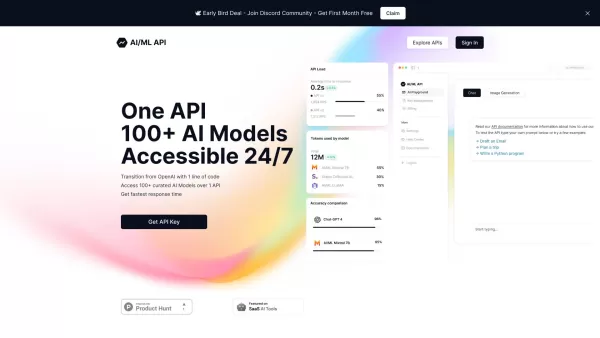
Ever wondered how to streamline your development process with AI? One API is your go-to solution, offering a gateway to over 100 AI models through a single, easy-to-use API. It's like having a Swiss Army knife for AI in your tech toolkit, ensuring you're

Ever stumbled upon a video or audio file and wished you could quickly turn it into text? That's where Sonix AI comes into play. It's a slick online tool designed to transform your spoken words into written text with surprising accuracy. It's not just a tr
Voiceboost - Chrome Extension Product Information
What is the Voiceboost AI Chrome Extension?
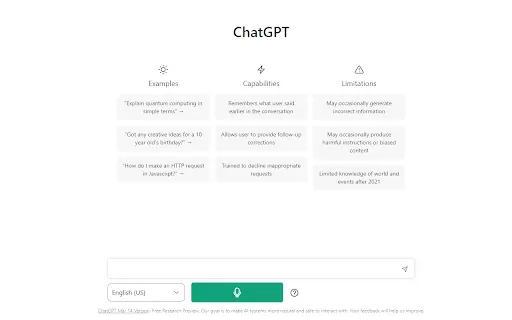
Voiceboost is a Chrome extension that enables you to interact with ChatGPT using voice commands. It adds a button below the input field—click it to speak your question aloud. Voiceboost then sends your audio to ChatGPT and delivers a written response, offering a convenient hands-free alternative to typing.
How to Use the Voiceboost AI Chrome Extension
To record your voice, click the extension's button located under the input area. You can also use keyboard shortcuts: Ctrl+Shift+S (Windows) or Command+Shift+S (Mac) to begin recording, and Ctrl+Shift+E (Windows) or Command+Shift+E (Mac) to stop and send. When prompted, be sure to allow microphone access for the extension to work.
Voiceboost AI Chrome Extension's Core Features
Voice Input for ChatGPT
Keyboard Shortcuts for Voice Capture and Submission
Voiceboost AI Chrome Extension's Use Cases
Hands-Free Interaction with ChatGPT
Dictating Questions and Prompts to ChatGPT
Voiceboost FAQ
How do I start recording my voice?
How do I stop recording and submit my voice input?
Do I need to grant microphone permissions?
Voiceboost - Chrome Extension Screenshot

2026 Latest Best Top-rated AI Vocal Demo Tools for Track Prototypes are here on XIX.AI! This curated list features powerful, game-changing tools that go through real-world tests to ensure top performance. You’ll find a free vs paid comparison, detailed rankings, and must-try options perfect for boosting creative efficiency and helping you unlock your AI edge. Explore now to discover your perfect tool!
 10 tools
 xix.ai
2026 Latest Best Top-rated AI API Mocking Tools for Frontend-Backend Collaboration are here on XIX.AI! This curated list features powerful, game-changing solutions that help teams streamline workflows, boost productivity, and create high-quality apps faster through real-world tests and strict rankings. Get a free vs paid comparison to find the must-try option that suits your needs. Explore now to unlock your AI edge!
12 tools
xix.ai

2026 Latest Best Top-rated Midjourney Style Reference Tools for Character Concepts, Posters, and Ad Visuals! XIX.AI has curated a powerful game-changing collection that undergoes weekly updated real-world tests. You can find detailed free vs paid comparison insights and reliable rankings to help you pick the must-try option that boosts your creativity and speeds up workflow significantly. Explore now to Discover your perfect tool for all your visual design needs.
11 tools
xix.ai
2026 Latest Best Top-rated AI Vocal Generation Tools for Creating Demo Vocals and Harmony Layers are here on XIX.AI. This curated collection features powerful, game-changing solutions that have passed rigorous real-world tests. We provide a weekly updated free vs paid comparison along with detailed rankings to help you find the perfect tool for boosting your creativity and productivity. Explore now to Unlock your AI edge.
12 tools
xix.ai
2026 Latest Best Top-rated AI Focus Assistants Curated to Slash Context Switching and Keep You Productive All Day. These powerful tools undergo rigorous real-world tests, featuring a free vs paid comparison along with weekly updated rankings. Discover your perfect tool to boost writing efficiency, unlock creative ideas, and stay focused without distraction. Explore now at XIX.AI to Unlock your AI edge.
9 tools
xix.ai

2026 Latest Best Top-rated AI Editing Tools for Clear Business Writing are here on XIX.AI! This curated list features powerful, game-changing solutions that help you boost writing efficiency significantly through real-world tests and rigorous rankings. You’ll find a free vs paid comparison to help you choose the perfect fit. Explore now and Unlock your AI edge!
10 tools
xix.ai


このChrome拡張機能、音声でChatGPTと会話できるの最高!🎤 ボタンを押して話すだけだから、タイピングが面倒な時に超便利。でもたまに背景ノイズで誤認識しちゃうんだよね。もっと精度アップしてほしいな~


