


 Home
HomeVidDigest - Chrome Extension
Enhance YouTube with ChatGPT


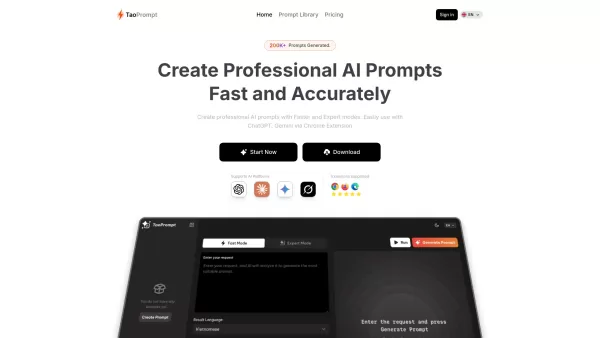
If you're diving into the world of AI and need a tool to streamline your interactions with models like ChatGPT, Claude, and Gemini, let me introduce you to TaoPrompt. This isn't just another AI tool; it's a professional prompt generator that's designed to
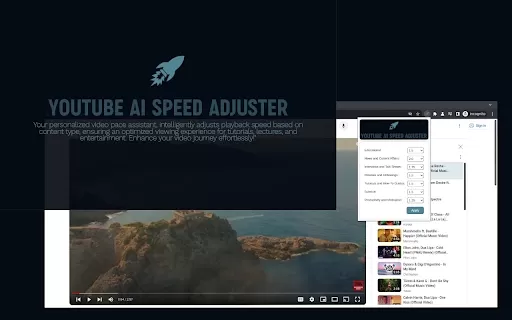
Ever felt like your YouTube videos could use a bit of a speed boost? Enter Speedtube AI Chrome Extension, a game-changer for those who want to optimize their viewing experience. It uses AI to smartly adjust the playback speed according to the type of cont
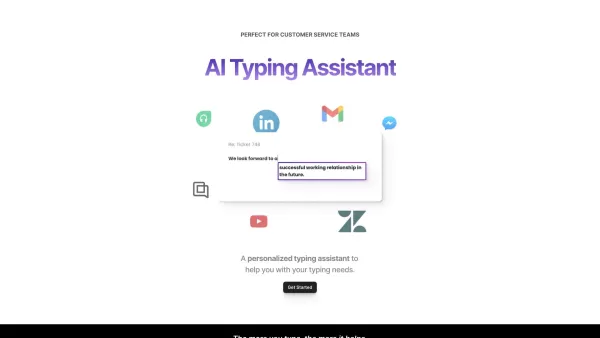
If you're looking to level up your typing game, the AI Typing Assistant is your go-to tool. It's like having a personal coach that tailors its advice just for you, based on how you type. Ever wish you could type faster and with fewer mistakes? This a
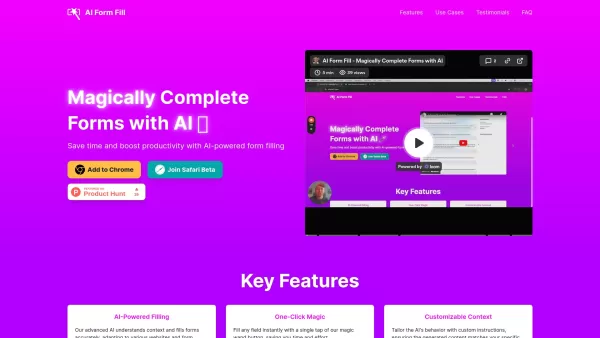
What is AI Form Fill? AI Form Fill is essentially a game-changer for anyone who spends hours filling out repetitive online forms. At its core, it’s a browser extension powered by AI that fills out forms for you—imagine the time you could save by automatin
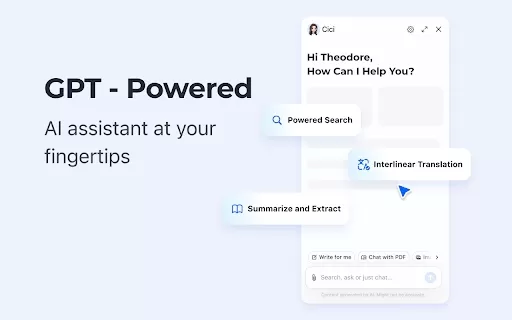
What is the Cici AI Chrome Extension? Cici is your personal browser AI assistant, powered by GPT technology. It can answer any of your questions, summarize complex webpages, provide fast full-text translation, intelligently organize and summarize sea
VidDigest - Chrome Extension Product Information
Ever wondered how you could supercharge your YouTube experience? Enter VidDigest AI Chrome Extension, a game-changer that blends the power of ChatGPT with your daily video watching. It's not just another tool; it's like having a smart assistant by your side, ready to dive deep into the content you love.
How to Use VidDigest AI Chrome Extension?
Getting started is a breeze. Just install the extension from the Chrome Web Store, and the next time you're watching a YouTube video, you'll see a whole new world of possibilities. With a simple click, you can tap into ChatGPT's capabilities, making your video sessions more insightful and interactive.
VidDigest AI Chrome Extension's Core Features
Seamless Integration with YouTube
The extension melds perfectly with YouTube, ensuring your viewing experience remains smooth and uninterrupted. It's like the extension was always meant to be there, enhancing your videos without getting in the way.
Transcript Analysis and Contextual Responses
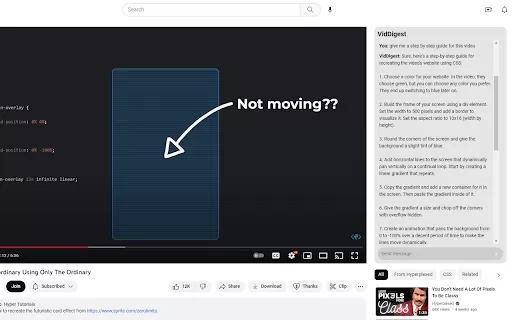
Ever wished you could ask questions about a video or get summaries on the fly? VidDigest AI does just that. It analyzes video transcripts and provides contextual responses, turning passive watching into an interactive learning experience.
Dark Mode
Late-night video binges? No problem. The dark mode feature ensures your eyes are comfortable, even in the darkest of rooms. It's the little things that make a big difference.
VidDigest AI Chrome Extension's Use Cases
Gain In-Depth Insights from Video Transcripts
Whether you're studying a complex topic or just curious about the details, VidDigest AI helps you extract valuable insights from video content. It's like having a personal tutor for every video you watch.
Improve Creativity While Watching Videos
Stuck in a creative rut? Let the extension spark your imagination. By engaging with video content in new ways, you'll find inspiration in places you never thought to look.
FAQ from VidDigest
- What is VidDigest?
- VidDigest is a Chrome extension that integrates ChatGPT into your YouTube viewing experience, enhancing interaction and understanding of video content.
- How does VidDigest work?
- It works by analyzing video transcripts and using ChatGPT to provide contextual responses and insights, making your YouTube experience more engaging and informative.
- Is VidDigest free to use?
- Yes, VidDigest is free to use, allowing everyone to enjoy its features without any cost.
- Can I use VidDigest on other video platforms?
- Currently, VidDigest is designed specifically for YouTube, but future updates might expand its compatibility to other platforms.
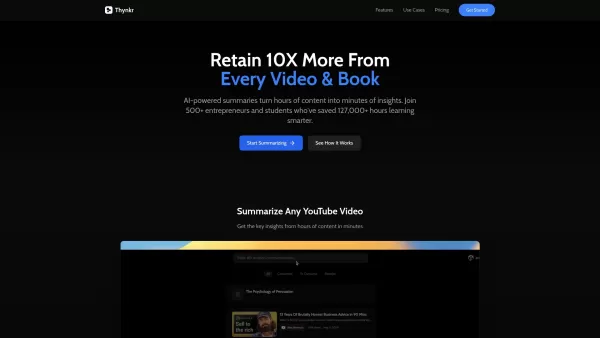
VidDigest - Chrome Extension Screenshot


Discover the 2026 best AI assistants for crafting epic xianxia & wuxia tales. XIX.AI's curated list features top-rated, game-changing tools to master cultivation progression and martial arts choreography. Compare free vs paid options with real-world tests. Unlock your creative potential and start writing today!
 10 tools
 xix.ai

Discover the 2026 best AI mobile app coding tools for Flutter & React Native. Our curated, top-rated list features powerful, game-changing solutions that generate cross-platform code from prompts. Compare free vs paid options with real-world tests. Unlock faster development and build better apps. Explore the rankings on XIX.AI now!
10 tools
xix.ai

Discover the 2026 best AI Chrome extension generators on XIX.AI. Our curated list features top-rated, must-try tools that let you create custom browser add-ons with zero coding. Compare free vs paid options, see real-world tests, and unlock your productivity. Explore the latest rankings and find your perfect tool today!
10 tools
xix.ai
Discover the 2026 best AI multilingual TTS tools for authentic native-accent speech in 50+ languages. Explore our top-rated, curated rankings with free vs paid comparisons and real-world tests. Find your perfect voice tool on XIX.AI and unlock global communication today.
10 tools
xix.ai

Discover the 2026 latest top-rated AI meeting automation tools for smarter, faster collaboration. Our curated list features powerful, game-changing solutions to automate notes, summaries, and action items. Compare free vs paid options with real-world tests and weekly updated rankings. Unlock peak team productivity. Explore the best picks now at XIX.AI.
10 tools
xix.ai

Discover the 2026 latest top-rated AI prompts for Infrastructure-as-Code. XIX.AI's curated selection helps you safely deploy Terraform & Docker configurations, automate cloud setups, and boost DevOps productivity. Compare free vs paid options with real-world tests. Explore now and unlock your AI edge.
10 tools
xix.ai


Just installed VidDigest and it's wild! My YouTube rabbit holes are now productive. Watched a 30-min tutorial yesterday, and the AI summary gave me perfect cliff notes in seconds. Saves so much time when I just need the key points. Hope they add note-taking next! 🚀
VidDigest is a total game-changer for YouTube! 🚀 It summarizes videos super fast, so I can decide what to watch without wasting time. Feels like having a brainy buddy who gets my taste. Only gripe? Sometimes the summaries miss tiny details, but it’s still a must-have for binge-watchers like me! 😎


