


 Home
HomeAI Typing Assistant
AI Typing Assistant: Boost Typing Skills



Helps TikTok sellers, brands, MCNs, and TAPs discover winning products and find creators.

HelpLook is an AI-powered all-in-one knowledge base tool that helps businesses quickly build knowledge bases, help centers, and...

Your AI Workspace

302.AI is an enterprise-grade AI resource platform with pay-as-you-go pricing, API access to a full range of AI models, and ready-to-use online applications.

剧火AI — AI Screenwriter + Director, a One-Person Short Drama Studio In one sentence, what is it?

Ever wondered how to get a leg up in *Call of Duty: Mobile*? Well, redeem codes are your golden ticket to a whole bunch of in-game goodies. These codes can give you a sweet boost to your Weapon XP or Battle Pass XP, making it a breeze to level up your arsenal and unlock those coveted new weapons, at
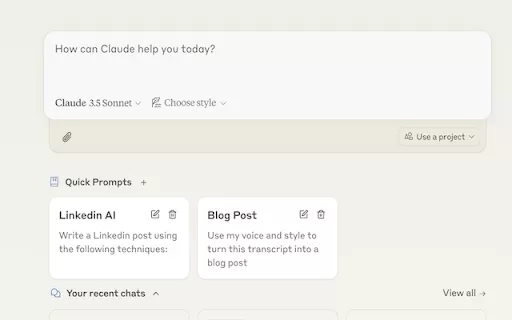
Ever find yourself stuck in a loop, typing the same prompts over and over? Enter Claude, the AI-powered Chrome extension that's here to save your sanity. This nifty tool is all about managing and saving your prompts, so you can keep your creative juices flowing without the frustration of repetition.

Pixelcode is a revolutionary tool that transforms screenshots of code into editable text, saving you from the tedious task of typing out code manually. Imagine snapping a picture of a code snippet and instantly having it ready to edit in your preferred co

What is Giststack? Giststack is an AI-driven platform that assists users, especially solopreneurs and marketers, in tackling the hurdles of social media content creation. It gathers content from your preferred websites and newsletters, spots trending
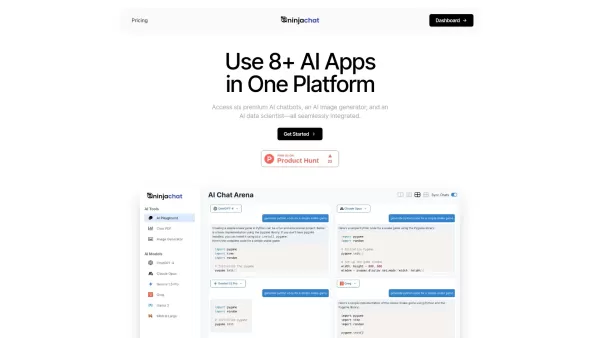
What is NinjaChat AI?NinjaChat is a comprehensive AI assistant that combines multiple AI capabilities into one unified platform. Users can interact with advanced models such as GPT-4 and Claude 3, analyze PDF documents, create images, and communicate
AI Typing Assistant Product Information
If you're looking to level up your typing game, the AI Typing Assistant is your go-to tool. It's like having a personal coach that tailors its advice just for you, based on how you type. Ever wish you could type faster and with fewer mistakes? This assistant not only speeds up your typing but also cuts down on those pesky grammar errors. It's all about making your typing more efficient and saving you time, especially with those phrases and sentences you use over and over.
How to Use AI Typing Assistant?
Getting started with AI Typing Assistant is a breeze. Just install the browser extension and start typing away. The assistant will quietly observe your habits and soon start offering personalized suggestions for those phrases and sentences you're always reaching for. The best part? It integrates seamlessly with the tools you're already using, so you won't have to overhaul your workflow to benefit from it.
AI Typing Assistant's Core Features
Personalized Autocomplete
Imagine typing less and getting more done. That's what personalized autocomplete does. It suggests entire sentences and phrases you commonly use, making your typing experience smoother and faster.
Smart Learning
This feature is like having a grammar guru by your side. It learns from your typing patterns and automatically helps reduce those grammar errors you might not even notice.
Shared Text Templates
Perfect for teams, this feature lets you share common text templates. It's all about keeping everyone on the same page and making communication more consistent.
Shared Phrases
Ever find yourself typing the same phrases? This feature suggests them for you, saving you time and ensuring your responses are spot on.
Reading Assistant
Need help while reading? This assistant provides context-specific suggestions, making your reading experience more interactive and helpful.
Question/Answer
Formulating responses can be tricky, especially in customer service. This feature helps you craft accurate and helpful answers to queries, enhancing your communication.
Controlling Ticket Autotagging
Streamline your workflow by automatically tagging and categorizing tickets. It's like having an extra hand to keep things organized.
Communication Trends
Get a peek into how you communicate. This feature provides insights into patterns and trends, helping you optimize your communication strategies.
Communication Quality Score
Ever wonder how well you're communicating? This score evaluates and rates the quality of your interactions, pushing you to improve.
QA Monitoring and Suggestions
Keep your communication on point with this feature. It monitors your quality and offers suggestions for improvement, ensuring you're always at your best.
AI Typing Assistant's Use Cases
Customer Service Teams
For customer service teams, AI Typing Assistant is a game-changer. It boosts efficiency and helps provide personalized, accurate responses, enhancing customer support.
Individuals
Whether you're typing emails or reports, this assistant saves you time and reduces those annoying grammar errors, making your tasks more efficient.
Team Knowledge Sharing
Teams can share text templates and phrases, promoting knowledge sharing and ensuring consistent communication across the board.
Uncovering Insights
Dive deep into your communication with insights on trends and patterns. It's all about analyzing and optimizing your workflow.
Enhancing Customer Loyalty
With accurate and personalized responses, you can create a positive customer experience, boosting loyalty and satisfaction.
FAQ from AI Typing Assistant
- What is a typing assistant?
- A typing assistant is a tool designed to enhance your typing efficiency and accuracy by providing real-time suggestions and corrections.
- How does AI Typing Assistant learn from my typing?
- It observes your typing patterns and habits over time, learning from your common phrases and errors to offer personalized suggestions.
- Does AI Typing Assistant integrate with my existing tools?
- Yes, it seamlessly integrates with the tools you're already using, making it easy to incorporate into your daily workflow.
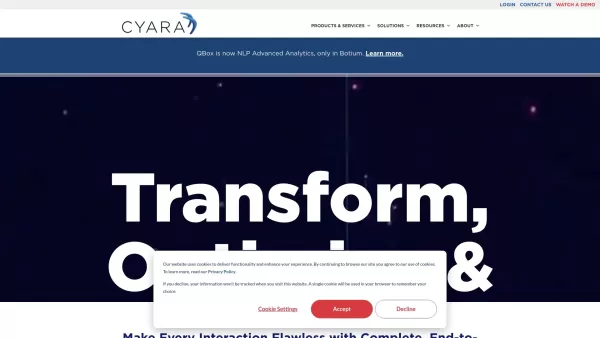
AI Typing Assistant Screenshot



2026 Latest Best Top-rated AI Stem Separation Tools Curated for Remix Production, Sampling Prep, and Karaoke Masters. These powerful game-changing tools offer real-world tests to deliver precise audio isolation, boosting productivity significantly. XIX.AI provides a weekly updated free vs paid comparison guide to help you find the must-try solution that suits your needs. Explore now to unlock your AI edge.
 8 tools
 xix.ai

2026 Latest Best AI SQL Copilots Ranked Top-Rated! XIX.AI curates a powerful game-changing collection for weekly updated real-world tests. These must-try tools help you generate accurate revenue dashboards, analyze sales funnels, and track product metrics swiftly, boosting productivity massively. Explore now to Discover your perfect tool for data-driven decision making! 238 characters
9 tools
xix.ai

2026 Latest Best Top-Rated AI Melody Writing Tools for Song Drafts! XIX.AI has curated a highly powerful game-changing collection that goes through rigorous real-world tests to deliver the best writing experience. You can find detailed free vs paid comparisons, accurate rankings, and must-try options designed to help you create stunning song drafts effortlessly and boost your creative productivity significantly. Explore now to discover your perfect tool!
8 tools
xix.ai

2026 Latest Best Top-rated AI Conversation Trainer Tools for Interview Practice are here on XIX.AI! This curated collection features powerful, game-changing tools that go through rigorous real-world tests to deliver accurate feedback. You’ll find a free vs paid comparison and detailed rankings to help you choose the must-try option that boosts your confidence and skills. Explore now to Discover your perfect tool for interview success!
12 tools
xix.ai

2026 Latest Best Top-rated AI Style Transfer Tools for Creative Experiments! XIX.AI has curated a powerful, game-changing collection of must-try tools that deliver exceptional results through real-world tests and rigorous rankings. These top solutions help creatives boost productivity significantly by accelerating content creation and unlocking endless creative possibilities. Explore now to discover your perfect tool and start creating today!
9 tools
xix.ai

2026 Latest Best Top-Rated AI Dialogue Bubble Tools for Visual Storytelling are here on XIX.AI! This curated collection features powerful, game-changing tools that help creators boost productivity and overcome creative bottlenecks. Get a free vs paid comparison, see real-world tests, and check the latest rankings to find the must-try solutions perfect for crafting engaging visual narratives. Explore now to discover your ideal tool!
10 tools
xix.ai


AI Typing Assistant really upped my typing speed! The personalized feedback helped me fix bad habits I didn't even know I had. Now I can finally keep up with my thoughts while typing 😂 Still kind of creepy how it analyzes every keystroke though!


