


 Home
HomeSlesh - AI Powered Browsing Assistant



Helps TikTok sellers, brands, MCNs, and TAPs discover winning products and find creators.

HelpLook is an AI-powered all-in-one knowledge base tool that helps businesses quickly build knowledge bases, help centers, and...

Your AI Workspace

302.AI is an enterprise-grade AI resource platform with pay-as-you-go pricing, API access to a full range of AI models, and ready-to-use online applications.

剧火AI — AI Screenwriter + Director, a One-Person Short Drama Studio In one sentence, what is it?

Ever wondered how to get a leg up in *Call of Duty: Mobile*? Well, redeem codes are your golden ticket to a whole bunch of in-game goodies. These codes can give you a sweet boost to your Weapon XP or Battle Pass XP, making it a breeze to level up your arsenal and unlock those coveted new weapons, at
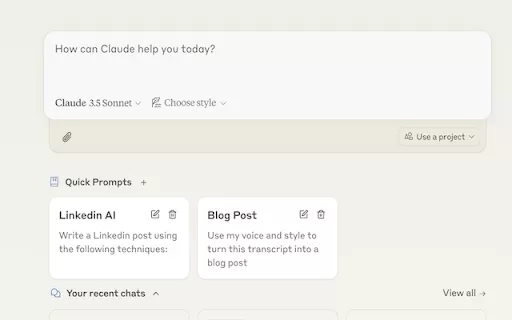
Ever find yourself stuck in a loop, typing the same prompts over and over? Enter Claude, the AI-powered Chrome extension that's here to save your sanity. This nifty tool is all about managing and saving your prompts, so you can keep your creative juices flowing without the frustration of repetition.

If you're looking to level up your typing game, the AI Typing Assistant is your go-to tool. It's like having a personal coach that tailors its advice just for you, based on how you type. Ever wish you could type faster and with fewer mistakes? This a

Pixelcode is a revolutionary tool that transforms screenshots of code into editable text, saving you from the tedious task of typing out code manually. Imagine snapping a picture of a code snippet and instantly having it ready to edit in your preferred co

What is Giststack? Giststack is an AI-driven platform that assists users, especially solopreneurs and marketers, in tackling the hurdles of social media content creation. It gathers content from your preferred websites and newsletters, spots trending
Slesh - AI Powered Browsing Assistant Product Information
What Is Slesh? – AI-Powered Browsing Assistant
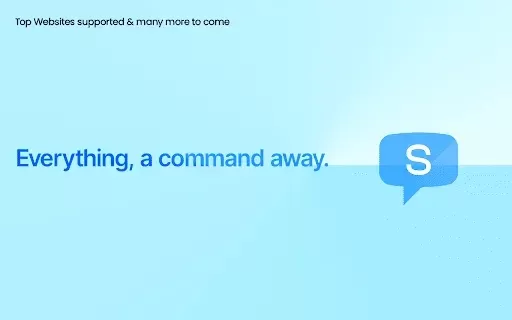
Slesh, an AI-powered browsing assistant, is a Chrome extension designed to make web navigation faster and more intuitive. It introduces a command bar that lets you perform actions across the web effortlessly. Using AI, Slesh can navigate, filter, and answer questions about the websites you visit. Simply type your commands, and Slesh will handle tasks like changing subscriptions, finding unread emails, accessing advanced searches, and summarizing articles—making your browsing experience significantly more efficient and productive.
Who Will Use Slesh? – AI-Powered Browsing Assistant
- General web users
- Productivity enthusiasts
- Researchers
- Students
- Professionals
How to Use Slesh? – AI-Powered Browsing Assistant
- Step 1: Install Slesh from the Chrome Web Store.
- Step 2: Activate Slesh by pressing Ctrl + / or clicking the Slesh icon.
- Step 3: Enter your command in the Slesh command bar.
- Step 4: Slesh executes the desired action based on your input.
Platform
- Chrome
Slesh – AI-Powered Browsing Assistant's Core Features & Benefits
Core Features
- AI Actions
- Ask Slesh
- Switch Tab
- Smart Suggestions
- Easy Activation
Benefits
- Effortless web navigation
- Increased productivity
- Command-based browsing
- Quick access to web sections
- Automated task handling
Slesh – AI-Powered Browsing Assistant's Main Use Cases & Applications
- Quickly finding website sections
- Summarizing articles
- Changing subscriptions
- Finding unread emails
- Accessing advanced searches
FAQs about Slesh – AI-Powered Browsing Assistant
How Do I Get Support for Slesh?
Join our community for support at https://discord.gg/KvuB2R36uG.
How Do I Install Slesh?
Install Slesh from the Chrome Web Store and add it as an extension to your Chrome browser.
How Do I Activate Slesh?
Activate Slesh by pressing Ctrl + / or clicking the Slesh icon at the bottom-left of your screen.
What Commands Can I Use with Slesh?
You can use commands like 'Unread emails from last week', 'Summarize this article', and many more.
Is Slesh Free to Use?
Yes, Slesh is available for free during its private beta.
What Browsers Are Supported by Slesh?
Currently, Slesh is supported only on Chrome.
Can Slesh Handle Multiple Tabs?
Yes, you can quickly switch between tabs and search other websites directly from Slesh.
Is My Data Safe with Slesh?
Yes, Slesh does not sell or transfer your data to third parties.
How Does Slesh Improve Productivity?
Slesh automates web navigation and tasks, reducing the time spent on manual actions.
Can I Ask Questions About the Web Pages I Visit?
Yes, you can use the 'Ask Slesh' feature to get direct answers about the page you are viewing.
Slesh – AI-Powered Browsing Assistant: Company Information
Slesh - AI Powered Browsing Assistant Screenshot

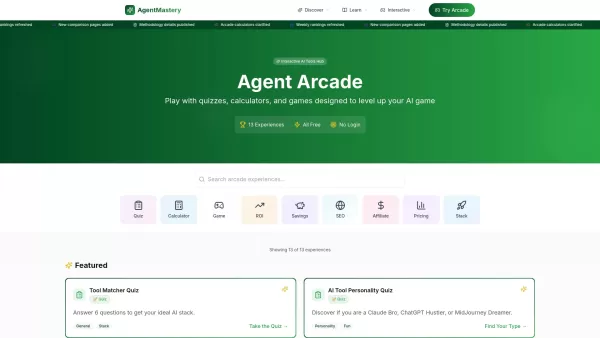

2026 Latest Best Top-rated AI Prompt Testing Tools for Better Output Quality! XIX.AI has curated a powerful, game-changing collection of highly efficient tools that undergo rigorous real-world tests to ensure consistent top-tier results. You’ll find detailed free vs paid comparison insights, comprehensive rankings, and expert guidance to help you identify the must-try solutions that boost your workflow significantly. Explore now to unlock your AI edge!
 11 tools
 xix.ai

2026 Latest Best Top-rated AI Customer Insight Tools for Product Positioning! XIX.AI has curated a powerful, game-changing collection that goes through real-world tests and weekly updated rankings. It helps you uncover customer needs quickly to boost writing efficiency, create optimal SEO content, and craft perfect social media messages without wasting time. Explore now to Discover your perfect tool and Unlock your AI edge.
10 tools
xix.ai
2026 Latest Best Zoom AI note takers ranked by performance and usability. XIX.AI has curated a top-rated list of powerful tools that help you take accurate notes during client calls, streamline internal team syncs, and keep track of key decisions effortlessly. Get a free vs paid comparison along with real-world tests to find the must-try solution that boosts your productivity significantly. Explore now!
12 tools
xix.ai

2026 Latest Best Top-rated AI Spreadsheet Analysis Tools are here on XIX.AI! This curated list features powerful, game-changing solutions that allow you to ask questions directly in spreadsheets and get accurate charts instantly, boosting your productivity significantly. We conduct real-world tests and provide a free vs paid comparison along with weekly updated rankings to help you find the perfect tool for streamlining data tasks. Explore now to Unlock your AI edge!
19 tools
xix.ai

2026 Latest Best Top-Rated AI Wireframe Tools for Product Designers! XIX.AI has curated a powerful, game-changing collection of must-try tools that go through rigorous real-world tests. You’ll find detailed weekly updated rankings, free vs paid comparison insights, and all the key info you need to choose the perfect tool to boost your design efficiency and unlock your AI edge. Explore now!
8 tools
xix.ai

2026 Latest Best Top-Rated AI SEO Tools for Keyword Research are here on XIX.AI! This curated list features powerful, game-changing tools that go through rigorous real-world tests to deliver accurate data. Get a free vs paid comparison, see detailed rankings, and discover must-try options to boost your content strategy and improve search visibility. Explore now to find your perfect tool!
8 tools
xix.ai


