


 Home
HomeHappySRT | AI Generated SRT & Editor



Helps TikTok sellers, brands, MCNs, and TAPs discover winning products and find creators.

HelpLook is an AI-powered all-in-one knowledge base tool that helps businesses quickly build knowledge bases, help centers, and...

Your AI Workspace

302.AI is an enterprise-grade AI resource platform with pay-as-you-go pricing, API access to a full range of AI models, and ready-to-use online applications.

剧火AI — AI Screenwriter + Director, a One-Person Short Drama Studio In one sentence, what is it?
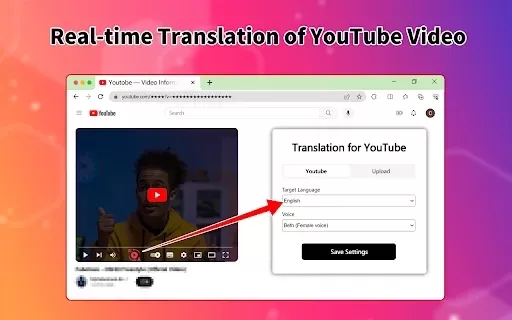
What is the Video Translator Online Extension?Video Translator is a versatile tool tailored for content creators, educators, and businesses. It leverages cutting-edge AI to translate video audio and subtitles into more than 100 languages, empowering
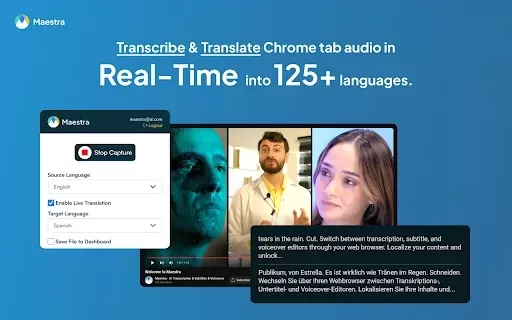
What is Maestra's Live Voice Translation & Transcription?The Maestra Chrome extension transcribes and translates audio from your browser into text in real-time, supporting over 125 languages. It boosts productivity and accessibility during online mee
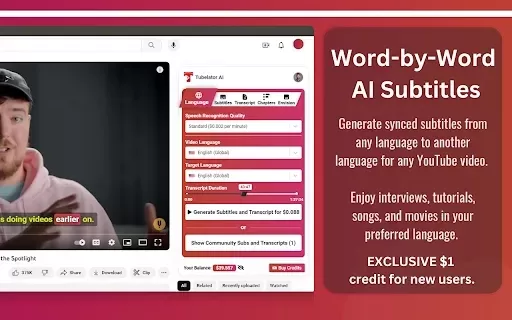
What is Tubelator: AI YouTube Subtitles and Chapters?Tubelator quickly and accurately transcribes YouTube videos, enabling users to create subtitles and chapters in numerous languages. Supporting 98 languages, it serves a worldwide audience. You can
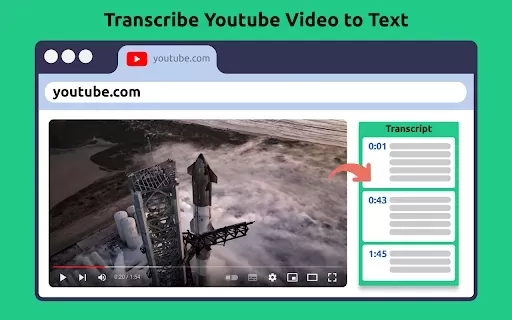
What Is Transcribe YouTube Video?This powerful Chrome extension allows you to seamlessly transcribe spoken content from any YouTube video. It adds a convenient 'Get Transcript' button beneath the video, enabling quick subtitle extraction. With featur
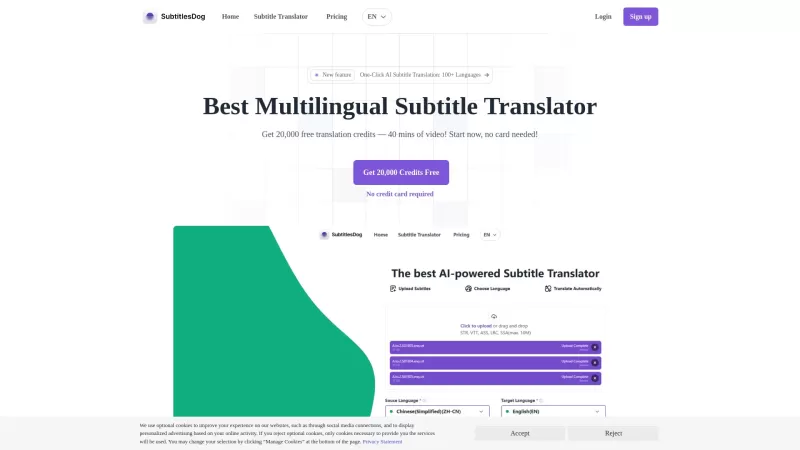
Ever stumbled upon a video that's just perfect, but it's in a language you don't understand? Enter SubtitlesDog, your new best friend for breaking down language barriers in video content. This AI-powered tool is like a linguistic wizard, whipping up high-quality translations across more than 100 lan
HappySRT | AI Generated SRT & Editor Product Information
What is HappySRT | AI Generated SRT & Editor?
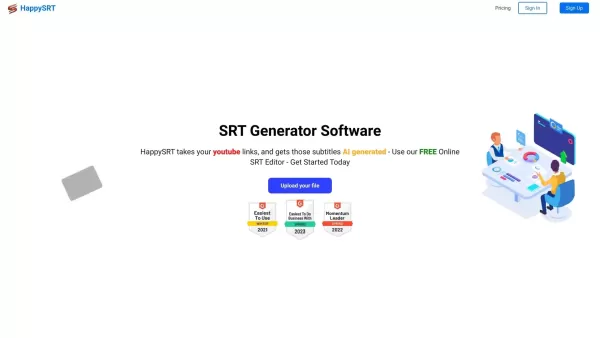
HappySRT leverages cutting-edge AI to automatically create SubRip Subtitle (SRT) files for your video content. It accepts a wide range of file formats like MP4, MOV, and MP3, and also works with YouTube URLs. The platform enables easy editing and downloading of subtitles, making it an essential tool for boosting video accessibility and viewer engagement. Its intuitive interface ensures users of all skill levels can produce precise subtitles quickly.
Who will use HappySRT | AI Generated SRT & Editor?
- YouTube Creators
- Digital Content Producers
- Independent Filmmakers
- Podcast Hosts
- Teachers and Instructors
How to use the HappySRT | AI Generated SRT & Editor?
- Step 1: Visit https://www.happysrt.com
- Step 2: Upload your video file or paste a YouTube link
- Step 3: Allow the AI to process and create subtitles
- Step 4: Review and edit the auto-generated subtitles as necessary
- Step 5: Download the final SRT file
- Step 6: Integrate the SRT file with your video project
Platform
- Web Browser
- Chrome Extension
HappySRT | AI Generated SRT & Editor's Core Features & Benefits
The Core Features
- AI-Powered Subtitle Generation
- Direct Video Upload
- YouTube URL Integration
- Built-in SRT Editor
- Subtitle File Download
The Benefits
- Rapid Subtitle Creation
- Enhances Video Accessibility
- Simple, User-Friendly Dashboard
- Supports Multiple Media Formats
- Boosts Audience Retention
HappySRT | AI Generated SRT & Editor's Main Use Cases & Applications
- Creating subtitles for YouTube content
- Adding captions to educational and training videos
- Generating transcripts for podcast episodes
- Improving accessibility for documentaries and films
HappySRT | AI Generated SRT & Editor's Pros & Cons
The Pros
AI-driven automatic subtitle creation supporting numerous video and audio formats
Flexible pricing with a free tier available
Straightforward and easy-to-use online SRT editor
Accepts both file uploads and YouTube URLs for processing
Cost-effective paid plans offering substantial AI generation minutes
The Cons
No clear indication of open-source availability
Lacks dedicated mobile app or browser extension links
Free tier may limit AI usage (e.g., 3 minutes per month)
Primarily focused on subtitle generation, lacking broader video editing tools
HappySRT | AI Generated SRT & Editor's Pricing
Has free plan | YES |
|---|---|
Free trial details | |
Pricing model | Freemium |
Is credit card required | No |
Paid from | 0.99 USD |
Has lifetime plan | No |
Billing frequency | Monthly |
Details of Pricing Plan
FREE
0 USD
- Online SRT Editor
- Upload Files Online
- YouTube URL Support
- Free 3 min/month AI Usage
- Free Subtitle Download
Starter
0.99 USD
- Everything in Free Package
- +5 min/month AI Generation
- 0.2$/min AI SRT Generation
- Unlimited Purchases
Basic
9.99 USD
- Everything in Free Package
- +120 min/month AI Generation
- 0.083$/min AI SRT Generation
- Unlimited Purchases
Pro
49.99 USD
- Everything in Free Package
- +800 min/month AI Generation
- 0.0625$/min AI SRT Generation
- Unlimited Purchases
Premium
99.99 USD
- Everything in Free Package
- +2000 min/month AI Generation
- 0.05$/min AI SRT Generation
- Online SRT Editor
- Upload Files Online
- YouTube URL Support
- Free Subtitle Download
- Unlimited Purchases
For the latest prices, please visit: https://www.happysrt.com
FAQs of HappySRT | AI Generated SRT & Editor
What file formats does HappySRT support?
HappySRT supports MP4, MOV, MP3, and M4A file formats.
Is HappySRT free to use?
Yes, HappySRT provides a free plan with usage limits, plus paid options for more features.
Can I edit the generated subtitles?
Yes, you can review and modify the AI-generated subtitles before final download.
How long does it take to generate subtitles?
Subtitle generation is fast, with processing time varying based on video length and complexity.
Do I need to download any software to use HappySRT?
No, HappySRT is entirely web-based and requires no software installation.
Can I use HappySRT for multiple videos?
Yes, there are no restrictions on the number of videos you can process with HappySRT.
How accurate are the AI-generated subtitles?
The AI provides high accuracy, though minor manual adjustments may be needed for perfection.
Is customer support available?
Yes, support is available through the HappySRT website.
Can I import existing subtitles for editing?
Currently, HappySRT is designed for generating and editing new subtitles only.
Is there a limit to video length?
Video length limits may apply based on your selected plan; please check plan details for specifics.
HappySRT | AI Generated SRT & Editor Company Information
Website:
https://www.happysrt.comCompany Name:
HappySRTSupport Email:
Facebook:
https://www.facebook.com/happy.srt.1/X(Twitter):
NAYouTube:
https://www.youtube.com/channel/UCltCB6k7senAneyB_rWjWBgInstagram:
https://www.instagram.com/rob24.2litt/reel/CxLuBUVpniz/Tiktok:
https://www.tiktok.com/@happy_t_LinkedIn:
NA
HappySRT | AI Generated SRT & Editor Screenshot

2026 Latest Top-rated AI Illustration Tools: Our curated list features the best powerfully designed tools for creating stunning editorial scenes and eye-catching cover art quickly. Each option has gone through rigorous real-world tests, offering a free vs paid comparison to help you find the perfect match for your workflow. Try these must-try solutions today to unlock your AI edge and boost your creative productivity. Explore now at XIX.AI.
 10 tools
 xix.ai

2026 Latest Top-Rated Best AI Tutors for Exam Prep are here on XIX.AI! Our curated list features powerful game-changing tools that offer free vs paid comparison, real-world tests, and weekly updated rankings. They help boost your writing efficiency, simplify complex topic learning, and unlock your academic potential. Explore now to Discover your perfect exam prep tool and Start creating today to Unlock your AI edge!
10 tools
xix.ai

2026 Latest Best Top-Rated AI Budget Planning Tools for Personal Money Management are here on XIX.AI! This curated collection features powerful, game-changing solutions that help you conduct real-world tests, understand spending habits, and create personalized plans to boost productivity. Enjoy a free vs paid comparison along with detailed rankings. Must-try tools designed to simplify money management and unlock your AI edge. Explore now!
11 tools
xix.ai

2026 Latest Best Top-Rated AI Sleep Tracking Assistants curated for ultimate recovery. This fully updated weekly guide features powerful tools that deliver real-world tests, free vs paid comparison, and detailed rankings to help you find the must-try solution that boosts sleep quality and supports better bedtime habits. Explore now at XIX.AI to Unlock your AI edge.
10 tools
xix.ai

2026 Latest Best Top-Rated AI SQL Copilots for Product and Revenue Analytics! XIX.AI has curated a powerful, game-changing collection of must-try tools that undergo real-world tests through weekly updated rankings. These tools help users boost productivity significantly by accelerating data analysis, streamlining complex queries, and generating accurate insights to drive smarter business decisions. Explore now to Discover your perfect tool for unlocking your AI edge!
14 tools
xix.ai

2026 Latest Best Top-Rated AI Homework Helpers That Teach Core Concepts Not Just Answers Powerful Tools for Students Must-Try Curated List Weekly Updated Free vs Paid Comparison Real-World Tests Accurate Rankings to Help You Unlock Your Full Learning Potential Explore now to Discover your perfect tool for smarter studying.
10 tools
xix.ai


