


 Home
HomeLive Voice Translation & Transcription | Maestra
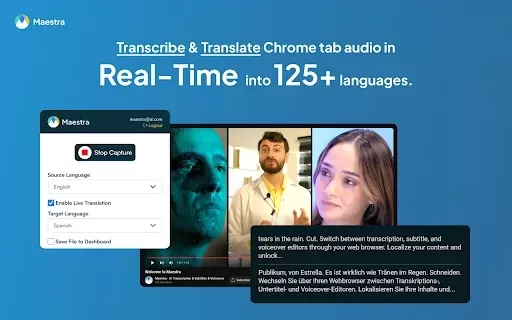
Real-Time Transcription & Translation | 125+ Languages



Helps TikTok sellers, brands, MCNs, and TAPs discover winning products and find creators.

HelpLook is an AI-powered all-in-one knowledge base tool that helps businesses quickly build knowledge bases, help centers, and...

Your AI Workspace

302.AI is an enterprise-grade AI resource platform with pay-as-you-go pricing, API access to a full range of AI models, and ready-to-use online applications.

剧火AI — AI Screenwriter + Director, a One-Person Short Drama Studio In one sentence, what is it?
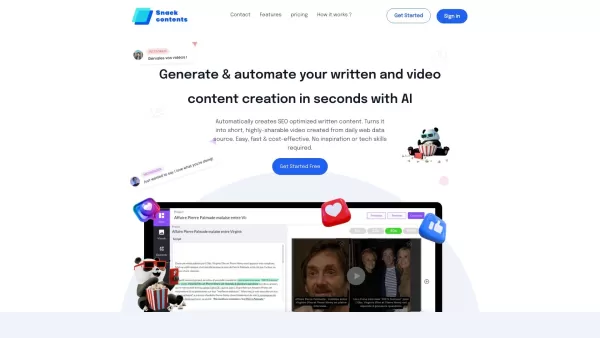
Ever heard of SnackContent? It's a game-changer for anyone looking to whip up content without breaking a sweat. This AI-powered platform takes the hassle out of content creation, letting you produce SEO-optimized articles and transform them into bite-size
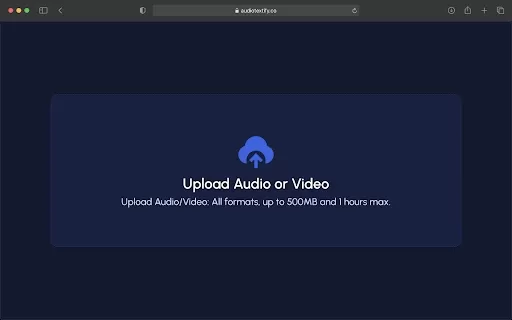
What is the Audio Textify AI Chrome Extension? Audio Textify is a powerful Chrome extension that supercharges how you create and consume content by bringing AI tools directly into your web browser. This versatile solution allows you to easily transcr
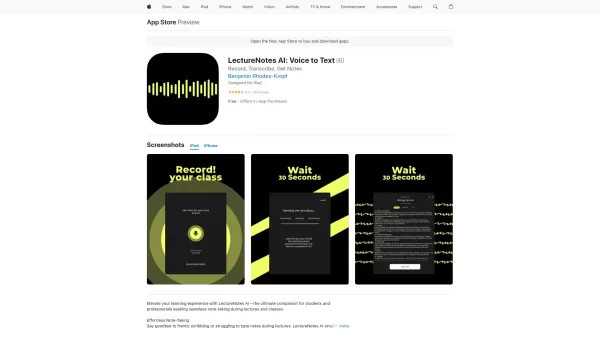
Ever found yourself scribbling furiously during a lecture, only to end up with a mess of notes that barely make sense later? Enter LectureNotes AI, the app that's here to revolutionize your note-taking game. This isn't just any app; it's a game-changer fo
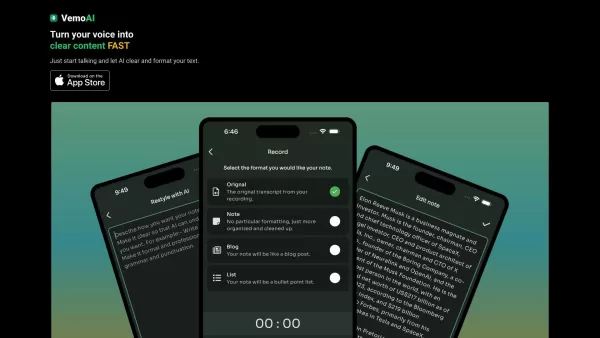
Ever found yourself wishing you could magically turn your spoken words into written content? Well, that's where Vemo AI comes into play. This nifty tool is all about transforming your voice into text, making it a breeze to convert those rambling voice notes into something polished and professional.
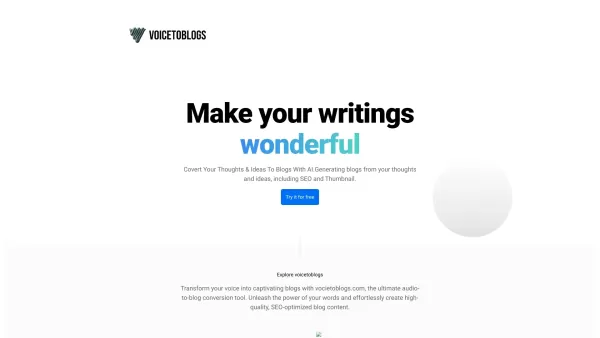
What is VoiceToBlogs?Ever felt like you had a million ideas swirling in your head but didn’t have the time to sit down and write them out? Enter VoiceToBlogs—an ingenious AI-powered tool designed to transform spoken words into polished blog posts. Think of it as your personal scribe, but way smarter
Live Voice Translation & Transcription | Maestra Product Information
What is Maestra's Live Voice Translation & Transcription?
The Maestra Chrome extension transcribes and translates audio from your browser into text in real-time, supporting over 125 languages. It boosts productivity and accessibility during online meetings, video viewing, or podcast listening. Seamlessly integrated with your Maestra account, it saves recordings for later editing and unlocks AI-powered insights like summaries and sentiment analysis. Its flexibility and accuracy make it an essential tool for real-time transcription and translation needs.
Who Benefits from Maestra's Live Voice Translation & Transcription?
- Professionals
- Students
- Non-native speakers
- Accessibility advocates
- Podcasters
How to Use Maestra's Live Voice Translation & Transcription
- Step 1: Install the Maestra extension from the Chrome Web Store.
- Step 2: Navigate to any browser tab with audio.
- Step 3: Click the Maestra icon in your browser toolbar.
- Step 4: Begin capturing and transcribing by choosing your desired settings.
- Step 5: Access and manage your transcripts within your Maestra account.
- Step 6: Leverage added AI features for summaries, sentiment analysis, and edits.
Platform
- web
- chrome
Live Voice Translation & Transcription | Maestra's Core Features & Benefits
The Core Features
- Real-time transcription
- Instant subtitles
- Session management
- Integration with Maestra
- AI tools and insights
The Benefits
- Increased productivity
- Enhanced accessibility
- Multi-language support
- Secure, easy file management
- Comprehensive AI-driven analysis
Live Voice Translation & Transcription | Maestra's Main Use Cases & Applications
- Online meetings
- Watching videos
- Listening to podcasts
- Content creation
FAQs of Live Voice Translation & Transcription | Maestra
What is Maestra Real-time Transcription & Translation extension?
It is a Chrome extension that captures browser tab audio for live transcription and translation into over 125 languages.
Is there a free trial available?
Yes, a 10-minute free trial is offered.
How accurate is the transcription?
Maestra delivers highly accurate transcriptions powered by advanced AI.
Can I save and manage transcriptions?
Yes, all transcriptions are saved and can be managed directly in your Maestra account.
Is Maestra secure?
Yes, your data is securely stored in your account, adhering to strict privacy policies.
Does the extension support multiple languages?
Yes, it supports transcription and translation in over 125 languages.
Can I use Maestra for online meetings?
Absolutely, it is perfectly suited for online meetings, videos, and podcasts.
What additional AI features are available?
AI features include generating summaries, fact-checking, and sentiment analysis.
How do I integrate Maestra with my account?
Install the extension, start capturing audio, and your files will automatically save to your Maestra account.
What are the system requirements?
The extension requires the latest version of the Chrome browser.
Live Voice Translation & Transcription | Maestra Company Information
- KATARA TECH, INC.
- https://maestra.ai
Live Voice Translation & Transcription | Maestra Screenshot

Discover the 2026 best AI meeting translators for seamless real-time captioning & multilingual voice translation. Our top-rated, curated list compares free vs paid tools, featuring weekly updated rankings based on real-world tests. Unlock global collaboration with these game-changing solutions. Explore now on XIX.AI.
 10 tools
 xix.ai
2026 Latest Top AI Meeting Assistants: Discover best-rated tools for global teams that instantly transcribe audio to text in 50+ languages. Compare free vs paid options with our curated, weekly-updated rankings based on real-world tests. Unlock seamless collaboration, accurate minutes, and productivity boosts. Find your perfect AI meeting solution with XIX.AI's expert picks. Explore now!
10 tools
xix.ai


