


 Home
HomeTubelator: AI YouTube Subtitles and Chapters



Helps TikTok sellers, brands, MCNs, and TAPs discover winning products and find creators.

HelpLook is an AI-powered all-in-one knowledge base tool that helps businesses quickly build knowledge bases, help centers, and...

Your AI Workspace

302.AI is an enterprise-grade AI resource platform with pay-as-you-go pricing, API access to a full range of AI models, and ready-to-use online applications.

剧火AI — AI Screenwriter + Director, a One-Person Short Drama Studio In one sentence, what is it?
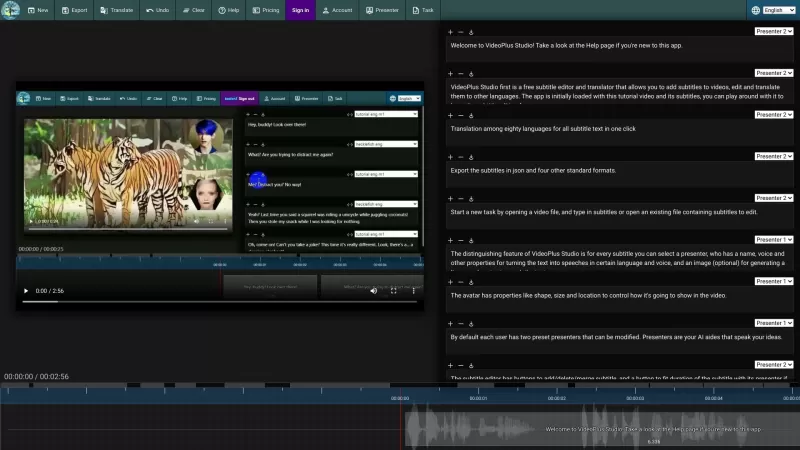
VideoPlus Studio is more than just your average subtitle editor; it's a game-changer for video creators. Imagine being able to not only add and tweak subtitles on your videos but also translate them into over 80 languages with just a click. That's right,
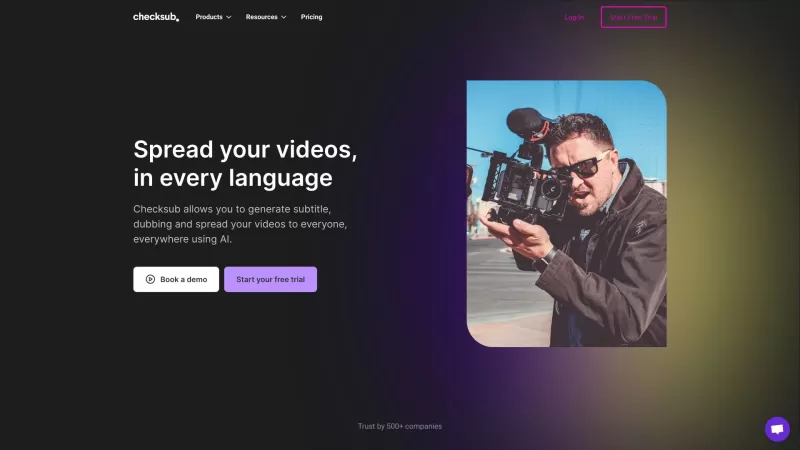
Ever wondered how to make your videos more accessible and engaging? Enter Checksub, the nifty tool that's revolutionizing the way we add subtitles to our videos. It's not just about adding text at the bottom of your screen; Checksub goes the extra mile by offering automatic subtitling, translation i
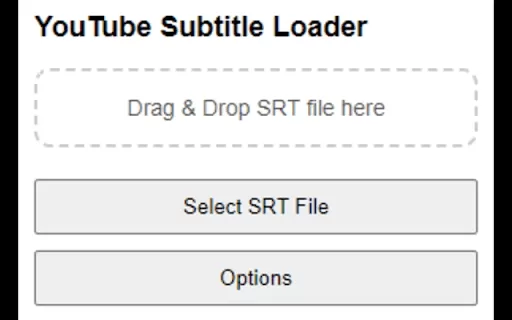
Looking for a way to spice up your YouTube viewing experience with custom subtitles? Well, the Custom SRT Loader for YouTube ai chrome extension might just be what you need! This nifty tool was created because, let's face it, sometimes the available subtitle options just don't cut it. So, what does
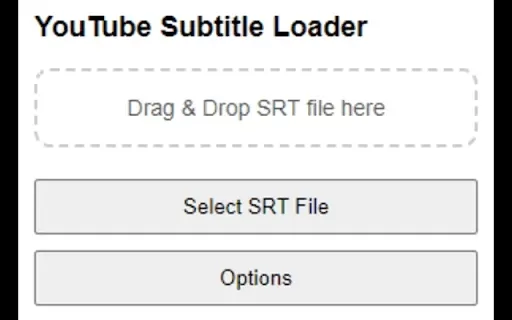
What is YouTube Subtitle Loader?YouTube Subtitle Loader is a browser tool for Chrome that lets you use your own SRT subtitle files on any YouTube video. It solves the problem of missing or poor subtitles by enabling direct file uploads. Through a str
Tubelator: AI YouTube Subtitles and Chapters Product Information
What is Tubelator: AI YouTube Subtitles and Chapters?
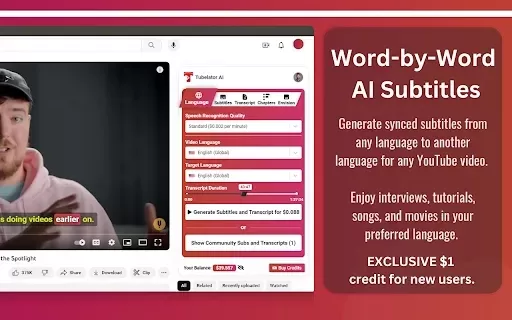
Tubelator quickly and accurately transcribes YouTube videos, enabling users to create subtitles and chapters in numerous languages. Supporting 98 languages, it serves a worldwide audience. You can personalize subtitles to your liking and even produce AI-generated artwork inspired by video scenes, making it a flexible solution for everyday viewers and professional creators alike. Whether you aim to boost accessibility or enrich your viewing experience, Tubelator provides a dynamic and interactive platform.
Who will use Tubelator: AI YouTube Subtitles and Chapters?
- Content creators
- Educators
- Students
- Accessibility advocates
- Global users
How to use the Tubelator: AI YouTube Subtitles and Chapters?
- Step 1: Install the Tubelator extension from the Chrome Web Store.
- Step 2: Go to the YouTube video you want to use.
- Step 3: Click the Tubelator extension icon in your browser toolbar.
- Step 4: Choose your preferred subtitle language.
- Step 5: Use the available features to create chapters or summaries.
- Step 6: Adjust subtitles as desired and enjoy your video.
Platform
- Chrome
Tubelator: AI YouTube Subtitles and Chapters's Core Features & Benefits
The Core Features
- AI-powered subtitles in 98 languages
- Chapter generation
- Customization options
- AI art generation
The Benefits
- Enhanced accessibility
- Improved learning experience
- Global reach
- Engaging content consumption
Tubelator: AI YouTube Subtitles and Chapters's Main Use Cases & Applications
- Educational content
- Content creation for social media
- Language learning
- Accessibility improvement
FAQs of Tubelator: AI YouTube Subtitles and Chapters
What languages does Tubelator support?
Tubelator provides subtitles in 98 different languages.
Is Tubelator free to use?
Yes, Tubelator is a free Chrome extension.
Can Tubelator generate summaries?
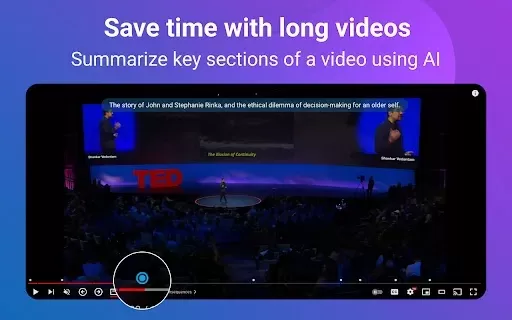
Yes, Tubelator can create summaries of video content.
Do I need an account to use Tubelator?
No account is required; just install the extension and begin using it immediately.
How does the AI art generation work?
The AI art generation uses scenes from the video and is available through the extension's features.
Can I use Tubelator on all YouTube videos?
Yes, Tubelator works with any public YouTube video to generate subtitles and chapters.
Is there a limit to the number of videos I can transcribe?
There is no fixed limit on the number of videos you can transcribe with Tubelator.
Does Tubelator work offline?
No, Tubelator needs an active internet connection to operate.
Can Tubelator be uninstalled easily?
Yes, you can remove Tubelator like any other Chrome extension through the settings menu.
How do I customize subtitles?
You can customize subtitles directly in the Tubelator interface after clicking the extension icon.
Tubelator: AI YouTube Subtitles and Chapters Company Information
- Devs Routes LTD
- https://tubelator.com/
Tubelator: AI YouTube Subtitles and Chapters Screenshot


2026 Latest Best Top-rated AI Conversation Trainer Tools for Interview Practice are here on XIX.AI! This curated collection features powerful, game-changing tools that go through rigorous real-world tests to deliver accurate feedback. You’ll find a free vs paid comparison and detailed rankings to help you choose the must-try option that boosts your confidence and skills. Explore now to Discover your perfect tool for interview success!
 12 tools
 xix.ai

2026 Latest Best Top-rated AI Style Transfer Tools for Creative Experiments! XIX.AI has curated a powerful, game-changing collection of must-try tools that deliver exceptional results through real-world tests and rigorous rankings. These top solutions help creatives boost productivity significantly by accelerating content creation and unlocking endless creative possibilities. Explore now to discover your perfect tool and start creating today!
9 tools
xix.ai

2026 Latest Best Top-Rated AI Dialogue Bubble Tools for Visual Storytelling are here on XIX.AI! This curated collection features powerful, game-changing tools that help creators boost productivity and overcome creative bottlenecks. Get a free vs paid comparison, see real-world tests, and check the latest rankings to find the must-try solutions perfect for crafting engaging visual narratives. Explore now to discover your ideal tool!
10 tools
xix.ai

2026 Latest Top-Rated Best AI Meeting Summary Tools for Clear Decision Tracking and Effortless Follow-Ups. This curated list showcases powerful, game-changing solutions that boost productivity dramatically by automating meeting notes, identifying key action items, and streamlining team coordination across all projects. Get a free vs paid comparison along with real-world tests and weekly updated rankings to help you find the perfect tool. Explore now to unlock your AI edge!
9 tools
xix.ai

2026 Latest Best Top-rated AI Data Cleaning Tools for quick fixing of missing values and duplicates. This curated list showcases powerful, game-changing solutions that boost productivity significantly. Each option has undergone rigorous real-world tests to ensure reliability. Get a free vs paid comparison and discover the must-try tool that fits your needs best. Explore now at XIX.AI to Unlock your AI edge.
11 tools
xix.ai

2026 Latest Best Top-Rated AI Creative Ideation Tools for Artists are curated by XIX.AI to help creators break through visual blocks and boost creativity instantly. These powerful game-changing tools offer real-world tests, detailed free vs paid comparison, and weekly updated rankings. Discover your perfect tool to accelerate content creation and unlock your AI edge today. Explore now!
14 tools
xix.ai


