


 Home
HomeA Comprehensive Guide to Converting Videos into 3D Spatial Formats
The video landscape is undergoing a constant transformation, with artificial intelligence taking on an ever more significant role. This guide explores how to convert AI-generated 2D videos into immersive 3D spatial experiences, specifically for compatibility with devices such as the Apple Vision Pro and next-generation holographic displays. Prepare to elevate your content creation and viewing experience.
Key Points
OpenAI's Sora is transforming video creation with its advanced AI text-to-video capabilities.
Converting 2D videos into the 3D spatial format significantly boosts viewer immersion.
HaloDepth provides a user-friendly, web-based service for converting 2D videos to spatial format.
Owl3D offers a free solution for 2D to 3D conversion, though it requires powerful hardware.
With the appropriate tools and workflow, spatial video is now a viable format for holographic displays.
The Rise of AI-Generated Video and Spatial Computing
OpenAI Sora: A Game Changer in Video Generation
OpenAI's Sora is a major topic of discussion, representing a substantial advancement in AI-powered video generation. Its capacity to produce realistic, spatially coherent videos from text descriptions opens up exciting new possibilities while presenting potential challenges for videographers and creators. The core technology is a text-to-video and video-to-video engine, similar in concept to Stable Diffusion but specifically designed for moving images. Its superior spatial consistency sets it far ahead of other available options. This translates to reduced production effort and expanded creative avenues, including the ability to generate 3D and Spatial Video from originally 2D content. While it may appear to be a simple text-to-video tool, its true potential is unlocked by using existing video to guide the AI, thereby significantly broadening the creative scope for video professionals.
Spatial Video and Apple Vision Pro: A New Viewing Paradigm
Spearheaded by Apple's Vision Pro, spatial video represents a shift towards more immersive media consumption. Apple promotes spatial video as a medium for capturing and reliving memories. This creates an intriguing scenario: as AI technology becomes more sophisticated, distinguishing between genuine and AI-fabricated memories may become increasingly difficult. This article outlines practical techniques for converting existing video, including AI-generated footage, into the 3D Spatial format for use with Apple Vision Pro and holographic displays. A central question of this trend is whether our future reality will be distinguishable from AI-generated content, a future that is already unfolding given the current state of AI advancement.
Exploring 2D to 3D Spatial Video Conversion Techniques
HaloDepth: A Convenient Online Conversion Service
For a straightforward conversion solution, HaloDepth (https://halodepth.com/) offers a readily accessible online service for transforming 2D videos into spatial format. This approach removes the requirement for high-performance hardware or specialized technical knowledge, making spatial video conversion available to a broader user base. Its pricing structure is an important factor to consider. For infrequent, casual use, converting the occasional video is simple. However, for business applications involving high volumes, the lifetime license for $139 may represent better long-term value.
Owl3D: Free Software with Hardware Requirements
Owl3D (https://owly3d.com/) is a free software application for 2D to 3D video conversion. This option, however, necessitates a powerful PC setup, specifically a high-end GPU like the NVIDIA RTX 4090, to manage the intensive processing workload. While Owl3D is free for shorter videos (under one minute) and supports side-by-side VR processing and holographic display output, processing longer videos requires a one-time license purchase of $139, making it a suitable investment for dedicated video editors.
Step-by-Step Guide: Converting Videos for Spatial Viewing
Utilizing HaloDepth for Spatial Video Conversion
Access the HaloDepth website: Go to https://halodepth.com/.
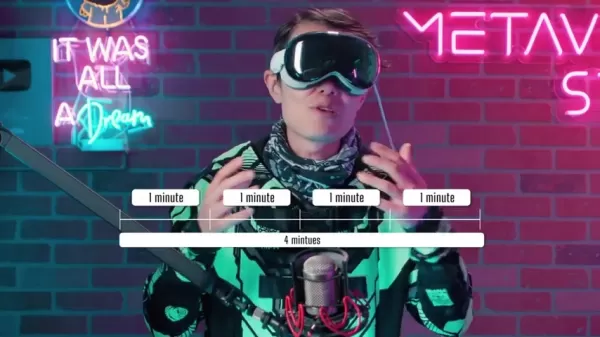
Initiate Conversion: Select the 'Convert Video' button.
Upload Your Video: Drag and drop your 2D video file into the specified area.
Select Quality: Choose your preferred output quality, taking note of the associated costs (e.g., 1080p at 30FPS).
Provide Email: Input your email address to receive the processed video.
Complete Payment: Follow the on-screen instructions to submit payment.
Download: Once processing is finished, download your new spatial video file.
Leveraging Owl3D for 3D Conversion
- Hardware: An NVIDIA RTX 4090 or a comparable high-performance GPU is required.
- Software: Download and install the Owl3D Pro application.
- Conversion to 3D: Launch the Owl3D software.
- Select and drop video: Choose your video file and select from the available 3D output formats, including Side-by-Side (SBS) and RBGD depth for Looking Glass displays.
- Setting: In the Settings menu, ensure GPU encoding is enabled.
- H265/H264 and HEVC: Select either the Quality Optimization or Balanced setting.
- Detail Levels: Use the Enhanced Detail option to improve quality. Optional models like Topaz can be downloaded separately. Higher settings generally yield better results but demand more processing power.
- Run: Click Start to begin the conversion process.
- Transcode: Transfer the 3D side-by-side file to a Mac for conversion into spatial video using FFmpeg. *Optional - Some 3D formats may not be compatible with Mac systems.
- fmpg command: Execute the FFmpeg command to convert the video to spatial format.
- Sync HoloPlay: Import your spatial video into HoloPlay Studio alongside your display.
- Done: Connect your Looking Glass device and enjoy the result.
Pricing and Licensing
HaloDepth Pricing Structure
HaloDepth operates on a per-minute pricing model, charging $1.50 per minute for 1080p 30FPS conversion and $120 per minute for 4K resolution. This can be economical for occasional use, but expenses can accumulate quickly with longer videos.
Owl3D Licensing
Owl3D uses a freemium model. Conversion is free for videos up to one minute in length, but a one-time license fee of $139 is required for longer videos. For commercial use, this permanent license offers substantial value.
Weighing the Options: Pros and Cons of Each Conversion Method
Pros
Simple web application that requires no hardware installation.
Fast processing times.
Cons
Costs can become significant over time.
Limited control over advanced 3D settings.
Key Features and Capabilities
OpenAI Sora’s Main Features
OpenAI's Sora stands out in several key areas:
- Text-to-Video and Video-to-Video AI Engine: Transforms text prompts into impressive visual sequences and can also modify existing video clips.
- Spatial Consistency: Produces videos with a strong sense of spatial depth, resulting in more immersive and believable scenes.
HaloDepth Key Features
HaloDepth is characterized by its:
- Online Accessibility: Can be used on any device with a web browser, including PCs, Macs, and mobile phones.
- Simplicity: Eliminates the need for expensive video editing hardware or complex software.
Owl3D Key Features
Owl3D is defined by its:
- Free Model: Offers free one-minute conversions, allowing users to evaluate the output before purchasing a license for longer projects.
- Multiple Output Models: Also supports output for holographic displays, which can be a more affordable alternative to the Apple Vision Pro.
Unlocking the Potential: Use Cases for 3D Spatial Video
Capturing AI-Generated Moments for Future Viewing
Convert your AI-created videos into spatial memories that are compatible with the Apple Vision Pro for a deeply immersive experience. Preserve these generated moments for future enjoyment and sharing.
Creating Holographic Art Installations
Display your AI-generated artwork using holographic display technology. By utilizing Owl3D's RGB depth output, you can transform your digital art into captivating holographic presentations.
Frequently Asked Questions
What are the main benefits of converting AI-generated videos to 3D spatial?
Converting to a 3D spatial format dramatically increases the level of immersion, creating a more engaging and realistic viewing experience. This is especially impactful for AI-generated content, as it can make synthetic visuals feel more tangible and lifelike.
Is it possible to discern between AI generated memory and captured memories?
The capabilities of AI are so advanced that, over time, it may become very challenging to tell the difference between AI-simulated memories and those captured from real life.
Is HaloDepth or Owl3D suitable for commercial projects?
Both HaloDepth and Owl3D can be utilized for commercial work, but their respective licensing terms and pricing should be evaluated carefully. Owl3D's one-time $139 license often proves to be the most cost-effective option for ongoing business use.
Related Questions
How does the rise of AI change the landscape for videographers?
AI tools are reshaping the industry, posing challenges to traditional videographer roles. Professionals must adapt by learning to integrate and master these new technologies to stay competitive.
Related article
 Stripe to Acquire OpenRouter as AI Model Routing Gains Momentum
Stripe has agreed to acquire OpenRouter, an AI model-routing platform that gives developers access to hundreds of models through a single interface. The deal adds model selection and routing to Stripe’s existing work around AI usage and token-based b
Former OpenAI Researcher Barrett Zoph Returns to Google to Support Gemini Development
Barret Zoph, who previously abruptly left and joined OpenAI due to a disagreement with Thinking Machines Lab CEO Miriam Mularati, has once again changed employers. Alphabet's Google announced that Zoph will return as Vice President of Research, bring
How Recursive Intelligence Raised $335M at $4B Valuation in 4 Months
The co-founders of startup Ricursive Intelligence seemed destined to be co-founders.Anna Goldie, CEO, and Azalia Mirhoseini, CTO, are so well-known in the AI community that they were among those AI engineers who “got those weird emails from Zuckerber
Related Special Topic Recommendations
Design & Art
Stripe to Acquire OpenRouter as AI Model Routing Gains Momentum
Stripe has agreed to acquire OpenRouter, an AI model-routing platform that gives developers access to hundreds of models through a single interface. The deal adds model selection and routing to Stripe’s existing work around AI usage and token-based b
Former OpenAI Researcher Barrett Zoph Returns to Google to Support Gemini Development
Barret Zoph, who previously abruptly left and joined OpenAI due to a disagreement with Thinking Machines Lab CEO Miriam Mularati, has once again changed employers. Alphabet's Google announced that Zoph will return as Vice President of Research, bring
How Recursive Intelligence Raised $335M at $4B Valuation in 4 Months
The co-founders of startup Ricursive Intelligence seemed destined to be co-founders.Anna Goldie, CEO, and Azalia Mirhoseini, CTO, are so well-known in the AI community that they were among those AI engineers who “got those weird emails from Zuckerber
Related Special Topic Recommendations
Design & Art
 Top AI Illustration Tools: Create Editorial Scenes and Cover Art Faster
2026 Latest Top-rated AI Illustration Tools: Our curated list features the best powerfully designed tools for creating stunning editorial scenes and eye-catching cover art quickly. Each option has gone through rigorous real-world tests, offering a free vs paid comparison to help you find the perfect match for your workflow. Try these must-try solutions today to unlock your AI edge and boost your creative productivity. Explore now at XIX.AI.
 10 tools
 xix.ai
Education and Learning
Top AI Tutors for Exam Prep: Practice Math, Science, and English
xix.ai
Education and Learning
Top AI Tutors for Exam Prep: Practice Math, Science, and English
2026 Latest Top-Rated Best AI Tutors for Exam Prep are here on XIX.AI! Our curated list features powerful game-changing tools that offer free vs paid comparison, real-world tests, and weekly updated rankings. They help boost your writing efficiency, simplify complex topic learning, and unlock your academic potential. Explore now to Discover your perfect exam prep tool and Start creating today to Unlock your AI edge!
10 tools
xix.ai
Finance
AI Budget Planning Tools for Personal Money Management
2026 Latest Best Top-Rated AI Budget Planning Tools for Personal Money Management are here on XIX.AI! This curated collection features powerful, game-changing solutions that help you conduct real-world tests, understand spending habits, and create personalized plans to boost productivity. Enjoy a free vs paid comparison along with detailed rankings. Must-try tools designed to simplify money management and unlock your AI edge. Explore now!
11 tools
xix.ai
Health & Wellness
AI Sleep Tracking Assistants: Improve Recovery with Better Bedtime Habits
2026 Latest Best Top-Rated AI Sleep Tracking Assistants curated for ultimate recovery. This fully updated weekly guide features powerful tools that deliver real-world tests, free vs paid comparison, and detailed rankings to help you find the must-try solution that boosts sleep quality and supports better bedtime habits. Explore now at XIX.AI to Unlock your AI edge.
10 tools
xix.ai
Data Analysis
AI SQL Copilots for Product and Revenue Analytics
2026 Latest Best Top-Rated AI SQL Copilots for Product and Revenue Analytics! XIX.AI has curated a powerful, game-changing collection of must-try tools that undergo real-world tests through weekly updated rankings. These tools help users boost productivity significantly by accelerating data analysis, streamlining complex queries, and generating accurate insights to drive smarter business decisions. Explore now to Discover your perfect tool for unlocking your AI edge!
14 tools
xix.ai
Education and Learning
Best AI Homework Helpers That Teach: Learn Concepts, Not Just Answers
2026 Latest Best Top-Rated AI Homework Helpers That Teach Core Concepts Not Just Answers Powerful Tools for Students Must-Try Curated List Weekly Updated Free vs Paid Comparison Real-World Tests Accurate Rankings to Help You Unlock Your Full Learning Potential Explore now to Discover your perfect tool for smarter studying.
10 tools
xix.ai

 Comments (0)
0/500
Comments (0)
0/500
The video landscape is undergoing a constant transformation, with artificial intelligence taking on an ever more significant role. This guide explores how to convert AI-generated 2D videos into immersive 3D spatial experiences, specifically for compatibility with devices such as the Apple Vision Pro and next-generation holographic displays. Prepare to elevate your content creation and viewing experience.
Key Points
OpenAI's Sora is transforming video creation with its advanced AI text-to-video capabilities.
Converting 2D videos into the 3D spatial format significantly boosts viewer immersion.
HaloDepth provides a user-friendly, web-based service for converting 2D videos to spatial format.
Owl3D offers a free solution for 2D to 3D conversion, though it requires powerful hardware.
With the appropriate tools and workflow, spatial video is now a viable format for holographic displays.
The Rise of AI-Generated Video and Spatial Computing
OpenAI Sora: A Game Changer in Video Generation
OpenAI's Sora is a major topic of discussion, representing a substantial advancement in AI-powered video generation. Its capacity to produce realistic, spatially coherent videos from text descriptions opens up exciting new possibilities while presenting potential challenges for videographers and creators. The core technology is a text-to-video and video-to-video engine, similar in concept to Stable Diffusion but specifically designed for moving images. Its superior spatial consistency sets it far ahead of other available options. This translates to reduced production effort and expanded creative avenues, including the ability to generate 3D and Spatial Video from originally 2D content. While it may appear to be a simple text-to-video tool, its true potential is unlocked by using existing video to guide the AI, thereby significantly broadening the creative scope for video professionals.
Spatial Video and Apple Vision Pro: A New Viewing Paradigm
Spearheaded by Apple's Vision Pro, spatial video represents a shift towards more immersive media consumption. Apple promotes spatial video as a medium for capturing and reliving memories. This creates an intriguing scenario: as AI technology becomes more sophisticated, distinguishing between genuine and AI-fabricated memories may become increasingly difficult. This article outlines practical techniques for converting existing video, including AI-generated footage, into the 3D Spatial format for use with Apple Vision Pro and holographic displays. A central question of this trend is whether our future reality will be distinguishable from AI-generated content, a future that is already unfolding given the current state of AI advancement.
Exploring 2D to 3D Spatial Video Conversion Techniques
HaloDepth: A Convenient Online Conversion Service
For a straightforward conversion solution, HaloDepth (https://halodepth.com/) offers a readily accessible online service for transforming 2D videos into spatial format. This approach removes the requirement for high-performance hardware or specialized technical knowledge, making spatial video conversion available to a broader user base. Its pricing structure is an important factor to consider. For infrequent, casual use, converting the occasional video is simple. However, for business applications involving high volumes, the lifetime license for $139 may represent better long-term value.
Owl3D: Free Software with Hardware Requirements
Owl3D (https://owly3d.com/) is a free software application for 2D to 3D video conversion. This option, however, necessitates a powerful PC setup, specifically a high-end GPU like the NVIDIA RTX 4090, to manage the intensive processing workload. While Owl3D is free for shorter videos (under one minute) and supports side-by-side VR processing and holographic display output, processing longer videos requires a one-time license purchase of $139, making it a suitable investment for dedicated video editors.
Step-by-Step Guide: Converting Videos for Spatial Viewing
Utilizing HaloDepth for Spatial Video Conversion
Access the HaloDepth website: Go to https://halodepth.com/.
Initiate Conversion: Select the 'Convert Video' button.
Upload Your Video: Drag and drop your 2D video file into the specified area.
Select Quality: Choose your preferred output quality, taking note of the associated costs (e.g., 1080p at 30FPS).
Provide Email: Input your email address to receive the processed video.
Complete Payment: Follow the on-screen instructions to submit payment.
Download: Once processing is finished, download your new spatial video file.
Leveraging Owl3D for 3D Conversion
- Hardware: An NVIDIA RTX 4090 or a comparable high-performance GPU is required.
- Software: Download and install the Owl3D Pro application.
- Conversion to 3D: Launch the Owl3D software.
- Select and drop video: Choose your video file and select from the available 3D output formats, including Side-by-Side (SBS) and RBGD depth for Looking Glass displays.
- Setting: In the Settings menu, ensure GPU encoding is enabled.
- H265/H264 and HEVC: Select either the Quality Optimization or Balanced setting.
- Detail Levels: Use the Enhanced Detail option to improve quality. Optional models like Topaz can be downloaded separately. Higher settings generally yield better results but demand more processing power.
- Run: Click Start to begin the conversion process.
- Transcode: Transfer the 3D side-by-side file to a Mac for conversion into spatial video using FFmpeg. *Optional - Some 3D formats may not be compatible with Mac systems.
- fmpg command: Execute the FFmpeg command to convert the video to spatial format.
- Sync HoloPlay: Import your spatial video into HoloPlay Studio alongside your display.
- Done: Connect your Looking Glass device and enjoy the result.
Pricing and Licensing
HaloDepth Pricing Structure
HaloDepth operates on a per-minute pricing model, charging $1.50 per minute for 1080p 30FPS conversion and $120 per minute for 4K resolution. This can be economical for occasional use, but expenses can accumulate quickly with longer videos.
Owl3D Licensing
Owl3D uses a freemium model. Conversion is free for videos up to one minute in length, but a one-time license fee of $139 is required for longer videos. For commercial use, this permanent license offers substantial value.
Weighing the Options: Pros and Cons of Each Conversion Method
Pros
Simple web application that requires no hardware installation.
Fast processing times.
Cons
Costs can become significant over time.
Limited control over advanced 3D settings.
Key Features and Capabilities
OpenAI Sora’s Main Features
OpenAI's Sora stands out in several key areas:
- Text-to-Video and Video-to-Video AI Engine: Transforms text prompts into impressive visual sequences and can also modify existing video clips.
- Spatial Consistency: Produces videos with a strong sense of spatial depth, resulting in more immersive and believable scenes.
HaloDepth Key Features
HaloDepth is characterized by its:
- Online Accessibility: Can be used on any device with a web browser, including PCs, Macs, and mobile phones.
- Simplicity: Eliminates the need for expensive video editing hardware or complex software.
Owl3D Key Features
Owl3D is defined by its:
- Free Model: Offers free one-minute conversions, allowing users to evaluate the output before purchasing a license for longer projects.
- Multiple Output Models: Also supports output for holographic displays, which can be a more affordable alternative to the Apple Vision Pro.
Unlocking the Potential: Use Cases for 3D Spatial Video
Capturing AI-Generated Moments for Future Viewing
Convert your AI-created videos into spatial memories that are compatible with the Apple Vision Pro for a deeply immersive experience. Preserve these generated moments for future enjoyment and sharing.
Creating Holographic Art Installations
Display your AI-generated artwork using holographic display technology. By utilizing Owl3D's RGB depth output, you can transform your digital art into captivating holographic presentations.
Frequently Asked Questions
What are the main benefits of converting AI-generated videos to 3D spatial?
Converting to a 3D spatial format dramatically increases the level of immersion, creating a more engaging and realistic viewing experience. This is especially impactful for AI-generated content, as it can make synthetic visuals feel more tangible and lifelike.
Is it possible to discern between AI generated memory and captured memories?
The capabilities of AI are so advanced that, over time, it may become very challenging to tell the difference between AI-simulated memories and those captured from real life.
Is HaloDepth or Owl3D suitable for commercial projects?
Both HaloDepth and Owl3D can be utilized for commercial work, but their respective licensing terms and pricing should be evaluated carefully. Owl3D's one-time $139 license often proves to be the most cost-effective option for ongoing business use.
Related Questions
How does the rise of AI change the landscape for videographers?
AI tools are reshaping the industry, posing challenges to traditional videographer roles. Professionals must adapt by learning to integrate and master these new technologies to stay competitive.








 Stripe to Acquire OpenRouter as AI Model Routing Gains Momentum
Stripe has agreed to acquire OpenRouter, an AI model-routing platform that gives developers access to hundreds of models through a single interface. The deal adds model selection and routing to Stripe’s existing work around AI usage and token-based b
Stripe to Acquire OpenRouter as AI Model Routing Gains Momentum
Stripe has agreed to acquire OpenRouter, an AI model-routing platform that gives developers access to hundreds of models through a single interface. The deal adds model selection and routing to Stripe’s existing work around AI usage and token-based b
 Former OpenAI Researcher Barrett Zoph Returns to Google to Support Gemini Development
Barret Zoph, who previously abruptly left and joined OpenAI due to a disagreement with Thinking Machines Lab CEO Miriam Mularati, has once again changed employers. Alphabet's Google announced that Zoph will return as Vice President of Research, bring
Former OpenAI Researcher Barrett Zoph Returns to Google to Support Gemini Development
Barret Zoph, who previously abruptly left and joined OpenAI due to a disagreement with Thinking Machines Lab CEO Miriam Mularati, has once again changed employers. Alphabet's Google announced that Zoph will return as Vice President of Research, bring
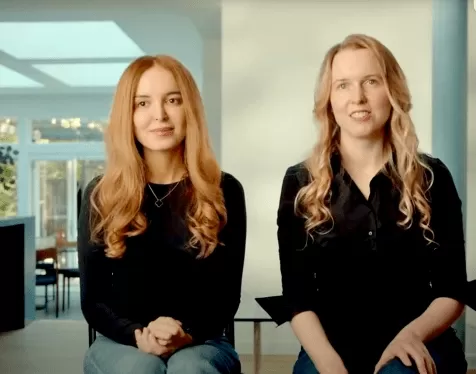 How Recursive Intelligence Raised $335M at $4B Valuation in 4 Months
The co-founders of startup Ricursive Intelligence seemed destined to be co-founders.Anna Goldie, CEO, and Azalia Mirhoseini, CTO, are so well-known in the AI community that they were among those AI engineers who “got those weird emails from Zuckerber
How Recursive Intelligence Raised $335M at $4B Valuation in 4 Months
The co-founders of startup Ricursive Intelligence seemed destined to be co-founders.Anna Goldie, CEO, and Azalia Mirhoseini, CTO, are so well-known in the AI community that they were among those AI engineers who “got those weird emails from Zuckerber

2026 Latest Top-rated AI Illustration Tools: Our curated list features the best powerfully designed tools for creating stunning editorial scenes and eye-catching cover art quickly. Each option has gone through rigorous real-world tests, offering a free vs paid comparison to help you find the perfect match for your workflow. Try these must-try solutions today to unlock your AI edge and boost your creative productivity. Explore now at XIX.AI.
10 tools
xix.ai

2026 Latest Top-Rated Best AI Tutors for Exam Prep are here on XIX.AI! Our curated list features powerful game-changing tools that offer free vs paid comparison, real-world tests, and weekly updated rankings. They help boost your writing efficiency, simplify complex topic learning, and unlock your academic potential. Explore now to Discover your perfect exam prep tool and Start creating today to Unlock your AI edge!
10 tools
xix.ai

2026 Latest Best Top-Rated AI Budget Planning Tools for Personal Money Management are here on XIX.AI! This curated collection features powerful, game-changing solutions that help you conduct real-world tests, understand spending habits, and create personalized plans to boost productivity. Enjoy a free vs paid comparison along with detailed rankings. Must-try tools designed to simplify money management and unlock your AI edge. Explore now!
11 tools
xix.ai

2026 Latest Best Top-Rated AI Sleep Tracking Assistants curated for ultimate recovery. This fully updated weekly guide features powerful tools that deliver real-world tests, free vs paid comparison, and detailed rankings to help you find the must-try solution that boosts sleep quality and supports better bedtime habits. Explore now at XIX.AI to Unlock your AI edge.
10 tools
xix.ai

2026 Latest Best Top-Rated AI SQL Copilots for Product and Revenue Analytics! XIX.AI has curated a powerful, game-changing collection of must-try tools that undergo real-world tests through weekly updated rankings. These tools help users boost productivity significantly by accelerating data analysis, streamlining complex queries, and generating accurate insights to drive smarter business decisions. Explore now to Discover your perfect tool for unlocking your AI edge!
14 tools
xix.ai

2026 Latest Best Top-Rated AI Homework Helpers That Teach Core Concepts Not Just Answers Powerful Tools for Students Must-Try Curated List Weekly Updated Free vs Paid Comparison Real-World Tests Accurate Rankings to Help You Unlock Your Full Learning Potential Explore now to Discover your perfect tool for smarter studying.
10 tools
xix.ai












