


 Home
HomeOpenAI Integrates with PowerShell to Simplify Autonomous Agent Development
Explore the powerful synergy between OpenAI and PowerShell for building autonomous agents. This guide focuses on using PowerShell scripts to automate tasks like extracting YouTube video transcripts and integrating them with OpenAI's models. Learn how this combination enables intelligent task automation and enhances various workflows.
Key Points
Master the fundamentals of integrating OpenAI with PowerShell.
Discover how to programmatically extract YouTube video transcripts using PowerShell.
Construct an autonomous agent capable of analyzing videos and summarizing content.
Explore practical automation use cases combining PowerShell and OpenAI.
Optimize PowerShell scripts for efficient communication with OpenAI APIs.
PowerShell and OpenAI: A Powerful Combination
What is OpenAI and How Does It Work?
OpenAI stands as a premier artificial intelligence research organization focused on developing artificial general intelligence (AGI) that benefits humanity. The company provides advanced AI models capable of handling tasks ranging from natural language processing to code generation and image creation.
Developers access these powerful models through OpenAI's API, enabling seamless integration of AI capabilities into applications. By harnessing OpenAI's tools, developers can build intelligent solutions that automate complex processes and deliver valuable insights.
Integrating OpenAI with technologies like PowerShell unlocks new automation possibilities and enhances intelligent task management. PowerShell's scripting strengths enable workflow orchestration and API interactions with OpenAI, creating a synergistic approach for developing sophisticated applications.
The Role of PowerShell in Automation
PowerShell represents Microsoft's robust scripting language designed for system administration and automation. While primarily used for Windows system management, its capabilities extend far beyond this scope.
With PowerShell, you can automate diverse tasks including file management, network configuration, and process control. Its scripting environment empowers users to create custom solutions that streamline repetitive operations and boost efficiency.
PowerShell's ability to interact with web services and APIs makes it ideal for OpenAI integration. Using PowerShell scripts, you can send requests to OpenAI's API, process responses, and execute actions based on results, enabling sophisticated AI-powered automation workflows.
Building an Autonomous Agent with OpenAI and PowerShell
Setting Up the Environment
Proper environment setup is crucial before building autonomous agents. This involves installing PowerShell, configuring necessary modules, and securing OpenAI API credentials.
- Install PowerShell: Ensure you have the latest PowerShell version installed from Microsoft's official sources or the PowerShell Gallery.
- Install Necessary Modules: Add PowerShell modules for web service interactions and JSON handling, such as Invoke-WebRequest for HTTP requests and ConvertFrom-Json for response parsing.
- Obtain OpenAI API Keys: Create an OpenAI account and generate API keys for authentication. Keep these credentials secure and avoid public exposure.
- Configure API Key in PowerShell: Store your API key as an environment variable or in secure configuration files for authenticated access to OpenAI services.
Scraping YouTube Transcripts with PowerShell
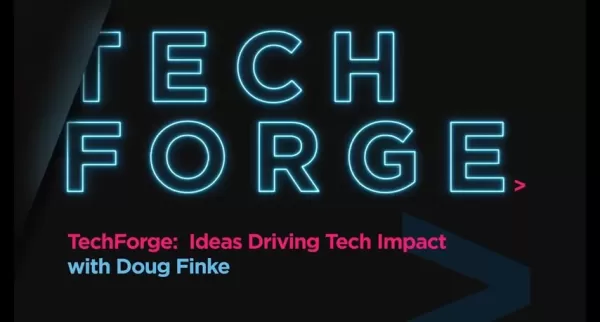
PowerShell proves highly effective for extracting YouTube video transcripts programmatically. YouTube automatically generates transcripts for many videos, providing valuable content that can be leveraged for various applications.
Using PowerShell's Invoke-WebRequest cmdlet, you can fetch YouTube video pages and parse HTML content to extract transcript data. The specific approach may require adjustments based on YouTube's page structure variations.
After obtaining transcript data, you can save it to files or utilize PowerShell's text processing capabilities for further analysis, such as cleaning unnecessary characters, segmenting content, and extracting key information.
Below is a sample PowerShell script for YouTube transcript extraction:
# Requires the YoutubeDL.psm1 moduleImport-Module YoutubeDL# Set the YouTube video URL$videoUrl = 'https://www.youtube.com/watch?v=bGygk8Rcdno'# Get the transcript$transcript = Get-YoutubeDLTranscript -URL $videoUrl# Output the transcriptWrite-Output $transcript
This script utilizes a hypothetical Get-YoutubeDLTranscript function (or similar module functionality) to retrieve transcripts. Ensure appropriate module installation and configuration for successful execution.
Integrating OpenAI for Content Summarization
After extracting YouTube transcripts, leverage OpenAI's models like GPT-3 or GPT-4 to generate concise, informative summaries. By sending transcripts to OpenAI's API, you can obtain summaries capturing video essentials.
For OpenAI integration, format transcripts as prompts and transmit them via API using PowerShell's Invoke-RestMethod cmdlet with proper authentication headers.
Process the received summaries using PowerShell's text manipulation features, extracting key sentences, reformatting content, and saving results to files.
Example PowerShell script for transcript summarization:
# Set the OpenAI API Key$apiKey = 'YOUR_API_KEY'# Set the transcript content$transcript = Get-Content -Path 'transcript.txt' -Raw# Set the OpenAI API endpoint$apiEndpoint = 'https://api.openai.com/v1/engines/davinci-codex/completions'# Construct the request body$requestBody = @{prompt = $transcriptmax_tokens = 150n = 1stop = ''} | ConvertTo-Json# Set the headers$headers = @{'Authorization' = 'Bearer ' + $apiKey'Content-Type' = 'application/json'}# Send the request to OpenAI$response = Invoke-RestMethod -Uri $apiEndpoint -Method Post -Headers $headers -Body $requestBody# Extract the summary from the response$summary = $response.choices[0].text# Output the summaryWrite-Output $summary
This script reads transcripts from files, constructs OpenAI API requests, transmits them, and extracts summaries from responses. Adjust parameters like max_tokens and engine specifications according to your requirements.
Creating an Autonomous Agent
Combine YouTube transcript extraction with OpenAI summarization to create autonomous agents that monitor channels, process new videos, and generate summaries automatically. These summaries support content curation, research, and monitoring activities.
Implement automation using PowerShell's scheduling capabilities to run scripts periodically. Create scheduled tasks that check for new YouTube videos, extract transcripts, and generate summaries at regular intervals.
Store summaries in databases or connect them to notification systems, sending emails or Slack messages when new content becomes available, keeping you informed without manual monitoring.
Sample autonomous agent script structure:
# Set the YouTube channel URL$channelUrl = 'https://www.youtube.com/channel/UCXXXXXXXXXXXX'# Set the output directory$outputDir = 'C:Summaries'# Get the latest video ID$latestVideoId = Get-YoutubeDLLatestVideoId -URL $channelUrl# Check if a summary already exists for the latest video$summaryFile = Join-Path -Path $outputDir -ChildPath ($latestVideoId + '.txt')if (Test-Path -Path $summaryFile) {Write-Output 'Summary already exists for the latest video.'return}# Scrape the transcript$transcript = Get-YoutubeDLTranscript -URL ('https://www.youtube.com/watch?v=' + $latestVideoId)# Summarize the transcript using OpenAI$summary = Summarize-Content -Content $transcript -ApiKey 'YOUR_API_KEY'# Save the summary to a file$summary | Out-File -FilePath $summaryFile# Send a notificationSend-Notification -Message ('New summary generated for video: ' + $latestVideoId)
This script employs hypothetical functions for video ID retrieval, transcript extraction, content summarization, and notifications. Implement these functions or utilize existing modules to achieve full functionality, ensuring scheduled execution for updated summaries.
Detailed Steps: How to Use PowerShell with OpenAI for YouTube Data
Step 1: Installing the Necessary Modules
Begin by installing essential PowerShell modules for YouTube and OpenAI interactions, providing necessary functionality for data handling.
- YoutubeDL Module:
- This module enables YouTube video downloads and transcript extraction. Install using:
Install-Module YoutubeDL
- If unavailable in the PowerShell Gallery, manually install from trusted sources.
- JSON Module:
- PowerShell's built-in ConvertTo-Json and ConvertFrom-Json cmdlets sufficiently handle JSON data processing.
- Web Requests Module:
- Utilize built-in Invoke-WebRequest or Invoke-RestMethod cmdlets for HTTP communications with APIs.
Ensure module versions remain current to prevent compatibility issues.
Step 2: Setting Up OpenAI Authentication
Configure OpenAI API authentication by obtaining and securely implementing API keys within PowerShell scripts.
- Obtain an OpenAI API Key:
- Register an account on OpenAI's platform.
- Generate new API keys from the dedicated section.
- Maintain key security avoiding public exposure.
- Configure the API Key in PowerShell:
- Store as environment variable:
$env:OPENAI_API_KEY = 'YOUR_API_KEY'
- Alternatively, use secure configuration files for key access.
Secure key storage prevents unauthorized account access.
Step 3: Writing the PowerShell Script for YouTube Transcript Scraping
Develop PowerShell scripts utilizing the YoutubeDL module for transcript extraction and processing.
# Requires the YoutubeDL moduleImport-Module YoutubeDL# Set the YouTube video URL$videoUrl = 'https://www.youtube.com/watch?v=b6ygk8Rcdno'# Get the transcript$transcript = Get-YoutubeDLTranscript -URL $videoUrl# Output the transcriptWrite-Output $transcript
This script retrieves transcripts for specified YouTube videos. Modify it to handle multiple URLs or save transcripts to files.
Step 4: Integrating with OpenAI for Content Summarization
Integrate OpenAI's summarization capabilities by transmitting transcripts to the API and processing responses.
# Set the OpenAI API key$apiKey = $env:OPENAI_API_KEY# Set the transcript content$transcript = Get-Content -Path 'transcript.txt' -Raw# Set the OpenAI API endpoint$apiEndpoint = 'https://api.openai.com/v1/engines/davinci-codex/completions'# Construct the request body$requestBody = @{prompt = $transcriptmax_tokens = 150n = 1stop = ''} | ConvertTo-Json# Set the headers$headers = @{'Authorization' = 'Bearer ' + $apiKey'Content-Type' = 'application/json'}# Send the request to OpenAI$response = Invoke-RestMethod -Uri $apiEndpoint -Method Post -Headers $headers -Body $requestBody# Extract the summary from the response$summary = $response.choices[0].text# Output the summaryWrite-Output $summary
This script sends transcripts to OpenAI's API and extracts generated summaries. Adjust parameters like max_tokens and stop characters according to output requirements.
Step 5: Automating the Process with Scheduled Tasks
Automate transcript extraction and summarization by combining scripts and implementing scheduled execution.
- Create a PowerShell Script:
- Merge YouTube transcript scraping and OpenAI summarization into a unified script.
- Create a Scheduled Task:
- Access Windows Task Scheduler.
- Establish new basic tasks with specified schedules (e.g., hourly/daily).
- Configure actions to launch PowerShell executable (powershell.exe).
- Add arguments pointing to your script file.
Related article
 Apple Smart Glasses Could Debut at WWDC27, Highlighting Privacy Protection
Bloomberg’s Mark Gurman reports that Apple’s smart glasses, codenamed N50, are slated for a WWDC27 debut in June 2027, with a retail launch expected in autumn 2027. Originally targeted for late this year and early 2027, the device’s release has been
Inside Details Exposed About Next-Gen Gemini: Strained Computing Power, Internal Teams Disagreed on Development Priorities and Resource Allocation
Reports indicate that the launch of Google’s highly anticipated next-generation Gemini model has been pushed back. Internal disagreements over development priorities and resource allocation, combined with limited computing capacity and complex approv
OpenAI Dismisses Growth Slowdown Concerns, Says Multiple Business Units Accelerating
In response to external scrutiny regarding decelerating sales growth and missed internal benchmarks, AI leader OpenAI issued a confident statement on Tuesday, April 28. The company clarified that its consumer products and enterprise services are adva
Related Special Topic Recommendations
Data Analysis
Apple Smart Glasses Could Debut at WWDC27, Highlighting Privacy Protection
Bloomberg’s Mark Gurman reports that Apple’s smart glasses, codenamed N50, are slated for a WWDC27 debut in June 2027, with a retail launch expected in autumn 2027. Originally targeted for late this year and early 2027, the device’s release has been
Inside Details Exposed About Next-Gen Gemini: Strained Computing Power, Internal Teams Disagreed on Development Priorities and Resource Allocation
Reports indicate that the launch of Google’s highly anticipated next-generation Gemini model has been pushed back. Internal disagreements over development priorities and resource allocation, combined with limited computing capacity and complex approv
OpenAI Dismisses Growth Slowdown Concerns, Says Multiple Business Units Accelerating
In response to external scrutiny regarding decelerating sales growth and missed internal benchmarks, AI leader OpenAI issued a confident statement on Tuesday, April 28. The company clarified that its consumer products and enterprise services are adva
Related Special Topic Recommendations
Data Analysis
 AI SQL Copilots for Revenue Dashboards, Funnel Analysis, and Product Metrics
2026 Latest Best AI SQL Copilots Ranked Top-Rated! XIX.AI curates a powerful game-changing collection for weekly updated real-world tests. These must-try tools help you generate accurate revenue dashboards, analyze sales funnels, and track product metrics swiftly, boosting productivity massively. Explore now to Discover your perfect tool for data-driven decision making! 238 characters
 9 tools
 xix.ai
Music composition
Best AI Melody Writing Tools for Song Drafts
xix.ai
Music composition
Best AI Melody Writing Tools for Song Drafts
2026 Latest Best Top-Rated AI Melody Writing Tools for Song Drafts! XIX.AI has curated a highly powerful game-changing collection that goes through rigorous real-world tests to deliver the best writing experience. You can find detailed free vs paid comparisons, accurate rankings, and must-try options designed to help you create stunning song drafts effortlessly and boost your creative productivity significantly. Explore now to discover your perfect tool!
8 tools
xix.ai
chatbot
Best AI Conversation Trainer Tools for Interview Practice
2026 Latest Best Top-rated AI Conversation Trainer Tools for Interview Practice are here on XIX.AI! This curated collection features powerful, game-changing tools that go through rigorous real-world tests to deliver accurate feedback. You’ll find a free vs paid comparison and detailed rankings to help you choose the must-try option that boosts your confidence and skills. Explore now to Discover your perfect tool for interview success!
12 tools
xix.ai
Design & Art
Best AI Style Transfer Tools for Creative Experiments
2026 Latest Best Top-rated AI Style Transfer Tools for Creative Experiments! XIX.AI has curated a powerful, game-changing collection of must-try tools that deliver exceptional results through real-world tests and rigorous rankings. These top solutions help creatives boost productivity significantly by accelerating content creation and unlocking endless creative possibilities. Explore now to discover your perfect tool and start creating today!
9 tools
xix.ai
Comic Creation
Best AI Dialogue Bubble Tools for Visual Storytelling
2026 Latest Best Top-Rated AI Dialogue Bubble Tools for Visual Storytelling are here on XIX.AI! This curated collection features powerful, game-changing tools that help creators boost productivity and overcome creative bottlenecks. Get a free vs paid comparison, see real-world tests, and check the latest rankings to find the must-try solutions perfect for crafting engaging visual narratives. Explore now to discover your ideal tool!
10 tools
xix.ai
Meeting Assistant
Top AI Meeting Summary Tools: Track Decisions and Follow-Ups Clearly
2026 Latest Top-Rated Best AI Meeting Summary Tools for Clear Decision Tracking and Effortless Follow-Ups. This curated list showcases powerful, game-changing solutions that boost productivity dramatically by automating meeting notes, identifying key action items, and streamlining team coordination across all projects. Get a free vs paid comparison along with real-world tests and weekly updated rankings to help you find the perfect tool. Explore now to unlock your AI edge!
9 tools
xix.ai

 Comments (1)
0/500
Comments (1)
0/500
![JamesWilliams]()
Finally, someone made PowerShell actually useful for AI stuff! 😂 I've been manually extracting YouTube transcripts with Python, but this integration sounds way smoother. Though I wonder how secure running PowerShell scripts with OpenAI API keys is... Anyway, cool guide!
Explore the powerful synergy between OpenAI and PowerShell for building autonomous agents. This guide focuses on using PowerShell scripts to automate tasks like extracting YouTube video transcripts and integrating them with OpenAI's models. Learn how this combination enables intelligent task automation and enhances various workflows.
Key Points
Master the fundamentals of integrating OpenAI with PowerShell.
Discover how to programmatically extract YouTube video transcripts using PowerShell.
Construct an autonomous agent capable of analyzing videos and summarizing content.
Explore practical automation use cases combining PowerShell and OpenAI.
Optimize PowerShell scripts for efficient communication with OpenAI APIs.
PowerShell and OpenAI: A Powerful Combination
What is OpenAI and How Does It Work?
OpenAI stands as a premier artificial intelligence research organization focused on developing artificial general intelligence (AGI) that benefits humanity. The company provides advanced AI models capable of handling tasks ranging from natural language processing to code generation and image creation.
Developers access these powerful models through OpenAI's API, enabling seamless integration of AI capabilities into applications. By harnessing OpenAI's tools, developers can build intelligent solutions that automate complex processes and deliver valuable insights.
Integrating OpenAI with technologies like PowerShell unlocks new automation possibilities and enhances intelligent task management. PowerShell's scripting strengths enable workflow orchestration and API interactions with OpenAI, creating a synergistic approach for developing sophisticated applications.
The Role of PowerShell in Automation
PowerShell represents Microsoft's robust scripting language designed for system administration and automation. While primarily used for Windows system management, its capabilities extend far beyond this scope.
With PowerShell, you can automate diverse tasks including file management, network configuration, and process control. Its scripting environment empowers users to create custom solutions that streamline repetitive operations and boost efficiency.
PowerShell's ability to interact with web services and APIs makes it ideal for OpenAI integration. Using PowerShell scripts, you can send requests to OpenAI's API, process responses, and execute actions based on results, enabling sophisticated AI-powered automation workflows.
Building an Autonomous Agent with OpenAI and PowerShell
Setting Up the Environment
Proper environment setup is crucial before building autonomous agents. This involves installing PowerShell, configuring necessary modules, and securing OpenAI API credentials.
- Install PowerShell: Ensure you have the latest PowerShell version installed from Microsoft's official sources or the PowerShell Gallery.
- Install Necessary Modules: Add PowerShell modules for web service interactions and JSON handling, such as Invoke-WebRequest for HTTP requests and ConvertFrom-Json for response parsing.
- Obtain OpenAI API Keys: Create an OpenAI account and generate API keys for authentication. Keep these credentials secure and avoid public exposure.
- Configure API Key in PowerShell: Store your API key as an environment variable or in secure configuration files for authenticated access to OpenAI services.
Scraping YouTube Transcripts with PowerShell
PowerShell proves highly effective for extracting YouTube video transcripts programmatically. YouTube automatically generates transcripts for many videos, providing valuable content that can be leveraged for various applications.
Using PowerShell's Invoke-WebRequest cmdlet, you can fetch YouTube video pages and parse HTML content to extract transcript data. The specific approach may require adjustments based on YouTube's page structure variations.
After obtaining transcript data, you can save it to files or utilize PowerShell's text processing capabilities for further analysis, such as cleaning unnecessary characters, segmenting content, and extracting key information.
Below is a sample PowerShell script for YouTube transcript extraction:
# Requires the YoutubeDL.psm1 moduleImport-Module YoutubeDL# Set the YouTube video URL$videoUrl = 'https://www.youtube.com/watch?v=bGygk8Rcdno'# Get the transcript$transcript = Get-YoutubeDLTranscript -URL $videoUrl# Output the transcriptWrite-Output $transcript
This script utilizes a hypothetical Get-YoutubeDLTranscript function (or similar module functionality) to retrieve transcripts. Ensure appropriate module installation and configuration for successful execution.
Integrating OpenAI for Content Summarization
After extracting YouTube transcripts, leverage OpenAI's models like GPT-3 or GPT-4 to generate concise, informative summaries. By sending transcripts to OpenAI's API, you can obtain summaries capturing video essentials.
For OpenAI integration, format transcripts as prompts and transmit them via API using PowerShell's Invoke-RestMethod cmdlet with proper authentication headers.
Process the received summaries using PowerShell's text manipulation features, extracting key sentences, reformatting content, and saving results to files.
Example PowerShell script for transcript summarization:
# Set the OpenAI API Key$apiKey = 'YOUR_API_KEY'# Set the transcript content$transcript = Get-Content -Path 'transcript.txt' -Raw# Set the OpenAI API endpoint$apiEndpoint = 'https://api.openai.com/v1/engines/davinci-codex/completions'# Construct the request body$requestBody = @{prompt = $transcriptmax_tokens = 150n = 1stop = ''} | ConvertTo-Json# Set the headers$headers = @{'Authorization' = 'Bearer ' + $apiKey'Content-Type' = 'application/json'}# Send the request to OpenAI$response = Invoke-RestMethod -Uri $apiEndpoint -Method Post -Headers $headers -Body $requestBody# Extract the summary from the response$summary = $response.choices[0].text# Output the summaryWrite-Output $summary
This script reads transcripts from files, constructs OpenAI API requests, transmits them, and extracts summaries from responses. Adjust parameters like max_tokens and engine specifications according to your requirements.
Creating an Autonomous Agent
Combine YouTube transcript extraction with OpenAI summarization to create autonomous agents that monitor channels, process new videos, and generate summaries automatically. These summaries support content curation, research, and monitoring activities.
Implement automation using PowerShell's scheduling capabilities to run scripts periodically. Create scheduled tasks that check for new YouTube videos, extract transcripts, and generate summaries at regular intervals.
Store summaries in databases or connect them to notification systems, sending emails or Slack messages when new content becomes available, keeping you informed without manual monitoring.
Sample autonomous agent script structure:
# Set the YouTube channel URL$channelUrl = 'https://www.youtube.com/channel/UCXXXXXXXXXXXX'# Set the output directory$outputDir = 'C:Summaries'# Get the latest video ID$latestVideoId = Get-YoutubeDLLatestVideoId -URL $channelUrl# Check if a summary already exists for the latest video$summaryFile = Join-Path -Path $outputDir -ChildPath ($latestVideoId + '.txt')if (Test-Path -Path $summaryFile) {Write-Output 'Summary already exists for the latest video.'return}# Scrape the transcript$transcript = Get-YoutubeDLTranscript -URL ('https://www.youtube.com/watch?v=' + $latestVideoId)# Summarize the transcript using OpenAI$summary = Summarize-Content -Content $transcript -ApiKey 'YOUR_API_KEY'# Save the summary to a file$summary | Out-File -FilePath $summaryFile# Send a notificationSend-Notification -Message ('New summary generated for video: ' + $latestVideoId)
This script employs hypothetical functions for video ID retrieval, transcript extraction, content summarization, and notifications. Implement these functions or utilize existing modules to achieve full functionality, ensuring scheduled execution for updated summaries.
Detailed Steps: How to Use PowerShell with OpenAI for YouTube Data
Step 1: Installing the Necessary Modules
Begin by installing essential PowerShell modules for YouTube and OpenAI interactions, providing necessary functionality for data handling.
- YoutubeDL Module:
- This module enables YouTube video downloads and transcript extraction. Install using:
Install-Module YoutubeDL - If unavailable in the PowerShell Gallery, manually install from trusted sources.
- This module enables YouTube video downloads and transcript extraction. Install using:
- JSON Module:
- PowerShell's built-in ConvertTo-Json and ConvertFrom-Json cmdlets sufficiently handle JSON data processing.
- Web Requests Module:
- Utilize built-in Invoke-WebRequest or Invoke-RestMethod cmdlets for HTTP communications with APIs.
Ensure module versions remain current to prevent compatibility issues.
Step 2: Setting Up OpenAI Authentication
Configure OpenAI API authentication by obtaining and securely implementing API keys within PowerShell scripts.
- Obtain an OpenAI API Key:
- Register an account on OpenAI's platform.
- Generate new API keys from the dedicated section.
- Maintain key security avoiding public exposure.
- Configure the API Key in PowerShell:
- Store as environment variable:
$env:OPENAI_API_KEY = 'YOUR_API_KEY' - Alternatively, use secure configuration files for key access.
- Store as environment variable:
Secure key storage prevents unauthorized account access.
Step 3: Writing the PowerShell Script for YouTube Transcript Scraping
Develop PowerShell scripts utilizing the YoutubeDL module for transcript extraction and processing.
# Requires the YoutubeDL moduleImport-Module YoutubeDL# Set the YouTube video URL$videoUrl = 'https://www.youtube.com/watch?v=b6ygk8Rcdno'# Get the transcript$transcript = Get-YoutubeDLTranscript -URL $videoUrl# Output the transcriptWrite-Output $transcript
This script retrieves transcripts for specified YouTube videos. Modify it to handle multiple URLs or save transcripts to files.
Step 4: Integrating with OpenAI for Content Summarization
Integrate OpenAI's summarization capabilities by transmitting transcripts to the API and processing responses.
# Set the OpenAI API key$apiKey = $env:OPENAI_API_KEY# Set the transcript content$transcript = Get-Content -Path 'transcript.txt' -Raw# Set the OpenAI API endpoint$apiEndpoint = 'https://api.openai.com/v1/engines/davinci-codex/completions'# Construct the request body$requestBody = @{prompt = $transcriptmax_tokens = 150n = 1stop = ''} | ConvertTo-Json# Set the headers$headers = @{'Authorization' = 'Bearer ' + $apiKey'Content-Type' = 'application/json'}# Send the request to OpenAI$response = Invoke-RestMethod -Uri $apiEndpoint -Method Post -Headers $headers -Body $requestBody# Extract the summary from the response$summary = $response.choices[0].text# Output the summaryWrite-Output $summary
This script sends transcripts to OpenAI's API and extracts generated summaries. Adjust parameters like max_tokens and stop characters according to output requirements.
Step 5: Automating the Process with Scheduled Tasks
Automate transcript extraction and summarization by combining scripts and implementing scheduled execution.
- Create a PowerShell Script:
- Merge YouTube transcript scraping and OpenAI summarization into a unified script.
- Create a Scheduled Task:
- Access Windows Task Scheduler.
- Establish new basic tasks with specified schedules (e.g., hourly/daily).
- Configure actions to launch PowerShell executable (powershell.exe).
- Add arguments pointing to your script file.








 Apple Smart Glasses Could Debut at WWDC27, Highlighting Privacy Protection
Bloomberg’s Mark Gurman reports that Apple’s smart glasses, codenamed N50, are slated for a WWDC27 debut in June 2027, with a retail launch expected in autumn 2027. Originally targeted for late this year and early 2027, the device’s release has been
Apple Smart Glasses Could Debut at WWDC27, Highlighting Privacy Protection
Bloomberg’s Mark Gurman reports that Apple’s smart glasses, codenamed N50, are slated for a WWDC27 debut in June 2027, with a retail launch expected in autumn 2027. Originally targeted for late this year and early 2027, the device’s release has been
 Inside Details Exposed About Next-Gen Gemini: Strained Computing Power, Internal Teams Disagreed on Development Priorities and Resource Allocation
Reports indicate that the launch of Google’s highly anticipated next-generation Gemini model has been pushed back. Internal disagreements over development priorities and resource allocation, combined with limited computing capacity and complex approv
Inside Details Exposed About Next-Gen Gemini: Strained Computing Power, Internal Teams Disagreed on Development Priorities and Resource Allocation
Reports indicate that the launch of Google’s highly anticipated next-generation Gemini model has been pushed back. Internal disagreements over development priorities and resource allocation, combined with limited computing capacity and complex approv
 OpenAI Dismisses Growth Slowdown Concerns, Says Multiple Business Units Accelerating
In response to external scrutiny regarding decelerating sales growth and missed internal benchmarks, AI leader OpenAI issued a confident statement on Tuesday, April 28. The company clarified that its consumer products and enterprise services are adva
OpenAI Dismisses Growth Slowdown Concerns, Says Multiple Business Units Accelerating
In response to external scrutiny regarding decelerating sales growth and missed internal benchmarks, AI leader OpenAI issued a confident statement on Tuesday, April 28. The company clarified that its consumer products and enterprise services are adva

2026 Latest Best AI SQL Copilots Ranked Top-Rated! XIX.AI curates a powerful game-changing collection for weekly updated real-world tests. These must-try tools help you generate accurate revenue dashboards, analyze sales funnels, and track product metrics swiftly, boosting productivity massively. Explore now to Discover your perfect tool for data-driven decision making! 238 characters
9 tools
xix.ai

2026 Latest Best Top-Rated AI Melody Writing Tools for Song Drafts! XIX.AI has curated a highly powerful game-changing collection that goes through rigorous real-world tests to deliver the best writing experience. You can find detailed free vs paid comparisons, accurate rankings, and must-try options designed to help you create stunning song drafts effortlessly and boost your creative productivity significantly. Explore now to discover your perfect tool!
8 tools
xix.ai

2026 Latest Best Top-rated AI Conversation Trainer Tools for Interview Practice are here on XIX.AI! This curated collection features powerful, game-changing tools that go through rigorous real-world tests to deliver accurate feedback. You’ll find a free vs paid comparison and detailed rankings to help you choose the must-try option that boosts your confidence and skills. Explore now to Discover your perfect tool for interview success!
12 tools
xix.ai

2026 Latest Best Top-rated AI Style Transfer Tools for Creative Experiments! XIX.AI has curated a powerful, game-changing collection of must-try tools that deliver exceptional results through real-world tests and rigorous rankings. These top solutions help creatives boost productivity significantly by accelerating content creation and unlocking endless creative possibilities. Explore now to discover your perfect tool and start creating today!
9 tools
xix.ai

2026 Latest Best Top-Rated AI Dialogue Bubble Tools for Visual Storytelling are here on XIX.AI! This curated collection features powerful, game-changing tools that help creators boost productivity and overcome creative bottlenecks. Get a free vs paid comparison, see real-world tests, and check the latest rankings to find the must-try solutions perfect for crafting engaging visual narratives. Explore now to discover your ideal tool!
10 tools
xix.ai

2026 Latest Top-Rated Best AI Meeting Summary Tools for Clear Decision Tracking and Effortless Follow-Ups. This curated list showcases powerful, game-changing solutions that boost productivity dramatically by automating meeting notes, identifying key action items, and streamlining team coordination across all projects. Get a free vs paid comparison along with real-world tests and weekly updated rankings to help you find the perfect tool. Explore now to unlock your AI edge!
9 tools
xix.ai

Finally, someone made PowerShell actually useful for AI stuff! 😂 I've been manually extracting YouTube transcripts with Python, but this integration sounds way smoother. Though I wonder how secure running PowerShell scripts with OpenAI API keys is... Anyway, cool guide!












