


 Home
HomeInstagram AI Stickers: A Complete Creative Guide
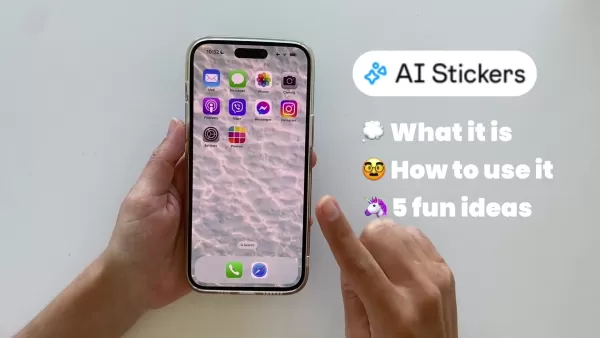
Instagram's platform is in a constant state of innovation, and its new AI Stickers feature is a significant step forward for both individual creators and businesses. This powerful tool uses artificial intelligence to generate unique, custom stickers from simple text descriptions, unlocking a vast new range of creative avenues for your Instagram Stories. This comprehensive guide explores the AI Stickers feature in detail, explaining its core functionality and providing advanced strategies to enhance audience engagement and produce captivating visual stories. Discover how to harness AI's potential and elevate your Instagram presence.
Key Points
Instagram AI Stickers: An AI-driven tool that enables users to design custom stickers directly in their Instagram Stories.
How to Use: Navigate to Instagram Stories, input a descriptive prompt, and select from the AI-generated sticker variations.
Creative Potential: Opens up new possibilities for producing original and interactive content that strengthens brand identity.
Training the AI: Enhance the sticker quality by rating results (good or bad), which helps refine subsequent AI generations.
Versatile Applications: Explore various uses for AI Stickers, from teasing upcoming releases to expressing moods and designing cartoon characters.
Use Preview App: A powerful application for pre-planning and optimizing your Instagram feed layout.
Understanding Instagram's AI Stickers
What Are Instagram AI Stickers?
Instagram AI Stickers represent a state-of-the-art functionality built directly into Instagram Stories.
This tool leverages artificial intelligence to produce custom stickers based on your text input. Move beyond generic, pre-designed options and translate your specific ideas into visual elements that are perfectly suited to your narrative. It effectively bridges the gap between creative thought and digital expression. For instance, you can request a 'corgi dressed as a pirate,' and the AI will present you with several image options to use as a sticker.
How to Access and Use AI Stickers
Follow this straightforward process to begin designing your AI Stickers:
- Open Instagram and go to Stories:
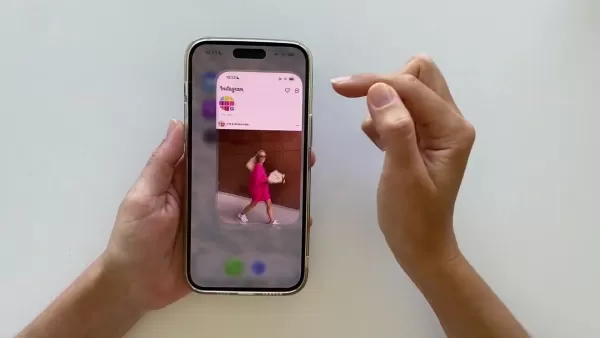
Launch the Instagram app and either swipe right or tap the '+' icon on your profile to enter the Stories creation mode. This serves as the foundation for your content featuring the AI stickers.
- Upload a Photo or Video:Select a background for your story. You can upload existing media from your gallery or capture a new photo or video live. This background will frame your custom sticker.
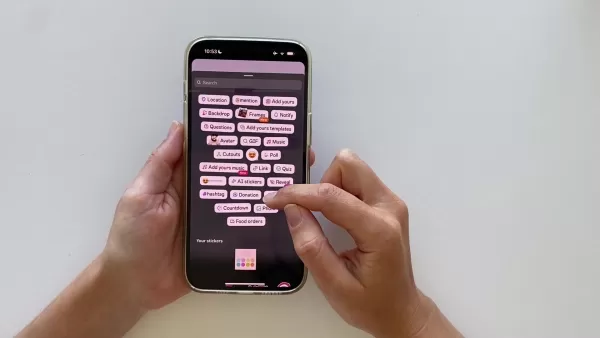
- Access Stickers: Tap the sticker icon (typically a square smiley face) located at the top of the screen. This action opens Instagram's full library of interactive and decorative stickers.
- Select 'AI Stickers': Inside the sticker menu, locate and tap the “AI Stickers” option. It may be labeled “Create” or feature a distinct AI symbol, opening the sticker generation interface.
- Type Your Description:This is the core creative step. Enter a clear and detailed description of the sticker you envision into the text field. The AI's output quality is directly influenced by the specificity of your prompt.
- Generate and Select:After entering your description, tap “Generate”. The AI will process your request and display multiple sticker options. Browse the selections and tap to choose your preferred design.
- Customize: Position your chosen AI sticker by dragging it, and adjust its size and rotation for the perfect composition. You can also layer multiple AI Stickers or mix them with other Instagram effects.
- Share: Once your story is complete, share it with your followers. Your bespoke AI sticker will add a distinctive and creative flair to your content.
Descriptive Power: The more detailed and descriptive your prompt, the more accurately the AI can interpret your vision. Specify colors, objects, and specific styles for best results.
Training the AI for Better Results
Guiding the Algorithm
The AI sticker generator is designed to learn and improve over time, but its progress depends on user feedback.
After generating a sticker, provide feedback by long-pressing on the sticker image. You will see options to mark the result as ‘Good’ or ‘Bad’. For results that are completely irrelevant or inappropriate, use the report function. Your input directly teaches the AI about your preferences, leading to more accurate sticker options in the future, as it learns what styles and subjects you favor.
Unlocking Creative Potential: 5+ Fun AI Sticker Ideas
Give a Sneak Peek
Create intrigue by using an AI sticker of your product instead of a straightforward photograph.
AI-generated stickers often have a more abstract quality, which can make your audience curious and encourage them to guess what it represents. To implement this:
- Describe the product with as much detail as possible.
- Be sure to mention any desired colors, shapes, or specific attributes.
Example: To tease a new landscape painting featuring a mountain range at dawn, use that exact description to generate a representative sticker.
Host a Guessing Game
Transform your Stories into an interactive experience with a guessing game.
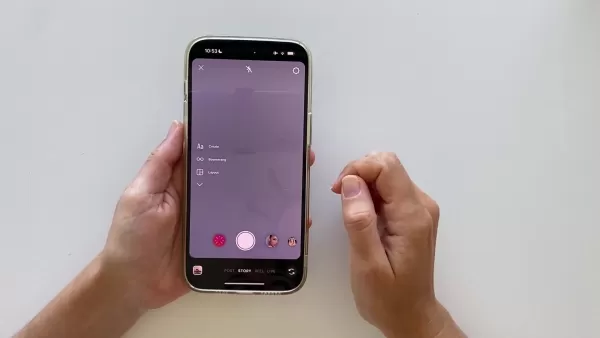
Generate a sticker that hints at an upcoming product or collection, then add a question sticker to ask your followers to guess what it is.
Turn Yourself into a Sticker: Mood of the Day
Jump on the trend of creating a sticker version of yourself to reflect your current mood.
You can even craft a visual narrative, such as a 'before and after' comparison of your mood, like how you feel post-coffee.
- First, write a detailed prompt describing your current state.
- Generate the sticker and incorporate it into a story.
- Save that story to your device to later compare with a new 'after' sticker.
Create a Dream
Use the AI Sticker tool to visualize a dream. This could be a dream destination, a dream product design, a dream home, or even a dream pet. Get creative by designing a new creature by combining two different animals or food items for a fun result.
Create a Cartoon
This final concept lets you develop a miniature cartoon narrative.
The applications are numerous, including depicting:
- Your personal journey
- The story of how you met your partner
- A fictional universe with original superheroes
- The origin story of your business
Preview App Features
Plan your entire Instagram feed
Maximize the impact of your new stickers by planning their placement. Utilize a visual planner to arrange your entire feed, boost follower growth and engagement, and streamline your social media management.
Manage different AI Content
Use the app's planner feature to visualize how your AI stickers, videos, and Reels will look together in your feed.
Pros and Cons
Pros
Limitless creative freedom
Higher and more unique engagement rates
A powerful way to express individuality
Makes social media interaction more enjoyable
Cons
Results may not always match your expectations
The generation process can sometimes be slow
The initial learning curve might feel complex for some users
Preview App: Core Features
Easy drag and drop
An intuitive drag-and-drop interface allows you to organize all your media assets in a single, centralized location.
Caption tool and hashtag generator
Effortlessly draft, schedule, and manage captions for your posts, along with generating relevant hashtags.
Find new keywords
Incorporate targeted keywords and use other integrated tools to improve your content's visibility and search ranking.
Preview App Use Cases
Manage Social Media
Social media managers can use Preview App to oversee and design a cohesive feed layout that incorporates new AI Stickers effectively.
Help Instagram Growth
Achieve sustained Instagram growth through superior organization and strategic use of the app's built-in tools.
FAQ
What is Instagram AI Sticker?
Instagram AI Stickers are an innovative feature that generates custom, on-demand stickers for Stories using artificial intelligence technology.
How can I access the AI Stickers?
To use AI Stickers, open the Instagram app, navigate to the Stories creator, select or capture a background, and then access the custom sticker creation tool via the sticker menu.
How to make a good AI Sticker?
Providing clear and well-defined descriptions produces the most accurate and useful sticker results.
Related Questions
Will this feature be available to any Instagram user?
Instagram typically launches new features with a limited user group before a global rollout. The AI Stickers feature might not be immediately accessible on all accounts. Monitor Instagram's official channels for updates on its broader release.
What are the limitations of AI Stickers?
The AI-powered generation process, while powerful, has inherent variability. Results can differ based on the complexity of your description and the AI's ongoing training. Potential limitations include:Generated images might not perfectly align with your mental vision.Occasional inaccuracies or unexpected outputs can occur.The AI's comprehension of highly abstract or nuanced concepts may be limited.Pro Tip: The most effective strategy is to use clear, specific, and concise language in your prompts.
Can I use AI Stickers for business promotions?
Yes, definitely!AI Stickers provide an excellent channel for businesses to develop interactive and personalized marketing content, which can significantly boost brand recognition and audience connection.
Related article
 Anthropic Rolls Out Quiet Gray-Scale Testing for Claude Opus 5.2 and Internal Model 2
Anthropic’s latest flagship model, Opus 5.2, has quietly entered early testing within Claude Code this morning. Developers have noted a marked performance divergence between the API calls and the web interface. Packet analysis reveals the backend mod
Google Unveils Agentic AI for Gemini, Launching with Enterprise Clients
During a Google Cloud event on Thursday, the company unveiled plans to integrate Gemini AI into the agentic era. This launch introduces a unified agent capable of not only answering queries but also executing tasks on behalf of users, all within a si
Gecko Robotics partners with NVIDIA to integrate AI agent security and control
Gecko Robotics is leveraging NVIDIA’s latest agentic AI security layer within its inspection robot fleet. Source: Gecko RoboticsNVIDIA Corp. unveiled its Open Agent Safety Platform today, featuring the open-source OpenShell software and the Sentry re
Related Special Topic Recommendations
Design & Art
Anthropic Rolls Out Quiet Gray-Scale Testing for Claude Opus 5.2 and Internal Model 2
Anthropic’s latest flagship model, Opus 5.2, has quietly entered early testing within Claude Code this morning. Developers have noted a marked performance divergence between the API calls and the web interface. Packet analysis reveals the backend mod
Google Unveils Agentic AI for Gemini, Launching with Enterprise Clients
During a Google Cloud event on Thursday, the company unveiled plans to integrate Gemini AI into the agentic era. This launch introduces a unified agent capable of not only answering queries but also executing tasks on behalf of users, all within a si
Gecko Robotics partners with NVIDIA to integrate AI agent security and control
Gecko Robotics is leveraging NVIDIA’s latest agentic AI security layer within its inspection robot fleet. Source: Gecko RoboticsNVIDIA Corp. unveiled its Open Agent Safety Platform today, featuring the open-source OpenShell software and the Sentry re
Related Special Topic Recommendations
Design & Art
 Top AI Illustration Tools: Create Editorial Scenes and Cover Art Faster
2026 Latest Top-rated AI Illustration Tools: Our curated list features the best powerfully designed tools for creating stunning editorial scenes and eye-catching cover art quickly. Each option has gone through rigorous real-world tests, offering a free vs paid comparison to help you find the perfect match for your workflow. Try these must-try solutions today to unlock your AI edge and boost your creative productivity. Explore now at XIX.AI.
 10 tools
 xix.ai
Education and Learning
Top AI Tutors for Exam Prep: Practice Math, Science, and English
xix.ai
Education and Learning
Top AI Tutors for Exam Prep: Practice Math, Science, and English
2026 Latest Top-Rated Best AI Tutors for Exam Prep are here on XIX.AI! Our curated list features powerful game-changing tools that offer free vs paid comparison, real-world tests, and weekly updated rankings. They help boost your writing efficiency, simplify complex topic learning, and unlock your academic potential. Explore now to Discover your perfect exam prep tool and Start creating today to Unlock your AI edge!
10 tools
xix.ai
Finance
AI Budget Planning Tools for Personal Money Management
2026 Latest Best Top-Rated AI Budget Planning Tools for Personal Money Management are here on XIX.AI! This curated collection features powerful, game-changing solutions that help you conduct real-world tests, understand spending habits, and create personalized plans to boost productivity. Enjoy a free vs paid comparison along with detailed rankings. Must-try tools designed to simplify money management and unlock your AI edge. Explore now!
11 tools
xix.ai
Health & Wellness
AI Sleep Tracking Assistants: Improve Recovery with Better Bedtime Habits
2026 Latest Best Top-Rated AI Sleep Tracking Assistants curated for ultimate recovery. This fully updated weekly guide features powerful tools that deliver real-world tests, free vs paid comparison, and detailed rankings to help you find the must-try solution that boosts sleep quality and supports better bedtime habits. Explore now at XIX.AI to Unlock your AI edge.
10 tools
xix.ai
Data Analysis
AI SQL Copilots for Product and Revenue Analytics
2026 Latest Best Top-Rated AI SQL Copilots for Product and Revenue Analytics! XIX.AI has curated a powerful, game-changing collection of must-try tools that undergo real-world tests through weekly updated rankings. These tools help users boost productivity significantly by accelerating data analysis, streamlining complex queries, and generating accurate insights to drive smarter business decisions. Explore now to Discover your perfect tool for unlocking your AI edge!
14 tools
xix.ai
Education and Learning
Best AI Homework Helpers That Teach: Learn Concepts, Not Just Answers
2026 Latest Best Top-Rated AI Homework Helpers That Teach Core Concepts Not Just Answers Powerful Tools for Students Must-Try Curated List Weekly Updated Free vs Paid Comparison Real-World Tests Accurate Rankings to Help You Unlock Your Full Learning Potential Explore now to Discover your perfect tool for smarter studying.
10 tools
xix.ai

 Comments (1)
0/500
Comments (1)
0/500
![JustinJackson]()
Sou artista e esses adesivos com IA são uma mão na roda pra criar conteúdo rápido! Mas confesso que fico pensando se a gente não tá perdendo a originalidade nas ilustrações... Será que daqui a pouco tudo vai ser gerado por inteligência artificial? 😅 Ainda assim, adorei a novidade!
Instagram's platform is in a constant state of innovation, and its new AI Stickers feature is a significant step forward for both individual creators and businesses. This powerful tool uses artificial intelligence to generate unique, custom stickers from simple text descriptions, unlocking a vast new range of creative avenues for your Instagram Stories. This comprehensive guide explores the AI Stickers feature in detail, explaining its core functionality and providing advanced strategies to enhance audience engagement and produce captivating visual stories. Discover how to harness AI's potential and elevate your Instagram presence.
Key Points
Instagram AI Stickers: An AI-driven tool that enables users to design custom stickers directly in their Instagram Stories.
How to Use: Navigate to Instagram Stories, input a descriptive prompt, and select from the AI-generated sticker variations.
Creative Potential: Opens up new possibilities for producing original and interactive content that strengthens brand identity.
Training the AI: Enhance the sticker quality by rating results (good or bad), which helps refine subsequent AI generations.
Versatile Applications: Explore various uses for AI Stickers, from teasing upcoming releases to expressing moods and designing cartoon characters.
Use Preview App: A powerful application for pre-planning and optimizing your Instagram feed layout.
Understanding Instagram's AI Stickers
What Are Instagram AI Stickers?
Instagram AI Stickers represent a state-of-the-art functionality built directly into Instagram Stories.
This tool leverages artificial intelligence to produce custom stickers based on your text input. Move beyond generic, pre-designed options and translate your specific ideas into visual elements that are perfectly suited to your narrative. It effectively bridges the gap between creative thought and digital expression. For instance, you can request a 'corgi dressed as a pirate,' and the AI will present you with several image options to use as a sticker.
How to Access and Use AI Stickers
Follow this straightforward process to begin designing your AI Stickers:
- Open Instagram and go to Stories:
Launch the Instagram app and either swipe right or tap the '+' icon on your profile to enter the Stories creation mode. This serves as the foundation for your content featuring the AI stickers.
- Upload a Photo or Video:Select a background for your story. You can upload existing media from your gallery or capture a new photo or video live. This background will frame your custom sticker.
- Access Stickers: Tap the sticker icon (typically a square smiley face) located at the top of the screen. This action opens Instagram's full library of interactive and decorative stickers.
- Select 'AI Stickers': Inside the sticker menu, locate and tap the “AI Stickers” option. It may be labeled “Create” or feature a distinct AI symbol, opening the sticker generation interface.
- Type Your Description:This is the core creative step. Enter a clear and detailed description of the sticker you envision into the text field. The AI's output quality is directly influenced by the specificity of your prompt.
- Generate and Select:After entering your description, tap “Generate”. The AI will process your request and display multiple sticker options. Browse the selections and tap to choose your preferred design.
- Customize: Position your chosen AI sticker by dragging it, and adjust its size and rotation for the perfect composition. You can also layer multiple AI Stickers or mix them with other Instagram effects.
- Share: Once your story is complete, share it with your followers. Your bespoke AI sticker will add a distinctive and creative flair to your content.
Descriptive Power: The more detailed and descriptive your prompt, the more accurately the AI can interpret your vision. Specify colors, objects, and specific styles for best results.
Training the AI for Better Results
Guiding the Algorithm
The AI sticker generator is designed to learn and improve over time, but its progress depends on user feedback.
After generating a sticker, provide feedback by long-pressing on the sticker image. You will see options to mark the result as ‘Good’ or ‘Bad’. For results that are completely irrelevant or inappropriate, use the report function. Your input directly teaches the AI about your preferences, leading to more accurate sticker options in the future, as it learns what styles and subjects you favor.
Unlocking Creative Potential: 5+ Fun AI Sticker Ideas
Give a Sneak Peek
Create intrigue by using an AI sticker of your product instead of a straightforward photograph.
AI-generated stickers often have a more abstract quality, which can make your audience curious and encourage them to guess what it represents. To implement this:
- Describe the product with as much detail as possible.
- Be sure to mention any desired colors, shapes, or specific attributes.
Example: To tease a new landscape painting featuring a mountain range at dawn, use that exact description to generate a representative sticker.
Host a Guessing Game
Transform your Stories into an interactive experience with a guessing game.
Generate a sticker that hints at an upcoming product or collection, then add a question sticker to ask your followers to guess what it is.
Turn Yourself into a Sticker: Mood of the Day
Jump on the trend of creating a sticker version of yourself to reflect your current mood.
You can even craft a visual narrative, such as a 'before and after' comparison of your mood, like how you feel post-coffee.
- First, write a detailed prompt describing your current state.
- Generate the sticker and incorporate it into a story.
- Save that story to your device to later compare with a new 'after' sticker.
Create a Dream
Use the AI Sticker tool to visualize a dream. This could be a dream destination, a dream product design, a dream home, or even a dream pet. Get creative by designing a new creature by combining two different animals or food items for a fun result.
Create a Cartoon
This final concept lets you develop a miniature cartoon narrative.
The applications are numerous, including depicting:
- Your personal journey
- The story of how you met your partner
- A fictional universe with original superheroes
- The origin story of your business
Preview App Features
Plan your entire Instagram feed
Maximize the impact of your new stickers by planning their placement. Utilize a visual planner to arrange your entire feed, boost follower growth and engagement, and streamline your social media management.
Manage different AI Content
Use the app's planner feature to visualize how your AI stickers, videos, and Reels will look together in your feed.
Pros and Cons
Pros
Limitless creative freedom
Higher and more unique engagement rates
A powerful way to express individuality
Makes social media interaction more enjoyable
Cons
Results may not always match your expectations
The generation process can sometimes be slow
The initial learning curve might feel complex for some users
Preview App: Core Features
Easy drag and drop
An intuitive drag-and-drop interface allows you to organize all your media assets in a single, centralized location.
Caption tool and hashtag generator
Effortlessly draft, schedule, and manage captions for your posts, along with generating relevant hashtags.
Find new keywords
Incorporate targeted keywords and use other integrated tools to improve your content's visibility and search ranking.
Preview App Use Cases
Manage Social Media
Social media managers can use Preview App to oversee and design a cohesive feed layout that incorporates new AI Stickers effectively.
Help Instagram Growth
Achieve sustained Instagram growth through superior organization and strategic use of the app's built-in tools.
FAQ
What is Instagram AI Sticker?
Instagram AI Stickers are an innovative feature that generates custom, on-demand stickers for Stories using artificial intelligence technology.
How can I access the AI Stickers?
To use AI Stickers, open the Instagram app, navigate to the Stories creator, select or capture a background, and then access the custom sticker creation tool via the sticker menu.
How to make a good AI Sticker?
Providing clear and well-defined descriptions produces the most accurate and useful sticker results.
Related Questions
Will this feature be available to any Instagram user?
Instagram typically launches new features with a limited user group before a global rollout. The AI Stickers feature might not be immediately accessible on all accounts. Monitor Instagram's official channels for updates on its broader release.
What are the limitations of AI Stickers?
The AI-powered generation process, while powerful, has inherent variability. Results can differ based on the complexity of your description and the AI's ongoing training. Potential limitations include:Generated images might not perfectly align with your mental vision.Occasional inaccuracies or unexpected outputs can occur.The AI's comprehension of highly abstract or nuanced concepts may be limited.Pro Tip: The most effective strategy is to use clear, specific, and concise language in your prompts.
Can I use AI Stickers for business promotions?
Yes, definitely!AI Stickers provide an excellent channel for businesses to develop interactive and personalized marketing content, which can significantly boost brand recognition and audience connection.








 Anthropic Rolls Out Quiet Gray-Scale Testing for Claude Opus 5.2 and Internal Model 2
Anthropic’s latest flagship model, Opus 5.2, has quietly entered early testing within Claude Code this morning. Developers have noted a marked performance divergence between the API calls and the web interface. Packet analysis reveals the backend mod
Anthropic Rolls Out Quiet Gray-Scale Testing for Claude Opus 5.2 and Internal Model 2
Anthropic’s latest flagship model, Opus 5.2, has quietly entered early testing within Claude Code this morning. Developers have noted a marked performance divergence between the API calls and the web interface. Packet analysis reveals the backend mod
 Google Unveils Agentic AI for Gemini, Launching with Enterprise Clients
During a Google Cloud event on Thursday, the company unveiled plans to integrate Gemini AI into the agentic era. This launch introduces a unified agent capable of not only answering queries but also executing tasks on behalf of users, all within a si
Google Unveils Agentic AI for Gemini, Launching with Enterprise Clients
During a Google Cloud event on Thursday, the company unveiled plans to integrate Gemini AI into the agentic era. This launch introduces a unified agent capable of not only answering queries but also executing tasks on behalf of users, all within a si
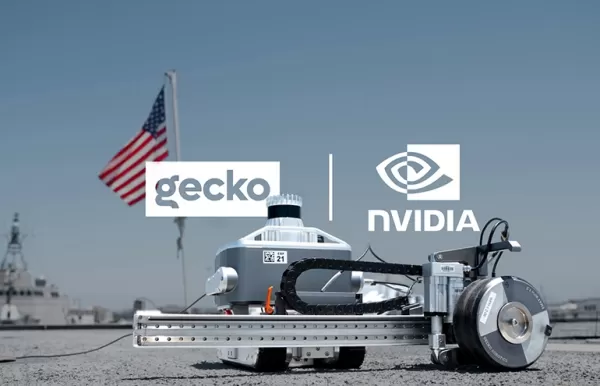 Gecko Robotics partners with NVIDIA to integrate AI agent security and control
Gecko Robotics is leveraging NVIDIA’s latest agentic AI security layer within its inspection robot fleet. Source: Gecko RoboticsNVIDIA Corp. unveiled its Open Agent Safety Platform today, featuring the open-source OpenShell software and the Sentry re
Gecko Robotics partners with NVIDIA to integrate AI agent security and control
Gecko Robotics is leveraging NVIDIA’s latest agentic AI security layer within its inspection robot fleet. Source: Gecko RoboticsNVIDIA Corp. unveiled its Open Agent Safety Platform today, featuring the open-source OpenShell software and the Sentry re

2026 Latest Top-rated AI Illustration Tools: Our curated list features the best powerfully designed tools for creating stunning editorial scenes and eye-catching cover art quickly. Each option has gone through rigorous real-world tests, offering a free vs paid comparison to help you find the perfect match for your workflow. Try these must-try solutions today to unlock your AI edge and boost your creative productivity. Explore now at XIX.AI.
10 tools
xix.ai

2026 Latest Top-Rated Best AI Tutors for Exam Prep are here on XIX.AI! Our curated list features powerful game-changing tools that offer free vs paid comparison, real-world tests, and weekly updated rankings. They help boost your writing efficiency, simplify complex topic learning, and unlock your academic potential. Explore now to Discover your perfect exam prep tool and Start creating today to Unlock your AI edge!
10 tools
xix.ai

2026 Latest Best Top-Rated AI Budget Planning Tools for Personal Money Management are here on XIX.AI! This curated collection features powerful, game-changing solutions that help you conduct real-world tests, understand spending habits, and create personalized plans to boost productivity. Enjoy a free vs paid comparison along with detailed rankings. Must-try tools designed to simplify money management and unlock your AI edge. Explore now!
11 tools
xix.ai

2026 Latest Best Top-Rated AI Sleep Tracking Assistants curated for ultimate recovery. This fully updated weekly guide features powerful tools that deliver real-world tests, free vs paid comparison, and detailed rankings to help you find the must-try solution that boosts sleep quality and supports better bedtime habits. Explore now at XIX.AI to Unlock your AI edge.
10 tools
xix.ai

2026 Latest Best Top-Rated AI SQL Copilots for Product and Revenue Analytics! XIX.AI has curated a powerful, game-changing collection of must-try tools that undergo real-world tests through weekly updated rankings. These tools help users boost productivity significantly by accelerating data analysis, streamlining complex queries, and generating accurate insights to drive smarter business decisions. Explore now to Discover your perfect tool for unlocking your AI edge!
14 tools
xix.ai

2026 Latest Best Top-Rated AI Homework Helpers That Teach Core Concepts Not Just Answers Powerful Tools for Students Must-Try Curated List Weekly Updated Free vs Paid Comparison Real-World Tests Accurate Rankings to Help You Unlock Your Full Learning Potential Explore now to Discover your perfect tool for smarter studying.
10 tools
xix.ai

Sou artista e esses adesivos com IA são uma mão na roda pra criar conteúdo rápido! Mas confesso que fico pensando se a gente não tá perdendo a originalidade nas ilustrações... Será que daqui a pouco tudo vai ser gerado por inteligência artificial? 😅 Ainda assim, adorei a novidade!












