


 Home
HomeMaster AI Inpainting Techniques: Midjourney Guide for Flawless Image Editing
Discover the transformative capabilities of Midjourney's AI inpainting technology, a revolutionary feature that empowers creators to refine and perfect AI-generated artwork with surgical precision. This definitive guide reveals expert techniques for leveraging this powerful tool to elevate your creative projects, whether you're making subtle refinements or dramatic compositional changes - all within Midjourney's intuitive platform.
Key Points
Midjourney's inpainting tool enables targeted image modifications through selective editing.
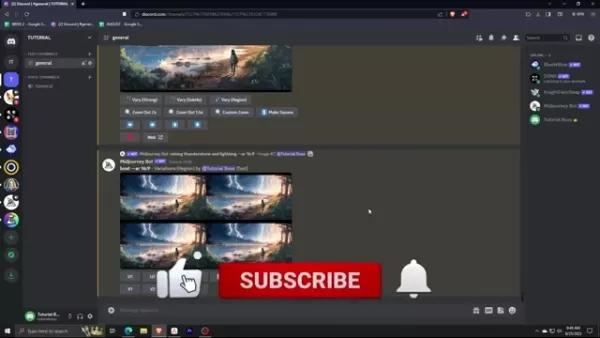
The Vary (Region) function provides granular control over specific image areas for modification.
Remix mode combines text prompts with visual selections for guided image transformation.
Optimal inpainting results occur when editing 20-50% of the image area.
Enhancing existing elements typically yields better outcomes than radical content changes.
Understanding AI Inpainting in Midjourney
The Power of AI-Assisted Image Refinement
AI inpainting represents a breakthrough in digital image editing, utilizing advanced neural networks to intelligently regenerate selected portions of an image while preserving context and visual harmony. Midjourney's implementation transforms this technology into an intuitive creative tool, allowing artists to iteratively refine their work with unprecedented precision.
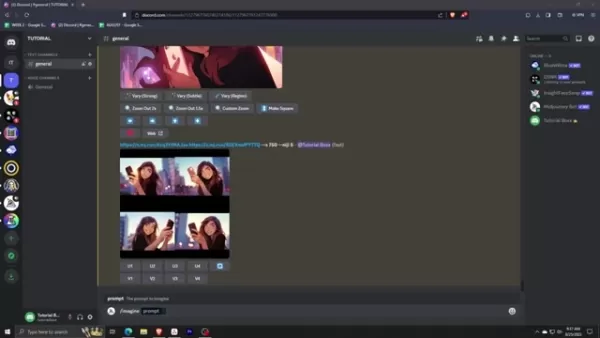
Midjourney's version of this technology, officially branded as 'Vary Region', marks a significant evolution in the platform's capabilities. The official announcement highlighted this feature as a game-changer for digital artists, providing professional-level editing tools directly within Midjourney's workflow.
The key to mastering inpainting lies in understanding the AI's contextual interpretation patterns and learning to communicate your creative intentions effectively. Through strategic area selection and thoughtful prompting, artists can achieve remarkable transformations while maintaining the integrity of their original composition.
Why Inpainting Changes the Game
Midjourney's inpainting feature represents a quantum leap in AI-assisted creativity by addressing fundamental limitations of earlier generation systems. This transformative capability provides:
- Targeted Editing Efficiency: Eliminates the need for complete regenerations when only specific elements need refinement
- Creative Flexibility: Enables experimental variations within a single artwork's framework
- Precision Control: Offers nuanced command over compositional elements and fine details
- Workflow Integration: Seamlessly incorporates into Midjourney's existing generation pipeline
By mastering these advanced editing capabilities, creators unlock new dimensions of artistic expression, transforming Midjourney from a generation tool into a complete digital art studio.
Expert Techniques for Optimal Inpainting Results
Crafting Effective Edit Prompts
The quality of your inpainting outcomes directly correlates with the clarity and specificity of your editing prompts. Professional users have developed effective strategies for guiding the AI toward desired results:
- Contextual Specificity: Anchor edits to established elements ("extend the river bend following the current curvature")
- Visual Descriptors: Incorporate texture and lighting cues ("soft afternoon light dappled through oak leaves")
- Compositional Guidance: Direct placement and scale ("position additional trees in middle ground, diminishing in size toward horizon")
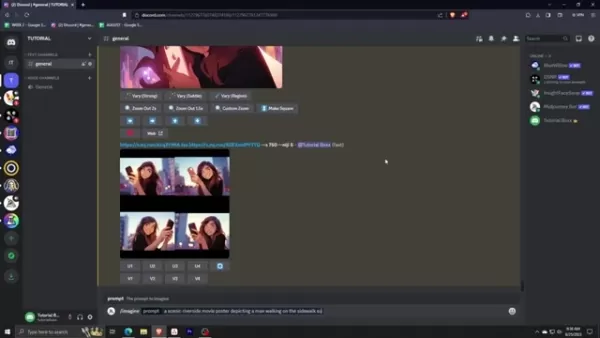
The most successful edits maintain aesthetic and thematic continuity with the original image. Radical transformations often require multiple gradual refinements rather than single ambitious prompts.
Avoiding Common Editing Pitfalls
Even experienced users encounter challenges when first mastering inpainting techniques. Here are key issues to anticipate:
- Overambitious Edits: Multi-element changes often require stepwise implementation
- Style Discontinuity: New elements may default to different rendering styles unless specified
- Context Mismatch: Added content must observe existing lighting conditions and perspective rules
Step-by-Step Inpainting Workflow
Initial Image Creation Strategy
Smart inpainting begins with strategic initial generations. When creating source images:
- Anticipate future edits by leaving appropriate negative space
- Generate multiple variations to select the most editable composition
- Consider resolution needs for detailed future modifications
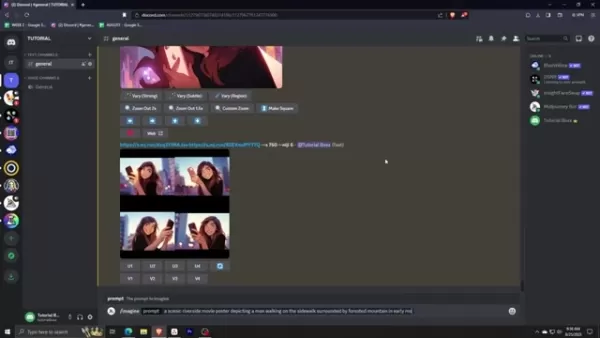
Example starting prompt structure:
/imagine prompt: cinematic landscape of mountain valley at dawn with river winding through foreground --compositional spacing for future elements --ar 16:9
Precision Area Selection
Mastering the selection process significantly impacts inpainting outcomes:
- Include sufficient surrounding context for AI reference
- Maintain logical boundaries along natural edges and contours
- Balance selection size between giving enough creative room and overwhelming the algorithm
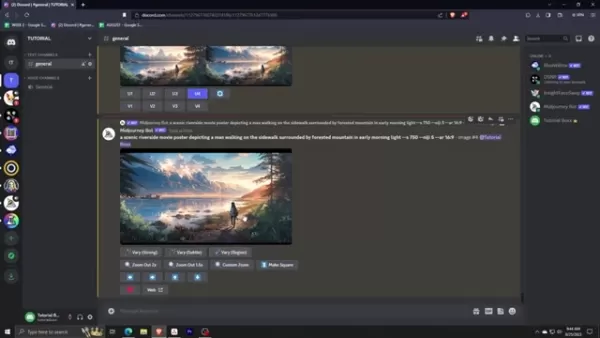
The selection sweet spot typically falls between 20-50% of total image area, varying based on element complexity.
Advanced Remix Mode Techniques
Activating remix mode via /prefer remix unlocks powerful prompt-guided editing capabilities:
- Style Transfers: Convert selected areas to different artistic mediums
- Element Swapping: Replace objects while preserving composition
- Detail Enhancement: Increase resolution or complexity of specific components
Midjourney Subscription Analysis
Plan Comparison for Serious Creators
Plan Name Best For Key Advantage GPU Allocation Basic Plan Casual users Entry-level access 3.3 hrs/month Standard Plan Regular creators Balanced features 15 hrs/month Pro Plan Professional work Commercial rights 30 hrs/month Mega Plan High-volume users Maximum resources 60 hrs/month
Inpainting FAQs
Technical Considerations
How does selection size impact results?
Moderate selections (20-50% range) allow sufficient creative room while maintaining enough original context for coherent generation. Very small selections may lack necessary reference points, while overly large selections can produce inconsistent blending.
Can inpainting handle complex object removal?
Yes, though success depends on background complexity. Simple backgrounds remove cleanly, while textured surfaces may require iterative refinements and strategic prompt guidance to reconstruct plausible patterns.
Creative Applications
What artistic styles work best?
Inpainting excels with painterly, illustrative and cinematic styles where some AI interpretation flexibility is beneficial. Hyper-realistic photography edits may require more iterations to achieve seamless results.
Are multiple iterative edits possible?
Absolutely. Professional workflows often involve sequential refinements, where each iteration builds upon the last. The key is maintaining consistency through careful prompt crafting.
Related Tools and Resources
Alternative Inpainting Platforms
Several competing platforms now offer inpainting capabilities, each with unique strengths:
- Stable Diffusion: Open-source solution with extensive community plugins
- DALL-E 2: OpenAI's implementation with strong contextual understanding
- Runway ML: Professional-grade tools with advanced control features
Developing Prompt Engineering Skills
Mastering inpainting requires developing specialized prompt engineering abilities. Recommended learning resources include:
- Midjourney's official documentation and community examples
- Specialized courses on creative AI applications
- Case studies from professional digital artists
Related article
 Stripe to Acquire OpenRouter as AI Model Routing Gains Momentum
Stripe has agreed to acquire OpenRouter, an AI model-routing platform that gives developers access to hundreds of models through a single interface. The deal adds model selection and routing to Stripe’s existing work around AI usage and token-based b
Former OpenAI Researcher Barrett Zoph Returns to Google to Support Gemini Development
Barret Zoph, who previously abruptly left and joined OpenAI due to a disagreement with Thinking Machines Lab CEO Miriam Mularati, has once again changed employers. Alphabet's Google announced that Zoph will return as Vice President of Research, bring
How Recursive Intelligence Raised $335M at $4B Valuation in 4 Months
The co-founders of startup Ricursive Intelligence seemed destined to be co-founders.Anna Goldie, CEO, and Azalia Mirhoseini, CTO, are so well-known in the AI community that they were among those AI engineers who “got those weird emails from Zuckerber
Related Special Topic Recommendations
Design & Art
Stripe to Acquire OpenRouter as AI Model Routing Gains Momentum
Stripe has agreed to acquire OpenRouter, an AI model-routing platform that gives developers access to hundreds of models through a single interface. The deal adds model selection and routing to Stripe’s existing work around AI usage and token-based b
Former OpenAI Researcher Barrett Zoph Returns to Google to Support Gemini Development
Barret Zoph, who previously abruptly left and joined OpenAI due to a disagreement with Thinking Machines Lab CEO Miriam Mularati, has once again changed employers. Alphabet's Google announced that Zoph will return as Vice President of Research, bring
How Recursive Intelligence Raised $335M at $4B Valuation in 4 Months
The co-founders of startup Ricursive Intelligence seemed destined to be co-founders.Anna Goldie, CEO, and Azalia Mirhoseini, CTO, are so well-known in the AI community that they were among those AI engineers who “got those weird emails from Zuckerber
Related Special Topic Recommendations
Design & Art
 Top AI Illustration Tools: Create Editorial Scenes and Cover Art Faster
2026 Latest Top-rated AI Illustration Tools: Our curated list features the best powerfully designed tools for creating stunning editorial scenes and eye-catching cover art quickly. Each option has gone through rigorous real-world tests, offering a free vs paid comparison to help you find the perfect match for your workflow. Try these must-try solutions today to unlock your AI edge and boost your creative productivity. Explore now at XIX.AI.
 10 tools
 xix.ai
Education and Learning
Top AI Tutors for Exam Prep: Practice Math, Science, and English
xix.ai
Education and Learning
Top AI Tutors for Exam Prep: Practice Math, Science, and English
2026 Latest Top-Rated Best AI Tutors for Exam Prep are here on XIX.AI! Our curated list features powerful game-changing tools that offer free vs paid comparison, real-world tests, and weekly updated rankings. They help boost your writing efficiency, simplify complex topic learning, and unlock your academic potential. Explore now to Discover your perfect exam prep tool and Start creating today to Unlock your AI edge!
10 tools
xix.ai
Finance
AI Budget Planning Tools for Personal Money Management
2026 Latest Best Top-Rated AI Budget Planning Tools for Personal Money Management are here on XIX.AI! This curated collection features powerful, game-changing solutions that help you conduct real-world tests, understand spending habits, and create personalized plans to boost productivity. Enjoy a free vs paid comparison along with detailed rankings. Must-try tools designed to simplify money management and unlock your AI edge. Explore now!
11 tools
xix.ai
Health & Wellness
AI Sleep Tracking Assistants: Improve Recovery with Better Bedtime Habits
2026 Latest Best Top-Rated AI Sleep Tracking Assistants curated for ultimate recovery. This fully updated weekly guide features powerful tools that deliver real-world tests, free vs paid comparison, and detailed rankings to help you find the must-try solution that boosts sleep quality and supports better bedtime habits. Explore now at XIX.AI to Unlock your AI edge.
10 tools
xix.ai
Data Analysis
AI SQL Copilots for Product and Revenue Analytics
2026 Latest Best Top-Rated AI SQL Copilots for Product and Revenue Analytics! XIX.AI has curated a powerful, game-changing collection of must-try tools that undergo real-world tests through weekly updated rankings. These tools help users boost productivity significantly by accelerating data analysis, streamlining complex queries, and generating accurate insights to drive smarter business decisions. Explore now to Discover your perfect tool for unlocking your AI edge!
14 tools
xix.ai
Education and Learning
Best AI Homework Helpers That Teach: Learn Concepts, Not Just Answers
2026 Latest Best Top-Rated AI Homework Helpers That Teach Core Concepts Not Just Answers Powerful Tools for Students Must-Try Curated List Weekly Updated Free vs Paid Comparison Real-World Tests Accurate Rankings to Help You Unlock Your Full Learning Potential Explore now to Discover your perfect tool for smarter studying.
10 tools
xix.ai

 Comments (2)
0/500
Comments (2)
0/500
![RogerSanchez]()
이미지 수정 기술이 이렇게 발전할 줄 몰랐네요! AI로 완벽하게 사진을 보정할 수 있다니... 가끔은 너무 자연스러워서 오히려 불안할 때도 있더라구요. 🤔 실제 사진과 AI 생성 이미지의 경계가 점점 흐려지는 것 같아요.
![MarkGonzalez]()
Ces techniques de retouche IA sont impressionnantes ! 😯 Mais je me demande jusqu'où cette technologie peut aller... Est-ce qu'un jour on ne pourra plus faire la différence entre une photo réelle et une image générée ? C'est un peu flippant quand même.
Discover the transformative capabilities of Midjourney's AI inpainting technology, a revolutionary feature that empowers creators to refine and perfect AI-generated artwork with surgical precision. This definitive guide reveals expert techniques for leveraging this powerful tool to elevate your creative projects, whether you're making subtle refinements or dramatic compositional changes - all within Midjourney's intuitive platform.
Key Points
Midjourney's inpainting tool enables targeted image modifications through selective editing.
The Vary (Region) function provides granular control over specific image areas for modification.
Remix mode combines text prompts with visual selections for guided image transformation.
Optimal inpainting results occur when editing 20-50% of the image area.
Enhancing existing elements typically yields better outcomes than radical content changes.
Understanding AI Inpainting in Midjourney
The Power of AI-Assisted Image Refinement
AI inpainting represents a breakthrough in digital image editing, utilizing advanced neural networks to intelligently regenerate selected portions of an image while preserving context and visual harmony. Midjourney's implementation transforms this technology into an intuitive creative tool, allowing artists to iteratively refine their work with unprecedented precision.
Midjourney's version of this technology, officially branded as 'Vary Region', marks a significant evolution in the platform's capabilities. The official announcement highlighted this feature as a game-changer for digital artists, providing professional-level editing tools directly within Midjourney's workflow.
The key to mastering inpainting lies in understanding the AI's contextual interpretation patterns and learning to communicate your creative intentions effectively. Through strategic area selection and thoughtful prompting, artists can achieve remarkable transformations while maintaining the integrity of their original composition.
Why Inpainting Changes the Game
Midjourney's inpainting feature represents a quantum leap in AI-assisted creativity by addressing fundamental limitations of earlier generation systems. This transformative capability provides:
- Targeted Editing Efficiency: Eliminates the need for complete regenerations when only specific elements need refinement
- Creative Flexibility: Enables experimental variations within a single artwork's framework
- Precision Control: Offers nuanced command over compositional elements and fine details
- Workflow Integration: Seamlessly incorporates into Midjourney's existing generation pipeline
By mastering these advanced editing capabilities, creators unlock new dimensions of artistic expression, transforming Midjourney from a generation tool into a complete digital art studio.
Expert Techniques for Optimal Inpainting Results
Crafting Effective Edit Prompts
The quality of your inpainting outcomes directly correlates with the clarity and specificity of your editing prompts. Professional users have developed effective strategies for guiding the AI toward desired results:
- Contextual Specificity: Anchor edits to established elements ("extend the river bend following the current curvature")
- Visual Descriptors: Incorporate texture and lighting cues ("soft afternoon light dappled through oak leaves")
- Compositional Guidance: Direct placement and scale ("position additional trees in middle ground, diminishing in size toward horizon")
The most successful edits maintain aesthetic and thematic continuity with the original image. Radical transformations often require multiple gradual refinements rather than single ambitious prompts.
Avoiding Common Editing Pitfalls
Even experienced users encounter challenges when first mastering inpainting techniques. Here are key issues to anticipate:
- Overambitious Edits: Multi-element changes often require stepwise implementation
- Style Discontinuity: New elements may default to different rendering styles unless specified
- Context Mismatch: Added content must observe existing lighting conditions and perspective rules
Step-by-Step Inpainting Workflow
Initial Image Creation Strategy
Smart inpainting begins with strategic initial generations. When creating source images:
- Anticipate future edits by leaving appropriate negative space
- Generate multiple variations to select the most editable composition
- Consider resolution needs for detailed future modifications
Example starting prompt structure:
/imagine prompt: cinematic landscape of mountain valley at dawn with river winding through foreground --compositional spacing for future elements --ar 16:9
Precision Area Selection
Mastering the selection process significantly impacts inpainting outcomes:
- Include sufficient surrounding context for AI reference
- Maintain logical boundaries along natural edges and contours
- Balance selection size between giving enough creative room and overwhelming the algorithm
The selection sweet spot typically falls between 20-50% of total image area, varying based on element complexity.
Advanced Remix Mode Techniques
Activating remix mode via /prefer remix unlocks powerful prompt-guided editing capabilities:
- Style Transfers: Convert selected areas to different artistic mediums
- Element Swapping: Replace objects while preserving composition
- Detail Enhancement: Increase resolution or complexity of specific components
Midjourney Subscription Analysis
Plan Comparison for Serious Creators
| Plan Name | Best For | Key Advantage | GPU Allocation |
|---|---|---|---|
| Basic Plan | Casual users | Entry-level access | 3.3 hrs/month |
| Standard Plan | Regular creators | Balanced features | 15 hrs/month |
| Pro Plan | Professional work | Commercial rights | 30 hrs/month |
| Mega Plan | High-volume users | Maximum resources | 60 hrs/month |
Inpainting FAQs
Technical Considerations
How does selection size impact results?
Moderate selections (20-50% range) allow sufficient creative room while maintaining enough original context for coherent generation. Very small selections may lack necessary reference points, while overly large selections can produce inconsistent blending.
Can inpainting handle complex object removal?
Yes, though success depends on background complexity. Simple backgrounds remove cleanly, while textured surfaces may require iterative refinements and strategic prompt guidance to reconstruct plausible patterns.
Creative Applications
What artistic styles work best?
Inpainting excels with painterly, illustrative and cinematic styles where some AI interpretation flexibility is beneficial. Hyper-realistic photography edits may require more iterations to achieve seamless results.
Are multiple iterative edits possible?
Absolutely. Professional workflows often involve sequential refinements, where each iteration builds upon the last. The key is maintaining consistency through careful prompt crafting.
Related Tools and Resources
Alternative Inpainting Platforms
Several competing platforms now offer inpainting capabilities, each with unique strengths:
- Stable Diffusion: Open-source solution with extensive community plugins
- DALL-E 2: OpenAI's implementation with strong contextual understanding
- Runway ML: Professional-grade tools with advanced control features
Developing Prompt Engineering Skills
Mastering inpainting requires developing specialized prompt engineering abilities. Recommended learning resources include:
- Midjourney's official documentation and community examples
- Specialized courses on creative AI applications
- Case studies from professional digital artists








 Stripe to Acquire OpenRouter as AI Model Routing Gains Momentum
Stripe has agreed to acquire OpenRouter, an AI model-routing platform that gives developers access to hundreds of models through a single interface. The deal adds model selection and routing to Stripe’s existing work around AI usage and token-based b
Stripe to Acquire OpenRouter as AI Model Routing Gains Momentum
Stripe has agreed to acquire OpenRouter, an AI model-routing platform that gives developers access to hundreds of models through a single interface. The deal adds model selection and routing to Stripe’s existing work around AI usage and token-based b
 Former OpenAI Researcher Barrett Zoph Returns to Google to Support Gemini Development
Barret Zoph, who previously abruptly left and joined OpenAI due to a disagreement with Thinking Machines Lab CEO Miriam Mularati, has once again changed employers. Alphabet's Google announced that Zoph will return as Vice President of Research, bring
Former OpenAI Researcher Barrett Zoph Returns to Google to Support Gemini Development
Barret Zoph, who previously abruptly left and joined OpenAI due to a disagreement with Thinking Machines Lab CEO Miriam Mularati, has once again changed employers. Alphabet's Google announced that Zoph will return as Vice President of Research, bring
 How Recursive Intelligence Raised $335M at $4B Valuation in 4 Months
The co-founders of startup Ricursive Intelligence seemed destined to be co-founders.Anna Goldie, CEO, and Azalia Mirhoseini, CTO, are so well-known in the AI community that they were among those AI engineers who “got those weird emails from Zuckerber
How Recursive Intelligence Raised $335M at $4B Valuation in 4 Months
The co-founders of startup Ricursive Intelligence seemed destined to be co-founders.Anna Goldie, CEO, and Azalia Mirhoseini, CTO, are so well-known in the AI community that they were among those AI engineers who “got those weird emails from Zuckerber

2026 Latest Top-rated AI Illustration Tools: Our curated list features the best powerfully designed tools for creating stunning editorial scenes and eye-catching cover art quickly. Each option has gone through rigorous real-world tests, offering a free vs paid comparison to help you find the perfect match for your workflow. Try these must-try solutions today to unlock your AI edge and boost your creative productivity. Explore now at XIX.AI.
10 tools
xix.ai

2026 Latest Top-Rated Best AI Tutors for Exam Prep are here on XIX.AI! Our curated list features powerful game-changing tools that offer free vs paid comparison, real-world tests, and weekly updated rankings. They help boost your writing efficiency, simplify complex topic learning, and unlock your academic potential. Explore now to Discover your perfect exam prep tool and Start creating today to Unlock your AI edge!
10 tools
xix.ai

2026 Latest Best Top-Rated AI Budget Planning Tools for Personal Money Management are here on XIX.AI! This curated collection features powerful, game-changing solutions that help you conduct real-world tests, understand spending habits, and create personalized plans to boost productivity. Enjoy a free vs paid comparison along with detailed rankings. Must-try tools designed to simplify money management and unlock your AI edge. Explore now!
11 tools
xix.ai

2026 Latest Best Top-Rated AI Sleep Tracking Assistants curated for ultimate recovery. This fully updated weekly guide features powerful tools that deliver real-world tests, free vs paid comparison, and detailed rankings to help you find the must-try solution that boosts sleep quality and supports better bedtime habits. Explore now at XIX.AI to Unlock your AI edge.
10 tools
xix.ai

2026 Latest Best Top-Rated AI SQL Copilots for Product and Revenue Analytics! XIX.AI has curated a powerful, game-changing collection of must-try tools that undergo real-world tests through weekly updated rankings. These tools help users boost productivity significantly by accelerating data analysis, streamlining complex queries, and generating accurate insights to drive smarter business decisions. Explore now to Discover your perfect tool for unlocking your AI edge!
14 tools
xix.ai

2026 Latest Best Top-Rated AI Homework Helpers That Teach Core Concepts Not Just Answers Powerful Tools for Students Must-Try Curated List Weekly Updated Free vs Paid Comparison Real-World Tests Accurate Rankings to Help You Unlock Your Full Learning Potential Explore now to Discover your perfect tool for smarter studying.
10 tools
xix.ai

이미지 수정 기술이 이렇게 발전할 줄 몰랐네요! AI로 완벽하게 사진을 보정할 수 있다니... 가끔은 너무 자연스러워서 오히려 불안할 때도 있더라구요. 🤔 실제 사진과 AI 생성 이미지의 경계가 점점 흐려지는 것 같아요.
Ces techniques de retouche IA sont impressionnantes ! 😯 Mais je me demande jusqu'où cette technologie peut aller... Est-ce qu'un jour on ne pourra plus faire la différence entre une photo réelle et une image générée ? C'est un peu flippant quand même.












