


 Home
HomeHow to create AI animations in Figma for free 2025? Magic Animator tool guide.
In today's fast-paced digital world, animation is key to capturing audience attention. Magic Animator stands out as a revolutionary AI-powered plugin for Figma. This tool transforms design workflows by enabling designers to easily convert static designs into engaging, dynamic animations. Whether you're an expert or just starting out, Magic Animator simplifies the animation process, saving valuable time and increasing user engagement.
Key Points
Magic Animator is an AI-driven Figma plugin that automates animation creation.
It turns still designs into compelling animated graphics, logo animations, and product videos.
For each design, the plugin generates several animation variations, offering designers multiple creative choices.
Magic Animator allows users to download animations in MP4, WebM, GIF, and Lottie JSON formats.
Integration with LottieLab enables deeper customization and fine-tuning of animations.
It saves time and resources while making animation approachable for professionals and beginners alike.
The plugin features an easy-to-use interface and produces animations in seconds.
Unveiling Magic Animator
What is Magic Animator?
Magic Animator is an advanced AI-based plugin that transforms animation workflows directly in Figma. Using artificial intelligence, it allows designers to quickly turn static designs into lively, dynamic animations.
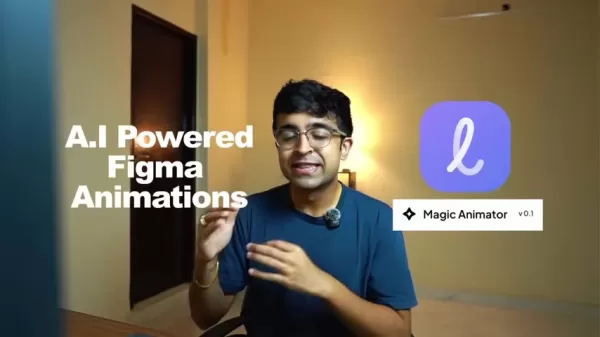
As an intuitive tool, it makes animation easy for both experts and newcomers. With Magic Animator, creating attractive animations becomes smooth, efficient, and highly user-friendly, letting designers focus more on creativity than on technical challenges. Magic Animator is an AI animation tool built specifically for Figma. It leverages AI to convert your static designs into attention-grabbing animated visuals. Whether you want to enhance graphics, animate logos, or produce captivating product videos, Magic Animator gives you the capability to make your work stand out. It brings movement and interactivity to previously static designs. Ultimately, Magic Animator is an AI-powered solution designed to streamline animation creation for digital designers.
Customizable Animations for Unique Product Videos
Editing Specific Details
One of the tool's most impressive features is the ability to modify specific animation details.
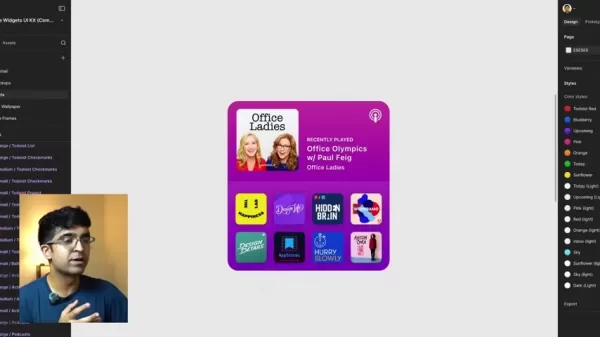
By accessing different layers, users can adjust rotation, opacity, and other parameters. This granular control is essential for creating product videos that truly align with a brand's identity, delivering a consistent and powerful visual message.
How to Animate Your Figma Designs with Magic Animator
Step 1: Select Your Design in Figma
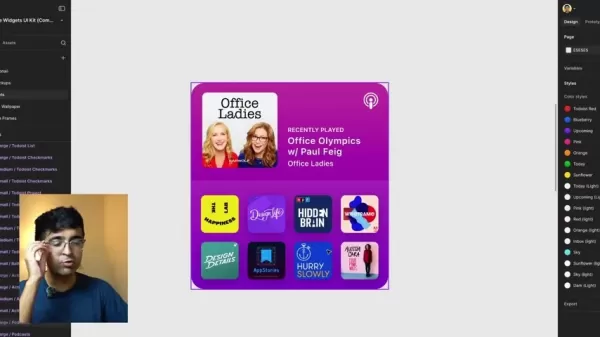
Start by opening your design in Figma. The plugin works with frames and specific elements like titles, icons, and logos. You can choose to animate the entire frame or just a particular part of your design.
Step 2: Launch Magic Animator
To open the plugin, click the "Actions" icon located at the bottom of the Figma interface. Then, pick “Magic Animator” from the plugin menu.
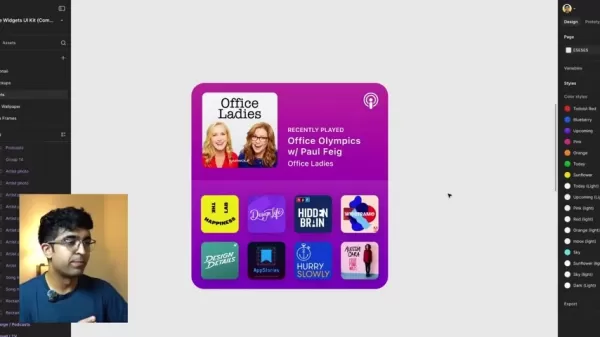
If it's not visible, use the search bar and type “Magic Animator” to find it.
Step 3: Generate Animation Variations
After launching the plugin, Magic Animator assesses your selected design. It then automatically creates four animation options for you to explore.
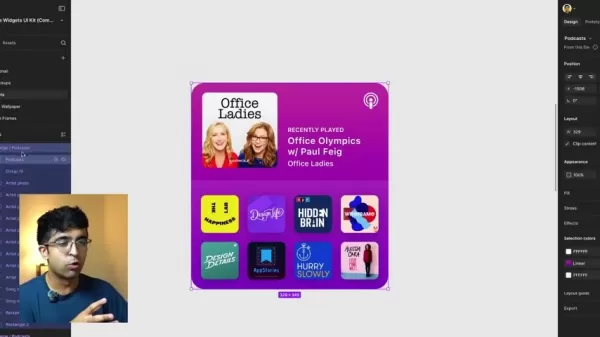
Preview each variation to decide which one works best for your project.
Step 4: Customize and Edit (Optional)
For further adjustments, select your preferred animation and click “Open/Edit animation.” This launches the animation in LottieLab, where you can tweak keyframes, easing, duration, and other animation properties.
LottieLab customization gives you complete control over your design's motion.
Step 5: Export Your Animation
Lastly, pick your desired export format. Supported formats include MP4, WebM, GIF, and Lottie JSON. Choose the right format for your use case, adjust settings if needed, and download the final animated file.
Magic Animator Pricing
Subscription Plans
Magic Animator provides both free and pro subscription options to fit different needs and budgets. The free version includes essential animation tools with some customization limits, making it ideal for hobbyists or those new to animation.

For more sophisticated features and greater flexibility, the pro plan offers enhanced customization abilities. If your work frequently relies on animation, this is probably the right choice.
Pros and Cons of Magic Animator
Pros
AI-driven automation greatly reduces time and manual work.
Offers several animation styles for creative exploration.
Smooth integration with Figma improves workflow efficiency.
Multiple export formats ensure wide compatibility.
LottieLab integration supports advanced editing and refinement.
Cons
The free tier comes with restricted functionality.
Some AI-created animations may need extra polishing in LottieLab.
Using LottieLab for in-depth editing requires knowledge of that platform.
Animations might not always fully match the desired visual style.
Core Features of Magic Animator
AI-Powered Animation Generation
The core of Magic Animator is its sophisticated AI engine. It evaluates your Figma designs and automatically produces a selection of animation styles.
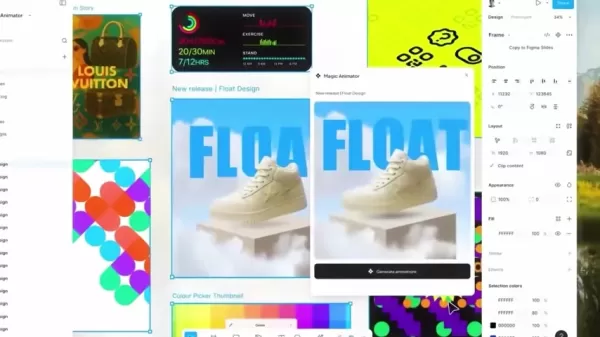
This removes the need for manual keyframing and complicated setup, saving you both time and energy. The AI interprets your design components and proposes animations that boost visual interest and engagement. This central capability distinguishes Magic Animator from conventional animation tools. It automates the shift from static to dynamic motion, drastically cutting down the effort and time required.
Multiple Animation Variations
Magic Animator goes beyond a single animation by generating various versions for each design. This lets you test different motion styles and pick the one that best enhances your design.

A wide selection of suggestions helps you find the ideal animation that reflects your creative intent. This functionality is especially useful for designers who enjoy experimenting and exploring different animation approaches. By presenting multiple options, Magic Animator fosters creativity and helps designers uncover new ways to elevate their work.
Seamless Figma Integration
Magic Animator integrates smoothly into your current Figma workflow. You won't need to switch apps or learn a new system.
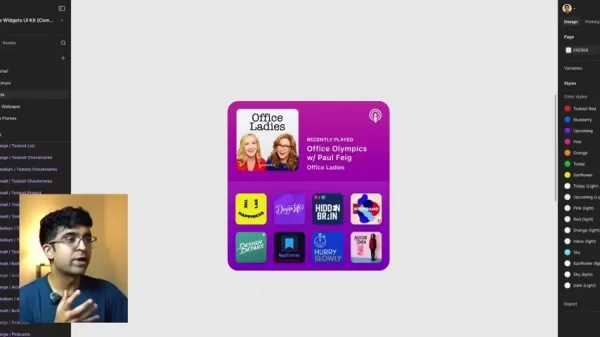
The plugin operates inside Figma, making the animation process straightforward and efficient. This integration is a major benefit for Figma users, as it lets them add animation without interrupting their established design process.
Versatile Export Options
Once your animation is ready, Magic Animator gives you several export choices. You can download in widely-used formats like MP4, WebM, GIF, and Lottie JSON.
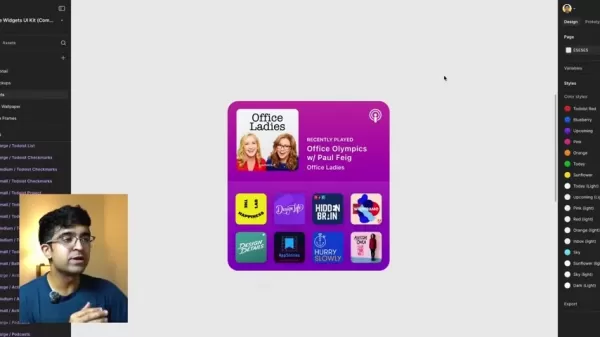
This guarantees your animations will work across different platforms and devices, allowing you to easily add motion to your projects. Multiple export formats mean designers can apply their animations anywhere—on the web, mobile apps, or social media—giving them the flexibility they need.
LottieLab Integration
For detailed customizations, Magic Animator connects with LottieLab. This lets you refine animations further, modify keyframes, and add sophisticated details.
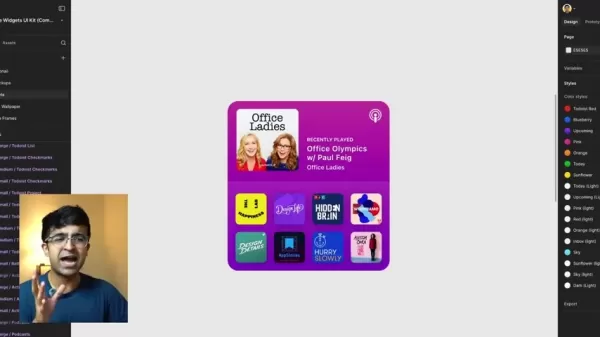
LottieLab integration is crucial for designers who want full control. It empowers them to go past the AI's suggestions and perfect every element of the animation.
Frequently Asked Questions about Magic Animator
Is Magic Animator free to use?
Magic Animator has a free plan with core features, plus a pro plan for more customization and expanded features. If you require more extensive control, upgrading is recommended.
What formats can I export animations in?
Magic Animator supports exporting in MP4, WebM, GIF, and Lottie JSON formats. Lottie files are especially lightweight, helping your animations load and run faster.
Do I need to know animation to use Magic Animator?
No, Magic Animator is built to be accessible, even for users without animation background. The AI handles most of the work, and you can personalize animations with little effort.
Can I use Magic Animator for commercial projects?
Yes, animations made with Magic Animator can be used in commercial projects under both the free and pro plans.
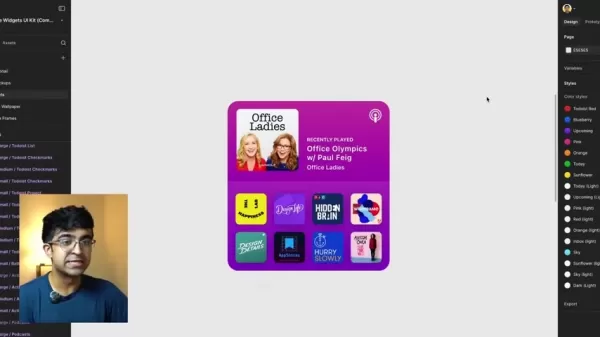
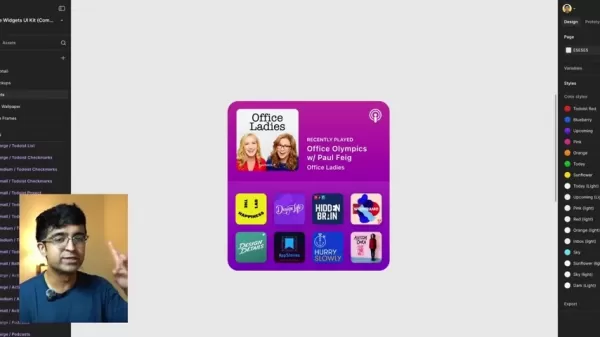
What is the UI kit used in the video?
Apple Widgets UI Kit
Related Questions
How does Magic Animator compare to other animation tools for Figma?
Magic Animator excels because of its AI automation, effortless Figma integration, and diverse export options. While other tools often involve more manual work and a higher learning curve, Magic Animator makes animation simpler and more inclusive. Traditional tools might not integrate as smoothly with Figma, and typically demand deeper animation expertise to achieve professional results. Magic Animator minimizes both the skill requirements and time commitment. It uses AI to create animations that can be further tailored using LottieLab export features. Below is a comparison of Magic Animator with other popular animation tools:
Related article
 Anthropic Expands Claude AI Coding Tools to Japan in Push for Overseas Growth
Anthropic, a prominent U.S. artificial intelligence firm, is intensifying its global outreach. On Wednesday, the company hosted a major developer gathering, "Code with Claude," in Tokyo, drawing close to 500 software engineers. This initiative seeks
India’s Software Giant Cuts Hiring, Promises No Layoffs as AI Agents Scale Up
As artificial intelligence reshapes traditional labor-intensive business models, Tata Consultancy Services (TCS), a premier Indian software outsourcing firm, has unveiled its strategic response. During Tuesday’s annual general meeting, the chairman o
China Locks AI Models During Gaokam to Block Instant Homework Help
With the 2026 Gaokao fast approaching, rumors regarding the suspension of AI tools during the exam period have ignited intense online debate. In response to public concern, major AI platforms and educational apps have clarified their stance: rather t
Related Special Topic Recommendations
Design & Art
Anthropic Expands Claude AI Coding Tools to Japan in Push for Overseas Growth
Anthropic, a prominent U.S. artificial intelligence firm, is intensifying its global outreach. On Wednesday, the company hosted a major developer gathering, "Code with Claude," in Tokyo, drawing close to 500 software engineers. This initiative seeks
India’s Software Giant Cuts Hiring, Promises No Layoffs as AI Agents Scale Up
As artificial intelligence reshapes traditional labor-intensive business models, Tata Consultancy Services (TCS), a premier Indian software outsourcing firm, has unveiled its strategic response. During Tuesday’s annual general meeting, the chairman o
China Locks AI Models During Gaokam to Block Instant Homework Help
With the 2026 Gaokao fast approaching, rumors regarding the suspension of AI tools during the exam period have ignited intense online debate. In response to public concern, major AI platforms and educational apps have clarified their stance: rather t
Related Special Topic Recommendations
Design & Art
 Best AI Style Transfer Tools for Creative Experiments
2026 Latest Best Top-rated AI Style Transfer Tools for Creative Experiments! XIX.AI has curated a powerful, game-changing collection of must-try tools that deliver exceptional results through real-world tests and rigorous rankings. These top solutions help creatives boost productivity significantly by accelerating content creation and unlocking endless creative possibilities. Explore now to discover your perfect tool and start creating today!
 9 tools
 xix.ai
Comic Creation
Best AI Dialogue Bubble Tools for Visual Storytelling
xix.ai
Comic Creation
Best AI Dialogue Bubble Tools for Visual Storytelling
2026 Latest Best Top-Rated AI Dialogue Bubble Tools for Visual Storytelling are here on XIX.AI! This curated collection features powerful, game-changing tools that help creators boost productivity and overcome creative bottlenecks. Get a free vs paid comparison, see real-world tests, and check the latest rankings to find the must-try solutions perfect for crafting engaging visual narratives. Explore now to discover your ideal tool!
10 tools
xix.ai
Meeting Assistant
Top AI Meeting Summary Tools: Track Decisions and Follow-Ups Clearly
2026 Latest Top-Rated Best AI Meeting Summary Tools for Clear Decision Tracking and Effortless Follow-Ups. This curated list showcases powerful, game-changing solutions that boost productivity dramatically by automating meeting notes, identifying key action items, and streamlining team coordination across all projects. Get a free vs paid comparison along with real-world tests and weekly updated rankings to help you find the perfect tool. Explore now to unlock your AI edge!
9 tools
xix.ai
Data Analysis
Best AI Data Cleaning Tools: Fix Missing Values and Duplicates Fast
2026 Latest Best Top-rated AI Data Cleaning Tools for quick fixing of missing values and duplicates. This curated list showcases powerful, game-changing solutions that boost productivity significantly. Each option has undergone rigorous real-world tests to ensure reliability. Get a free vs paid comparison and discover the must-try tool that fits your needs best. Explore now at XIX.AI to Unlock your AI edge.
11 tools
xix.ai
Design & Art
Best AI Creative Ideation Tools for Artists: Break Through Visual Blocks
2026 Latest Best Top-Rated AI Creative Ideation Tools for Artists are curated by XIX.AI to help creators break through visual blocks and boost creativity instantly. These powerful game-changing tools offer real-world tests, detailed free vs paid comparison, and weekly updated rankings. Discover your perfect tool to accelerate content creation and unlock your AI edge today. Explore now!
14 tools
xix.ai
Music composition
AI Beat Makers for TikTok Background Tracks, Reels Audio, and Creator Promo Music
2026 Latest Best AI Beat Makers for TikTok Background Tracks, Reels Audio, and Creator Promo Music! XIX.AI has curated a top-rated list of powerful game-changing tools that go through real-world tests to deliver flawless music for every content need. You’ll find detailed free vs paid comparison data, weekly updated rankings, and must-try options to help you boost creativity and productivity. Explore now to discover your perfect tool!
11 tools
xix.ai

 Comments (1)
0/500
Comments (1)
0/500
![HarryLewis]()
こちらの記事がとても役に立ちました。無料のAIアニメーションツールがFigmaでここまで出来るとは知らなかった!Magic Animator、実際に試してみようと思うけど、生成速度とか精度はどうなんだろう?AIでアニメーションが簡単になると、デザイナーの役割も変わっていきそうで少し不安😅
In today's fast-paced digital world, animation is key to capturing audience attention. Magic Animator stands out as a revolutionary AI-powered plugin for Figma. This tool transforms design workflows by enabling designers to easily convert static designs into engaging, dynamic animations. Whether you're an expert or just starting out, Magic Animator simplifies the animation process, saving valuable time and increasing user engagement.
Key Points
Magic Animator is an AI-driven Figma plugin that automates animation creation.
It turns still designs into compelling animated graphics, logo animations, and product videos.
For each design, the plugin generates several animation variations, offering designers multiple creative choices.
Magic Animator allows users to download animations in MP4, WebM, GIF, and Lottie JSON formats.
Integration with LottieLab enables deeper customization and fine-tuning of animations.
It saves time and resources while making animation approachable for professionals and beginners alike.
The plugin features an easy-to-use interface and produces animations in seconds.
Unveiling Magic Animator
What is Magic Animator?
Magic Animator is an advanced AI-based plugin that transforms animation workflows directly in Figma. Using artificial intelligence, it allows designers to quickly turn static designs into lively, dynamic animations.
As an intuitive tool, it makes animation easy for both experts and newcomers. With Magic Animator, creating attractive animations becomes smooth, efficient, and highly user-friendly, letting designers focus more on creativity than on technical challenges. Magic Animator is an AI animation tool built specifically for Figma. It leverages AI to convert your static designs into attention-grabbing animated visuals. Whether you want to enhance graphics, animate logos, or produce captivating product videos, Magic Animator gives you the capability to make your work stand out. It brings movement and interactivity to previously static designs. Ultimately, Magic Animator is an AI-powered solution designed to streamline animation creation for digital designers.
Customizable Animations for Unique Product Videos
Editing Specific Details
One of the tool's most impressive features is the ability to modify specific animation details.
By accessing different layers, users can adjust rotation, opacity, and other parameters. This granular control is essential for creating product videos that truly align with a brand's identity, delivering a consistent and powerful visual message.
How to Animate Your Figma Designs with Magic Animator
Step 1: Select Your Design in Figma
Start by opening your design in Figma. The plugin works with frames and specific elements like titles, icons, and logos. You can choose to animate the entire frame or just a particular part of your design.
Step 2: Launch Magic Animator
To open the plugin, click the "Actions" icon located at the bottom of the Figma interface. Then, pick “Magic Animator” from the plugin menu.
If it's not visible, use the search bar and type “Magic Animator” to find it.
Step 3: Generate Animation Variations
After launching the plugin, Magic Animator assesses your selected design. It then automatically creates four animation options for you to explore.
Preview each variation to decide which one works best for your project.
Step 4: Customize and Edit (Optional)
For further adjustments, select your preferred animation and click “Open/Edit animation.” This launches the animation in LottieLab, where you can tweak keyframes, easing, duration, and other animation properties.
LottieLab customization gives you complete control over your design's motion.
Step 5: Export Your Animation
Lastly, pick your desired export format. Supported formats include MP4, WebM, GIF, and Lottie JSON. Choose the right format for your use case, adjust settings if needed, and download the final animated file.
Magic Animator Pricing
Subscription Plans
Magic Animator provides both free and pro subscription options to fit different needs and budgets. The free version includes essential animation tools with some customization limits, making it ideal for hobbyists or those new to animation.
For more sophisticated features and greater flexibility, the pro plan offers enhanced customization abilities. If your work frequently relies on animation, this is probably the right choice.
Pros and Cons of Magic Animator
Pros
AI-driven automation greatly reduces time and manual work.
Offers several animation styles for creative exploration.
Smooth integration with Figma improves workflow efficiency.
Multiple export formats ensure wide compatibility.
LottieLab integration supports advanced editing and refinement.
Cons
The free tier comes with restricted functionality.
Some AI-created animations may need extra polishing in LottieLab.
Using LottieLab for in-depth editing requires knowledge of that platform.
Animations might not always fully match the desired visual style.
Core Features of Magic Animator
AI-Powered Animation Generation
The core of Magic Animator is its sophisticated AI engine. It evaluates your Figma designs and automatically produces a selection of animation styles.
This removes the need for manual keyframing and complicated setup, saving you both time and energy. The AI interprets your design components and proposes animations that boost visual interest and engagement. This central capability distinguishes Magic Animator from conventional animation tools. It automates the shift from static to dynamic motion, drastically cutting down the effort and time required.
Multiple Animation Variations
Magic Animator goes beyond a single animation by generating various versions for each design. This lets you test different motion styles and pick the one that best enhances your design.
A wide selection of suggestions helps you find the ideal animation that reflects your creative intent. This functionality is especially useful for designers who enjoy experimenting and exploring different animation approaches. By presenting multiple options, Magic Animator fosters creativity and helps designers uncover new ways to elevate their work.
Seamless Figma Integration
Magic Animator integrates smoothly into your current Figma workflow. You won't need to switch apps or learn a new system.
The plugin operates inside Figma, making the animation process straightforward and efficient. This integration is a major benefit for Figma users, as it lets them add animation without interrupting their established design process.
Versatile Export Options
Once your animation is ready, Magic Animator gives you several export choices. You can download in widely-used formats like MP4, WebM, GIF, and Lottie JSON.
This guarantees your animations will work across different platforms and devices, allowing you to easily add motion to your projects. Multiple export formats mean designers can apply their animations anywhere—on the web, mobile apps, or social media—giving them the flexibility they need.
LottieLab Integration
For detailed customizations, Magic Animator connects with LottieLab. This lets you refine animations further, modify keyframes, and add sophisticated details.
LottieLab integration is crucial for designers who want full control. It empowers them to go past the AI's suggestions and perfect every element of the animation.
Frequently Asked Questions about Magic Animator
Is Magic Animator free to use?
Magic Animator has a free plan with core features, plus a pro plan for more customization and expanded features. If you require more extensive control, upgrading is recommended.
What formats can I export animations in?
Magic Animator supports exporting in MP4, WebM, GIF, and Lottie JSON formats. Lottie files are especially lightweight, helping your animations load and run faster.
Do I need to know animation to use Magic Animator?
No, Magic Animator is built to be accessible, even for users without animation background. The AI handles most of the work, and you can personalize animations with little effort.
Can I use Magic Animator for commercial projects?
Yes, animations made with Magic Animator can be used in commercial projects under both the free and pro plans.
What is the UI kit used in the video?
Apple Widgets UI Kit
Related Questions
How does Magic Animator compare to other animation tools for Figma?
Magic Animator excels because of its AI automation, effortless Figma integration, and diverse export options. While other tools often involve more manual work and a higher learning curve, Magic Animator makes animation simpler and more inclusive. Traditional tools might not integrate as smoothly with Figma, and typically demand deeper animation expertise to achieve professional results. Magic Animator minimizes both the skill requirements and time commitment. It uses AI to create animations that can be further tailored using LottieLab export features. Below is a comparison of Magic Animator with other popular animation tools:








 Anthropic Expands Claude AI Coding Tools to Japan in Push for Overseas Growth
Anthropic, a prominent U.S. artificial intelligence firm, is intensifying its global outreach. On Wednesday, the company hosted a major developer gathering, "Code with Claude," in Tokyo, drawing close to 500 software engineers. This initiative seeks
Anthropic Expands Claude AI Coding Tools to Japan in Push for Overseas Growth
Anthropic, a prominent U.S. artificial intelligence firm, is intensifying its global outreach. On Wednesday, the company hosted a major developer gathering, "Code with Claude," in Tokyo, drawing close to 500 software engineers. This initiative seeks
 India’s Software Giant Cuts Hiring, Promises No Layoffs as AI Agents Scale Up
As artificial intelligence reshapes traditional labor-intensive business models, Tata Consultancy Services (TCS), a premier Indian software outsourcing firm, has unveiled its strategic response. During Tuesday’s annual general meeting, the chairman o
India’s Software Giant Cuts Hiring, Promises No Layoffs as AI Agents Scale Up
As artificial intelligence reshapes traditional labor-intensive business models, Tata Consultancy Services (TCS), a premier Indian software outsourcing firm, has unveiled its strategic response. During Tuesday’s annual general meeting, the chairman o
 China Locks AI Models During Gaokam to Block Instant Homework Help
With the 2026 Gaokao fast approaching, rumors regarding the suspension of AI tools during the exam period have ignited intense online debate. In response to public concern, major AI platforms and educational apps have clarified their stance: rather t
China Locks AI Models During Gaokam to Block Instant Homework Help
With the 2026 Gaokao fast approaching, rumors regarding the suspension of AI tools during the exam period have ignited intense online debate. In response to public concern, major AI platforms and educational apps have clarified their stance: rather t

2026 Latest Best Top-rated AI Style Transfer Tools for Creative Experiments! XIX.AI has curated a powerful, game-changing collection of must-try tools that deliver exceptional results through real-world tests and rigorous rankings. These top solutions help creatives boost productivity significantly by accelerating content creation and unlocking endless creative possibilities. Explore now to discover your perfect tool and start creating today!
9 tools
xix.ai

2026 Latest Best Top-Rated AI Dialogue Bubble Tools for Visual Storytelling are here on XIX.AI! This curated collection features powerful, game-changing tools that help creators boost productivity and overcome creative bottlenecks. Get a free vs paid comparison, see real-world tests, and check the latest rankings to find the must-try solutions perfect for crafting engaging visual narratives. Explore now to discover your ideal tool!
10 tools
xix.ai

2026 Latest Top-Rated Best AI Meeting Summary Tools for Clear Decision Tracking and Effortless Follow-Ups. This curated list showcases powerful, game-changing solutions that boost productivity dramatically by automating meeting notes, identifying key action items, and streamlining team coordination across all projects. Get a free vs paid comparison along with real-world tests and weekly updated rankings to help you find the perfect tool. Explore now to unlock your AI edge!
9 tools
xix.ai

2026 Latest Best Top-rated AI Data Cleaning Tools for quick fixing of missing values and duplicates. This curated list showcases powerful, game-changing solutions that boost productivity significantly. Each option has undergone rigorous real-world tests to ensure reliability. Get a free vs paid comparison and discover the must-try tool that fits your needs best. Explore now at XIX.AI to Unlock your AI edge.
11 tools
xix.ai

2026 Latest Best Top-Rated AI Creative Ideation Tools for Artists are curated by XIX.AI to help creators break through visual blocks and boost creativity instantly. These powerful game-changing tools offer real-world tests, detailed free vs paid comparison, and weekly updated rankings. Discover your perfect tool to accelerate content creation and unlock your AI edge today. Explore now!
14 tools
xix.ai

2026 Latest Best AI Beat Makers for TikTok Background Tracks, Reels Audio, and Creator Promo Music! XIX.AI has curated a top-rated list of powerful game-changing tools that go through real-world tests to deliver flawless music for every content need. You’ll find detailed free vs paid comparison data, weekly updated rankings, and must-try options to help you boost creativity and productivity. Explore now to discover your perfect tool!
11 tools
xix.ai

こちらの記事がとても役に立ちました。無料のAIアニメーションツールがFigmaでここまで出来るとは知らなかった!Magic Animator、実際に試してみようと思うけど、生成速度とか精度はどうなんだろう?AIでアニメーションが簡単になると、デザイナーの役割も変わっていきそうで少し不安😅












