


 Home
HomeKling AI: Comprehensive Review of Free AI Video Creation Tool
Artificial intelligence is transforming creative industries, with video generation at the forefront. Kling AI stands out as a powerful, free platform for crafting high-quality AI videos with lifelike motion and intricate details. Accessible to both professionals and beginners, it offers an intuitive way to explore AI-driven video production.
Key Highlights
Kling AI provides a free, globally accessible AI video generator.
It delivers lifelike motion and consistent visual detail.
Supports diverse video styles for versatile creative output.
Image referencing improves image-to-video conversion quality.
Adjustable sliders allow control over creativity and relevance.
Negative prompts refine output by excluding unwanted elements.
Kling AI Overview: Redefining AI Video Production
What is Kling AI?
Kling AI is an innovative, free AI video generator now available worldwide. It creates high-quality videos from text prompts or image references, excelling in realistic motion and consistent detail. Its versatility suits various styles, empowering both novice and expert creators to explore AI video production. With robust features and no cost, Kling AI is a go-to tool for AI-generated video content.
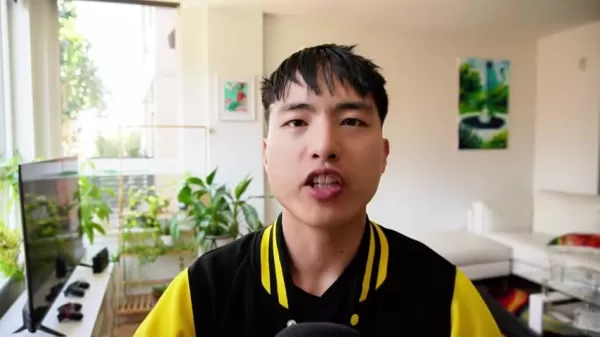
Its ability to produce videos with smooth motion and sharp details makes it ideal for both professional and amateur creators.
Core Features:
- Text-to-Video: Transform written ideas into dynamic visuals.
- Image-to-Video: Animate static images with lifelike motion.
- Style Flexibility: Create videos in diverse artistic styles.
- Customization Options: Adjust creativity and relevance with sliders.
- Negative Prompts: Exclude unwanted elements for refined results.
Evaluating Video Quality & Versatility
Consistency in Detail and Motion
Kling AI excels in maintaining sharp details and fluid motion, ensuring a realistic and engaging viewing experience. Unlike some AI tools that produce distorted outputs, Kling AI keeps visuals cohesive and clear.
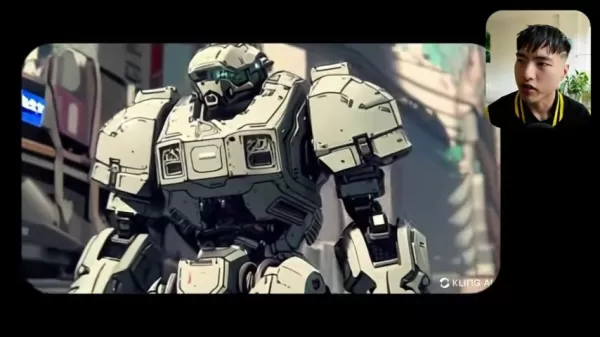
Its precision shines in animations, preserving fine details and intricate patterns. Advanced algorithms simulate real-world physics, delivering natural movements for characters, objects, or camera pans, enhancing overall realism.
Variety of Styles
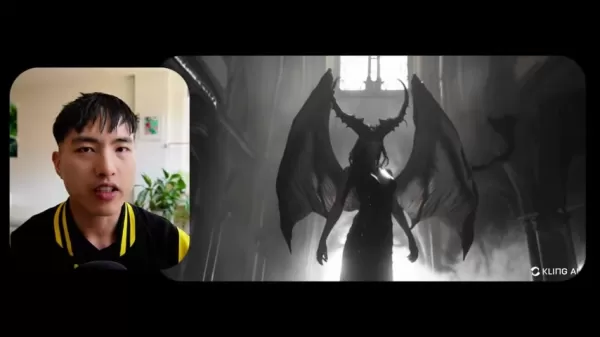
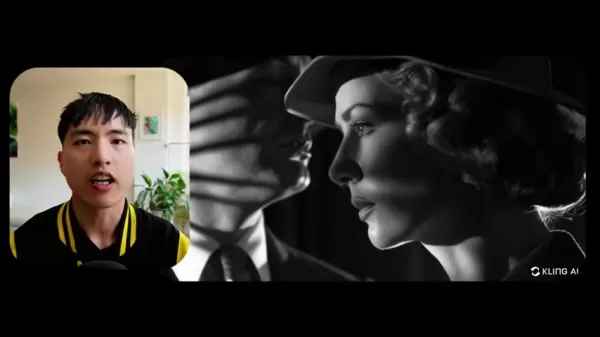
Kling AI’s flexibility allows video creation in diverse styles, from photorealistic to anime-inspired. Users can bring unique visions to life with ease.
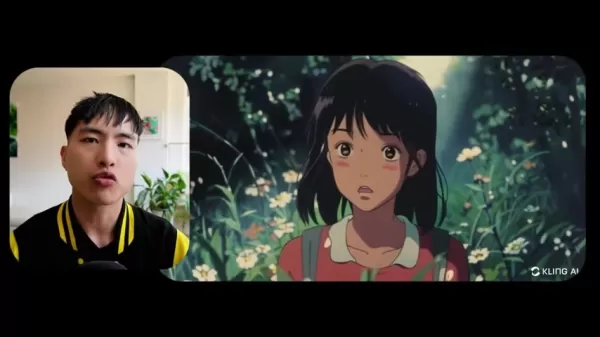
Trained on vast datasets, its AI models replicate a wide range of artistic styles. Detailed text prompts or image references guide the output, while customization controls fine-tune results to match user preferences.
Guide: Creating Videos with Kling AI
Getting Started
- Visit Kliai.com: Access the Kling AI platform.
Click the "Sign In" button in the top-right corner.
- Sign Up: Choose "Sign up for free," enter your email, and set a password. Verify your account with the emailed passcode.
- Browse Gallery: Explore user-generated videos and images for inspiration and to understand platform capabilities.
Text-to-Video Creation
- Access AI Video Generator: Select "AI Videos" from the homepage.
- Write Prompt: Describe your vision in detail.
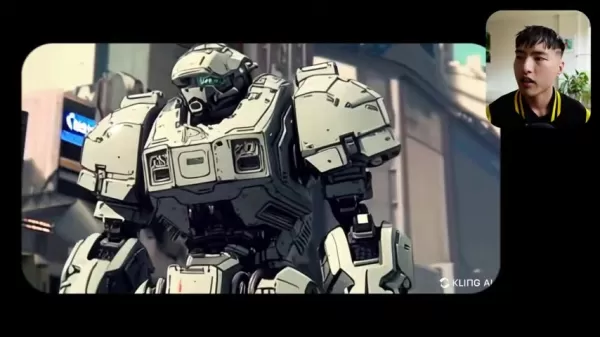
Specify scenes, characters, and aesthetics for accurate results.
- Adjust Settings: Use sliders to balance creativity and relevance.
- Add Negative Prompt: Exclude unwanted elements like distortions.
- Customize Camera: Add dynamic movements like zooming or panning.
- Generate Video: Click "Generate" to create your video, noting credit usage.
- Review & Download: Check the result and download via the arrow icon.
Image-to-Video Creation
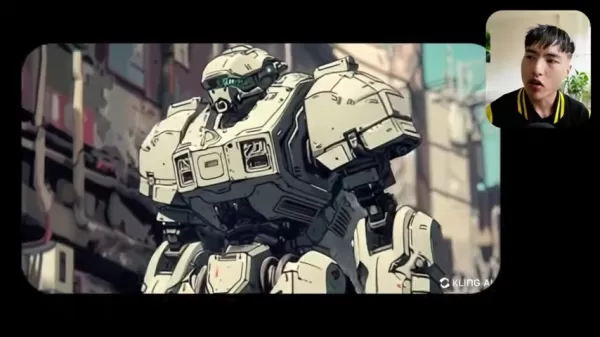
- Select Image-to-Video: Navigate to the "Image to Video" tab.
- Upload Image: Choose a reference image for animation.
- Add Prompt (Optional): Describe desired video elements.
- Customize Settings: Adjust sliders and negative prompts.
- Generate Video: Start the process and review the output.
Pricing
Free Credit System
Kling AI uses a free credit system, offering 66 daily credits for approximately 6 high-performance video generations, enabling cost-free exploration.
Pros and Cons of Kling AI
Pros
Free to use, accessible to all.
Creates realistic motion for engaging videos.
Maintains consistent, high-quality details.
Supports diverse styles for creative flexibility.
Image referencing enhances video conversions.
Offers precise customization controls.
Cons
Limited to 5-second videos initially.
High-quality model unavailable.
Camera motion may need manual tweaks.
Animation styles may vary unexpectedly.
Occasional scene-switching disruptions.
Lower resolution compared to competitors.
Core Features: Unleashing Creativity
Text-to-Video
Turn text prompts into dynamic videos, ideal for storytelling, education, or marketing.
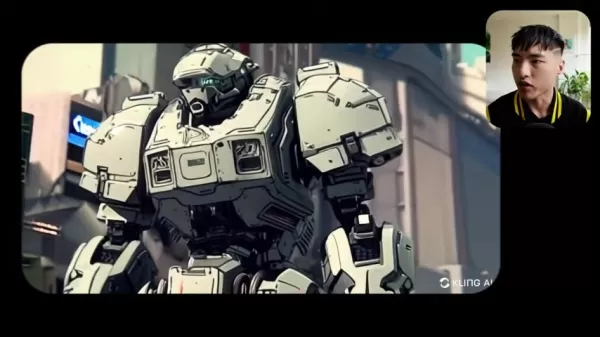
Image-to-Video
Animate static images with lifelike motion, perfect for social media or presentations.
Style Diversity
Create videos in various styles, from photorealistic to anime, to match your vision.
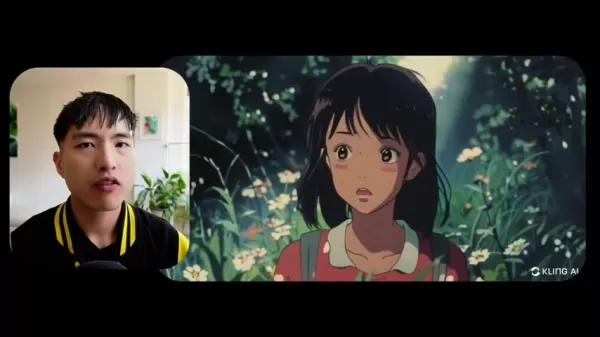
Customization Controls
Adjust creativity and relevance sliders for precise video output.
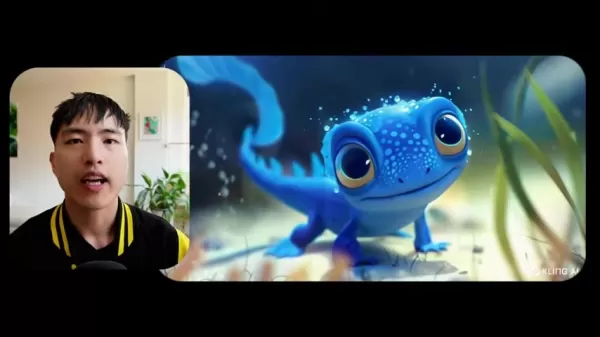
Negative Prompts
Exclude unwanted elements for cleaner, more accurate videos.
Use Cases Across Industries
Social Media Content
Marketers can create engaging videos quickly, with image-to-video tools boosting audience interaction.
Education
Educators can produce animated videos to simplify complex concepts for better student engagement.
eLearning
Develop dynamic training videos and courses with AI-generated animations.
Frequently Asked Questions
Is Kling AI truly free?
Yes, Kling AI is free, offering 66 daily credits for multiple video generations, though future subscription plans may apply.
What are the video length and quality options?
Currently, videos are limited to 5 seconds using the high-performance setting, with high-quality models pending release.
How can I control video style and content?
Use detailed text prompts, creativity/relevance sliders, negative prompts, and image references to customize style and content.
What is Kliai.com?
Kliai.com is Kling AI’s website, offering free signup and access to AI video and image tools, with potential for future expansions.
Related Questions
Tips for High-Quality AI Videos
Use detailed prompts, experiment with styles, leverage image references, adjust sliders, utilize negative prompts, and stay updated on features.
Limitations of AI Video Generators
Copyright risks from training data, potential biases requiring correction, and inaccuracies if prompts or models are underdeveloped.
Related article
 Former OpenAI Researcher Barrett Zoph Returns to Google to Support Gemini Development
Barret Zoph, who previously abruptly left and joined OpenAI due to a disagreement with Thinking Machines Lab CEO Miriam Mularati, has once again changed employers. Alphabet's Google announced that Zoph will return as Vice President of Research, bring
How Recursive Intelligence Raised $335M at $4B Valuation in 4 Months
The co-founders of startup Ricursive Intelligence seemed destined to be co-founders.Anna Goldie, CEO, and Azalia Mirhoseini, CTO, are so well-known in the AI community that they were among those AI engineers who “got those weird emails from Zuckerber
AI race won’t wait, nor will this TechCrunch Disrupt 25% discount
Every founder building in AI right now is asking the same question: Are we moving fast enough, and effectively enough? TechCrunch Disrupt 2026 puts you in the same room as the people wrestling with that existential question at the highest levels. Fro
Related Special Topic Recommendations
Design & Art
Former OpenAI Researcher Barrett Zoph Returns to Google to Support Gemini Development
Barret Zoph, who previously abruptly left and joined OpenAI due to a disagreement with Thinking Machines Lab CEO Miriam Mularati, has once again changed employers. Alphabet's Google announced that Zoph will return as Vice President of Research, bring
How Recursive Intelligence Raised $335M at $4B Valuation in 4 Months
The co-founders of startup Ricursive Intelligence seemed destined to be co-founders.Anna Goldie, CEO, and Azalia Mirhoseini, CTO, are so well-known in the AI community that they were among those AI engineers who “got those weird emails from Zuckerber
AI race won’t wait, nor will this TechCrunch Disrupt 25% discount
Every founder building in AI right now is asking the same question: Are we moving fast enough, and effectively enough? TechCrunch Disrupt 2026 puts you in the same room as the people wrestling with that existential question at the highest levels. Fro
Related Special Topic Recommendations
Design & Art
 Top AI Illustration Tools: Create Editorial Scenes and Cover Art Faster
2026 Latest Top-rated AI Illustration Tools: Our curated list features the best powerfully designed tools for creating stunning editorial scenes and eye-catching cover art quickly. Each option has gone through rigorous real-world tests, offering a free vs paid comparison to help you find the perfect match for your workflow. Try these must-try solutions today to unlock your AI edge and boost your creative productivity. Explore now at XIX.AI.
 10 tools
 xix.ai
Education and Learning
Top AI Tutors for Exam Prep: Practice Math, Science, and English
xix.ai
Education and Learning
Top AI Tutors for Exam Prep: Practice Math, Science, and English
2026 Latest Top-Rated Best AI Tutors for Exam Prep are here on XIX.AI! Our curated list features powerful game-changing tools that offer free vs paid comparison, real-world tests, and weekly updated rankings. They help boost your writing efficiency, simplify complex topic learning, and unlock your academic potential. Explore now to Discover your perfect exam prep tool and Start creating today to Unlock your AI edge!
10 tools
xix.ai
Finance
AI Budget Planning Tools for Personal Money Management
2026 Latest Best Top-Rated AI Budget Planning Tools for Personal Money Management are here on XIX.AI! This curated collection features powerful, game-changing solutions that help you conduct real-world tests, understand spending habits, and create personalized plans to boost productivity. Enjoy a free vs paid comparison along with detailed rankings. Must-try tools designed to simplify money management and unlock your AI edge. Explore now!
11 tools
xix.ai
Health & Wellness
AI Sleep Tracking Assistants: Improve Recovery with Better Bedtime Habits
2026 Latest Best Top-Rated AI Sleep Tracking Assistants curated for ultimate recovery. This fully updated weekly guide features powerful tools that deliver real-world tests, free vs paid comparison, and detailed rankings to help you find the must-try solution that boosts sleep quality and supports better bedtime habits. Explore now at XIX.AI to Unlock your AI edge.
10 tools
xix.ai
Data Analysis
AI SQL Copilots for Product and Revenue Analytics
2026 Latest Best Top-Rated AI SQL Copilots for Product and Revenue Analytics! XIX.AI has curated a powerful, game-changing collection of must-try tools that undergo real-world tests through weekly updated rankings. These tools help users boost productivity significantly by accelerating data analysis, streamlining complex queries, and generating accurate insights to drive smarter business decisions. Explore now to Discover your perfect tool for unlocking your AI edge!
14 tools
xix.ai
Education and Learning
Best AI Homework Helpers That Teach: Learn Concepts, Not Just Answers
2026 Latest Best Top-Rated AI Homework Helpers That Teach Core Concepts Not Just Answers Powerful Tools for Students Must-Try Curated List Weekly Updated Free vs Paid Comparison Real-World Tests Accurate Rankings to Help You Unlock Your Full Learning Potential Explore now to Discover your perfect tool for smarter studying.
10 tools
xix.ai

 Comments (2)
0/500
Comments (2)
0/500
![WillieRodriguez]()
Cet outil de vidéo IA gratuit comme Kling AI est impressionnant, mais je commence à m'inquiéter pour les réalisateurs débutants. Ça va être de plus en plus dur de se démarquer si tout le monde peut générer du contenu professionnel aussi facilement! 😅 C'est cool pour les petits projets perso par contre.
![WillMitchell]()
Esto suena increíble 🤯 ¿Alguien ya probó Kling AI para crear videos? Me encantaría saber si realmente cumple con lo prometido en cuanto a calidad y facilidad de uso. Aunque lo de 'gratis' siempre me hace dudar... seguro hay alguna trampa oculta 🧐
Artificial intelligence is transforming creative industries, with video generation at the forefront. Kling AI stands out as a powerful, free platform for crafting high-quality AI videos with lifelike motion and intricate details. Accessible to both professionals and beginners, it offers an intuitive way to explore AI-driven video production.
Key Highlights
Kling AI provides a free, globally accessible AI video generator.
It delivers lifelike motion and consistent visual detail.
Supports diverse video styles for versatile creative output.
Image referencing improves image-to-video conversion quality.
Adjustable sliders allow control over creativity and relevance.
Negative prompts refine output by excluding unwanted elements.
Kling AI Overview: Redefining AI Video Production
What is Kling AI?
Kling AI is an innovative, free AI video generator now available worldwide. It creates high-quality videos from text prompts or image references, excelling in realistic motion and consistent detail. Its versatility suits various styles, empowering both novice and expert creators to explore AI video production. With robust features and no cost, Kling AI is a go-to tool for AI-generated video content.
Its ability to produce videos with smooth motion and sharp details makes it ideal for both professional and amateur creators.
Core Features:
- Text-to-Video: Transform written ideas into dynamic visuals.
- Image-to-Video: Animate static images with lifelike motion.
- Style Flexibility: Create videos in diverse artistic styles.
- Customization Options: Adjust creativity and relevance with sliders.
- Negative Prompts: Exclude unwanted elements for refined results.
Evaluating Video Quality & Versatility
Consistency in Detail and Motion
Kling AI excels in maintaining sharp details and fluid motion, ensuring a realistic and engaging viewing experience. Unlike some AI tools that produce distorted outputs, Kling AI keeps visuals cohesive and clear.
Its precision shines in animations, preserving fine details and intricate patterns. Advanced algorithms simulate real-world physics, delivering natural movements for characters, objects, or camera pans, enhancing overall realism.
Variety of Styles
Kling AI’s flexibility allows video creation in diverse styles, from photorealistic to anime-inspired. Users can bring unique visions to life with ease.
Trained on vast datasets, its AI models replicate a wide range of artistic styles. Detailed text prompts or image references guide the output, while customization controls fine-tune results to match user preferences.
Guide: Creating Videos with Kling AI
Getting Started
- Visit Kliai.com: Access the Kling AI platform.
Click the "Sign In" button in the top-right corner.
- Sign Up: Choose "Sign up for free," enter your email, and set a password. Verify your account with the emailed passcode.
- Browse Gallery: Explore user-generated videos and images for inspiration and to understand platform capabilities.
Text-to-Video Creation
- Access AI Video Generator: Select "AI Videos" from the homepage.
- Write Prompt: Describe your vision in detail.
Specify scenes, characters, and aesthetics for accurate results.
- Adjust Settings: Use sliders to balance creativity and relevance.
- Add Negative Prompt: Exclude unwanted elements like distortions.
- Customize Camera: Add dynamic movements like zooming or panning.
- Generate Video: Click "Generate" to create your video, noting credit usage.
- Review & Download: Check the result and download via the arrow icon.
Image-to-Video Creation
- Select Image-to-Video: Navigate to the "Image to Video" tab.
- Upload Image: Choose a reference image for animation.
- Add Prompt (Optional): Describe desired video elements.
- Customize Settings: Adjust sliders and negative prompts.
- Generate Video: Start the process and review the output.
Pricing
Free Credit System
Kling AI uses a free credit system, offering 66 daily credits for approximately 6 high-performance video generations, enabling cost-free exploration.
Pros and Cons of Kling AI
Pros
Free to use, accessible to all.
Creates realistic motion for engaging videos.
Maintains consistent, high-quality details.
Supports diverse styles for creative flexibility.
Image referencing enhances video conversions.
Offers precise customization controls.
Cons
Limited to 5-second videos initially.
High-quality model unavailable.
Camera motion may need manual tweaks.
Animation styles may vary unexpectedly.
Occasional scene-switching disruptions.
Lower resolution compared to competitors.
Core Features: Unleashing Creativity
Text-to-Video
Turn text prompts into dynamic videos, ideal for storytelling, education, or marketing.
Image-to-Video
Animate static images with lifelike motion, perfect for social media or presentations.
Style Diversity
Create videos in various styles, from photorealistic to anime, to match your vision.
Customization Controls
Adjust creativity and relevance sliders for precise video output.
Negative Prompts
Exclude unwanted elements for cleaner, more accurate videos.
Use Cases Across Industries
Social Media Content
Marketers can create engaging videos quickly, with image-to-video tools boosting audience interaction.
Education
Educators can produce animated videos to simplify complex concepts for better student engagement.
eLearning
Develop dynamic training videos and courses with AI-generated animations.
Frequently Asked Questions
Is Kling AI truly free?
Yes, Kling AI is free, offering 66 daily credits for multiple video generations, though future subscription plans may apply.
What are the video length and quality options?
Currently, videos are limited to 5 seconds using the high-performance setting, with high-quality models pending release.
How can I control video style and content?
Use detailed text prompts, creativity/relevance sliders, negative prompts, and image references to customize style and content.
What is Kliai.com?
Kliai.com is Kling AI’s website, offering free signup and access to AI video and image tools, with potential for future expansions.
Related Questions
Tips for High-Quality AI Videos
Use detailed prompts, experiment with styles, leverage image references, adjust sliders, utilize negative prompts, and stay updated on features.
Limitations of AI Video Generators
Copyright risks from training data, potential biases requiring correction, and inaccuracies if prompts or models are underdeveloped.








 Former OpenAI Researcher Barrett Zoph Returns to Google to Support Gemini Development
Barret Zoph, who previously abruptly left and joined OpenAI due to a disagreement with Thinking Machines Lab CEO Miriam Mularati, has once again changed employers. Alphabet's Google announced that Zoph will return as Vice President of Research, bring
Former OpenAI Researcher Barrett Zoph Returns to Google to Support Gemini Development
Barret Zoph, who previously abruptly left and joined OpenAI due to a disagreement with Thinking Machines Lab CEO Miriam Mularati, has once again changed employers. Alphabet's Google announced that Zoph will return as Vice President of Research, bring
 How Recursive Intelligence Raised $335M at $4B Valuation in 4 Months
The co-founders of startup Ricursive Intelligence seemed destined to be co-founders.Anna Goldie, CEO, and Azalia Mirhoseini, CTO, are so well-known in the AI community that they were among those AI engineers who “got those weird emails from Zuckerber
How Recursive Intelligence Raised $335M at $4B Valuation in 4 Months
The co-founders of startup Ricursive Intelligence seemed destined to be co-founders.Anna Goldie, CEO, and Azalia Mirhoseini, CTO, are so well-known in the AI community that they were among those AI engineers who “got those weird emails from Zuckerber
 AI race won’t wait, nor will this TechCrunch Disrupt 25% discount
Every founder building in AI right now is asking the same question: Are we moving fast enough, and effectively enough? TechCrunch Disrupt 2026 puts you in the same room as the people wrestling with that existential question at the highest levels. Fro
AI race won’t wait, nor will this TechCrunch Disrupt 25% discount
Every founder building in AI right now is asking the same question: Are we moving fast enough, and effectively enough? TechCrunch Disrupt 2026 puts you in the same room as the people wrestling with that existential question at the highest levels. Fro

2026 Latest Top-rated AI Illustration Tools: Our curated list features the best powerfully designed tools for creating stunning editorial scenes and eye-catching cover art quickly. Each option has gone through rigorous real-world tests, offering a free vs paid comparison to help you find the perfect match for your workflow. Try these must-try solutions today to unlock your AI edge and boost your creative productivity. Explore now at XIX.AI.
10 tools
xix.ai

2026 Latest Top-Rated Best AI Tutors for Exam Prep are here on XIX.AI! Our curated list features powerful game-changing tools that offer free vs paid comparison, real-world tests, and weekly updated rankings. They help boost your writing efficiency, simplify complex topic learning, and unlock your academic potential. Explore now to Discover your perfect exam prep tool and Start creating today to Unlock your AI edge!
10 tools
xix.ai

2026 Latest Best Top-Rated AI Budget Planning Tools for Personal Money Management are here on XIX.AI! This curated collection features powerful, game-changing solutions that help you conduct real-world tests, understand spending habits, and create personalized plans to boost productivity. Enjoy a free vs paid comparison along with detailed rankings. Must-try tools designed to simplify money management and unlock your AI edge. Explore now!
11 tools
xix.ai

2026 Latest Best Top-Rated AI Sleep Tracking Assistants curated for ultimate recovery. This fully updated weekly guide features powerful tools that deliver real-world tests, free vs paid comparison, and detailed rankings to help you find the must-try solution that boosts sleep quality and supports better bedtime habits. Explore now at XIX.AI to Unlock your AI edge.
10 tools
xix.ai

2026 Latest Best Top-Rated AI SQL Copilots for Product and Revenue Analytics! XIX.AI has curated a powerful, game-changing collection of must-try tools that undergo real-world tests through weekly updated rankings. These tools help users boost productivity significantly by accelerating data analysis, streamlining complex queries, and generating accurate insights to drive smarter business decisions. Explore now to Discover your perfect tool for unlocking your AI edge!
14 tools
xix.ai

2026 Latest Best Top-Rated AI Homework Helpers That Teach Core Concepts Not Just Answers Powerful Tools for Students Must-Try Curated List Weekly Updated Free vs Paid Comparison Real-World Tests Accurate Rankings to Help You Unlock Your Full Learning Potential Explore now to Discover your perfect tool for smarter studying.
10 tools
xix.ai

Cet outil de vidéo IA gratuit comme Kling AI est impressionnant, mais je commence à m'inquiéter pour les réalisateurs débutants. Ça va être de plus en plus dur de se démarquer si tout le monde peut générer du contenu professionnel aussi facilement! 😅 C'est cool pour les petits projets perso par contre.
Esto suena increíble 🤯 ¿Alguien ya probó Kling AI para crear videos? Me encantaría saber si realmente cumple con lo prometido en cuanto a calidad y facilidad de uso. Aunque lo de 'gratis' siempre me hace dudar... seguro hay alguna trampa oculta 🧐












