


 Home
HomeiA Writer vs. Ulysses for 2025: Which is the best writing app?
Choosing the ideal writing application can profoundly affect your productivity and overall writing workflow. iA Writer and Ulysses are two prominent options, each with a distinct philosophy. iA Writer champions a minimalist, distraction-free environment, while Ulysses delivers a robust, feature-packed, and highly customizable platform. This guide provides an in-depth comparison to assist you in selecting the right tool for your needs.
Key Points
iA Writer is a minimalist writing application dedicated to simplicity and a focused writing process.
Ulysses is a comprehensive writing tool built for managing and organizing extensive projects.
iA Writer follows a one-time purchase model, whereas Ulysses operates on a subscription basis.
iA Writer connects with platforms like WordPress, Medium, and Dropbox.
Ulysses offers smooth integration within the Apple ecosystem, including iCloud sync.
iA Writer's user interface is clean and intuitive, perfect for concentrated writing sessions.
Ulysses presents a polished and adaptable interface with powerful organizational tools.
Both applications include automatic backup features to safeguard your work.
Understanding iA Writer and Ulysses
iA Writer: The Minimalist Approach
iA Writer
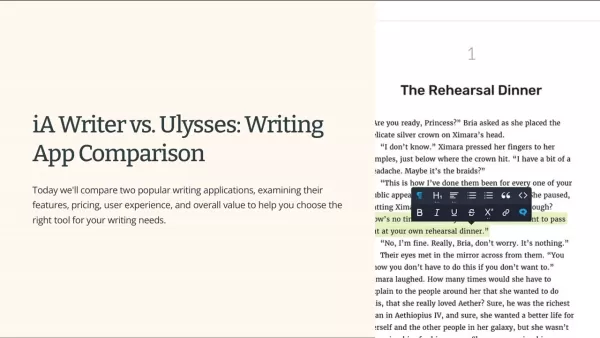
is widely praised for its minimalist aesthetic and commitment to a distraction-free writing space. Its design encourages writers to focus purely on getting words on the page, stripping away superfluous features and complex formatting. This philosophy makes iA Writer an excellent match for writers who value clarity and simplicity. Core functionalities include a focus mode that highlights your current line and a Markdown preview to visualize the final output. It's an effective tool for drafting novels, composing blog posts, or jotting down notes, offering a pure and streamlined writing experience. For those prioritizing an uncluttered workspace, iA Writer remains a top choice.
Ulysses: The Feature-Rich Writing Tool
Ulysses
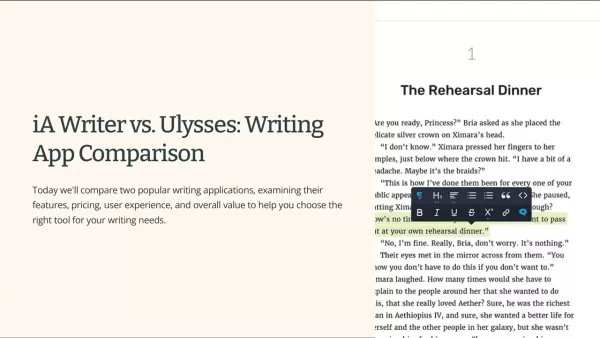
stands in contrast to iA Writer by offering a broad suite of features for project management and organization. It serves as a complete writing environment, helping you plan, structure, and refine your work. The app includes tools for setting writing targets, managing keywords, and arranging documents within a centralized library. With integrated iCloud synchronization and automatic backups, Ulysses is perfectly suited for managing large, intricate projects that demand superior organization. Its seamless integration and comprehensive feature set make it a powerful ally for serious writers.
Platform Integrations and Compatibility
Integration Capabilities
iA Writer
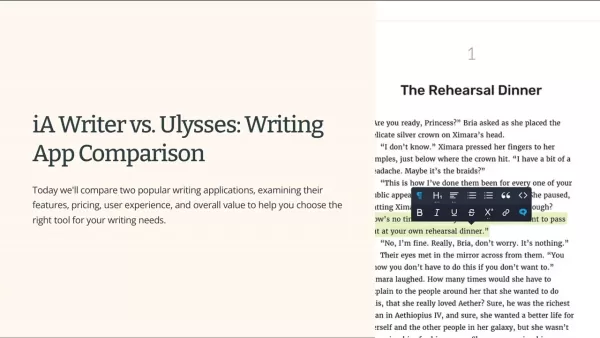
provides robust integration with several popular services, increasing its flexibility. Key connections include:
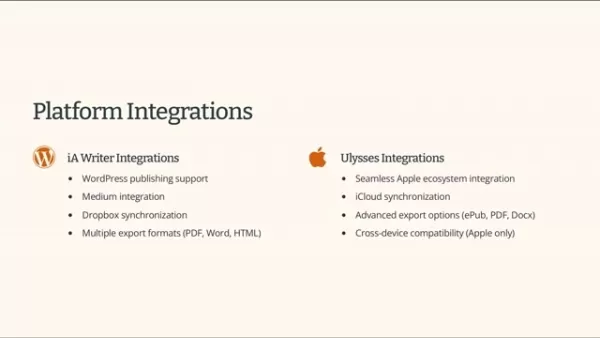
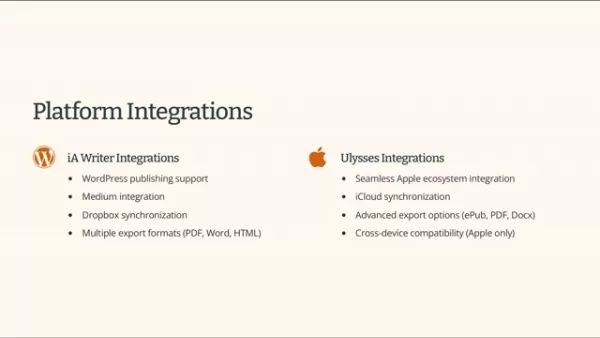
- WordPress Publishing Support: Publish your work directly to a WordPress site.
- Medium Integration: Effortlessly post articles to your Medium blog.
- Dropbox Synchronization: Keep your files synced across different devices using Dropbox.
- Multiple Export Formats: Export your documents to PDF, Word, or HTML.
Ulyssesexcels in integration with the Apple ecosystem, making it a prime choice for users of Apple devices. Its primary integration and compatibility features are:
- Seamless Apple Ecosystem Integration: Works harmoniously across macOS and iOS.
- iCloud Synchronization: Automatically syncs all your documents via iCloud.
- Advanced Export Options: Generates documents in ePub, PDF, and DOCX formats.
- Cross-Device Compatibility: Optimized for a consistent experience on all your Apple devices.
Getting Started: How to Use iA Writer and Ulysses
Setting Up iA Writer
- Download and Install: Obtain iA Writer from the Mac App Store or the official website.
- Open the App: Launch the application and get accustomed to its simple interface.
- Start Writing: Begin typing in the main editor, using Markdown for text formatting.
- Explore Focus Mode: Enable focus mode to dim all text except the current sentence, reducing distractions.
- Export Your Work: Save or share your document in a format of your choice, such as PDF, Word, or HTML.
Setting Up Ulysses
- Download and Install: Get Ulysses from the Mac App Store.
- Start a Free Trial: Explore the app's full capabilities with a 14-day free trial.
- Create a New Sheet: Initiate a new writing project by creating a sheet.
- Organize Your Library: Arrange your sheets into groups and use filters for better project management.
- Set Writing Goals: Define daily or project-specific writing targets to monitor your progress.
- Explore Export Options: Finalize and export your work in various formats like ePub, PDF, or DOCX.
Pricing Models: iA Writer vs. Ulysses
Cost Comparison
The pricing structure is a major point of difference between iA Writer and Ulysses. iA Writer uses a one-time purchase model, which appeals to users who prefer to avoid ongoing subscriptions. The Mac version costs around $29.99, and the iOS version is $19.99, with no further payments required. Conversely, Ulysses uses a subscription model, priced at $4.99 monthly or $39.99 annually. A 14-day free trial is available for Ulysses, giving you a chance to evaluate its features. Your decision will likely hinge on whether you favor a single upfront payment or a recurring subscription.
Here’s a summary of the pricing:
Feature iA Writer Ulysses ModelOne-timePurchaseSubscriptionMac Price$29.99$4.99/month or $39.99/yeariOS Price$19.99Included with SubscriptionRecurringFeesNoneYesFreeTrialNo14 daysPros and Cons: iA Writer
Pros
Clean, minimalist, and distraction-free interface
Intuitive and straightforward for focused writing
Available through a single, one-time payment
Full support for Markdown syntax
Cons
Limited ability to customize the interface
Fewer project management and organizational tools than Ulysses
Not as many native integrations with other platforms
Core Features: A Deep Dive
iA Writer's Key Features
iA Writer
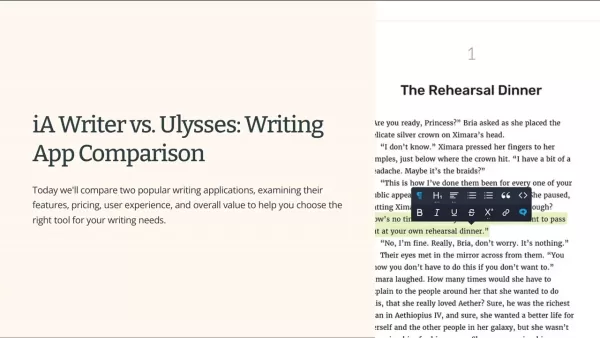
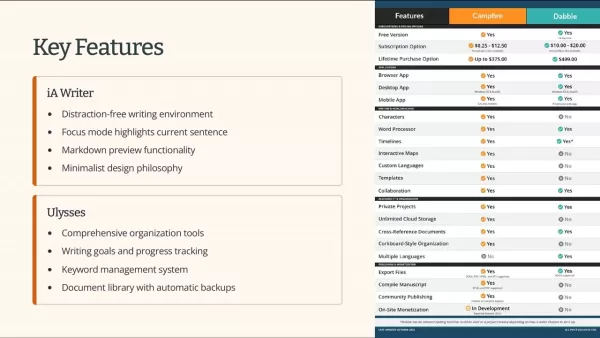
is defined by a focused set of features that enhance the core act of writing. Its signature focus mode illuminates only the current sentence or paragraph. Other important features are:
- Markdown Preview: See a live preview of your formatted text.
- Platform Integration: Easy publishing and file sync with WordPress, Medium, and Dropbox.
- Export Options: Flexible export to PDF, Word, and HTML formats.
- Focus Mode: This feature helps maintain concentration by highlighting your active sentence.
- One-Time Purchase: iA Writer's one-time fee is attractive for users who want to avoid monthly or annual subscriptions.
Ulysses' Key Features
Ulysses
provides an extensive feature set to support a holistic writing process. It is renowned for its organizational prowess. Key features consist of:
- Writing Goals: Establish and monitor word or time-based goals.
- Keyword Management: Organize and assign keywords for better content discoverability.
- Library: A central repository to neatly organize all your writing projects.
- Platform Integration: Deep integration with Apple's ecosystem, including automatic iCloud backup.
- Export Options: Export your final drafts in ePub, PDF, and DOCX formats. Ulysses facilitates goal tracking, keyword organization, and a centralized library for all documents. It also includes an automatic backup system.
Use Cases: Real-World Applications
Ideal Scenarios for iA Writer
iA Writer
is most effective when your primary need is deep, uninterrupted writing. It is perfectly suited for:
- Drafting Blog Posts: Quickly writing blog content without complex formatting distractions.
- Taking Notes: Efficiently capturing ideas in meetings or during research.
- Writing Articles: Creating clean, well-structured articles with an emphasis on the text itself.
- Short, Focused Writing: iA Writer is the superior option for short, concentrated writing tasks thanks to its uncluttered environment.
Ideal Scenarios for Ulysses
Ulysses
is the optimal choice for writers who require advanced organizational and project management capabilities. It performs exceptionally well for:
- Writing Books: Managing long-form projects with multiple chapters and research notes.
- Academic Writing: Organizing theses, dissertations, and research papers.
- Content Marketing: Overseeing content calendars and marketing campaign materials.
- Large Writing Projects: Ulysses is better equipped for substantial projects due to its powerful organizational framework.
Frequently Asked Questions
Is iA Writer suitable for long-form writing projects?
While iA Writer's simplicity is a strength, its more limited organizational toolkit can make it less optimal for very large, complex projects. For these, Ulysses or Scrivener might be more suitable.
Does Ulysses offer a free trial?
Yes, Ulysses provides a full-featured 14-day free trial for new users.
Can I use iA Writer on multiple devices?
Yes, iA Writer is available for both Mac and iOS, though a separate license is required for each platform.
Is Ulysses only available for Apple devices?
Yes, Ulysses is exclusively designed for and available on macOS and iOS.
Related Questions
What are the alternatives to iA Writer and Ulysses?
Several other writing applications offer comparable features. Notable alternatives include: Scrivener: A powerful tool for long-form writing with extensive project management features. Bear: A flexible note-taking app with Markdown support and an elegant design. Byword: A minimalist writing application focused on simplicity and Markdown. Typora: A free Markdown editor offering a real-time preview and theming options.
Related article
 Apple Smart Glasses Could Debut at WWDC27, Highlighting Privacy Protection
Bloomberg’s Mark Gurman reports that Apple’s smart glasses, codenamed N50, are slated for a WWDC27 debut in June 2027, with a retail launch expected in autumn 2027. Originally targeted for late this year and early 2027, the device’s release has been
Inside Details Exposed About Next-Gen Gemini: Strained Computing Power, Internal Teams Disagreed on Development Priorities and Resource Allocation
Reports indicate that the launch of Google’s highly anticipated next-generation Gemini model has been pushed back. Internal disagreements over development priorities and resource allocation, combined with limited computing capacity and complex approv
OpenAI Dismisses Growth Slowdown Concerns, Says Multiple Business Units Accelerating
In response to external scrutiny regarding decelerating sales growth and missed internal benchmarks, AI leader OpenAI issued a confident statement on Tuesday, April 28. The company clarified that its consumer products and enterprise services are adva
Related Special Topic Recommendations
Data Analysis
Apple Smart Glasses Could Debut at WWDC27, Highlighting Privacy Protection
Bloomberg’s Mark Gurman reports that Apple’s smart glasses, codenamed N50, are slated for a WWDC27 debut in June 2027, with a retail launch expected in autumn 2027. Originally targeted for late this year and early 2027, the device’s release has been
Inside Details Exposed About Next-Gen Gemini: Strained Computing Power, Internal Teams Disagreed on Development Priorities and Resource Allocation
Reports indicate that the launch of Google’s highly anticipated next-generation Gemini model has been pushed back. Internal disagreements over development priorities and resource allocation, combined with limited computing capacity and complex approv
OpenAI Dismisses Growth Slowdown Concerns, Says Multiple Business Units Accelerating
In response to external scrutiny regarding decelerating sales growth and missed internal benchmarks, AI leader OpenAI issued a confident statement on Tuesday, April 28. The company clarified that its consumer products and enterprise services are adva
Related Special Topic Recommendations
Data Analysis
 AI SQL Copilots for Revenue Dashboards, Funnel Analysis, and Product Metrics
2026 Latest Best AI SQL Copilots Ranked Top-Rated! XIX.AI curates a powerful game-changing collection for weekly updated real-world tests. These must-try tools help you generate accurate revenue dashboards, analyze sales funnels, and track product metrics swiftly, boosting productivity massively. Explore now to Discover your perfect tool for data-driven decision making! 238 characters
 9 tools
 xix.ai
Music composition
Best AI Melody Writing Tools for Song Drafts
xix.ai
Music composition
Best AI Melody Writing Tools for Song Drafts
2026 Latest Best Top-Rated AI Melody Writing Tools for Song Drafts! XIX.AI has curated a highly powerful game-changing collection that goes through rigorous real-world tests to deliver the best writing experience. You can find detailed free vs paid comparisons, accurate rankings, and must-try options designed to help you create stunning song drafts effortlessly and boost your creative productivity significantly. Explore now to discover your perfect tool!
8 tools
xix.ai
chatbot
Best AI Conversation Trainer Tools for Interview Practice
2026 Latest Best Top-rated AI Conversation Trainer Tools for Interview Practice are here on XIX.AI! This curated collection features powerful, game-changing tools that go through rigorous real-world tests to deliver accurate feedback. You’ll find a free vs paid comparison and detailed rankings to help you choose the must-try option that boosts your confidence and skills. Explore now to Discover your perfect tool for interview success!
12 tools
xix.ai
Design & Art
Best AI Style Transfer Tools for Creative Experiments
2026 Latest Best Top-rated AI Style Transfer Tools for Creative Experiments! XIX.AI has curated a powerful, game-changing collection of must-try tools that deliver exceptional results through real-world tests and rigorous rankings. These top solutions help creatives boost productivity significantly by accelerating content creation and unlocking endless creative possibilities. Explore now to discover your perfect tool and start creating today!
9 tools
xix.ai
Comic Creation
Best AI Dialogue Bubble Tools for Visual Storytelling
2026 Latest Best Top-Rated AI Dialogue Bubble Tools for Visual Storytelling are here on XIX.AI! This curated collection features powerful, game-changing tools that help creators boost productivity and overcome creative bottlenecks. Get a free vs paid comparison, see real-world tests, and check the latest rankings to find the must-try solutions perfect for crafting engaging visual narratives. Explore now to discover your ideal tool!
10 tools
xix.ai
Meeting Assistant
Top AI Meeting Summary Tools: Track Decisions and Follow-Ups Clearly
2026 Latest Top-Rated Best AI Meeting Summary Tools for Clear Decision Tracking and Effortless Follow-Ups. This curated list showcases powerful, game-changing solutions that boost productivity dramatically by automating meeting notes, identifying key action items, and streamlining team coordination across all projects. Get a free vs paid comparison along with real-world tests and weekly updated rankings to help you find the perfect tool. Explore now to unlock your AI edge!
9 tools
xix.ai

 Comments (2)
0/500
Comments (2)
0/500
![KennethRoberts]()
Ich nutze seit Jahren iA Writer, aber Ulysses sieht mit den ganzen Organisationsfeatures echt verlockend aus. Vielleicht ist es Zeit für einen Wechsel? 🤔 Die Entscheidung hängt wohl wirklich davon ab, ob man eher puristisch oder strukturiert schreiben will.
![AlbertJackson]()
iA Writer ist mein Favorit für fokussiertes Schreiben. Die schlichte Umgebung ohne Schnickschnack hilft mir wirklich, im Flow zu bleiben. Für längere, strukturierte Projekte mit vielen Dateien fehlen mir aber manchmal die organisatorischen Tools, die Ulysses bietet. Vielleicht ist der Ansatz von iA Writer zu extrem? 🤔 Für 2025 wären ein paar mehr Export-Optionen oder eine eingebaute Thesaurus-Funktion trotzdem ein Traum.
Choosing the ideal writing application can profoundly affect your productivity and overall writing workflow. iA Writer and Ulysses are two prominent options, each with a distinct philosophy. iA Writer champions a minimalist, distraction-free environment, while Ulysses delivers a robust, feature-packed, and highly customizable platform. This guide provides an in-depth comparison to assist you in selecting the right tool for your needs.
Key Points
iA Writer is a minimalist writing application dedicated to simplicity and a focused writing process.
Ulysses is a comprehensive writing tool built for managing and organizing extensive projects.
iA Writer follows a one-time purchase model, whereas Ulysses operates on a subscription basis.
iA Writer connects with platforms like WordPress, Medium, and Dropbox.
Ulysses offers smooth integration within the Apple ecosystem, including iCloud sync.
iA Writer's user interface is clean and intuitive, perfect for concentrated writing sessions.
Ulysses presents a polished and adaptable interface with powerful organizational tools.
Both applications include automatic backup features to safeguard your work.
Understanding iA Writer and Ulysses
iA Writer: The Minimalist Approach
iA Writer
is widely praised for its minimalist aesthetic and commitment to a distraction-free writing space. Its design encourages writers to focus purely on getting words on the page, stripping away superfluous features and complex formatting. This philosophy makes iA Writer an excellent match for writers who value clarity and simplicity. Core functionalities include a focus mode that highlights your current line and a Markdown preview to visualize the final output. It's an effective tool for drafting novels, composing blog posts, or jotting down notes, offering a pure and streamlined writing experience. For those prioritizing an uncluttered workspace, iA Writer remains a top choice.
Ulysses: The Feature-Rich Writing Tool
Ulysses
stands in contrast to iA Writer by offering a broad suite of features for project management and organization. It serves as a complete writing environment, helping you plan, structure, and refine your work. The app includes tools for setting writing targets, managing keywords, and arranging documents within a centralized library. With integrated iCloud synchronization and automatic backups, Ulysses is perfectly suited for managing large, intricate projects that demand superior organization. Its seamless integration and comprehensive feature set make it a powerful ally for serious writers.
Platform Integrations and Compatibility
Integration Capabilities
iA Writer
provides robust integration with several popular services, increasing its flexibility. Key connections include:
- WordPress Publishing Support: Publish your work directly to a WordPress site.
- Medium Integration: Effortlessly post articles to your Medium blog.
- Dropbox Synchronization: Keep your files synced across different devices using Dropbox.
- Multiple Export Formats: Export your documents to PDF, Word, or HTML.
Ulyssesexcels in integration with the Apple ecosystem, making it a prime choice for users of Apple devices. Its primary integration and compatibility features are:
- Seamless Apple Ecosystem Integration: Works harmoniously across macOS and iOS.
- iCloud Synchronization: Automatically syncs all your documents via iCloud.
- Advanced Export Options: Generates documents in ePub, PDF, and DOCX formats.
- Cross-Device Compatibility: Optimized for a consistent experience on all your Apple devices.
Getting Started: How to Use iA Writer and Ulysses
Setting Up iA Writer
- Download and Install: Obtain iA Writer from the Mac App Store or the official website.
- Open the App: Launch the application and get accustomed to its simple interface.
- Start Writing: Begin typing in the main editor, using Markdown for text formatting.
- Explore Focus Mode: Enable focus mode to dim all text except the current sentence, reducing distractions.
- Export Your Work: Save or share your document in a format of your choice, such as PDF, Word, or HTML.
Setting Up Ulysses
- Download and Install: Get Ulysses from the Mac App Store.
- Start a Free Trial: Explore the app's full capabilities with a 14-day free trial.
- Create a New Sheet: Initiate a new writing project by creating a sheet.
- Organize Your Library: Arrange your sheets into groups and use filters for better project management.
- Set Writing Goals: Define daily or project-specific writing targets to monitor your progress.
- Explore Export Options: Finalize and export your work in various formats like ePub, PDF, or DOCX.
Pricing Models: iA Writer vs. Ulysses
Cost Comparison
The pricing structure is a major point of difference between iA Writer and Ulysses. iA Writer uses a one-time purchase model, which appeals to users who prefer to avoid ongoing subscriptions. The Mac version costs around $29.99, and the iOS version is $19.99, with no further payments required. Conversely, Ulysses uses a subscription model, priced at $4.99 monthly or $39.99 annually. A 14-day free trial is available for Ulysses, giving you a chance to evaluate its features. Your decision will likely hinge on whether you favor a single upfront payment or a recurring subscription.
Here’s a summary of the pricing:
Pros and Cons: iA Writer
Pros
Clean, minimalist, and distraction-free interface
Intuitive and straightforward for focused writing
Available through a single, one-time payment
Full support for Markdown syntax
Cons
Limited ability to customize the interface
Fewer project management and organizational tools than Ulysses
Not as many native integrations with other platforms
Core Features: A Deep Dive
iA Writer's Key Features
iA Writer
is defined by a focused set of features that enhance the core act of writing. Its signature focus mode illuminates only the current sentence or paragraph. Other important features are:
- Markdown Preview: See a live preview of your formatted text.
- Platform Integration: Easy publishing and file sync with WordPress, Medium, and Dropbox.
- Export Options: Flexible export to PDF, Word, and HTML formats.
- Focus Mode: This feature helps maintain concentration by highlighting your active sentence.
- One-Time Purchase: iA Writer's one-time fee is attractive for users who want to avoid monthly or annual subscriptions.
Ulysses' Key Features
Ulysses
provides an extensive feature set to support a holistic writing process. It is renowned for its organizational prowess. Key features consist of:
- Writing Goals: Establish and monitor word or time-based goals.
- Keyword Management: Organize and assign keywords for better content discoverability.
- Library: A central repository to neatly organize all your writing projects.
- Platform Integration: Deep integration with Apple's ecosystem, including automatic iCloud backup.
- Export Options: Export your final drafts in ePub, PDF, and DOCX formats. Ulysses facilitates goal tracking, keyword organization, and a centralized library for all documents. It also includes an automatic backup system.
Use Cases: Real-World Applications
Ideal Scenarios for iA Writer
iA Writer
is most effective when your primary need is deep, uninterrupted writing. It is perfectly suited for:
- Drafting Blog Posts: Quickly writing blog content without complex formatting distractions.
- Taking Notes: Efficiently capturing ideas in meetings or during research.
- Writing Articles: Creating clean, well-structured articles with an emphasis on the text itself.
- Short, Focused Writing: iA Writer is the superior option for short, concentrated writing tasks thanks to its uncluttered environment.
Ideal Scenarios for Ulysses
Ulysses
is the optimal choice for writers who require advanced organizational and project management capabilities. It performs exceptionally well for:
- Writing Books: Managing long-form projects with multiple chapters and research notes.
- Academic Writing: Organizing theses, dissertations, and research papers.
- Content Marketing: Overseeing content calendars and marketing campaign materials.
- Large Writing Projects: Ulysses is better equipped for substantial projects due to its powerful organizational framework.
Frequently Asked Questions
Is iA Writer suitable for long-form writing projects?
While iA Writer's simplicity is a strength, its more limited organizational toolkit can make it less optimal for very large, complex projects. For these, Ulysses or Scrivener might be more suitable.
Does Ulysses offer a free trial?
Yes, Ulysses provides a full-featured 14-day free trial for new users.
Can I use iA Writer on multiple devices?
Yes, iA Writer is available for both Mac and iOS, though a separate license is required for each platform.
Is Ulysses only available for Apple devices?
Yes, Ulysses is exclusively designed for and available on macOS and iOS.
Related Questions
What are the alternatives to iA Writer and Ulysses?
Several other writing applications offer comparable features. Notable alternatives include: Scrivener: A powerful tool for long-form writing with extensive project management features. Bear: A flexible note-taking app with Markdown support and an elegant design. Byword: A minimalist writing application focused on simplicity and Markdown. Typora: A free Markdown editor offering a real-time preview and theming options.








 Apple Smart Glasses Could Debut at WWDC27, Highlighting Privacy Protection
Bloomberg’s Mark Gurman reports that Apple’s smart glasses, codenamed N50, are slated for a WWDC27 debut in June 2027, with a retail launch expected in autumn 2027. Originally targeted for late this year and early 2027, the device’s release has been
Apple Smart Glasses Could Debut at WWDC27, Highlighting Privacy Protection
Bloomberg’s Mark Gurman reports that Apple’s smart glasses, codenamed N50, are slated for a WWDC27 debut in June 2027, with a retail launch expected in autumn 2027. Originally targeted for late this year and early 2027, the device’s release has been
 Inside Details Exposed About Next-Gen Gemini: Strained Computing Power, Internal Teams Disagreed on Development Priorities and Resource Allocation
Reports indicate that the launch of Google’s highly anticipated next-generation Gemini model has been pushed back. Internal disagreements over development priorities and resource allocation, combined with limited computing capacity and complex approv
Inside Details Exposed About Next-Gen Gemini: Strained Computing Power, Internal Teams Disagreed on Development Priorities and Resource Allocation
Reports indicate that the launch of Google’s highly anticipated next-generation Gemini model has been pushed back. Internal disagreements over development priorities and resource allocation, combined with limited computing capacity and complex approv
 OpenAI Dismisses Growth Slowdown Concerns, Says Multiple Business Units Accelerating
In response to external scrutiny regarding decelerating sales growth and missed internal benchmarks, AI leader OpenAI issued a confident statement on Tuesday, April 28. The company clarified that its consumer products and enterprise services are adva
OpenAI Dismisses Growth Slowdown Concerns, Says Multiple Business Units Accelerating
In response to external scrutiny regarding decelerating sales growth and missed internal benchmarks, AI leader OpenAI issued a confident statement on Tuesday, April 28. The company clarified that its consumer products and enterprise services are adva

2026 Latest Best AI SQL Copilots Ranked Top-Rated! XIX.AI curates a powerful game-changing collection for weekly updated real-world tests. These must-try tools help you generate accurate revenue dashboards, analyze sales funnels, and track product metrics swiftly, boosting productivity massively. Explore now to Discover your perfect tool for data-driven decision making! 238 characters
9 tools
xix.ai

2026 Latest Best Top-Rated AI Melody Writing Tools for Song Drafts! XIX.AI has curated a highly powerful game-changing collection that goes through rigorous real-world tests to deliver the best writing experience. You can find detailed free vs paid comparisons, accurate rankings, and must-try options designed to help you create stunning song drafts effortlessly and boost your creative productivity significantly. Explore now to discover your perfect tool!
8 tools
xix.ai

2026 Latest Best Top-rated AI Conversation Trainer Tools for Interview Practice are here on XIX.AI! This curated collection features powerful, game-changing tools that go through rigorous real-world tests to deliver accurate feedback. You’ll find a free vs paid comparison and detailed rankings to help you choose the must-try option that boosts your confidence and skills. Explore now to Discover your perfect tool for interview success!
12 tools
xix.ai

2026 Latest Best Top-rated AI Style Transfer Tools for Creative Experiments! XIX.AI has curated a powerful, game-changing collection of must-try tools that deliver exceptional results through real-world tests and rigorous rankings. These top solutions help creatives boost productivity significantly by accelerating content creation and unlocking endless creative possibilities. Explore now to discover your perfect tool and start creating today!
9 tools
xix.ai

2026 Latest Best Top-Rated AI Dialogue Bubble Tools for Visual Storytelling are here on XIX.AI! This curated collection features powerful, game-changing tools that help creators boost productivity and overcome creative bottlenecks. Get a free vs paid comparison, see real-world tests, and check the latest rankings to find the must-try solutions perfect for crafting engaging visual narratives. Explore now to discover your ideal tool!
10 tools
xix.ai

2026 Latest Top-Rated Best AI Meeting Summary Tools for Clear Decision Tracking and Effortless Follow-Ups. This curated list showcases powerful, game-changing solutions that boost productivity dramatically by automating meeting notes, identifying key action items, and streamlining team coordination across all projects. Get a free vs paid comparison along with real-world tests and weekly updated rankings to help you find the perfect tool. Explore now to unlock your AI edge!
9 tools
xix.ai

Ich nutze seit Jahren iA Writer, aber Ulysses sieht mit den ganzen Organisationsfeatures echt verlockend aus. Vielleicht ist es Zeit für einen Wechsel? 🤔 Die Entscheidung hängt wohl wirklich davon ab, ob man eher puristisch oder strukturiert schreiben will.
iA Writer ist mein Favorit für fokussiertes Schreiben. Die schlichte Umgebung ohne Schnickschnack hilft mir wirklich, im Flow zu bleiben. Für längere, strukturierte Projekte mit vielen Dateien fehlen mir aber manchmal die organisatorischen Tools, die Ulysses bietet. Vielleicht ist der Ansatz von iA Writer zu extrem? 🤔 Für 2025 wären ein paar mehr Export-Optionen oder eine eingebaute Thesaurus-Funktion trotzdem ein Traum.












