


 Home
HomeAdobe Generative Fill AI Seamlessly Fixes Album Cover Flaws
This comprehensive guide explores Adobe Photoshop 2024's revolutionary Generative Fill AI capabilities for cover art restoration. Specifically focusing on repairing various imperfections - from blemishes to stickers on album covers, game cases, and other media formats - we'll demonstrate how this AI-powered tool delivers precise digital restoration with unprecedented ease.
Key Points
Photoshop 2024's Generative Fill AI revolutionizes unwanted element removal from images.
The AI excels at eliminating various imperfections including rental stickers, markings, and damage on vinyl records and game packaging.
Cover art featuring geometric patterns and straight edges yields exceptional restoration results.
Generative Fill provides a faster, smarter alternative to traditional cloning tools.
The technology works across multiple media formats spanning music, gaming, and publishing.
Understanding the AI's strengths enables optimized restoration workflows.
Removing obstructive stickers helps preserve the artist's original visual intent.
The tool can significantly enhance collectible value by restoring visual integrity.
Professional-quality results become accessible to all skill levels.
AI-assisted editing opens new creative possibilities for digital preservation.
Introduction to Generative Fill AI for Image Restoration
What is Generative Fill AI?
Integrated into Photoshop 2024, Generative Fill represents a quantum leap in AI-assisted image editing. Unlike manual pixel copying techniques, this technology intelligently analyzes surrounding pixels to generate seamless content that maintains visual coherence. Particularly effective for cover art restoration, Generative Fill excels at removing unwanted elements while preserving textures and color integrity. The system evaluates existing patterns and tones to produce authentic-looking repairs that blend convincingly with source material. This breakthrough technology empowers users to achieve sophisticated results previously requiring extensive manual editing expertise.
Generative Fill's core strength lies in contextual understanding - it interprets lighting conditions, perspective relationships, and texture patterns before generating repairs. This intelligent approach produces superior results compared to legacy tools like clone stamps or healing brushes. Whether working with vintage album covers or contemporary game packaging, the technology maintains fidelity to original artistic intentions while removing damage. Continuous updates promise increasingly sophisticated restoration capabilities.
Why Use AI for Repairing Cover Art?
AI-powered restoration offers distinct advantages for preserving collectible media. Traditional manual repairs often require painstaking effort to recreate intricate patterns - Generative Fill accomplishes similar results automatically with superior precision. Particularly valuable when handling rare or fragile items, this non-destructive digital approach eliminates risks of physical cleaning methods. The technology democratizes professional-grade restoration - novices can achieve results rivaling expert retouchers without years of training.
Generative Fill shines when reconstructing missing or severely damaged artwork sections. Digital restoration preserves valuable collectibles without risking further physical damage - especially crucial for vintage stickers that often leave adhesive residue when removed physically. The AI respects original design elements while seamlessly integrating repairs, maintaining historical accuracy essential for collectors and archivists.
Analyzing Cover Art Imperfections and AI Solutions
Common Blemishes on Cover Art
Collectible media suffers recurring damage patterns requiring specialized restoration approaches. Rental stickers pose particular challenges - their adhesive often damages underlying artwork and leaves ghosted residue. Age-related deterioration manifests through fading, scratches, and corner wear from improper storage. Pressure-sensitive price tags and promotional stickers frequently leave stubborn adhesive deposits.
Permanent marker defacements penetrate paper fibers making traditional removal problematic. Pressure creases from stacking often distort printed artwork irreparably. Identifying these characteristic damage patterns informs effective AI restoration strategies.
Rental Stickers: An AI Case Study
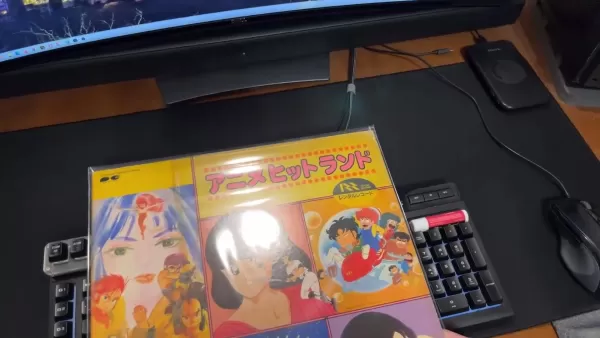
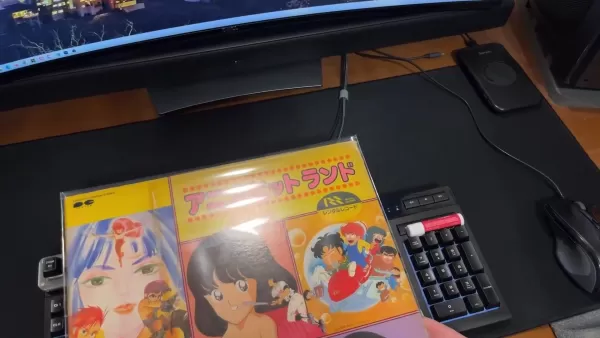
Vinyl record rental stickers exemplify challenging restoration scenarios these disks often feature thick adhesive labels obscuring artwork details. Photographing affected areas provides digital source material for restoration.
Precise selection of sticker damage zones initiates the restoration process. Generative Fill analyzes surviving artwork portions to reconstruct missing elements - iteratively refining selections improves reconstruction accuracy for optimal visual coherence.
Repeating Patterns and Straight Lines: AI's Best Friends
Structural design elements significantly enhance Generative Fill performance. Geometric album cover designs enable accurate mathematical reconstruction of missing segments.
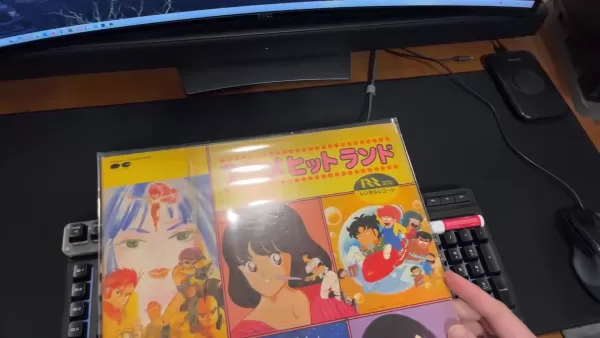
Linear elements guide AI-generated repairs along predictable vectors improving aesthetic outcomes. Recognizing these advantageous characteristics helps prioritize restoration sequences.
Step-by-Step Guide to Repairing Cover Art with Generative Fill AI
Step 1: Open the Image in Photoshop 2024
Initiate restoration by importing high-resolution scans/photographs into Photoshop 2024. Optimal resolution ensures sufficient detail retention throughout editing processes.
Step 2: Select the Area with Blemishes
Precisely isolate damage zones using appropriate selection tools - lasso tools accommodate irregular shapes while marquee tools suit geometric damage patterns. Include minimal surrounding undamaged areas to provide contextual references.
Step 3: Invoke Generative Fill
Navigate through Edit > Fill menus to activate Content-Aware generation. Verify settings include Color Adaptation for tone-matching appropriate repairs.
Step 4: Refine the Results (if needed)
Evaluate initial AI reconstructions - utilize Healing Brushes or Clone Stamps for nuanced refinements integrating repaired sections with source material.
Pros and Cons of Using Generative Fill AI for Cover Art Restoration
Pros
Dramatic workflow acceleration compared to manual methods
Highly convincing restoration results
Intuitive operation suitable for all expertise levels
Solutions for previously impossible restoration challenges
Non-invasive digital methodology preserves original artifacts
Cons
Challenges reconstructing highly asymmetric designs
Occasional need for manual corrections
Limitations reproducing intricate typography
Potential reduced emphasis on traditional editing skills
Ethical concerns regarding authenticity manipulation
Frequently Asked Questions
What types of blemishes can Generative Fill AI effectively remove from cover art?
The technology excels at removing adhesive residues, superficial scratches, and surface stains while preserving underlying artwork integrity. Complex multi-layer damage may require iterative applications.
Does Generative Fill AI work on all types of cover art, regardless of media format?
Generative Fill processes rasterized images independent of original media - effectiveness depends on image quality and contextual information availability.
Is Generative Fill AI easy to use for beginners, or does it require advanced Photoshop skills?
Basic selection tool proficiency enables immediate results - mastery develops through understanding parameters affecting generation quality.
Related Questions
What are some tips for achieving the best results with Generative Fill AI?
High-resolution source images improve reconstruction quality. Incremental repairs outperform bulk corrections. Geometric patterns enable precise reconstruction - the AI performs best when provided clear visual references.
Are there any limitations to what Generative Fill AI can repair?
The technology encounters difficulties reconstructing unique artistic signatures or completely obliterated textual elements. Large area repairs may require supplemental image references.
Related article
 Stripe to Acquire OpenRouter as AI Model Routing Gains Momentum
Stripe has agreed to acquire OpenRouter, an AI model-routing platform that gives developers access to hundreds of models through a single interface. The deal adds model selection and routing to Stripe’s existing work around AI usage and token-based b
Former OpenAI Researcher Barrett Zoph Returns to Google to Support Gemini Development
Barret Zoph, who previously abruptly left and joined OpenAI due to a disagreement with Thinking Machines Lab CEO Miriam Mularati, has once again changed employers. Alphabet's Google announced that Zoph will return as Vice President of Research, bring
How Recursive Intelligence Raised $335M at $4B Valuation in 4 Months
The co-founders of startup Ricursive Intelligence seemed destined to be co-founders.Anna Goldie, CEO, and Azalia Mirhoseini, CTO, are so well-known in the AI community that they were among those AI engineers who “got those weird emails from Zuckerber
Related Special Topic Recommendations
Design & Art
Stripe to Acquire OpenRouter as AI Model Routing Gains Momentum
Stripe has agreed to acquire OpenRouter, an AI model-routing platform that gives developers access to hundreds of models through a single interface. The deal adds model selection and routing to Stripe’s existing work around AI usage and token-based b
Former OpenAI Researcher Barrett Zoph Returns to Google to Support Gemini Development
Barret Zoph, who previously abruptly left and joined OpenAI due to a disagreement with Thinking Machines Lab CEO Miriam Mularati, has once again changed employers. Alphabet's Google announced that Zoph will return as Vice President of Research, bring
How Recursive Intelligence Raised $335M at $4B Valuation in 4 Months
The co-founders of startup Ricursive Intelligence seemed destined to be co-founders.Anna Goldie, CEO, and Azalia Mirhoseini, CTO, are so well-known in the AI community that they were among those AI engineers who “got those weird emails from Zuckerber
Related Special Topic Recommendations
Design & Art
 Top AI Illustration Tools: Create Editorial Scenes and Cover Art Faster
2026 Latest Top-rated AI Illustration Tools: Our curated list features the best powerfully designed tools for creating stunning editorial scenes and eye-catching cover art quickly. Each option has gone through rigorous real-world tests, offering a free vs paid comparison to help you find the perfect match for your workflow. Try these must-try solutions today to unlock your AI edge and boost your creative productivity. Explore now at XIX.AI.
 10 tools
 xix.ai
Education and Learning
Top AI Tutors for Exam Prep: Practice Math, Science, and English
xix.ai
Education and Learning
Top AI Tutors for Exam Prep: Practice Math, Science, and English
2026 Latest Top-Rated Best AI Tutors for Exam Prep are here on XIX.AI! Our curated list features powerful game-changing tools that offer free vs paid comparison, real-world tests, and weekly updated rankings. They help boost your writing efficiency, simplify complex topic learning, and unlock your academic potential. Explore now to Discover your perfect exam prep tool and Start creating today to Unlock your AI edge!
10 tools
xix.ai
Finance
AI Budget Planning Tools for Personal Money Management
2026 Latest Best Top-Rated AI Budget Planning Tools for Personal Money Management are here on XIX.AI! This curated collection features powerful, game-changing solutions that help you conduct real-world tests, understand spending habits, and create personalized plans to boost productivity. Enjoy a free vs paid comparison along with detailed rankings. Must-try tools designed to simplify money management and unlock your AI edge. Explore now!
11 tools
xix.ai
Health & Wellness
AI Sleep Tracking Assistants: Improve Recovery with Better Bedtime Habits
2026 Latest Best Top-Rated AI Sleep Tracking Assistants curated for ultimate recovery. This fully updated weekly guide features powerful tools that deliver real-world tests, free vs paid comparison, and detailed rankings to help you find the must-try solution that boosts sleep quality and supports better bedtime habits. Explore now at XIX.AI to Unlock your AI edge.
10 tools
xix.ai
Data Analysis
AI SQL Copilots for Product and Revenue Analytics
2026 Latest Best Top-Rated AI SQL Copilots for Product and Revenue Analytics! XIX.AI has curated a powerful, game-changing collection of must-try tools that undergo real-world tests through weekly updated rankings. These tools help users boost productivity significantly by accelerating data analysis, streamlining complex queries, and generating accurate insights to drive smarter business decisions. Explore now to Discover your perfect tool for unlocking your AI edge!
14 tools
xix.ai
Education and Learning
Best AI Homework Helpers That Teach: Learn Concepts, Not Just Answers
2026 Latest Best Top-Rated AI Homework Helpers That Teach Core Concepts Not Just Answers Powerful Tools for Students Must-Try Curated List Weekly Updated Free vs Paid Comparison Real-World Tests Accurate Rankings to Help You Unlock Your Full Learning Potential Explore now to Discover your perfect tool for smarter studying.
10 tools
xix.ai

 Comments (0)
0/500
Comments (0)
0/500
This comprehensive guide explores Adobe Photoshop 2024's revolutionary Generative Fill AI capabilities for cover art restoration. Specifically focusing on repairing various imperfections - from blemishes to stickers on album covers, game cases, and other media formats - we'll demonstrate how this AI-powered tool delivers precise digital restoration with unprecedented ease.
Key Points
Photoshop 2024's Generative Fill AI revolutionizes unwanted element removal from images.
The AI excels at eliminating various imperfections including rental stickers, markings, and damage on vinyl records and game packaging.
Cover art featuring geometric patterns and straight edges yields exceptional restoration results.
Generative Fill provides a faster, smarter alternative to traditional cloning tools.
The technology works across multiple media formats spanning music, gaming, and publishing.
Understanding the AI's strengths enables optimized restoration workflows.
Removing obstructive stickers helps preserve the artist's original visual intent.
The tool can significantly enhance collectible value by restoring visual integrity.
Professional-quality results become accessible to all skill levels.
AI-assisted editing opens new creative possibilities for digital preservation.
Introduction to Generative Fill AI for Image Restoration
What is Generative Fill AI?
Integrated into Photoshop 2024, Generative Fill represents a quantum leap in AI-assisted image editing. Unlike manual pixel copying techniques, this technology intelligently analyzes surrounding pixels to generate seamless content that maintains visual coherence. Particularly effective for cover art restoration, Generative Fill excels at removing unwanted elements while preserving textures and color integrity. The system evaluates existing patterns and tones to produce authentic-looking repairs that blend convincingly with source material. This breakthrough technology empowers users to achieve sophisticated results previously requiring extensive manual editing expertise.
Generative Fill's core strength lies in contextual understanding - it interprets lighting conditions, perspective relationships, and texture patterns before generating repairs. This intelligent approach produces superior results compared to legacy tools like clone stamps or healing brushes. Whether working with vintage album covers or contemporary game packaging, the technology maintains fidelity to original artistic intentions while removing damage. Continuous updates promise increasingly sophisticated restoration capabilities.
Why Use AI for Repairing Cover Art?
AI-powered restoration offers distinct advantages for preserving collectible media. Traditional manual repairs often require painstaking effort to recreate intricate patterns - Generative Fill accomplishes similar results automatically with superior precision. Particularly valuable when handling rare or fragile items, this non-destructive digital approach eliminates risks of physical cleaning methods. The technology democratizes professional-grade restoration - novices can achieve results rivaling expert retouchers without years of training.
Generative Fill shines when reconstructing missing or severely damaged artwork sections. Digital restoration preserves valuable collectibles without risking further physical damage - especially crucial for vintage stickers that often leave adhesive residue when removed physically. The AI respects original design elements while seamlessly integrating repairs, maintaining historical accuracy essential for collectors and archivists.
Analyzing Cover Art Imperfections and AI Solutions
Common Blemishes on Cover Art
Collectible media suffers recurring damage patterns requiring specialized restoration approaches. Rental stickers pose particular challenges - their adhesive often damages underlying artwork and leaves ghosted residue. Age-related deterioration manifests through fading, scratches, and corner wear from improper storage. Pressure-sensitive price tags and promotional stickers frequently leave stubborn adhesive deposits.
Permanent marker defacements penetrate paper fibers making traditional removal problematic. Pressure creases from stacking often distort printed artwork irreparably. Identifying these characteristic damage patterns informs effective AI restoration strategies.
Rental Stickers: An AI Case Study
Vinyl record rental stickers exemplify challenging restoration scenarios these disks often feature thick adhesive labels obscuring artwork details. Photographing affected areas provides digital source material for restoration.
Precise selection of sticker damage zones initiates the restoration process. Generative Fill analyzes surviving artwork portions to reconstruct missing elements - iteratively refining selections improves reconstruction accuracy for optimal visual coherence.
Repeating Patterns and Straight Lines: AI's Best Friends
Structural design elements significantly enhance Generative Fill performance. Geometric album cover designs enable accurate mathematical reconstruction of missing segments.
Linear elements guide AI-generated repairs along predictable vectors improving aesthetic outcomes. Recognizing these advantageous characteristics helps prioritize restoration sequences.
Step-by-Step Guide to Repairing Cover Art with Generative Fill AI
Step 1: Open the Image in Photoshop 2024
Initiate restoration by importing high-resolution scans/photographs into Photoshop 2024. Optimal resolution ensures sufficient detail retention throughout editing processes.
Step 2: Select the Area with Blemishes
Precisely isolate damage zones using appropriate selection tools - lasso tools accommodate irregular shapes while marquee tools suit geometric damage patterns. Include minimal surrounding undamaged areas to provide contextual references.
Step 3: Invoke Generative Fill
Navigate through Edit > Fill menus to activate Content-Aware generation. Verify settings include Color Adaptation for tone-matching appropriate repairs.
Step 4: Refine the Results (if needed)
Evaluate initial AI reconstructions - utilize Healing Brushes or Clone Stamps for nuanced refinements integrating repaired sections with source material.
Pros and Cons of Using Generative Fill AI for Cover Art Restoration
Pros
Dramatic workflow acceleration compared to manual methods
Highly convincing restoration results
Intuitive operation suitable for all expertise levels
Solutions for previously impossible restoration challenges
Non-invasive digital methodology preserves original artifacts
Cons
Challenges reconstructing highly asymmetric designs
Occasional need for manual corrections
Limitations reproducing intricate typography
Potential reduced emphasis on traditional editing skills
Ethical concerns regarding authenticity manipulation
Frequently Asked Questions
What types of blemishes can Generative Fill AI effectively remove from cover art?
The technology excels at removing adhesive residues, superficial scratches, and surface stains while preserving underlying artwork integrity. Complex multi-layer damage may require iterative applications.
Does Generative Fill AI work on all types of cover art, regardless of media format?
Generative Fill processes rasterized images independent of original media - effectiveness depends on image quality and contextual information availability.
Is Generative Fill AI easy to use for beginners, or does it require advanced Photoshop skills?
Basic selection tool proficiency enables immediate results - mastery develops through understanding parameters affecting generation quality.
Related Questions
What are some tips for achieving the best results with Generative Fill AI?
High-resolution source images improve reconstruction quality. Incremental repairs outperform bulk corrections. Geometric patterns enable precise reconstruction - the AI performs best when provided clear visual references.
Are there any limitations to what Generative Fill AI can repair?
The technology encounters difficulties reconstructing unique artistic signatures or completely obliterated textual elements. Large area repairs may require supplemental image references.








 Stripe to Acquire OpenRouter as AI Model Routing Gains Momentum
Stripe has agreed to acquire OpenRouter, an AI model-routing platform that gives developers access to hundreds of models through a single interface. The deal adds model selection and routing to Stripe’s existing work around AI usage and token-based b
Stripe to Acquire OpenRouter as AI Model Routing Gains Momentum
Stripe has agreed to acquire OpenRouter, an AI model-routing platform that gives developers access to hundreds of models through a single interface. The deal adds model selection and routing to Stripe’s existing work around AI usage and token-based b
 Former OpenAI Researcher Barrett Zoph Returns to Google to Support Gemini Development
Barret Zoph, who previously abruptly left and joined OpenAI due to a disagreement with Thinking Machines Lab CEO Miriam Mularati, has once again changed employers. Alphabet's Google announced that Zoph will return as Vice President of Research, bring
Former OpenAI Researcher Barrett Zoph Returns to Google to Support Gemini Development
Barret Zoph, who previously abruptly left and joined OpenAI due to a disagreement with Thinking Machines Lab CEO Miriam Mularati, has once again changed employers. Alphabet's Google announced that Zoph will return as Vice President of Research, bring
 How Recursive Intelligence Raised $335M at $4B Valuation in 4 Months
The co-founders of startup Ricursive Intelligence seemed destined to be co-founders.Anna Goldie, CEO, and Azalia Mirhoseini, CTO, are so well-known in the AI community that they were among those AI engineers who “got those weird emails from Zuckerber
How Recursive Intelligence Raised $335M at $4B Valuation in 4 Months
The co-founders of startup Ricursive Intelligence seemed destined to be co-founders.Anna Goldie, CEO, and Azalia Mirhoseini, CTO, are so well-known in the AI community that they were among those AI engineers who “got those weird emails from Zuckerber

2026 Latest Top-rated AI Illustration Tools: Our curated list features the best powerfully designed tools for creating stunning editorial scenes and eye-catching cover art quickly. Each option has gone through rigorous real-world tests, offering a free vs paid comparison to help you find the perfect match for your workflow. Try these must-try solutions today to unlock your AI edge and boost your creative productivity. Explore now at XIX.AI.
10 tools
xix.ai

2026 Latest Top-Rated Best AI Tutors for Exam Prep are here on XIX.AI! Our curated list features powerful game-changing tools that offer free vs paid comparison, real-world tests, and weekly updated rankings. They help boost your writing efficiency, simplify complex topic learning, and unlock your academic potential. Explore now to Discover your perfect exam prep tool and Start creating today to Unlock your AI edge!
10 tools
xix.ai

2026 Latest Best Top-Rated AI Budget Planning Tools for Personal Money Management are here on XIX.AI! This curated collection features powerful, game-changing solutions that help you conduct real-world tests, understand spending habits, and create personalized plans to boost productivity. Enjoy a free vs paid comparison along with detailed rankings. Must-try tools designed to simplify money management and unlock your AI edge. Explore now!
11 tools
xix.ai

2026 Latest Best Top-Rated AI Sleep Tracking Assistants curated for ultimate recovery. This fully updated weekly guide features powerful tools that deliver real-world tests, free vs paid comparison, and detailed rankings to help you find the must-try solution that boosts sleep quality and supports better bedtime habits. Explore now at XIX.AI to Unlock your AI edge.
10 tools
xix.ai

2026 Latest Best Top-Rated AI SQL Copilots for Product and Revenue Analytics! XIX.AI has curated a powerful, game-changing collection of must-try tools that undergo real-world tests through weekly updated rankings. These tools help users boost productivity significantly by accelerating data analysis, streamlining complex queries, and generating accurate insights to drive smarter business decisions. Explore now to Discover your perfect tool for unlocking your AI edge!
14 tools
xix.ai

2026 Latest Best Top-Rated AI Homework Helpers That Teach Core Concepts Not Just Answers Powerful Tools for Students Must-Try Curated List Weekly Updated Free vs Paid Comparison Real-World Tests Accurate Rankings to Help You Unlock Your Full Learning Potential Explore now to Discover your perfect tool for smarter studying.
10 tools
xix.ai












