


 Home
HomePictory, Murf AI and ChatGPT Simplify Video Production
Creating compelling videos can be a significant hurdle, particularly when you're short on time or technical expertise. Thankfully, innovative tools like Pictory, Murf AI, and ChatGPT are revolutionizing the process. This guide will show you how to harness these technologies to effortlessly convert scripts into engaging videos, enrich them with AI-powered voiceovers, and spark creative ideas whenever inspiration runs dry.
Key Points
Pictory makes it simple to create videos from text or articles.
Murf AI delivers highly realistic AI voiceovers to elevate your video quality.
ChatGPT can generate creative video concepts and full scripts.
Combine these tools to create a seamless and efficient content production workflow.
You can produce professional-grade videos without any technical skills.
Transforming Scripts into Video Gold
Understanding the Landscape of Video Content
The demand for video content is experiencing explosive growth. Channels focused on informational, documentary, and motivational content are flourishing, frequently generating significant revenue.
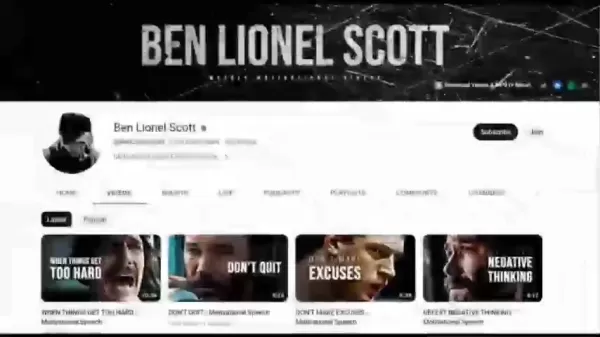
Success hinges not merely on having camera equipment, but on crafting compelling narratives that connect with viewers. Many top YouTube channels showcase the powerful combination of a well-written script and captivating visuals. The common challenge is that developing those scripts and visualizing the accompanying content demands considerable time and effort. This is precisely where AI tools make a transformative difference.
Introduction to Pictory: Video Creation Made Easy
Pictory is a video creation platform built for simplicity and efficiency.
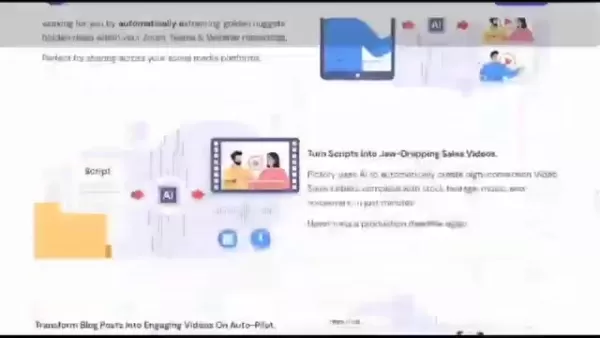
It allows you to convert written content—be it scripts or full articles—into polished videos with minimal effort. Its user-friendly interface means you don't need to be an experienced video editor to produce engaging content. It's a game-changer for marketers, educators, and anyone aiming to connect with their audience through video. Pictory's automatic captioning feature also meets a crucial need for accessibility, broadening your video's reach and impact. With Pictory, creating video content becomes not only easier but also more cost-effective and widely accessible. The platform makes it simple to share your videos anywhere, in your preferred format.
Signing Up and Setting Up Pictory
Getting started with Pictory is a straightforward process.
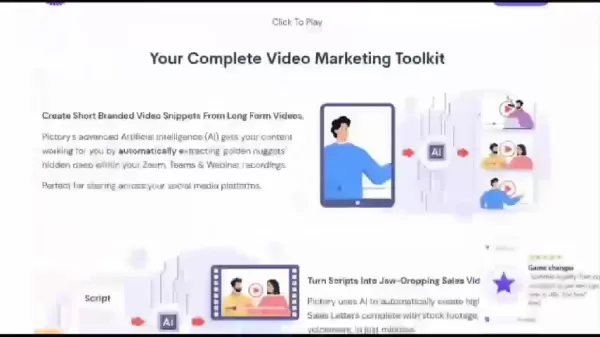
The platform features a simple signup, allowing you to create an account quickly. Upon logging in, an intuitive dashboard guides you through the steps of turning your script into a video. A free trial is available to help you get familiar with the features. Pictory's design ensures you can start creating content within minutes, regardless of your technical experience. You can begin producing videos immediately after signing up, with no credit card required for the trial.
Step-by-Step: Converting Your Script to a Captivating Video
Turning your written script into a dynamic video with Pictory is remarkably simple. Follow this detailed step-by-step guide:
Step 1: Upload Your Script
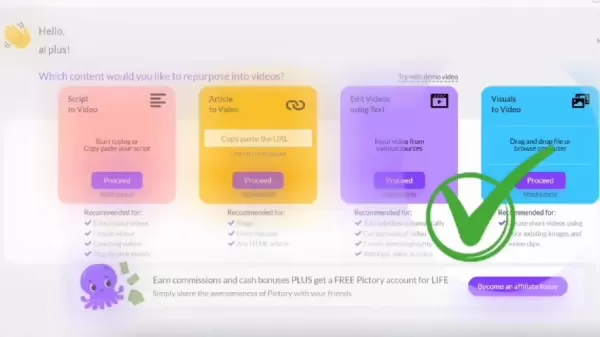
- After logging in, choose the 'Script to Video' option.
- Copy and paste your script into the provided text box.
- Give your video a name for easy organization.
Step 2: Scene Settings
- Customize scene settings to automatically highlight key terms and pair them with relevant visuals.
- Adjust sentence and line breaks to control the pacing and flow of your video.
Step 3: Template Selection
- Browse a wide variety of templates to find one that fits your content's style and brand identity.
- Select an aspect ratio optimized for different social media platforms.
Step 4: Visual and Audio Customization
- Pictory automatically chooses visuals based on your text, but you can easily swap them for others.
- Select background music from an extensive library or upload your own audio files.
- Add a voiceover to enhance your video; AI-generated voices are available for a professional finish.
Step 5: Final Touches and Download
- Review each scene and make any final adjustments.
- Customize text elements like size, color, and font.
- Preview the entire video to ensure everything looks perfect.
- Download your high-quality video file in just minutes.
By following these steps, you can transform a script into a professional-looking video ready to captivate your audience on any platform, all in a matter of minutes.
Pictory offers a diverse range of styles, templates, and customization options, enabling you to produce content perfectly tailored to your niche and viewers.
Enhancing Your Video with Murf AI Voiceovers
A high-quality voiceover is essential for engaging viewers and delivering your message clearly. Murf AI provides an outstanding solution with its realistic and customizable AI-generated voices. With Murf AI, you can add a professional voiceover to your videos without the need for expensive recording gear or hiring voice actors. This AI platform offers a broad selection of voices, tones, and styles, allowing you to create audio that aligns perfectly with your brand and content. Whether you need a serious corporate narration or a friendly, conversational tone, Murf AI has options to suit your needs. Integrating a Murf AI voiceover with your Pictory video results in content that looks and sounds exceptional. The platform is also very easy to use, requiring no technical expertise.
Getting Started with Murf AI
Murf AI offers a simple setup process to create the perfect voice for your project:
Step 1: Sign Up for Murf AI
- Visit the Murf AI website and create your account.
- Explore the available subscription plans to find the best fit for your needs.
Step 2: Create a New Project
- Once logged in, start a new project and give it a name.
- Select the project type that matches your work.
Step 3: Import Your Text
- Copy and paste your script directly into the Murf AI text editor.
- Alternatively, you can upload a script file.
Step 4: Choose Your AI Voice
- Browse the extensive library of AI voices.
- Select a voice that matches the desired tone and style for your content.
- Murf AI provides access to over 120 high-quality text-to-speech voices.
Step 5: Customize and Generate
- Fine-tune the audio by adjusting pitch, speed, and emphasis for a natural sound.
- Insert pauses to improve the speech rhythm and flow.
- Generate the audio and listen to the preview.
Step 6: Export and Integrate
- Download the finished audio file in your preferred format.
- Seamlessly integrate the voiceover with your video project in Pictory.
Murf AI elevates your videos by delivering a professional and captivating audio experience that holds your audience's attention.
ChatGPT: Unleashing Your Creative Potential for Video Ideas
Introduction to ChatGPT
ChatGPT is more than just an AI tool; it acts as a creative partner for content generation.
This advanced language model can assist with brainstorming ideas, writing compelling scripts, and overcoming creative blocks. When you're stuck for a topic or need a fresh perspective, ChatGPT can provide a constant stream of inspiration. It's like having a brainstorming session with an AI that draws from a vast knowledge base. Whether you need a tutorial script, a narrative for a short film, or a persuasive product pitch, ChatGPT can produce high-quality content in minutes. By combining ChatGPT with Pictory and Murf AI, you move beyond simple video creation to crafting immersive experiences that truly resonate with your audience.
Generating Video Scripts with ChatGPT
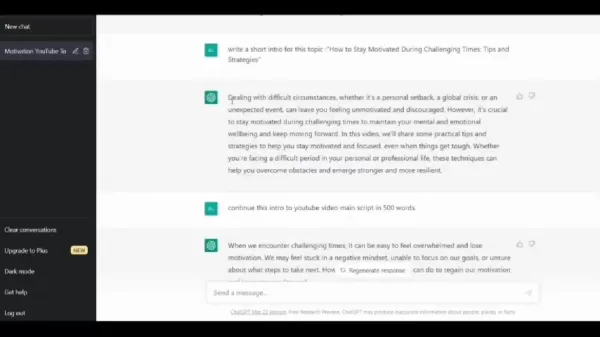
ChatGPT can produce engaging scripts tailored to your specific audience. Follow these steps to generate your video content:
Step 1: Sign Up for ChatGPT
- Visit the OpenAI website and create an account.
Step 2: Define Your Topic
- Clearly outline the central topic or theme for your video.
Step 3: Input Your Prompt
- Enter a detailed prompt describing the type of script you need.
- Specify desired length, tone, and any key points to be included.
Step 4: Review and Refine
- Review the initial script generated by ChatGPT.
- Edit and refine the text to match your personal style and brand voice.
Step 5: Import into Pictory
- Copy your polished script and paste it directly into Pictory to begin building your video.
Using ChatGPT, you can eliminate the time-intensive task of scriptwriting, freeing you to focus on the visual and auditory elements of your production.
Combining Pictory, Murf AI, and ChatGPT: A Complete Workflow
The Integrated Approach
To maximize efficiency and quality in your video creation, integrate Pictory, Murf AI, and ChatGPT by following this streamlined workflow:
- Brainstorm with ChatGPT: Start by using ChatGPT to generate initial video concepts and draft scripts.
- Refine the Script: Edit and polish the AI-generated script to ensure it aligns with your brand voice and objectives.
- Create Your Video with Pictory: Import the final script into Pictory and customize the visuals, select a template, and adjust captions.
- Enhance with Murf AI: Use Murf AI to produce a professional, tone-matched voiceover for your video.
- Finalize and Publish: Review the complete video, make any final tweaks, and publish it to your chosen platforms.
By combining these three powerful tools, you can consistently produce high-quality, engaging videos that inform and captivate your audience, all while saving considerable time and effort.
Advantages and Disadvantages of Using Pictory, Murf AI, and ChatGPT
Pros
Time-Saving: Automates key parts of the video creation process, freeing up your schedule.
Cost-Effective: Reduces or eliminates the need for expensive equipment, software, and professional voice talent.
User-Friendly: Designed for ease of use, requiring no prior technical skills or video editing experience.
High-Quality Output: Capable of producing professional-grade videos with convincing AI voiceovers.
Endless Creativity: ChatGPT serves as an always-available source of inspiration for video topics and script ideas.
Cons
AI Dependency: Reliance on AI-generated content may sometimes necessitate manual review and editing for accuracy and nuance.
Subscription Costs: Access to the full suite of advanced features typically requires a paid monthly or annual plan.
Limited Customization: While extensive, the selection of AI voices and stock visuals may not always perfectly align with a highly specific creative vision.
ChatGPT Limitations: Despite its power, ChatGPT can sometimes misunderstand complex prompts or generate content that lacks nuanced understanding.
FAQ
Do I need technical skills to use Pictory, Murf AI, and ChatGPT?
No technical skills are required. All three platforms are built with user-friendly, intuitive interfaces that make them accessible to beginners and experts alike.
Can I use these tools for free?
Yes, Pictory, Murf AI, and ChatGPT each offer free tiers or trials. These free plans provide ample functionality to create quality content, with optional paid subscriptions for users who need more advanced features and higher usage limits.
Can I customize the AI voices in Murf AI?
Absolutely. Murf AI provides robust customization options, allowing you to adjust voice characteristics like pitch, speed, emphasis, and pauses to create a voiceover that matches your content's style perfectly.
Can ChatGPT help me with topic ideas if I'm unsure what to create?
Yes, ChatGPT is an excellent tool for brainstorming. You can provide a general subject area, and it will generate a list of potential video topics, angles, and even outline structures to kickstart your creativity.
Are the videos I create with Pictory royalty-free?
Yes, Pictory provides a library of royalty-free video clips, images, and music assets for use within the platform, ensuring your final videos are safe for commercial use.
Related Questions
What are some tips for creating engaging video content?
Creating engaging videos involves several best practices: Know Your Audience: Tailor content to their specific interests and pain points. Tell a Compelling Story: Structure your video with a clear narrative arc to maintain viewer interest. Keep It Concise: Deliver value quickly and avoid unnecessary length. Use High-Quality Visuals and Audio: Clear video and clean sound are fundamental. Incorporate Captions: This improves accessibility and allows viewing without sound. Promote Strategically: Share your finished videos across relevant social media channels and communities.
What other AI tools can I use to create content?
Several other powerful AI tools are available. For writing and content ideation, consider alternatives like Jasper.ai or Writesonic. For generating custom images and art, platforms like Midjourney or DALL-E are popular. For video creation with AI avatars, Synthesia is a leading option worth exploring.
Related article
 Apple Smart Glasses Could Debut at WWDC27, Highlighting Privacy Protection
Bloomberg’s Mark Gurman reports that Apple’s smart glasses, codenamed N50, are slated for a WWDC27 debut in June 2027, with a retail launch expected in autumn 2027. Originally targeted for late this year and early 2027, the device’s release has been
Inside Details Exposed About Next-Gen Gemini: Strained Computing Power, Internal Teams Disagreed on Development Priorities and Resource Allocation
Reports indicate that the launch of Google’s highly anticipated next-generation Gemini model has been pushed back. Internal disagreements over development priorities and resource allocation, combined with limited computing capacity and complex approv
OpenAI Dismisses Growth Slowdown Concerns, Says Multiple Business Units Accelerating
In response to external scrutiny regarding decelerating sales growth and missed internal benchmarks, AI leader OpenAI issued a confident statement on Tuesday, April 28. The company clarified that its consumer products and enterprise services are adva
Related Special Topic Recommendations
Data Analysis
Apple Smart Glasses Could Debut at WWDC27, Highlighting Privacy Protection
Bloomberg’s Mark Gurman reports that Apple’s smart glasses, codenamed N50, are slated for a WWDC27 debut in June 2027, with a retail launch expected in autumn 2027. Originally targeted for late this year and early 2027, the device’s release has been
Inside Details Exposed About Next-Gen Gemini: Strained Computing Power, Internal Teams Disagreed on Development Priorities and Resource Allocation
Reports indicate that the launch of Google’s highly anticipated next-generation Gemini model has been pushed back. Internal disagreements over development priorities and resource allocation, combined with limited computing capacity and complex approv
OpenAI Dismisses Growth Slowdown Concerns, Says Multiple Business Units Accelerating
In response to external scrutiny regarding decelerating sales growth and missed internal benchmarks, AI leader OpenAI issued a confident statement on Tuesday, April 28. The company clarified that its consumer products and enterprise services are adva
Related Special Topic Recommendations
Data Analysis
 AI SQL Copilots for Revenue Dashboards, Funnel Analysis, and Product Metrics
2026 Latest Best AI SQL Copilots Ranked Top-Rated! XIX.AI curates a powerful game-changing collection for weekly updated real-world tests. These must-try tools help you generate accurate revenue dashboards, analyze sales funnels, and track product metrics swiftly, boosting productivity massively. Explore now to Discover your perfect tool for data-driven decision making! 238 characters
 9 tools
 xix.ai
Music composition
Best AI Melody Writing Tools for Song Drafts
xix.ai
Music composition
Best AI Melody Writing Tools for Song Drafts
2026 Latest Best Top-Rated AI Melody Writing Tools for Song Drafts! XIX.AI has curated a highly powerful game-changing collection that goes through rigorous real-world tests to deliver the best writing experience. You can find detailed free vs paid comparisons, accurate rankings, and must-try options designed to help you create stunning song drafts effortlessly and boost your creative productivity significantly. Explore now to discover your perfect tool!
8 tools
xix.ai
chatbot
Best AI Conversation Trainer Tools for Interview Practice
2026 Latest Best Top-rated AI Conversation Trainer Tools for Interview Practice are here on XIX.AI! This curated collection features powerful, game-changing tools that go through rigorous real-world tests to deliver accurate feedback. You’ll find a free vs paid comparison and detailed rankings to help you choose the must-try option that boosts your confidence and skills. Explore now to Discover your perfect tool for interview success!
12 tools
xix.ai
Design & Art
Best AI Style Transfer Tools for Creative Experiments
2026 Latest Best Top-rated AI Style Transfer Tools for Creative Experiments! XIX.AI has curated a powerful, game-changing collection of must-try tools that deliver exceptional results through real-world tests and rigorous rankings. These top solutions help creatives boost productivity significantly by accelerating content creation and unlocking endless creative possibilities. Explore now to discover your perfect tool and start creating today!
9 tools
xix.ai
Comic Creation
Best AI Dialogue Bubble Tools for Visual Storytelling
2026 Latest Best Top-Rated AI Dialogue Bubble Tools for Visual Storytelling are here on XIX.AI! This curated collection features powerful, game-changing tools that help creators boost productivity and overcome creative bottlenecks. Get a free vs paid comparison, see real-world tests, and check the latest rankings to find the must-try solutions perfect for crafting engaging visual narratives. Explore now to discover your ideal tool!
10 tools
xix.ai
Meeting Assistant
Top AI Meeting Summary Tools: Track Decisions and Follow-Ups Clearly
2026 Latest Top-Rated Best AI Meeting Summary Tools for Clear Decision Tracking and Effortless Follow-Ups. This curated list showcases powerful, game-changing solutions that boost productivity dramatically by automating meeting notes, identifying key action items, and streamlining team coordination across all projects. Get a free vs paid comparison along with real-world tests and weekly updated rankings to help you find the perfect tool. Explore now to unlock your AI edge!
9 tools
xix.ai

 Comments (2)
0/500
Comments (2)
0/500
![WalterBaker]()
Honestly, I tried Pictory once and it kept butchering my voiceovers. Maybe ChatGPT can help write the script, but I'm still skeptical about AI-generated videos looking polished without heavy editing. Anyone else feel these tools are overhyped? 🤔
![JasonSmith]()
Just tried Pictory for a quick promo video and it's a game-changer! The AI voice from Murf sounded surprisingly natural, and ChatGPT helped me brainstorm the script in minutes. No more spending hours on editing tutorials. This is exactly what small creators needed. 🚀
Creating compelling videos can be a significant hurdle, particularly when you're short on time or technical expertise. Thankfully, innovative tools like Pictory, Murf AI, and ChatGPT are revolutionizing the process. This guide will show you how to harness these technologies to effortlessly convert scripts into engaging videos, enrich them with AI-powered voiceovers, and spark creative ideas whenever inspiration runs dry.
Key Points
Pictory makes it simple to create videos from text or articles.
Murf AI delivers highly realistic AI voiceovers to elevate your video quality.
ChatGPT can generate creative video concepts and full scripts.
Combine these tools to create a seamless and efficient content production workflow.
You can produce professional-grade videos without any technical skills.
Transforming Scripts into Video Gold
Understanding the Landscape of Video Content
The demand for video content is experiencing explosive growth. Channels focused on informational, documentary, and motivational content are flourishing, frequently generating significant revenue.
Success hinges not merely on having camera equipment, but on crafting compelling narratives that connect with viewers. Many top YouTube channels showcase the powerful combination of a well-written script and captivating visuals. The common challenge is that developing those scripts and visualizing the accompanying content demands considerable time and effort. This is precisely where AI tools make a transformative difference.
Introduction to Pictory: Video Creation Made Easy
Pictory is a video creation platform built for simplicity and efficiency.
It allows you to convert written content—be it scripts or full articles—into polished videos with minimal effort. Its user-friendly interface means you don't need to be an experienced video editor to produce engaging content. It's a game-changer for marketers, educators, and anyone aiming to connect with their audience through video. Pictory's automatic captioning feature also meets a crucial need for accessibility, broadening your video's reach and impact. With Pictory, creating video content becomes not only easier but also more cost-effective and widely accessible. The platform makes it simple to share your videos anywhere, in your preferred format.
Signing Up and Setting Up Pictory
Getting started with Pictory is a straightforward process.
The platform features a simple signup, allowing you to create an account quickly. Upon logging in, an intuitive dashboard guides you through the steps of turning your script into a video. A free trial is available to help you get familiar with the features. Pictory's design ensures you can start creating content within minutes, regardless of your technical experience. You can begin producing videos immediately after signing up, with no credit card required for the trial.
Step-by-Step: Converting Your Script to a Captivating Video
Turning your written script into a dynamic video with Pictory is remarkably simple. Follow this detailed step-by-step guide:
Step 1: Upload Your Script
- After logging in, choose the 'Script to Video' option.
- Copy and paste your script into the provided text box.
- Give your video a name for easy organization.
Step 2: Scene Settings
- Customize scene settings to automatically highlight key terms and pair them with relevant visuals.
- Adjust sentence and line breaks to control the pacing and flow of your video.
Step 3: Template Selection
- Browse a wide variety of templates to find one that fits your content's style and brand identity.
- Select an aspect ratio optimized for different social media platforms.
Step 4: Visual and Audio Customization
- Pictory automatically chooses visuals based on your text, but you can easily swap them for others.
- Select background music from an extensive library or upload your own audio files.
- Add a voiceover to enhance your video; AI-generated voices are available for a professional finish.
Step 5: Final Touches and Download
- Review each scene and make any final adjustments.
- Customize text elements like size, color, and font.
- Preview the entire video to ensure everything looks perfect.
- Download your high-quality video file in just minutes.
By following these steps, you can transform a script into a professional-looking video ready to captivate your audience on any platform, all in a matter of minutes.
Pictory offers a diverse range of styles, templates, and customization options, enabling you to produce content perfectly tailored to your niche and viewers.
Enhancing Your Video with Murf AI Voiceovers
A high-quality voiceover is essential for engaging viewers and delivering your message clearly. Murf AI provides an outstanding solution with its realistic and customizable AI-generated voices. With Murf AI, you can add a professional voiceover to your videos without the need for expensive recording gear or hiring voice actors. This AI platform offers a broad selection of voices, tones, and styles, allowing you to create audio that aligns perfectly with your brand and content. Whether you need a serious corporate narration or a friendly, conversational tone, Murf AI has options to suit your needs. Integrating a Murf AI voiceover with your Pictory video results in content that looks and sounds exceptional. The platform is also very easy to use, requiring no technical expertise.
Getting Started with Murf AI
Murf AI offers a simple setup process to create the perfect voice for your project:
Step 1: Sign Up for Murf AI
- Visit the Murf AI website and create your account.
- Explore the available subscription plans to find the best fit for your needs.
Step 2: Create a New Project
- Once logged in, start a new project and give it a name.
- Select the project type that matches your work.
Step 3: Import Your Text
- Copy and paste your script directly into the Murf AI text editor.
- Alternatively, you can upload a script file.
Step 4: Choose Your AI Voice
- Browse the extensive library of AI voices.
- Select a voice that matches the desired tone and style for your content.
- Murf AI provides access to over 120 high-quality text-to-speech voices.
Step 5: Customize and Generate
- Fine-tune the audio by adjusting pitch, speed, and emphasis for a natural sound.
- Insert pauses to improve the speech rhythm and flow.
- Generate the audio and listen to the preview.
Step 6: Export and Integrate
- Download the finished audio file in your preferred format.
- Seamlessly integrate the voiceover with your video project in Pictory.
Murf AI elevates your videos by delivering a professional and captivating audio experience that holds your audience's attention.
ChatGPT: Unleashing Your Creative Potential for Video Ideas
Introduction to ChatGPT
ChatGPT is more than just an AI tool; it acts as a creative partner for content generation.
This advanced language model can assist with brainstorming ideas, writing compelling scripts, and overcoming creative blocks. When you're stuck for a topic or need a fresh perspective, ChatGPT can provide a constant stream of inspiration. It's like having a brainstorming session with an AI that draws from a vast knowledge base. Whether you need a tutorial script, a narrative for a short film, or a persuasive product pitch, ChatGPT can produce high-quality content in minutes. By combining ChatGPT with Pictory and Murf AI, you move beyond simple video creation to crafting immersive experiences that truly resonate with your audience.
Generating Video Scripts with ChatGPT
ChatGPT can produce engaging scripts tailored to your specific audience. Follow these steps to generate your video content:
Step 1: Sign Up for ChatGPT
- Visit the OpenAI website and create an account.
Step 2: Define Your Topic
- Clearly outline the central topic or theme for your video.
Step 3: Input Your Prompt
- Enter a detailed prompt describing the type of script you need.
- Specify desired length, tone, and any key points to be included.
Step 4: Review and Refine
- Review the initial script generated by ChatGPT.
- Edit and refine the text to match your personal style and brand voice.
Step 5: Import into Pictory
- Copy your polished script and paste it directly into Pictory to begin building your video.
Using ChatGPT, you can eliminate the time-intensive task of scriptwriting, freeing you to focus on the visual and auditory elements of your production.
Combining Pictory, Murf AI, and ChatGPT: A Complete Workflow
The Integrated Approach
To maximize efficiency and quality in your video creation, integrate Pictory, Murf AI, and ChatGPT by following this streamlined workflow:
- Brainstorm with ChatGPT: Start by using ChatGPT to generate initial video concepts and draft scripts.
- Refine the Script: Edit and polish the AI-generated script to ensure it aligns with your brand voice and objectives.
- Create Your Video with Pictory: Import the final script into Pictory and customize the visuals, select a template, and adjust captions.
- Enhance with Murf AI: Use Murf AI to produce a professional, tone-matched voiceover for your video.
- Finalize and Publish: Review the complete video, make any final tweaks, and publish it to your chosen platforms.
By combining these three powerful tools, you can consistently produce high-quality, engaging videos that inform and captivate your audience, all while saving considerable time and effort.
Advantages and Disadvantages of Using Pictory, Murf AI, and ChatGPT
Pros
Time-Saving: Automates key parts of the video creation process, freeing up your schedule.
Cost-Effective: Reduces or eliminates the need for expensive equipment, software, and professional voice talent.
User-Friendly: Designed for ease of use, requiring no prior technical skills or video editing experience.
High-Quality Output: Capable of producing professional-grade videos with convincing AI voiceovers.
Endless Creativity: ChatGPT serves as an always-available source of inspiration for video topics and script ideas.
Cons
AI Dependency: Reliance on AI-generated content may sometimes necessitate manual review and editing for accuracy and nuance.
Subscription Costs: Access to the full suite of advanced features typically requires a paid monthly or annual plan.
Limited Customization: While extensive, the selection of AI voices and stock visuals may not always perfectly align with a highly specific creative vision.
ChatGPT Limitations: Despite its power, ChatGPT can sometimes misunderstand complex prompts or generate content that lacks nuanced understanding.
FAQ
Do I need technical skills to use Pictory, Murf AI, and ChatGPT?
No technical skills are required. All three platforms are built with user-friendly, intuitive interfaces that make them accessible to beginners and experts alike.
Can I use these tools for free?
Yes, Pictory, Murf AI, and ChatGPT each offer free tiers or trials. These free plans provide ample functionality to create quality content, with optional paid subscriptions for users who need more advanced features and higher usage limits.
Can I customize the AI voices in Murf AI?
Absolutely. Murf AI provides robust customization options, allowing you to adjust voice characteristics like pitch, speed, emphasis, and pauses to create a voiceover that matches your content's style perfectly.
Can ChatGPT help me with topic ideas if I'm unsure what to create?
Yes, ChatGPT is an excellent tool for brainstorming. You can provide a general subject area, and it will generate a list of potential video topics, angles, and even outline structures to kickstart your creativity.
Are the videos I create with Pictory royalty-free?
Yes, Pictory provides a library of royalty-free video clips, images, and music assets for use within the platform, ensuring your final videos are safe for commercial use.
Related Questions
What are some tips for creating engaging video content?
Creating engaging videos involves several best practices: Know Your Audience: Tailor content to their specific interests and pain points. Tell a Compelling Story: Structure your video with a clear narrative arc to maintain viewer interest. Keep It Concise: Deliver value quickly and avoid unnecessary length. Use High-Quality Visuals and Audio: Clear video and clean sound are fundamental. Incorporate Captions: This improves accessibility and allows viewing without sound. Promote Strategically: Share your finished videos across relevant social media channels and communities.
What other AI tools can I use to create content?
Several other powerful AI tools are available. For writing and content ideation, consider alternatives like Jasper.ai or Writesonic. For generating custom images and art, platforms like Midjourney or DALL-E are popular. For video creation with AI avatars, Synthesia is a leading option worth exploring.








 Apple Smart Glasses Could Debut at WWDC27, Highlighting Privacy Protection
Bloomberg’s Mark Gurman reports that Apple’s smart glasses, codenamed N50, are slated for a WWDC27 debut in June 2027, with a retail launch expected in autumn 2027. Originally targeted for late this year and early 2027, the device’s release has been
Apple Smart Glasses Could Debut at WWDC27, Highlighting Privacy Protection
Bloomberg’s Mark Gurman reports that Apple’s smart glasses, codenamed N50, are slated for a WWDC27 debut in June 2027, with a retail launch expected in autumn 2027. Originally targeted for late this year and early 2027, the device’s release has been
 Inside Details Exposed About Next-Gen Gemini: Strained Computing Power, Internal Teams Disagreed on Development Priorities and Resource Allocation
Reports indicate that the launch of Google’s highly anticipated next-generation Gemini model has been pushed back. Internal disagreements over development priorities and resource allocation, combined with limited computing capacity and complex approv
Inside Details Exposed About Next-Gen Gemini: Strained Computing Power, Internal Teams Disagreed on Development Priorities and Resource Allocation
Reports indicate that the launch of Google’s highly anticipated next-generation Gemini model has been pushed back. Internal disagreements over development priorities and resource allocation, combined with limited computing capacity and complex approv
 OpenAI Dismisses Growth Slowdown Concerns, Says Multiple Business Units Accelerating
In response to external scrutiny regarding decelerating sales growth and missed internal benchmarks, AI leader OpenAI issued a confident statement on Tuesday, April 28. The company clarified that its consumer products and enterprise services are adva
OpenAI Dismisses Growth Slowdown Concerns, Says Multiple Business Units Accelerating
In response to external scrutiny regarding decelerating sales growth and missed internal benchmarks, AI leader OpenAI issued a confident statement on Tuesday, April 28. The company clarified that its consumer products and enterprise services are adva

2026 Latest Best AI SQL Copilots Ranked Top-Rated! XIX.AI curates a powerful game-changing collection for weekly updated real-world tests. These must-try tools help you generate accurate revenue dashboards, analyze sales funnels, and track product metrics swiftly, boosting productivity massively. Explore now to Discover your perfect tool for data-driven decision making! 238 characters
9 tools
xix.ai

2026 Latest Best Top-Rated AI Melody Writing Tools for Song Drafts! XIX.AI has curated a highly powerful game-changing collection that goes through rigorous real-world tests to deliver the best writing experience. You can find detailed free vs paid comparisons, accurate rankings, and must-try options designed to help you create stunning song drafts effortlessly and boost your creative productivity significantly. Explore now to discover your perfect tool!
8 tools
xix.ai

2026 Latest Best Top-rated AI Conversation Trainer Tools for Interview Practice are here on XIX.AI! This curated collection features powerful, game-changing tools that go through rigorous real-world tests to deliver accurate feedback. You’ll find a free vs paid comparison and detailed rankings to help you choose the must-try option that boosts your confidence and skills. Explore now to Discover your perfect tool for interview success!
12 tools
xix.ai

2026 Latest Best Top-rated AI Style Transfer Tools for Creative Experiments! XIX.AI has curated a powerful, game-changing collection of must-try tools that deliver exceptional results through real-world tests and rigorous rankings. These top solutions help creatives boost productivity significantly by accelerating content creation and unlocking endless creative possibilities. Explore now to discover your perfect tool and start creating today!
9 tools
xix.ai

2026 Latest Best Top-Rated AI Dialogue Bubble Tools for Visual Storytelling are here on XIX.AI! This curated collection features powerful, game-changing tools that help creators boost productivity and overcome creative bottlenecks. Get a free vs paid comparison, see real-world tests, and check the latest rankings to find the must-try solutions perfect for crafting engaging visual narratives. Explore now to discover your ideal tool!
10 tools
xix.ai

2026 Latest Top-Rated Best AI Meeting Summary Tools for Clear Decision Tracking and Effortless Follow-Ups. This curated list showcases powerful, game-changing solutions that boost productivity dramatically by automating meeting notes, identifying key action items, and streamlining team coordination across all projects. Get a free vs paid comparison along with real-world tests and weekly updated rankings to help you find the perfect tool. Explore now to unlock your AI edge!
9 tools
xix.ai

Honestly, I tried Pictory once and it kept butchering my voiceovers. Maybe ChatGPT can help write the script, but I'm still skeptical about AI-generated videos looking polished without heavy editing. Anyone else feel these tools are overhyped? 🤔
Just tried Pictory for a quick promo video and it's a game-changer! The AI voice from Murf sounded surprisingly natural, and ChatGPT helped me brainstorm the script in minutes. No more spending hours on editing tutorials. This is exactly what small creators needed. 🚀












