


 Home
HomeCraft AI-Powered Animated Text Using Pinterest, ChatGPT, and Kling AI
Crafting visually stunning text effects is now more accessible than ever, thanks to the power of artificial intelligence. You can effortlessly elevate ordinary text into captivating animated designs with the right tools. This detailed guide will show you how to use platforms such as Pinterest, ChatGPT, Krea AI, and Kling AI to design and animate text, adding a professional touch to your creative work and engaging your audience effectively.
Key Points
Learn how to find creative text effect ideas on Pinterest.
Use ChatGPT to develop innovative prompts for text effects.
Create high-resolution text effect visuals with Krea AI.
Bring your text effects to life through animation with Kling AI.
Integrate AI tools to optimize your creative process.
Finding Inspiration on Pinterest
Leveraging Pinterest for Creative Ideas
With its extensive collection of visual content, Pinterest is an excellent starting point for discovering unique text effect styles. You can search for terms like "vintage typography," "glowing text," or "3D lettering" to uncover countless design examples. As you browse, save or download the images that best match your vision. This method helps you build a personal library of inspiration, making it easier to define your project's aesthetic direction and ensuring your final design aligns with current trends and your creative goals.
Creating Different Text Effects: Examples
Example 1: Cloud Text Effect
To showcase the flexibility of this approach, we can design a cloud-inspired text effect.
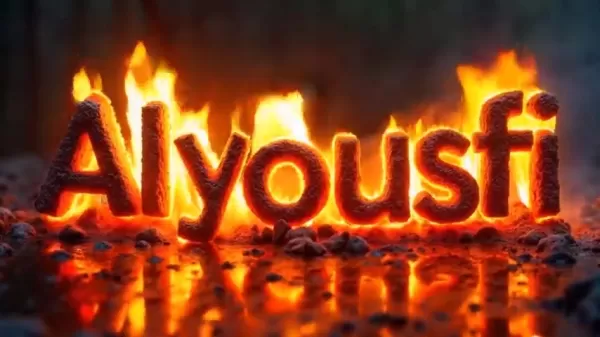
Simply follow the steps outlined earlier:
- Locate a Cloud Text Image on Pinterest: Search for 'Cloud Effect A to Z Letters' and save a suitable image.
- Create a Prompt Using ChatGPT: Upload the cloud image to ChatGPT and use the standard prompt to obtain a detailed description.
- Produce the Image with Krea AI: Copy the ChatGPT prompt into Krea AI and generate the cloud-themed text visual.
- Animate with Kling AI: Upload the cloud image to Kling AI, choose the 'Frames' option, and apply the 'Dynamic Motion' prompt to animate the cloud effect.
The outcome is an enchanting cloud text animation that introduces a dreamy, whimsical element to your projects.
Example 2: Plant Text Effect
Now, let's explore a plant-based text effect to highlight another creative possibility.
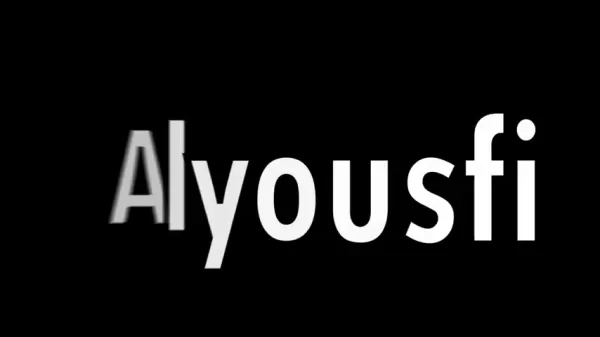
Here is the step-by-step method:
- Find a Plant Text Image on Pinterest: Search for 'Eco Typography Effect A to Z Letters' and download an image featuring botanical elements.
- Generate a Prompt with ChatGPT: Upload the plant image to ChatGPT and apply the standard prompt to receive a thorough description.
- Design the Image with Krea AI: Insert the ChatGPT prompt into Krea AI and produce the plant-themed text image.
- Animate Using Kling AI: Upload the plant image to Kling AI, select 'Frames', and enter the 'Dynamic Motion' prompt to animate the plant effect.
The final plant text animation infuses a natural, organic vibe into your designs, perfect for eco-friendly or nature-themed projects.
Step-by-Step Guide to Creating Animated Text Effects
Step 1: Gather Inspiration from Pinterest
Begin by exploring Pinterest to find text effect styles that complement your project's theme. Search for terms such as "modern typography" or "texture lettering" and save the images that catch your eye. Pinterest serves as a rich source of visual ideas, offering endless possibilities to ignite your creativity. By collecting a range of inspiring images, you establish a solid foundation for your design, helping you maintain a consistent visual style throughout your work.
Step 2: Generate Prompts Using ChatGPT
Next, upload your chosen Pinterest image to ChatGPT. Use the prompt: 'Describe this image thoroughly and provide a general prompt applicable to any letter. Return only the prompt, without additional commentary.' This process yields precise and reusable prompts that guide AI image generators effectively. Refining the prompt based on your specific requirements can further improve the accuracy and quality of the generated descriptions.
Step 3: Create Images with Krea AI
Visit Krea AI and select the 'Generate Images' feature. Paste the prompt from ChatGPT and choose your preferred aspect ratio. Click 'Generate' to produce high-quality text effect images. Known for its rapid processing and impressive output, Krea AI enables you to experiment with various styles and adjustments. You can fine-tune parameters like style intensity and color palette to achieve the exact look you want for your project.
Step 4: Animate with Kling AI
Go to the Kling AI website, click on 'AI Videos', and then choose 'Frames'. Upload the image generated by Krea AI. For better results, switch to 'Professional Mode', type 'Dynamic Motion' in the prompt field, and click 'Generate'. Kling AI's sophisticated technology animates your text with smooth, eye-catching motion. You can modify animation settings such as speed and direction to tailor the effect to your specific needs, ensuring a professional and dynamic result.
Pros and Cons of Using AI for Text Effects
Pros
Reduces the time and energy needed compared to traditional design methods.
Offers a diverse selection of creative styles and options.
Enables straightforward adjustments and multiple iterations.
Delivers high-quality outcomes in a short time.
Makes advanced design techniques available to a wider audience.
Cons
Full features often require a paid subscription.
Outputs can be inconsistent and may need further tweaking.
Dependence on AI might reduce personal creative input.
Raises ethical questions about the use of AI-generated content.
Could lead to repetitive designs if over-reliant on trending styles.
FAQ
What is the best AI tool for generating text effects?
Krea AI stands out for creating high-quality text effect images swiftly and reliably. Its user-friendly design and quick generation make it ideal for newcomers and seasoned designers alike. Krea AI is highly regarded for its ability to produce impressive visuals with minimal effort.
How can ChatGPT help in creating text effects?
ChatGPT assists by creating detailed prompts based on reference images, which are then used in AI image generators. The prompts ensure the resulting visuals closely match your intended text effect. Its capacity to interpret and articulate image details makes it an essential part of the design workflow.
What is the purpose of using Kling AI for text effects?
Kling AI animates text effect images, adding lively motion that enhances their appeal. It produces professional-grade animations suitable for diverse applications. The platform's advanced algorithms guarantee smooth, engaging motion that elevates the overall design impact.
Can I use these AI tools for commercial purposes?
Yes, these AI tools are typically suitable for commercial use, but it's wise to review each platform's terms of service to confirm permissions. Understanding the licensing details helps you use these tools confidently in commercial ventures while respecting usage policies.
Are there any free alternatives to these AI tools?
Several free AI alternatives exist, though they may not match the quality or feature set of premium tools. Free versions often come with restrictions on output resolution, generation frequency, or available styles. Assess your project requirements and budget to decide if investing in paid tools is justified, weighing the benefits of advanced capabilities against potential limitations. Trying out different platforms can help you identify the most suitable option for your creative needs.
Related Questions
What other AI tools can be used for graphic design?
Beyond Krea AI and Kling AI, other valuable AI tools for graphic design include: DALL-E 2: A system that generates realistic imagery and artwork from text descriptions. Midjourney: An AI application that transforms textual prompts into visual art. RunwayML: A flexible platform offering tools for image creation, video enhancement, and more. These AI solutions expand your creative possibilities, supporting tasks from image generation to video production. Exploring various tools allows you to build a versatile design toolkit and achieve distinctive results tailored to your projects.
Related article
 Former OpenAI Researcher Barrett Zoph Returns to Google to Support Gemini Development
Barret Zoph, who previously abruptly left and joined OpenAI due to a disagreement with Thinking Machines Lab CEO Miriam Mularati, has once again changed employers. Alphabet's Google announced that Zoph will return as Vice President of Research, bring
How Recursive Intelligence Raised $335M at $4B Valuation in 4 Months
The co-founders of startup Ricursive Intelligence seemed destined to be co-founders.Anna Goldie, CEO, and Azalia Mirhoseini, CTO, are so well-known in the AI community that they were among those AI engineers who “got those weird emails from Zuckerber
AI race won’t wait, nor will this TechCrunch Disrupt 25% discount
Every founder building in AI right now is asking the same question: Are we moving fast enough, and effectively enough? TechCrunch Disrupt 2026 puts you in the same room as the people wrestling with that existential question at the highest levels. Fro
Related Special Topic Recommendations
Design & Art
Former OpenAI Researcher Barrett Zoph Returns to Google to Support Gemini Development
Barret Zoph, who previously abruptly left and joined OpenAI due to a disagreement with Thinking Machines Lab CEO Miriam Mularati, has once again changed employers. Alphabet's Google announced that Zoph will return as Vice President of Research, bring
How Recursive Intelligence Raised $335M at $4B Valuation in 4 Months
The co-founders of startup Ricursive Intelligence seemed destined to be co-founders.Anna Goldie, CEO, and Azalia Mirhoseini, CTO, are so well-known in the AI community that they were among those AI engineers who “got those weird emails from Zuckerber
AI race won’t wait, nor will this TechCrunch Disrupt 25% discount
Every founder building in AI right now is asking the same question: Are we moving fast enough, and effectively enough? TechCrunch Disrupt 2026 puts you in the same room as the people wrestling with that existential question at the highest levels. Fro
Related Special Topic Recommendations
Design & Art
 Top AI Illustration Tools: Create Editorial Scenes and Cover Art Faster
2026 Latest Top-rated AI Illustration Tools: Our curated list features the best powerfully designed tools for creating stunning editorial scenes and eye-catching cover art quickly. Each option has gone through rigorous real-world tests, offering a free vs paid comparison to help you find the perfect match for your workflow. Try these must-try solutions today to unlock your AI edge and boost your creative productivity. Explore now at XIX.AI.
 10 tools
 xix.ai
Education and Learning
Top AI Tutors for Exam Prep: Practice Math, Science, and English
xix.ai
Education and Learning
Top AI Tutors for Exam Prep: Practice Math, Science, and English
2026 Latest Top-Rated Best AI Tutors for Exam Prep are here on XIX.AI! Our curated list features powerful game-changing tools that offer free vs paid comparison, real-world tests, and weekly updated rankings. They help boost your writing efficiency, simplify complex topic learning, and unlock your academic potential. Explore now to Discover your perfect exam prep tool and Start creating today to Unlock your AI edge!
10 tools
xix.ai
Finance
AI Budget Planning Tools for Personal Money Management
2026 Latest Best Top-Rated AI Budget Planning Tools for Personal Money Management are here on XIX.AI! This curated collection features powerful, game-changing solutions that help you conduct real-world tests, understand spending habits, and create personalized plans to boost productivity. Enjoy a free vs paid comparison along with detailed rankings. Must-try tools designed to simplify money management and unlock your AI edge. Explore now!
11 tools
xix.ai
Health & Wellness
AI Sleep Tracking Assistants: Improve Recovery with Better Bedtime Habits
2026 Latest Best Top-Rated AI Sleep Tracking Assistants curated for ultimate recovery. This fully updated weekly guide features powerful tools that deliver real-world tests, free vs paid comparison, and detailed rankings to help you find the must-try solution that boosts sleep quality and supports better bedtime habits. Explore now at XIX.AI to Unlock your AI edge.
10 tools
xix.ai
Data Analysis
AI SQL Copilots for Product and Revenue Analytics
2026 Latest Best Top-Rated AI SQL Copilots for Product and Revenue Analytics! XIX.AI has curated a powerful, game-changing collection of must-try tools that undergo real-world tests through weekly updated rankings. These tools help users boost productivity significantly by accelerating data analysis, streamlining complex queries, and generating accurate insights to drive smarter business decisions. Explore now to Discover your perfect tool for unlocking your AI edge!
14 tools
xix.ai
Education and Learning
Best AI Homework Helpers That Teach: Learn Concepts, Not Just Answers
2026 Latest Best Top-Rated AI Homework Helpers That Teach Core Concepts Not Just Answers Powerful Tools for Students Must-Try Curated List Weekly Updated Free vs Paid Comparison Real-World Tests Accurate Rankings to Help You Unlock Your Full Learning Potential Explore now to Discover your perfect tool for smarter studying.
10 tools
xix.ai

 Comments (1)
0/500
Comments (1)
0/500
![JerryGonzález]()
なかなか実用的なチュートリアルですね!Pinterestでインスピレーションを得て、AIでアニメーションを作るのは効率的そう。ただ、Kling AIは日本でのサービスの安定性が気になります…無料枠は十分かな?🤔
Crafting visually stunning text effects is now more accessible than ever, thanks to the power of artificial intelligence. You can effortlessly elevate ordinary text into captivating animated designs with the right tools. This detailed guide will show you how to use platforms such as Pinterest, ChatGPT, Krea AI, and Kling AI to design and animate text, adding a professional touch to your creative work and engaging your audience effectively.
Key Points
Learn how to find creative text effect ideas on Pinterest.
Use ChatGPT to develop innovative prompts for text effects.
Create high-resolution text effect visuals with Krea AI.
Bring your text effects to life through animation with Kling AI.
Integrate AI tools to optimize your creative process.
Finding Inspiration on Pinterest
Leveraging Pinterest for Creative Ideas
With its extensive collection of visual content, Pinterest is an excellent starting point for discovering unique text effect styles. You can search for terms like "vintage typography," "glowing text," or "3D lettering" to uncover countless design examples. As you browse, save or download the images that best match your vision. This method helps you build a personal library of inspiration, making it easier to define your project's aesthetic direction and ensuring your final design aligns with current trends and your creative goals.
Creating Different Text Effects: Examples
Example 1: Cloud Text Effect
To showcase the flexibility of this approach, we can design a cloud-inspired text effect.
Simply follow the steps outlined earlier:
- Locate a Cloud Text Image on Pinterest: Search for 'Cloud Effect A to Z Letters' and save a suitable image.
- Create a Prompt Using ChatGPT: Upload the cloud image to ChatGPT and use the standard prompt to obtain a detailed description.
- Produce the Image with Krea AI: Copy the ChatGPT prompt into Krea AI and generate the cloud-themed text visual.
- Animate with Kling AI: Upload the cloud image to Kling AI, choose the 'Frames' option, and apply the 'Dynamic Motion' prompt to animate the cloud effect.
The outcome is an enchanting cloud text animation that introduces a dreamy, whimsical element to your projects.
Example 2: Plant Text Effect
Now, let's explore a plant-based text effect to highlight another creative possibility.
Here is the step-by-step method:
- Find a Plant Text Image on Pinterest: Search for 'Eco Typography Effect A to Z Letters' and download an image featuring botanical elements.
- Generate a Prompt with ChatGPT: Upload the plant image to ChatGPT and apply the standard prompt to receive a thorough description.
- Design the Image with Krea AI: Insert the ChatGPT prompt into Krea AI and produce the plant-themed text image.
- Animate Using Kling AI: Upload the plant image to Kling AI, select 'Frames', and enter the 'Dynamic Motion' prompt to animate the plant effect.
The final plant text animation infuses a natural, organic vibe into your designs, perfect for eco-friendly or nature-themed projects.
Step-by-Step Guide to Creating Animated Text Effects
Step 1: Gather Inspiration from Pinterest
Begin by exploring Pinterest to find text effect styles that complement your project's theme. Search for terms such as "modern typography" or "texture lettering" and save the images that catch your eye. Pinterest serves as a rich source of visual ideas, offering endless possibilities to ignite your creativity. By collecting a range of inspiring images, you establish a solid foundation for your design, helping you maintain a consistent visual style throughout your work.
Step 2: Generate Prompts Using ChatGPT
Next, upload your chosen Pinterest image to ChatGPT. Use the prompt: 'Describe this image thoroughly and provide a general prompt applicable to any letter. Return only the prompt, without additional commentary.' This process yields precise and reusable prompts that guide AI image generators effectively. Refining the prompt based on your specific requirements can further improve the accuracy and quality of the generated descriptions.
Step 3: Create Images with Krea AI
Visit Krea AI and select the 'Generate Images' feature. Paste the prompt from ChatGPT and choose your preferred aspect ratio. Click 'Generate' to produce high-quality text effect images. Known for its rapid processing and impressive output, Krea AI enables you to experiment with various styles and adjustments. You can fine-tune parameters like style intensity and color palette to achieve the exact look you want for your project.
Step 4: Animate with Kling AI
Go to the Kling AI website, click on 'AI Videos', and then choose 'Frames'. Upload the image generated by Krea AI. For better results, switch to 'Professional Mode', type 'Dynamic Motion' in the prompt field, and click 'Generate'. Kling AI's sophisticated technology animates your text with smooth, eye-catching motion. You can modify animation settings such as speed and direction to tailor the effect to your specific needs, ensuring a professional and dynamic result.
Pros and Cons of Using AI for Text Effects
Pros
Reduces the time and energy needed compared to traditional design methods.
Offers a diverse selection of creative styles and options.
Enables straightforward adjustments and multiple iterations.
Delivers high-quality outcomes in a short time.
Makes advanced design techniques available to a wider audience.
Cons
Full features often require a paid subscription.
Outputs can be inconsistent and may need further tweaking.
Dependence on AI might reduce personal creative input.
Raises ethical questions about the use of AI-generated content.
Could lead to repetitive designs if over-reliant on trending styles.
FAQ
What is the best AI tool for generating text effects?
Krea AI stands out for creating high-quality text effect images swiftly and reliably. Its user-friendly design and quick generation make it ideal for newcomers and seasoned designers alike. Krea AI is highly regarded for its ability to produce impressive visuals with minimal effort.
How can ChatGPT help in creating text effects?
ChatGPT assists by creating detailed prompts based on reference images, which are then used in AI image generators. The prompts ensure the resulting visuals closely match your intended text effect. Its capacity to interpret and articulate image details makes it an essential part of the design workflow.
What is the purpose of using Kling AI for text effects?
Kling AI animates text effect images, adding lively motion that enhances their appeal. It produces professional-grade animations suitable for diverse applications. The platform's advanced algorithms guarantee smooth, engaging motion that elevates the overall design impact.
Can I use these AI tools for commercial purposes?
Yes, these AI tools are typically suitable for commercial use, but it's wise to review each platform's terms of service to confirm permissions. Understanding the licensing details helps you use these tools confidently in commercial ventures while respecting usage policies.
Are there any free alternatives to these AI tools?
Several free AI alternatives exist, though they may not match the quality or feature set of premium tools. Free versions often come with restrictions on output resolution, generation frequency, or available styles. Assess your project requirements and budget to decide if investing in paid tools is justified, weighing the benefits of advanced capabilities against potential limitations. Trying out different platforms can help you identify the most suitable option for your creative needs.
Related Questions
What other AI tools can be used for graphic design?
Beyond Krea AI and Kling AI, other valuable AI tools for graphic design include: DALL-E 2: A system that generates realistic imagery and artwork from text descriptions. Midjourney: An AI application that transforms textual prompts into visual art. RunwayML: A flexible platform offering tools for image creation, video enhancement, and more. These AI solutions expand your creative possibilities, supporting tasks from image generation to video production. Exploring various tools allows you to build a versatile design toolkit and achieve distinctive results tailored to your projects.








 Former OpenAI Researcher Barrett Zoph Returns to Google to Support Gemini Development
Barret Zoph, who previously abruptly left and joined OpenAI due to a disagreement with Thinking Machines Lab CEO Miriam Mularati, has once again changed employers. Alphabet's Google announced that Zoph will return as Vice President of Research, bring
Former OpenAI Researcher Barrett Zoph Returns to Google to Support Gemini Development
Barret Zoph, who previously abruptly left and joined OpenAI due to a disagreement with Thinking Machines Lab CEO Miriam Mularati, has once again changed employers. Alphabet's Google announced that Zoph will return as Vice President of Research, bring
 How Recursive Intelligence Raised $335M at $4B Valuation in 4 Months
The co-founders of startup Ricursive Intelligence seemed destined to be co-founders.Anna Goldie, CEO, and Azalia Mirhoseini, CTO, are so well-known in the AI community that they were among those AI engineers who “got those weird emails from Zuckerber
How Recursive Intelligence Raised $335M at $4B Valuation in 4 Months
The co-founders of startup Ricursive Intelligence seemed destined to be co-founders.Anna Goldie, CEO, and Azalia Mirhoseini, CTO, are so well-known in the AI community that they were among those AI engineers who “got those weird emails from Zuckerber
 AI race won’t wait, nor will this TechCrunch Disrupt 25% discount
Every founder building in AI right now is asking the same question: Are we moving fast enough, and effectively enough? TechCrunch Disrupt 2026 puts you in the same room as the people wrestling with that existential question at the highest levels. Fro
AI race won’t wait, nor will this TechCrunch Disrupt 25% discount
Every founder building in AI right now is asking the same question: Are we moving fast enough, and effectively enough? TechCrunch Disrupt 2026 puts you in the same room as the people wrestling with that existential question at the highest levels. Fro

2026 Latest Top-rated AI Illustration Tools: Our curated list features the best powerfully designed tools for creating stunning editorial scenes and eye-catching cover art quickly. Each option has gone through rigorous real-world tests, offering a free vs paid comparison to help you find the perfect match for your workflow. Try these must-try solutions today to unlock your AI edge and boost your creative productivity. Explore now at XIX.AI.
10 tools
xix.ai

2026 Latest Top-Rated Best AI Tutors for Exam Prep are here on XIX.AI! Our curated list features powerful game-changing tools that offer free vs paid comparison, real-world tests, and weekly updated rankings. They help boost your writing efficiency, simplify complex topic learning, and unlock your academic potential. Explore now to Discover your perfect exam prep tool and Start creating today to Unlock your AI edge!
10 tools
xix.ai

2026 Latest Best Top-Rated AI Budget Planning Tools for Personal Money Management are here on XIX.AI! This curated collection features powerful, game-changing solutions that help you conduct real-world tests, understand spending habits, and create personalized plans to boost productivity. Enjoy a free vs paid comparison along with detailed rankings. Must-try tools designed to simplify money management and unlock your AI edge. Explore now!
11 tools
xix.ai

2026 Latest Best Top-Rated AI Sleep Tracking Assistants curated for ultimate recovery. This fully updated weekly guide features powerful tools that deliver real-world tests, free vs paid comparison, and detailed rankings to help you find the must-try solution that boosts sleep quality and supports better bedtime habits. Explore now at XIX.AI to Unlock your AI edge.
10 tools
xix.ai

2026 Latest Best Top-Rated AI SQL Copilots for Product and Revenue Analytics! XIX.AI has curated a powerful, game-changing collection of must-try tools that undergo real-world tests through weekly updated rankings. These tools help users boost productivity significantly by accelerating data analysis, streamlining complex queries, and generating accurate insights to drive smarter business decisions. Explore now to Discover your perfect tool for unlocking your AI edge!
14 tools
xix.ai

2026 Latest Best Top-Rated AI Homework Helpers That Teach Core Concepts Not Just Answers Powerful Tools for Students Must-Try Curated List Weekly Updated Free vs Paid Comparison Real-World Tests Accurate Rankings to Help You Unlock Your Full Learning Potential Explore now to Discover your perfect tool for smarter studying.
10 tools
xix.ai

なかなか実用的なチュートリアルですね!Pinterestでインスピレーションを得て、AIでアニメーションを作るのは効率的そう。ただ、Kling AIは日本でのサービスの安定性が気になります…無料枠は十分かな?🤔












