


 Home
HomeChatGPT Guide: Creating AI-Powered Comic Book Animations
Thanks to artificial intelligence, crafting captivating comic book animations is now more accessible than ever. This guide details the process of creating stunning AI-powered comic animations using tools like ChatGPT, Comic Book Creator, and Minimax AI. Whether you're an experienced artist or just starting out, these steps will help you unlock your creativity and bring your narratives to life. By merging ChatGPT's storytelling prowess with AI animation tools, you can produce visually dynamic content that engages audiences in innovative ways.
Key Points
Use ChatGPT and Comic Book Creator to generate your storyboard.
Enhance AI-generated images with Microsoft Designer for superior quality.
Apply Minimax AI to animate static comic panels.
Integrate camera movements to create dynamic video animations.
Use video editing software to add sound effects and voiceovers, enriching the final animation.
Discover custom GPT models on platforms like Patreon for advanced creative assets.
Understanding AI Comic Book Animation
What is AI Comic Book Animation?
AI comic book animation refers to the use of artificial intelligence to transform static comic panels into dynamic, animated videos. This process blends the artistic style of comics with the engaging motion of animation, offering a fresh narrative experience. The fusion of AI tools and creative vision unlocks vast possibilities for artists and storytellers alike.
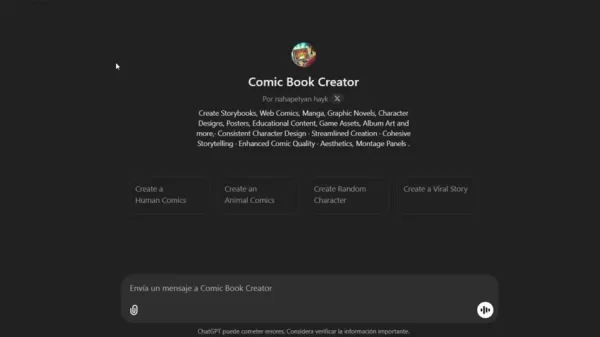
ChatGPT and Comic Book Creator are pivotal for generating initial storyboards and image concepts, which can then be refined and animated using other AI applications. Integrating AI into this workflow dramatically cuts down the time and effort needed, making animation accessible to a broader range of creators.
The Role of ChatGPT and Comic Book Creator
ChatGPT forms the foundation of your AI comic animation project. By employing the Comic Book Creator custom GPT, you can effortlessly generate storyboards and characters.
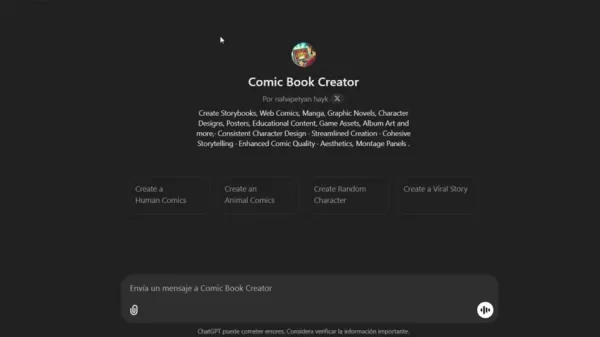
This specialized tool prompts you with specific questions regarding comic type, narrative style, story title, genre, and character details. This structured method ensures consistency and alignment with your artistic vision. The Comic Book Creator can generate random characters or adapt to your specific preferences for main and supporting roles, customizing the story to your exact needs. This streamlined process is key to producing high-quality AI comic animations efficiently. Settings for background and environment—such as descriptions of a futuristic city, medieval castle, or suburban neighborhood—further tailor the imagery to your story.
Choosing the Right AI Tools
Selecting appropriate AI tools is critical for achieving your desired animation quality. Minimax AI is especially useful for animating static comic panels by adding dynamic camera movements and subtle effects.

Note that Minimax AI currently supports only PNG image formats, so you may need to use a conversion service for other file types. Understanding these technical requirements ensures a smooth animation workflow. Additionally, tools like Microsoft Designer can enhance initial AI-generated images, improving their visual quality before animation begins. You can convert your image files using an online WEBP to PNG converter.
By choosing the right tools, comic animators can ensure their final product meets the highest quality standards.
Detailed Workflow for Creating AI Comic Book Animation
Step-by-Step Guide to Creating Stunning Animations
Creating an AI comic book animation involves several key stages, from initial storyboarding to final video editing. Here is a detailed breakdown of the process:
Storyboard Generation with ChatGPT:
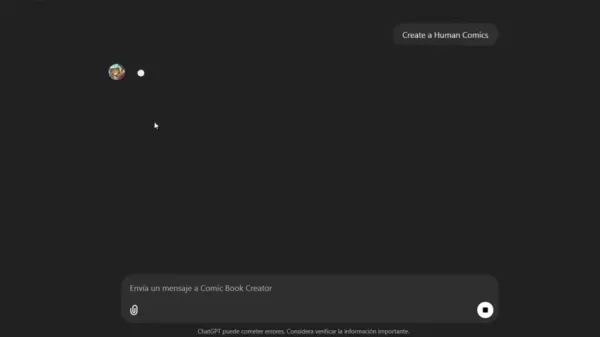
Begin by using the Comic Book Creator custom GPT to outline your story. Provide details on the comic type, narrative style, story title, and character descriptions. Specify the story's setting and background to guide the AI in generating relevant imagery.
Image Refinement with Microsoft Designer: Take the AI-generated images from ChatGPT and enhance their quality using Microsoft Designer. This step involves improving details, adjusting colors, and adding any necessary elements to ensure the images match your vision.
Animation with Minimax AI: Convert your refined images to the required PNG format for Minimax AI. Upload the images to the platform and apply camera movements to create dynamic animations. Experiment with different prompts to achieve your desired visual effects.
Video Editing and Enhancement: Import your animated sequences into video editing software like Adobe Premiere Pro or Filmora. Add sound effects, music, and voiceovers to enrich the storytelling and create a more immersive viewer experience.
Final Review and Export: Review the completed animation to ensure all elements align with your creative vision. Make any final adjustments and export the video in a suitable format for sharing across various platforms.
Following these steps will help you create a compelling AI comic book animation that showcases both your storytelling and artistic skills.
How to Create High-Quality Images Using Microsoft Designer
Detailed Steps for Image Enhancement
Enhancing the quality of AI-generated images with Microsoft Designer is a crucial step for achieving a professional look. Here is a detailed guide:
Copy Prompts from ChatGPT: Start by copying the descriptive prompts generated by ChatGPT for your comic panels. These prompts contain essential details about the scene, characters, and desired aesthetic.
Paste Prompts into Microsoft Designer: Open Microsoft Designer and paste the copied prompts into its image generation field. This leverages the tool's advanced AI to create higher-quality images based on the detailed descriptions.
Review and Select Images: Microsoft Designer will generate multiple image options. Review each one carefully and select the image that best matches your vision, paying close attention to detail, composition, and overall aesthetic appeal.
Download and Refine: Download your chosen image and use the editing tools within Microsoft Designer for further refinement. Adjust colors, contrast, and other elements to achieve the perfect look, and remove any imperfections.
Reiterate as Needed: If the initial results aren't satisfactory, repeat the process by adjusting your prompts and generating new images until you achieve the desired quality. This iterative approach ensures the final images meet your standards.
By following these steps, you can produce high-quality images that significantly boost the visual impact of your AI comic book animation.
Pricing for AI Animation Tools
Cost Considerations for AI-Driven Animation
When planning your AI comic animation project, it's important to understand the pricing models of the tools involved.
- ChatGPT/Comic Book Creator: Access to ChatGPT depends on your OpenAI subscription tier. Costs can vary based on usage and the specific features of your plan.
- Minimax AI: Pricing for Minimax AI typically depends on video length and complexity, and may include trial plans or tiered subscriptions. Check their official website for the most current pricing details.
- Microsoft Designer: Microsoft Designer is often included with Microsoft 365 subscriptions, which offer various payment plans. A free trial may also be available.
It's advisable to explore the different pricing structures to find the option that best fits your project's budget and requirements.
Pros and Cons of AI Comic Book Animation
Pros
Streamlined Creation: AI tools automate many manual tasks, significantly reducing the time and effort required for animation production.
Accessibility: These tools lower the barrier to entry, making animation accessible to creators with varying levels of technical skill.
Cost-Effectiveness: AI can reduce production costs by automating tasks, making animation projects more affordable.
Creative Freedom: AI empowers creators to experiment with new storytelling techniques and visual styles.
High-Quality Results: Advanced AI algorithms help ensure visual consistency and aesthetic appeal, leading to professional-grade animations.
Cons
Technical Limitations: AI tools may struggle with capturing nuanced emotions and complex character interactions.
Dependency on AI: Over-reliance on AI could potentially stifle individual creativity and artistic expression.
Inconsistency: AI-generated images may sometimes lack consistency, requiring manual correction and refinement.
Ethical Concerns: The use of AI raises questions about originality, copyright, and artistic authenticity.
Technical Issues: Users might encounter technical challenges such as file format incompatibilities or software glitches.
Core Features of AI Animation Tools
Key Capabilities of AI Tools for Animation
AI animation tools offer a suite of core features that greatly enhance the creation process:
- Storyboard Generation: Tools like ChatGPT and Comic Book Creator streamline the creation of detailed storyboards, saving significant time and effort.
- AI-Driven Image Creation: Applications such as Microsoft Designer generate high-quality images from text prompts, ensuring visual consistency and appeal.
- Dynamic Animation: Minimax AI adds camera movements and subtle animations to static images, creating engaging motion sequences.
- Automated Enhancements: AI algorithms automate manual tasks like color correction, image refinement, and noise reduction.
- Ease of Use: These tools are designed with user-friendly interfaces, making animation accessible to creators of all skill levels.
These core capabilities enable creators to produce professional-quality animations efficiently, transforming static comic panels into dynamic visual stories.
Use Cases for AI Comic Book Animation
Applications of AI in Comic Book Animation
AI comic book animation enables a variety of exciting applications across different fields:
- Entertainment: Produce engaging animated comic series for online streaming platforms and digital publishers.
- Marketing: Develop unique animated promotional content for brands, leveraging distinctive visual styles and narrative techniques.
- Education: Create animated educational materials that simplify complex subjects and improve learning engagement.
- Social Media: Craft short, attention-grabbing animations for social platforms to boost audience engagement and brand visibility.
- Personal Projects: Bring personal stories and creative ideas to life through animated comics, sharing them with a global audience.
By harnessing AI, creators can explore new frontiers in storytelling and visual expression, revolutionizing how comic books are consumed and enjoyed.
Frequently Asked Questions
What AI tools are essential for comic book animation?
Essential tools include ChatGPT with the Comic Book Creator custom GPT for storyboarding, Microsoft Designer for image enhancement, and Minimax AI for animation. These tools streamline the creative process by combining narrative generation, visual refinement, and dynamic motion. A WEBP to PNG converter is also helpful for preparing images for Minimax AI. For final polish, consider video editing software like Adobe Premiere Pro or Filmora.
Can I use AI to create animations without prior experience?
Absolutely. AI animation tools are designed to be user-friendly and accessible, even for beginners. While some background in art or animation is beneficial, AI automates many complex tasks, allowing you to concentrate on storytelling and creative expression. The learning curve is minimized, enabling newcomers to produce engaging animations.
How can I ensure the quality of AI-generated images?
To ensure high-quality results, use tools like Microsoft Designer for image refinement. Focus on details, composition, and overall aesthetic. Experiment with different prompts and settings to achieve your desired visual style. An iterative process of testing and refining is key to reaching professional standards.
Related Questions
What are the best video editing software options for enhancing AI animations?
Video editing software is vital for enhancing AI animations by adding sound, music, voiceovers, and transitions. Adobe Premiere Pro and Filmora are two popular choices offering a wide range of features. Premiere Pro is a professional-grade suite with advanced capabilities, while Filmora provides a more user-friendly experience suitable for beginners. When selecting software, consider ease of use, available features, and format compatibility. Both can add the finishing touches your comic animation needs. Key considerations for any software include: Is the interface intuitive? Does it support various file types? What tools does it offer for integrating music and sound effects?
How can I add dynamic camera movements to static comic panels?
Adding dynamic camera movements significantly enhances the visual appeal of AI animations. Minimax AI is an excellent tool for this purpose. By inputting specific camera movement prompts, you can simulate cinematic techniques like zoom-ins, pan shots, and tracking shots. Experimenting with different prompts allows you to create unique and engaging motion. Key techniques include: Zoom-ins to focus on details or emotions; Pan shots to sweep across a scene and establish environment; Tracking shots to follow a character's action and maintain focus. Effectively using camera movements transforms static panels into dynamic scenes, captivating your audience and enriching the storytelling experience.
Related article
 Inside Details Exposed About Next-Gen Gemini: Strained Computing Power, Internal Teams Disagreed on Development Priorities and Resource Allocation
Reports indicate that the launch of Google’s highly anticipated next-generation Gemini model has been pushed back. Internal disagreements over development priorities and resource allocation, combined with limited computing capacity and complex approv
OpenAI Dismisses Growth Slowdown Concerns, Says Multiple Business Units Accelerating
In response to external scrutiny regarding decelerating sales growth and missed internal benchmarks, AI leader OpenAI issued a confident statement on Tuesday, April 28. The company clarified that its consumer products and enterprise services are adva
Alibaba Super Cup: Qwen3.8-Max Debuts with Boosted Coding and Office Tools
Alibaba has officially unveiled Qwen3.8-Max, a next-generation foundation large model boasting 2.4 trillion parameters. This significant AI advancement delivers substantial performance gains in core areas like coding and professional office tasks, sh
Related Special Topic Recommendations
Music composition
Inside Details Exposed About Next-Gen Gemini: Strained Computing Power, Internal Teams Disagreed on Development Priorities and Resource Allocation
Reports indicate that the launch of Google’s highly anticipated next-generation Gemini model has been pushed back. Internal disagreements over development priorities and resource allocation, combined with limited computing capacity and complex approv
OpenAI Dismisses Growth Slowdown Concerns, Says Multiple Business Units Accelerating
In response to external scrutiny regarding decelerating sales growth and missed internal benchmarks, AI leader OpenAI issued a confident statement on Tuesday, April 28. The company clarified that its consumer products and enterprise services are adva
Alibaba Super Cup: Qwen3.8-Max Debuts with Boosted Coding and Office Tools
Alibaba has officially unveiled Qwen3.8-Max, a next-generation foundation large model boasting 2.4 trillion parameters. This significant AI advancement delivers substantial performance gains in core areas like coding and professional office tasks, sh
Related Special Topic Recommendations
Music composition
 Best AI Melody Writing Tools for Song Drafts
2026 Latest Best Top-Rated AI Melody Writing Tools for Song Drafts! XIX.AI has curated a highly powerful game-changing collection that goes through rigorous real-world tests to deliver the best writing experience. You can find detailed free vs paid comparisons, accurate rankings, and must-try options designed to help you create stunning song drafts effortlessly and boost your creative productivity significantly. Explore now to discover your perfect tool!
 8 tools
 xix.ai
chatbot
Best AI Conversation Trainer Tools for Interview Practice
xix.ai
chatbot
Best AI Conversation Trainer Tools for Interview Practice
2026 Latest Best Top-rated AI Conversation Trainer Tools for Interview Practice are here on XIX.AI! This curated collection features powerful, game-changing tools that go through rigorous real-world tests to deliver accurate feedback. You’ll find a free vs paid comparison and detailed rankings to help you choose the must-try option that boosts your confidence and skills. Explore now to Discover your perfect tool for interview success!
12 tools
xix.ai
Design & Art
Best AI Style Transfer Tools for Creative Experiments
2026 Latest Best Top-rated AI Style Transfer Tools for Creative Experiments! XIX.AI has curated a powerful, game-changing collection of must-try tools that deliver exceptional results through real-world tests and rigorous rankings. These top solutions help creatives boost productivity significantly by accelerating content creation and unlocking endless creative possibilities. Explore now to discover your perfect tool and start creating today!
9 tools
xix.ai
Comic Creation
Best AI Dialogue Bubble Tools for Visual Storytelling
2026 Latest Best Top-Rated AI Dialogue Bubble Tools for Visual Storytelling are here on XIX.AI! This curated collection features powerful, game-changing tools that help creators boost productivity and overcome creative bottlenecks. Get a free vs paid comparison, see real-world tests, and check the latest rankings to find the must-try solutions perfect for crafting engaging visual narratives. Explore now to discover your ideal tool!
10 tools
xix.ai
Meeting Assistant
Top AI Meeting Summary Tools: Track Decisions and Follow-Ups Clearly
2026 Latest Top-Rated Best AI Meeting Summary Tools for Clear Decision Tracking and Effortless Follow-Ups. This curated list showcases powerful, game-changing solutions that boost productivity dramatically by automating meeting notes, identifying key action items, and streamlining team coordination across all projects. Get a free vs paid comparison along with real-world tests and weekly updated rankings to help you find the perfect tool. Explore now to unlock your AI edge!
9 tools
xix.ai
Data Analysis
Best AI Data Cleaning Tools: Fix Missing Values and Duplicates Fast
2026 Latest Best Top-rated AI Data Cleaning Tools for quick fixing of missing values and duplicates. This curated list showcases powerful, game-changing solutions that boost productivity significantly. Each option has undergone rigorous real-world tests to ensure reliability. Get a free vs paid comparison and discover the must-try tool that fits your needs best. Explore now at XIX.AI to Unlock your AI edge.
11 tools
xix.ai

 Comments (1)
0/500
Comments (1)
0/500
![AlbertThomas]()
Никогда бы не подумал, что ИИ сможет создавать комиксы! Это открывает столько возможностей для независимых художников. Хотя, наверное, традиционные иллюстраторы теперь нервно курят в сторонке 🤔 Интересно, как эта технология повлияет на индустрию развлечений в ближайшие годы?
Thanks to artificial intelligence, crafting captivating comic book animations is now more accessible than ever. This guide details the process of creating stunning AI-powered comic animations using tools like ChatGPT, Comic Book Creator, and Minimax AI. Whether you're an experienced artist or just starting out, these steps will help you unlock your creativity and bring your narratives to life. By merging ChatGPT's storytelling prowess with AI animation tools, you can produce visually dynamic content that engages audiences in innovative ways.
Key Points
Use ChatGPT and Comic Book Creator to generate your storyboard.
Enhance AI-generated images with Microsoft Designer for superior quality.
Apply Minimax AI to animate static comic panels.
Integrate camera movements to create dynamic video animations.
Use video editing software to add sound effects and voiceovers, enriching the final animation.
Discover custom GPT models on platforms like Patreon for advanced creative assets.
Understanding AI Comic Book Animation
What is AI Comic Book Animation?
AI comic book animation refers to the use of artificial intelligence to transform static comic panels into dynamic, animated videos. This process blends the artistic style of comics with the engaging motion of animation, offering a fresh narrative experience. The fusion of AI tools and creative vision unlocks vast possibilities for artists and storytellers alike.
ChatGPT and Comic Book Creator are pivotal for generating initial storyboards and image concepts, which can then be refined and animated using other AI applications. Integrating AI into this workflow dramatically cuts down the time and effort needed, making animation accessible to a broader range of creators.
The Role of ChatGPT and Comic Book Creator
ChatGPT forms the foundation of your AI comic animation project. By employing the Comic Book Creator custom GPT, you can effortlessly generate storyboards and characters.
This specialized tool prompts you with specific questions regarding comic type, narrative style, story title, genre, and character details. This structured method ensures consistency and alignment with your artistic vision. The Comic Book Creator can generate random characters or adapt to your specific preferences for main and supporting roles, customizing the story to your exact needs. This streamlined process is key to producing high-quality AI comic animations efficiently. Settings for background and environment—such as descriptions of a futuristic city, medieval castle, or suburban neighborhood—further tailor the imagery to your story.
Choosing the Right AI Tools
Selecting appropriate AI tools is critical for achieving your desired animation quality. Minimax AI is especially useful for animating static comic panels by adding dynamic camera movements and subtle effects.
Note that Minimax AI currently supports only PNG image formats, so you may need to use a conversion service for other file types. Understanding these technical requirements ensures a smooth animation workflow. Additionally, tools like Microsoft Designer can enhance initial AI-generated images, improving their visual quality before animation begins. You can convert your image files using an online WEBP to PNG converter.
By choosing the right tools, comic animators can ensure their final product meets the highest quality standards.
Detailed Workflow for Creating AI Comic Book Animation
Step-by-Step Guide to Creating Stunning Animations
Creating an AI comic book animation involves several key stages, from initial storyboarding to final video editing. Here is a detailed breakdown of the process:
Storyboard Generation with ChatGPT:
Begin by using the Comic Book Creator custom GPT to outline your story. Provide details on the comic type, narrative style, story title, and character descriptions. Specify the story's setting and background to guide the AI in generating relevant imagery.
Image Refinement with Microsoft Designer: Take the AI-generated images from ChatGPT and enhance their quality using Microsoft Designer. This step involves improving details, adjusting colors, and adding any necessary elements to ensure the images match your vision.
Animation with Minimax AI: Convert your refined images to the required PNG format for Minimax AI. Upload the images to the platform and apply camera movements to create dynamic animations. Experiment with different prompts to achieve your desired visual effects.
Video Editing and Enhancement: Import your animated sequences into video editing software like Adobe Premiere Pro or Filmora. Add sound effects, music, and voiceovers to enrich the storytelling and create a more immersive viewer experience.
Final Review and Export: Review the completed animation to ensure all elements align with your creative vision. Make any final adjustments and export the video in a suitable format for sharing across various platforms.
Following these steps will help you create a compelling AI comic book animation that showcases both your storytelling and artistic skills.
How to Create High-Quality Images Using Microsoft Designer
Detailed Steps for Image Enhancement
Enhancing the quality of AI-generated images with Microsoft Designer is a crucial step for achieving a professional look. Here is a detailed guide:
Copy Prompts from ChatGPT: Start by copying the descriptive prompts generated by ChatGPT for your comic panels. These prompts contain essential details about the scene, characters, and desired aesthetic.
Paste Prompts into Microsoft Designer: Open Microsoft Designer and paste the copied prompts into its image generation field. This leverages the tool's advanced AI to create higher-quality images based on the detailed descriptions.
Review and Select Images: Microsoft Designer will generate multiple image options. Review each one carefully and select the image that best matches your vision, paying close attention to detail, composition, and overall aesthetic appeal.
Download and Refine: Download your chosen image and use the editing tools within Microsoft Designer for further refinement. Adjust colors, contrast, and other elements to achieve the perfect look, and remove any imperfections.
Reiterate as Needed: If the initial results aren't satisfactory, repeat the process by adjusting your prompts and generating new images until you achieve the desired quality. This iterative approach ensures the final images meet your standards.
By following these steps, you can produce high-quality images that significantly boost the visual impact of your AI comic book animation.
Pricing for AI Animation Tools
Cost Considerations for AI-Driven Animation
When planning your AI comic animation project, it's important to understand the pricing models of the tools involved.
- ChatGPT/Comic Book Creator: Access to ChatGPT depends on your OpenAI subscription tier. Costs can vary based on usage and the specific features of your plan.
- Minimax AI: Pricing for Minimax AI typically depends on video length and complexity, and may include trial plans or tiered subscriptions. Check their official website for the most current pricing details.
- Microsoft Designer: Microsoft Designer is often included with Microsoft 365 subscriptions, which offer various payment plans. A free trial may also be available.
It's advisable to explore the different pricing structures to find the option that best fits your project's budget and requirements.
Pros and Cons of AI Comic Book Animation
Pros
Streamlined Creation: AI tools automate many manual tasks, significantly reducing the time and effort required for animation production.
Accessibility: These tools lower the barrier to entry, making animation accessible to creators with varying levels of technical skill.
Cost-Effectiveness: AI can reduce production costs by automating tasks, making animation projects more affordable.
Creative Freedom: AI empowers creators to experiment with new storytelling techniques and visual styles.
High-Quality Results: Advanced AI algorithms help ensure visual consistency and aesthetic appeal, leading to professional-grade animations.
Cons
Technical Limitations: AI tools may struggle with capturing nuanced emotions and complex character interactions.
Dependency on AI: Over-reliance on AI could potentially stifle individual creativity and artistic expression.
Inconsistency: AI-generated images may sometimes lack consistency, requiring manual correction and refinement.
Ethical Concerns: The use of AI raises questions about originality, copyright, and artistic authenticity.
Technical Issues: Users might encounter technical challenges such as file format incompatibilities or software glitches.
Core Features of AI Animation Tools
Key Capabilities of AI Tools for Animation
AI animation tools offer a suite of core features that greatly enhance the creation process:
- Storyboard Generation: Tools like ChatGPT and Comic Book Creator streamline the creation of detailed storyboards, saving significant time and effort.
- AI-Driven Image Creation: Applications such as Microsoft Designer generate high-quality images from text prompts, ensuring visual consistency and appeal.
- Dynamic Animation: Minimax AI adds camera movements and subtle animations to static images, creating engaging motion sequences.
- Automated Enhancements: AI algorithms automate manual tasks like color correction, image refinement, and noise reduction.
- Ease of Use: These tools are designed with user-friendly interfaces, making animation accessible to creators of all skill levels.
These core capabilities enable creators to produce professional-quality animations efficiently, transforming static comic panels into dynamic visual stories.
Use Cases for AI Comic Book Animation
Applications of AI in Comic Book Animation
AI comic book animation enables a variety of exciting applications across different fields:
- Entertainment: Produce engaging animated comic series for online streaming platforms and digital publishers.
- Marketing: Develop unique animated promotional content for brands, leveraging distinctive visual styles and narrative techniques.
- Education: Create animated educational materials that simplify complex subjects and improve learning engagement.
- Social Media: Craft short, attention-grabbing animations for social platforms to boost audience engagement and brand visibility.
- Personal Projects: Bring personal stories and creative ideas to life through animated comics, sharing them with a global audience.
By harnessing AI, creators can explore new frontiers in storytelling and visual expression, revolutionizing how comic books are consumed and enjoyed.
Frequently Asked Questions
What AI tools are essential for comic book animation?
Essential tools include ChatGPT with the Comic Book Creator custom GPT for storyboarding, Microsoft Designer for image enhancement, and Minimax AI for animation. These tools streamline the creative process by combining narrative generation, visual refinement, and dynamic motion. A WEBP to PNG converter is also helpful for preparing images for Minimax AI. For final polish, consider video editing software like Adobe Premiere Pro or Filmora.
Can I use AI to create animations without prior experience?
Absolutely. AI animation tools are designed to be user-friendly and accessible, even for beginners. While some background in art or animation is beneficial, AI automates many complex tasks, allowing you to concentrate on storytelling and creative expression. The learning curve is minimized, enabling newcomers to produce engaging animations.
How can I ensure the quality of AI-generated images?
To ensure high-quality results, use tools like Microsoft Designer for image refinement. Focus on details, composition, and overall aesthetic. Experiment with different prompts and settings to achieve your desired visual style. An iterative process of testing and refining is key to reaching professional standards.
Related Questions
What are the best video editing software options for enhancing AI animations?
Video editing software is vital for enhancing AI animations by adding sound, music, voiceovers, and transitions. Adobe Premiere Pro and Filmora are two popular choices offering a wide range of features. Premiere Pro is a professional-grade suite with advanced capabilities, while Filmora provides a more user-friendly experience suitable for beginners. When selecting software, consider ease of use, available features, and format compatibility. Both can add the finishing touches your comic animation needs. Key considerations for any software include: Is the interface intuitive? Does it support various file types? What tools does it offer for integrating music and sound effects?
How can I add dynamic camera movements to static comic panels?
Adding dynamic camera movements significantly enhances the visual appeal of AI animations. Minimax AI is an excellent tool for this purpose. By inputting specific camera movement prompts, you can simulate cinematic techniques like zoom-ins, pan shots, and tracking shots. Experimenting with different prompts allows you to create unique and engaging motion. Key techniques include: Zoom-ins to focus on details or emotions; Pan shots to sweep across a scene and establish environment; Tracking shots to follow a character's action and maintain focus. Effectively using camera movements transforms static panels into dynamic scenes, captivating your audience and enriching the storytelling experience.








 Inside Details Exposed About Next-Gen Gemini: Strained Computing Power, Internal Teams Disagreed on Development Priorities and Resource Allocation
Reports indicate that the launch of Google’s highly anticipated next-generation Gemini model has been pushed back. Internal disagreements over development priorities and resource allocation, combined with limited computing capacity and complex approv
Inside Details Exposed About Next-Gen Gemini: Strained Computing Power, Internal Teams Disagreed on Development Priorities and Resource Allocation
Reports indicate that the launch of Google’s highly anticipated next-generation Gemini model has been pushed back. Internal disagreements over development priorities and resource allocation, combined with limited computing capacity and complex approv
 OpenAI Dismisses Growth Slowdown Concerns, Says Multiple Business Units Accelerating
In response to external scrutiny regarding decelerating sales growth and missed internal benchmarks, AI leader OpenAI issued a confident statement on Tuesday, April 28. The company clarified that its consumer products and enterprise services are adva
OpenAI Dismisses Growth Slowdown Concerns, Says Multiple Business Units Accelerating
In response to external scrutiny regarding decelerating sales growth and missed internal benchmarks, AI leader OpenAI issued a confident statement on Tuesday, April 28. The company clarified that its consumer products and enterprise services are adva
 Alibaba Super Cup: Qwen3.8-Max Debuts with Boosted Coding and Office Tools
Alibaba has officially unveiled Qwen3.8-Max, a next-generation foundation large model boasting 2.4 trillion parameters. This significant AI advancement delivers substantial performance gains in core areas like coding and professional office tasks, sh
Alibaba Super Cup: Qwen3.8-Max Debuts with Boosted Coding and Office Tools
Alibaba has officially unveiled Qwen3.8-Max, a next-generation foundation large model boasting 2.4 trillion parameters. This significant AI advancement delivers substantial performance gains in core areas like coding and professional office tasks, sh

2026 Latest Best Top-Rated AI Melody Writing Tools for Song Drafts! XIX.AI has curated a highly powerful game-changing collection that goes through rigorous real-world tests to deliver the best writing experience. You can find detailed free vs paid comparisons, accurate rankings, and must-try options designed to help you create stunning song drafts effortlessly and boost your creative productivity significantly. Explore now to discover your perfect tool!
8 tools
xix.ai

2026 Latest Best Top-rated AI Conversation Trainer Tools for Interview Practice are here on XIX.AI! This curated collection features powerful, game-changing tools that go through rigorous real-world tests to deliver accurate feedback. You’ll find a free vs paid comparison and detailed rankings to help you choose the must-try option that boosts your confidence and skills. Explore now to Discover your perfect tool for interview success!
12 tools
xix.ai

2026 Latest Best Top-rated AI Style Transfer Tools for Creative Experiments! XIX.AI has curated a powerful, game-changing collection of must-try tools that deliver exceptional results through real-world tests and rigorous rankings. These top solutions help creatives boost productivity significantly by accelerating content creation and unlocking endless creative possibilities. Explore now to discover your perfect tool and start creating today!
9 tools
xix.ai

2026 Latest Best Top-Rated AI Dialogue Bubble Tools for Visual Storytelling are here on XIX.AI! This curated collection features powerful, game-changing tools that help creators boost productivity and overcome creative bottlenecks. Get a free vs paid comparison, see real-world tests, and check the latest rankings to find the must-try solutions perfect for crafting engaging visual narratives. Explore now to discover your ideal tool!
10 tools
xix.ai

2026 Latest Top-Rated Best AI Meeting Summary Tools for Clear Decision Tracking and Effortless Follow-Ups. This curated list showcases powerful, game-changing solutions that boost productivity dramatically by automating meeting notes, identifying key action items, and streamlining team coordination across all projects. Get a free vs paid comparison along with real-world tests and weekly updated rankings to help you find the perfect tool. Explore now to unlock your AI edge!
9 tools
xix.ai

2026 Latest Best Top-rated AI Data Cleaning Tools for quick fixing of missing values and duplicates. This curated list showcases powerful, game-changing solutions that boost productivity significantly. Each option has undergone rigorous real-world tests to ensure reliability. Get a free vs paid comparison and discover the must-try tool that fits your needs best. Explore now at XIX.AI to Unlock your AI edge.
11 tools
xix.ai

Никогда бы не подумал, что ИИ сможет создавать комиксы! Это открывает столько возможностей для независимых художников. Хотя, наверное, традиционные иллюстраторы теперь нервно курят в сторонке 🤔 Интересно, как эта технология повлияет на индустрию развлечений в ближайшие годы?












