


 Home
HomeChime Note AI Voice Recorder: A Teacher's In-Depth Assessment
In today's fast-paced environment, effective note-taking and transcription are vital for professionals, educators, and students alike. The Chime Note AI voice recorder aims to revolutionize this process with advanced features like AI-driven transcription and seamless connectivity. This in-depth review examines the Chime Note's core capabilities and practical uses.
Key Points
The Chime Note AI voice recorder is ideal for voice memos, daily journaling, and classroom note-taking.
It features rapid charging via a Type-C power adapter.
The device clearly shows battery status and available storage space.
Seamless Bluetooth pairing with smartphones improves overall convenience.
AI-powered transcription accurately converts spoken words into written text.
The summary feature distills long recordings into essential takeaways.
A magnetic design enables easy attachment to smartphones.
It works well for translation tasks, supporting foreign language learning.
It serves as an effective educational tool for students to collect and structure information.
Chime Note AI Voice Recorder: First Impressions and Core Functionalities
Unboxing and Initial Setup
The Chime Note AI voice recorder features a modern, compact design.
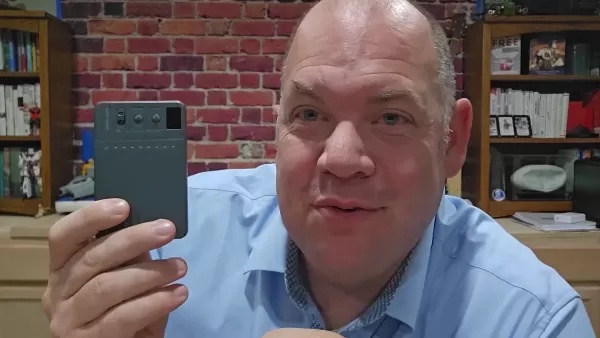
This device is built to manage voice memos and recordings efficiently. Setup is simple—just flip the power switch to begin. Once activated, the screen displays important details like battery level and storage capacity. This intuitive design immediately resonates with users who prioritize ease of use and productivity.
Key Features and Specifications
The Chime Note recorder includes several standout functions. Fast charging with a Type-C adapter is a major benefit, enabling the device to recharge completely in a short time. Bluetooth connectivity allows easy synchronization with smartphones, boosting versatility and user experience. Integrated AI transcription and summarization differentiate it, transforming extended audio into organized text and main ideas.
It includes dedicated record and play buttons for immediate operation. The interface icon changes to indicate recording status.

Here is a table summarizing the core features of the Chime Note AI voice recorder:
Feature Description AI-Powered Transcription Efficiently converts voice recordings into text. Quick Charging Achieves full charge quickly using a Type-C adapter. Bluetooth Connectivity Syncs effortlessly with smartphones for smooth file transfer. Summarization Condenses long recordings into key points. Magnetic Design Attaches conveniently to compatible smartphones. Translation Services Translates languages via voice recording and AI. Versatile Use Supports note-taking, journaling, classroom learning, and other applications.
Unique Applications of the Chime Note for Various Users
For Educators: Streamlining Classroom Note-Taking
Educators can utilize the Chime Note to capture lectures and class discussions. International students can translate voice memos into their preferred language.
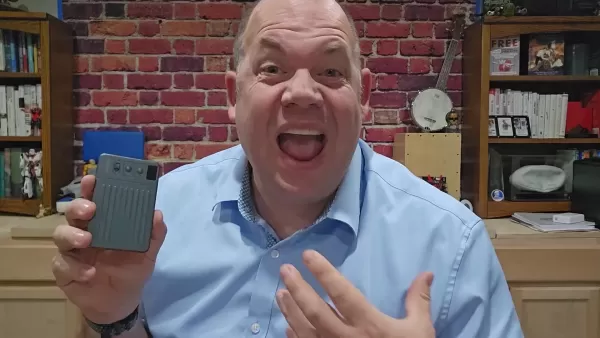
The AI transcription delivers precise transcripts for study resources. Students can use the summary function to extract central themes from extended lectures, aiding comprehension and memory. The accompanying to-do list can update a presentation, simplifying access to key memo points.
For Students: Enhancing Learning and Organization
Students can record class sessions for later revision. The device's translation function assists language learners by providing rapid translations.
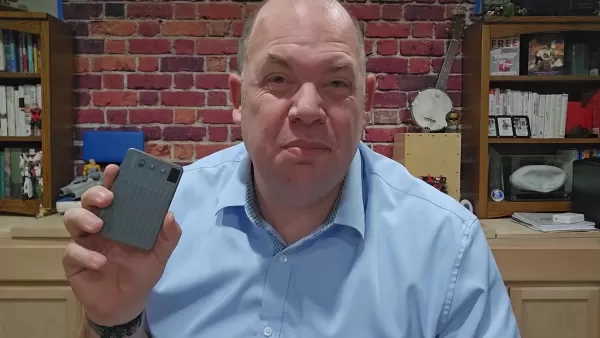
Recordings can be translated into English. By summarizing these notes and translations, students create effective study aids.
For Professionals: Boosting Productivity and Efficiency
Professionals can document meetings, interviews, and brainstorming sessions to capture crucial information accurately. A summarized version helps users quickly locate important details. The magnetic attachment lets you carry the device with your phone effortlessly.
For the Writer
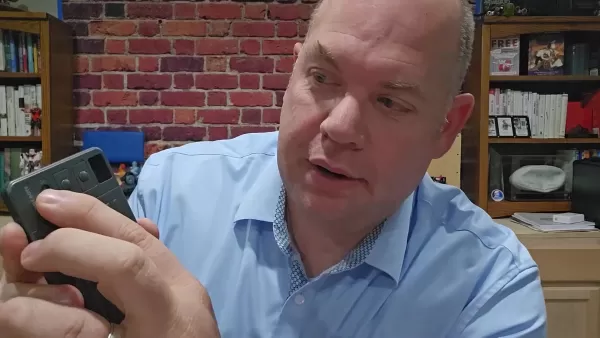
Writers can verbally capture ideas for transcription. The content can be restructured into book chapters. AI tools help refine and improve language quality.
Step-by-Step Guide to Using the Chime Note AI Voice Recorder
Step 1: Powering On and Initial Setup
Begin by turning on the Chime Note. Simply switch the power button to start the device.

The screen will display the Chime logo, then show key information like battery life and storage space. Verify the device is adequately charged before starting any recording sessions.
Step 2: Connecting to Your Smartphone via Bluetooth
To access AI transcription and summarization, connect your Chime Note to your smartphone using Bluetooth. This enables smooth transfer of recordings to the Chime Note app, where AI tools are available. Confirm Bluetooth is active on both devices for uninterrupted synchronization.
Step 3: Recording Voice Memos
Press the record button on the device; the icon will change to indicate recording mode. Speak clearly into the microphone for best audio quality. The Chime Note works well for capturing lectures, meetings, or personal notes.
Step 4: Transcribing Your Recordings
After finishing your recording, move the audio file to the Chime Note app on your phone. Then, choose the transcription option. The AI transcription engine will convert your speech to text, saving valuable time.
Step 5: Summarizing the Transcription
Once transcribed, use the summarization feature to extract the main ideas from the text. This is especially helpful for long recordings, enabling you to understand the core content without reviewing the full transcript. Users can now efficiently summarize their voice memos.
Step 6: Transfering files
Users can then rename, update, move, or delete files as needed.
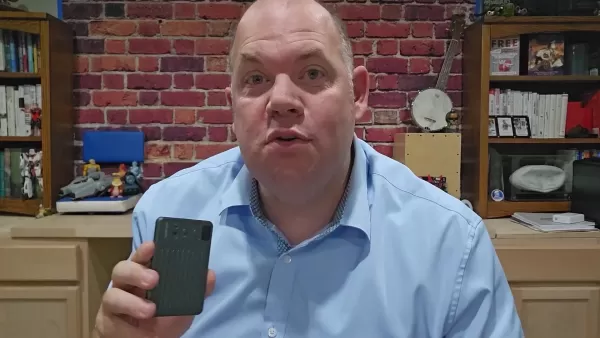
Step 7: Utilizing Text
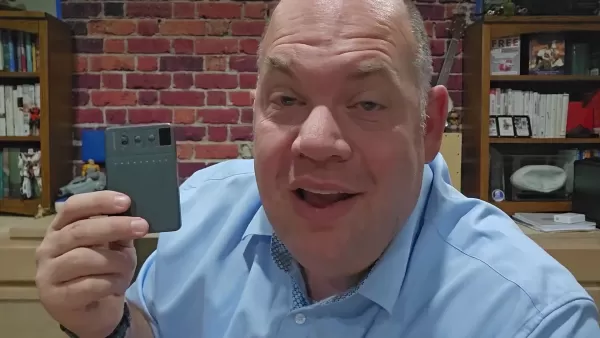
Users can then work with the generated text. You can copy the text and share it via your smartphone.
Advantages and Disadvantages of the Chime Note AI Voice Recorder
Pros
Small and easy to carry
AI transcription for fast text conversion
Bluetooth connectivity for smartphone integration
Summarization for efficient note review
Translation support for multiple languages
Fast charging reduces waiting time
Magnetic backing for secure phone attachment
Cons
Reliance on AI transcription accuracy
Battery life may be limited during intensive use
Requires synchronization with a smartphone
Frequently Asked Questions About the Chime Note AI Voice Recorder
How accurate is the AI transcription?
AI transcription is generally very accurate, though performance can depend on audio clarity and speaker accent. For best outcomes, speak distinctly and reduce background noise.
How long does the battery last?
Battery duration varies with usage, typically providing several hours of operation. Continuous and background use can drain power faster. Recharging with a Type-C adapter takes approximately 30 minutes.
Can the Chime Note be used without a smartphone?
The device can record audio on its own, but transcription and summarization need a Bluetooth connection to a smartphone. Voice memos can be created directly on the recorder.
What file formats are supported for export?
The Chime Note supports common audio formats like MP3 and WAV, which are simple to share and export. Additional files can be transferred from the device to your phone.
Is the magnetic attachment secure?
The magnetic attachment offers strong hold. This feature allows you to conveniently carry it along with your phone.
Related Questions
What are the best practices for recording clear audio?
For optimal sound quality, record in a quiet space, enunciate clearly toward the device, and keep the microphone uncovered. Avoid recording in windy or loud conditions to prevent distortion. Clear speech improves AI processing accuracy.
How do I troubleshoot Bluetooth connectivity issues?
If Bluetooth connection fails, check that Bluetooth is turned on for both the Chime Note and your smartphone. Restart both devices and look for any available software updates. If problems continue, attempt re-pairing the devices in your Bluetooth menu.
Can the Chime Note transcribe multiple languages?
Yes, the Chime Note can transcribe various languages. Accuracy might differ between languages. Choose the appropriate language in the app before transcribing for optimal performance.
Is there a cloud storage option for my recordings?
The Chime Note doesn't include built-in cloud storage, but you can transfer files to your smartphone and then upload them to cloud platforms like Google Drive, Dropbox, or iCloud.
Related article
 Stripe to Acquire OpenRouter as AI Model Routing Gains Momentum
Stripe has agreed to acquire OpenRouter, an AI model-routing platform that gives developers access to hundreds of models through a single interface. The deal adds model selection and routing to Stripe’s existing work around AI usage and token-based b
Former OpenAI Researcher Barrett Zoph Returns to Google to Support Gemini Development
Barret Zoph, who previously abruptly left and joined OpenAI due to a disagreement with Thinking Machines Lab CEO Miriam Mularati, has once again changed employers. Alphabet's Google announced that Zoph will return as Vice President of Research, bring
How Recursive Intelligence Raised $335M at $4B Valuation in 4 Months
The co-founders of startup Ricursive Intelligence seemed destined to be co-founders.Anna Goldie, CEO, and Azalia Mirhoseini, CTO, are so well-known in the AI community that they were among those AI engineers who “got those weird emails from Zuckerber
Related Special Topic Recommendations
Design & Art
Stripe to Acquire OpenRouter as AI Model Routing Gains Momentum
Stripe has agreed to acquire OpenRouter, an AI model-routing platform that gives developers access to hundreds of models through a single interface. The deal adds model selection and routing to Stripe’s existing work around AI usage and token-based b
Former OpenAI Researcher Barrett Zoph Returns to Google to Support Gemini Development
Barret Zoph, who previously abruptly left and joined OpenAI due to a disagreement with Thinking Machines Lab CEO Miriam Mularati, has once again changed employers. Alphabet's Google announced that Zoph will return as Vice President of Research, bring
How Recursive Intelligence Raised $335M at $4B Valuation in 4 Months
The co-founders of startup Ricursive Intelligence seemed destined to be co-founders.Anna Goldie, CEO, and Azalia Mirhoseini, CTO, are so well-known in the AI community that they were among those AI engineers who “got those weird emails from Zuckerber
Related Special Topic Recommendations
Design & Art
 Top AI Illustration Tools: Create Editorial Scenes and Cover Art Faster
2026 Latest Top-rated AI Illustration Tools: Our curated list features the best powerfully designed tools for creating stunning editorial scenes and eye-catching cover art quickly. Each option has gone through rigorous real-world tests, offering a free vs paid comparison to help you find the perfect match for your workflow. Try these must-try solutions today to unlock your AI edge and boost your creative productivity. Explore now at XIX.AI.
 10 tools
 xix.ai
Education and Learning
Top AI Tutors for Exam Prep: Practice Math, Science, and English
xix.ai
Education and Learning
Top AI Tutors for Exam Prep: Practice Math, Science, and English
2026 Latest Top-Rated Best AI Tutors for Exam Prep are here on XIX.AI! Our curated list features powerful game-changing tools that offer free vs paid comparison, real-world tests, and weekly updated rankings. They help boost your writing efficiency, simplify complex topic learning, and unlock your academic potential. Explore now to Discover your perfect exam prep tool and Start creating today to Unlock your AI edge!
10 tools
xix.ai
Finance
AI Budget Planning Tools for Personal Money Management
2026 Latest Best Top-Rated AI Budget Planning Tools for Personal Money Management are here on XIX.AI! This curated collection features powerful, game-changing solutions that help you conduct real-world tests, understand spending habits, and create personalized plans to boost productivity. Enjoy a free vs paid comparison along with detailed rankings. Must-try tools designed to simplify money management and unlock your AI edge. Explore now!
11 tools
xix.ai
Health & Wellness
AI Sleep Tracking Assistants: Improve Recovery with Better Bedtime Habits
2026 Latest Best Top-Rated AI Sleep Tracking Assistants curated for ultimate recovery. This fully updated weekly guide features powerful tools that deliver real-world tests, free vs paid comparison, and detailed rankings to help you find the must-try solution that boosts sleep quality and supports better bedtime habits. Explore now at XIX.AI to Unlock your AI edge.
10 tools
xix.ai
Data Analysis
AI SQL Copilots for Product and Revenue Analytics
2026 Latest Best Top-Rated AI SQL Copilots for Product and Revenue Analytics! XIX.AI has curated a powerful, game-changing collection of must-try tools that undergo real-world tests through weekly updated rankings. These tools help users boost productivity significantly by accelerating data analysis, streamlining complex queries, and generating accurate insights to drive smarter business decisions. Explore now to Discover your perfect tool for unlocking your AI edge!
14 tools
xix.ai
Education and Learning
Best AI Homework Helpers That Teach: Learn Concepts, Not Just Answers
2026 Latest Best Top-Rated AI Homework Helpers That Teach Core Concepts Not Just Answers Powerful Tools for Students Must-Try Curated List Weekly Updated Free vs Paid Comparison Real-World Tests Accurate Rankings to Help You Unlock Your Full Learning Potential Explore now to Discover your perfect tool for smarter studying.
10 tools
xix.ai

 Comments (1)
0/500
Comments (1)
0/500
![KeithSanchez]()
En tant qu'enseignant, je suis sceptique sur l'utilité réelle de ces enregistreurs IA en classe. Les étudiants risquent de devenir trop dépendants de la technologie au lieu de développer leurs compétences en prise de notes traditionnelle. 🤔 Est-ce vraiment un progrès ou une facilité dangereuse ?
In today's fast-paced environment, effective note-taking and transcription are vital for professionals, educators, and students alike. The Chime Note AI voice recorder aims to revolutionize this process with advanced features like AI-driven transcription and seamless connectivity. This in-depth review examines the Chime Note's core capabilities and practical uses.
Key Points
The Chime Note AI voice recorder is ideal for voice memos, daily journaling, and classroom note-taking.
It features rapid charging via a Type-C power adapter.
The device clearly shows battery status and available storage space.
Seamless Bluetooth pairing with smartphones improves overall convenience.
AI-powered transcription accurately converts spoken words into written text.
The summary feature distills long recordings into essential takeaways.
A magnetic design enables easy attachment to smartphones.
It works well for translation tasks, supporting foreign language learning.
It serves as an effective educational tool for students to collect and structure information.
Chime Note AI Voice Recorder: First Impressions and Core Functionalities
Unboxing and Initial Setup
The Chime Note AI voice recorder features a modern, compact design.
This device is built to manage voice memos and recordings efficiently. Setup is simple—just flip the power switch to begin. Once activated, the screen displays important details like battery level and storage capacity. This intuitive design immediately resonates with users who prioritize ease of use and productivity.
Key Features and Specifications
The Chime Note recorder includes several standout functions. Fast charging with a Type-C adapter is a major benefit, enabling the device to recharge completely in a short time. Bluetooth connectivity allows easy synchronization with smartphones, boosting versatility and user experience. Integrated AI transcription and summarization differentiate it, transforming extended audio into organized text and main ideas.
It includes dedicated record and play buttons for immediate operation. The interface icon changes to indicate recording status.
Here is a table summarizing the core features of the Chime Note AI voice recorder:
| Feature | Description |
|---|---|
| AI-Powered Transcription | Efficiently converts voice recordings into text. |
| Quick Charging | Achieves full charge quickly using a Type-C adapter. |
| Bluetooth Connectivity | Syncs effortlessly with smartphones for smooth file transfer. |
| Summarization | Condenses long recordings into key points. |
| Magnetic Design | Attaches conveniently to compatible smartphones. |
| Translation Services | Translates languages via voice recording and AI. |
| Versatile Use | Supports note-taking, journaling, classroom learning, and other applications. |
Unique Applications of the Chime Note for Various Users
For Educators: Streamlining Classroom Note-Taking
Educators can utilize the Chime Note to capture lectures and class discussions. International students can translate voice memos into their preferred language.
The AI transcription delivers precise transcripts for study resources. Students can use the summary function to extract central themes from extended lectures, aiding comprehension and memory. The accompanying to-do list can update a presentation, simplifying access to key memo points.
For Students: Enhancing Learning and Organization
Students can record class sessions for later revision. The device's translation function assists language learners by providing rapid translations.
Recordings can be translated into English. By summarizing these notes and translations, students create effective study aids.
For Professionals: Boosting Productivity and Efficiency
Professionals can document meetings, interviews, and brainstorming sessions to capture crucial information accurately. A summarized version helps users quickly locate important details. The magnetic attachment lets you carry the device with your phone effortlessly.
For the Writer
Writers can verbally capture ideas for transcription. The content can be restructured into book chapters. AI tools help refine and improve language quality.
Step-by-Step Guide to Using the Chime Note AI Voice Recorder
Step 1: Powering On and Initial Setup
Begin by turning on the Chime Note. Simply switch the power button to start the device.
The screen will display the Chime logo, then show key information like battery life and storage space. Verify the device is adequately charged before starting any recording sessions.
Step 2: Connecting to Your Smartphone via Bluetooth
To access AI transcription and summarization, connect your Chime Note to your smartphone using Bluetooth. This enables smooth transfer of recordings to the Chime Note app, where AI tools are available. Confirm Bluetooth is active on both devices for uninterrupted synchronization.
Step 3: Recording Voice Memos
Press the record button on the device; the icon will change to indicate recording mode. Speak clearly into the microphone for best audio quality. The Chime Note works well for capturing lectures, meetings, or personal notes.
Step 4: Transcribing Your Recordings
After finishing your recording, move the audio file to the Chime Note app on your phone. Then, choose the transcription option. The AI transcription engine will convert your speech to text, saving valuable time.
Step 5: Summarizing the Transcription
Once transcribed, use the summarization feature to extract the main ideas from the text. This is especially helpful for long recordings, enabling you to understand the core content without reviewing the full transcript. Users can now efficiently summarize their voice memos.
Step 6: Transfering files
Users can then rename, update, move, or delete files as needed.
Step 7: Utilizing Text
Users can then work with the generated text. You can copy the text and share it via your smartphone.
Advantages and Disadvantages of the Chime Note AI Voice Recorder
Pros
Small and easy to carry
AI transcription for fast text conversion
Bluetooth connectivity for smartphone integration
Summarization for efficient note review
Translation support for multiple languages
Fast charging reduces waiting time
Magnetic backing for secure phone attachment
Cons
Reliance on AI transcription accuracy
Battery life may be limited during intensive use
Requires synchronization with a smartphone
Frequently Asked Questions About the Chime Note AI Voice Recorder
How accurate is the AI transcription?
AI transcription is generally very accurate, though performance can depend on audio clarity and speaker accent. For best outcomes, speak distinctly and reduce background noise.
How long does the battery last?
Battery duration varies with usage, typically providing several hours of operation. Continuous and background use can drain power faster. Recharging with a Type-C adapter takes approximately 30 minutes.
Can the Chime Note be used without a smartphone?
The device can record audio on its own, but transcription and summarization need a Bluetooth connection to a smartphone. Voice memos can be created directly on the recorder.
What file formats are supported for export?
The Chime Note supports common audio formats like MP3 and WAV, which are simple to share and export. Additional files can be transferred from the device to your phone.
Is the magnetic attachment secure?
The magnetic attachment offers strong hold. This feature allows you to conveniently carry it along with your phone.
Related Questions
What are the best practices for recording clear audio?
For optimal sound quality, record in a quiet space, enunciate clearly toward the device, and keep the microphone uncovered. Avoid recording in windy or loud conditions to prevent distortion. Clear speech improves AI processing accuracy.
How do I troubleshoot Bluetooth connectivity issues?
If Bluetooth connection fails, check that Bluetooth is turned on for both the Chime Note and your smartphone. Restart both devices and look for any available software updates. If problems continue, attempt re-pairing the devices in your Bluetooth menu.
Can the Chime Note transcribe multiple languages?
Yes, the Chime Note can transcribe various languages. Accuracy might differ between languages. Choose the appropriate language in the app before transcribing for optimal performance.
Is there a cloud storage option for my recordings?
The Chime Note doesn't include built-in cloud storage, but you can transfer files to your smartphone and then upload them to cloud platforms like Google Drive, Dropbox, or iCloud.








 Stripe to Acquire OpenRouter as AI Model Routing Gains Momentum
Stripe has agreed to acquire OpenRouter, an AI model-routing platform that gives developers access to hundreds of models through a single interface. The deal adds model selection and routing to Stripe’s existing work around AI usage and token-based b
Stripe to Acquire OpenRouter as AI Model Routing Gains Momentum
Stripe has agreed to acquire OpenRouter, an AI model-routing platform that gives developers access to hundreds of models through a single interface. The deal adds model selection and routing to Stripe’s existing work around AI usage and token-based b
 Former OpenAI Researcher Barrett Zoph Returns to Google to Support Gemini Development
Barret Zoph, who previously abruptly left and joined OpenAI due to a disagreement with Thinking Machines Lab CEO Miriam Mularati, has once again changed employers. Alphabet's Google announced that Zoph will return as Vice President of Research, bring
Former OpenAI Researcher Barrett Zoph Returns to Google to Support Gemini Development
Barret Zoph, who previously abruptly left and joined OpenAI due to a disagreement with Thinking Machines Lab CEO Miriam Mularati, has once again changed employers. Alphabet's Google announced that Zoph will return as Vice President of Research, bring
 How Recursive Intelligence Raised $335M at $4B Valuation in 4 Months
The co-founders of startup Ricursive Intelligence seemed destined to be co-founders.Anna Goldie, CEO, and Azalia Mirhoseini, CTO, are so well-known in the AI community that they were among those AI engineers who “got those weird emails from Zuckerber
How Recursive Intelligence Raised $335M at $4B Valuation in 4 Months
The co-founders of startup Ricursive Intelligence seemed destined to be co-founders.Anna Goldie, CEO, and Azalia Mirhoseini, CTO, are so well-known in the AI community that they were among those AI engineers who “got those weird emails from Zuckerber

2026 Latest Top-rated AI Illustration Tools: Our curated list features the best powerfully designed tools for creating stunning editorial scenes and eye-catching cover art quickly. Each option has gone through rigorous real-world tests, offering a free vs paid comparison to help you find the perfect match for your workflow. Try these must-try solutions today to unlock your AI edge and boost your creative productivity. Explore now at XIX.AI.
10 tools
xix.ai

2026 Latest Top-Rated Best AI Tutors for Exam Prep are here on XIX.AI! Our curated list features powerful game-changing tools that offer free vs paid comparison, real-world tests, and weekly updated rankings. They help boost your writing efficiency, simplify complex topic learning, and unlock your academic potential. Explore now to Discover your perfect exam prep tool and Start creating today to Unlock your AI edge!
10 tools
xix.ai

2026 Latest Best Top-Rated AI Budget Planning Tools for Personal Money Management are here on XIX.AI! This curated collection features powerful, game-changing solutions that help you conduct real-world tests, understand spending habits, and create personalized plans to boost productivity. Enjoy a free vs paid comparison along with detailed rankings. Must-try tools designed to simplify money management and unlock your AI edge. Explore now!
11 tools
xix.ai

2026 Latest Best Top-Rated AI Sleep Tracking Assistants curated for ultimate recovery. This fully updated weekly guide features powerful tools that deliver real-world tests, free vs paid comparison, and detailed rankings to help you find the must-try solution that boosts sleep quality and supports better bedtime habits. Explore now at XIX.AI to Unlock your AI edge.
10 tools
xix.ai

2026 Latest Best Top-Rated AI SQL Copilots for Product and Revenue Analytics! XIX.AI has curated a powerful, game-changing collection of must-try tools that undergo real-world tests through weekly updated rankings. These tools help users boost productivity significantly by accelerating data analysis, streamlining complex queries, and generating accurate insights to drive smarter business decisions. Explore now to Discover your perfect tool for unlocking your AI edge!
14 tools
xix.ai

2026 Latest Best Top-Rated AI Homework Helpers That Teach Core Concepts Not Just Answers Powerful Tools for Students Must-Try Curated List Weekly Updated Free vs Paid Comparison Real-World Tests Accurate Rankings to Help You Unlock Your Full Learning Potential Explore now to Discover your perfect tool for smarter studying.
10 tools
xix.ai

En tant qu'enseignant, je suis sceptique sur l'utilité réelle de ces enregistreurs IA en classe. Les étudiants risquent de devenir trop dépendants de la technologie au lieu de développer leurs compétences en prise de notes traditionnelle. 🤔 Est-ce vraiment un progrès ou une facilité dangereuse ?












