


 Home
HomeWhat is ChatGPT Atlas and how does it revolutionize AI browsing in 2025?
The landscape of web browsing is undergoing a monumental shift, driven by the emergence of AI-powered browsers. Among these, ChatGPT Atlas is making significant waves. More than an incremental update, it represents a fundamental reimagining of how we interact with the internet, promising to reshape digital workflows and online discovery. Let's explore what ChatGPT Atlas offers and its implications for the future of browsing.
Key Points
ChatGPT Atlas is a novel AI-first browser developed by OpenAI.
Its core goal is to deliver a more intelligent and efficient browsing experience through deep AI integration.
Notable features include summarizing web content, answering questions in context, and automating digital tasks.
The browser seamlessly integrates with the existing ChatGPT service, enabling users to leverage AI for diverse online activities.
Understanding ChatGPT Atlas
ChatGPT Atlas' Agent Mode
Agent Mode is a standout feature that allows the AI to handle complex tasks within the browser on your behalf. It enables ChatGPT to comprehend webpage context and execute actions such as form completion, reservation booking, or in-depth research. This capability distinctly sets it apart from standard AI chatbots like Google Bard, which lack this autonomous operational capacity.
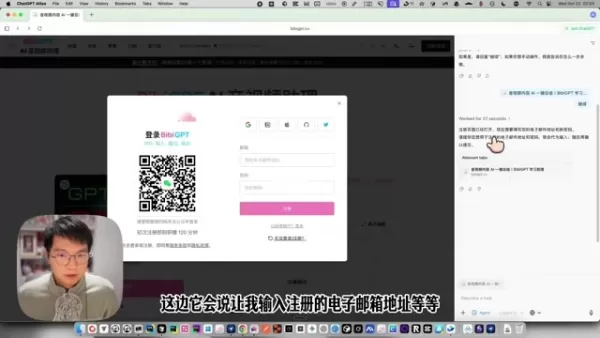
With Agent Mode, you can automate a broad spectrum of tasks, saving time and boosting productivity. For instance, ChatGPT Atlas can:
- Research a specific topic and compile key insights.
- Compare product prices across multiple e-commerce sites.
- Arrange flights and hotel bookings for a trip.
- Populate fields in a job application.
- Draft content for social media posts.
Here is a breakdown of how Agent Mode functions:
- You instruct ChatGPT Atlas on your objective, e.g., "Find the best laptop deals under $1000."
- The AI analyzes your request and determines the necessary steps to fulfill it.
- It navigates the web, interacts with sites, and collects relevant information autonomously.
- It presents the results for your review and approval.
- The system learns from each interaction, enhancing its efficiency for future, similar tasks.
Who Will Benefit From ChatGPT Atlas?
ChatGPT Atlas holds substantial potential for a diverse range of users, each set to gain unique advantages from its AI-centric design:
- Researchers: Expedite data collection and synthesis from multiple sources, accelerating project timelines.
- Content Creators: Automate processes like fact-checking, outline generation, and crafting engaging social media content.
- Entrepreneurs: Streamline business operations, automate marketing outreach, and glean competitive intelligence.
- Educators: Facilitate personalized learning, provide tailored educational resources, and automate grading routines.
- Everyday Users: Enhance general web navigation, automate routine online chores, and access information more intuitively.
Getting Started with ChatGPT Atlas
Downloading and Installing ChatGPT Atlas
ChatGPT Atlas is initially available for macOS. To begin,
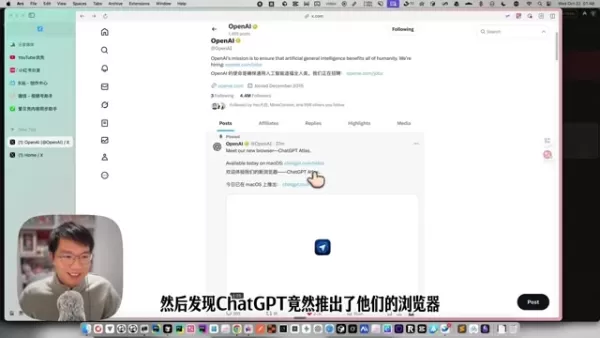
follow these steps:
- Visit the official ChatGPT Atlas website.
- Click the 'Download for macOS' button.
- Once downloaded, open the .dmg file.
- Drag the ChatGPT Atlas icon into your Applications folder.
- Launch the application from the Applications folder.
Upon first launch, you'll encounter a welcome page guiding you through account integration. From here, you can import data from browsers like Google Chrome or Safari and set ChatGPT Atlas as your default browser.
Importing Data from Existing Browsers
To ensure a smooth transition, ChatGPT Atlas allows you to import essential data such as:
- Bookmarks
- Saved Passwords
- Browsing History
The initial setup wizard will prompt you to import from Chrome or Safari.
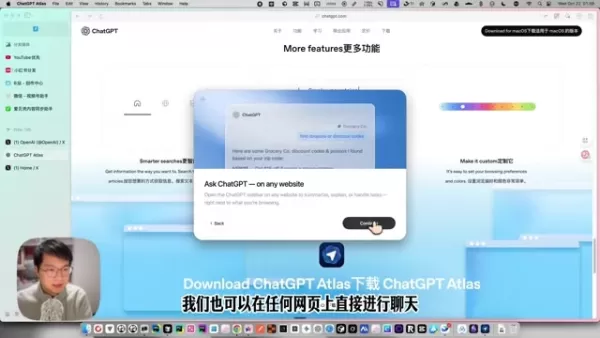
Select your preferred browser and follow the on-screen instructions to transfer your favorite sites, login details, and preferences.
For manual imports later, navigate to the extensions page, located on the app's left sidebar under Chats. Note that initial data import requires starting from either Chrome or Safari.
Initial Configuration and Personalization
ChatGPT Atlas provides several personalization options to customize your browsing experience.
Cons
ider adjusting these settings:- Theme: Select a light or dark theme for optimal viewing comfort.
- Search Engine: Choose your preferred default search engine for context-aware queries.
- Agent Mode Preferences: Customize how Agent Mode interacts with websites, specifying trusted sources and preferred workflows.
Pricing
Understanding the Cost
Currently, ChatGPT Atlas is free to use. It integrates with ChatGPT and requires an existing account. Many features available as standalone AI tools, such as image generation and code interpretation, are accessible directly through the browser. As OpenAI is still in an active development phase, this pricing model may evolve in the future.
Core Features of ChatGPT Atlas
AI-Powered Summarization
Eliminate the need to read lengthy articles in full. ChatGPT Atlas's intelligent summarization feature distills webpage content into concise overviews, delivering key insights at a glance. This is invaluable for research, helping you quickly identify relevant sources and extract crucial information.
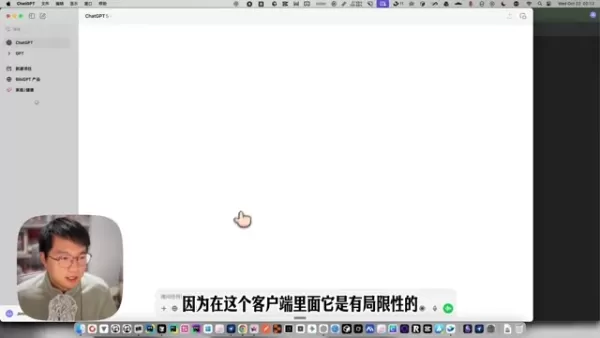
How it works:
- Navigate to any webpage you wish to summarize.
- ChatGPT Atlas automatically analyzes the content.
- A clear, concise summary highlighting the main points is generated.
Beyond mere text compression, the AI maintains context and meaning, ensuring you receive a coherent and accurate overview.
Context-Aware Search
Move beyond generic search results. ChatGPT Atlas employs context-aware search, refining queries based on the content of your current page. This delivers more precise and relevant results, especially beneficial for deep research on complex subjects. The search algorithm actively considers the text on the webpage you're viewing.
How it works:
- Enter a query into the address bar.
- The AI analyzes the context of your active tab.
- Search results are displayed, prioritized for relevance to that specific context.
Task Automation with Agent Mode
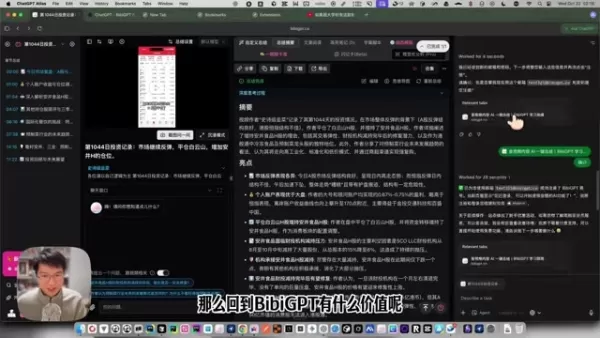
Agent Mode empowers you to automate repetitive online tasks, streamlining your digital workflow. By leveraging AI to interact with web pages, it can handle actions like form submissions, appointment scheduling, or travel bookings, saving you time and boosting productivity.
How it works:
- Activate Agent Mode.
- Specify a task (e.g., "Book a flight from New York to Los Angeles").
- The AI breaks down the task into steps.
- It navigates websites, gathers information, and performs the actions.
- You review and confirm the completed actions.
Potential Use Cases of ChatGPT Atlas
Academic Research
ChatGPT Atlas can significantly accelerate academic work by:
- Instantly summarizing research papers and articles.
- Identifying pertinent sources via context-aware search.
- Automating tasks like citation formatting and literature review compilation.
These capabilities allow researchers to navigate academic material with greater speed and efficiency.
Content Creation
From blog writing to social media management, ChatGPT Atlas aids creators by:
- Generating ideas and structural outlines.
- Fact-checking information for accuracy.
- Automating grammar and style checks.
- Assisting with SEO optimization and keyword research.
This support helps creators produce high-quality, engaging content more easily and precisely.
Business Operations
ChatGPT Atlas offers powerful automation for business tasks, including:
- Conducting market and competitive research.
- Streamlining lead generation and CRM processes.
- Automating email marketing campaigns.
- Managing projects and delegating tasks.
By optimizing these operations, businesses can enhance efficiency, reduce overhead, and gain a competitive advantage.
Frequently Asked Questions
Is ChatGPT Atlas free to use?
As of now, ChatGPT Atlas is free. It does require an active ChatGPT account. Given its ongoing development, this model is subject to future change.
What platforms is ChatGPT Atlas available on?
Currently, ChatGPT Atlas is exclusively available for macOS. OpenAI may expand to other platforms, including Windows, web-based versions, and mobile, in the future.
Does ChatGPT Atlas require a ChatGPT account?
Yes, a ChatGPT account is mandatory for using ChatGPT Atlas. This integration is central to the browser's core functionality.
Related Questions
What Impact Will AI Browsers Have?
AI-driven browsers are poised to fundamentally alter internet navigation and interaction. The shift transcends visual updates, revolutionizing how users discover, process, and engage with online information. These browsers promise to automate complex tasks, provide contextual data analysis, and deliver personalized experiences beyond the scope of traditional technology. This integration will likely disrupt the browser market, spurring innovation among established players and opening new avenues for developers. The mechanics of search engines, online advertising, and the core web experience are all in line for significant evolution. AI browsers stand to transform key online activities: Information Gathering: AI can summarize, compare, and extract tailored data, moving beyond manual page-by-page searches. Automated Workflows: Routine tasks like form-filling, appointment booking, and online purchasing will become automated. Personalized Experiences: AI could curate the web based on individual habits, offering custom recommendations and interfaces. To stay abreast of such transformative AI developments, which extend far beyond browsing, consider regular engagement with expert analysis. For instance, in-depth explorations of topics like "How GPT-4 Could Transform Society" offer valuable perspectives. Regularly contemplating the societal implications of AI makes it easier to envision the vast possibilities this technology brings to our world.
Related article
 Florida sues OpenAI, Sam Altman over violent incidents
Florida’s Attorney General filed a first-of-its-kind state lawsuit against OpenAI and CEO Sam Altman on Monday, alleging the company’s ChatGPT is linked to multiple violent incidents.The complaint argues that OpenAI prioritized winning “the AI arms r
OpenAI unveils advanced voice models for more natural real-time conversations
OpenAI has launched new conversational models, GPT-Live-1 and GPT-Live-1 mini, designed to sound more natural and manage turn-taking more effectively. These full-duplex models can speak and listen simultaneously, allowing users to interrupt naturally
OpenAI unveils GPT-5.6, the newest addition to its model family
OpenAI launched its latest model family on Thursday, introducing powerful new options into an increasingly competitive AI landscape.GPT-5.6 comes in three variants: Sol (designed as the primary workhorse), Terra (a mid-range option), and Luna (the bu
Related Special Topic Recommendations
Music composition
Florida sues OpenAI, Sam Altman over violent incidents
Florida’s Attorney General filed a first-of-its-kind state lawsuit against OpenAI and CEO Sam Altman on Monday, alleging the company’s ChatGPT is linked to multiple violent incidents.The complaint argues that OpenAI prioritized winning “the AI arms r
OpenAI unveils advanced voice models for more natural real-time conversations
OpenAI has launched new conversational models, GPT-Live-1 and GPT-Live-1 mini, designed to sound more natural and manage turn-taking more effectively. These full-duplex models can speak and listen simultaneously, allowing users to interrupt naturally
OpenAI unveils GPT-5.6, the newest addition to its model family
OpenAI launched its latest model family on Thursday, introducing powerful new options into an increasingly competitive AI landscape.GPT-5.6 comes in three variants: Sol (designed as the primary workhorse), Terra (a mid-range option), and Luna (the bu
Related Special Topic Recommendations
Music composition
 AI Stem Separation Tools for Remix Production, Sampling Prep, and Karaoke Masters
2026 Latest Best Top-rated AI Stem Separation Tools Curated for Remix Production, Sampling Prep, and Karaoke Masters. These powerful game-changing tools offer real-world tests to deliver precise audio isolation, boosting productivity significantly. XIX.AI provides a weekly updated free vs paid comparison guide to help you find the must-try solution that suits your needs. Explore now to unlock your AI edge.
 8 tools
 xix.ai
Data Analysis
AI SQL Copilots for Revenue Dashboards, Funnel Analysis, and Product Metrics
xix.ai
Data Analysis
AI SQL Copilots for Revenue Dashboards, Funnel Analysis, and Product Metrics
2026 Latest Best AI SQL Copilots Ranked Top-Rated! XIX.AI curates a powerful game-changing collection for weekly updated real-world tests. These must-try tools help you generate accurate revenue dashboards, analyze sales funnels, and track product metrics swiftly, boosting productivity massively. Explore now to Discover your perfect tool for data-driven decision making! 238 characters
9 tools
xix.ai
Music composition
Best AI Melody Writing Tools for Song Drafts
2026 Latest Best Top-Rated AI Melody Writing Tools for Song Drafts! XIX.AI has curated a highly powerful game-changing collection that goes through rigorous real-world tests to deliver the best writing experience. You can find detailed free vs paid comparisons, accurate rankings, and must-try options designed to help you create stunning song drafts effortlessly and boost your creative productivity significantly. Explore now to discover your perfect tool!
8 tools
xix.ai
chatbot
Best AI Conversation Trainer Tools for Interview Practice
2026 Latest Best Top-rated AI Conversation Trainer Tools for Interview Practice are here on XIX.AI! This curated collection features powerful, game-changing tools that go through rigorous real-world tests to deliver accurate feedback. You’ll find a free vs paid comparison and detailed rankings to help you choose the must-try option that boosts your confidence and skills. Explore now to Discover your perfect tool for interview success!
12 tools
xix.ai
Design & Art
Best AI Style Transfer Tools for Creative Experiments
2026 Latest Best Top-rated AI Style Transfer Tools for Creative Experiments! XIX.AI has curated a powerful, game-changing collection of must-try tools that deliver exceptional results through real-world tests and rigorous rankings. These top solutions help creatives boost productivity significantly by accelerating content creation and unlocking endless creative possibilities. Explore now to discover your perfect tool and start creating today!
9 tools
xix.ai
Comic Creation
Best AI Dialogue Bubble Tools for Visual Storytelling
2026 Latest Best Top-Rated AI Dialogue Bubble Tools for Visual Storytelling are here on XIX.AI! This curated collection features powerful, game-changing tools that help creators boost productivity and overcome creative bottlenecks. Get a free vs paid comparison, see real-world tests, and check the latest rankings to find the must-try solutions perfect for crafting engaging visual narratives. Explore now to discover your ideal tool!
10 tools
xix.ai

 Comments (1)
0/500
Comments (1)
0/500
![TerryHernández]()
Also ChatGPT Atlas soll 2025 das Surfen revolutionieren? Klingt ambitioniert. Ich frage mich, ob das wirklich so fundamental anders wird oder am Ende nur ein smarterer Assistent ist, der Werbung besser personalisiert. Die großen Player werden sich das sicher genau ansehen – und vielleicht kopieren. Hoffentlich bleibt der Datenschutz nicht auf der Strecke. Spannend ist es auf jeden Fall! 🤔
The landscape of web browsing is undergoing a monumental shift, driven by the emergence of AI-powered browsers. Among these, ChatGPT Atlas is making significant waves. More than an incremental update, it represents a fundamental reimagining of how we interact with the internet, promising to reshape digital workflows and online discovery. Let's explore what ChatGPT Atlas offers and its implications for the future of browsing.
Key Points
ChatGPT Atlas is a novel AI-first browser developed by OpenAI.
Its core goal is to deliver a more intelligent and efficient browsing experience through deep AI integration.
Notable features include summarizing web content, answering questions in context, and automating digital tasks.
The browser seamlessly integrates with the existing ChatGPT service, enabling users to leverage AI for diverse online activities.
Understanding ChatGPT Atlas
ChatGPT Atlas' Agent Mode
Agent Mode is a standout feature that allows the AI to handle complex tasks within the browser on your behalf. It enables ChatGPT to comprehend webpage context and execute actions such as form completion, reservation booking, or in-depth research. This capability distinctly sets it apart from standard AI chatbots like Google Bard, which lack this autonomous operational capacity.
With Agent Mode, you can automate a broad spectrum of tasks, saving time and boosting productivity. For instance, ChatGPT Atlas can:
- Research a specific topic and compile key insights.
- Compare product prices across multiple e-commerce sites.
- Arrange flights and hotel bookings for a trip.
- Populate fields in a job application.
- Draft content for social media posts.
Here is a breakdown of how Agent Mode functions:
- You instruct ChatGPT Atlas on your objective, e.g., "Find the best laptop deals under $1000."
- The AI analyzes your request and determines the necessary steps to fulfill it.
- It navigates the web, interacts with sites, and collects relevant information autonomously.
- It presents the results for your review and approval.
- The system learns from each interaction, enhancing its efficiency for future, similar tasks.
Who Will Benefit From ChatGPT Atlas?
ChatGPT Atlas holds substantial potential for a diverse range of users, each set to gain unique advantages from its AI-centric design:
- Researchers: Expedite data collection and synthesis from multiple sources, accelerating project timelines.
- Content Creators: Automate processes like fact-checking, outline generation, and crafting engaging social media content.
- Entrepreneurs: Streamline business operations, automate marketing outreach, and glean competitive intelligence.
- Educators: Facilitate personalized learning, provide tailored educational resources, and automate grading routines.
- Everyday Users: Enhance general web navigation, automate routine online chores, and access information more intuitively.
Getting Started with ChatGPT Atlas
Downloading and Installing ChatGPT Atlas
ChatGPT Atlas is initially available for macOS. To begin,
follow these steps:
- Visit the official ChatGPT Atlas website.
- Click the 'Download for macOS' button.
- Once downloaded, open the .dmg file.
- Drag the ChatGPT Atlas icon into your Applications folder.
- Launch the application from the Applications folder.
Upon first launch, you'll encounter a welcome page guiding you through account integration. From here, you can import data from browsers like Google Chrome or Safari and set ChatGPT Atlas as your default browser.
Importing Data from Existing Browsers
To ensure a smooth transition, ChatGPT Atlas allows you to import essential data such as:
- Bookmarks
- Saved Passwords
- Browsing History
The initial setup wizard will prompt you to import from Chrome or Safari.
Select your preferred browser and follow the on-screen instructions to transfer your favorite sites, login details, and preferences.
For manual imports later, navigate to the extensions page, located on the app's left sidebar under Chats. Note that initial data import requires starting from either Chrome or Safari.
Initial Configuration and Personalization
ChatGPT Atlas provides several personalization options to customize your browsing experience.
Cons
ider adjusting these settings:- Theme: Select a light or dark theme for optimal viewing comfort.
- Search Engine: Choose your preferred default search engine for context-aware queries.
- Agent Mode Preferences: Customize how Agent Mode interacts with websites, specifying trusted sources and preferred workflows.
Pricing
Understanding the Cost
Currently, ChatGPT Atlas is free to use. It integrates with ChatGPT and requires an existing account. Many features available as standalone AI tools, such as image generation and code interpretation, are accessible directly through the browser. As OpenAI is still in an active development phase, this pricing model may evolve in the future.
Core Features of ChatGPT Atlas
AI-Powered Summarization
Eliminate the need to read lengthy articles in full. ChatGPT Atlas's intelligent summarization feature distills webpage content into concise overviews, delivering key insights at a glance. This is invaluable for research, helping you quickly identify relevant sources and extract crucial information.
How it works:
- Navigate to any webpage you wish to summarize.
- ChatGPT Atlas automatically analyzes the content.
- A clear, concise summary highlighting the main points is generated.
Beyond mere text compression, the AI maintains context and meaning, ensuring you receive a coherent and accurate overview.
Context-Aware Search
Move beyond generic search results. ChatGPT Atlas employs context-aware search, refining queries based on the content of your current page. This delivers more precise and relevant results, especially beneficial for deep research on complex subjects. The search algorithm actively considers the text on the webpage you're viewing.
How it works:
- Enter a query into the address bar.
- The AI analyzes the context of your active tab.
- Search results are displayed, prioritized for relevance to that specific context.
Task Automation with Agent Mode
Agent Mode empowers you to automate repetitive online tasks, streamlining your digital workflow. By leveraging AI to interact with web pages, it can handle actions like form submissions, appointment scheduling, or travel bookings, saving you time and boosting productivity.
How it works:
- Activate Agent Mode.
- Specify a task (e.g., "Book a flight from New York to Los Angeles").
- The AI breaks down the task into steps.
- It navigates websites, gathers information, and performs the actions.
- You review and confirm the completed actions.
Potential Use Cases of ChatGPT Atlas
Academic Research
ChatGPT Atlas can significantly accelerate academic work by:
- Instantly summarizing research papers and articles.
- Identifying pertinent sources via context-aware search.
- Automating tasks like citation formatting and literature review compilation.
These capabilities allow researchers to navigate academic material with greater speed and efficiency.
Content Creation
From blog writing to social media management, ChatGPT Atlas aids creators by:
- Generating ideas and structural outlines.
- Fact-checking information for accuracy.
- Automating grammar and style checks.
- Assisting with SEO optimization and keyword research.
This support helps creators produce high-quality, engaging content more easily and precisely.
Business Operations
ChatGPT Atlas offers powerful automation for business tasks, including:
- Conducting market and competitive research.
- Streamlining lead generation and CRM processes.
- Automating email marketing campaigns.
- Managing projects and delegating tasks.
By optimizing these operations, businesses can enhance efficiency, reduce overhead, and gain a competitive advantage.
Frequently Asked Questions
Is ChatGPT Atlas free to use?
As of now, ChatGPT Atlas is free. It does require an active ChatGPT account. Given its ongoing development, this model is subject to future change.
What platforms is ChatGPT Atlas available on?
Currently, ChatGPT Atlas is exclusively available for macOS. OpenAI may expand to other platforms, including Windows, web-based versions, and mobile, in the future.
Does ChatGPT Atlas require a ChatGPT account?
Yes, a ChatGPT account is mandatory for using ChatGPT Atlas. This integration is central to the browser's core functionality.
Related Questions
What Impact Will AI Browsers Have?
AI-driven browsers are poised to fundamentally alter internet navigation and interaction. The shift transcends visual updates, revolutionizing how users discover, process, and engage with online information. These browsers promise to automate complex tasks, provide contextual data analysis, and deliver personalized experiences beyond the scope of traditional technology. This integration will likely disrupt the browser market, spurring innovation among established players and opening new avenues for developers. The mechanics of search engines, online advertising, and the core web experience are all in line for significant evolution. AI browsers stand to transform key online activities: Information Gathering: AI can summarize, compare, and extract tailored data, moving beyond manual page-by-page searches. Automated Workflows: Routine tasks like form-filling, appointment booking, and online purchasing will become automated. Personalized Experiences: AI could curate the web based on individual habits, offering custom recommendations and interfaces. To stay abreast of such transformative AI developments, which extend far beyond browsing, consider regular engagement with expert analysis. For instance, in-depth explorations of topics like "How GPT-4 Could Transform Society" offer valuable perspectives. Regularly contemplating the societal implications of AI makes it easier to envision the vast possibilities this technology brings to our world.








 Florida sues OpenAI, Sam Altman over violent incidents
Florida’s Attorney General filed a first-of-its-kind state lawsuit against OpenAI and CEO Sam Altman on Monday, alleging the company’s ChatGPT is linked to multiple violent incidents.The complaint argues that OpenAI prioritized winning “the AI arms r
Florida sues OpenAI, Sam Altman over violent incidents
Florida’s Attorney General filed a first-of-its-kind state lawsuit against OpenAI and CEO Sam Altman on Monday, alleging the company’s ChatGPT is linked to multiple violent incidents.The complaint argues that OpenAI prioritized winning “the AI arms r
 OpenAI unveils advanced voice models for more natural real-time conversations
OpenAI has launched new conversational models, GPT-Live-1 and GPT-Live-1 mini, designed to sound more natural and manage turn-taking more effectively. These full-duplex models can speak and listen simultaneously, allowing users to interrupt naturally
OpenAI unveils advanced voice models for more natural real-time conversations
OpenAI has launched new conversational models, GPT-Live-1 and GPT-Live-1 mini, designed to sound more natural and manage turn-taking more effectively. These full-duplex models can speak and listen simultaneously, allowing users to interrupt naturally
 OpenAI unveils GPT-5.6, the newest addition to its model family
OpenAI launched its latest model family on Thursday, introducing powerful new options into an increasingly competitive AI landscape.GPT-5.6 comes in three variants: Sol (designed as the primary workhorse), Terra (a mid-range option), and Luna (the bu
OpenAI unveils GPT-5.6, the newest addition to its model family
OpenAI launched its latest model family on Thursday, introducing powerful new options into an increasingly competitive AI landscape.GPT-5.6 comes in three variants: Sol (designed as the primary workhorse), Terra (a mid-range option), and Luna (the bu

2026 Latest Best Top-rated AI Stem Separation Tools Curated for Remix Production, Sampling Prep, and Karaoke Masters. These powerful game-changing tools offer real-world tests to deliver precise audio isolation, boosting productivity significantly. XIX.AI provides a weekly updated free vs paid comparison guide to help you find the must-try solution that suits your needs. Explore now to unlock your AI edge.
8 tools
xix.ai

2026 Latest Best AI SQL Copilots Ranked Top-Rated! XIX.AI curates a powerful game-changing collection for weekly updated real-world tests. These must-try tools help you generate accurate revenue dashboards, analyze sales funnels, and track product metrics swiftly, boosting productivity massively. Explore now to Discover your perfect tool for data-driven decision making! 238 characters
9 tools
xix.ai

2026 Latest Best Top-Rated AI Melody Writing Tools for Song Drafts! XIX.AI has curated a highly powerful game-changing collection that goes through rigorous real-world tests to deliver the best writing experience. You can find detailed free vs paid comparisons, accurate rankings, and must-try options designed to help you create stunning song drafts effortlessly and boost your creative productivity significantly. Explore now to discover your perfect tool!
8 tools
xix.ai

2026 Latest Best Top-rated AI Conversation Trainer Tools for Interview Practice are here on XIX.AI! This curated collection features powerful, game-changing tools that go through rigorous real-world tests to deliver accurate feedback. You’ll find a free vs paid comparison and detailed rankings to help you choose the must-try option that boosts your confidence and skills. Explore now to Discover your perfect tool for interview success!
12 tools
xix.ai

2026 Latest Best Top-rated AI Style Transfer Tools for Creative Experiments! XIX.AI has curated a powerful, game-changing collection of must-try tools that deliver exceptional results through real-world tests and rigorous rankings. These top solutions help creatives boost productivity significantly by accelerating content creation and unlocking endless creative possibilities. Explore now to discover your perfect tool and start creating today!
9 tools
xix.ai

2026 Latest Best Top-Rated AI Dialogue Bubble Tools for Visual Storytelling are here on XIX.AI! This curated collection features powerful, game-changing tools that help creators boost productivity and overcome creative bottlenecks. Get a free vs paid comparison, see real-world tests, and check the latest rankings to find the must-try solutions perfect for crafting engaging visual narratives. Explore now to discover your ideal tool!
10 tools
xix.ai

Also ChatGPT Atlas soll 2025 das Surfen revolutionieren? Klingt ambitioniert. Ich frage mich, ob das wirklich so fundamental anders wird oder am Ende nur ein smarterer Assistent ist, der Werbung besser personalisiert. Die großen Player werden sich das sicher genau ansehen – und vielleicht kopieren. Hoffentlich bleibt der Datenschutz nicht auf der Strecke. Spannend ist es auf jeden Fall! 🤔












