


 Home
HomeHow to build a sentiment analysis app with Streamlit & Hugging Face in 2026?
In today's data-centric landscape, extracting sentiment from text data is incredibly valuable. This tutorial delivers a practical walkthrough for creating a sentiment analysis application, leveraging Streamlit for an intuitive user interface and Hugging Face for its advanced NLP capabilities. Whether you're a data scientist, developer, or just starting out, the synergy between Streamlit and Hugging Face enables you to swiftly build interactive apps that decipher the emotional tone of text. This unlocks new opportunities in areas like market research, social media analytics, and more. This guide offers a complete, step-by-step process for developing a powerful and user-friendly sentiment analysis tool.
Key Points
An overview of Streamlit and Hugging Face for Natural Language Processing.
Configuring your development environment.
Developing a functional sentiment analysis application.
Engaging with Streamlit components for real-time interaction.
Introduction to Streamlit and Hugging Face
What is Streamlit?
Streamlit is an open-source Python framework that simplifies the process of building and sharing elegant, custom web applications for machine learning and data science. Its primary goal is to convert data scripts into shareable web apps with minimal coding effort. By managing the intricacies of web development, Streamlit lets data scientists concentrate on their models and data insights. Using Streamlit, you can create interactive dashboards, data exploration tools, and model deployment interfaces with just a few lines of code. The library's straightforward API and instant code reloading have made it a popular choice for data professionals seeking to prototype and showcase machine learning models rapidly.
What is Hugging Face?
Hugging Face is both a company and a community that delivers tools and resources for constructing, training, and deploying machine learning models. It is widely recognized for its Transformers library, which provides access to pre-trained models for a variety of natural language processing tasks.
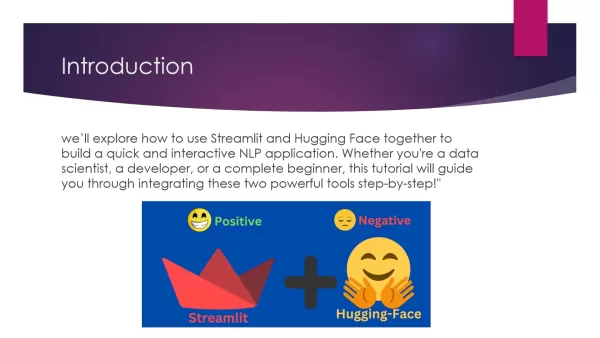
Hugging Face simplifies the application of cutting-edge machine learning in your projects. It serves as a comprehensive resource for advanced NLP models. Its vast repository of pre-trained models speeds up development and enables you to harness sophisticated machine learning without requiring large datasets or significant computational power.
Why Use Streamlit and Hugging Face Together for Sentiment Analysis?
The integration of Streamlit and Hugging Face creates a highly effective combination. Streamlit streamlines the development of a user interface, while Hugging Face supplies the NLP models that power the sentiment analysis. This partnership allows for quick prototyping and deployment of interactive NLP applications.
Here are the key advantages of this powerful combination:
- Rapid Prototyping: Streamlit enables the creation of web applications with minimal code, allowing for quick testing and sharing of your NLP models.
- Powerful NLP Models: Hugging Face offers a broad selection of pre-trained models for diverse NLP tasks, making it simple to implement state-of-the-art machine learning in your projects.
- Interactive User Experience: Streamlit allows you to incorporate sliders, text input fields, and other interactive elements, creating applications that let users experiment with NLP models in real time.
- Open Source and Free: Both platforms are open-source, meaning they are free to use and ideal for personal projects, demonstrations, or small-scale production applications.
By utilizing both Streamlit and Hugging Face, developers can optimize the workflow for building sentiment analysis apps, providing an approachable and engaging platform for users to interact with advanced NLP models.
Building a Sentiment Analysis App: A Step-by-Step Guide
Step 1: Setting Up Your Environment and Installing Necessary Libraries
To get started, configure your Python environment and install the required libraries. Using a virtual environment is advised to manage your project dependencies separately.
Create a Virtual Environment:
python -m venv venv
Activate the Virtual Environment:
On Windows:
.venvScriptsactivate
On macOS and Linux:
source venv/bin/activate
Install Streamlit and Hugging Face Transformers:
Open your terminal or command prompt and execute this command:
pip install streamlit transformers
This installs Streamlit, the framework for our web app, and the Hugging Face Transformers library, which supplies the necessary NLP models. These steps create a tidy and structured workspace, paving the way for smooth development.
After installation, you can proceed to import the libraries and configure your sentiment analysis pipeline.
Step 2: Importing Modules and Setting Up the Sentiment Analysis Pipeline
The next step involves importing the required libraries and initializing the sentiment analysis pipeline. This includes importing Streamlit and the pipeline function from the Transformers library.
Import Necessary Libraries:
import streamlit as stfrom transformers import pipeline
Here, we import Streamlit as st and the pipeline function from Transformers. This function allows us to efficiently load a pre-trained NLP model.
Load the Sentiment Analysis Model:
sentiment_analyzer = pipeline('sentiment-analysis')
This line initializes a sentiment analysis pipeline that will manage all sentiment evaluation tasks. This setup provides a quick and effective method for integrating the NLP model into your application.
This forms the core structure of your sentiment analysis app, combining the framework (Streamlit) with the analytical power (Hugging Face).
Step 3: Designing the User Interface with Streamlit
Streamlit offers straightforward tools for designing an accessible user interface. This step involves adding a title, a description, and a text input field for user entries.
Add a Title and Description:
st.title('Sentiment Analysis App with Hugging Face')st.write('Enter a text below to analyze its sentiment using Hugging Face's Transformers library')
These functions facilitate easy addition of text and formatting within Streamlit.
Create a Text Input Box:
user_input = st.text_input('Enter text to analyze sentiment:')
This generates a text input field where users can type any sentence or phrase. With Streamlit, you can also integrate sliders, input boxes, and other components to build a highly interactive application for real-time testing of NLP models.
Step 4: Performing Sentiment Analysis on User Input
Now, implement the sentiment analysis functionality. When a user provides text input, the app will evaluate the sentiment and show the results.
Get Sentiment Prediction:
if user_input:result = sentiment_analyzer(user_input)
Once the user enters text, we invoke sentiment_analyzer(user_input) to obtain the sentiment prediction. The output is a dictionary containing the sentiment label (e.g., positive or negative) and a confidence score.
Display the Results:
st.write('Sentiment:', result[0]['label'])st.write('Confidence Score:', round(result[0]['score'], 2))
Finally, we present the results using st.write. This shows the user the sentiment label and the rounded confidence score. This dynamic interaction offers instant feedback, enhancing the app's utility and engagement.
Step 5: Running the Application
To launch your sentiment analysis application, follow these instructions:
- Open Your Terminal:
Navigate to the Folder:
Go to the directory where your Python file is saved.
Run the Command:
Use this command to start the Streamlit app:
streamlit run app.py
This command starts your Streamlit application, which will open in your web browser. This is the final step to see your sentiment analysis app operational. You can now access your Streamlit app via your browser. These steps facilitate easy access and immediate utilization of the sentiment analysis tool.
`streamlit run app.py`
Pros and Cons of Using Streamlit and Hugging Face
Pros
Accelerated development and prototyping
Interactive and easy-to-use interface
Access to sophisticated NLP models
Open-source and cost-free
Straightforward deployment
Cons
Constrained customization possibilities
Potential performance limitations with extensive datasets
Dependence on external libraries
Security aspects to consider
Ongoing maintenance requirements
Core Features of a Streamlit and Hugging Face Sentiment Analysis App
Real-Time Sentiment Analysis
The application delivers real-time sentiment analysis as users type, providing instant feedback on the emotional tone of the text.
User-Friendly Interface
Streamlit simplifies the interface creation process, resulting in an intuitive and accessible application for users with varying technical expertise.
Hugging Face Integration
By utilizing Hugging Face's robust NLP models, the app produces precise and dependable sentiment analysis outcomes.
Customizable Input
The text input field permits users to evaluate any sentence or phrase, allowing for versatile sentiment evaluation.
Clear Output
The app shows the sentiment classification (positive, negative, or neutral) along with the confidence score, delivering a transparent and comprehensible analysis.
FAQ
What is sentiment analysis?
Sentiment analysis, also referred to as opinion mining, is a natural language processing technique used to identify the emotional undertone in written text. It involves detecting and classifying opinions within the text as positive, negative, or neutral. This analysis is useful in numerous contexts, including market research, social media tracking, and customer feedback evaluation. It helps derive meaningful insights from unstructured text data, supporting data-driven decisions. Sophisticated sentiment analysis tools employ machine learning models to enhance precision and effectiveness in detecting subtle emotions and perspectives.
What NLP model does Hugging Face use for sentiment analysis?
Hugging Face offers a diverse set of pre-trained models for sentiment analysis, each trained on different datasets and tailored for specific applications. These models are built on transformer architectures such as BERT, RoBERTa, and DistilBERT. You can select a model that aligns with your requirements, considering aspects like accuracy, processing speed, and the nature of the text you're analyzing. The ability to choose from various models makes Hugging Face a versatile option for sentiment analysis across different fields and use cases. The excellence of Hugging Face's models ensures dependable and efficient sentiment analysis performance.
Can I use this sentiment analysis app for commercial purposes?
Yes, since both Streamlit and Hugging Face are open-source with permissive licenses, you can utilize the sentiment analysis app for personal and commercial ventures. For commercial use, it is essential to follow the licensing agreements of both Streamlit and Hugging Face, ensuring conformity with open-source usage policies. Employing these tools for business applications lets you take advantage of advanced sentiment analysis without licensing expenses.
Related Questions
How can I improve the accuracy of the sentiment analysis?
Enhancing sentiment analysis accuracy involves multiple approaches, beginning with choosing suitable models and optimizing data inputs. Fine-tuning pre-trained models on industry-specific data can markedly boost accuracy, as the model becomes more familiar with the language and sentiment subtleties of that domain. Another approach is to apply ensemble techniques, which combine predictions from multiple models to capitalize on their individual strengths for better overall accuracy. Additionally, comprehensive data cleaning and preprocessing are vital. Eliminating noise, addressing negation and sarcasm, and considering cultural or contextual elements can result in more consistent sentiment evaluations. Integrating these methods produces a more precise and resilient sentiment analysis tool.
What are the ethical considerations in sentiment analysis?
Ethical aspects in sentiment analysis are critical, as the technology can influence privacy, equity, and openness. It's important to ensure that data used for model training is collected ethically and complies with privacy laws. Bias in training data may cause skewed results, where the model misrepresents or unjustly targets specific demographics. Transparency is another key factor; users should be aware of how their data is processed and analyzed. Applications should refrain from manipulating opinions or disseminating false information. Tackling these ethical issues is essential for responsible and impartial sentiment analysis.
What other NLP tasks can I perform with Hugging Face?
Hugging Face's Transformers library supports a wide array of NLP tasks beyond sentiment analysis, such as text generation, language translation, question answering, text summarization, and named entity recognition. Text generation involves producing coherent and contextually appropriate text from a given prompt. Translation converts text between different languages. Question answering systems retrieve answers from provided documents. Text summarization shortens lengthy texts into concise summaries. Named entity recognition detects and classifies entities like person names, locations, and organizations within text. Hugging Face provides pre-trained models and utilities for each of these tasks, supporting the creation of diverse NLP applications.
Related article
 Stripe to Acquire OpenRouter as AI Model Routing Gains Momentum
Stripe has agreed to acquire OpenRouter, an AI model-routing platform that gives developers access to hundreds of models through a single interface. The deal adds model selection and routing to Stripe’s existing work around AI usage and token-based b
Former OpenAI Researcher Barrett Zoph Returns to Google to Support Gemini Development
Barret Zoph, who previously abruptly left and joined OpenAI due to a disagreement with Thinking Machines Lab CEO Miriam Mularati, has once again changed employers. Alphabet's Google announced that Zoph will return as Vice President of Research, bring
How Recursive Intelligence Raised $335M at $4B Valuation in 4 Months
The co-founders of startup Ricursive Intelligence seemed destined to be co-founders.Anna Goldie, CEO, and Azalia Mirhoseini, CTO, are so well-known in the AI community that they were among those AI engineers who “got those weird emails from Zuckerber
Related Special Topic Recommendations
Design & Art
Stripe to Acquire OpenRouter as AI Model Routing Gains Momentum
Stripe has agreed to acquire OpenRouter, an AI model-routing platform that gives developers access to hundreds of models through a single interface. The deal adds model selection and routing to Stripe’s existing work around AI usage and token-based b
Former OpenAI Researcher Barrett Zoph Returns to Google to Support Gemini Development
Barret Zoph, who previously abruptly left and joined OpenAI due to a disagreement with Thinking Machines Lab CEO Miriam Mularati, has once again changed employers. Alphabet's Google announced that Zoph will return as Vice President of Research, bring
How Recursive Intelligence Raised $335M at $4B Valuation in 4 Months
The co-founders of startup Ricursive Intelligence seemed destined to be co-founders.Anna Goldie, CEO, and Azalia Mirhoseini, CTO, are so well-known in the AI community that they were among those AI engineers who “got those weird emails from Zuckerber
Related Special Topic Recommendations
Design & Art
 Top AI Illustration Tools: Create Editorial Scenes and Cover Art Faster
2026 Latest Top-rated AI Illustration Tools: Our curated list features the best powerfully designed tools for creating stunning editorial scenes and eye-catching cover art quickly. Each option has gone through rigorous real-world tests, offering a free vs paid comparison to help you find the perfect match for your workflow. Try these must-try solutions today to unlock your AI edge and boost your creative productivity. Explore now at XIX.AI.
 10 tools
 xix.ai
Education and Learning
Top AI Tutors for Exam Prep: Practice Math, Science, and English
xix.ai
Education and Learning
Top AI Tutors for Exam Prep: Practice Math, Science, and English
2026 Latest Top-Rated Best AI Tutors for Exam Prep are here on XIX.AI! Our curated list features powerful game-changing tools that offer free vs paid comparison, real-world tests, and weekly updated rankings. They help boost your writing efficiency, simplify complex topic learning, and unlock your academic potential. Explore now to Discover your perfect exam prep tool and Start creating today to Unlock your AI edge!
10 tools
xix.ai
Finance
AI Budget Planning Tools for Personal Money Management
2026 Latest Best Top-Rated AI Budget Planning Tools for Personal Money Management are here on XIX.AI! This curated collection features powerful, game-changing solutions that help you conduct real-world tests, understand spending habits, and create personalized plans to boost productivity. Enjoy a free vs paid comparison along with detailed rankings. Must-try tools designed to simplify money management and unlock your AI edge. Explore now!
11 tools
xix.ai
Health & Wellness
AI Sleep Tracking Assistants: Improve Recovery with Better Bedtime Habits
2026 Latest Best Top-Rated AI Sleep Tracking Assistants curated for ultimate recovery. This fully updated weekly guide features powerful tools that deliver real-world tests, free vs paid comparison, and detailed rankings to help you find the must-try solution that boosts sleep quality and supports better bedtime habits. Explore now at XIX.AI to Unlock your AI edge.
10 tools
xix.ai
Data Analysis
AI SQL Copilots for Product and Revenue Analytics
2026 Latest Best Top-Rated AI SQL Copilots for Product and Revenue Analytics! XIX.AI has curated a powerful, game-changing collection of must-try tools that undergo real-world tests through weekly updated rankings. These tools help users boost productivity significantly by accelerating data analysis, streamlining complex queries, and generating accurate insights to drive smarter business decisions. Explore now to Discover your perfect tool for unlocking your AI edge!
14 tools
xix.ai
Education and Learning
Best AI Homework Helpers That Teach: Learn Concepts, Not Just Answers
2026 Latest Best Top-Rated AI Homework Helpers That Teach Core Concepts Not Just Answers Powerful Tools for Students Must-Try Curated List Weekly Updated Free vs Paid Comparison Real-World Tests Accurate Rankings to Help You Unlock Your Full Learning Potential Explore now to Discover your perfect tool for smarter studying.
10 tools
xix.ai

 Comments (1)
0/500
Comments (1)
0/500
![ChristopherThomas]()
This is exactly what I needed! I've been struggling with sentiment analysis and Streamlit seems perfect for prototyping. Can't wait to try it out. 🚀
In today's data-centric landscape, extracting sentiment from text data is incredibly valuable. This tutorial delivers a practical walkthrough for creating a sentiment analysis application, leveraging Streamlit for an intuitive user interface and Hugging Face for its advanced NLP capabilities. Whether you're a data scientist, developer, or just starting out, the synergy between Streamlit and Hugging Face enables you to swiftly build interactive apps that decipher the emotional tone of text. This unlocks new opportunities in areas like market research, social media analytics, and more. This guide offers a complete, step-by-step process for developing a powerful and user-friendly sentiment analysis tool.
Key Points
An overview of Streamlit and Hugging Face for Natural Language Processing.
Configuring your development environment.
Developing a functional sentiment analysis application.
Engaging with Streamlit components for real-time interaction.
Introduction to Streamlit and Hugging Face
What is Streamlit?
Streamlit is an open-source Python framework that simplifies the process of building and sharing elegant, custom web applications for machine learning and data science. Its primary goal is to convert data scripts into shareable web apps with minimal coding effort. By managing the intricacies of web development, Streamlit lets data scientists concentrate on their models and data insights. Using Streamlit, you can create interactive dashboards, data exploration tools, and model deployment interfaces with just a few lines of code. The library's straightforward API and instant code reloading have made it a popular choice for data professionals seeking to prototype and showcase machine learning models rapidly.
What is Hugging Face?
Hugging Face is both a company and a community that delivers tools and resources for constructing, training, and deploying machine learning models. It is widely recognized for its Transformers library, which provides access to pre-trained models for a variety of natural language processing tasks.
Hugging Face simplifies the application of cutting-edge machine learning in your projects. It serves as a comprehensive resource for advanced NLP models. Its vast repository of pre-trained models speeds up development and enables you to harness sophisticated machine learning without requiring large datasets or significant computational power.
Why Use Streamlit and Hugging Face Together for Sentiment Analysis?
The integration of Streamlit and Hugging Face creates a highly effective combination. Streamlit streamlines the development of a user interface, while Hugging Face supplies the NLP models that power the sentiment analysis. This partnership allows for quick prototyping and deployment of interactive NLP applications.
Here are the key advantages of this powerful combination:
- Rapid Prototyping: Streamlit enables the creation of web applications with minimal code, allowing for quick testing and sharing of your NLP models.
- Powerful NLP Models: Hugging Face offers a broad selection of pre-trained models for diverse NLP tasks, making it simple to implement state-of-the-art machine learning in your projects.
- Interactive User Experience: Streamlit allows you to incorporate sliders, text input fields, and other interactive elements, creating applications that let users experiment with NLP models in real time.
- Open Source and Free: Both platforms are open-source, meaning they are free to use and ideal for personal projects, demonstrations, or small-scale production applications.
By utilizing both Streamlit and Hugging Face, developers can optimize the workflow for building sentiment analysis apps, providing an approachable and engaging platform for users to interact with advanced NLP models.
Building a Sentiment Analysis App: A Step-by-Step Guide
Step 1: Setting Up Your Environment and Installing Necessary Libraries
To get started, configure your Python environment and install the required libraries. Using a virtual environment is advised to manage your project dependencies separately.
Create a Virtual Environment:
python -m venv venvActivate the Virtual Environment:
On Windows:
.venvScriptsactivateOn macOS and Linux:
source venv/bin/activate
Install Streamlit and Hugging Face Transformers:
Open your terminal or command prompt and execute this command:
pip install streamlit transformersThis installs Streamlit, the framework for our web app, and the Hugging Face Transformers library, which supplies the necessary NLP models. These steps create a tidy and structured workspace, paving the way for smooth development.
After installation, you can proceed to import the libraries and configure your sentiment analysis pipeline.
Step 2: Importing Modules and Setting Up the Sentiment Analysis Pipeline
The next step involves importing the required libraries and initializing the sentiment analysis pipeline. This includes importing Streamlit and the pipeline function from the Transformers library.
Import Necessary Libraries:
import streamlit as stfrom transformers import pipelineHere, we import Streamlit as
stand thepipelinefunction from Transformers. This function allows us to efficiently load a pre-trained NLP model.Load the Sentiment Analysis Model:
sentiment_analyzer = pipeline('sentiment-analysis')This line initializes a sentiment analysis pipeline that will manage all sentiment evaluation tasks. This setup provides a quick and effective method for integrating the NLP model into your application.
This forms the core structure of your sentiment analysis app, combining the framework (Streamlit) with the analytical power (Hugging Face).
Step 3: Designing the User Interface with Streamlit
Streamlit offers straightforward tools for designing an accessible user interface. This step involves adding a title, a description, and a text input field for user entries.
Add a Title and Description:
st.title('Sentiment Analysis App with Hugging Face')st.write('Enter a text below to analyze its sentiment using Hugging Face's Transformers library')These functions facilitate easy addition of text and formatting within Streamlit.
Create a Text Input Box:
user_input = st.text_input('Enter text to analyze sentiment:')This generates a text input field where users can type any sentence or phrase. With Streamlit, you can also integrate sliders, input boxes, and other components to build a highly interactive application for real-time testing of NLP models.
Step 4: Performing Sentiment Analysis on User Input
Now, implement the sentiment analysis functionality. When a user provides text input, the app will evaluate the sentiment and show the results.
Get Sentiment Prediction:
if user_input:result = sentiment_analyzer(user_input)Once the user enters text, we invoke
sentiment_analyzer(user_input)to obtain the sentiment prediction. The output is a dictionary containing the sentiment label (e.g., positive or negative) and a confidence score.Display the Results:
st.write('Sentiment:', result[0]['label'])st.write('Confidence Score:', round(result[0]['score'], 2))Finally, we present the results using
st.write. This shows the user the sentiment label and the rounded confidence score. This dynamic interaction offers instant feedback, enhancing the app's utility and engagement.
Step 5: Running the Application
To launch your sentiment analysis application, follow these instructions:
- Open Your Terminal:
Navigate to the Folder:
Go to the directory where your Python file is saved.
Run the Command:
Use this command to start the Streamlit app:
streamlit run app.pyThis command starts your Streamlit application, which will open in your web browser. This is the final step to see your sentiment analysis app operational. You can now access your Streamlit app via your browser. These steps facilitate easy access and immediate utilization of the sentiment analysis tool.
`streamlit run app.py`
Pros and Cons of Using Streamlit and Hugging Face
Pros
Accelerated development and prototyping
Interactive and easy-to-use interface
Access to sophisticated NLP models
Open-source and cost-free
Straightforward deployment
Cons
Constrained customization possibilities
Potential performance limitations with extensive datasets
Dependence on external libraries
Security aspects to consider
Ongoing maintenance requirements
Core Features of a Streamlit and Hugging Face Sentiment Analysis App
Real-Time Sentiment Analysis
The application delivers real-time sentiment analysis as users type, providing instant feedback on the emotional tone of the text.
User-Friendly Interface
Streamlit simplifies the interface creation process, resulting in an intuitive and accessible application for users with varying technical expertise.
Hugging Face Integration
By utilizing Hugging Face's robust NLP models, the app produces precise and dependable sentiment analysis outcomes.
Customizable Input
The text input field permits users to evaluate any sentence or phrase, allowing for versatile sentiment evaluation.
Clear Output
The app shows the sentiment classification (positive, negative, or neutral) along with the confidence score, delivering a transparent and comprehensible analysis.
FAQ
What is sentiment analysis?
Sentiment analysis, also referred to as opinion mining, is a natural language processing technique used to identify the emotional undertone in written text. It involves detecting and classifying opinions within the text as positive, negative, or neutral. This analysis is useful in numerous contexts, including market research, social media tracking, and customer feedback evaluation. It helps derive meaningful insights from unstructured text data, supporting data-driven decisions. Sophisticated sentiment analysis tools employ machine learning models to enhance precision and effectiveness in detecting subtle emotions and perspectives.
What NLP model does Hugging Face use for sentiment analysis?
Hugging Face offers a diverse set of pre-trained models for sentiment analysis, each trained on different datasets and tailored for specific applications. These models are built on transformer architectures such as BERT, RoBERTa, and DistilBERT. You can select a model that aligns with your requirements, considering aspects like accuracy, processing speed, and the nature of the text you're analyzing. The ability to choose from various models makes Hugging Face a versatile option for sentiment analysis across different fields and use cases. The excellence of Hugging Face's models ensures dependable and efficient sentiment analysis performance.
Can I use this sentiment analysis app for commercial purposes?
Yes, since both Streamlit and Hugging Face are open-source with permissive licenses, you can utilize the sentiment analysis app for personal and commercial ventures. For commercial use, it is essential to follow the licensing agreements of both Streamlit and Hugging Face, ensuring conformity with open-source usage policies. Employing these tools for business applications lets you take advantage of advanced sentiment analysis without licensing expenses.
Related Questions
How can I improve the accuracy of the sentiment analysis?
Enhancing sentiment analysis accuracy involves multiple approaches, beginning with choosing suitable models and optimizing data inputs. Fine-tuning pre-trained models on industry-specific data can markedly boost accuracy, as the model becomes more familiar with the language and sentiment subtleties of that domain. Another approach is to apply ensemble techniques, which combine predictions from multiple models to capitalize on their individual strengths for better overall accuracy. Additionally, comprehensive data cleaning and preprocessing are vital. Eliminating noise, addressing negation and sarcasm, and considering cultural or contextual elements can result in more consistent sentiment evaluations. Integrating these methods produces a more precise and resilient sentiment analysis tool.
What are the ethical considerations in sentiment analysis?
Ethical aspects in sentiment analysis are critical, as the technology can influence privacy, equity, and openness. It's important to ensure that data used for model training is collected ethically and complies with privacy laws. Bias in training data may cause skewed results, where the model misrepresents or unjustly targets specific demographics. Transparency is another key factor; users should be aware of how their data is processed and analyzed. Applications should refrain from manipulating opinions or disseminating false information. Tackling these ethical issues is essential for responsible and impartial sentiment analysis.
What other NLP tasks can I perform with Hugging Face?
Hugging Face's Transformers library supports a wide array of NLP tasks beyond sentiment analysis, such as text generation, language translation, question answering, text summarization, and named entity recognition. Text generation involves producing coherent and contextually appropriate text from a given prompt. Translation converts text between different languages. Question answering systems retrieve answers from provided documents. Text summarization shortens lengthy texts into concise summaries. Named entity recognition detects and classifies entities like person names, locations, and organizations within text. Hugging Face provides pre-trained models and utilities for each of these tasks, supporting the creation of diverse NLP applications.








 Stripe to Acquire OpenRouter as AI Model Routing Gains Momentum
Stripe has agreed to acquire OpenRouter, an AI model-routing platform that gives developers access to hundreds of models through a single interface. The deal adds model selection and routing to Stripe’s existing work around AI usage and token-based b
Stripe to Acquire OpenRouter as AI Model Routing Gains Momentum
Stripe has agreed to acquire OpenRouter, an AI model-routing platform that gives developers access to hundreds of models through a single interface. The deal adds model selection and routing to Stripe’s existing work around AI usage and token-based b
 Former OpenAI Researcher Barrett Zoph Returns to Google to Support Gemini Development
Barret Zoph, who previously abruptly left and joined OpenAI due to a disagreement with Thinking Machines Lab CEO Miriam Mularati, has once again changed employers. Alphabet's Google announced that Zoph will return as Vice President of Research, bring
Former OpenAI Researcher Barrett Zoph Returns to Google to Support Gemini Development
Barret Zoph, who previously abruptly left and joined OpenAI due to a disagreement with Thinking Machines Lab CEO Miriam Mularati, has once again changed employers. Alphabet's Google announced that Zoph will return as Vice President of Research, bring
 How Recursive Intelligence Raised $335M at $4B Valuation in 4 Months
The co-founders of startup Ricursive Intelligence seemed destined to be co-founders.Anna Goldie, CEO, and Azalia Mirhoseini, CTO, are so well-known in the AI community that they were among those AI engineers who “got those weird emails from Zuckerber
How Recursive Intelligence Raised $335M at $4B Valuation in 4 Months
The co-founders of startup Ricursive Intelligence seemed destined to be co-founders.Anna Goldie, CEO, and Azalia Mirhoseini, CTO, are so well-known in the AI community that they were among those AI engineers who “got those weird emails from Zuckerber

2026 Latest Top-rated AI Illustration Tools: Our curated list features the best powerfully designed tools for creating stunning editorial scenes and eye-catching cover art quickly. Each option has gone through rigorous real-world tests, offering a free vs paid comparison to help you find the perfect match for your workflow. Try these must-try solutions today to unlock your AI edge and boost your creative productivity. Explore now at XIX.AI.
10 tools
xix.ai

2026 Latest Top-Rated Best AI Tutors for Exam Prep are here on XIX.AI! Our curated list features powerful game-changing tools that offer free vs paid comparison, real-world tests, and weekly updated rankings. They help boost your writing efficiency, simplify complex topic learning, and unlock your academic potential. Explore now to Discover your perfect exam prep tool and Start creating today to Unlock your AI edge!
10 tools
xix.ai

2026 Latest Best Top-Rated AI Budget Planning Tools for Personal Money Management are here on XIX.AI! This curated collection features powerful, game-changing solutions that help you conduct real-world tests, understand spending habits, and create personalized plans to boost productivity. Enjoy a free vs paid comparison along with detailed rankings. Must-try tools designed to simplify money management and unlock your AI edge. Explore now!
11 tools
xix.ai

2026 Latest Best Top-Rated AI Sleep Tracking Assistants curated for ultimate recovery. This fully updated weekly guide features powerful tools that deliver real-world tests, free vs paid comparison, and detailed rankings to help you find the must-try solution that boosts sleep quality and supports better bedtime habits. Explore now at XIX.AI to Unlock your AI edge.
10 tools
xix.ai

2026 Latest Best Top-Rated AI SQL Copilots for Product and Revenue Analytics! XIX.AI has curated a powerful, game-changing collection of must-try tools that undergo real-world tests through weekly updated rankings. These tools help users boost productivity significantly by accelerating data analysis, streamlining complex queries, and generating accurate insights to drive smarter business decisions. Explore now to Discover your perfect tool for unlocking your AI edge!
14 tools
xix.ai

2026 Latest Best Top-Rated AI Homework Helpers That Teach Core Concepts Not Just Answers Powerful Tools for Students Must-Try Curated List Weekly Updated Free vs Paid Comparison Real-World Tests Accurate Rankings to Help You Unlock Your Full Learning Potential Explore now to Discover your perfect tool for smarter studying.
10 tools
xix.ai

This is exactly what I needed! I've been struggling with sentiment analysis and Streamlit seems perfect for prototyping. Can't wait to try it out. 🚀












