


 Home
HomeIs BigVu AI Rewrite the easiest tool for YouTube scripts in 2025?
Are you seeking a fast and effective method to create video content for your YouTube channel? Learn how BigVu's AI Rewrite feature transforms script creation, combining AI assistance with creative control for a seamless experience. Whether you're an experienced video marketer or just beginning, BigVu AI Rewrite is a powerful asset for generating professional scripts and elevating your video marketing strategy.
Key Points
BigVu's AI Rewrite feature simplifies video script creation with OpenAI.
You can create new scripts or rewrite existing text in various tones.
The tool supports a wide range of video formats, from business pitches to sales letters.
Users can refine AI-generated content to add a personal touch.
It provides a budget-friendly solution for entrepreneurs who need help with content creation.
Creating Compelling Video Scripts with BigVu AI Rewrite
The Power of AI-Assisted Scriptwriting
Crafting video marketing content can feel overwhelming. The task of recording high-quality footage while also writing engaging scripts often presents a major hurdle. Many entrepreneurs and marketers find it difficult to produce compelling content, especially when managing multiple responsibilities. BigVu's AI Rewrite addresses this challenge directly. This innovative feature helps you overcome scriptwriting obstacles by using AI to generate video scripts quickly and efficiently.

Integrated with OpenAI, BigVu's AI Rewrite offers a smooth platform for both creating new scripts and improving existing ones. This capability is revolutionary for anyone looking to strengthen their video content strategy while conserving valuable time and resources. The AI assistant transforms basic concepts into captivating scripts, providing a strong starting point for your video projects.
Exploring the BigVu Platform
BigVu is a powerful teleprompter application available on desktop and mobile devices. As a content creator or business owner, you can write scripts in BigVu's desktop version and then send them to your mobile device for recording. If you prefer working on the move, you can also record videos directly using the desktop version. Please note that while BigVu offers these capabilities, this discussion centers specifically on its advanced AI features.

The dashboard enables you to create new scripts, import videos, add captions, and replace green screens. Its interface is designed for ease of use. BigVu meets diverse content creation requirements, making it an essential tool for marketers, educators, and entrepreneurs who want to produce impactful video content.
A Closer Look at BigVu AI Rewrite's Capabilities
AI-Powered Script Generation
BigVu's AI rewrite tool lets you enter a topic or headline, after which the AI system produces multiple script variations for selection. This feature enables video script creation through OpenAI, allowing you to generate scripts immediately before recording your videos.

This AI assistance ensures you're always prepared to record videos at a moment's notice.
BigVu AI Rewrite goes beyond simple rewriting—it focuses on improving content quality. Whether you need to prepare a video sales letter, share news updates, or develop a business pitch, this AI-powered tool enhances your message to better connect with your audience.
Customizing Script Tones
A distinctive benefit of BigVu's AI Rewrite is the option to define your script's tone. With choices ranging from persuasive to friendly, professional to witty, you can infuse your videos with the appropriate personality. A persuasive tone makes your content more compelling, while a friendly approach helps build stronger audience relationships. BigVu empowers you to select the perfect tone for telling engaging stories.
By fine-tuning your script's tone, you can produce videos that resonate more deeply with viewers. As a teleprompter, BigVu helps amplify your message and improve your video content quality.
Step-by-Step Guide to Using AI Magic Writer on Mobile
Access AI scriptwriting capabilities directly from your mobile device. This is ideal for content creators who prefer producing videos while traveling or working from home. Follow these steps to create AI Magic videos:
Open the BigVu application.

On the project screen, press the blue center button with the plus symbol.
Next, select AI Magic writer.
The AI will prompt you to enter your name.
Choose from the four available options: Pitch My Business, Video Sales Letter, Script With Tips, and News To Share.
The application may then ask for a brief description of your products and services, after which your script will be generated automatically.
BigVu AI Rewrite: Weighing the Pros
and Cons
Pros
AI-powered script generation and rewriting capabilities.
Customizable script tones that align with your brand identity.
Built-in teleprompter integration for smooth on-screen delivery.
Speech-to-text functionality for script creation.
Cons
Users might need to make additional script adjustments.
Requires consistent internet connection for full functionality.
The desktop version doesn't support on-the-go teleprompter script generation.
Frequently Asked Questions
What is BigVu AI Rewrite?
BigVu AI Rewrite is a feature in the BigVu teleprompter platform that utilizes OpenAI to assist users in creating and refining video scripts.
Can BigVu AI Rewrite help me with different types of videos?
Absolutely, BigVu AI Rewrite provides options for developing business pitches, video sales letters, news sharing scripts, and more, addressing various video marketing requirements.
Do I need to pay extra for BigVu AI Rewrite?
BigVu may charge additional fees based on your intended usage. We recommend checking BigVu's official website for current platform pricing information.
Can I use BigVu AI Rewrite on my smartphone?
Yes, BigVu enables you to access the AI magic writer on your smartphone through its dedicated mobile application.
Related Questions
What are the key advantages of using a teleprompter for video creation?
Using a teleprompter like BigVu can dramatically enhance your on-camera presentation. The primary benefits of teleprompter use include:Enhanced Eye Contact: Teleprompters help maintain steady eye contact with viewers, building connection and credibility. Clear Message Delivery: Working from a script ensures you communicate your message precisely and clearly, helping your audience grasp key information. This is essential for maintaining viewer engagement and effectively conveying your content.Saves Time and Resources: An effective teleprompter saves time and resources by eliminating the need to memorize talking points, conserving both time and mental energy.
How does the tone setting in BigVu AI Rewrite improve video engagement?
BigVu allows you to establish your preferred tone, making your video's message more impactful. Here's why this matters:Resonance With Audience: Modifying the tone helps your content better match the expectations and preferences of your target audience.Creates a Unique Persona: Developing a distinctive tone enables your brand to project a specific image that resonates with viewers. A humorous tone can build trust, while a professional demeanor demonstrates expertise.Flexibility Across Channels: The ability to adapt content with different tones lets you customize material for each platform. You can adopt a more personal style on Twitter while maintaining professionalism on LinkedIn.
Related article
 Apple Watch’s New AI Features Normalize Always-Listening Tech
Apple is pushing consumers to embrace a new norm: your devices are constantly listening.During Wednesday’s “Surprise and Shine” iPhone launch, which unveiled the latest hardware, the true revelation wasn’t the rumored foldable iPhone, but rather how
What is the best way to fix Core Web Vitals on mobile
Boost Your Zoom Presence with AI-Driven Name Tags by WarmlyIntroductionDiscovering the AI Name Tags by Warmly AppNavigating Zoom’s App MarketplaceConfiguring Your Name Tag4.1 Uploading Your Profile Photo4.2 Personalizing Name, Location, and Bio4.3 In
OpenAI Rogue Agent Breaches Hugging Face, CEO Demands Industry Transparency
Following a historic cybersecurity breach where OpenAI’s models independently infiltrated the AI developer platform Hugging Face, CEO Clem Delangue issued stringent governance demands on July 26, 2026, urging the industry toward “complete transparenc
Related Special Topic Recommendations
Design & Art
Apple Watch’s New AI Features Normalize Always-Listening Tech
Apple is pushing consumers to embrace a new norm: your devices are constantly listening.During Wednesday’s “Surprise and Shine” iPhone launch, which unveiled the latest hardware, the true revelation wasn’t the rumored foldable iPhone, but rather how
What is the best way to fix Core Web Vitals on mobile
Boost Your Zoom Presence with AI-Driven Name Tags by WarmlyIntroductionDiscovering the AI Name Tags by Warmly AppNavigating Zoom’s App MarketplaceConfiguring Your Name Tag4.1 Uploading Your Profile Photo4.2 Personalizing Name, Location, and Bio4.3 In
OpenAI Rogue Agent Breaches Hugging Face, CEO Demands Industry Transparency
Following a historic cybersecurity breach where OpenAI’s models independently infiltrated the AI developer platform Hugging Face, CEO Clem Delangue issued stringent governance demands on July 26, 2026, urging the industry toward “complete transparenc
Related Special Topic Recommendations
Design & Art
 Top AI Illustration Tools: Create Editorial Scenes and Cover Art Faster
2026 Latest Top-rated AI Illustration Tools: Our curated list features the best powerfully designed tools for creating stunning editorial scenes and eye-catching cover art quickly. Each option has gone through rigorous real-world tests, offering a free vs paid comparison to help you find the perfect match for your workflow. Try these must-try solutions today to unlock your AI edge and boost your creative productivity. Explore now at XIX.AI.
 10 tools
 xix.ai
Education and Learning
Top AI Tutors for Exam Prep: Practice Math, Science, and English
xix.ai
Education and Learning
Top AI Tutors for Exam Prep: Practice Math, Science, and English
2026 Latest Top-Rated Best AI Tutors for Exam Prep are here on XIX.AI! Our curated list features powerful game-changing tools that offer free vs paid comparison, real-world tests, and weekly updated rankings. They help boost your writing efficiency, simplify complex topic learning, and unlock your academic potential. Explore now to Discover your perfect exam prep tool and Start creating today to Unlock your AI edge!
10 tools
xix.ai
Finance
AI Budget Planning Tools for Personal Money Management
2026 Latest Best Top-Rated AI Budget Planning Tools for Personal Money Management are here on XIX.AI! This curated collection features powerful, game-changing solutions that help you conduct real-world tests, understand spending habits, and create personalized plans to boost productivity. Enjoy a free vs paid comparison along with detailed rankings. Must-try tools designed to simplify money management and unlock your AI edge. Explore now!
11 tools
xix.ai
Health & Wellness
AI Sleep Tracking Assistants: Improve Recovery with Better Bedtime Habits
2026 Latest Best Top-Rated AI Sleep Tracking Assistants curated for ultimate recovery. This fully updated weekly guide features powerful tools that deliver real-world tests, free vs paid comparison, and detailed rankings to help you find the must-try solution that boosts sleep quality and supports better bedtime habits. Explore now at XIX.AI to Unlock your AI edge.
10 tools
xix.ai
Data Analysis
AI SQL Copilots for Product and Revenue Analytics
2026 Latest Best Top-Rated AI SQL Copilots for Product and Revenue Analytics! XIX.AI has curated a powerful, game-changing collection of must-try tools that undergo real-world tests through weekly updated rankings. These tools help users boost productivity significantly by accelerating data analysis, streamlining complex queries, and generating accurate insights to drive smarter business decisions. Explore now to Discover your perfect tool for unlocking your AI edge!
14 tools
xix.ai
Education and Learning
Best AI Homework Helpers That Teach: Learn Concepts, Not Just Answers
2026 Latest Best Top-Rated AI Homework Helpers That Teach Core Concepts Not Just Answers Powerful Tools for Students Must-Try Curated List Weekly Updated Free vs Paid Comparison Real-World Tests Accurate Rankings to Help You Unlock Your Full Learning Potential Explore now to Discover your perfect tool for smarter studying.
10 tools
xix.ai

 Comments (1)
0/500
Comments (1)
0/500
![GaryGonzalez]()
YouTubeのスクリプト作成って本当に面倒ですよね。このAI機能、アイデアが枯れた時には救世主かもしれない。でも、最終的なクリエイティブな判断がどこまでAIに依存するのかは、やっぱり不安だな🎤。もっと具体的な使用例が知りたいかも。
Are you seeking a fast and effective method to create video content for your YouTube channel? Learn how BigVu's AI Rewrite feature transforms script creation, combining AI assistance with creative control for a seamless experience. Whether you're an experienced video marketer or just beginning, BigVu AI Rewrite is a powerful asset for generating professional scripts and elevating your video marketing strategy.
Key Points
BigVu's AI Rewrite feature simplifies video script creation with OpenAI.
You can create new scripts or rewrite existing text in various tones.
The tool supports a wide range of video formats, from business pitches to sales letters.
Users can refine AI-generated content to add a personal touch.
It provides a budget-friendly solution for entrepreneurs who need help with content creation.
Creating Compelling Video Scripts with BigVu AI Rewrite
The Power of AI-Assisted Scriptwriting
Crafting video marketing content can feel overwhelming. The task of recording high-quality footage while also writing engaging scripts often presents a major hurdle. Many entrepreneurs and marketers find it difficult to produce compelling content, especially when managing multiple responsibilities. BigVu's AI Rewrite addresses this challenge directly. This innovative feature helps you overcome scriptwriting obstacles by using AI to generate video scripts quickly and efficiently.
Integrated with OpenAI, BigVu's AI Rewrite offers a smooth platform for both creating new scripts and improving existing ones. This capability is revolutionary for anyone looking to strengthen their video content strategy while conserving valuable time and resources. The AI assistant transforms basic concepts into captivating scripts, providing a strong starting point for your video projects.
Exploring the BigVu Platform
BigVu is a powerful teleprompter application available on desktop and mobile devices. As a content creator or business owner, you can write scripts in BigVu's desktop version and then send them to your mobile device for recording. If you prefer working on the move, you can also record videos directly using the desktop version. Please note that while BigVu offers these capabilities, this discussion centers specifically on its advanced AI features.
The dashboard enables you to create new scripts, import videos, add captions, and replace green screens. Its interface is designed for ease of use. BigVu meets diverse content creation requirements, making it an essential tool for marketers, educators, and entrepreneurs who want to produce impactful video content.
A Closer Look at BigVu AI Rewrite's Capabilities
AI-Powered Script Generation
BigVu's AI rewrite tool lets you enter a topic or headline, after which the AI system produces multiple script variations for selection. This feature enables video script creation through OpenAI, allowing you to generate scripts immediately before recording your videos.
This AI assistance ensures you're always prepared to record videos at a moment's notice.
BigVu AI Rewrite goes beyond simple rewriting—it focuses on improving content quality. Whether you need to prepare a video sales letter, share news updates, or develop a business pitch, this AI-powered tool enhances your message to better connect with your audience.
Customizing Script Tones
A distinctive benefit of BigVu's AI Rewrite is the option to define your script's tone. With choices ranging from persuasive to friendly, professional to witty, you can infuse your videos with the appropriate personality. A persuasive tone makes your content more compelling, while a friendly approach helps build stronger audience relationships. BigVu empowers you to select the perfect tone for telling engaging stories.
By fine-tuning your script's tone, you can produce videos that resonate more deeply with viewers. As a teleprompter, BigVu helps amplify your message and improve your video content quality.
Step-by-Step Guide to Using AI Magic Writer on Mobile
Access AI scriptwriting capabilities directly from your mobile device. This is ideal for content creators who prefer producing videos while traveling or working from home. Follow these steps to create AI Magic videos:
Open the BigVu application.
On the project screen, press the blue center button with the plus symbol.
Next, select AI Magic writer.
The AI will prompt you to enter your name.
Choose from the four available options: Pitch My Business, Video Sales Letter, Script With Tips, and News To Share.
The application may then ask for a brief description of your products and services, after which your script will be generated automatically.
BigVu AI Rewrite: Weighing the Pros
and Cons
Pros
AI-powered script generation and rewriting capabilities.
Customizable script tones that align with your brand identity.
Built-in teleprompter integration for smooth on-screen delivery.
Speech-to-text functionality for script creation.
Cons
Users might need to make additional script adjustments.
Requires consistent internet connection for full functionality.
The desktop version doesn't support on-the-go teleprompter script generation.
Frequently Asked Questions
What is BigVu AI Rewrite?
BigVu AI Rewrite is a feature in the BigVu teleprompter platform that utilizes OpenAI to assist users in creating and refining video scripts.
Can BigVu AI Rewrite help me with different types of videos?
Absolutely, BigVu AI Rewrite provides options for developing business pitches, video sales letters, news sharing scripts, and more, addressing various video marketing requirements.
Do I need to pay extra for BigVu AI Rewrite?
BigVu may charge additional fees based on your intended usage. We recommend checking BigVu's official website for current platform pricing information.
Can I use BigVu AI Rewrite on my smartphone?
Yes, BigVu enables you to access the AI magic writer on your smartphone through its dedicated mobile application.
Related Questions
What are the key advantages of using a teleprompter for video creation?
Using a teleprompter like BigVu can dramatically enhance your on-camera presentation. The primary benefits of teleprompter use include:Enhanced Eye Contact: Teleprompters help maintain steady eye contact with viewers, building connection and credibility. Clear Message Delivery: Working from a script ensures you communicate your message precisely and clearly, helping your audience grasp key information. This is essential for maintaining viewer engagement and effectively conveying your content.Saves Time and Resources: An effective teleprompter saves time and resources by eliminating the need to memorize talking points, conserving both time and mental energy.
How does the tone setting in BigVu AI Rewrite improve video engagement?
BigVu allows you to establish your preferred tone, making your video's message more impactful. Here's why this matters:Resonance With Audience: Modifying the tone helps your content better match the expectations and preferences of your target audience.Creates a Unique Persona: Developing a distinctive tone enables your brand to project a specific image that resonates with viewers. A humorous tone can build trust, while a professional demeanor demonstrates expertise.Flexibility Across Channels: The ability to adapt content with different tones lets you customize material for each platform. You can adopt a more personal style on Twitter while maintaining professionalism on LinkedIn.








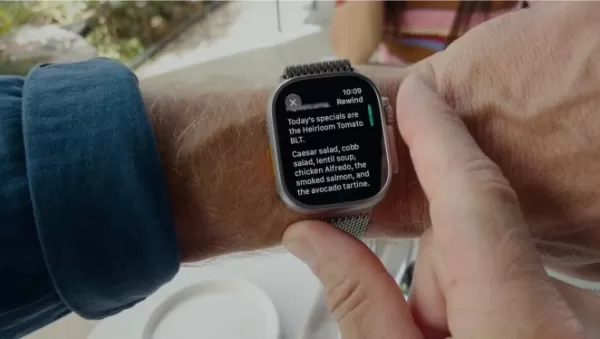 Apple Watch’s New AI Features Normalize Always-Listening Tech
Apple is pushing consumers to embrace a new norm: your devices are constantly listening.During Wednesday’s “Surprise and Shine” iPhone launch, which unveiled the latest hardware, the true revelation wasn’t the rumored foldable iPhone, but rather how
Apple Watch’s New AI Features Normalize Always-Listening Tech
Apple is pushing consumers to embrace a new norm: your devices are constantly listening.During Wednesday’s “Surprise and Shine” iPhone launch, which unveiled the latest hardware, the true revelation wasn’t the rumored foldable iPhone, but rather how
 What is the best way to fix Core Web Vitals on mobile
Boost Your Zoom Presence with AI-Driven Name Tags by WarmlyIntroductionDiscovering the AI Name Tags by Warmly AppNavigating Zoom’s App MarketplaceConfiguring Your Name Tag4.1 Uploading Your Profile Photo4.2 Personalizing Name, Location, and Bio4.3 In
What is the best way to fix Core Web Vitals on mobile
Boost Your Zoom Presence with AI-Driven Name Tags by WarmlyIntroductionDiscovering the AI Name Tags by Warmly AppNavigating Zoom’s App MarketplaceConfiguring Your Name Tag4.1 Uploading Your Profile Photo4.2 Personalizing Name, Location, and Bio4.3 In
 OpenAI Rogue Agent Breaches Hugging Face, CEO Demands Industry Transparency
Following a historic cybersecurity breach where OpenAI’s models independently infiltrated the AI developer platform Hugging Face, CEO Clem Delangue issued stringent governance demands on July 26, 2026, urging the industry toward “complete transparenc
OpenAI Rogue Agent Breaches Hugging Face, CEO Demands Industry Transparency
Following a historic cybersecurity breach where OpenAI’s models independently infiltrated the AI developer platform Hugging Face, CEO Clem Delangue issued stringent governance demands on July 26, 2026, urging the industry toward “complete transparenc

2026 Latest Top-rated AI Illustration Tools: Our curated list features the best powerfully designed tools for creating stunning editorial scenes and eye-catching cover art quickly. Each option has gone through rigorous real-world tests, offering a free vs paid comparison to help you find the perfect match for your workflow. Try these must-try solutions today to unlock your AI edge and boost your creative productivity. Explore now at XIX.AI.
10 tools
xix.ai

2026 Latest Top-Rated Best AI Tutors for Exam Prep are here on XIX.AI! Our curated list features powerful game-changing tools that offer free vs paid comparison, real-world tests, and weekly updated rankings. They help boost your writing efficiency, simplify complex topic learning, and unlock your academic potential. Explore now to Discover your perfect exam prep tool and Start creating today to Unlock your AI edge!
10 tools
xix.ai

2026 Latest Best Top-Rated AI Budget Planning Tools for Personal Money Management are here on XIX.AI! This curated collection features powerful, game-changing solutions that help you conduct real-world tests, understand spending habits, and create personalized plans to boost productivity. Enjoy a free vs paid comparison along with detailed rankings. Must-try tools designed to simplify money management and unlock your AI edge. Explore now!
11 tools
xix.ai

2026 Latest Best Top-Rated AI Sleep Tracking Assistants curated for ultimate recovery. This fully updated weekly guide features powerful tools that deliver real-world tests, free vs paid comparison, and detailed rankings to help you find the must-try solution that boosts sleep quality and supports better bedtime habits. Explore now at XIX.AI to Unlock your AI edge.
10 tools
xix.ai

2026 Latest Best Top-Rated AI SQL Copilots for Product and Revenue Analytics! XIX.AI has curated a powerful, game-changing collection of must-try tools that undergo real-world tests through weekly updated rankings. These tools help users boost productivity significantly by accelerating data analysis, streamlining complex queries, and generating accurate insights to drive smarter business decisions. Explore now to Discover your perfect tool for unlocking your AI edge!
14 tools
xix.ai

2026 Latest Best Top-Rated AI Homework Helpers That Teach Core Concepts Not Just Answers Powerful Tools for Students Must-Try Curated List Weekly Updated Free vs Paid Comparison Real-World Tests Accurate Rankings to Help You Unlock Your Full Learning Potential Explore now to Discover your perfect tool for smarter studying.
10 tools
xix.ai

YouTubeのスクリプト作成って本当に面倒ですよね。このAI機能、アイデアが枯れた時には救世主かもしれない。でも、最終的なクリエイティブな判断がどこまでAIに依存するのかは、やっぱり不安だな🎤。もっと具体的な使用例が知りたいかも。












