


 Home
HomeLevel Up Your Instagram Game With AI Video Editing
To maximize your reach and go viral on Instagram, creating trending video content is essential. In 2025, leveraging AI is the key to producing captivating videos that attract millions of views. This guide offers a straightforward method to embrace AI video editing, helping you craft high-quality viral videos that amplify your Instagram profile.
Key Points
Learn how to produce a popular AI-edited video with PixVerse AI.
Master navigating the PixVerse AI platform through Anupsagar.com.
Understand how to choose popular effects and templates.
See how to upload your media and generate impressive AI videos.
Edit your videos by incorporating music and eliminating watermarks.
Discover the steps for saving and uploading videos to Instagram.
Creating Viral Videos with AI: A Step-by-Step Guide
Accessing PixVerse AI for Video Editing
Ready to start with AI video editing? Launch the Chrome browser on your smartphone.
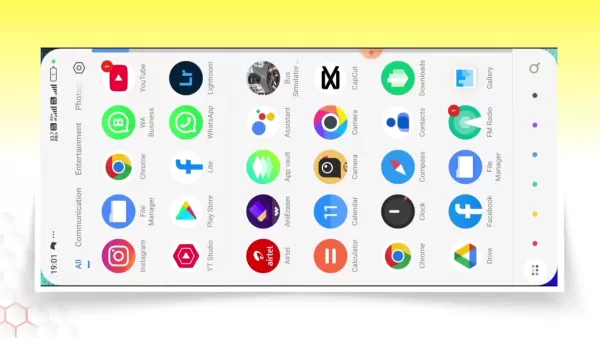
Type anupsagar.com into the search bar and press enter. This site serves as your entry point to PixVerse AI, a tool designed for effortless viral video creation. Once the website loads, various posts will appear. If the PixVerse AI post isn't immediately visible, use the site's search function (typically a magnifying glass icon) and enter 'PixVerse AI'. This should quickly locate the correct post.
Navigating the Anupsagar Website for PixVerse AI
After finding the PixVerse AI post, click to open it. Scroll down until you spot a red button reading 'Try PixVerse for Free'.
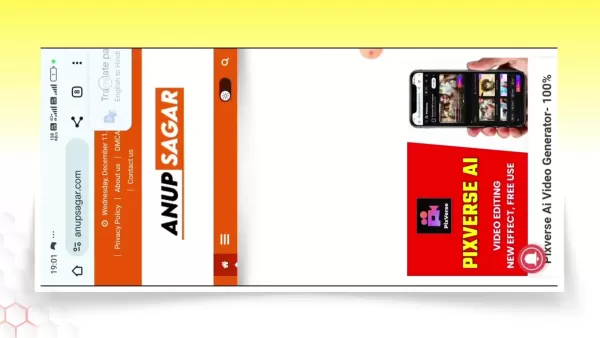
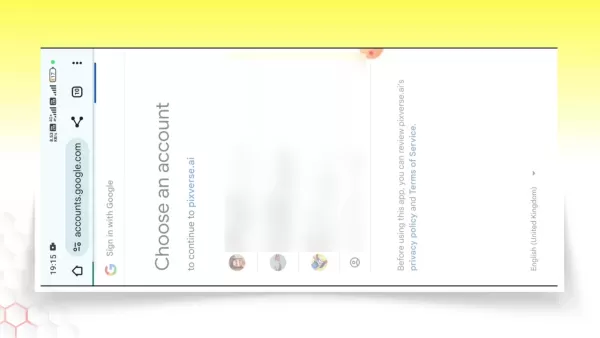
Clicking this button takes you directly to the PixVerse AI platform. If you're using a new device or accessing it for the first time, you might be redirected to the Play Store for app download. Ensure you have the correct app installed before moving ahead.
Selecting the Right Effect on PixVerse AI
Upon reaching the PixVerse AI platform, you’ll see a range of available effects.
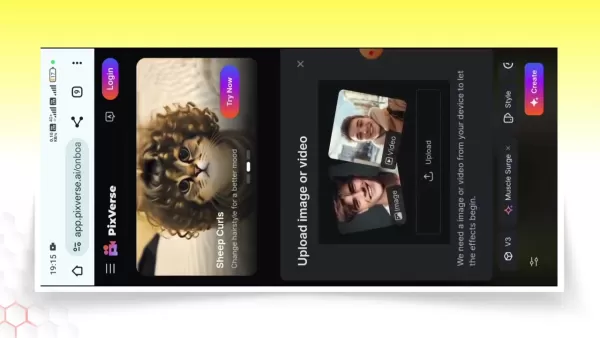
These effects are templates that can elevate your video into an attention-grabbing piece. Browse the choices and pick an effect that aligns with your desired style. Focus on trending options, as these are more likely to engage viewers on Instagram. For example, the Muscle Surge effect, as noted in the video, is a strong choice.
Uploading Your Video and Preparing for AI Transformation
Once you’ve chosen an effect, the next step is to upload your video to PixVerse AI.
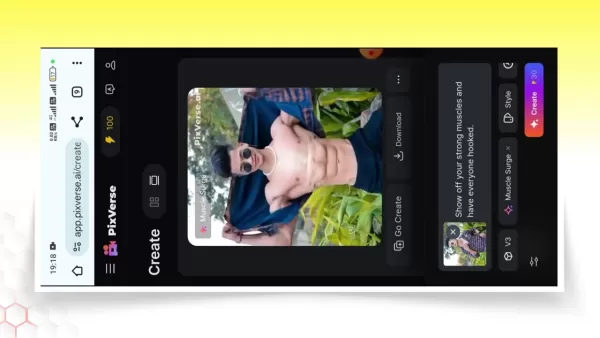
Locate and tap the 'Upload' button to access your phone’s gallery. Select the video you wish to transform. PixVerse AI will then process your video with the selected effect, which may take a short while. For optimal outcomes, use a high-quality original video.
Finalizing and Downloading Your AI-Edited Video
After PixVerse AI completes processing, preview the results. If satisfied, tap 'Create' to finalize the video. Note that free versions often include a watermark. To remove it, save the video and use an editing app like VN to crop out the watermark. Click the download icon to save the video to your device.
Editing the video in VN to remove watermark, adding music and more
Open the 'More Options' menu and select to export the video to the VN app for watermark removal. Click the option again to download it. To add music, select the audio tool in VN, adjust volume levels, and confirm. Save the final version by pressing the export button, completing the process of watermark removal and music integration.
Exploring Popular Effects in PixVerse AI
Muscle Surge Effect
The Muscle Surge effect is currently popular on Instagram. Ideal for playful, muscle-focused posts, it can generate humorous and interactive content that sparks conversation.
This effect is excellent for producing compelling videos that engage your audience.
Advantages and Disadvantages of Using PixVerse AI for Video Editing
Pros
User-Friendly Interface
Quick Video Editing
Trending Effects
Free Version Available
Cons
Watermark on Free Videos
Dependence on Internet Connection
Limited Customization Options
Potential Privacy Concerns
Frequently Asked Questions
Is PixVerse AI really free to use?
Yes, PixVerse AI has a free version for creating AI-edited videos, though it usually includes a watermark. You can remove this using a separate video editing application.
Can I use PixVerse AI on my computer?
Currently, PixVerse AI is optimized for mobile use via a browser or dedicated app. Refer to their website for any announcements about future desktop support.
Are there any limitations to the length of videos I can edit?
Video length restrictions can depend on the specific effect and platform policies. Review PixVerse AI's official documentation for exact constraints.
What kind of videos work best with AI video editing?
AI video editing enhances many video types, particularly those requiring visual effects and a standout appearance. Try different formats to determine what suits your content style.
How often does PixVerse AI update its effects and templates?
PixVerse AI frequently refreshes its effect library to stay current with trends. Regularly visit the platform to explore new additions.
Related Questions
How to Remove Watermarks from Edited Videos?
Removing watermarks can enhance your video’s professional appearance. Methods include: Cropping: Use an editor like VN to crop the watermark area. Dedicated Tools: Apply reliable online or app-based watermark removers, ensuring they protect your privacy. Covering: Place your own logo or graphic over the watermark using a video editor, promoting your brand instead. Premium Subscription: Upgrade to a paid version of the editing tool, which generally removes watermarks automatically.
How to Add Music to My Instagram Videos?
Music can greatly improve your video’s appeal. Methods include: Instagram's Music Library: When uploading, tap the music icon to pick a licensed track hassle-free. Video Editing Apps: Use programs like VN to add music before uploading, giving you greater editing flexibility. Original or Licensed Music: Compose your own music or secure proper licenses for copyrighted songs to avoid infringement issues. Volume Adjustment: Fine-tune audio levels so the music balances well with dialogue and other sounds in your editing app.
Related article
 Stripe to Acquire OpenRouter as AI Model Routing Gains Momentum
Stripe has agreed to acquire OpenRouter, an AI model-routing platform that gives developers access to hundreds of models through a single interface. The deal adds model selection and routing to Stripe’s existing work around AI usage and token-based b
Former OpenAI Researcher Barrett Zoph Returns to Google to Support Gemini Development
Barret Zoph, who previously abruptly left and joined OpenAI due to a disagreement with Thinking Machines Lab CEO Miriam Mularati, has once again changed employers. Alphabet's Google announced that Zoph will return as Vice President of Research, bring
How Recursive Intelligence Raised $335M at $4B Valuation in 4 Months
The co-founders of startup Ricursive Intelligence seemed destined to be co-founders.Anna Goldie, CEO, and Azalia Mirhoseini, CTO, are so well-known in the AI community that they were among those AI engineers who “got those weird emails from Zuckerber
Related Special Topic Recommendations
Design & Art
Stripe to Acquire OpenRouter as AI Model Routing Gains Momentum
Stripe has agreed to acquire OpenRouter, an AI model-routing platform that gives developers access to hundreds of models through a single interface. The deal adds model selection and routing to Stripe’s existing work around AI usage and token-based b
Former OpenAI Researcher Barrett Zoph Returns to Google to Support Gemini Development
Barret Zoph, who previously abruptly left and joined OpenAI due to a disagreement with Thinking Machines Lab CEO Miriam Mularati, has once again changed employers. Alphabet's Google announced that Zoph will return as Vice President of Research, bring
How Recursive Intelligence Raised $335M at $4B Valuation in 4 Months
The co-founders of startup Ricursive Intelligence seemed destined to be co-founders.Anna Goldie, CEO, and Azalia Mirhoseini, CTO, are so well-known in the AI community that they were among those AI engineers who “got those weird emails from Zuckerber
Related Special Topic Recommendations
Design & Art
 Top AI Illustration Tools: Create Editorial Scenes and Cover Art Faster
2026 Latest Top-rated AI Illustration Tools: Our curated list features the best powerfully designed tools for creating stunning editorial scenes and eye-catching cover art quickly. Each option has gone through rigorous real-world tests, offering a free vs paid comparison to help you find the perfect match for your workflow. Try these must-try solutions today to unlock your AI edge and boost your creative productivity. Explore now at XIX.AI.
 10 tools
 xix.ai
Education and Learning
Top AI Tutors for Exam Prep: Practice Math, Science, and English
xix.ai
Education and Learning
Top AI Tutors for Exam Prep: Practice Math, Science, and English
2026 Latest Top-Rated Best AI Tutors for Exam Prep are here on XIX.AI! Our curated list features powerful game-changing tools that offer free vs paid comparison, real-world tests, and weekly updated rankings. They help boost your writing efficiency, simplify complex topic learning, and unlock your academic potential. Explore now to Discover your perfect exam prep tool and Start creating today to Unlock your AI edge!
10 tools
xix.ai
Finance
AI Budget Planning Tools for Personal Money Management
2026 Latest Best Top-Rated AI Budget Planning Tools for Personal Money Management are here on XIX.AI! This curated collection features powerful, game-changing solutions that help you conduct real-world tests, understand spending habits, and create personalized plans to boost productivity. Enjoy a free vs paid comparison along with detailed rankings. Must-try tools designed to simplify money management and unlock your AI edge. Explore now!
11 tools
xix.ai
Health & Wellness
AI Sleep Tracking Assistants: Improve Recovery with Better Bedtime Habits
2026 Latest Best Top-Rated AI Sleep Tracking Assistants curated for ultimate recovery. This fully updated weekly guide features powerful tools that deliver real-world tests, free vs paid comparison, and detailed rankings to help you find the must-try solution that boosts sleep quality and supports better bedtime habits. Explore now at XIX.AI to Unlock your AI edge.
10 tools
xix.ai
Data Analysis
AI SQL Copilots for Product and Revenue Analytics
2026 Latest Best Top-Rated AI SQL Copilots for Product and Revenue Analytics! XIX.AI has curated a powerful, game-changing collection of must-try tools that undergo real-world tests through weekly updated rankings. These tools help users boost productivity significantly by accelerating data analysis, streamlining complex queries, and generating accurate insights to drive smarter business decisions. Explore now to Discover your perfect tool for unlocking your AI edge!
14 tools
xix.ai
Education and Learning
Best AI Homework Helpers That Teach: Learn Concepts, Not Just Answers
2026 Latest Best Top-Rated AI Homework Helpers That Teach Core Concepts Not Just Answers Powerful Tools for Students Must-Try Curated List Weekly Updated Free vs Paid Comparison Real-World Tests Accurate Rankings to Help You Unlock Your Full Learning Potential Explore now to Discover your perfect tool for smarter studying.
10 tools
xix.ai

 Comments (1)
0/500
Comments (1)
0/500
![MatthewScott]()
¿Qué tan efectiva es realmente la IA para hacer videos virales? Aunque el artículo promete millones de visitas, me pregunto si esto hará que todo el contenido se sienta igual de genérico con el tiempo. Esperemos que se mantenga espacio para la creatividad real 🧐.
To maximize your reach and go viral on Instagram, creating trending video content is essential. In 2025, leveraging AI is the key to producing captivating videos that attract millions of views. This guide offers a straightforward method to embrace AI video editing, helping you craft high-quality viral videos that amplify your Instagram profile.
Key Points
Learn how to produce a popular AI-edited video with PixVerse AI.
Master navigating the PixVerse AI platform through Anupsagar.com.
Understand how to choose popular effects and templates.
See how to upload your media and generate impressive AI videos.
Edit your videos by incorporating music and eliminating watermarks.
Discover the steps for saving and uploading videos to Instagram.
Creating Viral Videos with AI: A Step-by-Step Guide
Accessing PixVerse AI for Video Editing
Ready to start with AI video editing? Launch the Chrome browser on your smartphone.
Type anupsagar.com into the search bar and press enter. This site serves as your entry point to PixVerse AI, a tool designed for effortless viral video creation. Once the website loads, various posts will appear. If the PixVerse AI post isn't immediately visible, use the site's search function (typically a magnifying glass icon) and enter 'PixVerse AI'. This should quickly locate the correct post.
Navigating the Anupsagar Website for PixVerse AI
After finding the PixVerse AI post, click to open it. Scroll down until you spot a red button reading 'Try PixVerse for Free'.
Clicking this button takes you directly to the PixVerse AI platform. If you're using a new device or accessing it for the first time, you might be redirected to the Play Store for app download. Ensure you have the correct app installed before moving ahead.
Selecting the Right Effect on PixVerse AI
Upon reaching the PixVerse AI platform, you’ll see a range of available effects.
These effects are templates that can elevate your video into an attention-grabbing piece. Browse the choices and pick an effect that aligns with your desired style. Focus on trending options, as these are more likely to engage viewers on Instagram. For example, the Muscle Surge effect, as noted in the video, is a strong choice.
Uploading Your Video and Preparing for AI Transformation
Once you’ve chosen an effect, the next step is to upload your video to PixVerse AI.
Locate and tap the 'Upload' button to access your phone’s gallery. Select the video you wish to transform. PixVerse AI will then process your video with the selected effect, which may take a short while. For optimal outcomes, use a high-quality original video.
Finalizing and Downloading Your AI-Edited Video
After PixVerse AI completes processing, preview the results. If satisfied, tap 'Create' to finalize the video. Note that free versions often include a watermark. To remove it, save the video and use an editing app like VN to crop out the watermark. Click the download icon to save the video to your device.
Editing the video in VN to remove watermark, adding music and more
Open the 'More Options' menu and select to export the video to the VN app for watermark removal. Click the option again to download it. To add music, select the audio tool in VN, adjust volume levels, and confirm. Save the final version by pressing the export button, completing the process of watermark removal and music integration.
Exploring Popular Effects in PixVerse AI
Muscle Surge Effect
The Muscle Surge effect is currently popular on Instagram. Ideal for playful, muscle-focused posts, it can generate humorous and interactive content that sparks conversation.
This effect is excellent for producing compelling videos that engage your audience.
Advantages and Disadvantages of Using PixVerse AI for Video Editing
Pros
User-Friendly Interface
Quick Video Editing
Trending Effects
Free Version Available
Cons
Watermark on Free Videos
Dependence on Internet Connection
Limited Customization Options
Potential Privacy Concerns
Frequently Asked Questions
Is PixVerse AI really free to use?
Yes, PixVerse AI has a free version for creating AI-edited videos, though it usually includes a watermark. You can remove this using a separate video editing application.
Can I use PixVerse AI on my computer?
Currently, PixVerse AI is optimized for mobile use via a browser or dedicated app. Refer to their website for any announcements about future desktop support.
Are there any limitations to the length of videos I can edit?
Video length restrictions can depend on the specific effect and platform policies. Review PixVerse AI's official documentation for exact constraints.
What kind of videos work best with AI video editing?
AI video editing enhances many video types, particularly those requiring visual effects and a standout appearance. Try different formats to determine what suits your content style.
How often does PixVerse AI update its effects and templates?
PixVerse AI frequently refreshes its effect library to stay current with trends. Regularly visit the platform to explore new additions.
Related Questions
How to Remove Watermarks from Edited Videos?
Removing watermarks can enhance your video’s professional appearance. Methods include: Cropping: Use an editor like VN to crop the watermark area. Dedicated Tools: Apply reliable online or app-based watermark removers, ensuring they protect your privacy. Covering: Place your own logo or graphic over the watermark using a video editor, promoting your brand instead. Premium Subscription: Upgrade to a paid version of the editing tool, which generally removes watermarks automatically.
How to Add Music to My Instagram Videos?
Music can greatly improve your video’s appeal. Methods include: Instagram's Music Library: When uploading, tap the music icon to pick a licensed track hassle-free. Video Editing Apps: Use programs like VN to add music before uploading, giving you greater editing flexibility. Original or Licensed Music: Compose your own music or secure proper licenses for copyrighted songs to avoid infringement issues. Volume Adjustment: Fine-tune audio levels so the music balances well with dialogue and other sounds in your editing app.








 Stripe to Acquire OpenRouter as AI Model Routing Gains Momentum
Stripe has agreed to acquire OpenRouter, an AI model-routing platform that gives developers access to hundreds of models through a single interface. The deal adds model selection and routing to Stripe’s existing work around AI usage and token-based b
Stripe to Acquire OpenRouter as AI Model Routing Gains Momentum
Stripe has agreed to acquire OpenRouter, an AI model-routing platform that gives developers access to hundreds of models through a single interface. The deal adds model selection and routing to Stripe’s existing work around AI usage and token-based b
 Former OpenAI Researcher Barrett Zoph Returns to Google to Support Gemini Development
Barret Zoph, who previously abruptly left and joined OpenAI due to a disagreement with Thinking Machines Lab CEO Miriam Mularati, has once again changed employers. Alphabet's Google announced that Zoph will return as Vice President of Research, bring
Former OpenAI Researcher Barrett Zoph Returns to Google to Support Gemini Development
Barret Zoph, who previously abruptly left and joined OpenAI due to a disagreement with Thinking Machines Lab CEO Miriam Mularati, has once again changed employers. Alphabet's Google announced that Zoph will return as Vice President of Research, bring
 How Recursive Intelligence Raised $335M at $4B Valuation in 4 Months
The co-founders of startup Ricursive Intelligence seemed destined to be co-founders.Anna Goldie, CEO, and Azalia Mirhoseini, CTO, are so well-known in the AI community that they were among those AI engineers who “got those weird emails from Zuckerber
How Recursive Intelligence Raised $335M at $4B Valuation in 4 Months
The co-founders of startup Ricursive Intelligence seemed destined to be co-founders.Anna Goldie, CEO, and Azalia Mirhoseini, CTO, are so well-known in the AI community that they were among those AI engineers who “got those weird emails from Zuckerber

2026 Latest Top-rated AI Illustration Tools: Our curated list features the best powerfully designed tools for creating stunning editorial scenes and eye-catching cover art quickly. Each option has gone through rigorous real-world tests, offering a free vs paid comparison to help you find the perfect match for your workflow. Try these must-try solutions today to unlock your AI edge and boost your creative productivity. Explore now at XIX.AI.
10 tools
xix.ai

2026 Latest Top-Rated Best AI Tutors for Exam Prep are here on XIX.AI! Our curated list features powerful game-changing tools that offer free vs paid comparison, real-world tests, and weekly updated rankings. They help boost your writing efficiency, simplify complex topic learning, and unlock your academic potential. Explore now to Discover your perfect exam prep tool and Start creating today to Unlock your AI edge!
10 tools
xix.ai

2026 Latest Best Top-Rated AI Budget Planning Tools for Personal Money Management are here on XIX.AI! This curated collection features powerful, game-changing solutions that help you conduct real-world tests, understand spending habits, and create personalized plans to boost productivity. Enjoy a free vs paid comparison along with detailed rankings. Must-try tools designed to simplify money management and unlock your AI edge. Explore now!
11 tools
xix.ai

2026 Latest Best Top-Rated AI Sleep Tracking Assistants curated for ultimate recovery. This fully updated weekly guide features powerful tools that deliver real-world tests, free vs paid comparison, and detailed rankings to help you find the must-try solution that boosts sleep quality and supports better bedtime habits. Explore now at XIX.AI to Unlock your AI edge.
10 tools
xix.ai

2026 Latest Best Top-Rated AI SQL Copilots for Product and Revenue Analytics! XIX.AI has curated a powerful, game-changing collection of must-try tools that undergo real-world tests through weekly updated rankings. These tools help users boost productivity significantly by accelerating data analysis, streamlining complex queries, and generating accurate insights to drive smarter business decisions. Explore now to Discover your perfect tool for unlocking your AI edge!
14 tools
xix.ai

2026 Latest Best Top-Rated AI Homework Helpers That Teach Core Concepts Not Just Answers Powerful Tools for Students Must-Try Curated List Weekly Updated Free vs Paid Comparison Real-World Tests Accurate Rankings to Help You Unlock Your Full Learning Potential Explore now to Discover your perfect tool for smarter studying.
10 tools
xix.ai

¿Qué tan efectiva es realmente la IA para hacer videos virales? Aunque el artículo promete millones de visitas, me pregunto si esto hará que todo el contenido se sienta igual de genérico con el tiempo. Esperemos que se mantenga espacio para la creatividad real 🧐.












