


 Home
HomeAI Presentation Generator: Create Compelling Slides Effortlessly
In the rapid-fire modern workplace, captivating presentations are essential for clear communication and achieving results. Yet, producing polished, professional slides can drain hours and challenge those without a design background. The emergence of artificial intelligence (AI) has fundamentally changed how we build presentations. This guide details how AI-powered slide generators, including platforms such as ChatGPT and Kimi, help you design impressive presentations effortlessly—saving precious time and increasing audience involvement.
Key Points
AI presentation tools can construct entire slide decks using simple text instructions or by analyzing uploaded documents.
Platforms like ChatGPT and Kimi employ distinct strategies for AI-driven slide creation.
Kimi focuses specifically on PPT generation, providing a range of templates and the ability to create slides directly from Word files.
Artificial intelligence can assist in polishing your content, recommending imagery, and guaranteeing a professional finish.
Blending multiple AI tools can create a smooth and efficient workflow for the entire presentation process.
Unlocking Presentation Magic with AI
What is an AI Presentation Generator?
An AI presentation generator automates the design of slideshows by utilizing artificial intelligence. This technology helps with multiple facets of presentation development, such as:
- Content generation:
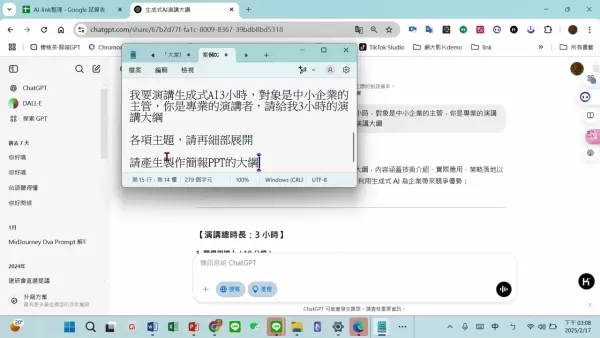
Based on your subject or keywords, AI can compose textual content, conserving your time on research and writing.
- Template selection:The AI can recommend suitable design templates that match your content's purpose and your intended audience, ensuring a visually attractive and polished appearance.
- Layout design:Elements on your slides can be automatically organized by the AI for maximum readability and strong visual effect.
- Image and icon suggestions:To strengthen your message and improve slide appeal, AI can propose relevant photographs and icons.
- Formatting and styling:Your presentation will maintain uniform fonts, colors, and spacing throughout, resulting in a cohesive and refined final product.
By handling these duties automatically, AI presentation builders enable users to produce high-caliber slides rapidly and effectively, regardless of their design expertise. Different tools emphasize various parts of the process, such as content enhancement or visual arrangement. Knowing these distinctions helps you pick the ideal tool for your project and get the most out of your time.
The Power of ChatGPT for Presentation Outlines
Created by OpenAI, ChatGPT is a highly adaptable language model capable of numerous tasks, among them drafting presentation outlines and scripts. Although it doesn't build slides itself, it is incredibly useful for mapping out your presentation's framework and narrative. Here are its main applications:
- Topic brainstorming:Give ChatGPT your main topic and any goals; it will propose different subtopics, perspectives, and talking points for your slides.
- Outline creation:Request a comprehensive outline with proposed slide titles, section headers, and the principal ideas to cover for each one, establishing a firm structural blueprint.
- Script generation:ChatGPT can draft speaker notes or a full script for each slide, aiding in the delivery of a focused and compelling presentation.
- Content refinement:If you have a draft, ChatGPT can help polish it for better clarity, grammar, and overall effectiveness.
Using ChatGPT's capacity for generating structured and creative text saves considerable effort during the planning phase. You can then use a different application to transform that outline into a formatted, visual slide deck.
Kimi: AI-Powered PPT Generation
A Streamlined Approach to Slide Creation
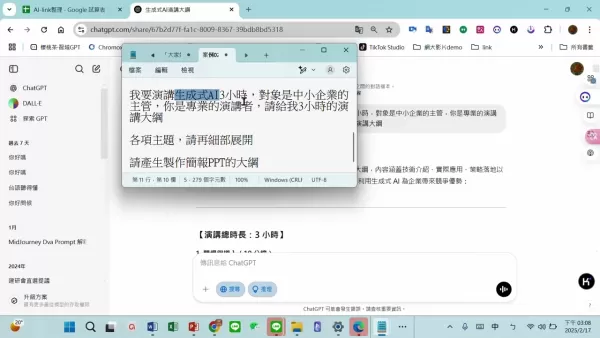
Kimi adopts a more straightforward method for AI-powered presentation creation. While ChatGPT centers on text and structure, Kimi specializes in producing the actual PowerPoint file. Key aspects of Kimi include:
- Word to PPT Conversion:A primary feature is its direct transformation of Word documents into PPT files, which is extremely helpful if your content already exists as a report or written summary.
- Template Variety:You can select from a library of professionally designed templates, guaranteeing your final presentation has a sharp, business-appropriate look.
- Automated Design:Kimi automatically takes your Word document's content, applies formatting, and positions it within your chosen template, producing a near-complete slideshow with little input.
- AI-Powered Refinement:Beyond basic conversion, Kimi uses AI to assess and improve the generated slides, offering recommendations on layout adjustments, typography, and graphics.
Kimi is an excellent solution for anyone needing to quickly transform text-based material into a professional PPT. Its direct document conversion and automatic styling drastically cut down the time and labor involved in building slides manually.
Creating an AI-Powered Presentation: A Step-by-Step Guide
Steps to Create a PPT
- Outline Creation with ChatGPT:First, define your presentation's core topic, intended audience, and primary objectives. Feed this information to ChatGPT and instruct it to produce a structured outline with headings and main ideas for every slide.
- Refine and Finalize the Outline:Examine the AI-generated outline, editing and tailoring it to ensure it correctly conveys your message and thoroughly addresses the subject.
- Prepare Your Word Document:
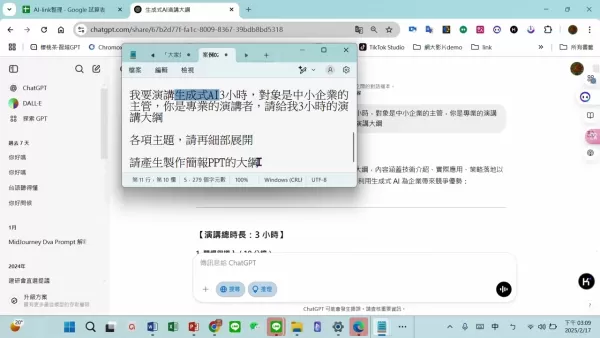
Expand your finalized outline into a properly formatted Word document, using distinct headings and subheadings. This file becomes the direct input for Kimi.
- Access Kimi and Upload Your Document: Go to the Kimi website and upload your prepared Word document.
- Select a Template: Browse the template gallery and pick a design that matches your presentation's theme, desired tone, and audience expectations, considering colors, fonts, and overall style.
- Generate the PPT Presentation:Start the generation process. Kimi will process your document, automatically creating a slide deck formatted according to the template.
- Review and Refine:Once Kimi produces the presentation, carefully go through each slide.
Following this process lets you develop a professionally styled PowerPoint swiftly and effectively, using AI to simplify design work and amplify your core message.
FAQ
Can I use AI presentation generators if I have no design experience?
Definitely. These tools are built for ease of use, making them accessible even if you have no prior design knowledge. Their straightforward interfaces and automated styling allow anyone to craft polished slides.
Are AI-generated presentations customizable?
Yes, they are. AI generators handle the heavy lifting of initial design, but they also provide various editing options. You can usually alter layouts, change fonts and colors, swap images, and more to tailor the presentation to your specific needs and branding.
Which one between ChatGPT and Kimi is better to use for generating PPT?
Each excels in a different role. ChatGPT is superior for structuring your narrative and writing the script. Kimi is the better option for actually building the final PowerPoint file from your content and a template.
Related Questions
What are the benefits of using AI in presentation creation?
Integrating AI into your presentation workflow provides several key advantages:Time efficiency: Automation of labor-intensive tasks like writing, template picking, and formatting allows for dramatically faster creation.Improved aesthetics: The technology helps you achieve a professional, consistent design with appealing visuals, bypassing the need for advanced skills.Higher engagement: AI can recommend compelling content and graphics that draw in your audience and maintain their focus.Better teamwork: Certain AI platforms include collaborative functions, letting several people edit a presentation at the same time, which improves group coordination.Cost reduction: By minimizing reliance on professional designers or premium software, AI tools can significantly lower the expenses associated with producing quality presentations. These advantages make AI an incredibly useful resource for anyone aiming to create powerful presentations quickly and with minimal hassle.
Related article
 Stripe to Acquire OpenRouter as AI Model Routing Gains Momentum
Stripe has agreed to acquire OpenRouter, an AI model-routing platform that gives developers access to hundreds of models through a single interface. The deal adds model selection and routing to Stripe’s existing work around AI usage and token-based b
Former OpenAI Researcher Barrett Zoph Returns to Google to Support Gemini Development
Barret Zoph, who previously abruptly left and joined OpenAI due to a disagreement with Thinking Machines Lab CEO Miriam Mularati, has once again changed employers. Alphabet's Google announced that Zoph will return as Vice President of Research, bring
How Recursive Intelligence Raised $335M at $4B Valuation in 4 Months
The co-founders of startup Ricursive Intelligence seemed destined to be co-founders.Anna Goldie, CEO, and Azalia Mirhoseini, CTO, are so well-known in the AI community that they were among those AI engineers who “got those weird emails from Zuckerber
Related Special Topic Recommendations
Design & Art
Stripe to Acquire OpenRouter as AI Model Routing Gains Momentum
Stripe has agreed to acquire OpenRouter, an AI model-routing platform that gives developers access to hundreds of models through a single interface. The deal adds model selection and routing to Stripe’s existing work around AI usage and token-based b
Former OpenAI Researcher Barrett Zoph Returns to Google to Support Gemini Development
Barret Zoph, who previously abruptly left and joined OpenAI due to a disagreement with Thinking Machines Lab CEO Miriam Mularati, has once again changed employers. Alphabet's Google announced that Zoph will return as Vice President of Research, bring
How Recursive Intelligence Raised $335M at $4B Valuation in 4 Months
The co-founders of startup Ricursive Intelligence seemed destined to be co-founders.Anna Goldie, CEO, and Azalia Mirhoseini, CTO, are so well-known in the AI community that they were among those AI engineers who “got those weird emails from Zuckerber
Related Special Topic Recommendations
Design & Art
 Top AI Illustration Tools: Create Editorial Scenes and Cover Art Faster
2026 Latest Top-rated AI Illustration Tools: Our curated list features the best powerfully designed tools for creating stunning editorial scenes and eye-catching cover art quickly. Each option has gone through rigorous real-world tests, offering a free vs paid comparison to help you find the perfect match for your workflow. Try these must-try solutions today to unlock your AI edge and boost your creative productivity. Explore now at XIX.AI.
 10 tools
 xix.ai
Education and Learning
Top AI Tutors for Exam Prep: Practice Math, Science, and English
xix.ai
Education and Learning
Top AI Tutors for Exam Prep: Practice Math, Science, and English
2026 Latest Top-Rated Best AI Tutors for Exam Prep are here on XIX.AI! Our curated list features powerful game-changing tools that offer free vs paid comparison, real-world tests, and weekly updated rankings. They help boost your writing efficiency, simplify complex topic learning, and unlock your academic potential. Explore now to Discover your perfect exam prep tool and Start creating today to Unlock your AI edge!
10 tools
xix.ai
Finance
AI Budget Planning Tools for Personal Money Management
2026 Latest Best Top-Rated AI Budget Planning Tools for Personal Money Management are here on XIX.AI! This curated collection features powerful, game-changing solutions that help you conduct real-world tests, understand spending habits, and create personalized plans to boost productivity. Enjoy a free vs paid comparison along with detailed rankings. Must-try tools designed to simplify money management and unlock your AI edge. Explore now!
11 tools
xix.ai
Health & Wellness
AI Sleep Tracking Assistants: Improve Recovery with Better Bedtime Habits
2026 Latest Best Top-Rated AI Sleep Tracking Assistants curated for ultimate recovery. This fully updated weekly guide features powerful tools that deliver real-world tests, free vs paid comparison, and detailed rankings to help you find the must-try solution that boosts sleep quality and supports better bedtime habits. Explore now at XIX.AI to Unlock your AI edge.
10 tools
xix.ai
Data Analysis
AI SQL Copilots for Product and Revenue Analytics
2026 Latest Best Top-Rated AI SQL Copilots for Product and Revenue Analytics! XIX.AI has curated a powerful, game-changing collection of must-try tools that undergo real-world tests through weekly updated rankings. These tools help users boost productivity significantly by accelerating data analysis, streamlining complex queries, and generating accurate insights to drive smarter business decisions. Explore now to Discover your perfect tool for unlocking your AI edge!
14 tools
xix.ai
Education and Learning
Best AI Homework Helpers That Teach: Learn Concepts, Not Just Answers
2026 Latest Best Top-Rated AI Homework Helpers That Teach Core Concepts Not Just Answers Powerful Tools for Students Must-Try Curated List Weekly Updated Free vs Paid Comparison Real-World Tests Accurate Rankings to Help You Unlock Your Full Learning Potential Explore now to Discover your perfect tool for smarter studying.
10 tools
xix.ai

 Comments (2)
0/500
Comments (2)
0/500
![DouglasMartínez]()
I'm a bit skeptical about AI-generated slides tbh. They usually miss that human spark that makes a presentation feel genuine. But if it cuts down the time I spend wrestling with formatting, maybe I'll give it a shot. 😅
![CharlesWhite]()
Does this thing actually understand that not every slide needs a million bullet points? I’ve seen too many AI tools vomit text everywhere. Hope it prioritizes clarity over flashiness. 🤞
In the rapid-fire modern workplace, captivating presentations are essential for clear communication and achieving results. Yet, producing polished, professional slides can drain hours and challenge those without a design background. The emergence of artificial intelligence (AI) has fundamentally changed how we build presentations. This guide details how AI-powered slide generators, including platforms such as ChatGPT and Kimi, help you design impressive presentations effortlessly—saving precious time and increasing audience involvement.
Key Points
AI presentation tools can construct entire slide decks using simple text instructions or by analyzing uploaded documents.
Platforms like ChatGPT and Kimi employ distinct strategies for AI-driven slide creation.
Kimi focuses specifically on PPT generation, providing a range of templates and the ability to create slides directly from Word files.
Artificial intelligence can assist in polishing your content, recommending imagery, and guaranteeing a professional finish.
Blending multiple AI tools can create a smooth and efficient workflow for the entire presentation process.
Unlocking Presentation Magic with AI
What is an AI Presentation Generator?
An AI presentation generator automates the design of slideshows by utilizing artificial intelligence. This technology helps with multiple facets of presentation development, such as:
- Content generation:
Based on your subject or keywords, AI can compose textual content, conserving your time on research and writing.
- Template selection:The AI can recommend suitable design templates that match your content's purpose and your intended audience, ensuring a visually attractive and polished appearance.
- Layout design:Elements on your slides can be automatically organized by the AI for maximum readability and strong visual effect.
- Image and icon suggestions:To strengthen your message and improve slide appeal, AI can propose relevant photographs and icons.
- Formatting and styling:Your presentation will maintain uniform fonts, colors, and spacing throughout, resulting in a cohesive and refined final product.
By handling these duties automatically, AI presentation builders enable users to produce high-caliber slides rapidly and effectively, regardless of their design expertise. Different tools emphasize various parts of the process, such as content enhancement or visual arrangement. Knowing these distinctions helps you pick the ideal tool for your project and get the most out of your time.
The Power of ChatGPT for Presentation Outlines
Created by OpenAI, ChatGPT is a highly adaptable language model capable of numerous tasks, among them drafting presentation outlines and scripts. Although it doesn't build slides itself, it is incredibly useful for mapping out your presentation's framework and narrative. Here are its main applications:
- Topic brainstorming:Give ChatGPT your main topic and any goals; it will propose different subtopics, perspectives, and talking points for your slides.
- Outline creation:Request a comprehensive outline with proposed slide titles, section headers, and the principal ideas to cover for each one, establishing a firm structural blueprint.
- Script generation:ChatGPT can draft speaker notes or a full script for each slide, aiding in the delivery of a focused and compelling presentation.
- Content refinement:If you have a draft, ChatGPT can help polish it for better clarity, grammar, and overall effectiveness.
Using ChatGPT's capacity for generating structured and creative text saves considerable effort during the planning phase. You can then use a different application to transform that outline into a formatted, visual slide deck.
Kimi: AI-Powered PPT Generation
A Streamlined Approach to Slide Creation
Kimi adopts a more straightforward method for AI-powered presentation creation. While ChatGPT centers on text and structure, Kimi specializes in producing the actual PowerPoint file. Key aspects of Kimi include:
- Word to PPT Conversion:A primary feature is its direct transformation of Word documents into PPT files, which is extremely helpful if your content already exists as a report or written summary.
- Template Variety:You can select from a library of professionally designed templates, guaranteeing your final presentation has a sharp, business-appropriate look.
- Automated Design:Kimi automatically takes your Word document's content, applies formatting, and positions it within your chosen template, producing a near-complete slideshow with little input.
- AI-Powered Refinement:Beyond basic conversion, Kimi uses AI to assess and improve the generated slides, offering recommendations on layout adjustments, typography, and graphics.
Kimi is an excellent solution for anyone needing to quickly transform text-based material into a professional PPT. Its direct document conversion and automatic styling drastically cut down the time and labor involved in building slides manually.
Creating an AI-Powered Presentation: A Step-by-Step Guide
Steps to Create a PPT
- Outline Creation with ChatGPT:First, define your presentation's core topic, intended audience, and primary objectives. Feed this information to ChatGPT and instruct it to produce a structured outline with headings and main ideas for every slide.
- Refine and Finalize the Outline:Examine the AI-generated outline, editing and tailoring it to ensure it correctly conveys your message and thoroughly addresses the subject.
- Prepare Your Word Document:
Expand your finalized outline into a properly formatted Word document, using distinct headings and subheadings. This file becomes the direct input for Kimi.
- Access Kimi and Upload Your Document: Go to the Kimi website and upload your prepared Word document.
- Select a Template: Browse the template gallery and pick a design that matches your presentation's theme, desired tone, and audience expectations, considering colors, fonts, and overall style.
- Generate the PPT Presentation:Start the generation process. Kimi will process your document, automatically creating a slide deck formatted according to the template.
- Review and Refine:Once Kimi produces the presentation, carefully go through each slide.
Following this process lets you develop a professionally styled PowerPoint swiftly and effectively, using AI to simplify design work and amplify your core message.
FAQ
Can I use AI presentation generators if I have no design experience?
Definitely. These tools are built for ease of use, making them accessible even if you have no prior design knowledge. Their straightforward interfaces and automated styling allow anyone to craft polished slides.
Are AI-generated presentations customizable?
Yes, they are. AI generators handle the heavy lifting of initial design, but they also provide various editing options. You can usually alter layouts, change fonts and colors, swap images, and more to tailor the presentation to your specific needs and branding.
Which one between ChatGPT and Kimi is better to use for generating PPT?
Each excels in a different role. ChatGPT is superior for structuring your narrative and writing the script. Kimi is the better option for actually building the final PowerPoint file from your content and a template.
Related Questions
What are the benefits of using AI in presentation creation?
Integrating AI into your presentation workflow provides several key advantages:Time efficiency: Automation of labor-intensive tasks like writing, template picking, and formatting allows for dramatically faster creation.Improved aesthetics: The technology helps you achieve a professional, consistent design with appealing visuals, bypassing the need for advanced skills.Higher engagement: AI can recommend compelling content and graphics that draw in your audience and maintain their focus.Better teamwork: Certain AI platforms include collaborative functions, letting several people edit a presentation at the same time, which improves group coordination.Cost reduction: By minimizing reliance on professional designers or premium software, AI tools can significantly lower the expenses associated with producing quality presentations. These advantages make AI an incredibly useful resource for anyone aiming to create powerful presentations quickly and with minimal hassle.








 Stripe to Acquire OpenRouter as AI Model Routing Gains Momentum
Stripe has agreed to acquire OpenRouter, an AI model-routing platform that gives developers access to hundreds of models through a single interface. The deal adds model selection and routing to Stripe’s existing work around AI usage and token-based b
Stripe to Acquire OpenRouter as AI Model Routing Gains Momentum
Stripe has agreed to acquire OpenRouter, an AI model-routing platform that gives developers access to hundreds of models through a single interface. The deal adds model selection and routing to Stripe’s existing work around AI usage and token-based b
 Former OpenAI Researcher Barrett Zoph Returns to Google to Support Gemini Development
Barret Zoph, who previously abruptly left and joined OpenAI due to a disagreement with Thinking Machines Lab CEO Miriam Mularati, has once again changed employers. Alphabet's Google announced that Zoph will return as Vice President of Research, bring
Former OpenAI Researcher Barrett Zoph Returns to Google to Support Gemini Development
Barret Zoph, who previously abruptly left and joined OpenAI due to a disagreement with Thinking Machines Lab CEO Miriam Mularati, has once again changed employers. Alphabet's Google announced that Zoph will return as Vice President of Research, bring
 How Recursive Intelligence Raised $335M at $4B Valuation in 4 Months
The co-founders of startup Ricursive Intelligence seemed destined to be co-founders.Anna Goldie, CEO, and Azalia Mirhoseini, CTO, are so well-known in the AI community that they were among those AI engineers who “got those weird emails from Zuckerber
How Recursive Intelligence Raised $335M at $4B Valuation in 4 Months
The co-founders of startup Ricursive Intelligence seemed destined to be co-founders.Anna Goldie, CEO, and Azalia Mirhoseini, CTO, are so well-known in the AI community that they were among those AI engineers who “got those weird emails from Zuckerber

2026 Latest Top-rated AI Illustration Tools: Our curated list features the best powerfully designed tools for creating stunning editorial scenes and eye-catching cover art quickly. Each option has gone through rigorous real-world tests, offering a free vs paid comparison to help you find the perfect match for your workflow. Try these must-try solutions today to unlock your AI edge and boost your creative productivity. Explore now at XIX.AI.
10 tools
xix.ai

2026 Latest Top-Rated Best AI Tutors for Exam Prep are here on XIX.AI! Our curated list features powerful game-changing tools that offer free vs paid comparison, real-world tests, and weekly updated rankings. They help boost your writing efficiency, simplify complex topic learning, and unlock your academic potential. Explore now to Discover your perfect exam prep tool and Start creating today to Unlock your AI edge!
10 tools
xix.ai

2026 Latest Best Top-Rated AI Budget Planning Tools for Personal Money Management are here on XIX.AI! This curated collection features powerful, game-changing solutions that help you conduct real-world tests, understand spending habits, and create personalized plans to boost productivity. Enjoy a free vs paid comparison along with detailed rankings. Must-try tools designed to simplify money management and unlock your AI edge. Explore now!
11 tools
xix.ai

2026 Latest Best Top-Rated AI Sleep Tracking Assistants curated for ultimate recovery. This fully updated weekly guide features powerful tools that deliver real-world tests, free vs paid comparison, and detailed rankings to help you find the must-try solution that boosts sleep quality and supports better bedtime habits. Explore now at XIX.AI to Unlock your AI edge.
10 tools
xix.ai

2026 Latest Best Top-Rated AI SQL Copilots for Product and Revenue Analytics! XIX.AI has curated a powerful, game-changing collection of must-try tools that undergo real-world tests through weekly updated rankings. These tools help users boost productivity significantly by accelerating data analysis, streamlining complex queries, and generating accurate insights to drive smarter business decisions. Explore now to Discover your perfect tool for unlocking your AI edge!
14 tools
xix.ai

2026 Latest Best Top-Rated AI Homework Helpers That Teach Core Concepts Not Just Answers Powerful Tools for Students Must-Try Curated List Weekly Updated Free vs Paid Comparison Real-World Tests Accurate Rankings to Help You Unlock Your Full Learning Potential Explore now to Discover your perfect tool for smarter studying.
10 tools
xix.ai

I'm a bit skeptical about AI-generated slides tbh. They usually miss that human spark that makes a presentation feel genuine. But if it cuts down the time I spend wrestling with formatting, maybe I'll give it a shot. 😅
Does this thing actually understand that not every slide needs a million bullet points? I’ve seen too many AI tools vomit text everywhere. Hope it prioritizes clarity over flashiness. 🤞












