


 Home
HomeSynthetic Video Generator Transforms Static Images Into Motion
Video content dominates the fast-paced digital landscape, but producing compelling visuals can be time-consuming and costly. Enter AI image-to-video technology, a groundbreaking innovation that converts static pictures into dynamic, engaging videos. This advancement is transforming content creation for marketers, educators, and creators, making professional video production more accessible and efficient. Harness the power of artificial intelligence to animate your images and captivate viewers with stunning visual narratives. These intuitive, AI-driven platforms open up endless creative avenues, becoming essential tools for elevating visual storytelling.
Key Points
AI image-to-video tools convert still images into dynamic video sequences.
These platforms are increasingly user-friendly and accessible to a broad audience.
They offer substantial time and cost savings over traditional video production methods.
Applications span marketing, education, and personal creative projects.
The technology is evolving rapidly, promising even more advanced video generation capabilities.
Understanding AI Image to Video Technology
What is AI Image to Video Conversion?
AI image-to-video conversion uses artificial intelligence algorithms to create video content from one or more still images. The technology analyzes visual components within a picture—such as objects, textures, and scenery—and intelligently applies animations, transitions, and effects to simulate motion. The resulting videos can vary from simple looping animations to intricate scenes with dynamic camera movements and visual enhancements. By leveraging machine learning, these systems interpret visual data to produce high-quality videos with minimal manual input. This automation streamlines traditionally labor-intensive video production tasks, enabling users to generate engaging content quickly. It is an ideal solution for diverse needs, from marketing campaigns and educational materials to personal storytelling. Progress in neural networks, particularly generative adversarial networks (GANs), drives this evolution, allowing AI to interpret depth, perspective, and motion for more realistic outputs. As AI models improve, the quality and realism of generated videos approach that of conventionally produced content, while platform usability continues to democratize video creation.
The Science Behind AI Video Generation
The science of AI video generation combines computer vision, machine learning, and generative modeling. First, computer vision techniques analyze the input image to recognize objects, understand the scene, and estimate depth. Deep learning models then predict how elements within the scene should change over time. Generative models like GANs and variational autoencoders (VAEs)—trained on extensive video datasets—create new frames that extend the image into a video sequence. The process typically involves several stages:
- Image Analysis: The AI identifies key elements and spatial relationships within the image.
- Motion Prediction: Algorithms forecast how these elements might move or transform.
- Frame Generation: New frames are produced to create the illusion of movement.
Refinement: The video is polished to enhance visual quality and coherence.
Ongoing training and algorithmic refinements are crucial for generating high-fidelity videos from static images. Emerging techniques like neural radiance fields (NeRFs) promise even greater control and realism. Think of the AI as a creative director: given a photo of a bustling city street, it uses its knowledge of urban life to generate a short clip with moving cars, pedestrians, and changing light—the better the training, the more convincing the result.
Top AI Image to Video Tools and Platforms
Exploring Leading AI Video Creation Services
A variety of AI image-to-video tools are available, each with distinct features. Leading platforms include:
- Luma Dream Machine: As demonstrated, Luma Dream Machine excels at transforming simple images into cinematic videos.
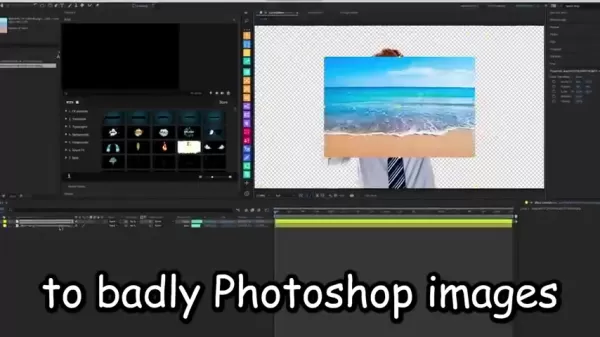
Noted for its user-friendly interface and creative output, it enables users to produce engaging and often humorous visual content, turning imaginative concepts into reality.
- RunwayML: Offers a broad suite of AI creative tools, including video generation, image editing, and style transfer. Its versatility caters to both novices and professionals.
- Synthesia: Specializes in AI-generated avatars and text-to-video production, allowing users to create polished videos with customizable presenters and voiceovers—ideal for corporate and training materials.
- DeepMotion: Focuses on motion capture and animation, generating realistic character movements from video input, useful for gaming, VR, and film production.
- Hour One: Provides AI presenter tools to create professional marketing and instructional videos with customizable virtual hosts.
Designs.ai: Features an AI video maker with templates for quick social media and marketing video creation.
Each platform offers unique advantages, from Luma Dream Machine's creative flexibility to Synthesia's professional finish. Your choice should align with your specific goals, expertise, and creative vision.
Creating Videos with Luma Dream Machine: A Step-by-Step Guide
Step 1: Idea Generation and Image Selection
Begin by brainstorming a clear concept for your video. What story or message do you want to convey? Select one or more high-quality, visually appealing images that support your idea.

Choose images that evoke emotion or curiosity. As highlighted, your personal ideas can become cinematic moments through creative experimentation with different themes and styles.
Step 2: Accessing and Navigating Luma Dream Machine
Visit the Luma Dream Machine website and explore its intuitive interface. Create an account or log in to access features designed for turning photos into animations, trailers, or product demos. The platform offers endless inspiration for creators of all levels.
Step 3: Uploading and Enhancing Your Image
Upload your selected image to the platform. Use available enhancement tools to adjust brightness, contrast, or saturation as needed. A clear focal point helps the AI generate more realistic motion; experiment with filters and effects to add stylistic flair.
Step 4: Generating the Video with AI
This is where the transformation occurs. Use the AI video generator to animate your image, customizing duration, animation style, and visual effects.
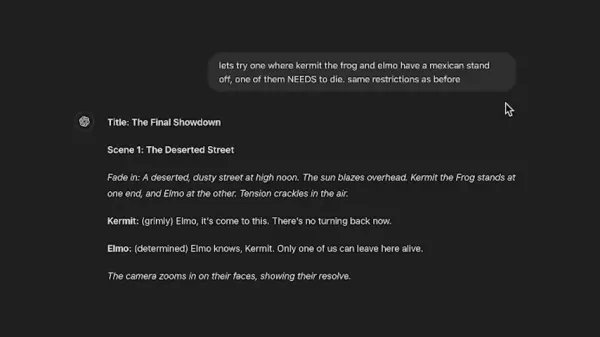
As shown, you can input ideas for the AI to generate a script. Preview the result and adjust settings until you achieve the desired outcome.
Step 5: Editing and Finalizing Your Video
After generating the video, use editing tools to add text, music, sound effects, or transitions. Ensure the final product is coherent, well-paced, and visually engaging. This step transforms your project into a polished masterpiece, leveraging AI's versatile features.
Step 6: Downloading and Sharing Your Video
Once satisfied, download the video in your preferred format and resolution. Share it on social media, your website, or other platforms, optimizing with relevant tags and descriptions. Enjoy sharing your creatively enhanced visual content.
Pricing Models of AI Image to Video Tools
Understanding the Costs
Pricing for AI image-to-video tools varies by platform and features. Subscription plans typically offer monthly video generation credits and full feature access, while pay-as-you-go models charge based on usage. Assess your budget and needs—consider video credit allowances, resolution limits, and included resources like music or stock footage. Many platforms provide free trials or limited free tiers for testing. This technology offers clear long-term value, empowering businesses and individual creators to produce high-quality video content affordably.
Benefits & Drawbacks of AI Image to Video Conversion
Pros
Saves significant time compared to traditional video production methods.
Reduces costs associated with video creation.
Makes video production accessible to users with limited editing skills.
Enables rapid generation of large volumes of video content.
Expands creative options through automated animation and effects.
Inspires unique and surreal visual content.
Cons
May lack the nuanced creativity of human-produced content.
Can struggle with intricate scenes or abstract ideas.
Relies on training data that may contain biases.
Performance depends on available processing power.
Continuous creative input is needed as the technology evolves.
Core Features of AI Image to Video Platforms
Key Features to Look For
When choosing an AI image-to-video platform, consider these essential features:
- Image Analysis: Accurate identification of key elements and spatial relationships within images.
- Motion Prediction: Realistic forecasting of movement and transformations over time.
- Frame Generation: Production of high-quality, coherent video frames.
- Customization: Options to adjust video length, animation style, and visual effects.
- Editing Tools: Capabilities to add text, music, sound effects, and transitions.
- Output Options: Support for various resolutions, formats, and social media integrations.
- User-Friendliness: An intuitive interface that simplifies the creation process.
- AI Script Generation: As demonstrated, the platform can generate a script based on your idea.
- Creative Flexibility: The ability to turn ordinary images into surreal, artistic videos.
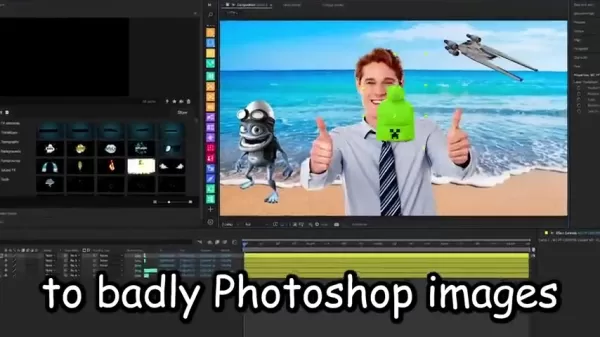
The possibilities are vast and continually expanding.
Use Cases for AI Image to Video Technology
Unlocking Creative Possibilities
AI image-to-video technology applies to numerous industries and scenarios:
- Marketing: Create engaging promotional videos from product photos.
- Education: Develop interactive lessons using diagrams and illustrations.
- Social Media: Produce attention-grabbing content from personal or brand images.
- E-commerce: Showcase products with dynamic video demonstrations.
- Training: Create instructional videos with animated visuals.
- Real Estate: Generate virtual tours from property photos.
- News & Journalism: Enhance stories with animated summaries.
- Personal Storytelling: Animate family photos and memories.
- Art & Entertainment: Produce experimental video art from static images.
Cinematic Projects: Generate creative short films from imaginative concepts, as illustrated.
This technology unlocks creative potential for businesses, educators, and individuals. Transform travel photos into montages or data charts into animated infographics—redefining how we communicate with visual media.
Frequently Asked Questions About AI Image to Video Technology
How does AI image to video conversion work?
AI image-to-video conversion uses algorithms to analyze visual elements in an image and generate animations, transitions, and effects that simulate movement. By employing computer vision, machine learning, and generative modeling, it produces high-quality videos with minimal user input.
What are the key features to look for in an AI image to video platform?
Prioritize accurate image analysis, realistic motion prediction, coherent frame generation, customization options, editing tools, multiple output formats, and an intuitive interface. These features ensure high-quality, user-friendly video production.
What are the pricing models for AI image to video tools?
Pricing models include subscriptions that offer monthly credits and feature access, and pay-as-you-go plans based on usage. Evaluate your video volume, quality needs, and budget when selecting a plan.
What types of images work best for AI image to video conversion?
High-resolution images with clear focal points and strong visual appeal yield the best results. Avoid blurry, low-quality, or overly complex images that may challenge the AI's analysis.
What are the limitations of AI image to video technology?
Current limitations include occasional lack of nuanced creativity, difficulties with complex or abstract scenes, potential biases in training data, and dependence on computational resources. However, the technology is continuously improving.
Related Questions
Will AI eventually replace human video editors?
AI is unlikely to fully replace human video editors. While it automates repetitive tasks and generates basic content, human editors contribute creativity, storytelling, and artistic judgment that AI cannot replicate. The future likely involves collaboration, with AI enhancing editors' efficiency and creative options. View AI as a tool that expands human capability rather than replacing it. Editors will continue to shape compelling narratives and ensure quality. The synergy between human creativity and AI innovation will push the boundaries of video production, enabling new forms of visual storytelling. As demonstrated, a creator's idea—like a fictional standoff—can be realized through AI-generated scripts and scenes, but the original creative vision remains essential.
Related article
 Stripe to Acquire OpenRouter as AI Model Routing Gains Momentum
Stripe has agreed to acquire OpenRouter, an AI model-routing platform that gives developers access to hundreds of models through a single interface. The deal adds model selection and routing to Stripe’s existing work around AI usage and token-based b
Former OpenAI Researcher Barrett Zoph Returns to Google to Support Gemini Development
Barret Zoph, who previously abruptly left and joined OpenAI due to a disagreement with Thinking Machines Lab CEO Miriam Mularati, has once again changed employers. Alphabet's Google announced that Zoph will return as Vice President of Research, bring
How Recursive Intelligence Raised $335M at $4B Valuation in 4 Months
The co-founders of startup Ricursive Intelligence seemed destined to be co-founders.Anna Goldie, CEO, and Azalia Mirhoseini, CTO, are so well-known in the AI community that they were among those AI engineers who “got those weird emails from Zuckerber
Related Special Topic Recommendations
Design & Art
Stripe to Acquire OpenRouter as AI Model Routing Gains Momentum
Stripe has agreed to acquire OpenRouter, an AI model-routing platform that gives developers access to hundreds of models through a single interface. The deal adds model selection and routing to Stripe’s existing work around AI usage and token-based b
Former OpenAI Researcher Barrett Zoph Returns to Google to Support Gemini Development
Barret Zoph, who previously abruptly left and joined OpenAI due to a disagreement with Thinking Machines Lab CEO Miriam Mularati, has once again changed employers. Alphabet's Google announced that Zoph will return as Vice President of Research, bring
How Recursive Intelligence Raised $335M at $4B Valuation in 4 Months
The co-founders of startup Ricursive Intelligence seemed destined to be co-founders.Anna Goldie, CEO, and Azalia Mirhoseini, CTO, are so well-known in the AI community that they were among those AI engineers who “got those weird emails from Zuckerber
Related Special Topic Recommendations
Design & Art
 Top AI Illustration Tools: Create Editorial Scenes and Cover Art Faster
2026 Latest Top-rated AI Illustration Tools: Our curated list features the best powerfully designed tools for creating stunning editorial scenes and eye-catching cover art quickly. Each option has gone through rigorous real-world tests, offering a free vs paid comparison to help you find the perfect match for your workflow. Try these must-try solutions today to unlock your AI edge and boost your creative productivity. Explore now at XIX.AI.
 10 tools
 xix.ai
Education and Learning
Top AI Tutors for Exam Prep: Practice Math, Science, and English
xix.ai
Education and Learning
Top AI Tutors for Exam Prep: Practice Math, Science, and English
2026 Latest Top-Rated Best AI Tutors for Exam Prep are here on XIX.AI! Our curated list features powerful game-changing tools that offer free vs paid comparison, real-world tests, and weekly updated rankings. They help boost your writing efficiency, simplify complex topic learning, and unlock your academic potential. Explore now to Discover your perfect exam prep tool and Start creating today to Unlock your AI edge!
10 tools
xix.ai
Finance
AI Budget Planning Tools for Personal Money Management
2026 Latest Best Top-Rated AI Budget Planning Tools for Personal Money Management are here on XIX.AI! This curated collection features powerful, game-changing solutions that help you conduct real-world tests, understand spending habits, and create personalized plans to boost productivity. Enjoy a free vs paid comparison along with detailed rankings. Must-try tools designed to simplify money management and unlock your AI edge. Explore now!
11 tools
xix.ai
Health & Wellness
AI Sleep Tracking Assistants: Improve Recovery with Better Bedtime Habits
2026 Latest Best Top-Rated AI Sleep Tracking Assistants curated for ultimate recovery. This fully updated weekly guide features powerful tools that deliver real-world tests, free vs paid comparison, and detailed rankings to help you find the must-try solution that boosts sleep quality and supports better bedtime habits. Explore now at XIX.AI to Unlock your AI edge.
10 tools
xix.ai
Data Analysis
AI SQL Copilots for Product and Revenue Analytics
2026 Latest Best Top-Rated AI SQL Copilots for Product and Revenue Analytics! XIX.AI has curated a powerful, game-changing collection of must-try tools that undergo real-world tests through weekly updated rankings. These tools help users boost productivity significantly by accelerating data analysis, streamlining complex queries, and generating accurate insights to drive smarter business decisions. Explore now to Discover your perfect tool for unlocking your AI edge!
14 tools
xix.ai
Education and Learning
Best AI Homework Helpers That Teach: Learn Concepts, Not Just Answers
2026 Latest Best Top-Rated AI Homework Helpers That Teach Core Concepts Not Just Answers Powerful Tools for Students Must-Try Curated List Weekly Updated Free vs Paid Comparison Real-World Tests Accurate Rankings to Help You Unlock Your Full Learning Potential Explore now to Discover your perfect tool for smarter studying.
10 tools
xix.ai

 Comments (1)
0/500
Comments (1)
0/500
![GregoryWilson]()
この技術って、静止画に命を吹き込む魔法みたいだね!😮 実写とどう違うのかな?AIが作った動画の著作権はどうなるんだろう…ちょっと心配。でも、広告やSMRの素材作りには革命的なんじゃない?すぐに試してみたい!
Video content dominates the fast-paced digital landscape, but producing compelling visuals can be time-consuming and costly. Enter AI image-to-video technology, a groundbreaking innovation that converts static pictures into dynamic, engaging videos. This advancement is transforming content creation for marketers, educators, and creators, making professional video production more accessible and efficient. Harness the power of artificial intelligence to animate your images and captivate viewers with stunning visual narratives. These intuitive, AI-driven platforms open up endless creative avenues, becoming essential tools for elevating visual storytelling.
Key Points
AI image-to-video tools convert still images into dynamic video sequences.
These platforms are increasingly user-friendly and accessible to a broad audience.
They offer substantial time and cost savings over traditional video production methods.
Applications span marketing, education, and personal creative projects.
The technology is evolving rapidly, promising even more advanced video generation capabilities.
Understanding AI Image to Video Technology
What is AI Image to Video Conversion?
AI image-to-video conversion uses artificial intelligence algorithms to create video content from one or more still images. The technology analyzes visual components within a picture—such as objects, textures, and scenery—and intelligently applies animations, transitions, and effects to simulate motion. The resulting videos can vary from simple looping animations to intricate scenes with dynamic camera movements and visual enhancements. By leveraging machine learning, these systems interpret visual data to produce high-quality videos with minimal manual input. This automation streamlines traditionally labor-intensive video production tasks, enabling users to generate engaging content quickly. It is an ideal solution for diverse needs, from marketing campaigns and educational materials to personal storytelling. Progress in neural networks, particularly generative adversarial networks (GANs), drives this evolution, allowing AI to interpret depth, perspective, and motion for more realistic outputs. As AI models improve, the quality and realism of generated videos approach that of conventionally produced content, while platform usability continues to democratize video creation.
The Science Behind AI Video Generation
The science of AI video generation combines computer vision, machine learning, and generative modeling. First, computer vision techniques analyze the input image to recognize objects, understand the scene, and estimate depth. Deep learning models then predict how elements within the scene should change over time. Generative models like GANs and variational autoencoders (VAEs)—trained on extensive video datasets—create new frames that extend the image into a video sequence. The process typically involves several stages:
- Image Analysis: The AI identifies key elements and spatial relationships within the image.
- Motion Prediction: Algorithms forecast how these elements might move or transform.
- Frame Generation: New frames are produced to create the illusion of movement.
Refinement: The video is polished to enhance visual quality and coherence.
Ongoing training and algorithmic refinements are crucial for generating high-fidelity videos from static images. Emerging techniques like neural radiance fields (NeRFs) promise even greater control and realism. Think of the AI as a creative director: given a photo of a bustling city street, it uses its knowledge of urban life to generate a short clip with moving cars, pedestrians, and changing light—the better the training, the more convincing the result.
Top AI Image to Video Tools and Platforms
Exploring Leading AI Video Creation Services
A variety of AI image-to-video tools are available, each with distinct features. Leading platforms include:
- Luma Dream Machine: As demonstrated, Luma Dream Machine excels at transforming simple images into cinematic videos.
Noted for its user-friendly interface and creative output, it enables users to produce engaging and often humorous visual content, turning imaginative concepts into reality.
- RunwayML: Offers a broad suite of AI creative tools, including video generation, image editing, and style transfer. Its versatility caters to both novices and professionals.
- Synthesia: Specializes in AI-generated avatars and text-to-video production, allowing users to create polished videos with customizable presenters and voiceovers—ideal for corporate and training materials.
- DeepMotion: Focuses on motion capture and animation, generating realistic character movements from video input, useful for gaming, VR, and film production.
- Hour One: Provides AI presenter tools to create professional marketing and instructional videos with customizable virtual hosts.
Designs.ai: Features an AI video maker with templates for quick social media and marketing video creation.
Each platform offers unique advantages, from Luma Dream Machine's creative flexibility to Synthesia's professional finish. Your choice should align with your specific goals, expertise, and creative vision.
Creating Videos with Luma Dream Machine: A Step-by-Step Guide
Step 1: Idea Generation and Image Selection
Begin by brainstorming a clear concept for your video. What story or message do you want to convey? Select one or more high-quality, visually appealing images that support your idea.
Choose images that evoke emotion or curiosity. As highlighted, your personal ideas can become cinematic moments through creative experimentation with different themes and styles.
Step 2: Accessing and Navigating Luma Dream Machine
Visit the Luma Dream Machine website and explore its intuitive interface. Create an account or log in to access features designed for turning photos into animations, trailers, or product demos. The platform offers endless inspiration for creators of all levels.
Step 3: Uploading and Enhancing Your Image
Upload your selected image to the platform. Use available enhancement tools to adjust brightness, contrast, or saturation as needed. A clear focal point helps the AI generate more realistic motion; experiment with filters and effects to add stylistic flair.
Step 4: Generating the Video with AI
This is where the transformation occurs. Use the AI video generator to animate your image, customizing duration, animation style, and visual effects.
As shown, you can input ideas for the AI to generate a script. Preview the result and adjust settings until you achieve the desired outcome.
Step 5: Editing and Finalizing Your Video
After generating the video, use editing tools to add text, music, sound effects, or transitions. Ensure the final product is coherent, well-paced, and visually engaging. This step transforms your project into a polished masterpiece, leveraging AI's versatile features.
Step 6: Downloading and Sharing Your Video
Once satisfied, download the video in your preferred format and resolution. Share it on social media, your website, or other platforms, optimizing with relevant tags and descriptions. Enjoy sharing your creatively enhanced visual content.
Pricing Models of AI Image to Video Tools
Understanding the Costs
Pricing for AI image-to-video tools varies by platform and features. Subscription plans typically offer monthly video generation credits and full feature access, while pay-as-you-go models charge based on usage. Assess your budget and needs—consider video credit allowances, resolution limits, and included resources like music or stock footage. Many platforms provide free trials or limited free tiers for testing. This technology offers clear long-term value, empowering businesses and individual creators to produce high-quality video content affordably.
Benefits & Drawbacks of AI Image to Video Conversion
Pros
Saves significant time compared to traditional video production methods.
Reduces costs associated with video creation.
Makes video production accessible to users with limited editing skills.
Enables rapid generation of large volumes of video content.
Expands creative options through automated animation and effects.
Inspires unique and surreal visual content.
Cons
May lack the nuanced creativity of human-produced content.
Can struggle with intricate scenes or abstract ideas.
Relies on training data that may contain biases.
Performance depends on available processing power.
Continuous creative input is needed as the technology evolves.
Core Features of AI Image to Video Platforms
Key Features to Look For
When choosing an AI image-to-video platform, consider these essential features:
- Image Analysis: Accurate identification of key elements and spatial relationships within images.
- Motion Prediction: Realistic forecasting of movement and transformations over time.
- Frame Generation: Production of high-quality, coherent video frames.
- Customization: Options to adjust video length, animation style, and visual effects.
- Editing Tools: Capabilities to add text, music, sound effects, and transitions.
- Output Options: Support for various resolutions, formats, and social media integrations.
- User-Friendliness: An intuitive interface that simplifies the creation process.
- AI Script Generation: As demonstrated, the platform can generate a script based on your idea.
- Creative Flexibility: The ability to turn ordinary images into surreal, artistic videos.
The possibilities are vast and continually expanding.
Use Cases for AI Image to Video Technology
Unlocking Creative Possibilities
AI image-to-video technology applies to numerous industries and scenarios:
- Marketing: Create engaging promotional videos from product photos.
- Education: Develop interactive lessons using diagrams and illustrations.
- Social Media: Produce attention-grabbing content from personal or brand images.
- E-commerce: Showcase products with dynamic video demonstrations.
- Training: Create instructional videos with animated visuals.
- Real Estate: Generate virtual tours from property photos.
- News & Journalism: Enhance stories with animated summaries.
- Personal Storytelling: Animate family photos and memories.
- Art & Entertainment: Produce experimental video art from static images.
Cinematic Projects: Generate creative short films from imaginative concepts, as illustrated.
This technology unlocks creative potential for businesses, educators, and individuals. Transform travel photos into montages or data charts into animated infographics—redefining how we communicate with visual media.
Frequently Asked Questions About AI Image to Video Technology
How does AI image to video conversion work?
AI image-to-video conversion uses algorithms to analyze visual elements in an image and generate animations, transitions, and effects that simulate movement. By employing computer vision, machine learning, and generative modeling, it produces high-quality videos with minimal user input.
What are the key features to look for in an AI image to video platform?
Prioritize accurate image analysis, realistic motion prediction, coherent frame generation, customization options, editing tools, multiple output formats, and an intuitive interface. These features ensure high-quality, user-friendly video production.
What are the pricing models for AI image to video tools?
Pricing models include subscriptions that offer monthly credits and feature access, and pay-as-you-go plans based on usage. Evaluate your video volume, quality needs, and budget when selecting a plan.
What types of images work best for AI image to video conversion?
High-resolution images with clear focal points and strong visual appeal yield the best results. Avoid blurry, low-quality, or overly complex images that may challenge the AI's analysis.
What are the limitations of AI image to video technology?
Current limitations include occasional lack of nuanced creativity, difficulties with complex or abstract scenes, potential biases in training data, and dependence on computational resources. However, the technology is continuously improving.
Related Questions
Will AI eventually replace human video editors?
AI is unlikely to fully replace human video editors. While it automates repetitive tasks and generates basic content, human editors contribute creativity, storytelling, and artistic judgment that AI cannot replicate. The future likely involves collaboration, with AI enhancing editors' efficiency and creative options. View AI as a tool that expands human capability rather than replacing it. Editors will continue to shape compelling narratives and ensure quality. The synergy between human creativity and AI innovation will push the boundaries of video production, enabling new forms of visual storytelling. As demonstrated, a creator's idea—like a fictional standoff—can be realized through AI-generated scripts and scenes, but the original creative vision remains essential.








 Stripe to Acquire OpenRouter as AI Model Routing Gains Momentum
Stripe has agreed to acquire OpenRouter, an AI model-routing platform that gives developers access to hundreds of models through a single interface. The deal adds model selection and routing to Stripe’s existing work around AI usage and token-based b
Stripe to Acquire OpenRouter as AI Model Routing Gains Momentum
Stripe has agreed to acquire OpenRouter, an AI model-routing platform that gives developers access to hundreds of models through a single interface. The deal adds model selection and routing to Stripe’s existing work around AI usage and token-based b
 Former OpenAI Researcher Barrett Zoph Returns to Google to Support Gemini Development
Barret Zoph, who previously abruptly left and joined OpenAI due to a disagreement with Thinking Machines Lab CEO Miriam Mularati, has once again changed employers. Alphabet's Google announced that Zoph will return as Vice President of Research, bring
Former OpenAI Researcher Barrett Zoph Returns to Google to Support Gemini Development
Barret Zoph, who previously abruptly left and joined OpenAI due to a disagreement with Thinking Machines Lab CEO Miriam Mularati, has once again changed employers. Alphabet's Google announced that Zoph will return as Vice President of Research, bring
 How Recursive Intelligence Raised $335M at $4B Valuation in 4 Months
The co-founders of startup Ricursive Intelligence seemed destined to be co-founders.Anna Goldie, CEO, and Azalia Mirhoseini, CTO, are so well-known in the AI community that they were among those AI engineers who “got those weird emails from Zuckerber
How Recursive Intelligence Raised $335M at $4B Valuation in 4 Months
The co-founders of startup Ricursive Intelligence seemed destined to be co-founders.Anna Goldie, CEO, and Azalia Mirhoseini, CTO, are so well-known in the AI community that they were among those AI engineers who “got those weird emails from Zuckerber

2026 Latest Top-rated AI Illustration Tools: Our curated list features the best powerfully designed tools for creating stunning editorial scenes and eye-catching cover art quickly. Each option has gone through rigorous real-world tests, offering a free vs paid comparison to help you find the perfect match for your workflow. Try these must-try solutions today to unlock your AI edge and boost your creative productivity. Explore now at XIX.AI.
10 tools
xix.ai

2026 Latest Top-Rated Best AI Tutors for Exam Prep are here on XIX.AI! Our curated list features powerful game-changing tools that offer free vs paid comparison, real-world tests, and weekly updated rankings. They help boost your writing efficiency, simplify complex topic learning, and unlock your academic potential. Explore now to Discover your perfect exam prep tool and Start creating today to Unlock your AI edge!
10 tools
xix.ai

2026 Latest Best Top-Rated AI Budget Planning Tools for Personal Money Management are here on XIX.AI! This curated collection features powerful, game-changing solutions that help you conduct real-world tests, understand spending habits, and create personalized plans to boost productivity. Enjoy a free vs paid comparison along with detailed rankings. Must-try tools designed to simplify money management and unlock your AI edge. Explore now!
11 tools
xix.ai

2026 Latest Best Top-Rated AI Sleep Tracking Assistants curated for ultimate recovery. This fully updated weekly guide features powerful tools that deliver real-world tests, free vs paid comparison, and detailed rankings to help you find the must-try solution that boosts sleep quality and supports better bedtime habits. Explore now at XIX.AI to Unlock your AI edge.
10 tools
xix.ai

2026 Latest Best Top-Rated AI SQL Copilots for Product and Revenue Analytics! XIX.AI has curated a powerful, game-changing collection of must-try tools that undergo real-world tests through weekly updated rankings. These tools help users boost productivity significantly by accelerating data analysis, streamlining complex queries, and generating accurate insights to drive smarter business decisions. Explore now to Discover your perfect tool for unlocking your AI edge!
14 tools
xix.ai

2026 Latest Best Top-Rated AI Homework Helpers That Teach Core Concepts Not Just Answers Powerful Tools for Students Must-Try Curated List Weekly Updated Free vs Paid Comparison Real-World Tests Accurate Rankings to Help You Unlock Your Full Learning Potential Explore now to Discover your perfect tool for smarter studying.
10 tools
xix.ai

この技術って、静止画に命を吹き込む魔法みたいだね!😮 実写とどう違うのかな?AIが作った動画の著作権はどうなるんだろう…ちょっと心配。でも、広告やSMRの素材作りには革命的なんじゃない?すぐに試してみたい!












