


 Home
HomeAI Tool Generates Target Customer Profiles For Ad Campaigns
Creating a detailed customer profile is fundamental to targeted marketing. Integrating a tool with ChatGPT and Google Sheets allows for the rapid and efficient development of detailed customer personas. These insights empower you to tailor campaigns for maximum effectiveness and create compelling hooks for emails, advertisements, and website copy. This streamlined process is designed for easy implementation and continuous refinement.
Key Points
Using ChatGPT with Google Sheets to build customer profiles.
Developing effective hooks for marketing materials.
Gaining a deep understanding of your target audience.
Boosting marketing efficiency through AI integration.
A simple, iterative process for fast adaptation.
Understanding the AI Audience & Ad Generator Tool
Overview of the AI Tool
The AI Audience & Ad Generator is a powerful solution for marketers and businesses to gain profound insights into their customers. By combining ChatGPT's capabilities with Google Sheets, it streamlines the creation of detailed customer profiles and persuasive ad copy. This eliminates tedious manual research and brainstorming, saving valuable time and resources while significantly improving campaign results. It transforms the content creation process.
This tool merges the organizational power of spreadsheets with the creative intelligence of AI, offering a more efficient way to handle analytical and creative tasks. It enables users to:
- Build Customer Personas: Develop comprehensive profiles of your ideal customers.
- Generate Ad Copy: Create targeted advertising text for specific audience segments.
- Streamline Marketing Campaigns: Optimize the entire process of understanding and reaching your customers, allowing for swift and efficient execution.
Setting Up Your Google Sheet
The first step is configuring your Google Sheet to work with the AI Audience and Ad Generator. This straightforward setup yields significant long-term time savings.
Begin by creating the appropriate columns in your sheet. The correct format is essential for optimal functionality. Key columns should include:
- Customer Avatar
- Product
- Theme
- Geography
- Ad Type
- USPs (Unique Selling Propositions)
Populate these columns with thorough information. A detailed product description provides the AI with better context to generate creative and useful content for your campaign.
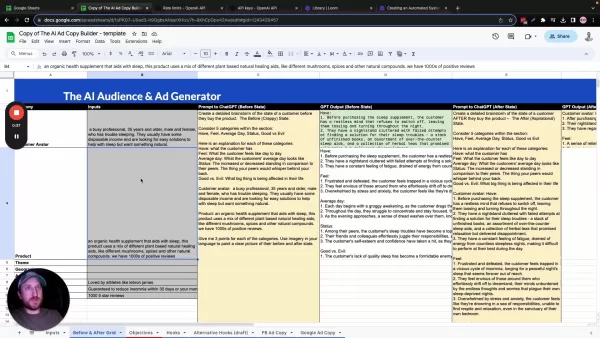
The quality of your input directly influences the quality of the output you receive.
How to Set Up ChatGPT Integration With Google Sheets
Installing the Necessary Add-on
Integrating ChatGPT with Google Sheets requires the 'GPT for Sheets and Docs' add-on. Follow these steps:
Open your Google Sheet.
Navigate to 'Extensions' > 'Add-ons' > 'Get add-ons'.
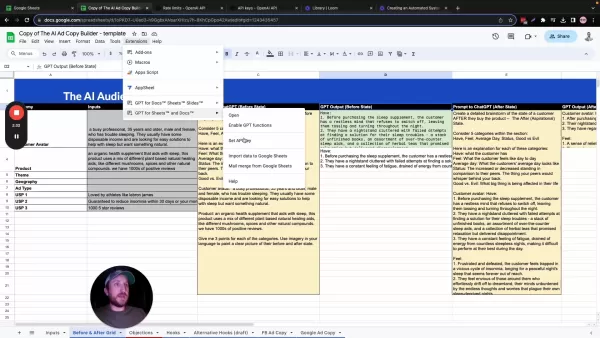
Search for 'GPT for Sheets and Docs'.
Install the add-on.
After installation, you must enable the GPT functions. This requires adding your OpenAI API Key to the sheet. When you first use a GPT function, the add-on will prompt you for this key. To configure it:
- Open the 'GPT for Sheets and Docs' menu and select “Set API Key.”
- Enter your unique API Key.
Obtaining Your OpenAI API Key
If you don't have an OpenAI account or API key, create one by following these instructions:
Visit the OpenAI website (https://platform.openai.com/account/api-keys).
Sign up or log into your account.
Go to the API keys section.
Generate a new API key.
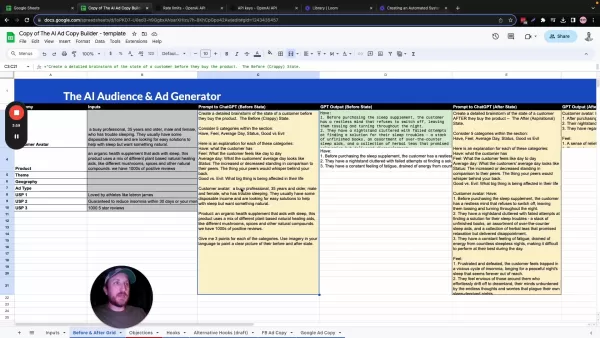
Important: Securely save this API key immediately, as you will not be able to view it again. To add it to Google Sheets:
- Select “Set API Key” from the GPT for Sheets and Docs menu.
- Enter your API Key and click "Save API Key".
Rate Limits and OpenAI API Costs
Understanding Rate Limits
Understanding and adhering to rate limits is essential to prevent service interruptions. OpenAI enforces these limits to ensure equitable access and prevent system abuse. They define the maximum number of API requests permitted within a specific period, such as 60 requests per minute.
Several factors influence the rate limits applied to your account:
- Subscription Tier: Paid plans typically offer higher request limits compared to free tiers.
- Account Age and Activity: Newer accounts or those with minimal usage history may have stricter initial limits.
- Usage Patterns: Consistent, reasonable usage is less likely to trigger limits than sudden, high-volume spikes in requests, especially from new accounts.
Effective API management involves planning for and working within these constraints.
OpenAI API Costs
Using the OpenAI API incurs costs based on usage, which is a key factor for budget planning. These costs are calculated per token, the fundamental unit of text the AI processes—this includes both your input prompts and the generated output.
For instance, the GPT-3.5 Turbo model charges approximately $0.01 per 1,000 input tokens and $0.02 per 1,000 output tokens. Managing these costs effectively involves strategic token usage.
To optimize token usage and control costs:
- Simplify Prompts: Remove unnecessary words and phrases to reduce input tokens.
- Control Output Length: Set a maximum token limit for AI responses to manage output costs.
- Choose Models Wisely: Evaluate the cost versus performance of different models to find the best fit for your project's budget and requirements.
Advantages and Disadvantages of Using the AI Tool
Pros
Accelerates customer profile creation.
Delivers cost-effective market insights.
Enriches marketing content with customized hooks.
Features simple integration for rapid adjustments.
Cons
Costs depend on OpenAI API usage.
Requires proper Google Sheets configuration.
Bound by the inherent capabilities of the ChatGPT model.
May occasionally produce generic or formulaic content that lacks uniqueness.
Frequently Asked Questions
What is the primary function of the AI Audience & Ad Generator?
The tool's core function is to leverage ChatGPT and Google Sheets for building detailed customer profiles, which helps optimize marketing efforts by crafting targeted content hooks.
How do I install the ChatGPT integration for Google Sheets?
Install the 'GPT for Sheets and Docs' add-on via the Google Workspace Marketplace and then configure your OpenAI API key within the add-on's settings.
What are some important Unique Selling Propositions?
Consider USPs like: Trusted by professional athletes, Proven to improve sleep quality, or Exceptionally positive customer reviews.
Related Questions
Can this be used with other AI services?
While optimized for ChatGPT, the underlying methodology can be adapted for other AI language models with API access. The critical factors are the model's ability to integrate with Google Sheets and learning how to structure effective prompts to extract the needed data and content.
Related article
 Anthropic Expands Claude AI Coding Tools to Japan in Push for Overseas Growth
Anthropic, a prominent U.S. artificial intelligence firm, is intensifying its global outreach. On Wednesday, the company hosted a major developer gathering, "Code with Claude," in Tokyo, drawing close to 500 software engineers. This initiative seeks
India’s Software Giant Cuts Hiring, Promises No Layoffs as AI Agents Scale Up
As artificial intelligence reshapes traditional labor-intensive business models, Tata Consultancy Services (TCS), a premier Indian software outsourcing firm, has unveiled its strategic response. During Tuesday’s annual general meeting, the chairman o
China Locks AI Models During Gaokam to Block Instant Homework Help
With the 2026 Gaokao fast approaching, rumors regarding the suspension of AI tools during the exam period have ignited intense online debate. In response to public concern, major AI platforms and educational apps have clarified their stance: rather t
Related Special Topic Recommendations
Design & Art
Anthropic Expands Claude AI Coding Tools to Japan in Push for Overseas Growth
Anthropic, a prominent U.S. artificial intelligence firm, is intensifying its global outreach. On Wednesday, the company hosted a major developer gathering, "Code with Claude," in Tokyo, drawing close to 500 software engineers. This initiative seeks
India’s Software Giant Cuts Hiring, Promises No Layoffs as AI Agents Scale Up
As artificial intelligence reshapes traditional labor-intensive business models, Tata Consultancy Services (TCS), a premier Indian software outsourcing firm, has unveiled its strategic response. During Tuesday’s annual general meeting, the chairman o
China Locks AI Models During Gaokam to Block Instant Homework Help
With the 2026 Gaokao fast approaching, rumors regarding the suspension of AI tools during the exam period have ignited intense online debate. In response to public concern, major AI platforms and educational apps have clarified their stance: rather t
Related Special Topic Recommendations
Design & Art
 Best AI Style Transfer Tools for Creative Experiments
2026 Latest Best Top-rated AI Style Transfer Tools for Creative Experiments! XIX.AI has curated a powerful, game-changing collection of must-try tools that deliver exceptional results through real-world tests and rigorous rankings. These top solutions help creatives boost productivity significantly by accelerating content creation and unlocking endless creative possibilities. Explore now to discover your perfect tool and start creating today!
 9 tools
 xix.ai
Comic Creation
Best AI Dialogue Bubble Tools for Visual Storytelling
xix.ai
Comic Creation
Best AI Dialogue Bubble Tools for Visual Storytelling
2026 Latest Best Top-Rated AI Dialogue Bubble Tools for Visual Storytelling are here on XIX.AI! This curated collection features powerful, game-changing tools that help creators boost productivity and overcome creative bottlenecks. Get a free vs paid comparison, see real-world tests, and check the latest rankings to find the must-try solutions perfect for crafting engaging visual narratives. Explore now to discover your ideal tool!
10 tools
xix.ai
Meeting Assistant
Top AI Meeting Summary Tools: Track Decisions and Follow-Ups Clearly
2026 Latest Top-Rated Best AI Meeting Summary Tools for Clear Decision Tracking and Effortless Follow-Ups. This curated list showcases powerful, game-changing solutions that boost productivity dramatically by automating meeting notes, identifying key action items, and streamlining team coordination across all projects. Get a free vs paid comparison along with real-world tests and weekly updated rankings to help you find the perfect tool. Explore now to unlock your AI edge!
9 tools
xix.ai
Data Analysis
Best AI Data Cleaning Tools: Fix Missing Values and Duplicates Fast
2026 Latest Best Top-rated AI Data Cleaning Tools for quick fixing of missing values and duplicates. This curated list showcases powerful, game-changing solutions that boost productivity significantly. Each option has undergone rigorous real-world tests to ensure reliability. Get a free vs paid comparison and discover the must-try tool that fits your needs best. Explore now at XIX.AI to Unlock your AI edge.
11 tools
xix.ai
Design & Art
Best AI Creative Ideation Tools for Artists: Break Through Visual Blocks
2026 Latest Best Top-Rated AI Creative Ideation Tools for Artists are curated by XIX.AI to help creators break through visual blocks and boost creativity instantly. These powerful game-changing tools offer real-world tests, detailed free vs paid comparison, and weekly updated rankings. Discover your perfect tool to accelerate content creation and unlock your AI edge today. Explore now!
14 tools
xix.ai
Music composition
AI Beat Makers for TikTok Background Tracks, Reels Audio, and Creator Promo Music
2026 Latest Best AI Beat Makers for TikTok Background Tracks, Reels Audio, and Creator Promo Music! XIX.AI has curated a top-rated list of powerful game-changing tools that go through real-world tests to deliver flawless music for every content need. You’ll find detailed free vs paid comparison data, weekly updated rankings, and must-try options to help you boost creativity and productivity. Explore now to discover your perfect tool!
11 tools
xix.ai

 Comments (1)
0/500
Comments (1)
0/500
![EricAllen]()
Cette intégration ChatGPT + Sheets pour générer des profils clients est maligne ! J'aimerais tester ça sur mes propres campagnes, mais est-ce que ça risque de trop standardiser les approches marketing ? 🤔
Creating a detailed customer profile is fundamental to targeted marketing. Integrating a tool with ChatGPT and Google Sheets allows for the rapid and efficient development of detailed customer personas. These insights empower you to tailor campaigns for maximum effectiveness and create compelling hooks for emails, advertisements, and website copy. This streamlined process is designed for easy implementation and continuous refinement.
Key Points
Using ChatGPT with Google Sheets to build customer profiles.
Developing effective hooks for marketing materials.
Gaining a deep understanding of your target audience.
Boosting marketing efficiency through AI integration.
A simple, iterative process for fast adaptation.
Understanding the AI Audience & Ad Generator Tool
Overview of the AI Tool
The AI Audience & Ad Generator is a powerful solution for marketers and businesses to gain profound insights into their customers. By combining ChatGPT's capabilities with Google Sheets, it streamlines the creation of detailed customer profiles and persuasive ad copy. This eliminates tedious manual research and brainstorming, saving valuable time and resources while significantly improving campaign results. It transforms the content creation process.
This tool merges the organizational power of spreadsheets with the creative intelligence of AI, offering a more efficient way to handle analytical and creative tasks. It enables users to:
- Build Customer Personas: Develop comprehensive profiles of your ideal customers.
- Generate Ad Copy: Create targeted advertising text for specific audience segments.
- Streamline Marketing Campaigns: Optimize the entire process of understanding and reaching your customers, allowing for swift and efficient execution.
Setting Up Your Google Sheet
The first step is configuring your Google Sheet to work with the AI Audience and Ad Generator. This straightforward setup yields significant long-term time savings.
Begin by creating the appropriate columns in your sheet. The correct format is essential for optimal functionality. Key columns should include:
- Customer Avatar
- Product
- Theme
- Geography
- Ad Type
- USPs (Unique Selling Propositions)
Populate these columns with thorough information. A detailed product description provides the AI with better context to generate creative and useful content for your campaign.
The quality of your input directly influences the quality of the output you receive.
How to Set Up ChatGPT Integration With Google Sheets
Installing the Necessary Add-on
Integrating ChatGPT with Google Sheets requires the 'GPT for Sheets and Docs' add-on. Follow these steps:
Open your Google Sheet.
Navigate to 'Extensions' > 'Add-ons' > 'Get add-ons'.
Search for 'GPT for Sheets and Docs'.
Install the add-on.
After installation, you must enable the GPT functions. This requires adding your OpenAI API Key to the sheet. When you first use a GPT function, the add-on will prompt you for this key. To configure it:
- Open the 'GPT for Sheets and Docs' menu and select “Set API Key.”
- Enter your unique API Key.
Obtaining Your OpenAI API Key
If you don't have an OpenAI account or API key, create one by following these instructions:
Visit the OpenAI website (https://platform.openai.com/account/api-keys).
Sign up or log into your account.
Go to the API keys section.
Generate a new API key.
Important: Securely save this API key immediately, as you will not be able to view it again. To add it to Google Sheets:
- Select “Set API Key” from the GPT for Sheets and Docs menu.
- Enter your API Key and click "Save API Key".
Rate Limits and OpenAI API Costs
Understanding Rate Limits
Understanding and adhering to rate limits is essential to prevent service interruptions. OpenAI enforces these limits to ensure equitable access and prevent system abuse. They define the maximum number of API requests permitted within a specific period, such as 60 requests per minute.
Several factors influence the rate limits applied to your account:
- Subscription Tier: Paid plans typically offer higher request limits compared to free tiers.
- Account Age and Activity: Newer accounts or those with minimal usage history may have stricter initial limits.
- Usage Patterns: Consistent, reasonable usage is less likely to trigger limits than sudden, high-volume spikes in requests, especially from new accounts.
Effective API management involves planning for and working within these constraints.
OpenAI API Costs
Using the OpenAI API incurs costs based on usage, which is a key factor for budget planning. These costs are calculated per token, the fundamental unit of text the AI processes—this includes both your input prompts and the generated output.
For instance, the GPT-3.5 Turbo model charges approximately $0.01 per 1,000 input tokens and $0.02 per 1,000 output tokens. Managing these costs effectively involves strategic token usage.
To optimize token usage and control costs:
- Simplify Prompts: Remove unnecessary words and phrases to reduce input tokens.
- Control Output Length: Set a maximum token limit for AI responses to manage output costs.
- Choose Models Wisely: Evaluate the cost versus performance of different models to find the best fit for your project's budget and requirements.
Advantages and Disadvantages of Using the AI Tool
Pros
Accelerates customer profile creation.
Delivers cost-effective market insights.
Enriches marketing content with customized hooks.
Features simple integration for rapid adjustments.
Cons
Costs depend on OpenAI API usage.
Requires proper Google Sheets configuration.
Bound by the inherent capabilities of the ChatGPT model.
May occasionally produce generic or formulaic content that lacks uniqueness.
Frequently Asked Questions
What is the primary function of the AI Audience & Ad Generator?
The tool's core function is to leverage ChatGPT and Google Sheets for building detailed customer profiles, which helps optimize marketing efforts by crafting targeted content hooks.
How do I install the ChatGPT integration for Google Sheets?
Install the 'GPT for Sheets and Docs' add-on via the Google Workspace Marketplace and then configure your OpenAI API key within the add-on's settings.
What are some important Unique Selling Propositions?
Consider USPs like: Trusted by professional athletes, Proven to improve sleep quality, or Exceptionally positive customer reviews.
Related Questions
Can this be used with other AI services?
While optimized for ChatGPT, the underlying methodology can be adapted for other AI language models with API access. The critical factors are the model's ability to integrate with Google Sheets and learning how to structure effective prompts to extract the needed data and content.








 Anthropic Expands Claude AI Coding Tools to Japan in Push for Overseas Growth
Anthropic, a prominent U.S. artificial intelligence firm, is intensifying its global outreach. On Wednesday, the company hosted a major developer gathering, "Code with Claude," in Tokyo, drawing close to 500 software engineers. This initiative seeks
Anthropic Expands Claude AI Coding Tools to Japan in Push for Overseas Growth
Anthropic, a prominent U.S. artificial intelligence firm, is intensifying its global outreach. On Wednesday, the company hosted a major developer gathering, "Code with Claude," in Tokyo, drawing close to 500 software engineers. This initiative seeks
 India’s Software Giant Cuts Hiring, Promises No Layoffs as AI Agents Scale Up
As artificial intelligence reshapes traditional labor-intensive business models, Tata Consultancy Services (TCS), a premier Indian software outsourcing firm, has unveiled its strategic response. During Tuesday’s annual general meeting, the chairman o
India’s Software Giant Cuts Hiring, Promises No Layoffs as AI Agents Scale Up
As artificial intelligence reshapes traditional labor-intensive business models, Tata Consultancy Services (TCS), a premier Indian software outsourcing firm, has unveiled its strategic response. During Tuesday’s annual general meeting, the chairman o
 China Locks AI Models During Gaokam to Block Instant Homework Help
With the 2026 Gaokao fast approaching, rumors regarding the suspension of AI tools during the exam period have ignited intense online debate. In response to public concern, major AI platforms and educational apps have clarified their stance: rather t
China Locks AI Models During Gaokam to Block Instant Homework Help
With the 2026 Gaokao fast approaching, rumors regarding the suspension of AI tools during the exam period have ignited intense online debate. In response to public concern, major AI platforms and educational apps have clarified their stance: rather t

2026 Latest Best Top-rated AI Style Transfer Tools for Creative Experiments! XIX.AI has curated a powerful, game-changing collection of must-try tools that deliver exceptional results through real-world tests and rigorous rankings. These top solutions help creatives boost productivity significantly by accelerating content creation and unlocking endless creative possibilities. Explore now to discover your perfect tool and start creating today!
9 tools
xix.ai

2026 Latest Best Top-Rated AI Dialogue Bubble Tools for Visual Storytelling are here on XIX.AI! This curated collection features powerful, game-changing tools that help creators boost productivity and overcome creative bottlenecks. Get a free vs paid comparison, see real-world tests, and check the latest rankings to find the must-try solutions perfect for crafting engaging visual narratives. Explore now to discover your ideal tool!
10 tools
xix.ai

2026 Latest Top-Rated Best AI Meeting Summary Tools for Clear Decision Tracking and Effortless Follow-Ups. This curated list showcases powerful, game-changing solutions that boost productivity dramatically by automating meeting notes, identifying key action items, and streamlining team coordination across all projects. Get a free vs paid comparison along with real-world tests and weekly updated rankings to help you find the perfect tool. Explore now to unlock your AI edge!
9 tools
xix.ai

2026 Latest Best Top-rated AI Data Cleaning Tools for quick fixing of missing values and duplicates. This curated list showcases powerful, game-changing solutions that boost productivity significantly. Each option has undergone rigorous real-world tests to ensure reliability. Get a free vs paid comparison and discover the must-try tool that fits your needs best. Explore now at XIX.AI to Unlock your AI edge.
11 tools
xix.ai

2026 Latest Best Top-Rated AI Creative Ideation Tools for Artists are curated by XIX.AI to help creators break through visual blocks and boost creativity instantly. These powerful game-changing tools offer real-world tests, detailed free vs paid comparison, and weekly updated rankings. Discover your perfect tool to accelerate content creation and unlock your AI edge today. Explore now!
14 tools
xix.ai

2026 Latest Best AI Beat Makers for TikTok Background Tracks, Reels Audio, and Creator Promo Music! XIX.AI has curated a top-rated list of powerful game-changing tools that go through real-world tests to deliver flawless music for every content need. You’ll find detailed free vs paid comparison data, weekly updated rankings, and must-try options to help you boost creativity and productivity. Explore now to discover your perfect tool!
11 tools
xix.ai

Cette intégration ChatGPT + Sheets pour générer des profils clients est maligne ! J'aimerais tester ça sur mes propres campagnes, mais est-ce que ça risque de trop standardiser les approches marketing ? 🤔












