


 Home
Home一字幕 - 视频字幕插件 | 电影字幕 | 免费
Bilingual Subtitles Plugin for Videos



Helps TikTok sellers, brands, MCNs, and TAPs discover winning products and find creators.

HelpLook is an AI-powered all-in-one knowledge base tool that helps businesses quickly build knowledge bases, help centers, and...

Your AI Workspace

302.AI is an enterprise-grade AI resource platform with pay-as-you-go pricing, API access to a full range of AI models, and ready-to-use online applications.

剧火AI — AI Screenwriter + Director, a One-Person Short Drama Studio In one sentence, what is it?
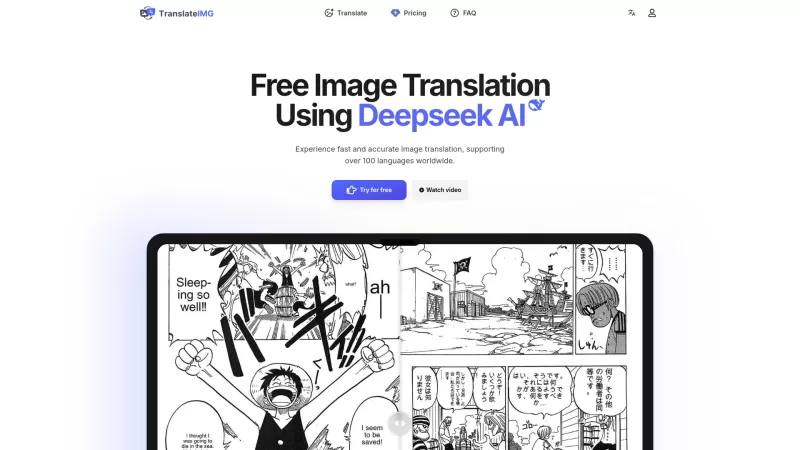
Ever stumbled upon an image with text in a language you can't understand? That's where Deepseek R1 comes in, a nifty online tool that transforms text within images into over 100 different languages. Whether it's a manga page, an e-commerce product descrip
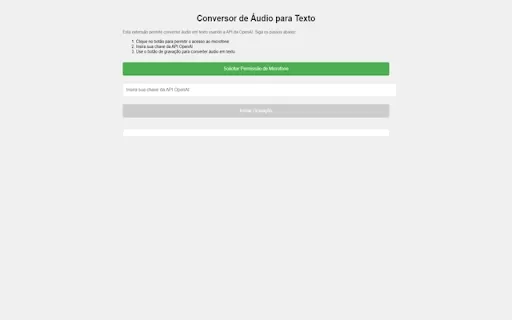
Ever wished you could magically transform your audio recordings into neatly typed text? Well, the Conversor de Áudio para Texto AI Chrome extension is here to make that wish come true! This nifty tool harnesses the power of OpenAI's advanced API to turn y
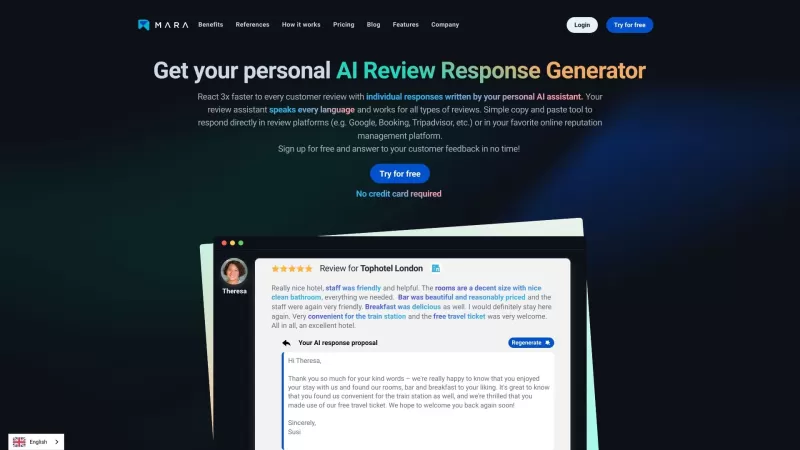
Ever found yourself staring blankly at customer reviews, wondering how to respond in a way that feels genuine and personal? That's where the AI Review Response Generator comes in—a nifty tool designed to take the hassle out of crafting those responses. Cr
Ever wondered how to breathe life into your scripts without spending hours in a recording booth? Meet Cugent, your new best friend in the world of AI voiceovers. This nifty tool takes your scripts—whether they're in PDF, Docs, or just plain text—and transforms them into professional, high-quality vo
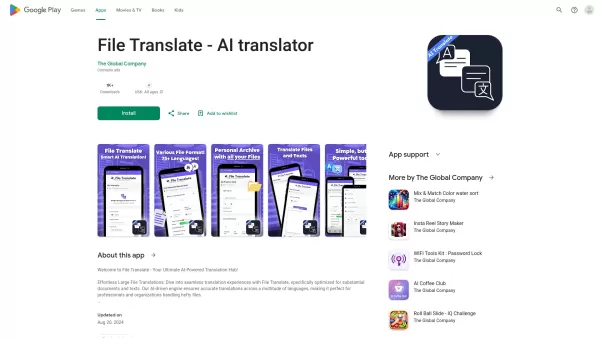
Ever found yourself staring at a mountain of documents, wishing you could magically translate them into another language? Well, that's where File Translator AI comes in—your new best friend for tackling those translation woes. This isn't just any translat
一字幕 - 视频字幕插件 | 电影字幕 | 免费 Product Information
What is Yi Subtitles - Video Subtitle Plugin | Movie Subtitles | Free?
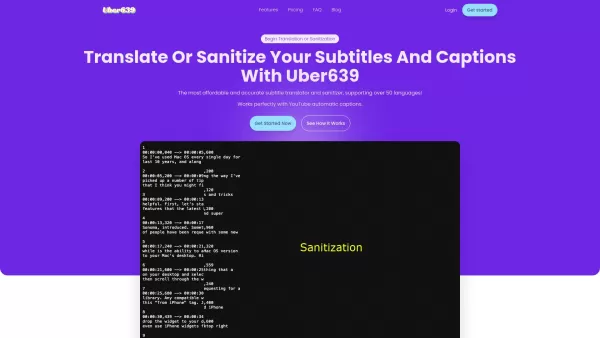
Yi Subtitles is a free subtitle plugin for videos that delivers bilingual subtitles for both audio and video content. It works with popular platforms including YouTube and Bilibili, and also supports local subtitle files and embedded subtitles. The plugin enables you to change playback speed, replay sections, and even hide parts of the screen. Built especially for language learners, it provides tools for translating individual words, phrases, and full sentences, plus quick shortcuts for moving through subtitles. Supporting 135 languages, Yi Subtitles helps you better understand and enjoy video content.
Who can benefit from Yi Subtitles - Video Subtitle Plugin | Movie Subtitles | Free?
- Language learners
- Video viewers
- YouTube users
- Bilibili users
How do I use Yi Subtitles - Video Subtitle Plugin | Movie Subtitles | Free?
- Step 1: Install the Yi Subtitles plugin from the Chrome Web Store.
- Step 2: Play a video on a compatible platform such as YouTube.
- Step 3: Turn on subtitles using the plugin’s control panel.
- Step 4: Customize settings like playback speed and subtitle translation options.
- Step 5: Take advantage of keyboard shortcuts for smooth subtitle navigation.
Platform
- web
- chrome
Yi Subtitles - Video Subtitle Plugin | Movie Subtitles | Free's Core Features & Benefits
The Core Features
- Bilingual subtitles
- YouTube and Bilibili integration
- Compatibility with local and embedded subtitles
- Word, phrase, and full-sentence translation
- Adjustable playback speed
- Keyboard shortcuts for subtitle controls
The Benefits
- Improved video comprehension for language learners
- Broad compatibility across multiple video platforms
- Flexible subtitle customization
- Simple and easy navigation
- Multilingual support for 135 languages
Yi Subtitles - Video Subtitle Plugin | Movie Subtitles | Free's Main Use Cases & Applications
- Watching YouTube videos with instant translations
- Learning languages using bilingual subtitles
- Playing local video files with custom subtitles
- Better understanding of foreign films on Bilibili
FAQs of Yi Subtitles - Video Subtitle Plugin | Movie Subtitles | Free
Can I use Yi Subtitles with any video platform?
Yi Subtitles is compatible with major platforms like YouTube and Bilibili, as well as local video files.
How can I change the playback speed?
Playback speed can be adjusted through the plugin’s settings menu.
What languages does Yi Subtitles support?
Yi Subtitles offers translation support for 135 languages.
Can I use keyboard shortcuts with this plugin?
Yes, Yi Subtitles includes keyboard shortcuts to navigate subtitles easily.
Is Yi Subtitles free?
Yes, Yi Subtitles is completely free to use.
Can I use local subtitle files with Yi Subtitles?
Yes, the plugin works with local subtitle files such as .SRT.
Does Yi Subtitles work with embedded subtitles?
Yes, it supports embedded subtitles within video files.
How do I translate a word or phrase using Yi Subtitles?
Simply click or highlight a word or phrase in the subtitle to view its translation.
Can I repeat a section of the video?
Yes, you can loop specific video segments using the repeat feature.
How do I install Yi Subtitles?
You can install Yi Subtitles from the Chrome Web Store and activate it in your browser.
Yi Subtitles - Video Subtitle Plugin | Movie Subtitles | Free Company Information
- Yi Subtitles
- https://1zimu.com


2026 Latest Best AI Short-Form Video Hook Generators for Reels Shorts and Product Launch Campaigns! XIX.AI curates top-rated powerful game-changing tools that deliver must-try results through real-world tests. This weekly updated page offers free vs paid comparison rankings to help you find the perfect solution for boosting content creativity and productivity. Explore now to Unlock your AI edge!
 11 tools
 xix.ai

2026 Latest Best Top-Rated AI Article Outline Tools for Long Form Writing! This curated collection features powerful, game-changing tools that deliver accurate, structured outlines with real-world tests to boost writing efficiency significantly. XIX.AI is part of this elite selection. Get a free vs paid comparison to help you choose the perfect tool. Explore now and Unlock your AI edge!
9 tools
xix.ai

2026 Latest Best Top-rated AI Roleplay Chat Apps for Language Practice, Interview Prep, and Daily Fluency! XIX.AI curates a powerful game-changing collection that offers free vs paid comparison, real-world tests, and updated rankings weekly. These must-try tools help you boost writing skills, overcome fluency challenges, and improve communication efficiency across all daily scenarios. Explore now to discover your perfect tool for language growth!
10 tools
xix.ai

2026 Latest Best Top-rated AI Stem Separation Tools Curated for Remix Production, Sampling Prep, and Karaoke Masters. These powerful game-changing tools offer real-world tests to deliver precise audio isolation, boosting productivity significantly. XIX.AI provides a weekly updated free vs paid comparison guide to help you find the must-try solution that suits your needs. Explore now to unlock your AI edge.
8 tools
xix.ai

2026 Latest Best AI SQL Copilots Ranked Top-Rated! XIX.AI curates a powerful game-changing collection for weekly updated real-world tests. These must-try tools help you generate accurate revenue dashboards, analyze sales funnels, and track product metrics swiftly, boosting productivity massively. Explore now to Discover your perfect tool for data-driven decision making! 238 characters
9 tools
xix.ai

2026 Latest Best Top-Rated AI Melody Writing Tools for Song Drafts! XIX.AI has curated a highly powerful game-changing collection that goes through rigorous real-world tests to deliver the best writing experience. You can find detailed free vs paid comparisons, accurate rankings, and must-try options designed to help you create stunning song drafts effortlessly and boost your creative productivity significantly. Explore now to discover your perfect tool!
8 tools
xix.ai


¡Qué plugin tan útil para ver series! Lo probé con unos vídeos en YouTube y la traducción doble se ve muy clara. Me gusta que funcione en varias plataformas, aunque a veces tarda un poco en cargar los subtítulos. ¡Perfecto para practicar idiomas! 😊


