


 Home
HomeUMLGenius



Helps TikTok sellers, brands, MCNs, and TAPs discover winning products and find creators.

HelpLook is an AI-powered all-in-one knowledge base tool that helps businesses quickly build knowledge bases, help centers, and...

Your AI Workspace

302.AI is an enterprise-grade AI resource platform with pay-as-you-go pricing, API access to a full range of AI models, and ready-to-use online applications.

剧火AI — AI Screenwriter + Director, a One-Person Short Drama Studio In one sentence, what is it?
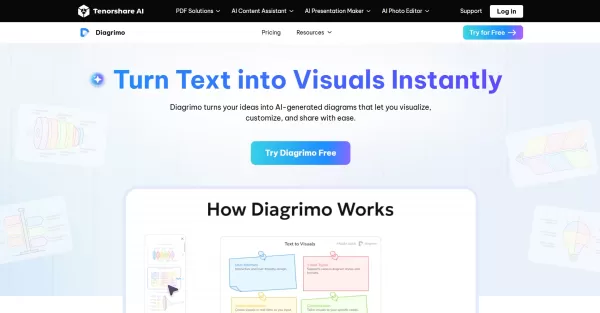
What is Diagrimo?Diagrimo is an AI-powered text-to-visual tool that helps users transform text or concepts into structured diagrams like flowcharts, SWOT analyses, pyramids, and infographics. It supports users in organizing ideas, planning projects,
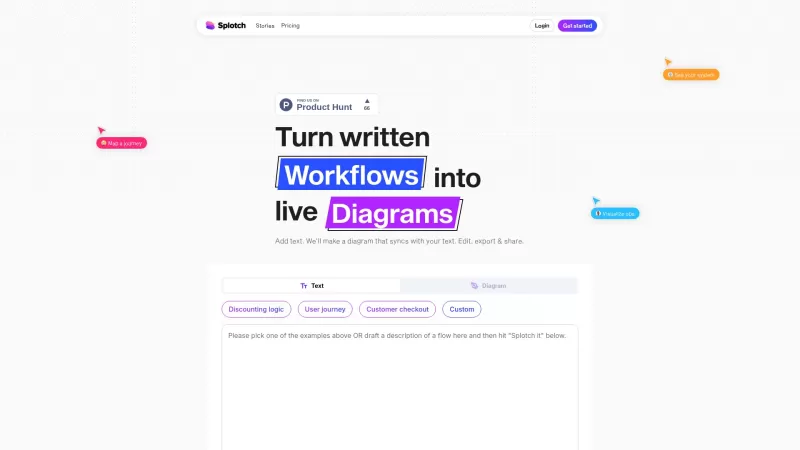
Ever heard of Splotch? It's this nifty web-based tool that's all about turning your written processes into dynamic, live diagrams. And the coolest part? These diagrams stay in sync with your text descriptions. So whether you're scribbling away or tweaking

What is PatentDrawAI?PatentDrawAI is an AI-powered platform that simplifies the patent process, from searching and drafting to creating technical illustrations and managing licensing. It helps users bring their ideas to market faster and more afforda

What is ChartGen AI?ChartGen AI is an online AI-powered chart maker that instantly analyzes your data and turns natural language descriptions into professional visualizations. It supports nine chart types—including bar, line, pie, area, scatter, heat
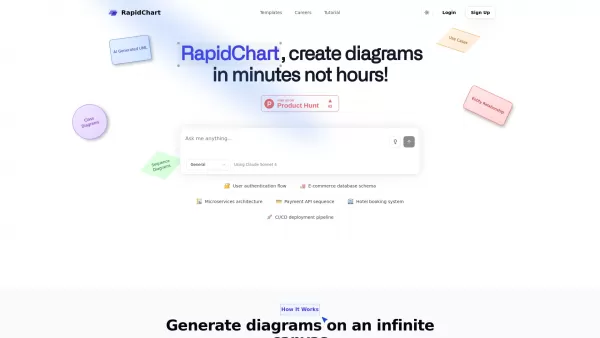
What is RapidChart?RapidChart is an innovative AI-powered diagramming solution that transforms your text descriptions or code snippets into professional technical diagrams within seconds. This advanced platform specializes in generating various archi
UMLGenius Product Information
What is UMLGenius?
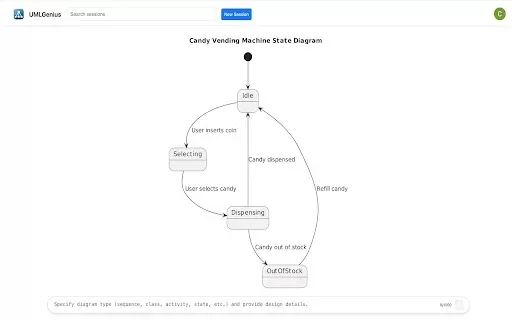
UMLGenius is a powerful Chrome browser extension that enables developers and system architects to generate UML diagrams directly within their browser. It features an intuitive interface for creating a variety of diagrams, including class, sequence, and use case diagrams. With drag-and-drop functionality, customizable styling, and multiple export options, UMLGenius simplifies the diagramming workflow, helping users effectively communicate their design concepts. It's an ideal tool for both brainstorming and finalizing software designs, saving time and improving clarity throughout the development process.
Who will use UMLGenius?
- Software Developers
- System Architects
- Project Managers
- Students
- Educators
How to use the UMLGenius?
- Step 1: Install the UMLGenius extension from the Chrome Web Store.
- Step 2: Open a new tab and click the UMLGenius icon to launch the tool.
- Step 3: Select the type of UML diagram you wish to create.
- Step 4: Drag and drop elements to build your diagram.
- Step 5: Adjust styles and layout to suit your needs.
- Step 6: Save or export your completed diagram.
Platform
- Google Chrome
UMLGenius's Core Features & Benefits
The Core Features
- Create multiple types of UML diagrams
- Customize diagram elements and styles
- Export diagrams in various file formats
The Benefits
- Accelerates the diagram creation process
- Improves communication and design clarity
- Offers a user-friendly interface for rapid diagramming
UMLGenius's Main Use Cases & Applications
- Documenting software designs
- Supporting educational instruction
- Aiding in project planning and management
FAQs of UMLGenius
What types of UML diagrams can I create?
You can create class diagrams, sequence diagrams, and use case diagrams.
Is UMLGenius free to use?
Yes, UMLGenius is completely free to use.
Can I export my diagrams?
Yes, the extension supports exporting your diagrams in several formats.
Does it require internet access?
Yes, an internet connection is required for the extension to function.
Is it easy to learn and use?
Yes, UMLGenius is designed to be straightforward and easy to use.
Can I collaborate with others on diagrams?
Direct collaboration features are limited, but you can easily share exported diagram files.
What if I encounter a problem?
You can reach out for support using the contact methods provided within the extension.
Is it compatible with other browsers?
No, UMLGenius is exclusively designed for the Google Chrome browser.
Will it work on mobile devices?
No, it is currently only available for the desktop version of Chrome.
Is there a limit to the number of diagrams I can create?
No, there is no set limit on the number of diagrams you can create.
UMLGenius Company Information
Website:
https://chromewebstore.google.com/detail/umlgenius/egcmgbfnmpcnbellpehiaigmaboobpohCompany Name:
UMLGeniusSupport Email:
NAFacebook:
NAX(Twitter):
NAYouTube:
NAInstagram:
NATiktok:
NALinkedIn:
NA
UMLGenius Screenshot

2026 Latest Best Top-Rated AI Melody Writing Tools for Song Drafts! XIX.AI has curated a highly powerful game-changing collection that goes through rigorous real-world tests to deliver the best writing experience. You can find detailed free vs paid comparisons, accurate rankings, and must-try options designed to help you create stunning song drafts effortlessly and boost your creative productivity significantly. Explore now to discover your perfect tool!
 8 tools
 xix.ai

2026 Latest Best Top-rated AI Conversation Trainer Tools for Interview Practice are here on XIX.AI! This curated collection features powerful, game-changing tools that go through rigorous real-world tests to deliver accurate feedback. You’ll find a free vs paid comparison and detailed rankings to help you choose the must-try option that boosts your confidence and skills. Explore now to Discover your perfect tool for interview success!
12 tools
xix.ai

2026 Latest Best Top-rated AI Style Transfer Tools for Creative Experiments! XIX.AI has curated a powerful, game-changing collection of must-try tools that deliver exceptional results through real-world tests and rigorous rankings. These top solutions help creatives boost productivity significantly by accelerating content creation and unlocking endless creative possibilities. Explore now to discover your perfect tool and start creating today!
9 tools
xix.ai

2026 Latest Best Top-Rated AI Dialogue Bubble Tools for Visual Storytelling are here on XIX.AI! This curated collection features powerful, game-changing tools that help creators boost productivity and overcome creative bottlenecks. Get a free vs paid comparison, see real-world tests, and check the latest rankings to find the must-try solutions perfect for crafting engaging visual narratives. Explore now to discover your ideal tool!
10 tools
xix.ai

2026 Latest Top-Rated Best AI Meeting Summary Tools for Clear Decision Tracking and Effortless Follow-Ups. This curated list showcases powerful, game-changing solutions that boost productivity dramatically by automating meeting notes, identifying key action items, and streamlining team coordination across all projects. Get a free vs paid comparison along with real-world tests and weekly updated rankings to help you find the perfect tool. Explore now to unlock your AI edge!
9 tools
xix.ai

2026 Latest Best Top-rated AI Data Cleaning Tools for quick fixing of missing values and duplicates. This curated list showcases powerful, game-changing solutions that boost productivity significantly. Each option has undergone rigorous real-world tests to ensure reliability. Get a free vs paid comparison and discover the must-try tool that fits your needs best. Explore now at XIX.AI to Unlock your AI edge.
11 tools
xix.ai


