


 Home
HomeSummary Duck Assistant - Chrome Extension



Helps TikTok sellers, brands, MCNs, and TAPs discover winning products and find creators.

HelpLook is an AI-powered all-in-one knowledge base tool that helps businesses quickly build knowledge bases, help centers, and...

Your AI Workspace

302.AI is an enterprise-grade AI resource platform with pay-as-you-go pricing, API access to a full range of AI models, and ready-to-use online applications.

剧火AI — AI Screenwriter + Director, a One-Person Short Drama Studio In one sentence, what is it?

What is OCR Markdown? OCR Markdown is a powerful tool that transforms scanned images and PDF documents into editable Markdown text. It provides a free, client-side OCR solution for basic conversions and a Premium upgrade featuring AI-enhanced recogni
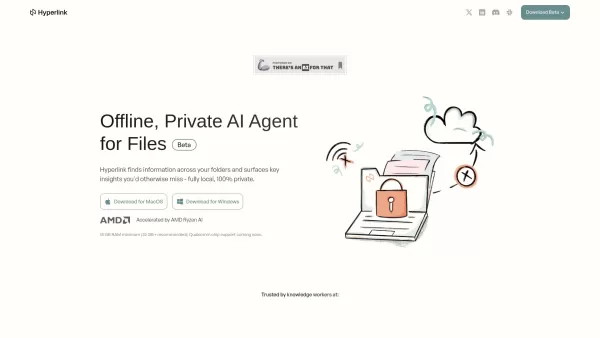
What is Hyperlink by Nexa AI? Hyperlink is a local-first AI agent that securely interprets your files—such as PDFs, notes, and transcripts—entirely on your device. It operates offline to ensure your data remains private, secure, and fully under your
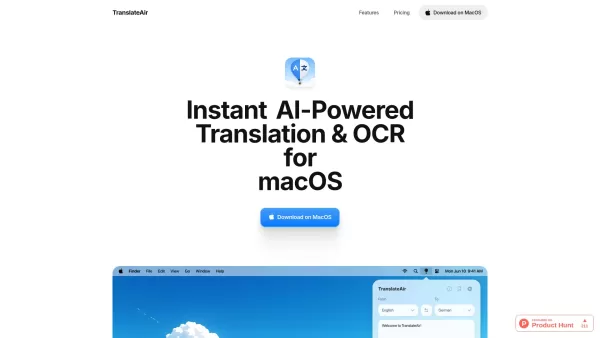
What is TranslateAir? Picture this: you’re juggling documents, emails, and websites while trying to communicate across language barriers. Enter TranslateAir—a nifty little tool powered by AI that makes translation and text extraction a breeze, especially for macOS users. It’s like having a personal
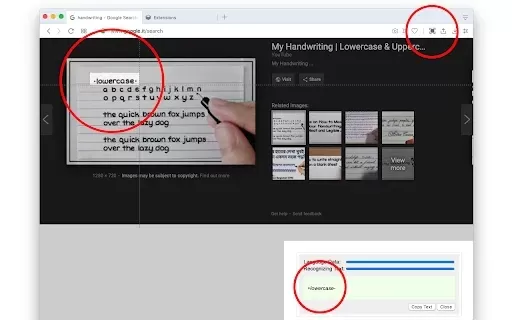
What is OCR - Image Reader?The OCR - Image Reader extension brings Optical Character Recognition directly to your Chrome browser. It allows you to effortlessly convert images, screenshots, or specific screen areas into editable text. Leveraging advan
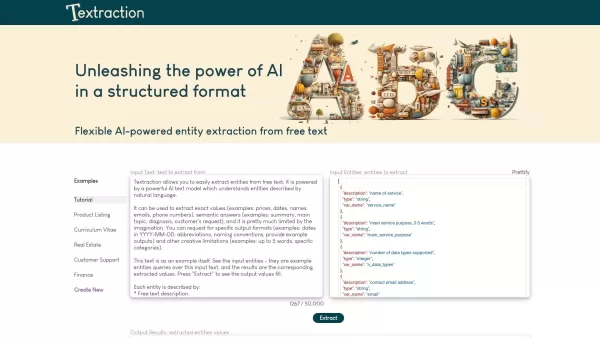
Ever found yourself sifting through heaps of text, trying to pull out just the key details? That's where Textraction comes in, and trust me, it's a game-changer. This nifty API is like having a super-smart assistant that dives into your documents, real es
Summary Duck Assistant - Chrome Extension Product Information
What is the Summary Duck Assistant AI Chrome Extension?
Summary Duck Assistant is an intelligent, no-API-key-required natural language processing tool. It effortlessly identifies the core ideas and essential information from any webpage, delivering clear and concise summaries. Powered by AI, this innovative extension streamlines your reading and learning for maximum efficiency.
How to Use the Summary Duck Assistant AI Chrome Extension
1. Download and Install: Find 'Summary Duck Assistant' in your browser's extension store, then download and install it. 2. Activate the Extension: Once installed, click your browser's extensions icon, locate 'Summary Duck Assistant,' and pin it to your toolbar for easy access. 3. Start Summarizing: While browsing, simply click the extension icon or use the right-click context menu to select 'Summary Duck Assistant.' It will instantly analyze the page and generate a summary.
Summary Duck Assistant AI Chrome Extension's Core Features
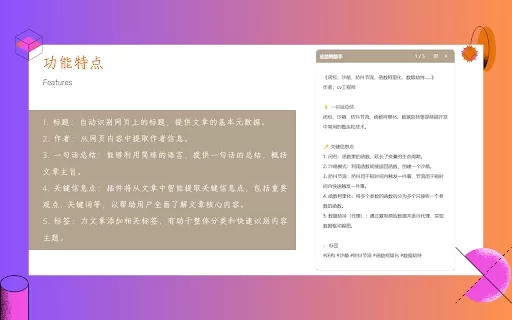
Automatically detects webpage titles.
Extracts author details from content.
Provides a succinct one-sentence overview.
Intelligently pulls out key points and information.
Assigns relevant tags to articles.
Summary Duck Assistant AI Chrome Extension's Use Cases
Get quick webpage summaries to understand core content.
Extract crucial information for research or study.
Organize and identify content themes with automatic tagging.
FAQ from Summary Duck Assistant
Does Summary Duck Assistant require an API key?
Which browsers are supported by Summary Duck Assistant?
What kind of information can Summary Duck Assistant extract from a web page?
Summary Duck Assistant - Chrome Extension Screenshot


2026 Latest Top-rated AI Illustration Tools: Our curated list features the best powerfully designed tools for creating stunning editorial scenes and eye-catching cover art quickly. Each option has gone through rigorous real-world tests, offering a free vs paid comparison to help you find the perfect match for your workflow. Try these must-try solutions today to unlock your AI edge and boost your creative productivity. Explore now at XIX.AI.
 10 tools
 xix.ai

2026 Latest Top-Rated Best AI Tutors for Exam Prep are here on XIX.AI! Our curated list features powerful game-changing tools that offer free vs paid comparison, real-world tests, and weekly updated rankings. They help boost your writing efficiency, simplify complex topic learning, and unlock your academic potential. Explore now to Discover your perfect exam prep tool and Start creating today to Unlock your AI edge!
10 tools
xix.ai

2026 Latest Best Top-Rated AI Budget Planning Tools for Personal Money Management are here on XIX.AI! This curated collection features powerful, game-changing solutions that help you conduct real-world tests, understand spending habits, and create personalized plans to boost productivity. Enjoy a free vs paid comparison along with detailed rankings. Must-try tools designed to simplify money management and unlock your AI edge. Explore now!
11 tools
xix.ai

2026 Latest Best Top-Rated AI Sleep Tracking Assistants curated for ultimate recovery. This fully updated weekly guide features powerful tools that deliver real-world tests, free vs paid comparison, and detailed rankings to help you find the must-try solution that boosts sleep quality and supports better bedtime habits. Explore now at XIX.AI to Unlock your AI edge.
10 tools
xix.ai

2026 Latest Best Top-Rated AI SQL Copilots for Product and Revenue Analytics! XIX.AI has curated a powerful, game-changing collection of must-try tools that undergo real-world tests through weekly updated rankings. These tools help users boost productivity significantly by accelerating data analysis, streamlining complex queries, and generating accurate insights to drive smarter business decisions. Explore now to Discover your perfect tool for unlocking your AI edge!
14 tools
xix.ai

2026 Latest Best Top-Rated AI Homework Helpers That Teach Core Concepts Not Just Answers Powerful Tools for Students Must-Try Curated List Weekly Updated Free vs Paid Comparison Real-World Tests Accurate Rankings to Help You Unlock Your Full Learning Potential Explore now to Discover your perfect tool for smarter studying.
10 tools
xix.ai


