


 Home
HomeStrut — Organize and write with AI



Helps TikTok sellers, brands, MCNs, and TAPs discover winning products and find creators.

HelpLook is an AI-powered all-in-one knowledge base tool that helps businesses quickly build knowledge bases, help centers, and...

Your AI Workspace

302.AI is an enterprise-grade AI resource platform with pay-as-you-go pricing, API access to a full range of AI models, and ready-to-use online applications.

剧火AI — AI Screenwriter + Director, a One-Person Short Drama Studio In one sentence, what is it?
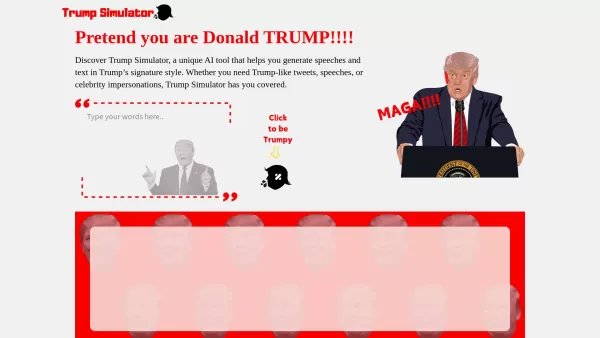
Ever wondered what it would be like to channel the unique flair of Donald Trump in your own words? Enter the Trump Simulator—an AI tool that's all about capturing the essence of Trump's distinctive style in speeches, tweets, and dialogues. It's like
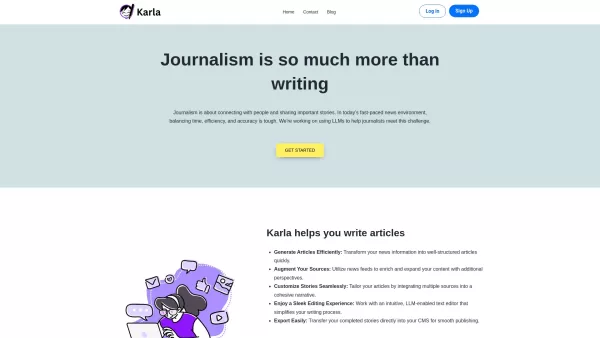
If you're a journalist navigating the fast-paced world of news, Karla might just be your new best friend. This nifty text editor is designed to take the chaos of raw information and mold it into beautifully structured articles, all thanks to the power of
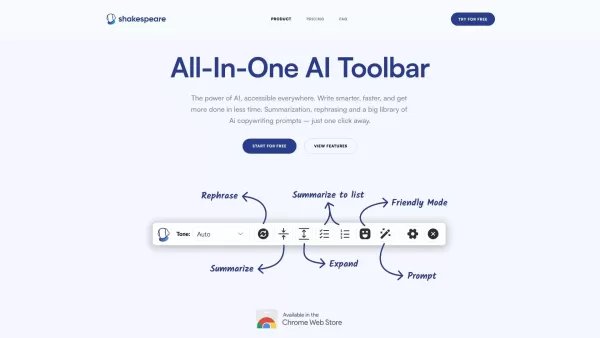
What is the Shakespeare AI Writing Toolbar?The Shakespeare Toolbar is a Chrome extension powered by AI that enhances your writing efficiency and quality. It provides tools for summarization, rewording, and other functions, helping you generate excell
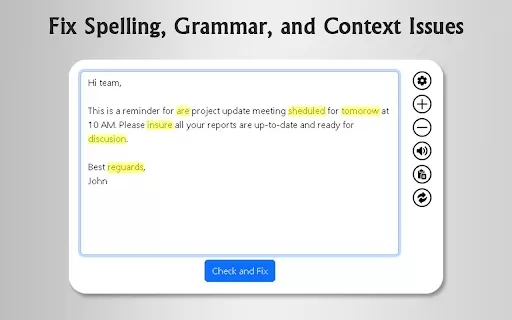
What is GrammFix?GrammFix is a cutting-edge browser extension that helps users elevate their writing. Leveraging advanced AI, it instantly identifies and fixes grammar, spelling, and punctuation errors. Ideal for students, professionals, and anyone l

Ever found yourself staring at a blank screen, unsure of how to make your words sparkle? Well, let me introduce you to the Mita Writing Cat AI Chrome Extension, a nifty little tool that's like having a personal writing coach right in your browser. It's de
Strut — Organize and write with AI Product Information
What is Strut — Organize and write with AI?
Strut is an all-in-one writing and productivity platform that combines tools for note-taking, project organization, drafting, and real-time collaboration into a single, cohesive workspace. Its integrated AI helps users effortlessly transform rough ideas into polished, professional content. Designed for both individuals and teams, Strut boosts efficiency through an intuitive interface and powerful, streamlined features.
Who will use Strut — Organize and write with AI?
- Writers
- Students
- Researchers
- Content creators
- Project managers
How to use the Strut — Organize and write with AI?
- Step 1: Download and install the Strut application from the official website.
- Step 2: Create your Strut account and log in.
- Step 3: Begin a new project or import your existing notes and documents.
- Step 4: Use the built-in organizational tools to structure your notes and outline your content.
- Step 5: Leverage the AI features to refine, expand, and polish your drafts.
- Step 6: Collaborate with team members by sharing your project workspace.
- Step 7: Finalize your work and export it in your preferred format.
Platform
- Web
- Mac
- Windows
Strut — Organize and write with AI's Core Features & Benefits
The Core Features
- Note-taking
- Project organization
- AI-powered content enhancement
- Real-time collaboration
- Multi-format export
The Benefits
- A centralized hub for all writing tasks
- Increased productivity powered by AI
- Effortless, seamless teamwork
- Intuitive, user-friendly interface
- Flexible export options
Strut — Organize and write with AI's Main Use Cases & Applications
- Academic writing and research note-taking
- Blog and article content creation
- Project management and task organization
- Team-based writing and editorial projects
- Research documentation and synthesis
Strut — Organize and write with AI's Pros & Cons
The Pros
A unified workspace that integrates notes, documents, and projects
AI assistant provides suggestions, edits, and creative inspiration
Multiple project views and robust management tools
A dedicated desktop app for constant access
Real-time co-editing and collaboration capabilities
A focus mode for undisturbed writing sessions
Allows customization of the AI's voice and writing tone
The Cons
No information on open-source availability is public
No direct links to mobile apps or browser extensions were found
Certain features, like quick capture, are listed as coming soon
Strut — Organize and write with AI's Pricing
Has free plan | YES |
|---|---|
Free trial details | |
Pricing model | Freemium |
Is credit card required | No |
Paid from | 8 USD |
Has lifetime plan | No |
Billing frequency | Annually |
Details of Pricing Plan
Free
0 USD
- 1 Workspace
- 1 Brand Voice
- 25 Monthly AI Messages
- List, Grid & Kanban Views
- Realtime Collaboration
- Export to Markdown
- Cloud Sync
- Web & Desktop Access
- Help & Support
Plus
8 USD
- Unlimited Workspaces
- Unlimited Brand Voices
- 500 Monthly AI Messages
- List, Grid & Kanban Views
- Realtime Collaboration
- Export to Markdown
- Cloud Sync
- Web & Desktop Access
- Help & Support
Pro
20 USD
- Unlimited Workspaces
- Unlimited Brand Voices
- Unlimited Monthly AI Messages
- List, Grid & Kanban Views
- Realtime Collaboration
- Export to Markdown
- Cloud Sync
- Web & Desktop Access
- Help & Support
For the latest pricing, please visit: https://strut.so
FAQs of Strut — Organize and write with AI
What is Strut?
Strut is a comprehensive, AI-enhanced writing workspace that streamlines the process of taking notes, organizing projects, and collaborating on written content.
How do I start using Strut?
Visit the official Strut website to download the app, set up your account, and begin organizing your writing projects.
What platforms does Strut support?
Strut is accessible via web browsers and offers dedicated applications for macOS and Windows.
Does Strut offer real-time collaboration?
Yes, Strut supports real-time collaboration, allowing multiple users to work together simultaneously.
Is there an AI feature in Strut?
Yes, Strut incorporates AI-driven tools designed to help improve and refine your writing.
Can I export my projects from Strut?
Absolutely. Strut provides options to export your completed projects in various formats.
Is there a mobile app for Strut?
As of now, a dedicated Strut mobile application is not available.
Is Strut suitable for academic writing?
Yes, Strut is well-suited for academic writing, research note-taking, and managing documentation.
Can I use Strut for project management?
Yes, Strut includes organizational features that make it effective for managing project workflows.
How can I contact Strut support?
For support, please reach out via the contact information provided on Strut's official website.
Strut — Organize and write with AI Company Information
Website:
https://strut.soCompany Name:
StrutSupport Email:
NAFacebook:
NAX(Twitter):
NAYouTube:
NAInstagram:
NATikTok:
NALinkedIn:
NA
Strut — Organize and write with AI Screenshot
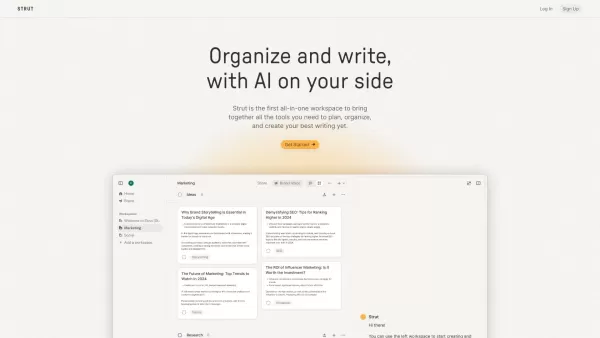


2026 Latest Best Top-Rated AI Blog Title Tools for Higher Click Through Rates! XIX.AI has carefully curated a powerful, game-changing collection of top tools that go through rigorous real-world tests. You’ll find a free vs paid comparison, weekly updated rankings, and detailed insights to help you boost your blog’s traffic efficiently. Must-try options are highlighted to help you unlock your AI edge. Explore now!
 10 tools
 xix.ai

2026 Latest Best Top-rated AI Task Routing Tools for Support Workflows! XIX.AI has curated a highly powerful game-changing collection of must-try solutions, all undergoing rigorous real-world tests and updated weekly. These tools streamline workflows, boost productivity, and help teams deliver faster, more efficient support. Explore now to discover your perfect tool and unlock your AI edge!
17 tools
xix.ai

2026 Latest Best Top-Rated AI Citation and Paper Summary Tools Curated by XIX.AI. Get powerful game-changing solutions for quick content creation, improved writing efficiency, and boosting productivity. We offer a free vs paid comparison along with real-world tests and weekly updated rankings to help you find the must-try tool that fits your needs perfectly. Explore now to Unlock your AI edge.
10 tools
xix.ai

2026 Latest Best Top-Rated AI Productivity Tools for Daily Work! XIX.AI has curated a powerful, game-changing selection based on rigorous weekly updated rankings and real-world tests. You’ll find must-try options that boost writing efficiency, streamline content creation, and help you overcome daily work challenges. Get a free vs paid comparison to find the perfect fit for your needs. Explore now to unlock your AI edge!
9 tools
xix.ai

2026 Latest Best Top-Rated AI Systematic Review Tools for Research Screening are here on XIX.AI! This curated collection includes powerful, game-changing solutions that go through rigorous real-world tests to deliver accurate results. We also offer a free vs paid comparison along with weekly updated rankings to help you find the must-try option that boosts your research efficiency significantly. Explore now to unlock your AI edge in academic work!
11 tools
xix.ai

2026 Latest Best AI Moodboard Tools for Brand and Art Direction! XIX.AI has curated a top-rated list of powerful, game-changing tools that help creators boost productivity significantly. You’ll find detailed weekly updated rankings, free vs paid comparison, and real-world tests to help you choose the perfect option. Must-try features include instant idea generation, seamless collaboration, and optimized workflows for all your design projects. Explore now to unlock your AI edge!
9 tools
xix.ai


