


 Home
HomeShakespeare AI Writing Toolbar
Shakespeare Toolbar: AI Writing Assistant



Helps TikTok sellers, brands, MCNs, and TAPs discover winning products and find creators.

HelpLook is an AI-powered all-in-one knowledge base tool that helps businesses quickly build knowledge bases, help centers, and...

Your AI Workspace

302.AI is an enterprise-grade AI resource platform with pay-as-you-go pricing, API access to a full range of AI models, and ready-to-use online applications.

剧火AI — AI Screenwriter + Director, a One-Person Short Drama Studio In one sentence, what is it?
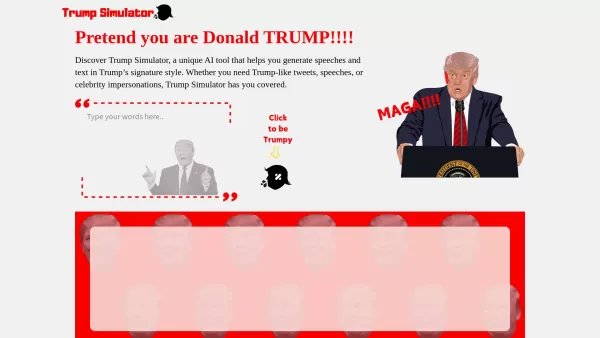
Ever wondered what it would be like to channel the unique flair of Donald Trump in your own words? Enter the Trump Simulator—an AI tool that's all about capturing the essence of Trump's distinctive style in speeches, tweets, and dialogues. It's like
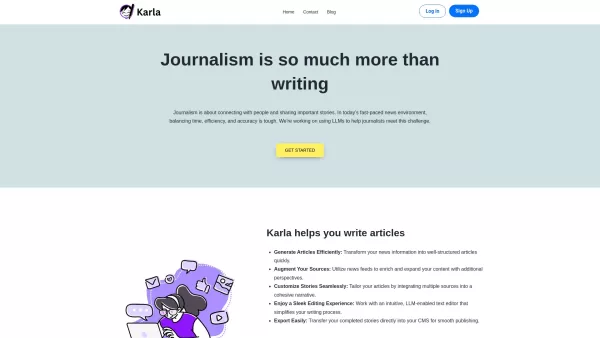
If you're a journalist navigating the fast-paced world of news, Karla might just be your new best friend. This nifty text editor is designed to take the chaos of raw information and mold it into beautifully structured articles, all thanks to the power of
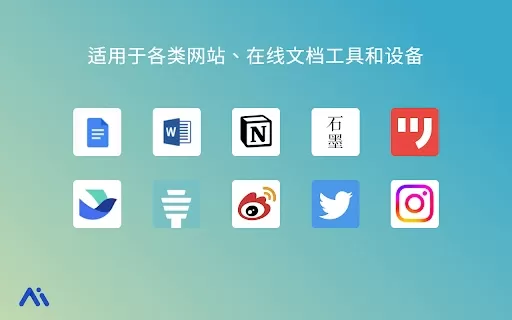
Ever found yourself staring at a blank screen, unsure of how to make your words sparkle? Well, let me introduce you to the Mita Writing Cat AI Chrome Extension, a nifty little tool that's like having a personal writing coach right in your browser. It's de
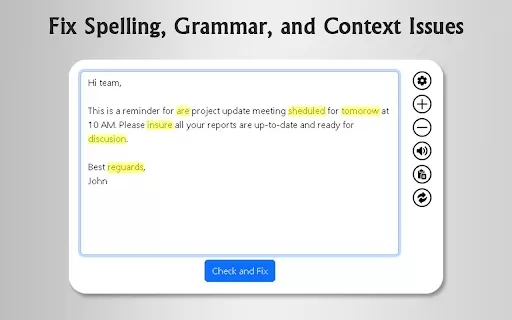
What is GrammFix?GrammFix is a cutting-edge browser extension that helps users elevate their writing. Leveraging advanced AI, it instantly identifies and fixes grammar, spelling, and punctuation errors. Ideal for students, professionals, and anyone l
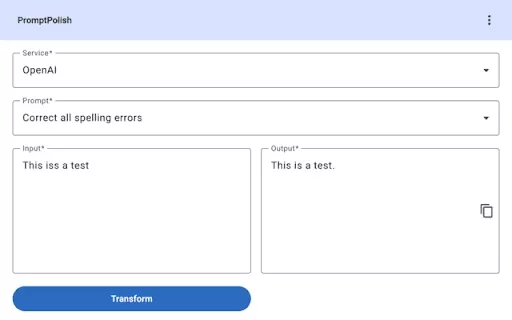
Ever found yourself staring at a block of text, wishing you could wave a magic wand and make it sparkle? Enter PromptPolish, the Chrome extension that's like having a personal AI editor right at your fingertips. It taps into the power of AI services like
Shakespeare AI Writing Toolbar Product Information
What is the Shakespeare AI Writing Toolbar?
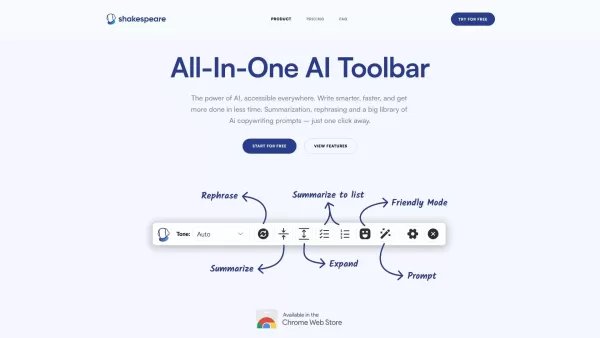
The Shakespeare Toolbar is a Chrome extension powered by AI that enhances your writing efficiency and quality. It provides tools for summarization, rewording, and other functions, helping you generate excellent content quickly. Perfect for writers of any experience, it streamlines writing by delivering AI-powered help right in your browser, making it an essential tool for personal and business writing needs.
Who can benefit from the Shakespeare AI Writing Toolbar?
- Writers
- Students
- Professionals
- Content Creators
- Researchers
How do I set up the Shakespeare AI Writing Toolbar?
- Step 1: Go to the Chrome Web Store.
- Step 2: Look for 'Shakespeare Toolbar'.
- Step 3: Select 'Add to Chrome'.
- Step 4: Pin the toolbar in your browser for convenience.
- Step 5: Start using the toolbar to summarize, rewrite, and create text.
Platform
- chrome
Shakespeare AI Writing Toolbar's Core Features & Benefits
The Core Features
- Summarization
- Rephrasing
- AI Writing Prompts
- Text Simplification
The Benefits
- Improves writing quality
- Reduces time spent
- Increases productivity
- Works right in your browser
Shakespeare AI Writing Toolbar's Main Use Cases & Applications
- Content creation
- Emails
- Essays
- Research papers
- Blog posts
Shakespeare AI Writing Toolbar's Pros & Cons
The Pros
Works as a Chrome add-on and can be used across all websites.
Compatible with over 38 languages and integrates with Google Docs.
Includes various AI shortcuts like rewrite, summarize, and simplify.
One-time payment for a lifetime license, avoiding recurring charges.
Unlimited daily writing with no word restrictions.
Focuses on user privacy and safety.
The Cons
No ongoing free option after the trial's 2000-word allowance.
Its source code does not appear to be open to the public.
No native mobile app (not found on App Store or Google Play).
Pricing is structured as a single payment, which might lack options.
Shakespeare AI Writing Toolbar's Pricing
Free plan offered | YES |
|---|---|
Free trial specifics | The free trial gives you 2000 words to use through the Chrome extension |
Pricing approach | Free Trial, Lifetime License |
Credit card needed | No |
Starts from | 49 USD |
Lifetime plan available | YES |
Billing cycle | Lifetime |
Details of Pricing Plan
Pro
49 USD
- Pay once, own it for life - lifetime access
- Summarize, reword, and clarify text on all websites
- Google Docs Integration
- Fast options via the right-click menu
- Entry to the Shakespeare AI-Text Editor
- Operates on as many as 3 devices
- No restrictions, write without limits
For current pricing, go to: https://www.shakespearetoolbar.com
FAQs of Shakespeare AI Writing Toolbar
What is the Shakespeare Toolbar?
It's an AI writing helper that works within your Chrome browser.
How do I install the Shakespeare Toolbar?
Access the Chrome Web Store, find 'Shakespeare Toolbar', and choose 'Add to Chrome'.
What features does the Shakespeare Toolbar offer?
It includes summarization, rewriting, AI writing prompts, and text simplification.
Is the Shakespeare Toolbar free?
There are both free and premium options.
Can I use the Shakespeare Toolbar on mobile?
It's built for Chrome on desktop computers at this time.
Who can benefit from the Shakespeare Toolbar?
Writers, students, professionals, content creators, and researchers.
How does the AI enhance my writing?
It helps with rewording, condensing text, and creating writing ideas.
Does it store or access my writing?
Check the privacy policy for full information on data usage.
Is technical support available?
Yes, assistance is offered through their email contact.
Can I use it for academic writing?
Yes, it's helpful for essays, research papers, and academic tasks.
Shakespeare AI Writing Toolbar Company Information
- TMSe Marketing Services GmbH
- https://www.shakespearetoolbar.com
- https://www.linkedin.com/posts/tmse_shakespeare-toolbar-ai-powered-writing-activity-7094958018542358528-9c2F
Shakespeare AI Writing Toolbar Screenshot

2026 Latest Best Top-rated AI Style Transfer Tools for Creative Experiments! XIX.AI has curated a powerful, game-changing collection of must-try tools that deliver exceptional results through real-world tests and rigorous rankings. These top solutions help creatives boost productivity significantly by accelerating content creation and unlocking endless creative possibilities. Explore now to discover your perfect tool and start creating today!
 9 tools
 xix.ai

2026 Latest Best Top-Rated AI Dialogue Bubble Tools for Visual Storytelling are here on XIX.AI! This curated collection features powerful, game-changing tools that help creators boost productivity and overcome creative bottlenecks. Get a free vs paid comparison, see real-world tests, and check the latest rankings to find the must-try solutions perfect for crafting engaging visual narratives. Explore now to discover your ideal tool!
10 tools
xix.ai

2026 Latest Top-Rated Best AI Meeting Summary Tools for Clear Decision Tracking and Effortless Follow-Ups. This curated list showcases powerful, game-changing solutions that boost productivity dramatically by automating meeting notes, identifying key action items, and streamlining team coordination across all projects. Get a free vs paid comparison along with real-world tests and weekly updated rankings to help you find the perfect tool. Explore now to unlock your AI edge!
9 tools
xix.ai

2026 Latest Best Top-rated AI Data Cleaning Tools for quick fixing of missing values and duplicates. This curated list showcases powerful, game-changing solutions that boost productivity significantly. Each option has undergone rigorous real-world tests to ensure reliability. Get a free vs paid comparison and discover the must-try tool that fits your needs best. Explore now at XIX.AI to Unlock your AI edge.
11 tools
xix.ai

2026 Latest Best Top-Rated AI Creative Ideation Tools for Artists are curated by XIX.AI to help creators break through visual blocks and boost creativity instantly. These powerful game-changing tools offer real-world tests, detailed free vs paid comparison, and weekly updated rankings. Discover your perfect tool to accelerate content creation and unlock your AI edge today. Explore now!
14 tools
xix.ai

2026 Latest Best AI Beat Makers for TikTok Background Tracks, Reels Audio, and Creator Promo Music! XIX.AI has curated a top-rated list of powerful game-changing tools that go through real-world tests to deliver flawless music for every content need. You’ll find detailed free vs paid comparison data, weekly updated rankings, and must-try options to help you boost creativity and productivity. Explore now to discover your perfect tool!
11 tools
xix.ai


Dieses Tool ist echt praktisch! Endlich muss ich nicht mehr stundenlang an Texten feilen. Die Umformulierungsfunktion ist mein Favorit – rettet mich bei E-Mails und Berichten. 🚀 Einziger Wunsch: Mehr Stiloptionen für kreatives Schreiben!


