


 Home
HomeSpiral



Helps TikTok sellers, brands, MCNs, and TAPs discover winning products and find creators.

HelpLook is an AI-powered all-in-one knowledge base tool that helps businesses quickly build knowledge bases, help centers, and...

Your AI Workspace

302.AI is an enterprise-grade AI resource platform with pay-as-you-go pricing, API access to a full range of AI models, and ready-to-use online applications.

剧火AI — AI Screenwriter + Director, a One-Person Short Drama Studio In one sentence, what is it?
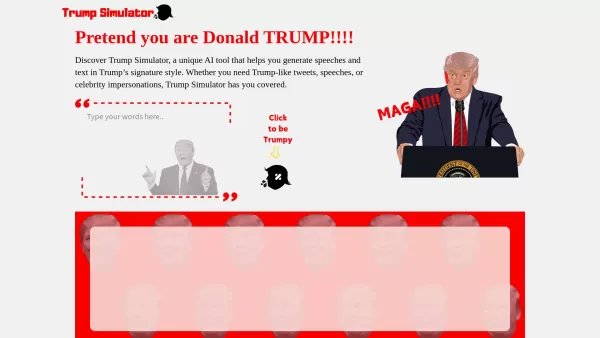
Ever wondered what it would be like to channel the unique flair of Donald Trump in your own words? Enter the Trump Simulator—an AI tool that's all about capturing the essence of Trump's distinctive style in speeches, tweets, and dialogues. It's like
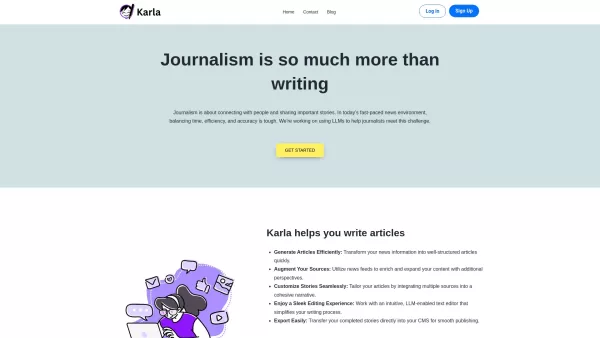
If you're a journalist navigating the fast-paced world of news, Karla might just be your new best friend. This nifty text editor is designed to take the chaos of raw information and mold it into beautifully structured articles, all thanks to the power of
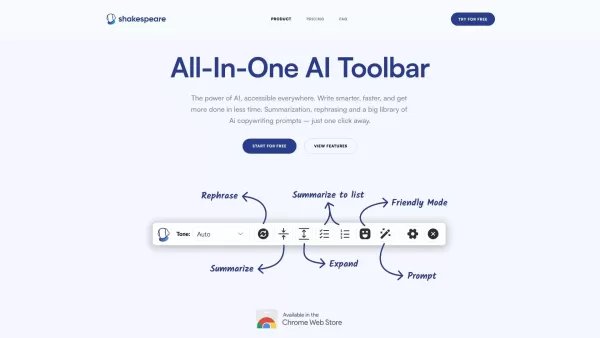
What is the Shakespeare AI Writing Toolbar?The Shakespeare Toolbar is a Chrome extension powered by AI that enhances your writing efficiency and quality. It provides tools for summarization, rewording, and other functions, helping you generate excell
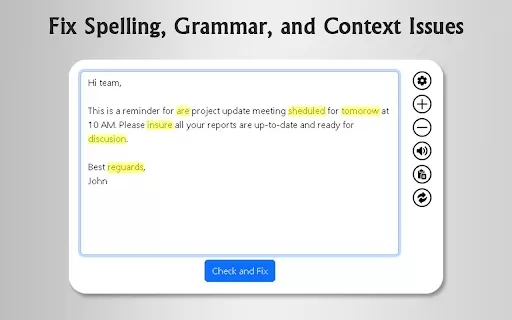
What is GrammFix?GrammFix is a cutting-edge browser extension that helps users elevate their writing. Leveraging advanced AI, it instantly identifies and fixes grammar, spelling, and punctuation errors. Ideal for students, professionals, and anyone l
Ever found yourself staring at a blank screen, unsure of how to make your words sparkle? Well, let me introduce you to the Mita Writing Cat AI Chrome Extension, a nifty little tool that's like having a personal writing coach right in your browser. It's de
Spiral Product Information
What Is Spiral?
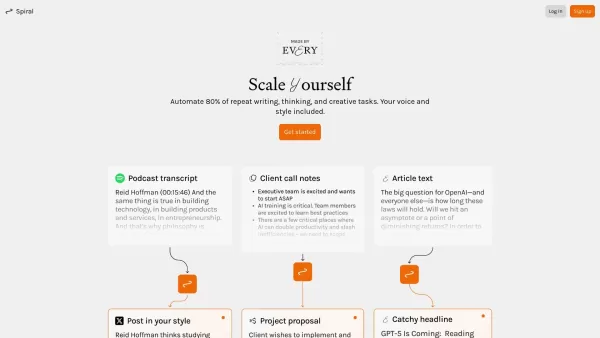
Spiral is a robust content generation platform designed to help users streamline their writing tasks. From tweets and project requirements to proposals, Spiral uses advanced algorithms to get you started at an impressive 80% efficiency. This tool is built for professionals across various fields who need to produce high-quality, consistent content quickly, allowing them to focus on core work instead of getting bogged down in the writing process.
Who Uses Spiral?
- Writers
- Marketers
- Project Managers
- Bloggers
- Educators
- Content Creators
How to Use Spiral?
- Step 1: Visit the Spiral website and create an account.
- Step 2: Choose the type of content you want to generate.
- Step 3: Input your details or prompts into the system.
- Step 4: Review the auto-generated content.
- Step 5: Edit as needed and finalize your document.
Supported Platforms
- web
- mac
- windows
- ios
- android
Spiral Core Features and Benefits
Core Features
- Automated content transformation
- Supports multiple content types (tweets, proposals, etc.)
- User-friendly interface
- Quick editing options
Benefits
- Saves time on repetitive writing tasks
- Enhances productivity
- Improves content consistency
- Boosts creativity with adaptable prompts
Main Use Cases and Applications
- Creating marketing materials
- Drafting project documentation
- Generating social media content
- Preparing educational summaries
Spiral Pros and Cons
Pros
Automates content repurposing, saving significant time—for example, completing a day’s work in minutes.
Maintains your unique voice across different content formats.
Reduces reliance on freelancers and multiple content revisions.
Offers a free plan and an affordable pro subscription.
Easy to use with AI learning based on examples.
Cons
No details on direct integration with popular social media platforms are provided.
No mention of an open-source project or available API.
Limited customization options beyond user voice training.
Pricing information could be clearer and more comprehensive.
Spiral Pricing
Free Plan Available? | Yes |
|---|---|
Free Trial Details | |
Pricing Model | Freemium |
Credit Card Required? | No |
Starting Price | 15 USD |
Lifetime Plan? | No |
Billing Frequency | Monthly |
Pricing Plan Details
Free
0 USD
- 20 free Spiral runs
- Access to 250+ public Spirals
- Clone and edit public Spirals
- Advanced editing functionality
Pro
15 USD
- Unlimited Spiral runs
- Access to 250+ public Spirals
- Clone and edit public Spirals
- Advanced editing functionality
Discount:
Save 20% when you choose a yearly subscription.
For the latest pricing, please visit: https://spiral.computer
Frequently Asked Questions about Spiral
What types of content can Spiral generate?
Spiral can generate tweets, proposals, reports, and summaries.
Is Spiral easy to use?
Yes, Spiral has a user-friendly interface designed for simplicity.
Can I use Spiral on my mobile device?
Yes, Spiral supports both Android and iOS platforms.
How does Spiral save time?
Spiral automates repetitive writing tasks, allowing you to focus on creativity.
Is my data safe with Spiral?
Yes, Spiral prioritizes user data security and confidentiality.
Can I edit the content generated by Spiral?
Absolutely! You can easily edit the content before finalizing it.
Is there a free trial available?
Yes, Spiral offers a free trial for new users to explore its features.
What platforms does Spiral support?
Spiral is available on the web, Android, iOS, Mac, and Windows.
Do I need technical skills to use Spiral?
No technical skills are required; Spiral is designed for all users.
How can I get support for Spiral?
You can reach out to Spiral's customer support through their website.
Spiral Company Information
Spiral Screenshot


2026 Latest Top-Rated Best AI Investment Research Tools are here on XIX.AI! This curated list includes powerfully accurate signals to assess portfolio risks and help you make smarter, data-driven decisions. We conduct real-world tests weekly to update rankings and offer a free vs paid comparison. Discover your perfect tool to boost investment analysis efficiency today. Explore now!
 10 tools
 xix.ai

2026 Latest Best Top-Rated AI Customer Chatbot Tools for Website Support are here on XIX.AI! Our curated list features powerful, game-changing solutions that boost response speeds, improve customer satisfaction, and save tons of manual work. Each option goes through rigorous real-world tests, complete with free vs paid comparison details. Explore now to find the perfect tool that boosts your online support efficiency!
10 tools
xix.ai

2026 Latest Best Instagram AI Comment Reply Tools for Shops, DMs, and Community Management! XIX.AI has curated a top-rated list of powerful game-changing solutions featuring weekly updated rankings, free vs paid comparison, and real-world tests. These must-try tools help boost productivity significantly by streamlining reply tasks, saving time, and enhancing customer engagement across all social media platforms. Explore now to discover your perfect tool for seamless community management!
10 tools
xix.ai

2026 Latest Best Top-Rated AI Photo Retouch Tools for Portrait Editing are here on XIX.AI! This curated list features powerful, game-changing solutions that help creators boost writing efficiency and unlock their full creative potential. We conduct real-world tests and provide detailed free vs paid comparison along with weekly updated rankings to ensure you find the must-try perfect tool for flawless portrait edits. Explore now to discover your ideal choice!
12 tools
xix.ai

2026 Latest Best Top-rated Voice Cloning Tools for Podcasting, Course Creation, and Product Walkthroughs are here on XIX.AI. This curated list features powerful game-changing solutions that undergo real-world tests to deliver flawless results every time. You’ll find a free vs paid comparison along with detailed rankings to help you choose the most suitable option for boosting your productivity. Explore now and Discover your perfect tool for enhancing audio content creation.
9 tools
xix.ai

2026 Latest Best Top-rated AI Rewrite Tools for Business Writing are here on XIX.AI! This curated list features powerful, game-changing tools that undergo real-world tests to make dense copy clearer and boost writing efficiency. Get a free vs paid comparison and see which option suits your needs. Explore now to discover your perfect tool and unlock your AI edge in business communication.
13 tools
xix.ai


