


 Home
HomeSpeech to Text by cantonese.ai
Cantone Speech-to-Text for WhatsApp Voice Messages



Helps TikTok sellers, brands, MCNs, and TAPs discover winning products and find creators.

HelpLook is an AI-powered all-in-one knowledge base tool that helps businesses quickly build knowledge bases, help centers, and...

Your AI Workspace

302.AI is an enterprise-grade AI resource platform with pay-as-you-go pricing, API access to a full range of AI models, and ready-to-use online applications.

剧火AI — AI Screenwriter + Director, a One-Person Short Drama Studio In one sentence, what is it?
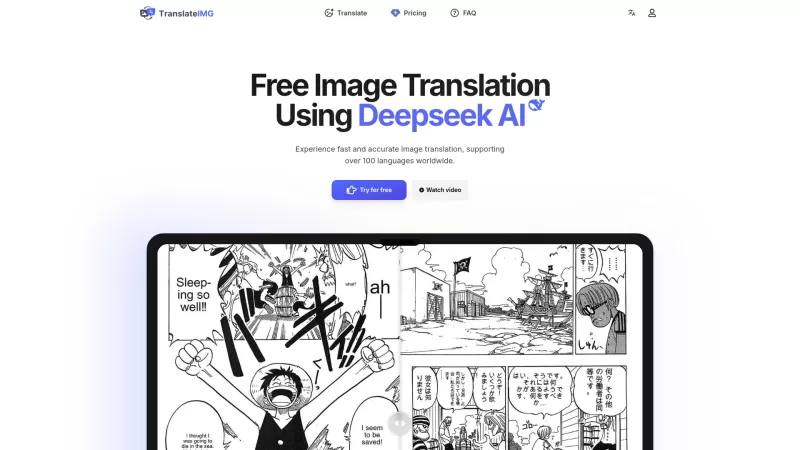
Ever stumbled upon an image with text in a language you can't understand? That's where Deepseek R1 comes in, a nifty online tool that transforms text within images into over 100 different languages. Whether it's a manga page, an e-commerce product descrip
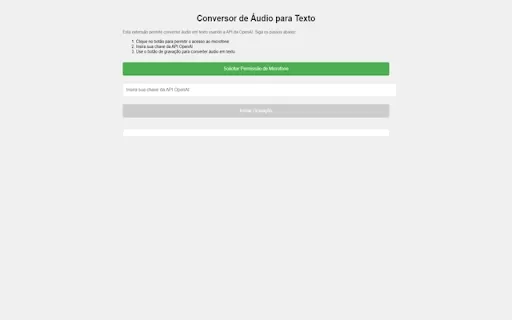
Ever wished you could magically transform your audio recordings into neatly typed text? Well, the Conversor de Áudio para Texto AI Chrome extension is here to make that wish come true! This nifty tool harnesses the power of OpenAI's advanced API to turn y
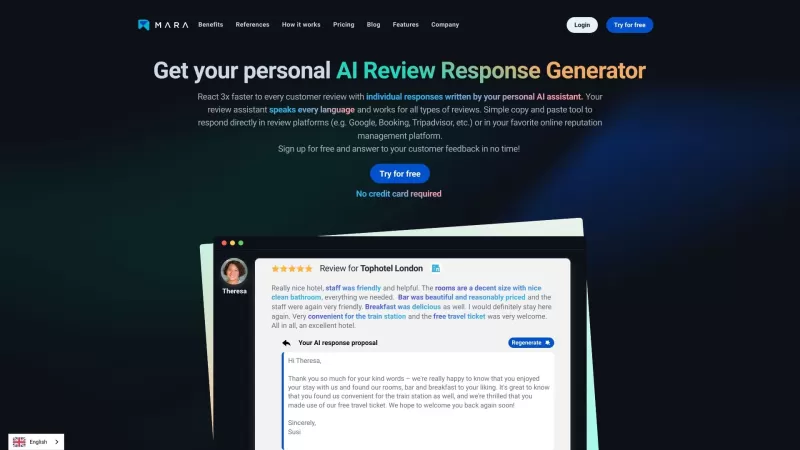
Ever found yourself staring blankly at customer reviews, wondering how to respond in a way that feels genuine and personal? That's where the AI Review Response Generator comes in—a nifty tool designed to take the hassle out of crafting those responses. Cr
Ever wondered how to breathe life into your scripts without spending hours in a recording booth? Meet Cugent, your new best friend in the world of AI voiceovers. This nifty tool takes your scripts—whether they're in PDF, Docs, or just plain text—and transforms them into professional, high-quality vo
Ever found yourself staring at a mountain of documents, wishing you could magically translate them into another language? Well, that's where File Translator AI comes in—your new best friend for tackling those translation woes. This isn't just any translat
Speech to Text by cantonese.ai Product Information
What is Speech to Text by cantonese.ai?
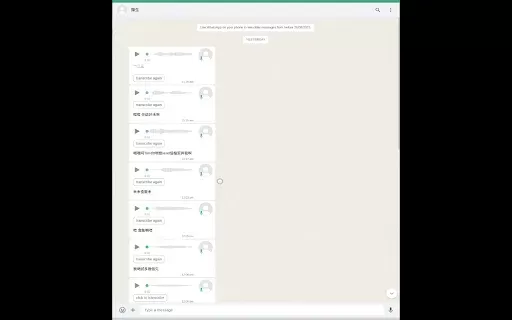
Speech to Text by Cantone is a powerful tool designed to enhance communication efficiency. By transcribing WhatsApp voice messages into readable text, it enables users to quickly scan and retrieve information without listening through lengthy audio. This extension saves time, boosts accessibility, and simplifies the management of conversations and key details while on the move. Beneficial for both personal users and businesses seeking to streamline communication, this tool is essential for anyone who regularly receives voice messages.
Who will use Speech to Text by cantonese.ai?
- WhatsApp users
- Business professionals
- Students
- Content creators
- Anyone in need of transcription services
How to use the Speech to Text by cantonese.ai?
- Step 1: Install the Speech to Text by Cantone extension from the Chrome Web Store
- Step 2: Open WhatsApp Web
- Step 3: Select the voice message you wish to convert
- Step 4: Click the extension icon
- Step 5: View and copy the transcribed text
Platform
- Chrome
Speech to Text by cantonese.ai's Core Features & Benefits
The Core Features
- Voice message transcription
- User-friendly interface
- Real-time text conversion
The Benefits
- Saves time compared to listening to audio
- Improves accessibility to critical information
- Boosts productivity
Speech to Text by cantonese.ai's Main Use Cases & Applications
- Transcribing voice messages for legal records
- Creating meeting notes from audio messages
- Assisting individuals with hearing impairments
- Enhancing study materials for students
- Streamlining communication within remote teams
FAQs of Speech to Text by cantonese.ai
Is the extension free?
Yes, the core features of the extension are available for free.
Can I use it offline?
No, an internet connection is required to transcribe voice messages.
Is there a limit to the length of voice messages?
Currently, there are no strict limits, but processing time may be longer for larger files.
Does it support multiple languages?
While its primary focus is English, support for additional languages may be available.
Who developed this extension?
It was developed by Mercatech.
How do I report issues or provide feedback?
You can report issues directly via the extension's page on the Chrome Web Store.
Can I edit the transcriptions?
Yes, once the text is generated, you can edit it as required.
Is my data safe?
The extension is designed to protect your data and privacy.
What browsers are supported?
Currently, it is supported only on the Chrome browser.
How often is the extension updated?
The extension receives regular updates to fix issues and enhance performance.
Speech to Text by cantonese.ai Company Information
Website:
https://naCompany Name:
MercatechSupport Email:
NAFacebook:
NAX(Twitter):
NAYouTube:
NAInstagram:
NATiktok:
NALinkedIn:
NA
Speech to Text by cantonese.ai Screenshot


2026 Latest Best Top-rated AI Roleplay Chat Apps for Language Practice, Interview Prep, and Daily Fluency! XIX.AI curates a powerful game-changing collection that offers free vs paid comparison, real-world tests, and updated rankings weekly. These must-try tools help you boost writing skills, overcome fluency challenges, and improve communication efficiency across all daily scenarios. Explore now to discover your perfect tool for language growth!
 10 tools
 xix.ai

2026 Latest Best Top-rated AI Stem Separation Tools Curated for Remix Production, Sampling Prep, and Karaoke Masters. These powerful game-changing tools offer real-world tests to deliver precise audio isolation, boosting productivity significantly. XIX.AI provides a weekly updated free vs paid comparison guide to help you find the must-try solution that suits your needs. Explore now to unlock your AI edge.
8 tools
xix.ai

2026 Latest Best AI SQL Copilots Ranked Top-Rated! XIX.AI curates a powerful game-changing collection for weekly updated real-world tests. These must-try tools help you generate accurate revenue dashboards, analyze sales funnels, and track product metrics swiftly, boosting productivity massively. Explore now to Discover your perfect tool for data-driven decision making! 238 characters
9 tools
xix.ai

2026 Latest Best Top-Rated AI Melody Writing Tools for Song Drafts! XIX.AI has curated a highly powerful game-changing collection that goes through rigorous real-world tests to deliver the best writing experience. You can find detailed free vs paid comparisons, accurate rankings, and must-try options designed to help you create stunning song drafts effortlessly and boost your creative productivity significantly. Explore now to discover your perfect tool!
8 tools
xix.ai

2026 Latest Best Top-rated AI Conversation Trainer Tools for Interview Practice are here on XIX.AI! This curated collection features powerful, game-changing tools that go through rigorous real-world tests to deliver accurate feedback. You’ll find a free vs paid comparison and detailed rankings to help you choose the must-try option that boosts your confidence and skills. Explore now to Discover your perfect tool for interview success!
12 tools
xix.ai

2026 Latest Best Top-rated AI Style Transfer Tools for Creative Experiments! XIX.AI has curated a powerful, game-changing collection of must-try tools that deliver exceptional results through real-world tests and rigorous rankings. These top solutions help creatives boost productivity significantly by accelerating content creation and unlocking endless creative possibilities. Explore now to discover your perfect tool and start creating today!
9 tools
xix.ai


