


 Home
HomeS.M.A.R.T
IBM TechXchange: AI-Powered SMART Extension



Helps TikTok sellers, brands, MCNs, and TAPs discover winning products and find creators.

HelpLook is an AI-powered all-in-one knowledge base tool that helps businesses quickly build knowledge bases, help centers, and...

Your AI Workspace

302.AI is an enterprise-grade AI resource platform with pay-as-you-go pricing, API access to a full range of AI models, and ready-to-use online applications.

剧火AI — AI Screenwriter + Director, a One-Person Short Drama Studio In one sentence, what is it?

What is QuickBox AI?QuickBox AI offers a handy browser extension that integrates a suite of AI tools directly into your browser. Pressing cmd+k (or ctrl+k) brings up a compact overlay on your current tab, enabling instant access to AI utilities. You

What is Facememe?FaceMeme is an advanced AI tool that enables you to upload a photo and instantly transform it into a popular meme character. Ideal for crafting personalized memes for social media, generating fun content for friends, or simply having
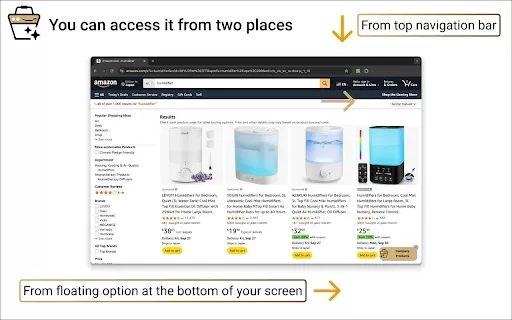
What is Product Comparison Tool?The Smart Amazon Product Comparer is a free Chrome extension that helps you make smarter buying choices on Amazon. It leverages OpenAI's ChatGPT to deliver AI-driven analysis, automatically evaluating product features,
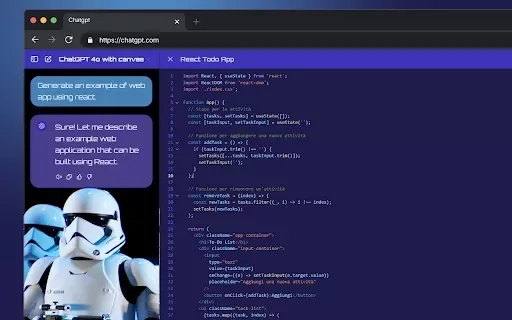
What is StylerGPT: ChatGPT Customization?StylerGPT is a Chrome extension that reimagines your ChatGPT interface as a fully customizable digital workspace. Choose from diverse color palettes, upload custom backgrounds, adjust fonts, and more to create
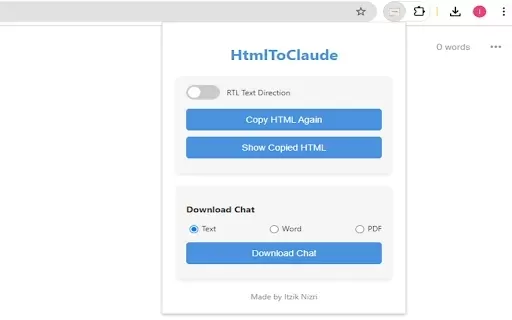
What is HtmlToClaude?HtmlToClaude is a Chrome extension that simplifies your work with Claude AI. It enables you to effortlessly capture HTML content from any webpage and paste it directly into your conversations with Claude. The tool also lets you d
S.M.A.R.T Product Information
What is S.M.A.R.T?
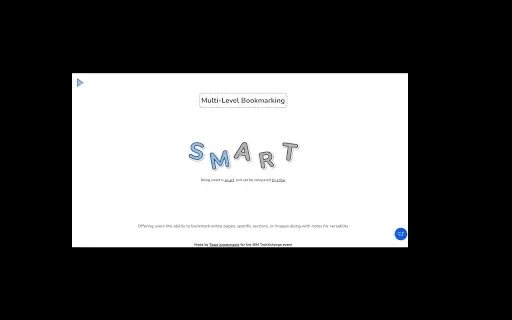
S.M.A.R.T is a specialized Chrome extension created for the IBM TechXchange event to enhance productivity and simplify experiences with IBM Cloud. It includes custom AI prompts for accurate responses, multi-level bookmarking for important content, and RAG (Retrieval-Augmented Generation) for quickly finding relevant documentation. Users can take advantage of focus mode to minimize distractions and get instant insights from the contextual AI assistant. With cloud storage integration, your data is securely accessible anytime, making S.M.A.R.T an essential tool for IBM Cloud users.
Who will use S.M.A.R.T?
- Developers
- Researchers
- Power Users
- IBM Cloud Users
How to use the S.M.A.R.T?
- Step 1: Install the S.M.A.R.T extension from the Chrome Web Store.
- Step 2: Log in and configure your settings to connect with IBM Cloud services.
- Step 3: Save custom prompts and use AI assistance for accurate answers directly in your browser.
- Step 4: Bookmark and highlight important content, snippets, and documentation.
- Step 5: Activate focus mode to eliminate distractions.
- Step 6: Use cloud storage integration to access and manage your data on any device.
Platform
- Web
S.M.A.R.T's Core Features & Benefits
The Core Features
- Seamless IBM integration
- AI-powered tailored prompts
- Multi-level bookmarking
- RAG source integration
- Focus mode
- Contextual AI assistant
- Cloud storage integration
The Benefits
- Enhanced productivity
- Efficient task management
- Quick access to relevant documentation
- Reduced distractions
- Secure data storage and access
S.M.A.R.T's Main Use Cases & Applications
- Optimizing workflows during the IBM TechXchange event
- Efficient task management for IBM Cloud users
- Staying focused while working on cloud services
- Saving and securely accessing important documentation and snippets
FAQs of S.M.A.R.T
What is S.M.A.R.T?
S.M.A.R.T is a Chrome extension designed to boost productivity and streamline IBM Cloud integration using AI assistance and other helpful features.
Who can use S.M.A.R.T?
S.M.A.R.T is perfect for developers, researchers, power users, and anyone using IBM Cloud.
How do I install the S.M.A.R.T extension?
You can install the S.M.A.R.T extension directly from the Chrome Web Store.
How does the AI assistant work?
The AI assistant uses customized prompts to deliver accurate responses and suggestions right in your browser.
What is focus mode?
Focus mode minimizes distractions by restricting browsing to IBM-related or cloud service pages.
How do I save and access bookmarks?
Use multi-level bookmarking to save content, code snippets, and key information, which you can access anytime through cloud storage integration.
How does RAG integration work?
RAG integration uses advanced AI to search and retrieve relevant documentation and answers from IBM resources.
Is my data secure?
Yes, your data is stored securely and is not sold or shared with third parties outside approved use cases.
Can I use S.M.A.R.T on multiple devices?
Yes, you can securely access your data from any device thanks to cloud storage integration.
Who is the developer of S.M.A.R.T?
S.M.A.R.T is developed by Vishal Vats.
S.M.A.R.T Company Information
- VersatileVats2000
- https://chromewebstore.google.com
S.M.A.R.T Screenshot



2026 Latest Top-rated AI Illustration Tools: Our curated list features the best powerfully designed tools for creating stunning editorial scenes and eye-catching cover art quickly. Each option has gone through rigorous real-world tests, offering a free vs paid comparison to help you find the perfect match for your workflow. Try these must-try solutions today to unlock your AI edge and boost your creative productivity. Explore now at XIX.AI.
 10 tools
 xix.ai

2026 Latest Top-Rated Best AI Tutors for Exam Prep are here on XIX.AI! Our curated list features powerful game-changing tools that offer free vs paid comparison, real-world tests, and weekly updated rankings. They help boost your writing efficiency, simplify complex topic learning, and unlock your academic potential. Explore now to Discover your perfect exam prep tool and Start creating today to Unlock your AI edge!
10 tools
xix.ai

2026 Latest Best Top-Rated AI Budget Planning Tools for Personal Money Management are here on XIX.AI! This curated collection features powerful, game-changing solutions that help you conduct real-world tests, understand spending habits, and create personalized plans to boost productivity. Enjoy a free vs paid comparison along with detailed rankings. Must-try tools designed to simplify money management and unlock your AI edge. Explore now!
11 tools
xix.ai

2026 Latest Best Top-Rated AI Sleep Tracking Assistants curated for ultimate recovery. This fully updated weekly guide features powerful tools that deliver real-world tests, free vs paid comparison, and detailed rankings to help you find the must-try solution that boosts sleep quality and supports better bedtime habits. Explore now at XIX.AI to Unlock your AI edge.
10 tools
xix.ai

2026 Latest Best Top-Rated AI SQL Copilots for Product and Revenue Analytics! XIX.AI has curated a powerful, game-changing collection of must-try tools that undergo real-world tests through weekly updated rankings. These tools help users boost productivity significantly by accelerating data analysis, streamlining complex queries, and generating accurate insights to drive smarter business decisions. Explore now to Discover your perfect tool for unlocking your AI edge!
14 tools
xix.ai

2026 Latest Best Top-Rated AI Homework Helpers That Teach Core Concepts Not Just Answers Powerful Tools for Students Must-Try Curated List Weekly Updated Free vs Paid Comparison Real-World Tests Accurate Rankings to Help You Unlock Your Full Learning Potential Explore now to Discover your perfect tool for smarter studying.
10 tools
xix.ai


このS.M.A.R.T拡張機能、IBM Cloudでの作業がめっちゃ楽になった!AIプロンプトが的確で、ブックマーク機能も便利すぎる😊 ただ、イベント限定なのが残念…今後も使えたらいいな。


