


 Home
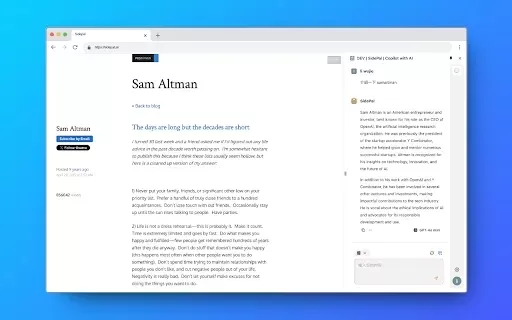
HomeSidePal | Copilot with AI



Helps TikTok sellers, brands, MCNs, and TAPs discover winning products and find creators.

HelpLook is an AI-powered all-in-one knowledge base tool that helps businesses quickly build knowledge bases, help centers, and...

Your AI Workspace

302.AI is an enterprise-grade AI resource platform with pay-as-you-go pricing, API access to a full range of AI models, and ready-to-use online applications.

剧火AI — AI Screenwriter + Director, a One-Person Short Drama Studio In one sentence, what is it?

Ever wondered what it's like to try on a whole new wardrobe without leaving your room? Grey's Secret Room brings that fantasy to life with its cutting-edge AI technology. This innovative platform allows you to experiment with different styles and even swa
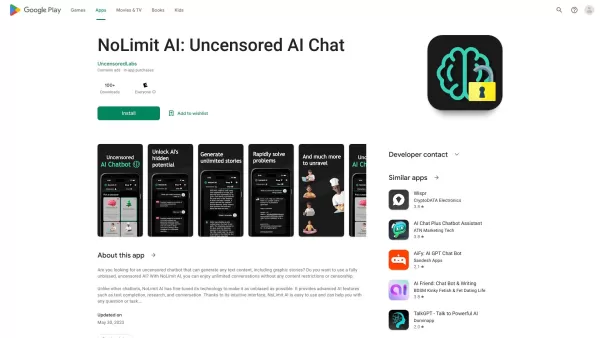
If you're looking for a chat experience that breaks the mold, let me introduce you to NoLimit IA—an app that promises to keep the conversation flowing without any boundaries. Think of it as your go-to place for engaging in unfiltered chats with AI ch
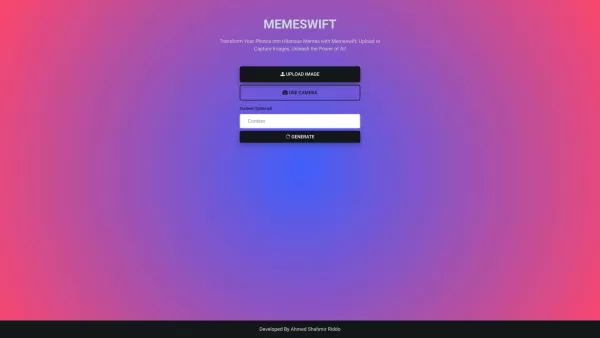
MemeSwift is like the Swiss Army knife of humor—it’s an AI-powered meme generator designed to turn your photos into laugh-out-loud-worthy memes. Whether you’re looking to poke fun at yourself or your friends, this tool makes it easy to craft something fun
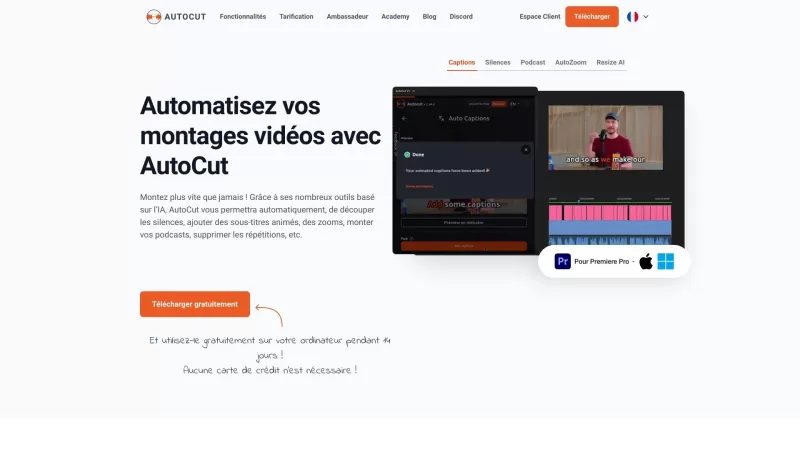
Ever wished you had a magic wand for video editing? Meet AutoCut, the Premiere Pro plugin that's like your very own AI editing assistant. It does everything from adding those snazzy animated subtitles to cutting out those awkward silences. Whether you're
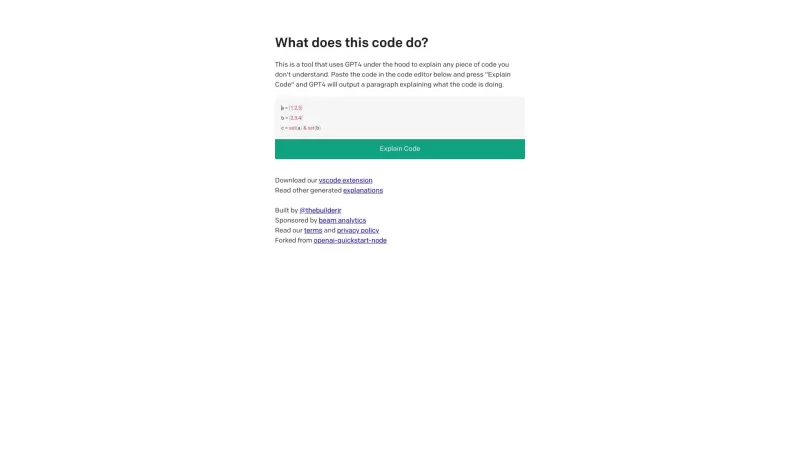
Ever found yourself staring at a piece of code, scratching your head and wondering, "What on earth does this do?" Well, that's where Code Explain comes in—your trusty AI-powered sidekick that's here to make sense of any code that's got you puzzled. It's l
SidePal | Copilot with AI Product Information
What is SidePal | Copilot with AI?
SidePal is an AI assistant built into your browser's side panel, offering real-time support. Its smart conversational capabilities help you find information, get answers, and spark creative ideas. Designed for quick replies, SidePal keeps your workflow smooth and uninterrupted. Privacy and data security are fundamental to its design, creating a reliable environment for AI interaction. The tool is easy to use, always ready in your browser sidebar whenever you need help. Install SidePal to boost your productivity starting today.
Who can benefit from SidePal | Copilot with AI?
- Students
- Professionals
- Researchers
- Content Creators
- Freelancers
How to use SidePal | Copilot with AI
- Step 1: Install the SidePal extension from the Chrome Web Store.
- Step 2: Open your browser and access SidePal from the side panel.
- Step 3: Begin a chat with the AI to receive real-time support.
- Step 4: Use SidePal to find information, answer questions, and handle tasks.
- Step 5: Adjust the settings for a personalized experience.
Platform
- Web
- Chrome
SidePal | Copilot with AI's Core Features & Benefits
Key Features
- Intelligent conversation
- Fast response time
- Data privacy and security
- Convenient operation
Key Benefits
- Real-time assistance
- Increased productivity
- Quick access to information
- Personalized support
- Secure browsing
Main Use Cases & Applications
- Finding information in real time
- Getting quick answers to questions
- Managing daily tasks
- Brainstorming creative ideas
- Maintaining an efficient workflow
FAQs about SidePal | Copilot with AI
What is SidePal?
SidePal is an AI-powered assistant that lives in your browser's side panel, providing on-the-spot help and information.
How do I install SidePal?
Install SidePal from the Chrome Web Store by searching for it and clicking ‘Add to Chrome’.
Is SidePal safe to use?
Yes, SidePal is built with a strong focus on privacy and data security, ensuring a trustworthy AI experience.
What features does SidePal offer?
SidePal delivers smart conversations, fast responses, strong data privacy, and easy access from your browser sidebar.
Can I use SidePal on different browsers?
SidePal is currently available for use on the web, specifically as a Chrome extension.
Does SidePal store my personal data?
SidePal manages personal information, browsing history, and website content according to its privacy policy. It does not sell user data to third parties.
Can SidePal help with task management?
Yes, SidePal helps you manage tasks effectively to keep your workflow organized.
How does SidePal enhance productivity?
SidePal boosts productivity by offering instant conversational feedback and real-time aid, keeping your work flowing efficiently.
What are some use cases for SidePal?
Use SidePal for instant information lookup, answering questions, task management, creative brainstorming, and workflow optimization.
Does SidePal have any alternatives?
Yes, alternatives include Refine Reader, AI Side Panel, Chat AI, YourGPT AI, Depost AI, Palo - Youtube AI Chat Assistant, Verve AI, and BrowserCopilot.
SidePal | Copilot with AI Company Information
SidePal | Copilot with AI Screenshot


2026 Latest Best Top-rated AI Meta Tag Tools for Faster On Page SEO! XIX.AI has curated a powerful, game-changing collection of highly reliable tools that undergo rigorous real-world tests. You’ll find a free vs paid comparison along with detailed rankings to help you choose the perfect option for boosting your content’s search visibility and improving writing efficiency. Explore now to Unlock your AI edge!
 9 tools
 xix.ai

2026 Latest Best AI Habit Tracking Tools for Personal Health Goals are here on XIX.AI! Our curated top-rated list includes powerful, game-changing solutions that help you stay consistent with your goals through real-world tests and strict rankings. We also offer a free vs paid comparison to help you choose the perfect fit. Explore now to Unlock your AI edge in achieving better health outcomes.
10 tools
xix.ai

2026 Latest Best Top-rated AI Anomaly Detection Tools for Dashboard Monitoring are here on XIX.AI! This curated list features powerful, game-changing solutions that deliver accurate real-world tests through weekly updated rankings. You’ll find a free vs paid comparison and insights into how these tools boost productivity by helping users spot issues fast, streamlining workflow efficiency. Discover your perfect tool to unlock your AI edge today. Explore now!
9 tools
xix.ai

2026 Latest Best AI Lip-Sync Generators for Dialogue-Driven Character Animation and Motion Scenes! XIX.AI has curated a top-rated list of powerful, game-changing tools that deliver flawless synchronized lip movements for animated characters. Each option undergoes rigorous real-world tests to ensure reliability, and our weekly updated rankings help you find the must-try solution that boosts your animation workflow efficiency. Explore now to discover your perfect tool!
9 tools
xix.ai

2026 Latest Best Top-rated AI Social Reply Assistants for Brand Community Management! XIX.AI has curated a powerful game-changing collection of must-try tools, all going through rigorous real-world tests to deliver consistent top-quality results. You can find detailed free vs paid comparison insights and up-to-date weekly updated rankings here. Explore now to unlock your AI edge in efficient community management!
12 tools
xix.ai

2026 Latest Top-Rated AI Daily Planner Apps make creating realistic deep work schedules effortless. This curated list features powerful, game-changing tools that go through real-world tests to ensure accuracy and effectiveness. You’ll find a free vs paid comparison along with detailed rankings based on usability and results. XIX.AI is part of this trusted collection. Explore now to discover your perfect tool and unlock your AI edge for staying focused and productive every day.
11 tools
xix.ai


