


 Home
HomeSheetAI.app



Helps TikTok sellers, brands, MCNs, and TAPs discover winning products and find creators.

HelpLook is an AI-powered all-in-one knowledge base tool that helps businesses quickly build knowledge bases, help centers, and...

Your AI Workspace

302.AI is an enterprise-grade AI resource platform with pay-as-you-go pricing, API access to a full range of AI models, and ready-to-use online applications.

剧火AI — AI Screenwriter + Director, a One-Person Short Drama Studio In one sentence, what is it?

What is AI Excel Bot?AI Excel Bot uses advanced AI algorithms to help you build complex Excel and Google Sheets formulas in seconds. By leveraging natural language processing, it makes writing, editing, and understanding formulas much easier. Whether

What is Ajelix AI Excel Tools?Ajelix provides intelligent, AI-powered tools designed to automate processes within Excel and Google Sheets, simplifying data analytics, visualization, and business intelligence for professionals and teams. Empower your
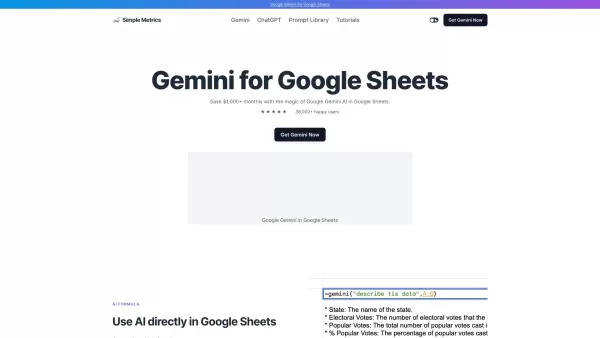
What is Gemini AI for Sheets?Gemini AI for Sheets by Simple Metrics is a powerful add-on that integrates natively with Google Sheets. It enables sophisticated data analysis, automated content creation, sentiment analysis, and live data interpretation
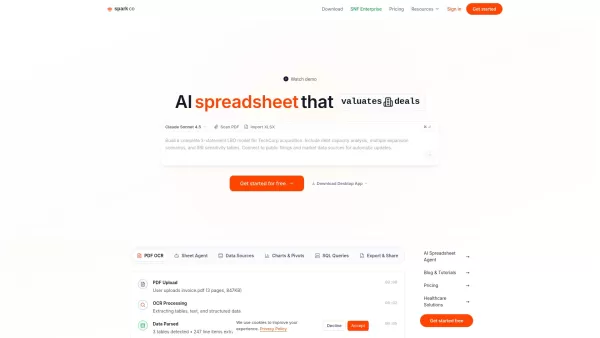
What is Sparkco AI Spreadsheet Agent? Sparkco AI Spreadsheet Agent instantly converts your plain-English requests into fully functional spreadsheets. It seamlessly integrates data from platforms including Stripe, QuickBooks, PointClickCare, and Epic,
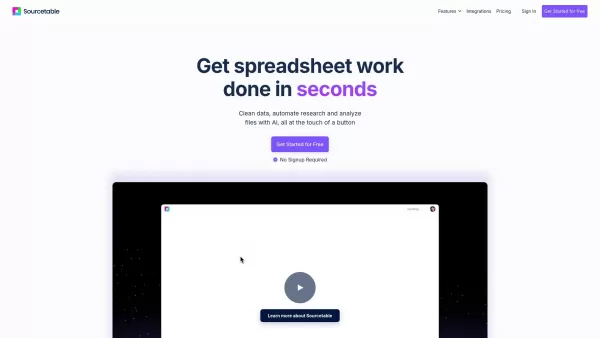
What is Sourcetable?Sourcetable is an AI-powered spreadsheet tool designed to streamline your data work. It lets you analyze files, create interactive charts, build complex formulas, clean large datasets, and perform research—all within a familiar sp
SheetAI.app Product Information
What is SheetAI.app?
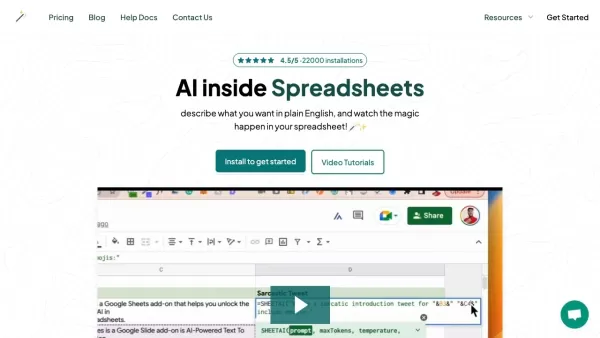
SheetAI is an add-on for Google Sheets that utilizes artificial intelligence to transform the way users work with spreadsheets. Its AI-powered tools can automate repetitive tasks, produce valuable insights, translate text, summarize data, and generate content. In addition to these features, it offers utilities for text analysis, sentiment detection, and image analysis. Whether you need to create taglines, apply tags, or fill data with sample information, SheetAI streamlines your workflow and increases productivity right within the familiar Google Sheets interface.
Who will use SheetAI.app?
- Businesses
- Marketers
- Product Managers
- Finance Teams
- Business Owners
- Consumers
How to use the SheetAI.app?
- Step 1: Visit the SheetAI website and complete the registration process.
- Step 2: Install the SheetAI add-on in your Google Sheets account.
- Step 3: Open Google Sheets and navigate to the Add-ons menu.
- Step 4: Choose SheetAI from the list of installed add-ons.
- Step 5: Select the AI function you need, such as content generation, text analysis, or image label extraction.
- Step 6: Enter your data and let SheetAI handle the automation and optimization of your tasks.
Platform
- web
SheetAI.app's Core Features & Benefits
The Core Features
- Automated task management
- Content generation
- Text translation
- Data summarization
- Text sentiment analysis
- Image analysis
The Benefits
- Improved productivity
- Seamless integration with Google Sheets
- Easy to use
- Saves time on repetitive tasks
- Harnesses the power of AI for enhanced insights
SheetAI.app's Main Use Cases & Applications
- Creating taglines
- Applying tags
- Translating text
- Summarizing data
- Populating data with dummy information
- Analyzing text sentiment
- Extracting labels from images
SheetAI.app's Pros & Cons
The Pros
Its seamless integration with Google Sheets boosts productivity without requiring users to leave the spreadsheet environment. Users can describe tasks in simple English, making the tool accessible even to those without programming experience. The service also features contextual AI memory that improves the accuracy and relevance of responses. It provides a variety of AI-powered functions, including content generation, data cleaning, and predictive analytics. Additionally, it is trusted and used by well-known companies and universities.
Other advantages include the ability to use your own OpenAI API key for enhanced functionality, support for all languages, and a cache feature that helps reduce costs associated with AI function calls.
The Cons
Since it is not an open-source tool, customization and transparency options are limited. Its functionality is dependent on a Google Sheets environment, which may restrict its use in certain situations. Pricing information is available only on the official pricing page, which might make it difficult to assess costs upfront.
SheetAI.app's Pricing
Has free plan | No |
|---|---|
Free trial details | |
Pricing model | Pay-as-you-go |
Is credit card required | No |
Paid from | 20 USD |
Has lifetime plan | No |
Billing frequency | Monthly |
Details of Pricing Plan
Unlimited Monthly
20 USD
- Unlimited Sheet formula generation per month
- Unlimited SHEETAI function calls
- Use your own OpenAI API key
- Access to all previously generated formula
- Access to all prior SHEETAI functions calls
- Cache feature to save cost of SHEETAI function calls
- Supports all Languages
Unlimited Yearly
200 USD
- Unlimited Sheet formula generation per month
- Unlimited SHEETAI function calls
- Use your own OpenAI API key
- Access to all previously generated formula
- Access to all prior SHEETAI functions calls
- Cache feature to save cost of SHEETAI function calls
- Supports all Languages
Pay As You Go
29 USD
- Buy tokens as needed
- Multiple package sizes available
- No recurring subscription
- Access to all features
- Tokens never expire
For the latest prices, please visit: https://sheetai.app/pricing
FAQs of SheetAI.app
What is SheetAI?
SheetAI is an add-on for Google Sheets that incorporates artificial intelligence to automate tasks, generate insights, and create content.
How do I install SheetAI?
First, go to the SheetAI website, sign up, and then follow the on-screen instructions to install the add-on in your Google Sheets account.
What platforms is SheetAI available on?
SheetAI is offered as a web-based add-on specifically for Google Sheets.
What features does SheetAI offer?
It provides automated task management, content generation, text translation, data summarization, text sentiment analysis, and image analysis capabilities.
Who can benefit from using SheetAI?
Businesses, marketers, product managers, finance teams, business owners, and consumers can all benefit from using SheetAI.
Is there a cost to use SheetAI?
For detailed pricing information, you should visit the official SheetAI pricing page on their website.
Can SheetAI translate text?
Yes, text translation is one of the AI-driven functions available in SheetAI.
How does SheetAI help improve productivity?
By automating repetitive tasks and generating insights, SheetAI allows users to focus on more strategic work.
Does SheetAI offer text sentiment analysis?
Yes, SheetAI can analyze the sentiment contained in text data.
Can I use my own OpenAI API key with SheetAI?
Yes, users can integrate their own OpenAI API key with SheetAI to get additional functionality.
SheetAI.app Company Information
Website:
https://www.sheetai.appCompany Name:
SheetAISupport Email:
Facebook:
NAX(Twitter):
NAYouTube:
NAInstagram:
NATiktok:
NALinkedIn:
NA
SheetAI.app Screenshot




2026 Latest Top-rated AI Illustration Tools: Our curated list features the best powerfully designed tools for creating stunning editorial scenes and eye-catching cover art quickly. Each option has gone through rigorous real-world tests, offering a free vs paid comparison to help you find the perfect match for your workflow. Try these must-try solutions today to unlock your AI edge and boost your creative productivity. Explore now at XIX.AI.
 10 tools
 xix.ai

2026 Latest Top-Rated Best AI Tutors for Exam Prep are here on XIX.AI! Our curated list features powerful game-changing tools that offer free vs paid comparison, real-world tests, and weekly updated rankings. They help boost your writing efficiency, simplify complex topic learning, and unlock your academic potential. Explore now to Discover your perfect exam prep tool and Start creating today to Unlock your AI edge!
10 tools
xix.ai

2026 Latest Best Top-Rated AI Budget Planning Tools for Personal Money Management are here on XIX.AI! This curated collection features powerful, game-changing solutions that help you conduct real-world tests, understand spending habits, and create personalized plans to boost productivity. Enjoy a free vs paid comparison along with detailed rankings. Must-try tools designed to simplify money management and unlock your AI edge. Explore now!
11 tools
xix.ai

2026 Latest Best Top-Rated AI Sleep Tracking Assistants curated for ultimate recovery. This fully updated weekly guide features powerful tools that deliver real-world tests, free vs paid comparison, and detailed rankings to help you find the must-try solution that boosts sleep quality and supports better bedtime habits. Explore now at XIX.AI to Unlock your AI edge.
10 tools
xix.ai

2026 Latest Best Top-Rated AI SQL Copilots for Product and Revenue Analytics! XIX.AI has curated a powerful, game-changing collection of must-try tools that undergo real-world tests through weekly updated rankings. These tools help users boost productivity significantly by accelerating data analysis, streamlining complex queries, and generating accurate insights to drive smarter business decisions. Explore now to Discover your perfect tool for unlocking your AI edge!
14 tools
xix.ai

2026 Latest Best Top-Rated AI Homework Helpers That Teach Core Concepts Not Just Answers Powerful Tools for Students Must-Try Curated List Weekly Updated Free vs Paid Comparison Real-World Tests Accurate Rankings to Help You Unlock Your Full Learning Potential Explore now to Discover your perfect tool for smarter studying.
10 tools
xix.ai


