


 Home
HomeSourcetable - AI spreadsheet
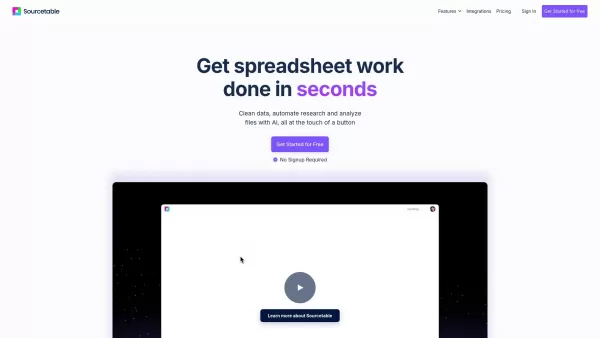
Sourcetable: AI Spreadsheet for Data Analysis



Helps TikTok sellers, brands, MCNs, and TAPs discover winning products and find creators.

HelpLook is an AI-powered all-in-one knowledge base tool that helps businesses quickly build knowledge bases, help centers, and...

Your AI Workspace

302.AI is an enterprise-grade AI resource platform with pay-as-you-go pricing, API access to a full range of AI models, and ready-to-use online applications.

剧火AI — AI Screenwriter + Director, a One-Person Short Drama Studio In one sentence, what is it?
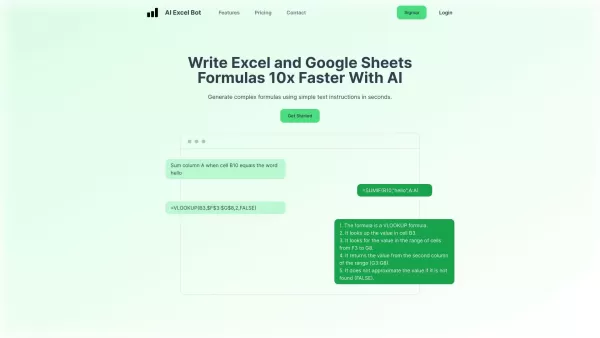
What is AI Excel Bot?AI Excel Bot uses advanced AI algorithms to help you build complex Excel and Google Sheets formulas in seconds. By leveraging natural language processing, it makes writing, editing, and understanding formulas much easier. Whether
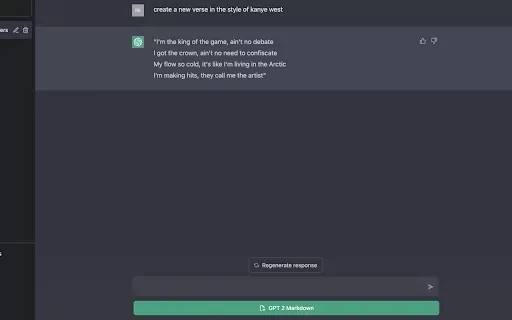
What is GPT2Markdown?GPT2Markdown is a Chrome extension that streamlines the process of exporting your ChatGPT conversations into Markdown format. With a single click, it allows you to download your chat history as a Markdown (.md) file directly to y
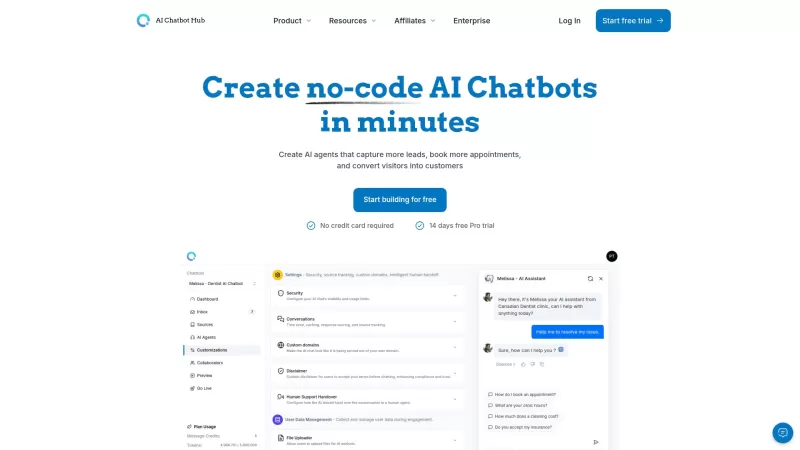
AI Chatbot Hub is your go-to no-code platform for crafting and deploying AI chatbots that streamline customer interactions and boost internal operations. No need to be a coding whiz—just dive in and start creating chatbots that can capture leads, schedule

What is Sakura AI?Sakura AI harnesses cutting-edge artificial intelligence to provide a conversational interface that helps with a wide range of tasks, from managing schedules to answering questions. It uses advanced voice recognition and understandi
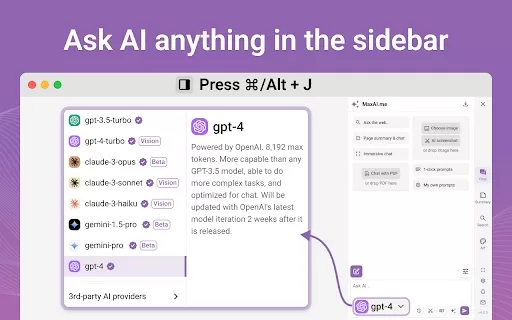
Ever wished for a trusty sidekick to boost your productivity while you surf the web? Well, say hello to the MaxAI AI Chrome extension! This little gem is your go-to for real-time suggestions and a whole suite of AI tools that can transform your online exp
Sourcetable - AI spreadsheet Product Information
What is Sourcetable?
Sourcetable is an AI-powered spreadsheet tool designed to streamline your data work. It lets you analyze files, create interactive charts, build complex formulas, clean large datasets, and perform research—all within a familiar spreadsheet interface. This solution integrates advanced AI directly into Excel and Google Sheets, enabling fast, data-driven decisions for everyone, with no coding knowledge required.
Who can benefit from Sourcetable?
- Data Analysts
- Business Professionals
- Students
- Professors
- Marketers
How do I get started with Sourcetable?
- Step 1: Create an account and log in to Sourcetable.
- Step 2: Upload your spreadsheet file or link to a supported data source.
- Step 3: Leverage the AI tools to analyze your data.
- Step 4: Create charts and reports using the AI Chart Generator.
- Step 5: Export your findings or processed data as required.
Platform
- Web
Core Features & Benefits of Sourcetable
Key Features
- AI Formula Assist
- AI Charts & Graphs
- AI Research
- AI Data Cleaning
- AI Analysis
- AI Summarize
- Voice-driven Spreadsheets
- Integration Support
Primary Benefits
- Automate data analysis
- Simplify complex formula creation
- Generate meaningful data visualizations
- Efficiently clean extensive datasets
- Research information directly from the web
- Quickly compile and summarize big data
Main Use Cases & Applications
- Data analysis
- Report generation
- Data visualization
- Spreadsheet management
- Business intelligence
Pros & Cons of Sourcetable
Advantages
Enhances spreadsheets with AI to boost data analysis and productivity.
Provides flexibility with natural language queries and Python integration.
Delivers automatic insights, visualization, and formula correction.
Handles large datasets up to 10GB, ideal for sophisticated data work.
Free to use with daily AI limits and special discounts for educational users.
Limitations
Daily AI usage caps might necessitate an upgrade to the pro plan.
Not open source, which restricts customization and community contributions.
No public GitHub repository for source code access or development.
Sourcetable Pricing
Free plan available | YES |
|---|---|
Free trial details | |
Pricing model | Freemium |
Credit card required | No |
Paid plans start from | 20 USD |
Lifetime plan available | No |
Billing frequency | Monthly |
Pricing Plan Details
Regular
0 USD
- AI spreadsheet assistant
- AI analysis, insights, and summaries
- Magic-autofill, data generation, and AI research
- Smart formulas, pivots, charts, visualizations, and collaboration
- Intelligent data cleaning, generation, and transforms
Pro
20 USD
- All Regular plan features
- 500 AI messages per month
- Access to premium AI models
- Reporting add-on access
- AI chat for databases and integrations
- SQL editor, query builder, and library
- Python & data science tools
Max
200 USD
- All Pro plan features
- Unlimited AI messages per month
- Expanded access to premium AI models
- Additional compute for complex queries
- Early access to new tools and AI models
Discounts:
Currently free for students and faculty; a 50% discount applies after free credits are used.
For the most current pricing, visit: https://sourcetable.com/pricing
Frequently Asked Questions
How do I analyze data?
Simply upload your file and ask questions. Sourcetable's AI will provide answers and perform tasks on your behalf.
What data sources are supported?
We support spreadsheets (.xls, .xlsx, .csv), tabular data (tsv), databases (MySQL, PostgreSQL, MongoDB), and most plain text formats.
What is the maximum file size?
Sourcetable accepts files up to 10GB. Larger file sizes can be accommodated upon request.
Can I analyze multiple spreadsheet tabs?
Yes. The AI intelligently analyzes data across all tabs in your spreadsheet.
Can I generate data visualizations?
Absolutely. Prompt the AI to create a chart or graph, then download or export it as an interactive embed.
Is Sourcetable programmable?
Yes. It supports full A1 formula-style referencing, and advanced users can utilize the SQL editor and GUI tools.
Are there discounts for students, professors, or teachers?
Yes, it's currently free for students and faculty, with a 50% discount plan available after free credits are used.
Is Sourcetable free?
Yes. All users get a free trial with sufficient credits for data analysis. Upgrade to the pro plan when necessary.
Can I get AI recommendations?
Yes. Sourcetable’s AI offers data-driven recommendations and predictions to support your decision-making.
How user-friendly is Sourcetable for beginners?
Sourcetable is built to be intuitive and straightforward, suitable for users with little to no Excel or coding background.
About Sourcetable
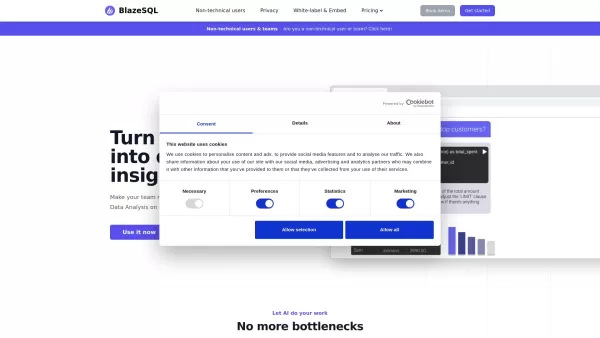
Sourcetable - AI spreadsheet Screenshot

Discover the 2026 best AI Excel data cleaning tools on XIX.AI. Our top-rated, curated list features powerful solutions for automating row deletion and text filtering by character length. Compare free vs paid options with real-world tests. Unlock your data productivity edge today.
 10 tools
 xix.ai
Discover the 2026 best AI workflow automators for spreadsheets at XIX.AI. Our top-rated, curated list features powerful tools to instantly format, cleanse, and process raw data. Compare free vs paid options with real-world tests. Unlock your productivity edge and explore now.
10 tools
xix.ai
Discover the 2026 best AI data cleaning tools for Excel on XIX.AI. Our curated, top-rated list features powerful solutions to automate spreadsheet workflows and complex regex tasks. Compare free vs paid options with real-world tests. Unlock your data productivity edge today.
9 tools
xix.ai
Discover the 2026 best AI tools for spreadsheet automation and reporting. Explore our curated, top-rated list with free vs paid comparisons and real-world tests. Unlock game-changing efficiency for data analysis and automated reporting. Find your perfect solution on XIX.AI.
10 tools
xix.ai
Discover 2026's top-rated AI tools for spreadsheet automation and office data analysis. At XIX.AI, we provide rigorously tested, curated rankings of the most powerful solutions to automate tasks, derive insights, and boost productivity. Compare free vs paid options with our weekly updated, real-world comparisons. Unlock your data edge today.
10 tools
xix.ai

XIX.AI presents the 2026 latest guide to top AI Excel tools. Discover powerful, game-changing solutions for financial modeling, business analysis, and data automation. Compare free vs paid options with our curated, weekly updated rankings and expert insights. Find your must-try productivity upgrade today!
10 tools
xix.ai


Sourcetable 真的省去了手动处理 Excel 的痛苦,直接把文件拖进去就能出图表,懒人福音啊!就是不知道数据量大了会不会卡,希望别像某些 AI 工具一样吹得神乎其神结果还得自己救火😂 总之看着挺顺眼的,先存个档再说。
Наконец-то нашёл инструмент, который совмещает знакомый интерфейс таблиц с силой ИИ! Sourcetable реально упрощает работу с большими наборами данных. Интеграция анализа и построения графиков прямо в одном месте — это спасение. Есть только один вопрос: будет ли он таким же мощным, если использовать его с очень специфическими бизнес-данными? 🤔


