


 Home
HomeShakespeare AI Toolbar: AI Writing Anywhere
Shakespeare AI Toolbar: Write Smarter & Faster



Helps TikTok sellers, brands, MCNs, and TAPs discover winning products and find creators.

HelpLook is an AI-powered all-in-one knowledge base tool that helps businesses quickly build knowledge bases, help centers, and...

Your AI Workspace

302.AI is an enterprise-grade AI resource platform with pay-as-you-go pricing, API access to a full range of AI models, and ready-to-use online applications.

剧火AI — AI Screenwriter + Director, a One-Person Short Drama Studio In one sentence, what is it?
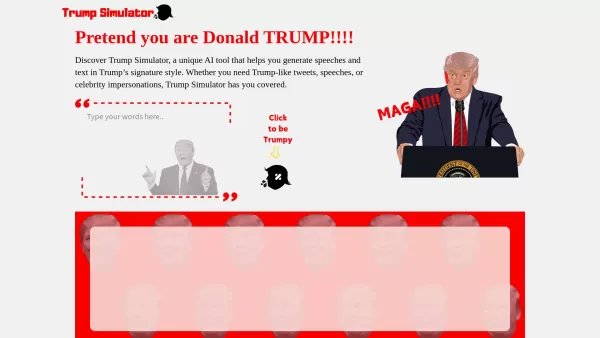
Ever wondered what it would be like to channel the unique flair of Donald Trump in your own words? Enter the Trump Simulator—an AI tool that's all about capturing the essence of Trump's distinctive style in speeches, tweets, and dialogues. It's like
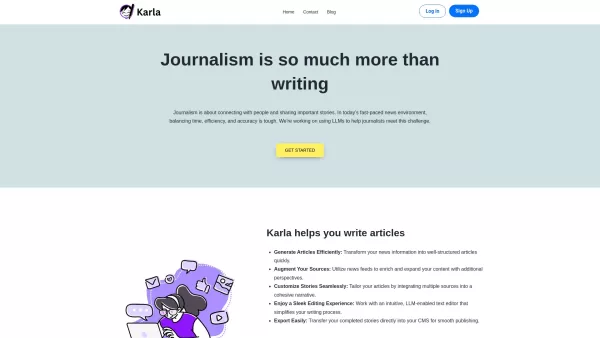
If you're a journalist navigating the fast-paced world of news, Karla might just be your new best friend. This nifty text editor is designed to take the chaos of raw information and mold it into beautifully structured articles, all thanks to the power of
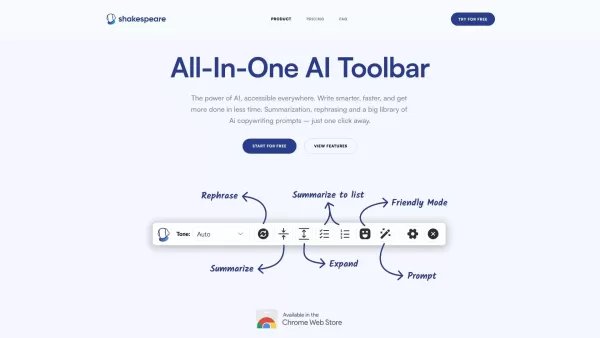
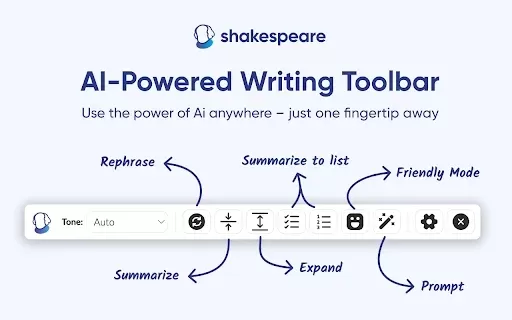
What is the Shakespeare AI Writing Toolbar?The Shakespeare Toolbar is a Chrome extension powered by AI that enhances your writing efficiency and quality. It provides tools for summarization, rewording, and other functions, helping you generate excell
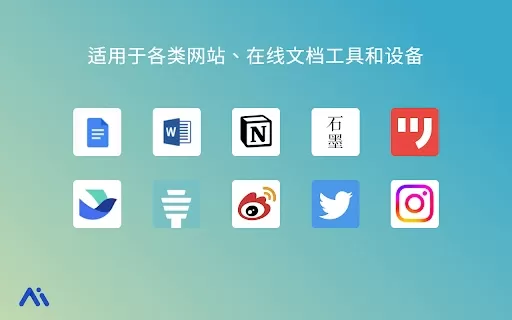
Ever found yourself staring at a blank screen, unsure of how to make your words sparkle? Well, let me introduce you to the Mita Writing Cat AI Chrome Extension, a nifty little tool that's like having a personal writing coach right in your browser. It's de
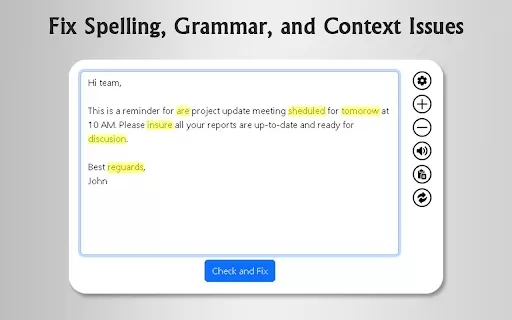
What is GrammFix?GrammFix is a cutting-edge browser extension that helps users elevate their writing. Leveraging advanced AI, it instantly identifies and fixes grammar, spelling, and punctuation errors. Ideal for students, professionals, and anyone l
Shakespeare AI Toolbar: AI Writing Anywhere Product Information
What is the Shakespeare AI Toolbar: AI Writing Anywhere?
The Shakespeare AI Toolbar is a comprehensive browser extension that provides AI-powered assistance for a wide range of writing tasks. It helps you summarize long documents, rephrase sentences for better clarity, generate creative ideas, and offers style suggestions—all integrated directly into your browser to boost your writing productivity.
Who is the Shakespeare AI Toolbar: AI Writing Anywhere for?
- Students
- Professionals
- Writers
- Content creators
- Researchers
How to Use Shakespeare AI Toolbar: AI Writing Anywhere
- Step1: Install the toolbar from the Chrome Web Store
- Step2: Open the toolbar in your browser
- Step3: Choose your desired feature (e.g., summarize, rephrase)
- Step4: Enter your text and click the action button
- Step5: Review the AI's suggestions and apply them to your work
Platform
- chrome
Shakespeare AI Toolbar: AI Writing Anywhere's Core Features & Benefits
The Core Features
- Summarization
- Rephrasing
- Creative writing prompts
- Grammar and style suggestions
- Text expansion
The Benefits
- Improves writing quality
- Saves time on editing
- Boosts creativity
- Increases workflow efficiency
- Features an intuitive, user-friendly interface
Shakespeare AI Toolbar: AI Writing Anywhere's Main Use Cases & Applications
- Academic writing and research
- Blog and article creation
- Optimizing social media posts
- Crafting professional emails
- Writing detailed reports
FAQs of Shakespeare AI Toolbar: AI Writing Anywhere
What is the Shakespeare AI Toolbar?
It's a browser-integrated, AI-powered assistant designed to enhance your writing.
How do I install the toolbar?
Simply add it to your browser from the Chrome Web Store.
Is it free to use?
Yes, it offers a free version with optional premium features.
Can I use it on mobile devices?
Currently, it is only supported on the Chrome browser for desktop.
What features are included?
Key features include text summarization, rephrasing, and grammar/style checking.
How does the summarization feature work?
It analyzes long passages of text and extracts the key points into a concise summary.
Is my data secure when using the toolbar?
Yes, user data is protected under strict privacy and security protocols.
Can it help with creativity?
Absolutely, it provides creative prompts to help overcome writer's block and inspire new ideas.
Is there customer support available?
Yes, support is available and can be contacted via email.
Where can I find updates for the toolbar?
All updates are listed on its official Chrome Web Store page.
Shakespeare AI Toolbar: AI Writing Anywhere Company Information
Shakespeare AI Toolbar: AI Writing Anywhere Screenshot


2026 Latest Best Top-rated AI Roleplay Chat Apps for Language Practice, Interview Prep, and Daily Fluency! XIX.AI curates a powerful game-changing collection that offers free vs paid comparison, real-world tests, and updated rankings weekly. These must-try tools help you boost writing skills, overcome fluency challenges, and improve communication efficiency across all daily scenarios. Explore now to discover your perfect tool for language growth!
 10 tools
 xix.ai

2026 Latest Best Top-rated AI Stem Separation Tools Curated for Remix Production, Sampling Prep, and Karaoke Masters. These powerful game-changing tools offer real-world tests to deliver precise audio isolation, boosting productivity significantly. XIX.AI provides a weekly updated free vs paid comparison guide to help you find the must-try solution that suits your needs. Explore now to unlock your AI edge.
8 tools
xix.ai

2026 Latest Best AI SQL Copilots Ranked Top-Rated! XIX.AI curates a powerful game-changing collection for weekly updated real-world tests. These must-try tools help you generate accurate revenue dashboards, analyze sales funnels, and track product metrics swiftly, boosting productivity massively. Explore now to Discover your perfect tool for data-driven decision making! 238 characters
9 tools
xix.ai

2026 Latest Best Top-Rated AI Melody Writing Tools for Song Drafts! XIX.AI has curated a highly powerful game-changing collection that goes through rigorous real-world tests to deliver the best writing experience. You can find detailed free vs paid comparisons, accurate rankings, and must-try options designed to help you create stunning song drafts effortlessly and boost your creative productivity significantly. Explore now to discover your perfect tool!
8 tools
xix.ai

2026 Latest Best Top-rated AI Conversation Trainer Tools for Interview Practice are here on XIX.AI! This curated collection features powerful, game-changing tools that go through rigorous real-world tests to deliver accurate feedback. You’ll find a free vs paid comparison and detailed rankings to help you choose the must-try option that boosts your confidence and skills. Explore now to Discover your perfect tool for interview success!
12 tools
xix.ai

2026 Latest Best Top-rated AI Style Transfer Tools for Creative Experiments! XIX.AI has curated a powerful, game-changing collection of must-try tools that deliver exceptional results through real-world tests and rigorous rankings. These top solutions help creatives boost productivity significantly by accelerating content creation and unlocking endless creative possibilities. Explore now to discover your perfect tool and start creating today!
9 tools
xix.ai


